Leica M/X/T/S/Q/CL/SL Picture Thread

p.1817 #1Leica M/X/T/S/Q/CL/SL Picture Thread
M_Wales wrote:
M240 & CV 35 1.4 II
You're making that rig look good.
M240 & CV 35 1.4 II
You're making that rig look good.
Jul 21, 2021 at 04:36 PM
p.1817 #2Leica M/X/T/S/Q/CL/SL Picture Thread
RustyBug wrote:
You're making that rig look good.
I'm really enjoying the departure from shooting with auto focus and all the bells and whistles from every modern camera I have used. I love my Fujifilm X100V, but since this purchase I have not used it while out and about.
Thanks
Mark
Here's one from the old part of Swansboro, NC.

M_Wales wrote
M240 & CV 35 1.4 III'm really enjoying the departure from shooting with auto focus and all the bells and whistles from every modern camera I have used. I love my Fujifilm X100V, but since this purchase I have not used it while out and about.
Thanks
Mark
Here's one from the old part of Swansboro, NC.
Jul 21, 2021 at 05:30 PM

p.1817 #4Leica M/X/T/S/Q/CL/SL Picture Thread
LBJ2 wrote:
*
Superb, technically and aesthetically.
*
Superb, technically and aesthetically.
Jul 22, 2021 at 03:21 AM
p.1817 #5Leica M/X/T/S/Q/CL/SL Picture Thread
Fred Miranda wrote:
College hunting with my 16-year-old. I had a blast!
Only brought M10-R + CV 35/1.7 (coded to Leica 35 lux)
Very lovely and loving pictures, Fred.
Thanks for sharing.
Joe D
College hunting with my 16-year-old. I had a blast!
Only brought M10-R + CV 35/1.7 (coded to Leica 35 lux)
Very lovely and loving pictures, Fred.
Thanks for sharing.
Joe D
Jul 22, 2021 at 03:50 AM
p.1817 #6Leica M/X/T/S/Q/CL/SL Picture Thread
genji wrote:
Superb, technically and aesthetically.
Thank you! Very kind words.
LBJ2 wrote
*Thank you! Very kind words.
Jul 22, 2021 at 04:25 AM
p.1817 #7Leica M/X/T/S/Q/CL/SL Picture Thread
Leica IIIc with Konica-Minolta Chiyoko 45/2.8 LTM lens, Kodak Porta 400 film, home-developed with C-41 process. Taken last week on an early misty morning in NYC.


Jul 22, 2021 at 05:44 AM
p.1817 #8Leica M/X/T/S/Q/CL/SL Picture Thread
Fred Miranda wrote:
College hunting with my 16-year-old. I had a blast!
Only brought M10-R + CV 35/1.7 (coded to Leica 35 lux)
Fred,
I'm very new to Leica and when you say "coded to Leica 35 Lux" what do you mean by that?
Thank you
Mark
College hunting with my 16-year-old. I had a blast!
Only brought M10-R + CV 35/1.7 (coded to Leica 35 lux)
Fred,
I'm very new to Leica and when you say "coded to Leica 35 Lux" what do you mean by that?
Thank you
Mark
Jul 22, 2021 at 06:24 AM
p.1817 #9Leica M/X/T/S/Q/CL/SL Picture Thread
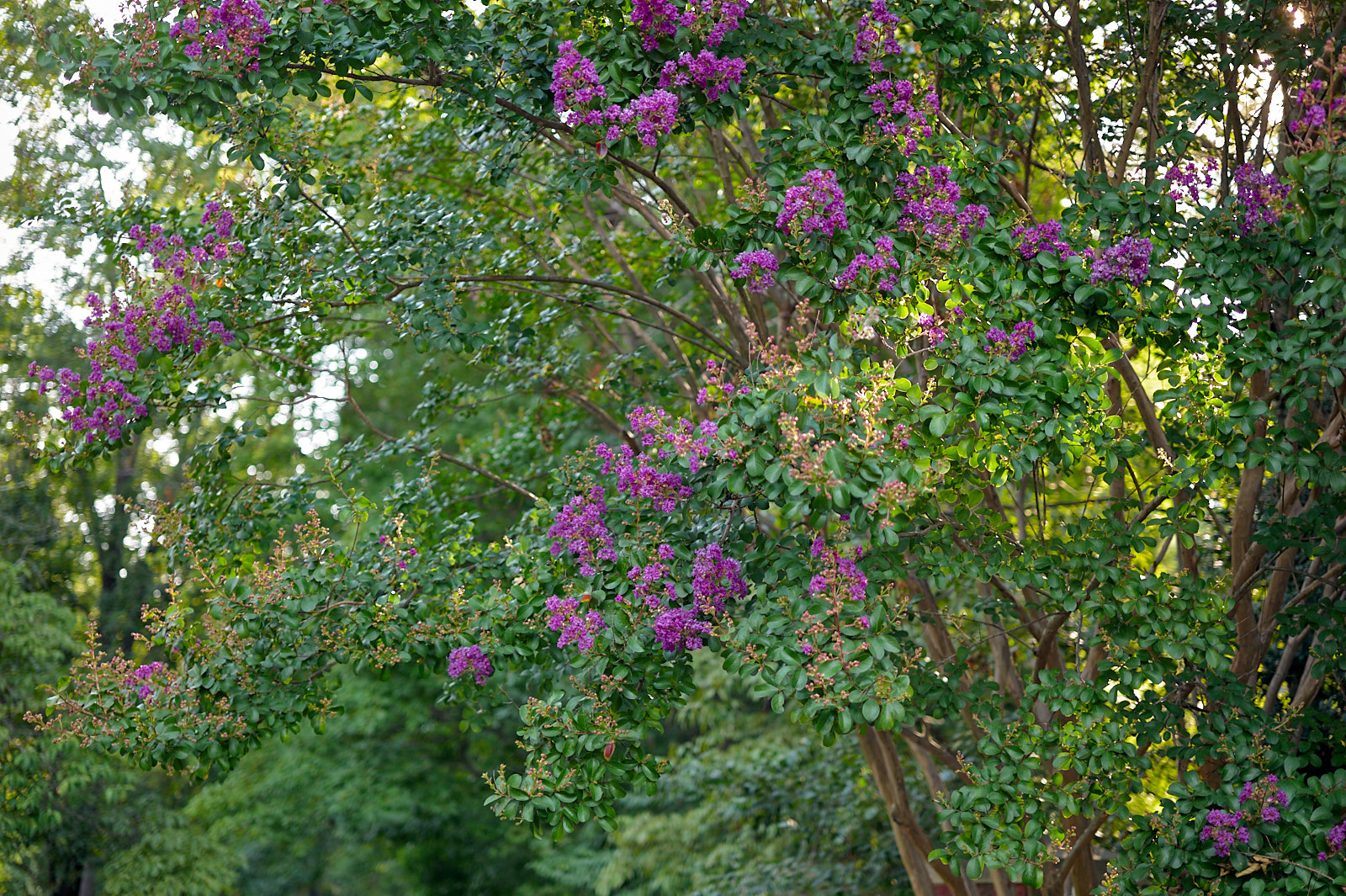
M9 with APO-Summicron-M 50mm lens.
ISO 160, 1/3000, f/2.8
ISO 160, 1/360, f/2
 |
||
 © ocean2059 2021 |
||
|
ISO 160, 1/3000, f/2.8
|
||
 © ocean2059 2021 |
||
|
ISO 160, 1/360, f/2
Jul 22, 2021 at 07:25 AM
p.1817 #10Leica M/X/T/S/Q/CL/SL Picture Thread
M_Wales wrote:
Only brought M10-R + CV 35/1.7 (coded to Leica 35 lux)Fred,
I'm very new to Leica and when you say "coded to Leica 35 Lux" what do you mean by that?
Thank you
Mark
Leica rangefinder digital cameras have Leica lens profile library built in. For current and newer 6-bit coded Leica M lenses, they are automatically recognized when mounted. Leica uses the lens profile and applies computational/digital correction to each images in their RAW files. For non coded older Leica, CV, Zeiss and Konica-m lenses, you can manually enter a lens profile from the library list. I believe you have a CV 35/1.4 VII lens, which has a very similar optical design of Leica Summilux-M 35 pre-ASPH lens, so you may enter that lens code from the profile library "35/1.4 11870/1860." In Fred's case, I believe that he uses "35/1.4 ASPH 11874/11883" to code his CV 35/1.7 lens. You may also turn off your profile so no digital correction is applied. You can check and change your camera setting in "Lens detection" in your M10 Manual.
Fred Miranda wrote
College hunting with my 16-year-old. I had a blast!Only brought M10-R + CV 35/1.7 (coded to Leica 35 lux)
I'm very new to Leica and when you say "coded to Leica 35 Lux" what do you mean by that?
Thank you
Mark
Leica rangefinder digital cameras have Leica lens profile library built in. For current and newer 6-bit coded Leica M lenses, they are automatically recognized when mounted. Leica uses the lens profile and applies computational/digital correction to each images in their RAW files. For non coded older Leica, CV, Zeiss and Konica-m lenses, you can manually enter a lens profile from the library list. I believe you have a CV 35/1.4 VII lens, which has a very similar optical design of Leica Summilux-M 35 pre-ASPH lens, so you may enter that lens code from the profile library "35/1.4 11870/1860." In Fred's case, I believe that he uses "35/1.4 ASPH 11874/11883" to code his CV 35/1.7 lens. You may also turn off your profile so no digital correction is applied. You can check and change your camera setting in "Lens detection" in your M10 Manual.
Jul 22, 2021 at 07:54 AM
|
p.1817 #11Leica M/X/T/S/Q/CL/SL Picture Thread
ocean2059 wrote:
Only brought M10-R + CV 35/1.7 (coded to Leica 35 lux)Fred,
I'm very new to Leica and when you say "coded to Leica 35 Lux" what do you mean by that?
Thank you
MarkLeica rangefinder digital cameras have Leica lens profile library built in. For current and newer 6-bit coded Leica M lenses, they are automatically recognized when mounted. Leica uses the lens profile and applies computational/digital correction to each images in their RAW files. For non coded older Leica, CV, Zeiss and Konica-m lenses, you can manually enter a lens profile from the library list. I believe you have a CV 35/1.4 VII lens, which has a very similar optical design of Leica Summilux-M 35 pre-ASPH lens, so you may enter that lens code from the profile library "35/1.4 11870/1860." In Fred's...Show more →
Gotcha.. I noticed the list of Leica lenses in the menu and since mine was a 35mm I choose one of those. The word coded threw me off...
My M240 has a 35 f/1.4 11869/11870/11860 and thats the one I have been using since I have had it. I wish I had an M10, but very happy with what I have..
Thank you for explaining that.
Mark
M_Wales wrote
Fred Miranda wrote
College hunting with my 16-year-old. I had a blast!Only brought M10-R + CV 35/1.7 (coded to Leica 35 lux)
I'm very new to Leica and when you say "coded to Leica 35 Lux" what do you mean by that?
Thank you
Mark
Gotcha.. I noticed the list of Leica lenses in the menu and since mine was a 35mm I choose one of those. The word coded threw me off...
My M240 has a 35 f/1.4 11869/11870/11860 and thats the one I have been using since I have had it. I wish I had an M10, but very happy with what I have..
Thank you for explaining that.
Mark
Jul 22, 2021 at 08:12 AM
p.1817 #12Leica M/X/T/S/Q/CL/SL Picture Thread
ocean2059 wrote:
Only brought M10-R + CV 35/1.7 (coded to Leica 35 lux)Fred,
I'm very new to Leica and when you say "coded to Leica 35 Lux" what do you mean by that?
Thank you
MarkLeica rangefinder digital cameras have Leica lens profile library built in. For current and newer 6-bit coded Leica M lenses, they are automatically recognized when mounted. Leica uses the lens profile and applies computational/digital correction to each images in their RAW files. For non coded older Leica, CV, Zeiss and Konica-m lenses, you can manually enter a lens profile from the library list. I believe you have a CV 35/1.4 VII lens, which has a very similar optical design of Leica Summilux-M 35 pre-ASPH lens, so you may enter that lens code from the profile library "35/1.4 11870/1860." In Fred's...Show more →
---------------------------------------------
M_Wales wrote:
Only brought M10-R + CV 35/1.7 (coded to Leica 35 lux)Fred,
I'm very new to Leica and when you say "coded to Leica 35 Lux" what do you mean by that?
Thank you
MarkLeica rangefinder digital cameras have Leica lens profile library built in. For current and newer 6-bit coded Leica M lenses, they are automatically recognized when mounted. Leica uses the lens profile and applies computational/digital correction to each images in their RAW files. For non coded older Leica, CV, Zeiss and Konica-m lenses, you can manually enter a lens profile from the library list. I believe you have a CV 35/1.4 VII lens, which has a very similar optical design of Leica Summilux-M 35 pre-ASPH lens, so you may enter that lens code from the profile library "35/1.4 11870/1860." In Fred's case, I believe that he uses "35/1.4 ASPH 11874/11883" to code his CV 35/1.7 lens. You may also turn off your profile so no digital correction is applied. You can check and change your camera setting in "Lens detection" in your M10 Manual.Gotcha.. I noticed the list of Leica lenses in the menu and since mine was a 35mm I choose one of those. The word coded threw me off...
My M240 has a 35 f/1.4 11869/11870/11860 and thats the one I have been using since I have had it. I wish I had an M10, but very happy with what I have..
Thank you for explaining that.
Mark
Yes, I basically used the 6-bit code from the latest 35/1.4 lux on the CV 35/1.7 Ultron. However, instead of using the camera menu options, I just painted the code to the mount of the lens. It's still a temporary solution that can be removed if desired but works quite well.
Here is how I did with the new Voigtlander 28mm f/2 Ultron II:
https://www.fredmiranda.com/forum/topic/1704868/0#15621534
M_Wales wrote
Fred Miranda wrote
College hunting with my 16-year-old. I had a blast!Only brought M10-R + CV 35/1.7 (coded to Leica 35 lux)
I'm very new to Leica and when you say "coded to Leica 35 Lux" what do you mean by that?
Thank you
Mark
---------------------------------------------
M_Wales wrote:
ocean2059 wrote
M_Wales wrote
Fred Miranda wrote
College hunting with my 16-year-old. I had a blast!Only brought M10-R + CV 35/1.7 (coded to Leica 35 lux)
I'm very new to Leica and when you say "coded to Leica 35 Lux" what do you mean by that?
Thank you
Mark
My M240 has a 35 f/1.4 11869/11870/11860 and thats the one I have been using since I have had it. I wish I had an M10, but very happy with what I have..
Thank you for explaining that.
Mark
Yes, I basically used the 6-bit code from the latest 35/1.4 lux on the CV 35/1.7 Ultron. However, instead of using the camera menu options, I just painted the code to the mount of the lens. It's still a temporary solution that can be removed if desired but works quite well.
Here is how I did with the new Voigtlander 28mm f/2 Ultron II:
https://www.fredmiranda.com/forum/topic/1704868/0#15621534
Jul 22, 2021 at 08:27 AM


p.1817 #14Leica M/X/T/S/Q/CL/SL Picture Thread
Fred Miranda wrote:
Only brought M10-R + CV 35/1.7 (coded to Leica 35 lux)Fred,
I'm very new to Leica and when you say "coded to Leica 35 Lux" what do you mean by that?
Thank you
MarkLeica rangefinder digital cameras have Leica lens profile library built in. For current and newer 6-bit coded Leica M lenses, they are automatically recognized when mounted. Leica uses the lens profile and applies computational/digital correction to each images in their RAW files. For non coded older Leica, CV, Zeiss and Konica-m lenses, you can manually enter a lens profile from the library list. I believe you have a CV 35/1.4 VII lens, which has a very similar optical design of Leica Summilux-M 35 pre-ASPH lens, so you may enter that lens code from the profile library "35/1.4 11870/1860." In Fred's case, I believe that he uses "35/1.4 ASPH 11874/11883" to code his CV 35/1.7 lens. You may also turn off your profile so no digital correction is applied. You can check and change your camera setting in "Lens detection" in your M10 Manual.---------------------------------------------
Only brought M10-R + CV 35/1.7 (coded to Leica 35 lux)Fred,
I'm very new to Leica and when you say "coded to Leica 35 Lux" what do you mean by that?
Thank you
MarkLeica rangefinder digital cameras have Leica lens profile library built in. For current and newer 6-bit coded Leica M lenses, they are automatically recognized when mounted. Leica uses the lens profile and applies computational/digital correction to each images in their RAW files. For non coded older Leica, CV, Zeiss and Konica-m lenses, you can manually enter a lens profile from the library list. I believe you have a CV 35/1.4 VII lens, which has a very similar optical design of Leica Summilux-M 35 pre-ASPH lens, so you may enter that lens code from the profile library "35/1.4 11870/1860." In Fred's case, I believe that he uses "35/1.4 ASPH 11874/11883" to code his CV 35/1.7 lens. You may also turn off your profile so no digital correction is applied. You can check and change your camera setting in "Lens detection" in your M10 Manual.Gotcha.. I noticed the list of Leica lenses in the menu and since mine was a 35mm I choose one of those. The word coded threw me off...
My M240 has a 35 f/1.4 11869/11870/11860 and thats the one I have been using since I have had it. I wish I had an M10, but very happy with what I have..
Thank you for explaining that.
MarkYes, I basically used the 6-bit code from the latest 35/1.4 lux on the CV 35/1.7 Ultron. However, instead of using the camera menu options, I just painted the code to the mount of the lens. It's still a temporary solution that can be removed if desired but works quite well.
Here is how I did with the new Voigtlander 28mm f/2 Ultron II:
https://www.fredmiranda.com/forum/topic/1704868/0#15621534
That's very interesting... You can paint that on the lens mount and the camera reads/see's them...
Thanks
Mark
ocean2059 wrote
M_Wales wrote
Fred Miranda wrote
College hunting with my 16-year-old. I had a blast!Only brought M10-R + CV 35/1.7 (coded to Leica 35 lux)
I'm very new to Leica and when you say "coded to Leica 35 Lux" what do you mean by that?
Thank you
Mark
M_Wales wrote
ocean2059 wrote
M_Wales wrote
Fred Miranda wrote
College hunting with my 16-year-old. I had a blast!Only brought M10-R + CV 35/1.7 (coded to Leica 35 lux)
I'm very new to Leica and when you say "coded to Leica 35 Lux" what do you mean by that?
Thank you
Mark
My M240 has a 35 f/1.4 11869/11870/11860 and thats the one I have been using since I have had it. I wish I had an M10, but very happy with what I have..
Thank you for explaining that.
Mark
Here is how I did with the new Voigtlander 28mm f/2 Ultron II:
https://www.fredmiranda.com/forum/topic/1704868/0#15621534
That's very interesting... You can paint that on the lens mount and the camera reads/see's them...
Thanks
Mark
Jul 22, 2021 at 01:37 PM
p.1817 #15Leica M/X/T/S/Q/CL/SL Picture Thread
Thanks for looking,
Bob

Leica M8.2, Voigtlander Ultron 28mmF2
Bob
Leica M8.2, Voigtlander Ultron 28mmF2
Jul 22, 2021 at 06:40 PM
p.1817 #16Leica M/X/T/S/Q/CL/SL Picture Thread
Fred Miranda wrote:
Only brought M10-R + CV 35/1.7 (coded to Leica 35 lux)Fred,
I'm very new to Leica and when you say "coded to Leica 35 Lux" what do you mean by that?
Thank you
MarkLeica rangefinder digital cameras have Leica lens profile library built in. For current and newer 6-bit coded Leica M lenses, they are automatically recognized when mounted. Leica uses the lens profile and applies computational/digital correction to each images in their RAW files. For non coded older Leica, CV, Zeiss and Konica-m lenses, you can manually enter a lens profile from the library list. I believe you have a CV 35/1.4 VII lens, which has a very similar optical design of Leica Summilux-M 35 pre-ASPH lens, so you may enter that lens code from the profile library "35/1.4 11870/1860." In Fred's case, I believe that he uses "35/1.4 ASPH 11874/11883" to code his CV 35/1.7 lens. You may also turn off your profile so no digital correction is applied. You can check and change your camera setting in "Lens detection" in your M10 Manual.---------------------------------------------
Only brought M10-R + CV 35/1.7 (coded to Leica 35 lux)Fred,
I'm very new to Leica and when you say "coded to Leica 35 Lux" what do you mean by that?
Thank you
MarkLeica rangefinder digital cameras have Leica lens profile library built in. For current and newer 6-bit coded Leica M lenses, they are automatically recognized when mounted. Leica uses the lens profile and applies computational/digital correction to each images in their RAW files. For non coded older Leica, CV, Zeiss and Konica-m lenses, you can manually enter a lens profile from the library list. I believe you have a CV 35/1.4 VII lens, which has a very similar optical design of Leica Summilux-M 35 pre-ASPH lens, so you may enter that lens code from the profile library "35/1.4 11870/1860." In Fred's case, I believe that he uses "35/1.4 ASPH 11874/11883" to code his CV 35/1.7 lens. You may also turn off your profile so no digital correction is applied. You can check and change your camera setting in "Lens detection" in your M10 Manual.Gotcha.. I noticed the list of Leica lenses in the menu and since mine was a 35mm I choose one of those. The word coded threw me off...
My M240 has a 35 f/1.4 11869/11870/11860 and thats the one I have been using since I have had it. I wish I had an M10, but very happy with what I have..
Thank you for explaining that.
MarkYes, I basically used the 6-bit code from the latest 35/1.4 lux on the CV 35/1.7 Ultron. However, instead of using the camera menu options, I just painted the code to the mount of the lens. It's still a temporary solution that can be removed if desired but works quite well.
Here is how I did with the new Voigtlander 28mm f/2 Ultron II:
https://www.fredmiranda.com/forum/topic/1704868/0#15621534
Fred,
How did you make your template?
Bob
ocean2059 wrote
M_Wales wrote
Fred Miranda wrote
College hunting with my 16-year-old. I had a blast!Only brought M10-R + CV 35/1.7 (coded to Leica 35 lux)
I'm very new to Leica and when you say "coded to Leica 35 Lux" what do you mean by that?
Thank you
Mark
M_Wales wrote
ocean2059 wrote
M_Wales wrote
Fred Miranda wrote
College hunting with my 16-year-old. I had a blast!Only brought M10-R + CV 35/1.7 (coded to Leica 35 lux)
I'm very new to Leica and when you say "coded to Leica 35 Lux" what do you mean by that?
Thank you
Mark
My M240 has a 35 f/1.4 11869/11870/11860 and thats the one I have been using since I have had it. I wish I had an M10, but very happy with what I have..
Thank you for explaining that.
Mark
Here is how I did with the new Voigtlander 28mm f/2 Ultron II:
https://www.fredmiranda.com/forum/topic/1704868/0#15621534
Fred,
How did you make your template?
Bob
Jul 22, 2021 at 06:42 PM
p.1817 #17Leica M/X/T/S/Q/CL/SL Picture Thread
Bob Jarman wrote:
Only brought M10-R + CV 35/1.7 (coded to Leica 35 lux)Fred,
I'm very new to Leica and when you say "coded to Leica 35 Lux" what do you mean by that?
Thank you
MarkLeica rangefinder digital cameras have Leica lens profile library built in. For current and newer 6-bit coded Leica M lenses, they are automatically recognized when mounted. Leica uses the lens profile and applies computational/digital correction to each images in their RAW files. For non coded older Leica, CV, Zeiss and Konica-m lenses, you can manually enter a lens profile from the library list. I believe you have a CV 35/1.4 VII lens, which has a very similar optical design of Leica Summilux-M 35 pre-ASPH lens, so you may enter that lens code from the profile library "35/1.4 11870/1860." In Fred's case, I believe that he uses "35/1.4 ASPH 11874/11883" to code his CV 35/1.7 lens. You may also turn off your profile so no digital correction is applied. You can check and change your camera setting in "Lens detection" in your M10 Manual.---------------------------------------------
Only brought M10-R + CV 35/1.7 (coded to Leica 35 lux)Fred,
I'm very new to Leica and when you say "coded to Leica 35 Lux" what do you mean by that?
Thank you
MarkLeica rangefinder digital cameras have Leica lens profile library built in. For current and newer 6-bit coded Leica M lenses, they are automatically recognized when mounted. Leica uses the lens profile and applies computational/digital correction to each images in their RAW files. For non coded older Leica, CV, Zeiss and Konica-m lenses, you can manually enter a lens profile from the library list. I believe you have a CV 35/1.4 VII lens, which has a very similar optical design of Leica Summilux-M 35 pre-ASPH lens, so you may enter that lens code from the profile library "35/1.4 11870/1860." In Fred's case, I believe that he uses "35/1.4 ASPH 11874/11883" to code his CV 35/1.7 lens. You may also turn off your profile so no digital correction is applied. You can check and change your camera setting in "Lens detection" in your M10 Manual.Gotcha.. I noticed the list of Leica lenses in the menu and since mine was a 35mm I choose one of those. The word coded threw me off...
My M240 has a 35 f/1.4 11869/11870/11860 and thats the one I have been using since I have had it. I wish I had an M10, but very happy with what I have..
Thank you for explaining that.
MarkYes, I basically used the 6-bit code from the latest 35/1.4 lux on the CV 35/1.7 Ultron. However, instead of using the camera menu options, I just painted the code to the mount of the lens. It's still a temporary solution that can be removed if desired but works quite well.
Here is how I did with the new Voigtlander 28mm f/2 Ultron II:
https://www.fredmiranda.com/forum/topic/1704868/0#15621534Fred,
How did you make your template?
Hi Bob,
Download it here. It's accurate and works every time:
_https://lavidaleica.com/assets/articles/M9_Lens_Coder_V3.jpg
Fred Miranda wrote
ocean2059 wrote
M_Wales wrote
Fred Miranda wrote
College hunting with my 16-year-old. I had a blast!Only brought M10-R + CV 35/1.7 (coded to Leica 35 lux)
I'm very new to Leica and when you say "coded to Leica 35 Lux" what do you mean by that?
Thank you
Mark
M_Wales wrote
ocean2059 wrote
M_Wales wrote
Fred Miranda wrote
College hunting with my 16-year-old. I had a blast!Only brought M10-R + CV 35/1.7 (coded to Leica 35 lux)
I'm very new to Leica and when you say "coded to Leica 35 Lux" what do you mean by that?
Thank you
Mark
My M240 has a 35 f/1.4 11869/11870/11860 and thats the one I have been using since I have had it. I wish I had an M10, but very happy with what I have..
Thank you for explaining that.
Mark
Here is how I did with the new Voigtlander 28mm f/2 Ultron II:
https://www.fredmiranda.com/forum/topic/1704868/0#15621534
How did you make your template?
Hi Bob,
Download it here. It's accurate and works every time:
_https://lavidaleica.com/assets/articles/M9_Lens_Coder_V3.jpg
Jul 22, 2021 at 07:20 PM

p.1817 #19Leica M/X/T/S/Q/CL/SL Picture Thread
Here are a couple of shots (my son and his friend) kayaking at the cottage. I decided to bring a longer lens--the Voigtlander 180 f/4 APO--which works surprisingly well on the Leica M10 with the visoflex 020. Both shot at f/4.


Jul 22, 2021 at 08:16 PM