Leica M/X/T/S/Q/CL/SL Picture Thread
p.1796 #1Leica M/X/T/S/Q/CL/SL Picture Thread
genji wrote:
So, does anyone have any thoughts on using presets?
M10 | DR Summicron 50 | ISO 200 | f/4.0 | 1/350 sec | Wiang Pa Pai, Chiang Rai Province | Thailand
https://cdn.l-camera-forum.com/uploads/monthly_2021_05/L1006327-Edit-4.thumb.jpg.a9bf9450a163e5d32f53d0030639ae07.jpg
https://cdn.l-camera-forum.com/uploads/monthly_2020_07/L1006327-Edit-2.thumb.jpg.07b1171441779de15e9fea6e8b33dce3.jpg
____________________
Frog Leaping photobook: https://www.frogleaping.orgTo me the first colour preset image (with the dog on the left) looks artificial, whereas the second one is convincing. By and large I don’t use presets because I don’t see that they offer anything that can’t be achieved with competent post-processing. I could be wrong about this, of course.
The second issue—should one shoot in colour or monochrome—is more interesting to me. I currently have M10-P and M246 bodies and like using both of them. I find the noise/grain of the M246 at high ISOs very appealing. However, while I used to subscribe to the “monochrome camera eliminates confusion...Show more →
I thought he meant presets in software
Mitch Alland wrote
Below is color a color photo that like but, previously, have only processed in B&W. This color version, like the image p.375 #9, is also based on the ColorEfex Kodachrome 64 simulation, followed by the B&W version that I've posted previously. Actually, while I usually shoot with the intent of either B&W or color, depending on the project I'm shooting for, I like the flexibility of having a choice of using either or both. I recently saw a post by someone who said that he bought a Monochrom so that he wouldn't have to decide on the color or B&W mode. While I understand that approach, I prefer to start with color, not only to have the choice, but also to have the flexibility of using "software filters", which I find useful when processing to get B&W.So, does anyone have any thoughts on using presets?
M10 | DR Summicron 50 | ISO 200 | f/4.0 | 1/350 sec | Wiang Pa Pai, Chiang Rai Province | Thailand
https://cdn.l-camera-forum.com/uploads/monthly_2021_05/L1006327-Edit-4.thumb.jpg.a9bf9450a163e5d32f53d0030639ae07.jpg
https://cdn.l-camera-forum.com/uploads/monthly_2020_07/L1006327-Edit-2.thumb.jpg.07b1171441779de15e9fea6e8b33dce3.jpg
____________________
Frog Leaping photobook: https://www.frogleaping.org
The second issue—should one shoot in colour or monochrome—is more interesting to me. I currently have M10-P and M246 bodies and like using both of them. I find the noise/grain of the M246 at high ISOs very appealing. However, while I used to subscribe to the “monochrome camera eliminates confusion...Show more →
I thought he meant presets in software
May 07, 2021 at 09:16 PM
p.1796 #2Leica M/X/T/S/Q/CL/SL Picture Thread
helimat wrote:
So, does anyone have any thoughts on using presets?
M10 | DR Summicron 50 | ISO 200 | f/4.0 | 1/350 sec | Wiang Pa Pai, Chiang Rai Province | Thailand
https://cdn.l-camera-forum.com/uploads/monthly_2021_05/L1006327-Edit-4.thumb.jpg.a9bf9450a163e5d32f53d0030639ae07.jpg
https://cdn.l-camera-forum.com/uploads/monthly_2020_07/L1006327-Edit-2.thumb.jpg.07b1171441779de15e9fea6e8b33dce3.jpg
____________________
Frog Leaping photobook: https://www.frogleaping.orgTo me the first colour preset image (with the dog on the left) looks artificial, whereas the second one is convincing. By and large I don’t use presets because I don’t see that they offer anything that can’t be achieved with competent post-processing. I could be wrong about this, of course.
The second issue—should one shoot in colour or monochrome—is more interesting to me. I currently have M10-P and M246 bodies and like using both of them. I find the noise/grain of the M246 at high ISOs very appealing. However, while I used to subscribe to the “monochrome camera eliminates confusion regarding colour vs B&W” philosophy, that is no longer true. With experience one can shoot with a colour-capable camera whilst knowing at the same time that one is making what will probably turn out to be a B&W picture. I agree that having the flexibility of applying “software filters” is a huge advantage and have decided that my next Leica will be an M10-R rather than an M10M.I thought he meant presets in software
Well, Mitch specifically mentioned and posted pictures made with Color Efex, which its developer defines as a “photographic filter”. I guess we’ll have to ask him for clarification. My own preference is to use HSL sliders in Lightroom and/or Lumenzia in Photoshop (which I’m just learning).
genji wrote
Mitch Alland wrote
Below is color a color photo that like but, previously, have only processed in B&W. This color version, like the image p.375 #9, is also based on the ColorEfex Kodachrome 64 simulation, followed by the B&W version that I've posted previously. Actually, while I usually shoot with the intent of either B&W or color, depending on the project I'm shooting for, I like the flexibility of having a choice of using either or both. I recently saw a post by someone who said that he bought a Monochrom so that he wouldn't have to decide on the color or B&W mode. While I understand that approach, I prefer to start with color, not only to have the choice, but also to have the flexibility of using "software filters", which I find useful when processing to get B&W.So, does anyone have any thoughts on using presets?
M10 | DR Summicron 50 | ISO 200 | f/4.0 | 1/350 sec | Wiang Pa Pai, Chiang Rai Province | Thailand
https://cdn.l-camera-forum.com/uploads/monthly_2021_05/L1006327-Edit-4.thumb.jpg.a9bf9450a163e5d32f53d0030639ae07.jpg
https://cdn.l-camera-forum.com/uploads/monthly_2020_07/L1006327-Edit-2.thumb.jpg.07b1171441779de15e9fea6e8b33dce3.jpg
____________________
Frog Leaping photobook: https://www.frogleaping.org
The second issue—should one shoot in colour or monochrome—is more interesting to me. I currently have M10-P and M246 bodies and like using both of them. I find the noise/grain of the M246 at high ISOs very appealing. However, while I used to subscribe to the “monochrome camera eliminates confusion regarding colour vs B&W” philosophy, that is no longer true. With experience one can shoot with a colour-capable camera whilst knowing at the same time that one is making what will probably turn out to be a B&W picture. I agree that having the flexibility of applying “software filters” is a huge advantage and have decided that my next Leica will be an M10-R rather than an M10M.
Well, Mitch specifically mentioned and posted pictures made with Color Efex, which its developer defines as a “photographic filter”. I guess we’ll have to ask him for clarification. My own preference is to use HSL sliders in Lightroom and/or Lumenzia in Photoshop (which I’m just learning).
May 07, 2021 at 09:49 PM
p.1796 #3Leica M/X/T/S/Q/CL/SL Picture Thread
Are the "filters" just presets?
I use the sliders in Lightroom too, I created a ton of presets as "starting points" for various scene styles...I suspect a lot of us do the same. I never understood owning a monochrome body...
I'm sure those M's and Q's put out some amazing tones...But are they THAT much better than just setting my JPEG to monochrome and being able to view it in B&W, and ....man, l Iove the SOOC B&W's I get from the M, Q and SL bodies.
I use the sliders in Lightroom too, I created a ton of presets as "starting points" for various scene styles...I suspect a lot of us do the same. I never understood owning a monochrome body...
I'm sure those M's and Q's put out some amazing tones...But are they THAT much better than just setting my JPEG to monochrome and being able to view it in B&W, and ....man, l Iove the SOOC B&W's I get from the M, Q and SL bodies.
May 07, 2021 at 10:14 PM

p.1796 #5Leica M/X/T/S/Q/CL/SL Picture Thread
genji wrote:
So, does anyone have any thoughts on using presets?
M10 | DR Summicron 50 | ISO 200 | f/4.0 | 1/350 sec | Wiang Pa Pai, Chiang Rai Province | Thailand
https://cdn.l-camera-forum.com/uploads/monthly_2021_05/L1006327-Edit-4.thumb.jpg.a9bf9450a163e5d32f53d0030639ae07.jpg
https://cdn.l-camera-forum.com/uploads/monthly_2020_07/L1006327-Edit-2.thumb.jpg.07b1171441779de15e9fea6e8b33dce3.jpg
____________________
Frog Leaping photobook: https://www.frogleaping.orgTo me the first colour preset image (with the dog on the left) looks artificial, whereas the second one is convincing. By and large I don’t use presets because I don’t see that they offer anything that can’t be achieved with competent post-processing. I could be wrong about this, of course.
The second issue—should one shoot in colour or monochrome—is more interesting to me. I currently have M10-P and M246 bodies and like using both of them. I find the noise/grain of the M246 at high ISOs very appealing. However, while I used to subscribe to the “monochrome camera eliminates confusion regarding colour vs B&W” philosophy, that is no longer true. With experience one can shoot with a colour-capable camera whilst knowing at the same time that one is making what will probably turn out to be a B&W picture. I agree that having the flexibility of applying “software filters” is a huge advantage and have decided that my next Leica will be an M10-R rather than an M10M.I thought he meant presets in softwareWell, Mitch specifically mentioned and posted pictures made with Color Efex, which its developer defines as a “photographic filter”. I guess we’ll have to ask him for clarification. My own preference is to use HSL sliders in Lightroom and/or Lumenzia in Photoshop (which I’m just learning).
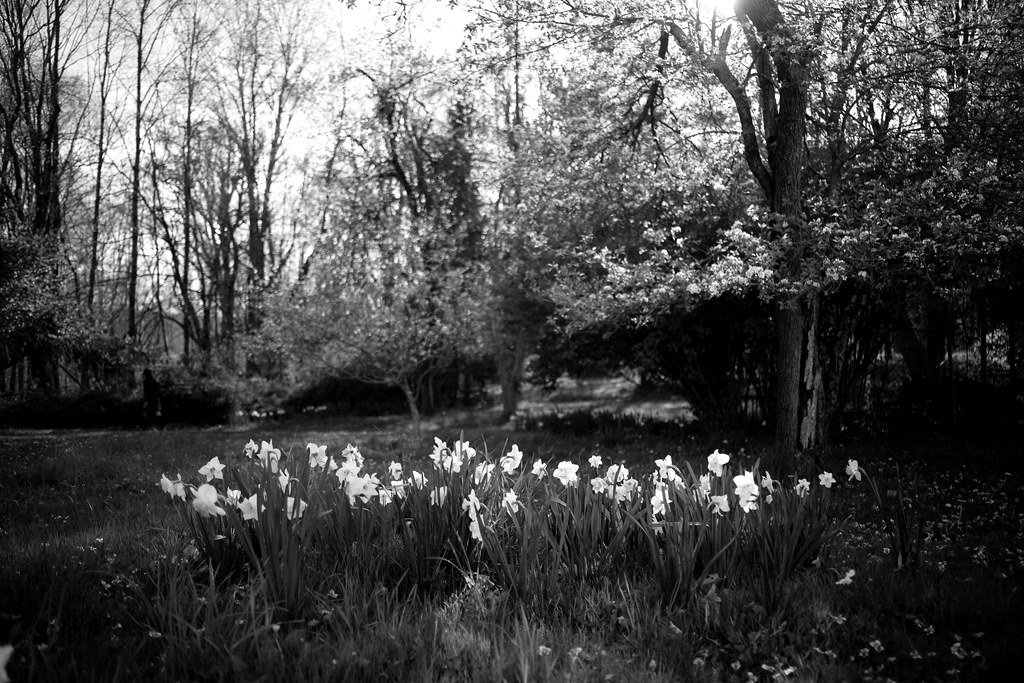
My preference too. I have built what I consider presets from my own edits as well
helimat wrote
genji wrote
Mitch Alland wrote
Below is color a color photo that like but, previously, have only processed in B&W. This color version, like the image p.375 #9, is also based on the ColorEfex Kodachrome 64 simulation, followed by the B&W version that I've posted previously. Actually, while I usually shoot with the intent of either B&W or color, depending on the project I'm shooting for, I like the flexibility of having a choice of using either or both. I recently saw a post by someone who said that he bought a Monochrom so that he wouldn't have to decide on the color or B&W mode. While I understand that approach, I prefer to start with color, not only to have the choice, but also to have the flexibility of using "software filters", which I find useful when processing to get B&W.So, does anyone have any thoughts on using presets?
M10 | DR Summicron 50 | ISO 200 | f/4.0 | 1/350 sec | Wiang Pa Pai, Chiang Rai Province | Thailand
https://cdn.l-camera-forum.com/uploads/monthly_2021_05/L1006327-Edit-4.thumb.jpg.a9bf9450a163e5d32f53d0030639ae07.jpg
https://cdn.l-camera-forum.com/uploads/monthly_2020_07/L1006327-Edit-2.thumb.jpg.07b1171441779de15e9fea6e8b33dce3.jpg
____________________
Frog Leaping photobook: https://www.frogleaping.org
The second issue—should one shoot in colour or monochrome—is more interesting to me. I currently have M10-P and M246 bodies and like using both of them. I find the noise/grain of the M246 at high ISOs very appealing. However, while I used to subscribe to the “monochrome camera eliminates confusion regarding colour vs B&W” philosophy, that is no longer true. With experience one can shoot with a colour-capable camera whilst knowing at the same time that one is making what will probably turn out to be a B&W picture. I agree that having the flexibility of applying “software filters” is a huge advantage and have decided that my next Leica will be an M10-R rather than an M10M.
My preference too. I have built what I consider presets from my own edits as well
May 08, 2021 at 09:03 AM
p.1796 #6Leica M/X/T/S/Q/CL/SL Picture Thread
Matt Kerby wrote:
Are the "filters" just presets?
I use the sliders in Lightroom too, I created a ton of presets as "starting points" for various scene styles...I suspect a lot of us do the same. I never understood owning a monochrome body...
I'm sure those M's and Q's put out some amazing tones...But are they THAT much better than just setting my JPEG to monochrome and being able to view it in B&W, and ....man, l Iove the SOOC B&W's I get from the M, Q and SL bodies.
Yes, I find that to be an excellent compromise, shoot raw + jpg, have the jpg in B&W. That being said, if I were to win the big one I'd probably buy a monochrom, haha.
Are the "filters" just presets?
I use the sliders in Lightroom too, I created a ton of presets as "starting points" for various scene styles...I suspect a lot of us do the same. I never understood owning a monochrome body...
I'm sure those M's and Q's put out some amazing tones...But are they THAT much better than just setting my JPEG to monochrome and being able to view it in B&W, and ....man, l Iove the SOOC B&W's I get from the M, Q and SL bodies.
Yes, I find that to be an excellent compromise, shoot raw + jpg, have the jpg in B&W. That being said, if I were to win the big one I'd probably buy a monochrom, haha.
May 08, 2021 at 09:07 AM
p.1796 #7Leica M/X/T/S/Q/CL/SL Picture Thread
helimat / genji / Matt Kerby - Thanks for looking and for the comments. I've been thinking about the use of presets, and here are some of these thoughts, more longwinded than I would have liked.
Background
I should say, first, that anyone who wants a real film look should shoot film. However, as a nomad who (before Covid) moved annually between the Washington, DC area (five months), Bangkok/Chiang Mai (five months) and Paris (two months), I cannot do my own processing. In 2010, I found in Paris a mint, beautiful, black Hasselblad SWC that I bought on impulse, resolving to have a Thai friend, who ran Bangkok’s best darkroom lab, develop the film that I would scan myself and, eventually, have him make final darkroom prints of the best shots. But when I got back to Bangkok, I found that he had been killed in a car crash. I went looking for someone else who had the reputation of doing skilled and careful film development — turned out that he had taken off for Laos, following a young woman he had fallen in love with. As I wasn’t about to use the largest commercial lab in Bangkok, which had ruined a few 35mm films I had shot over the previous couple of years, I sold the SWC in Bangkok for what I had paid for it in Paris.
Then, in late-2016, I bought a mint M3 — I have an old M6 as well — from an eBay shop in Japan, and started using a “hand-lab” in Chiang Mai, that was also an excellent coffee shop, run by two young women who had learned to love film at the local university and who introduced me to their ex-professor, who ran a lab with a Kodak film processor in Bangkok that he religiously kept ultra-clean. A year later the Bangkok lab closed down because the owner, in his early 50s, died from sleep apnea. Last year, the Chiang Mai also closed down after one of the owners had gone off, in 2018, to be an au pair in Sweden, and the other owner decided to close down after she lost her lease and, after having some medical tests, was advised by her doctor that she was in a pre-cancerous condition: she had been doing all that hand development by herself, without any assistant. So, after all this, I doubt that I’ll get back to shooting film.
Nomenclature
My feeling is to speak about profiles and presets, using the terms from Lightroom. “Filters” I take as marketing-speak, presumably from Instagram. The website of The Archetype Process (TAP), formerly known as C1ick Match, makes a point of the fact that they are providing profiles, which provide a broader range of color and tonalities for the sliders in Lightroom than do presets, and state that the users can make their own presets from the basic profiles. Nik Software states that the Nik Collection has eight plugins (SilverEfex, ColorEfex, etc.) with 200 presets, which they refer to, confusingly, as “filter presets” — with a nod to the hip crowd, I suppose. RNI states that they provide presets and profiles and that the users can use either the preset or click on the same named profile, which provides zeroed-out sliders with a wider range of adjustments than when clicking on the presets.
Use of presets (or profiles)
While most of what is available uses the names of various types of films, I don’t look at presets as real film simulation: rather I see these names as a general indication of the direction of color and/or tonality — so that, for example, Fuji presets are likely to have certain types of green and Kodak presets certain types of blue; Portra presets, a certain type of skin tone. Just a shorthand for a certain aspect of the preset. You can read this article in Hamish Gills blog on this: https://www.35mmc.com/25/07/2016/really-nice-images-review/. Incidentally, there are not many useful web articles on presets, as much of what has been posted are puff pieces for a certain brand.
I tend to use presets in an exploratory manner, to see the direction in which I may want to go with a particular image, particularly for images that are difficult to process. I start in Lightroom and apply the automatic adjustment and then set the basic sliders to how I want the image generally to look like. If that looks promising, I continue in Lightroom and finish the processing. But if this doesn’t take me where I want to be, I start looking at the results of presets and, if I still don’t end up with what I want, I go on to Nik plugins. There is no pattern of where I end up: sometimes I go back and find I end up better with Lightroom, without any of the presets; when I use the Nik plugins, I always add final touches in Lightroom, mainly because the display in Lightroom is better and it’s more evident what final touches are necessary.
There is also the question of what sort of input to use before applying a preset or a Nik plugin. There was a photoblog run by some good photographers in Hong Kong that recommending flattening and lower the saturation of images in Lightroom to create a standard, low-contrast input for SilverEfex — they then had a recipe for creating high-contrast images using the SilverEfex Tri-X 400 simulation. I haven’t reached a conclusion on this: sometimes a low-contrast, bland image works well with SilverEfex. However, in making the color image of the lamyai tree above, I used the final DNG color image as an input into ColroEfex. I haven’t found a useful analysis of this online; and it would be time-consuming to analyze this.
As for which packages to use, for B&W I find Nik SilverEfex often useful: I tend to use either the Tri-X or Neopan 1600 simulation to be good starting point (depending on the tonal renditions of the colors), but always pull back on the excessive grain of the Neopan 1600 simulation which, at the default setting, adds much larger grain than that of Neopan 1600 film. For color, I try the Nik plugins ColorEfex or AnalogEfex and, rarely, Viveza.
I tried RNI, but have not found it particularly useful, despite the fact that it has profiles for each preset that, apparently, run off the Adobe Camera profile of the camera you use. Sometimes, I use a few VSCO presets (mainly Porta 800 and E100G or Ektar 100). The VSCO presets have specific profile files for individual cameras, such as the M10, but I don’t really know whether they are better in this respect than the RNI presets/profiles.
TAP (f.k.a C1ick Match) profiles are relatively expensive and have profiles based on Noritsu and Frontier scanners, which have different color rendering; but have no linking to the camera you are using. While some of the TAP profiles are interesting, they all have excessive reds and oranges when used on M10 files: they may have been tuned for Canon and Nikon files. I’ve asked a couple of times on the TAP FaceBook group about the issue of linking to camera profiles, but the developer has not responded to these questions. In my view this is a major deficiency of TAP, particularly considering the price of the packages.
The Mastin Lab profiles are apparently tuned for Canon and Nikon and are not linked to any camera profiles. Their HP5 and Tri-X presets produce a lot of tonal separation and are sometimes useful in simplifying a composition, as in the B&W picture of the image with the dog above.
Using SOOC JPGs
On using straight out of camera JPGs, I’ve only tried JPGs from the M9 and M10 and don’t find them useful. However, I also have a Ricoh GR III and really like the Positive Film and Hi-Contrast JPG modes — particularly, in that you you can adjust a huge number of parameters, some of them (like contrast) in five steps; then, you can save these settings as a custom mode. Using such customized Positive Film and Hi-Contrast modes, I have found I get results that I had difficulties in replicating, or couldn't do so at all, by post-processing the DNG files. Also, you can set one default JPG setting, such as your customized Hi-Contrast B&W; and, then, you can process the DNG in-camera with, say, your customized Positive Film setting and have two JPG versions and the DNG to bring into Lightroom. I wish Leica had this kind of JPG facility.
____________________
Frog Leaping photobook: https://www.frogleaping.org
Background
I should say, first, that anyone who wants a real film look should shoot film. However, as a nomad who (before Covid) moved annually between the Washington, DC area (five months), Bangkok/Chiang Mai (five months) and Paris (two months), I cannot do my own processing. In 2010, I found in Paris a mint, beautiful, black Hasselblad SWC that I bought on impulse, resolving to have a Thai friend, who ran Bangkok’s best darkroom lab, develop the film that I would scan myself and, eventually, have him make final darkroom prints of the best shots. But when I got back to Bangkok, I found that he had been killed in a car crash. I went looking for someone else who had the reputation of doing skilled and careful film development — turned out that he had taken off for Laos, following a young woman he had fallen in love with. As I wasn’t about to use the largest commercial lab in Bangkok, which had ruined a few 35mm films I had shot over the previous couple of years, I sold the SWC in Bangkok for what I had paid for it in Paris.
Then, in late-2016, I bought a mint M3 — I have an old M6 as well — from an eBay shop in Japan, and started using a “hand-lab” in Chiang Mai, that was also an excellent coffee shop, run by two young women who had learned to love film at the local university and who introduced me to their ex-professor, who ran a lab with a Kodak film processor in Bangkok that he religiously kept ultra-clean. A year later the Bangkok lab closed down because the owner, in his early 50s, died from sleep apnea. Last year, the Chiang Mai also closed down after one of the owners had gone off, in 2018, to be an au pair in Sweden, and the other owner decided to close down after she lost her lease and, after having some medical tests, was advised by her doctor that she was in a pre-cancerous condition: she had been doing all that hand development by herself, without any assistant. So, after all this, I doubt that I’ll get back to shooting film.
Nomenclature
My feeling is to speak about profiles and presets, using the terms from Lightroom. “Filters” I take as marketing-speak, presumably from Instagram. The website of The Archetype Process (TAP), formerly known as C1ick Match, makes a point of the fact that they are providing profiles, which provide a broader range of color and tonalities for the sliders in Lightroom than do presets, and state that the users can make their own presets from the basic profiles. Nik Software states that the Nik Collection has eight plugins (SilverEfex, ColorEfex, etc.) with 200 presets, which they refer to, confusingly, as “filter presets” — with a nod to the hip crowd, I suppose. RNI states that they provide presets and profiles and that the users can use either the preset or click on the same named profile, which provides zeroed-out sliders with a wider range of adjustments than when clicking on the presets.
Use of presets (or profiles)
While most of what is available uses the names of various types of films, I don’t look at presets as real film simulation: rather I see these names as a general indication of the direction of color and/or tonality — so that, for example, Fuji presets are likely to have certain types of green and Kodak presets certain types of blue; Portra presets, a certain type of skin tone. Just a shorthand for a certain aspect of the preset. You can read this article in Hamish Gills blog on this: https://www.35mmc.com/25/07/2016/really-nice-images-review/. Incidentally, there are not many useful web articles on presets, as much of what has been posted are puff pieces for a certain brand.
I tend to use presets in an exploratory manner, to see the direction in which I may want to go with a particular image, particularly for images that are difficult to process. I start in Lightroom and apply the automatic adjustment and then set the basic sliders to how I want the image generally to look like. If that looks promising, I continue in Lightroom and finish the processing. But if this doesn’t take me where I want to be, I start looking at the results of presets and, if I still don’t end up with what I want, I go on to Nik plugins. There is no pattern of where I end up: sometimes I go back and find I end up better with Lightroom, without any of the presets; when I use the Nik plugins, I always add final touches in Lightroom, mainly because the display in Lightroom is better and it’s more evident what final touches are necessary.
There is also the question of what sort of input to use before applying a preset or a Nik plugin. There was a photoblog run by some good photographers in Hong Kong that recommending flattening and lower the saturation of images in Lightroom to create a standard, low-contrast input for SilverEfex — they then had a recipe for creating high-contrast images using the SilverEfex Tri-X 400 simulation. I haven’t reached a conclusion on this: sometimes a low-contrast, bland image works well with SilverEfex. However, in making the color image of the lamyai tree above, I used the final DNG color image as an input into ColroEfex. I haven’t found a useful analysis of this online; and it would be time-consuming to analyze this.
As for which packages to use, for B&W I find Nik SilverEfex often useful: I tend to use either the Tri-X or Neopan 1600 simulation to be good starting point (depending on the tonal renditions of the colors), but always pull back on the excessive grain of the Neopan 1600 simulation which, at the default setting, adds much larger grain than that of Neopan 1600 film. For color, I try the Nik plugins ColorEfex or AnalogEfex and, rarely, Viveza.
I tried RNI, but have not found it particularly useful, despite the fact that it has profiles for each preset that, apparently, run off the Adobe Camera profile of the camera you use. Sometimes, I use a few VSCO presets (mainly Porta 800 and E100G or Ektar 100). The VSCO presets have specific profile files for individual cameras, such as the M10, but I don’t really know whether they are better in this respect than the RNI presets/profiles.
TAP (f.k.a C1ick Match) profiles are relatively expensive and have profiles based on Noritsu and Frontier scanners, which have different color rendering; but have no linking to the camera you are using. While some of the TAP profiles are interesting, they all have excessive reds and oranges when used on M10 files: they may have been tuned for Canon and Nikon files. I’ve asked a couple of times on the TAP FaceBook group about the issue of linking to camera profiles, but the developer has not responded to these questions. In my view this is a major deficiency of TAP, particularly considering the price of the packages.
The Mastin Lab profiles are apparently tuned for Canon and Nikon and are not linked to any camera profiles. Their HP5 and Tri-X presets produce a lot of tonal separation and are sometimes useful in simplifying a composition, as in the B&W picture of the image with the dog above.
Using SOOC JPGs
On using straight out of camera JPGs, I’ve only tried JPGs from the M9 and M10 and don’t find them useful. However, I also have a Ricoh GR III and really like the Positive Film and Hi-Contrast JPG modes — particularly, in that you you can adjust a huge number of parameters, some of them (like contrast) in five steps; then, you can save these settings as a custom mode. Using such customized Positive Film and Hi-Contrast modes, I have found I get results that I had difficulties in replicating, or couldn't do so at all, by post-processing the DNG files. Also, you can set one default JPG setting, such as your customized Hi-Contrast B&W; and, then, you can process the DNG in-camera with, say, your customized Positive Film setting and have two JPG versions and the DNG to bring into Lightroom. I wish Leica had this kind of JPG facility.
____________________
Frog Leaping photobook: https://www.frogleaping.org
May 08, 2021 at 11:38 AM
p.1796 #8Leica M/X/T/S/Q/CL/SL Picture Thread
Mitch Alland wrote:
Using SOOC JPGs
On using straight out of camera JPGs, I’ve only tried JPGs from the M9 and M10 and don’t find them useful. However, I also have a Ricoh GR III and really like the Positive Film and Hi-Contrast JPG modes — particularly, in that you you can adjust a huge number of parameters, some of them (like contrast) in five steps; then, you can save these settings as a custom mode. Using such customized Positive Film and Hi-Contrast modes, I have found I get results that I had difficulties in replicating, or couldn't do so at all, by...Show more →
That is one of my favourite features of my GR III, and I agree, I wish Leica had a similar capability.
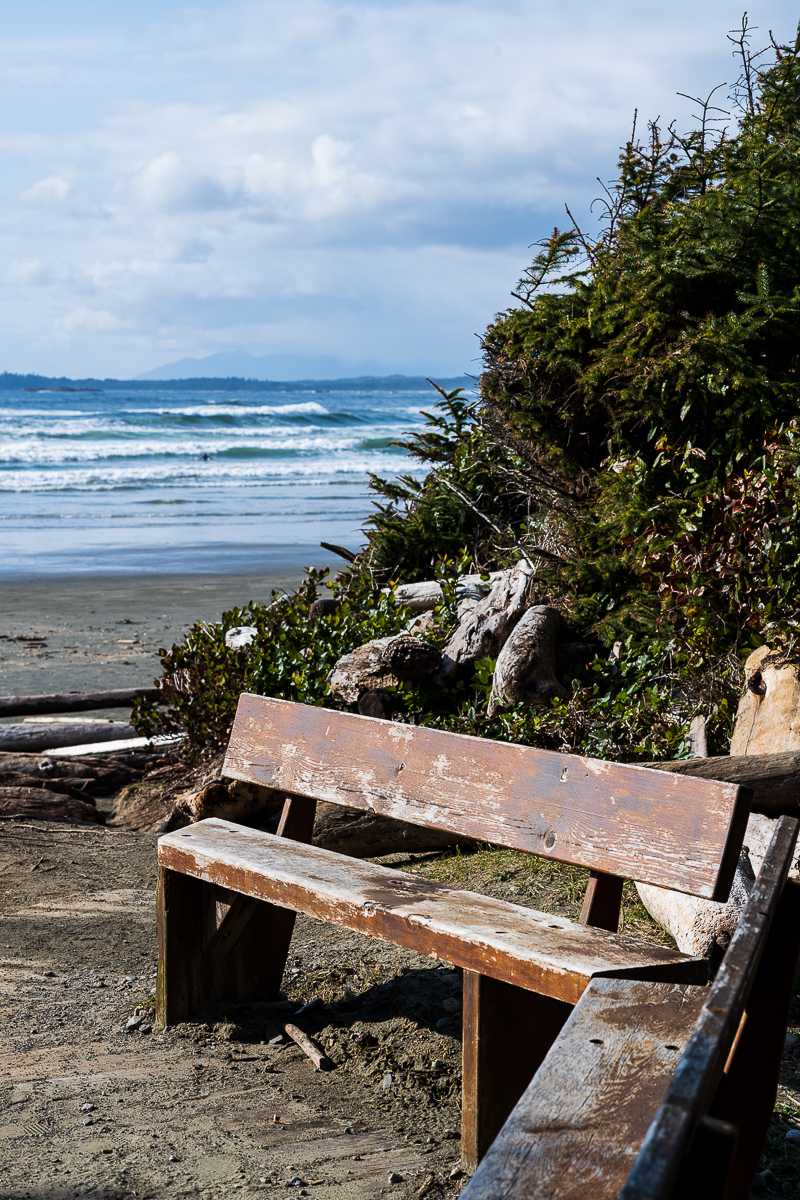
M10-P + Summarit 75/2.4
Using SOOC JPGs
On using straight out of camera JPGs, I’ve only tried JPGs from the M9 and M10 and don’t find them useful. However, I also have a Ricoh GR III and really like the Positive Film and Hi-Contrast JPG modes — particularly, in that you you can adjust a huge number of parameters, some of them (like contrast) in five steps; then, you can save these settings as a custom mode. Using such customized Positive Film and Hi-Contrast modes, I have found I get results that I had difficulties in replicating, or couldn't do so at all, by...Show more →
That is one of my favourite features of my GR III, and I agree, I wish Leica had a similar capability.
M10-P + Summarit 75/2.4
 |
||
 |
||
|
May 08, 2021 at 11:51 AM



|


p.1796 #16Leica M/X/T/S/Q/CL/SL Picture Thread
genji wrote:
Jonathan I like the B&W representation from Studio Ghibli's Spirited Away.
Jonathan I like the B&W representation from Studio Ghibli's Spirited Away.
May 08, 2021 at 11:58 PM

p.1796 #18Leica M/X/T/S/Q/CL/SL Picture Thread
burningheart wrote:
Jonathan I like the B&W representation from Studio Ghibli's Spirited Away.
Thank you. No-Face (Kaonashi) is one of my favourite characters in Spirited Away. One of the loveliest tattoos I've ever seen belonged to a young woman waiting at a pedestrian crossing. It was a small monochrome rendering of No-Face's head and shoulders on her upper arm.
genji wrote
Thank you. No-Face (Kaonashi) is one of my favourite characters in Spirited Away. One of the loveliest tattoos I've ever seen belonged to a young woman waiting at a pedestrian crossing. It was a small monochrome rendering of No-Face's head and shoulders on her upper arm.
May 09, 2021 at 01:56 AM
p.1796 #19Leica M/X/T/S/Q/CL/SL Picture Thread
rscheffler wrote:
Mitch, thanks for your detailed thoughts. I wish I could add something but I don't use presets or filter packs, etc. I just mess around in Lightroom and generally don't go too extreme...
Yes, going extreme. Generally, I think "going etreme" may be good, only in certain contexts — at least better than "over-processing".
Below is another image, taken in the never-never land of tropical sunset, using the ColorEfex Kodachrome simulation, with adjustments. But what sort of never-land, tropical or Kodachrome? This also raises the issue of color memory: mine is poor particularly for a scene shot a couple of years ago.
M10 | Summaron-M 1:5.6/28 | ISO 200 | f/5.6 | 1/90 sec | Wiang Pa Pao, Chiang Rai Province, Thailand

____________________
Frog Leaping photobook: https://www.frogleaping.org
Edited on May 09, 2021 at 10:29 AM · View previous versions
Mitch, thanks for your detailed thoughts. I wish I could add something but I don't use presets or filter packs, etc. I just mess around in Lightroom and generally don't go too extreme...
Yes, going extreme. Generally, I think "going etreme" may be good, only in certain contexts — at least better than "over-processing".
Below is another image, taken in the never-never land of tropical sunset, using the ColorEfex Kodachrome simulation, with adjustments. But what sort of never-land, tropical or Kodachrome? This also raises the issue of color memory: mine is poor particularly for a scene shot a couple of years ago.
M10 | Summaron-M 1:5.6/28 | ISO 200 | f/5.6 | 1/90 sec | Wiang Pa Pao, Chiang Rai Province, Thailand
____________________
Frog Leaping photobook: https://www.frogleaping.org
Edited on May 09, 2021 at 10:29 AM · View previous versions
May 09, 2021 at 07:25 AM
