Leica M/X/T/S/Q/CL/SL Picture Thread


p.1759 #3Leica M/X/T/S/Q/CL/SL Picture Thread
Is it just me or does it look to others as though the trunk of the palm tree has been Photoshopped in? (It hasn't.)

Nov 24, 2020 at 06:01 PM
p.1759 #4Leica M/X/T/S/Q/CL/SL Picture Thread
burningheart wrote:
M10M Lux 50
http://www.robert-chisholm.com/fred_miranda/LM101925.jpg
Elmar 24
http://www.robert-chisholm.com/fred_miranda/LM101911.jpg
APO 90
http://www.robert-chisholm.com/fred_miranda/LM101913.jpg
135 APO
http://www.robert-chisholm.com/fred_miranda/LM101902.jpg
@burningheart,
I'm not seeing any images?
Bob
<edit>
Once this reply posted, I can click on the links and see images?
M10M Lux 50
http://www.robert-chisholm.com/fred_miranda/LM101925.jpg
Elmar 24
http://www.robert-chisholm.com/fred_miranda/LM101911.jpg
APO 90
http://www.robert-chisholm.com/fred_miranda/LM101913.jpg
135 APO
http://www.robert-chisholm.com/fred_miranda/LM101902.jpg
@burningheart,
I'm not seeing any images?
Bob
<edit>
Once this reply posted, I can click on the links and see images?
Nov 24, 2020 at 07:14 PM

p.1759 #5Leica M/X/T/S/Q/CL/SL Picture Thread
Bob Jarman wrote:
http://www.robert-chisholm.com/fred_miranda/LM101925.jpg
Elmar 24
http://www.robert-chisholm.com/fred_miranda/LM101911.jpg
APO 90
http://www.robert-chisholm.com/fred_miranda/LM101913.jpg
135 APO
http://www.robert-chisholm.com/fred_miranda/LM101902.jpg@burningheart@@,
I'm not seeing any images?
Bob
<edit>
Once this reply posted, I can click on the links and see images?
Same here ... weird
burningheart wrote
M10M Lux 50http://www.robert-chisholm.com/fred_miranda/LM101925.jpg
Elmar 24
http://www.robert-chisholm.com/fred_miranda/LM101911.jpg
APO 90
http://www.robert-chisholm.com/fred_miranda/LM101913.jpg
135 APO
http://www.robert-chisholm.com/fred_miranda/LM101902.jpg
I'm not seeing any images?
Bob
<edit>
Once this reply posted, I can click on the links and see images?
Same here ... weird
Nov 24, 2020 at 08:31 PM
p.1759 #6Leica M/X/T/S/Q/CL/SL Picture Thread
They appear in Safari, IE, Edge, Firefox, It's Google Chrome's new security - explanation from Photonadave
"This has been an issue since late September or so IIRC. My workaround in Chrome running on Win 7 64 is to right click on the little box where the image should be and select "Open image in new tab" then go look at the new tab that appears."
"This has been an issue since late September or so IIRC. My workaround in Chrome running on Win 7 64 is to right click on the little box where the image should be and select "Open image in new tab" then go look at the new tab that appears."
Nov 24, 2020 at 08:51 PM
p.1759 #7Leica M/X/T/S/Q/CL/SL Picture Thread
M10M + R280 APO


Elmar 24

Edited on Nov 28, 2020 at 10:12 PM · View previous versions
Elmar 24
Edited on Nov 28, 2020 at 10:12 PM · View previous versions
Nov 24, 2020 at 08:57 PM
p.1759 #8Leica M/X/T/S/Q/CL/SL Picture Thread
burningheart wrote:
They appear in Safari, IE, Edge, Firefox, It's Google Chrome's new security - explanation from Photonadave
"This has been an issue since late September or so IIRC. My workaround in Chrome running on Win 7 64 is to right click on the little box where the image should be and select "Open image in new tab" then go look at the new tab that appears."
They don't appear in Safari on my iPad Mini or iPad Pro 9.7 but they do appear in Safari on my iPhone XS, Mac Pro 2012, and MacBook Air. They do appear on the iPads in Firefox. It's been like this for months.
They appear in Safari, IE, Edge, Firefox, It's Google Chrome's new security - explanation from Photonadave
"This has been an issue since late September or so IIRC. My workaround in Chrome running on Win 7 64 is to right click on the little box where the image should be and select "Open image in new tab" then go look at the new tab that appears."
They don't appear in Safari on my iPad Mini or iPad Pro 9.7 but they do appear in Safari on my iPhone XS, Mac Pro 2012, and MacBook Air. They do appear on the iPads in Firefox. It's been like this for months.
Nov 24, 2020 at 10:22 PM
p.1759 #9Leica M/X/T/S/Q/CL/SL Picture Thread
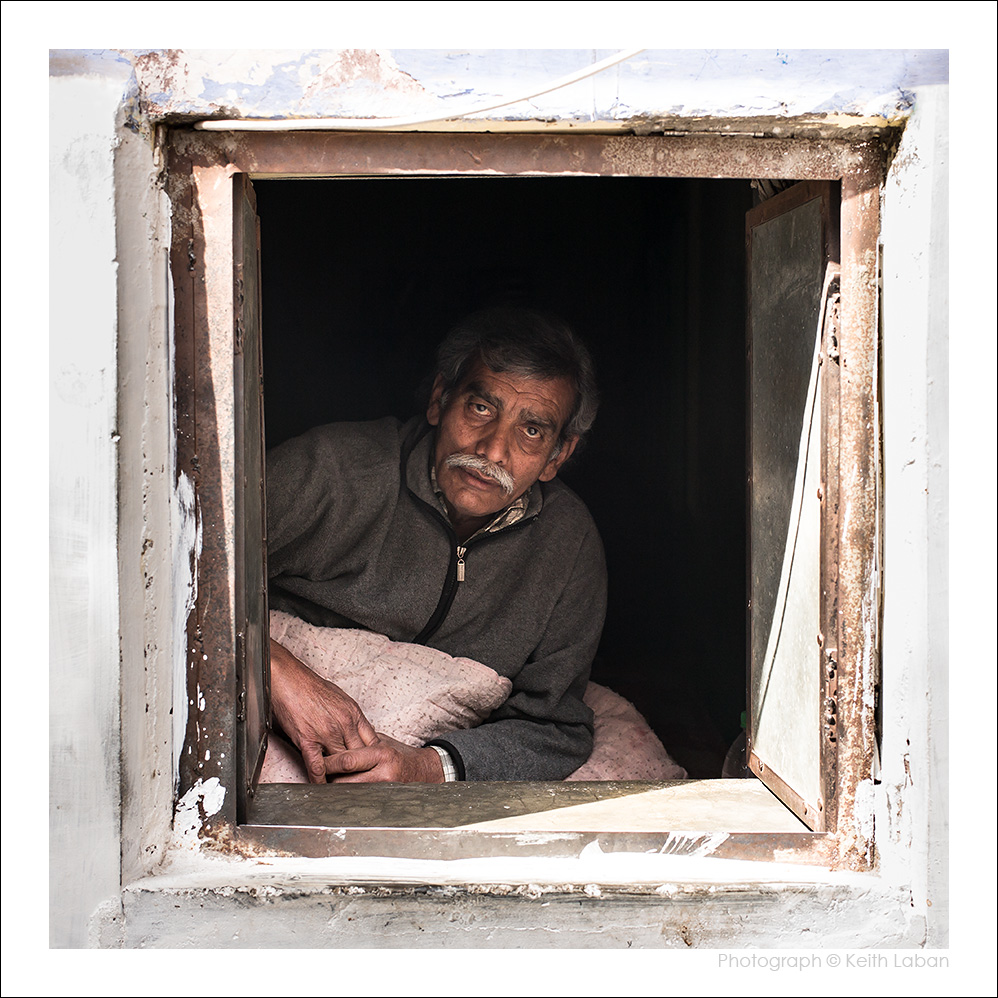
Through the Window. Jodhpur, India. M240, 35mm Lux ASPH FLE.
Nov 25, 2020 at 03:01 AM
p.1759 #10Leica M/X/T/S/Q/CL/SL Picture Thread
burningheart wrote:
They appear in Safari, IE, Edge, Firefox, It's Google Chrome's new security - explanation from Photonadave
"This has been an issue since late September or so IIRC. My workaround in Chrome running on Win 7 64 is to right click on the little box where the image should be and select "Open image in new tab" then go look at the new tab that appears."
Bingo - Win 10 Pro
Thanks. But why do the others open? Are these stored in a different location/server?
Ahh, link (HTML) indicates they are stored on his own website, but still, checking others storage on Flickr, mine on PBase etc.
Oh well.
Everyone have a great holiday!
Not to beat a dead link, but: Robert's site is http: not https. My setup flags http as unsecure, maybe that is the difference?
They appear in Safari, IE, Edge, Firefox, It's Google Chrome's new security - explanation from Photonadave
"This has been an issue since late September or so IIRC. My workaround in Chrome running on Win 7 64 is to right click on the little box where the image should be and select "Open image in new tab" then go look at the new tab that appears."
Bingo - Win 10 Pro
Thanks. But why do the others open? Are these stored in a different location/server?
Ahh, link (HTML) indicates they are stored on his own website, but still, checking others storage on Flickr, mine on PBase etc.
Oh well.
Everyone have a great holiday!
Not to beat a dead link, but: Robert's site is http: not https. My setup flags http as unsecure, maybe that is the difference?
Nov 25, 2020 at 01:40 PM
|
p.1759 #11Leica M/X/T/S/Q/CL/SL Picture Thread
Oops, here's one with the SL2 and 75SL APO

Edited on Nov 25, 2020 at 04:04 PM · View previous versions
Edited on Nov 25, 2020 at 04:04 PM · View previous versions
Nov 25, 2020 at 02:34 PM
p.1759 #12Leica M/X/T/S/Q/CL/SL Picture Thread
Great to see this thread still going strong! Best to all, C
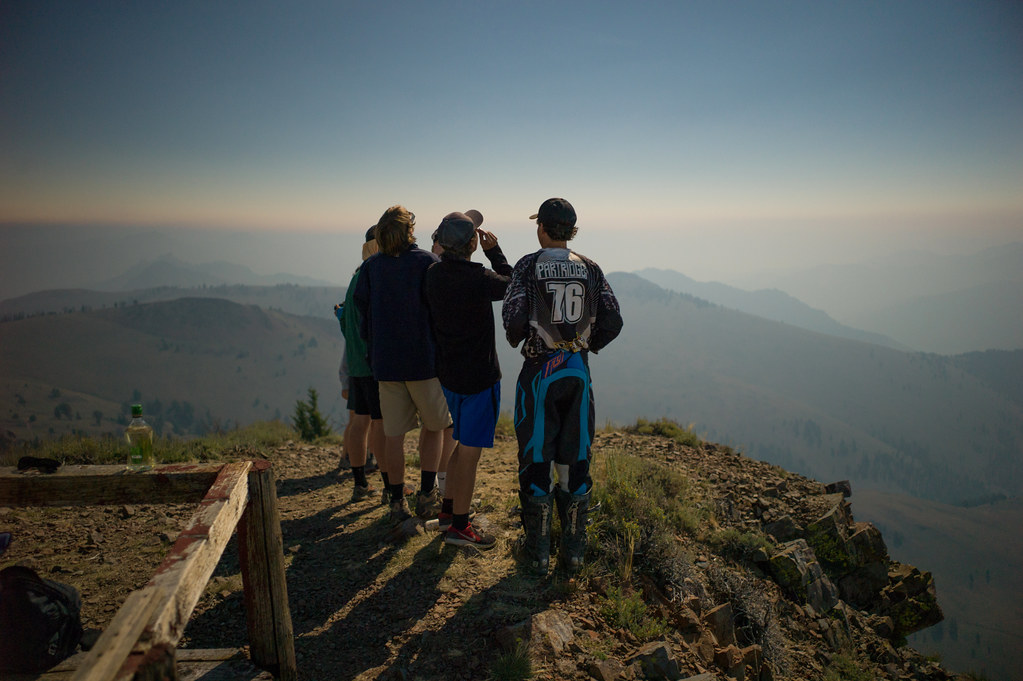 Lookout Eclipse by unoh7, on Flickr
Taken during 2017 Eclispe, M9 28cron WO. One interesting effect of the eclipse was the extremely bright horizon, all directions. You get a hint of this in the shot above.
My free time is mostly taken learning musical instruments these days. At 63 besides my keyboards I'm learning the cello, viola, violin and various guitars. Good student versions are not expensive.
It's a shame the violin has the reputation of being a difficult instrument. In fact it was a very popular folk instrument in America, and is very much fun to play with. Some believe the bow is the oldest musical instrument, originally used with the mouth as a soundbox. It's an impressive tool to make strings sing, that I have learned.
Anyway, I'm loving the old folk songs and oh so slowly making progress
Every few months I dust off my excessive lens collection, and my bodies are loaded and charged, just in case.
Lookout Eclipse by unoh7, on FlickrTaken during 2017 Eclispe, M9 28cron WO. One interesting effect of the eclipse was the extremely bright horizon, all directions. You get a hint of this in the shot above.
My free time is mostly taken learning musical instruments these days. At 63 besides my keyboards I'm learning the cello, viola, violin and various guitars. Good student versions are not expensive.
It's a shame the violin has the reputation of being a difficult instrument. In fact it was a very popular folk instrument in America, and is very much fun to play with.
Some believe the bow is the oldest musical instrument, originally used with the mouth as a soundbox. It's an impressive tool to make strings sing, that I have learned.Anyway, I'm loving the old folk songs and oh so slowly making progress
Every few months I dust off my excessive lens collection, and my bodies are loaded and charged, just in case.
Nov 25, 2020 at 02:56 PM
p.1759 #13Leica M/X/T/S/Q/CL/SL Picture Thread
Matt Kerby wrote:
a7r2/50 Summilux-m
https://live.staticflickr.com/65535/50645976681_c8daaf8618_b.jpg
Good photo but this thread is for images taken with Leica cameras.
a7r2/50 Summilux-m
https://live.staticflickr.com/65535/50645976681_c8daaf8618_b.jpg
Good photo but this thread is for images taken with Leica cameras.
Nov 25, 2020 at 03:22 PM
p.1759 #14Leica M/X/T/S/Q/CL/SL Picture Thread
Sorry, thought it was for M lenses too, changed it to a Leica body and lens
Thanks!
joakim wrote:
https://live.staticflickr.com/65535/50645976681_c8daaf8618_b.jpgGood photo but this thread is for images taken with Leica cameras.
Thanks!
joakim wrote:
Matt Kerby wrote
a7r2/50 Summilux-mhttps://live.staticflickr.com/65535/50645976681_c8daaf8618_b.jpg
Nov 25, 2020 at 04:05 PM
p.1759 #15Leica M/X/T/S/Q/CL/SL Picture Thread
joakim wrote:
https://live.staticflickr.com/65535/50645976681_c8daaf8618_b.jpgGood photo but this thread is for images taken with Leica cameras.
+1
The Sony FE Images Thread (https://www.fredmiranda.com/forum/topic/1255248) is a great place to post images made with Sony full frame bodies and Leica lenses (any make of lens, actually).
Matt Kerby wrote
a7r2/50 Summilux-mhttps://live.staticflickr.com/65535/50645976681_c8daaf8618_b.jpg
+1
The Sony FE Images Thread (https://www.fredmiranda.com/forum/topic/1255248) is a great place to post images made with Sony full frame bodies and Leica lenses (any make of lens, actually).
Nov 25, 2020 at 04:05 PM
p.1759 #16Leica M/X/T/S/Q/CL/SL Picture Thread
Bob Jarman wrote:
"This has been an issue since late September or so IIRC. My workaround in Chrome running on Win 7 64 is to right click on the little box where the image should be and select "Open image in new tab" then go look at the new tab that appears."Bingo - Win 10 Pro
Thanks. But why do the others open? Are these stored in a different location/server?
Ahh, link (HTML) indicates they are stored on his own website, but still, checking others storage on Flickr, mine on PBase etc.
Oh well.
Everyone have a great holiday!
Not to beat a dead link, but: Robert's site is http: not https. My setup flags http as unsecure, maybe that is the difference?
http will probably result in some sort of 'site not secure' warnings. Mine is also just http and the hundreds of images I've posted to this thread, hosted there, have had all their links broken by something with the the forum forcing https. If I use https in the image URL, even though my site isn't https, it will show here (on my computers). If I just use http, it doesn't work. It's one small reason why I haven't posted images for a while...
---------------------------------------------
uhoh7 wrote:
Great to see this thread still going strong! Best to all, C
My free time is mostly taken learning musical instruments these days. At 63 besides my keyboards I'm learning the cello, viola, violin and various guitars. Good student versions are not expensive.
It's a shame the violin has the reputation of being a difficult instrument. In fact it was a very popular folk instrument in America, and is very much fun to play with. Some believe the bow is the oldest musical instrument, originally used with the mouth as a soundbox. It's an impressive tool to make strings sing,...Show more →
Hi Charlie! Great to hear from you. Was just thinking about you and your eclectic lens collection. Glad to read you're OK and keeping busy.
burningheart wrote
They appear in Safari, IE, Edge, Firefox, It's Google Chrome's new security - explanation from Photonadave"This has been an issue since late September or so IIRC. My workaround in Chrome running on Win 7 64 is to right click on the little box where the image should be and select "Open image in new tab" then go look at the new tab that appears."
Thanks. But why do the others open? Are these stored in a different location/server?
Ahh, link (HTML) indicates they are stored on his own website, but still, checking others storage on Flickr, mine on PBase etc.
Oh well.
Everyone have a great holiday!
Not to beat a dead link, but: Robert's site is http: not https. My setup flags http as unsecure, maybe that is the difference?
http will probably result in some sort of 'site not secure' warnings. Mine is also just http and the hundreds of images I've posted to this thread, hosted there, have had all their links broken by something with the the forum forcing https. If I use https in the image URL, even though my site isn't https, it will show here (on my computers). If I just use http, it doesn't work. It's one small reason why I haven't posted images for a while...
---------------------------------------------
uhoh7 wrote:
Great to see this thread still going strong! Best to all, C
My free time is mostly taken learning musical instruments these days. At 63 besides my keyboards I'm learning the cello, viola, violin and various guitars. Good student versions are not expensive.
It's a shame the violin has the reputation of being a difficult instrument. In fact it was a very popular folk instrument in America, and is very much fun to play with.
Some believe the bow is the oldest musical instrument, originally used with the mouth as a soundbox. It's an impressive tool to make strings sing,...Show more →Hi Charlie! Great to hear from you. Was just thinking about you and your eclectic lens collection.
Glad to read you're OK and keeping busy.Nov 25, 2020 at 10:33 PM


p.1759 #20Leica M/X/T/S/Q/CL/SL Picture Thread
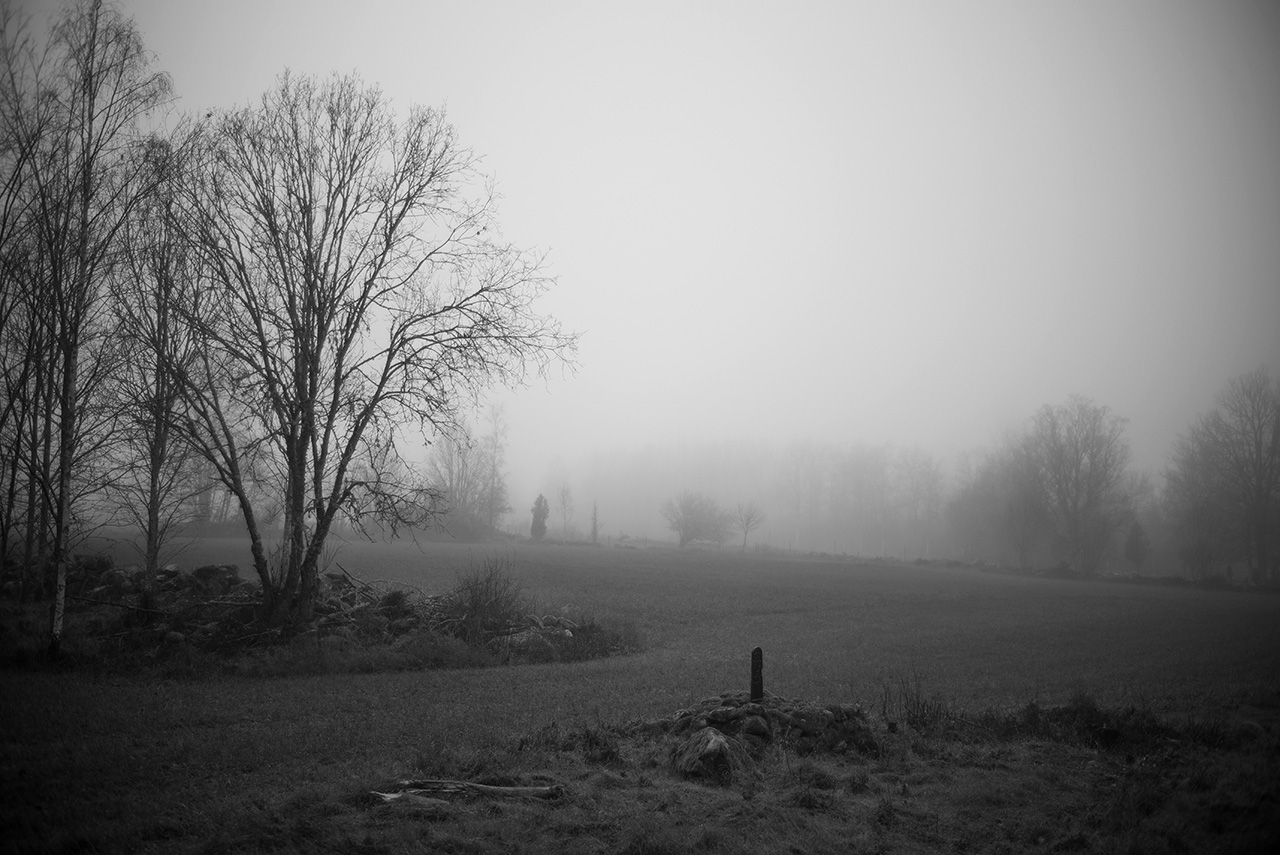
Long time since I posted something in this thread even if I have been following it, here is one with the Light Lens Lab 35 Summicron Replica and the M Monochrom 246
Nov 27, 2020 at 07:17 AM