Leica M/X/T/S/Q/CL/SL Picture Thread


p.1356 #2Leica M/X/T/S/Q/CL/SL Picture Thread
Nice colors from the M8, Gary!
Charlie, love the warm late afternoon tones.
By the way, just curious if anyone is shooting jpgs. The jpgs out of the M262 are way better than what I get with ACR, with both Adobe standard and embedded. My next step will be to give C1 another try, but in the meantime I will be assessing the feasibility of shooting only jpgs for a little while.
Charlie, love the warm late afternoon tones.
By the way, just curious if anyone is shooting jpgs. The jpgs out of the M262 are way better than what I get with ACR, with both Adobe standard and embedded. My next step will be to give C1 another try, but in the meantime I will be assessing the feasibility of shooting only jpgs for a little while.
Sep 07, 2016 at 11:12 PM
p.1356 #3Leica M/X/T/S/Q/CL/SL Picture Thread
edwardkaraa wrote:
Nice colors from the M8, Gary!
Charlie, love the warm late afternoon tones.
By the way, just curious if anyone is shooting jpgs. The jpgs out of the M262 are way better than what I get with ACR, with both Adobe standard and embedded. My next step will be to give C1 another try, but in the meantime I will be assessing the feasibility of shooting only jpgs for a little while.
I had a good setup for jpg shooting on the M240-P but you have to be careful because the new LCDs they use in these cameras are really yellow. So you might want to run some WB tests first.
The only other issue is that I shot a whole vacation in jpg just for the challenge and loved the images. But a year later and I went in to edit a few and realised I didn't have the RAW files

Edited on Sep 08, 2016 at 11:59 AM · View previous versions
Sep 08, 2016 at 02:50 AM
p.1356 #4Leica M/X/T/S/Q/CL/SL Picture Thread
adamdewilde wrote:
edwardkaraa wrote
Nice colors from the M8, Gary!Charlie, love the warm late afternoon tones.
By the way, just curious if anyone is shooting jpgs. The jpgs out of the M262 are way better than what I get with ACR, with both Adobe standard and embedded. My next step will be to give C1 another try, but in the meantime I will be assessing the feasibility of shooting only jpgs for a little while.
The only other issue is that I shoot a whole vacation in jpg just for the challenge and loved the images. But a year later and I went in to edit a few and realised I didn't have the RAW files
Thank you for your thoughts Adam. Indeed it is a challenge to shoot jpgs so I will only do it with casual unimportant shots. I think Leica have got their jpg engine well thought out. The colors are really nice and natural, and the rendering very much like slide film. I wish they would have provided a small conversion software that emulates the jpg settings. ACR colors have never been its forte. Not really bad but rather so-so, unless someone has the skills and the patience to make custom profiles.
Sep 08, 2016 at 05:26 AM
p.1356 #5Leica M/X/T/S/Q/CL/SL Picture Thread
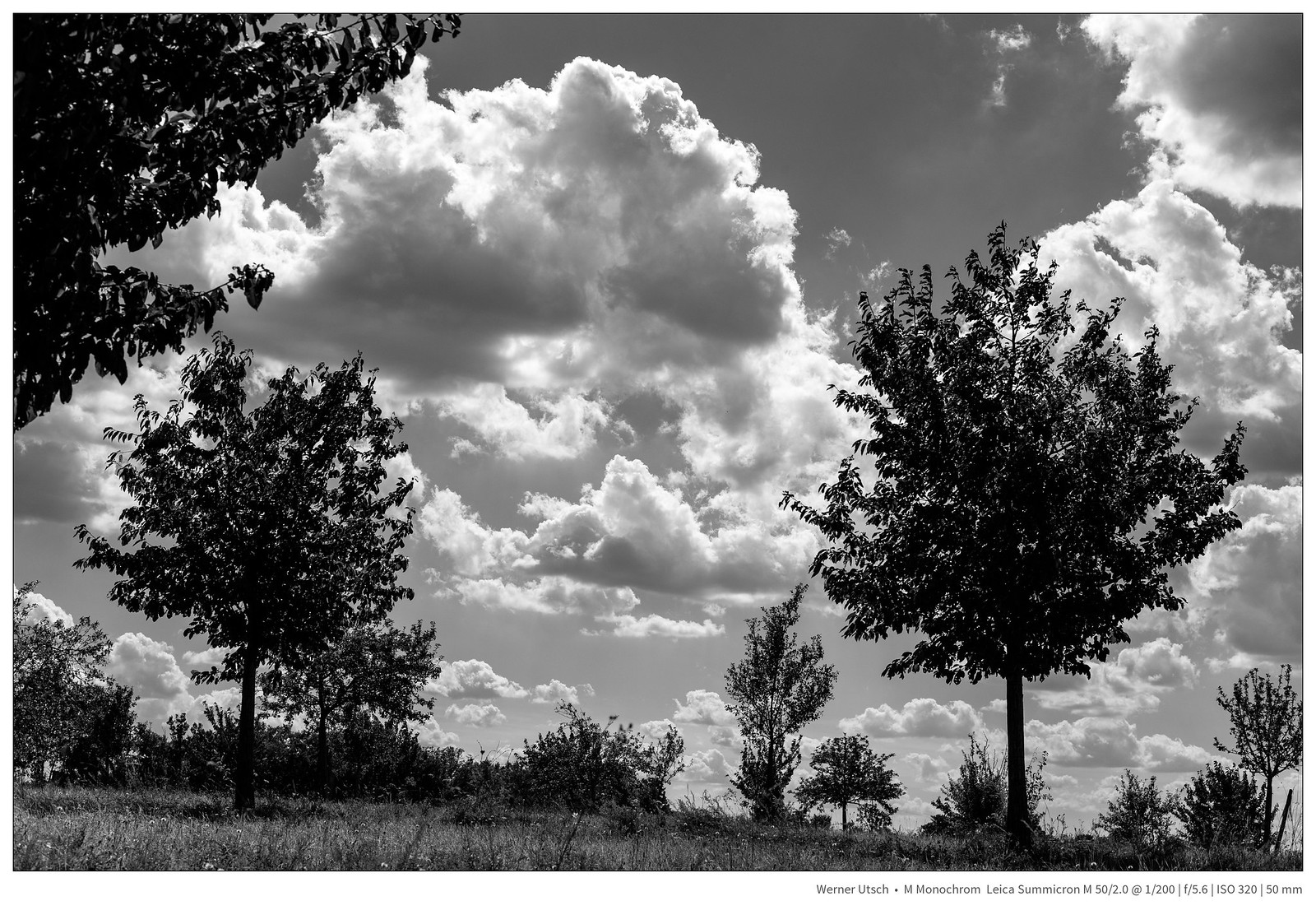
Competition II by Werner Utsch, on Flickr
Sep 08, 2016 at 07:57 AM

p.1356 #6Leica M/X/T/S/Q/CL/SL Picture Thread
edwardkaraa wrote:
Nice colors from the M8, Gary!
Charlie, love the warm late afternoon tones.
By the way, just curious if anyone is shooting jpgs. The jpgs out of the M262 are way better than what I get with ACR, with both Adobe standard and embedded. My next step will be to give C1 another try, but in the meantime I will be assessing the feasibility of shooting only jpgs for a little while.
Although I quite like the JPG output from the M240, I almost always shoot RAW. I think it is because I am maybe paranoid that if I get a once in a lifetime shot that needs extensive PP I will be screwed. Many times I start out with JPG before I head out but then quickly switch back to RAW once I start shooting. I am going to try full JPG with the M240 and go from there. Not sure about the JPG output from the M262 though....
Nice colors from the M8, Gary!
Charlie, love the warm late afternoon tones.
By the way, just curious if anyone is shooting jpgs. The jpgs out of the M262 are way better than what I get with ACR, with both Adobe standard and embedded. My next step will be to give C1 another try, but in the meantime I will be assessing the feasibility of shooting only jpgs for a little while.
Although I quite like the JPG output from the M240, I almost always shoot RAW. I think it is because I am maybe paranoid that if I get a once in a lifetime shot that needs extensive PP I will be screwed. Many times I start out with JPG before I head out but then quickly switch back to RAW once I start shooting.
I am going to try full JPG with the M240 and go from there. Not sure about the JPG output from the M262 though....Sep 08, 2016 at 08:14 AM
p.1356 #7Leica M/X/T/S/Q/CL/SL Picture Thread
Gary Clennan wrote:
edwardkaraa wrote
Nice colors from the M8, Gary!Charlie, love the warm late afternoon tones.
By the way, just curious if anyone is shooting jpgs. The jpgs out of the M262 are way better than what I get with ACR, with both Adobe standard and embedded. My next step will be to give C1 another try, but in the meantime I will be assessing the feasibility of shooting only jpgs for a little while.
I am going to try full JPG with the M240 and go from there. Not sure about the JPG output from the M262 though....The M262 jpgs look like a tweaked slightly improved version of the M240 jpgs. It is always possible to shoot both raw and jpg but then it's not fun anymore
Sep 08, 2016 at 08:38 AM
p.1356 #8Leica M/X/T/S/Q/CL/SL Picture Thread
Gary Clennan wrote:
Charlie, love the warm late afternoon tones.
By the way, just curious if anyone is shooting jpgs. The jpgs out of the M262 are way better than what I get with ACR, with both Adobe standard and embedded. My next step will be to give C1 another try, but in the meantime I will be assessing the feasibility of shooting only jpgs for a little while.Although I quite like the JPG output from the M240, I almost always shoot RAW. I think it is because I am maybe paranoid that if I get a once in a lifetime shot that needs extensive PP I will be screwed. Many times I start out with JPG before I head out but then quickly switch back to RAW once I start shooting. I am going to try full JPG with the M240 and go from there. Not sure about the JPG output from the M262 though....
Yeah, I am also a little paranoid about this so I never get around to it even if the thought of shooting JPEG only has crossed my mind more than once.
edwardkaraa wrote
Nice colors from the M8, Gary!Charlie, love the warm late afternoon tones.
By the way, just curious if anyone is shooting jpgs. The jpgs out of the M262 are way better than what I get with ACR, with both Adobe standard and embedded. My next step will be to give C1 another try, but in the meantime I will be assessing the feasibility of shooting only jpgs for a little while.
I am going to try full JPG with the M240 and go from there. Not sure about the JPG output from the M262 though....Yeah, I am also a little paranoid about this so I never get around to it even if the thought of shooting JPEG only has crossed my mind more than once.
Sep 08, 2016 at 09:38 AM
p.1356 #9Leica M/X/T/S/Q/CL/SL Picture Thread
joakim wrote:
Gary Clennan wrote
edwardkaraa wrote
Nice colors from the M8, Gary!Charlie, love the warm late afternoon tones.
By the way, just curious if anyone is shooting jpgs. The jpgs out of the M262 are way better than what I get with ACR, with both Adobe standard and embedded. My next step will be to give C1 another try, but in the meantime I will be assessing the feasibility of shooting only jpgs for a little while.
I am going to try full JPG with the M240 and go from there. Not sure about the JPG output from the M262 though....I tried it today and it was a bit disconcerting because exposure and white balance have to be accurate. With raw at least you don't have to worry about white balance
Sep 08, 2016 at 09:47 AM
p.1356 #10Leica M/X/T/S/Q/CL/SL Picture Thread
or shoot with a Monochrom and you have one less thing to worry about
Sep 08, 2016 at 10:03 AM
|
p.1356 #11Leica M/X/T/S/Q/CL/SL Picture Thread
I've shot DNG+Jpeg a few times because I had to quickly edit the images afterwards and it saved computer time rendering the DNGs... I agree I thought Leica's Jpeg colour palette was very natural, pleasing and very much emulated the look of certain films. If that's your end goal, then I think it could work.
I haven't done it because I found the Jpegs to be typical of most in-camera Jpegs, giving up the last x% of image sharpness/detail that could be extracted from DNGs. I also like the 'granularity' of the M's DNG conversions... the fine sprinkling of grain/noise even at base ISO that is inevitably smoothed away in Jpegs, which instead feel a bit waxy. I also found the default Jpeg settings to be quite high contrast, resulting in fairly harsh looking images. I suppose that could be tweaked with the in-camera contrast setting.
Here's something to consider. Shoot DNG+Jpeg. Process the DNG to taste as a B&W image. In Photoshop, bring in the in-camera Jpeg as a layer above the B&W conversion. Change the Jpeg's layer to colour so that the luminosity of the underlying B&W image is 'tinted' by the colour of the Jpeg image. Maybe it will give you what you're looking for, in respect to colour range. The idea is you can get the luminosity tonality you want, the sharpness, highlight/shadow recovery, etc. from the DNG B&W conversion, with the Jpeg supplying the colour for the image. I think for this to work, however, the pixel dimensions of the two images need to be exactly the same and I haven't checked to see if ACR or C1 export at the same pixel dimensions as the in-camera Jpeg. Sometimes the raw converters give you slightly more (or less) image area...
I'm kind of tied up right now with a pile of work and don't feel like taking the time to actually test this myself, so throwing this out there for anyone else to try...
BTW, I doubt it will result in the exact same look as the in-camera Jpeg, but in respect to colour range/character, it might work.
I haven't done it because I found the Jpegs to be typical of most in-camera Jpegs, giving up the last x% of image sharpness/detail that could be extracted from DNGs. I also like the 'granularity' of the M's DNG conversions... the fine sprinkling of grain/noise even at base ISO that is inevitably smoothed away in Jpegs, which instead feel a bit waxy. I also found the default Jpeg settings to be quite high contrast, resulting in fairly harsh looking images. I suppose that could be tweaked with the in-camera contrast setting.
Here's something to consider. Shoot DNG+Jpeg. Process the DNG to taste as a B&W image. In Photoshop, bring in the in-camera Jpeg as a layer above the B&W conversion. Change the Jpeg's layer to colour so that the luminosity of the underlying B&W image is 'tinted' by the colour of the Jpeg image. Maybe it will give you what you're looking for, in respect to colour range. The idea is you can get the luminosity tonality you want, the sharpness, highlight/shadow recovery, etc. from the DNG B&W conversion, with the Jpeg supplying the colour for the image. I think for this to work, however, the pixel dimensions of the two images need to be exactly the same and I haven't checked to see if ACR or C1 export at the same pixel dimensions as the in-camera Jpeg. Sometimes the raw converters give you slightly more (or less) image area...
I'm kind of tied up right now with a pile of work and don't feel like taking the time to actually test this myself, so throwing this out there for anyone else to try...
BTW, I doubt it will result in the exact same look as the in-camera Jpeg, but in respect to colour range/character, it might work.
Sep 08, 2016 at 10:05 AM
p.1356 #12Leica M/X/T/S/Q/CL/SL Picture Thread
joakim wrote:
or shoot with a Monochrom and you have one less thing to worry about
Haha, you have a valid point there, Joakim
Sep 08, 2016 at 10:30 AM
p.1356 #13Leica M/X/T/S/Q/CL/SL Picture Thread
rscheffler wrote:
I've shot DNG+Jpeg a few times because I had to quickly edit the images afterwards and it saved computer time rendering the DNGs... I agree I thought Leica's Jpeg colour palette was very natural, pleasing and very much emulated the look of certain films. If that's your end goal, then I think it could work.
I haven't done it because I found the Jpegs to be typical of most in-camera Jpegs, giving up the last x% of image sharpness/detail that could be extracted from DNGs. I also like the 'granularity' of the M's DNG conversions... the fine sprinkling of grain/noise...Show more →
I can't remember how the M240 jpgs look like, but in direct comparison to the dng files as opened in ACR, the jpgs of the M262 have zero luminance noise reduction at high ISO and less chroma noise than the default ACR settings. The monochromatic noise does look a bit coarser in the jpg but the file is also sharper.
The contrast is definitely higher with the jpgs but curiously there are no blown highlights while the same file in ACR has lower contrast but heavily blown highlights. The jpgs may have some highlight recovery going on as well.
So basically I think you would find the M262 more to your liking, Ron
Thank you also for the layer stacking idea, but I don't think I have the patience for doing it as I keep my PP minimal due to my purist inclinations
But it does sound like a great idea so maybe someone would volunteer 
Sep 08, 2016 at 10:42 AM
p.1356 #14Leica M/X/T/S/Q/CL/SL Picture Thread
joakim wrote:
or shoot with a Monochrom and you have one less thing to worry about
This is a bit off-Leica-topic, but I shoot JPG in monochrome mode with my Sony A7R. I rarely need to further post process those files. Issue as with any digital photo are easily blown highlights and sometimes too harsh contrast - not an issue with film. I still prefer monochrome files coming from B&W film. I personally find that grey tones look better with B&W film than with digital monochrome.
or shoot with a Monochrom and you have one less thing to worry about
This is a bit off-Leica-topic, but I shoot JPG in monochrome mode with my Sony A7R. I rarely need to further post process those files. Issue as with any digital photo are easily blown highlights and sometimes too harsh contrast - not an issue with film. I still prefer monochrome files coming from B&W film. I personally find that grey tones look better with B&W film than with digital monochrome.
Sep 08, 2016 at 11:46 AM
p.1356 #15Leica M/X/T/S/Q/CL/SL Picture Thread
edwardkaraa wrote:
Charlie, love the warm late afternoon tones.
By the way, just curious if anyone is shooting jpgs. The jpgs out of the M262 are way better than what I get with ACR, with both Adobe standard and embedded. My next step will be to give C1 another try, but in the meantime I will be assessing the feasibility of shooting only jpgs for a little while.I had a good setup for jpg shooting on the M240-P but you have to be careful because the new LCDs they use in these cameras are really yellow. So you might want to run some WB tests first.
The only other issue is that I shoot a whole vacation in jpg just for the challenge and loved the images. But a year later and I went in to edit a few and realised I didn't have the RAW filesThank you for your thoughts Adam. Indeed it is a challenge to shoot jpgs so I will only do it with casual unimportant shots. I think Leica have got their jpg engine well thought out. The colors are really nice and natural, and the rendering very much like slide film. I wish they would have provided a small conversion software that emulates the jpg settings. ACR colors have never been its forte. Not really bad but rather so-so, unless someone has the skills and the patience to make custom profiles.
Yes I agree. I can't seem to get the M240 RAWs to look like the JPG files. Not always a what I want, but when I want a JPG file with a slightly adjusted exposure or WB, it's annoying that I can't have it at the click of a button like I can with Fuji.. BTW Fuji is rocking the JPG settings with the new X-T2. Makes me wanna go out and buy the M adapter for the X-T2 (had one a long time ago, X-E1 days).
adamdewilde wrote
edwardkaraa wrote
Nice colors from the M8, Gary!Charlie, love the warm late afternoon tones.
By the way, just curious if anyone is shooting jpgs. The jpgs out of the M262 are way better than what I get with ACR, with both Adobe standard and embedded. My next step will be to give C1 another try, but in the meantime I will be assessing the feasibility of shooting only jpgs for a little while.
The only other issue is that I shoot a whole vacation in jpg just for the challenge and loved the images. But a year later and I went in to edit a few and realised I didn't have the RAW files
Yes I agree. I can't seem to get the M240 RAWs to look like the JPG files. Not always a what I want, but when I want a JPG file with a slightly adjusted exposure or WB, it's annoying that I can't have it at the click of a button like I can with Fuji.. BTW Fuji is rocking the JPG settings with the new X-T2. Makes me wanna go out and buy the M adapter for the X-T2 (had one a long time ago, X-E1 days).
Sep 08, 2016 at 12:03 PM
p.1356 #16Leica M/X/T/S/Q/CL/SL Picture Thread
edwardkaraa wrote:
Charlie, love the warm late afternoon tones.
By the way, just curious if anyone is shooting jpgs. The jpgs out of the M262 are way better than what I get with ACR, with both Adobe standard and embedded. My next step will be to give C1 another try, but in the meantime I will be assessing the feasibility of shooting only jpgs for a little while.Although I quite like the JPG output from the M240, I almost always shoot RAW. I think it is because I am maybe paranoid that if I get a once in a lifetime shot that needs extensive PP I will be screwed. Many times I start out with JPG before I head out but then quickly switch back to RAW once I start shooting. I am going to try full JPG with the M240 and go from there. Not sure about the JPG output from the M262 though....The M262 jpgs look like a tweaked slightly improved version of the M240 jpgs. It is always possible to shoot both raw and jpg but then it's not fun anymore
EXACTLY... Having a safety net really takes the fun away.
Gary Clennan wrote
edwardkaraa wrote
Nice colors from the M8, Gary!Charlie, love the warm late afternoon tones.
By the way, just curious if anyone is shooting jpgs. The jpgs out of the M262 are way better than what I get with ACR, with both Adobe standard and embedded. My next step will be to give C1 another try, but in the meantime I will be assessing the feasibility of shooting only jpgs for a little while.
I am going to try full JPG with the M240 and go from there. Not sure about the JPG output from the M262 though....EXACTLY... Having a safety net really takes the fun away.
Sep 08, 2016 at 12:04 PM
p.1356 #17Leica M/X/T/S/Q/CL/SL Picture Thread
joakim wrote:
or shoot with a Monochrom and you have one less thing to worry about
Been doing that a lot lately. I very much like my slightly blue tinted monochrom JPG files.
or shoot with a Monochrom and you have one less thing to worry about
Been doing that a lot lately. I very much like my slightly blue tinted monochrom JPG files.
Sep 08, 2016 at 12:05 PM
p.1356 #18Leica M/X/T/S/Q/CL/SL Picture Thread
rscheffler wrote:
I've shot DNG+Jpeg a few times because I had to quickly edit the images afterwards and it saved computer time rendering the DNGs... I agree I thought Leica's Jpeg colour palette was very natural, pleasing and very much emulated the look of certain films. If that's your end goal, then I think it could work.
I haven't done it because I found the Jpegs to be typical of most in-camera Jpegs, giving up the last x% of image sharpness/detail that could be extracted from DNGs. I also like the 'granularity' of the M's DNG conversions... the fine sprinkling of grain/noise...Show more →
I've done a variation of this before, more trouble than it's worth. Though I guess it's subjective
I've shot DNG+Jpeg a few times because I had to quickly edit the images afterwards and it saved computer time rendering the DNGs... I agree I thought Leica's Jpeg colour palette was very natural, pleasing and very much emulated the look of certain films. If that's your end goal, then I think it could work.
I haven't done it because I found the Jpegs to be typical of most in-camera Jpegs, giving up the last x% of image sharpness/detail that could be extracted from DNGs. I also like the 'granularity' of the M's DNG conversions... the fine sprinkling of grain/noise...Show more →
I've done a variation of this before, more trouble than it's worth. Though I guess it's subjective
Sep 08, 2016 at 12:08 PM
p.1356 #19Leica M/X/T/S/Q/CL/SL Picture Thread
Really really diggin the 240:


Sep 08, 2016 at 05:45 PM
p.1356 #20Leica M/X/T/S/Q/CL/SL Picture Thread
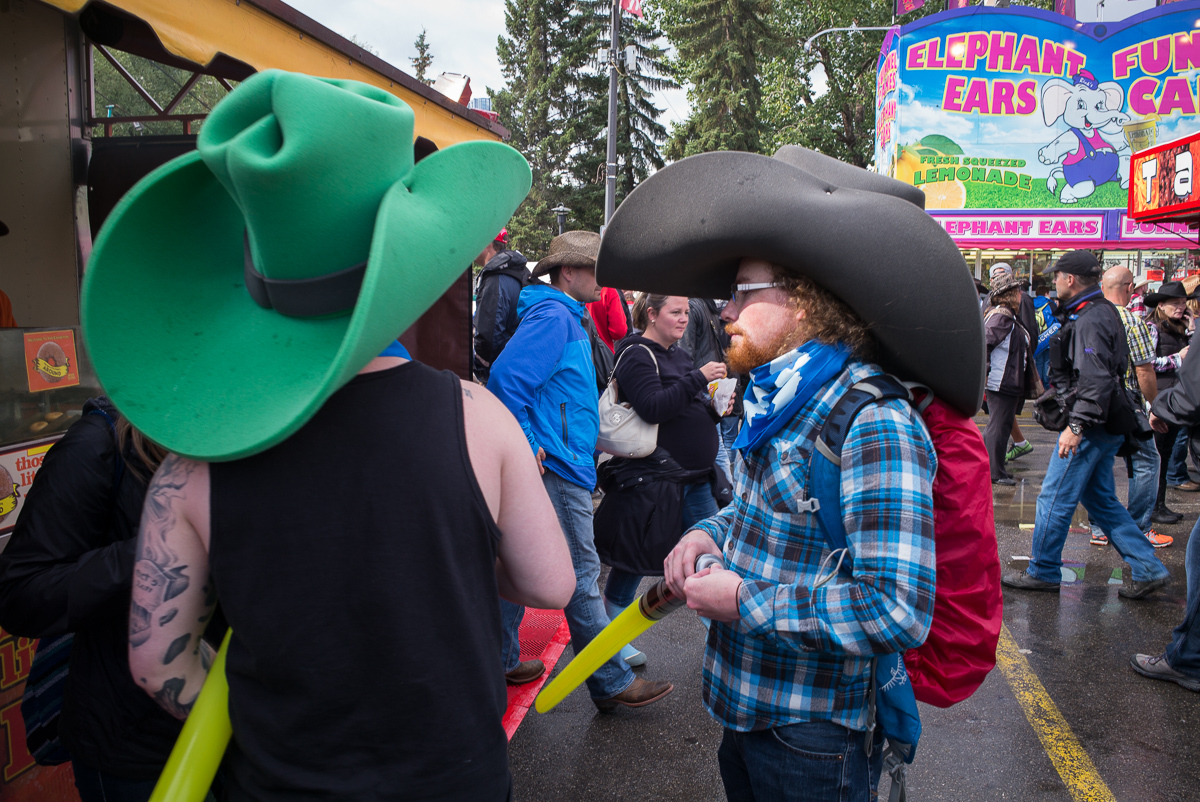
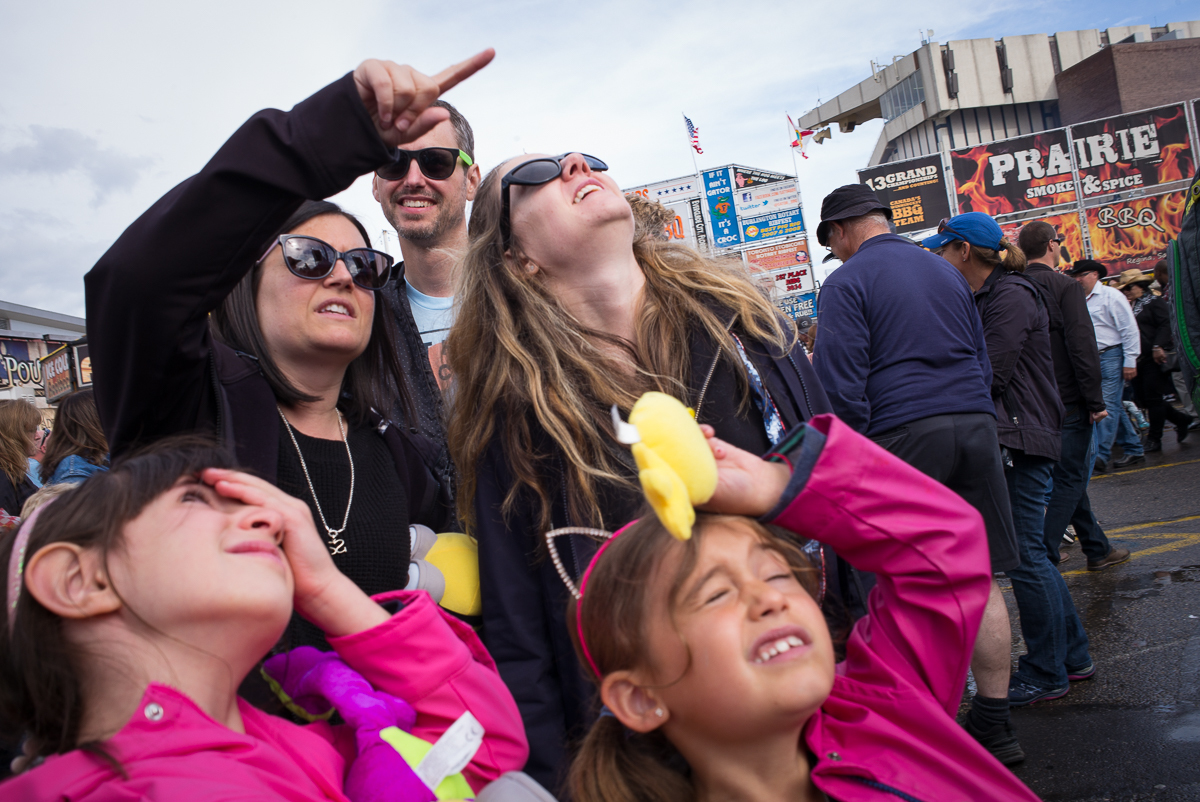
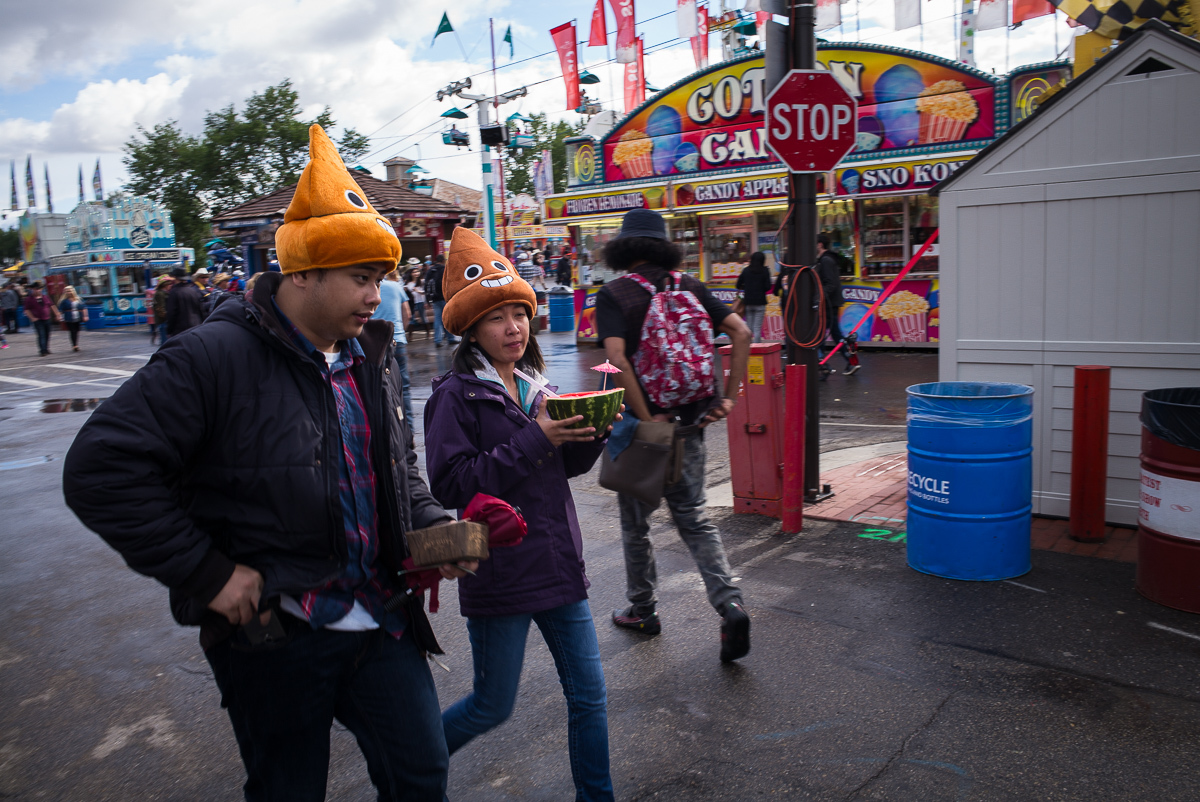
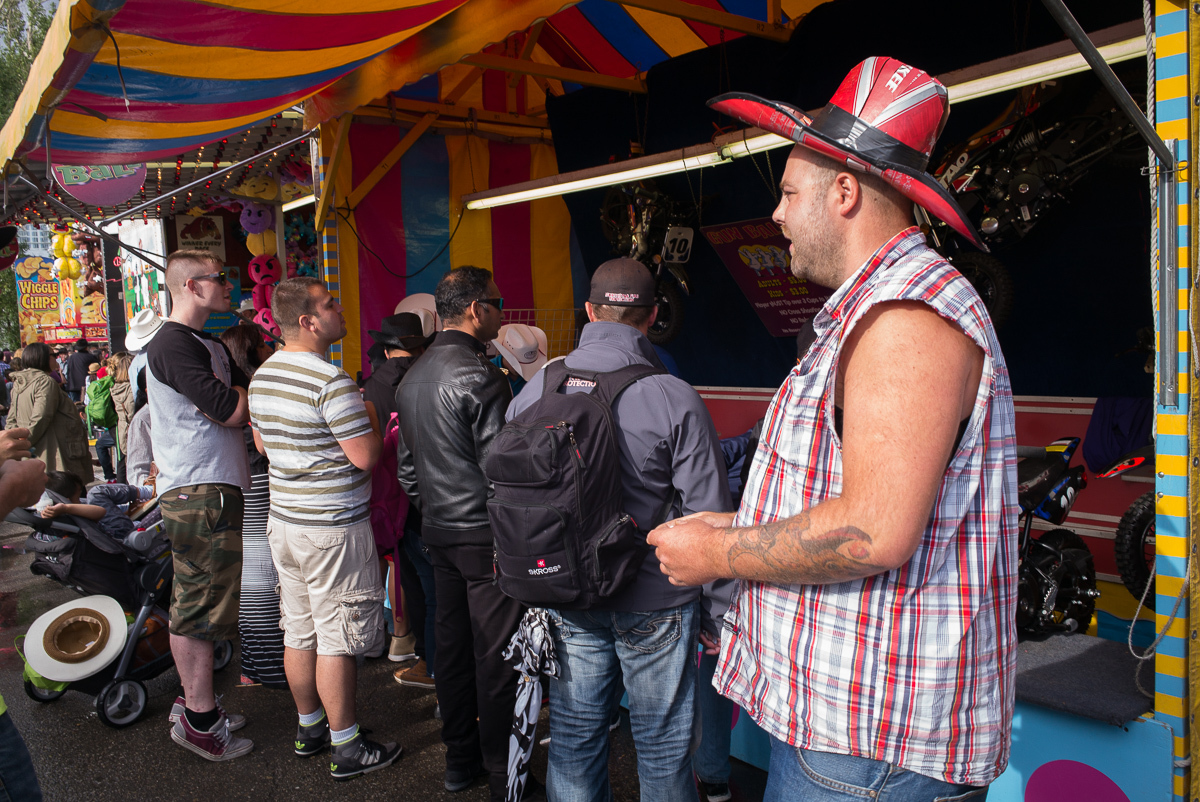
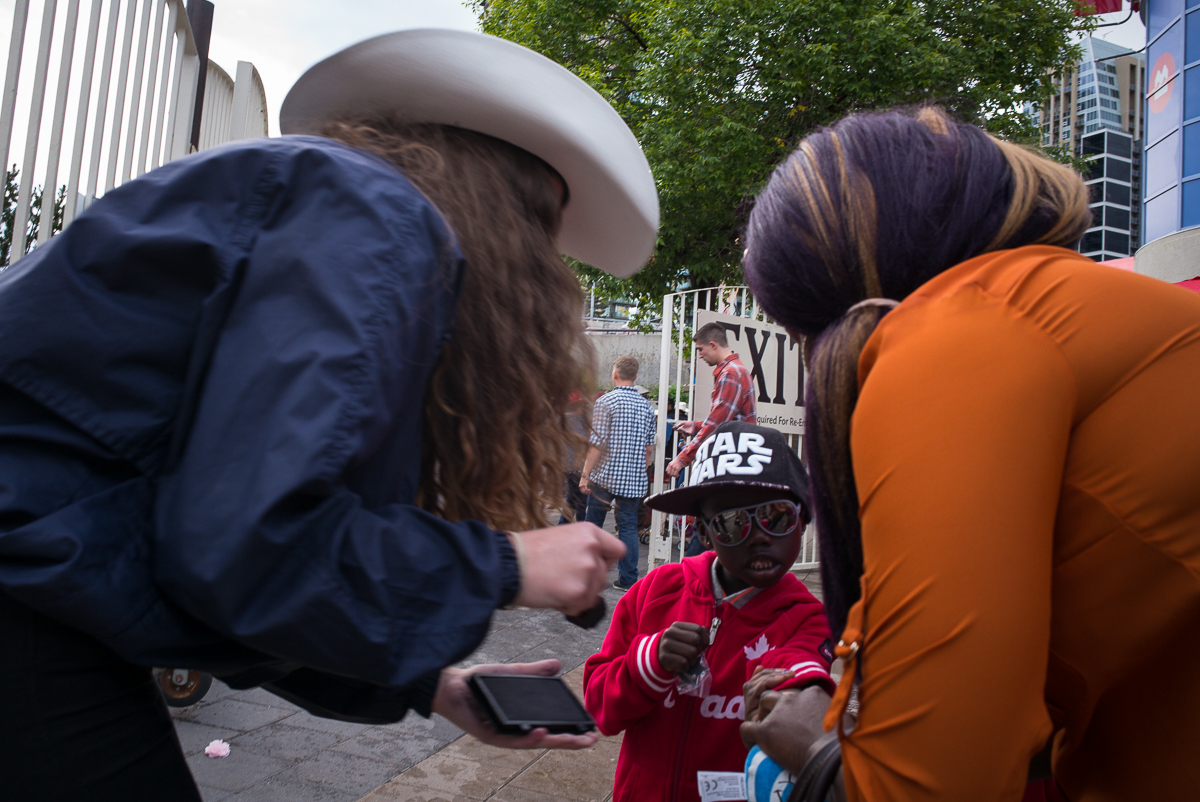
The last few from the Calgary Stampede. This was more/less a practice session to get a feel for the lens - especially the focal length. All in all, I was very impressed...
28cron
28cron
28cron
28cron
28cron
 |
||
 |
||
|
28cron
|
||
 |
||
|
28cron
|
||
 |
||
|
28cron
|
||
 |
||
|
28cron
|
||
 |
||
|
28cron
Sep 08, 2016 at 08:32 PM