Nice work Huss and Tom! I need to get some 120 film for my new Minolta TLR. I got it refelted and cleaned, it's ready to go! Do you find that when using a handheld lightmeter that you need to make any adjustments to the camera as compensation?
kwoodard wrote:
Nice work Huss and Tom! I need to get some 120 film for my new Minolta TLR. I got it refelted and cleaned, it's ready to go! Do you find that when using a handheld lightmeter that you need to make any adjustments to the camera as compensation?
I'm using a Lumu light meter with my GF's old iPhone 5s. I've been using whatever values it spits out and it has been very accurate so far.
I know it's more expensive, but having both ambient and flash functions plus a viewfinder aimed 1 degree spot that works in all modes, and the best ergonomics of any meter I've ever used, I always recommend a Minolta Flashmeter 6, which are still out there on eBay. Best meter I've ever owned and there have been quite a few over the years.
I have a Polaris light meter that I will be using with my new Autocord. It isn't as fancy as the Minolta you have, Peter, but I think it will do the job.
Here is my new baby! Only thing I have needed to do with it is replace the felt on the film door. Everything else seems to be in spec. I imagine that it had a CLA within the last 20 years or so.
I have never been a big fan of 35mm film as getting great tonality is far easier with medium format but really happy with the scans (coolscan 9000) from the Bessa R4A with Ektar 100 film and the Voigtlander Color Skopar 21/4 and Zeiss ZM 28/2.8
georgms wrote:
Bill, I'ver never tried a Yashica TLR - maybe I should ;-) I like the first shot the most.
I thought it was an interesting camera to use, very sharp, overly heavy and hard to balance and figure out how to make the shots flush, but being 120mm, I think you can get some spectacular shots with it. The Yashica-12 and the older version of the Yashica-12 uses the lens I describe above. It's one of the sharpest lenses, so I've been told. There were a lot of lenses used in the Yashica TLR's that weren't as good so do your homework.
Very-very nice neg conversions!
I wonder if you would mind sharing the details of your workflow...
Thank you in advance,
SergeyT
Glad you like the conversions Sergey. My workflow is fairly simple and the approach seems to work well with all C41 films.
1. scan the negatives with Vuescan with the Generic Negative profile - no sharpening.
2. Whites and Blacks are close to 0 and the other two curves set at 0.25 and 0.75 - you need to keep an eye on the histogram at this stage to make sure that nothing is clipping and set the white ballance on something neutral in colour.
3. output as TIF and then import into photoshop. - Adobe Colour Profile
At this stage the images particularly with Ektar100 will have very blue/magenta shadows and will look fairly flat.
4. Open up the Levels tool in PS and select up the blue channel - adjusting the clipping points will eliminate the blue shadows. Playing around with the other channels is rarely needed but worth experimenting if you have any other off colour casts.
5. Add a curve to the entire image and adjust white and black clipping points
6. adjust verticals/clone out dust - distractions
7. import into Lightroom where I adjust individual colour channels - usually the hue for greens (towards darker green), magenta (towards blue) and blue (towards cyan).
8. add contrast / clarity / sharpening
That is what I do for 95% of my images - if you do not have Lightroom you can achieve similar results with the Camera Raw tool in PS
I have also tried the colour perfect plugin and scanning linear but did find it harder to achieve the results that I am getting with my current workflow.
nicoimages wrote:
Glad you like the conversions Sergey. My workflow is fairly simple and the approach seems to work well with all C41 films.
1. scan the negatives with Vuescan with the Generic Negative profile - no sharpening.
2. Whites and Blacks are close to 0 and the other two curves set at 0.25 and 0.75 - you need to keep an eye on the histogram at this stage to make sure that nothing is clipping and set the white ballance on something neutral in colour.
3. output as TIF and then import into photoshop. - Adobe Colour Profile
At this stage the images particularly with Ektar100 will have very blue/magenta shadows and will look fairly flat.
4. Open up the Levels tool in PS and select up the blue channel - adjusting the clipping points will eliminate the blue shadows. Playing around with the other channels is rarely needed but worth experimenting if you have any other off colour casts.
5. Add a curve to the entire image and adjust white and black clipping points
6. adjust verticals/clone out dust - distractions
7. import into Lightroom where I adjust individual colour channels - usually the hue for greens (towards darker green), magenta (towards blue) and blue (towards cyan).
8. add contrast / clarity / sharpening
That is what I do for 95% of my images - if you do not have Lightroom you can achieve similar results with the Camera Raw tool in PS
I have also tried the colour perfect plugin and scanning linear but did find it harder to achieve the results that I am getting with my current workflow.
Thanks
Nicholas
...Show more →
Do you think this is all doable within Lightroom?
Is anyone like me and feel slightly disillusioned with digital? Lately I've had less and less desire to shoot digital. The only camera I want to shoot is my new TLR. Am I weird?
kwoodard wrote:
Do you think this is all doable within Lightroom?
Is anyone like me and feel slightly disillusioned with digital? Lately I've had less and less desire to shoot digital. The only camera I want to shoot is my new TLR. Am I weird?
I think you can achieve something very similar in Lightroom if you edit the curves for each channel in the "Tone Curve" section
I know how you feel about only wanting to shoot with a TLR - my Leica M is getting neglected at the moment. I think that each medium has it's advantages and you can get the colour very close with either now but film still has something special about it.
I'm also wanting to shoot mostly with my X-700 these days. I think a lot of it is the simplicity of shooting a manual camera, there's a whole lot less to think about.
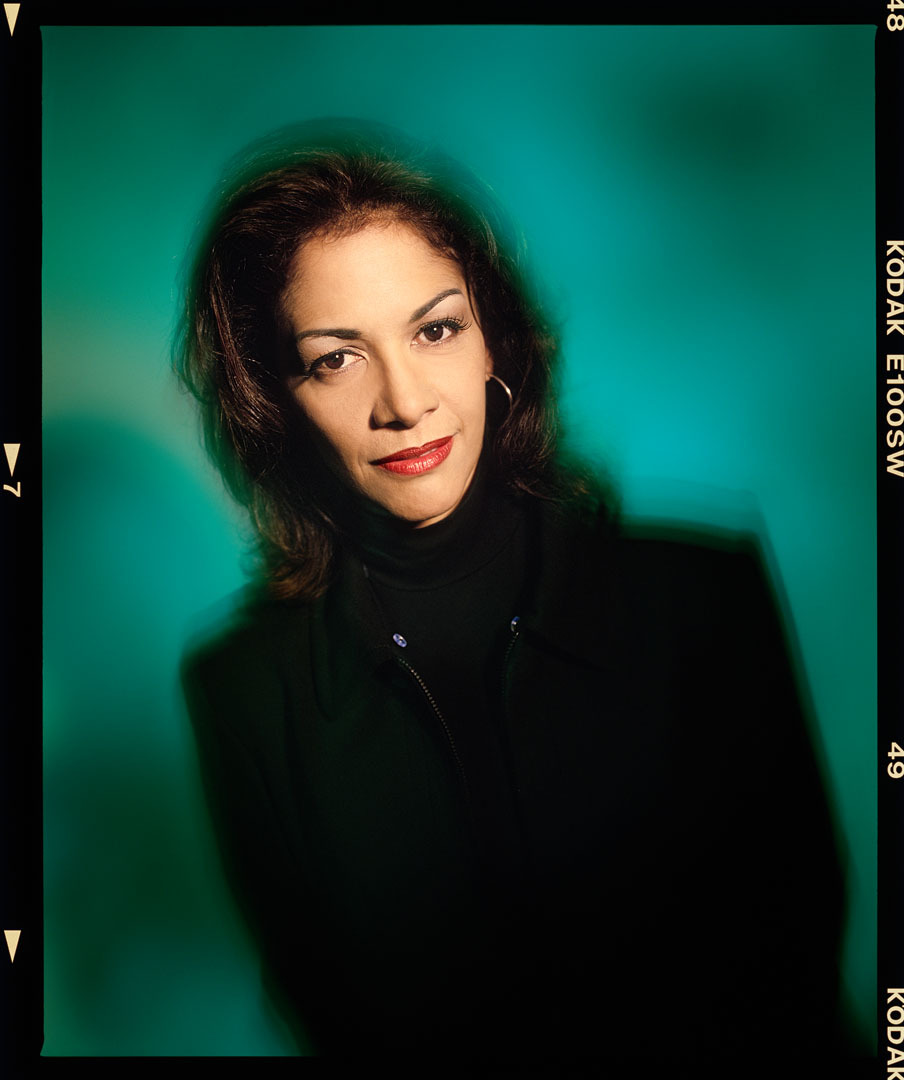
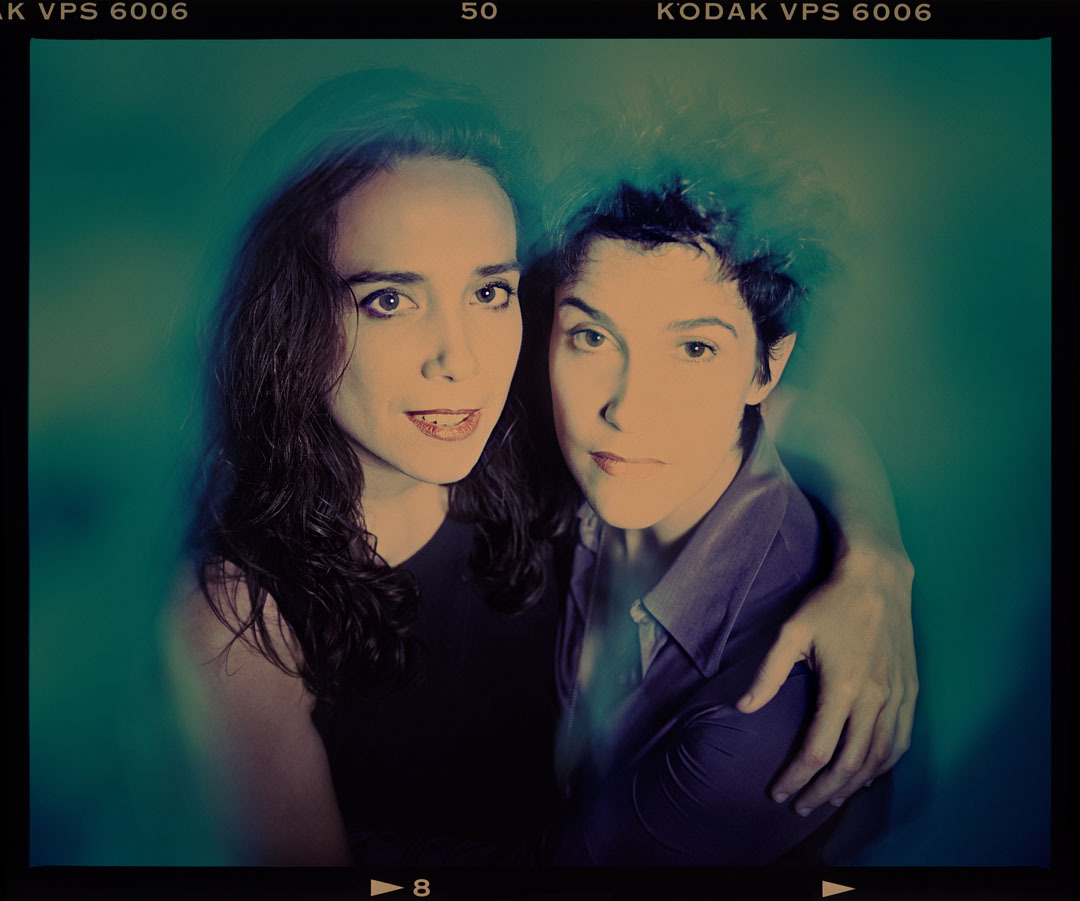
A couple of images I had completely forgotten about until I dug them up and scanned them on Friday but both that have Prince connections. Both on RZ, one on Ektachrome and the other cross processed VPS.