fredmiranda.com
Login

Moderated by: Fred Miranda
  New fredmiranda.com Mobile Site
  New Feature: SMS Notification alert
  New Feature: Buy & Sell Watchlist
  

FM Forums | Film Is Not Dead Forum | Join Upload & Sell

1       2       3              489              491              1717       1718       end
  

Post your recent film shots!


rattymouse
Offline
• • • • •
Upload & Sell: Off
p.490 #1 · Post your recent film shots!


^Awesome large format shot. Spectacular.

Two shots on Kodak Ektar.

* by E_O_S, on Flickr

* by E_O_S, on Flickr


May 07, 2015 at 07:07 AM
Paul Gabel
Offline
• • •
Upload & Sell: Off
p.490 #2 · Post your recent film shots!


wfektar wrote:
Cool pics. Is that a fish pen in the water?
---------------------------------------------

The steel reels are one piece. I may be the only person around who cannot get the plastic ones to work -- I've kinked more film in those things and once had to disassemble the mess in a changing bag. Not fun. The steel ones take a little practice and then it's easy peasy.


The plastic reels need to be absolutely dry. Even if you fiddle in the changing bag too long, the inside gets damp and the moisture will condensate on the film, which will cause a sticky mess. I always wear a cotton shirt with long sleeves, so as not to produce too much sweat.


May 07, 2015 at 09:41 AM
rattymouse
Offline
• • • • •
Upload & Sell: Off
p.490 #3 · Post your recent film shots!


wfektar wrote:


Cool pics. Is that a fish pen in the water?
---------------------------------------------


No, those are fountains and lights.


May 07, 2015 at 02:28 PM
dswiger
Offline
• • • • •
Upload & Sell: Off
p.490 #4 · Post your recent film shots!


I will echo Paul's assessment of plastic reels.

I just went thru the same issue with a reel that I used a week before but put back in the tank after shaking dry. NOT GOOD ENOUGH. It was still damp a week later! Quickly resolved but had one crinkled frame. Fortunately wasn't a keeper shot.

I was warned of this by a friend. So I make sure I set the reels out to dry & grab a known dry one. Good point about perspiration in the bag though. This works if I have less then 4 or 5 rolls to do. Any more & it's time for the hair dryer

Dan


May 07, 2015 at 02:44 PM
robert829
Offline
• • •
Upload & Sell: Off
p.490 #5 · Post your recent film shots!


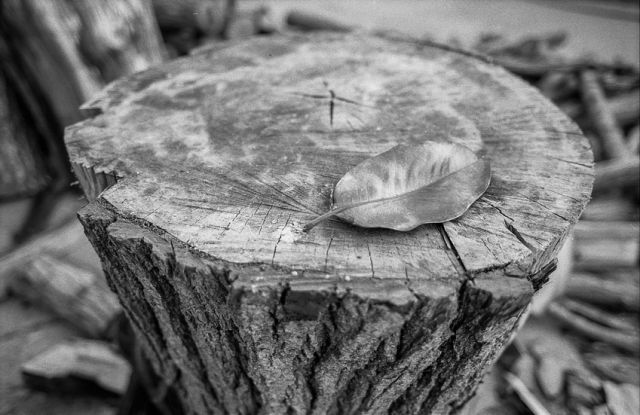
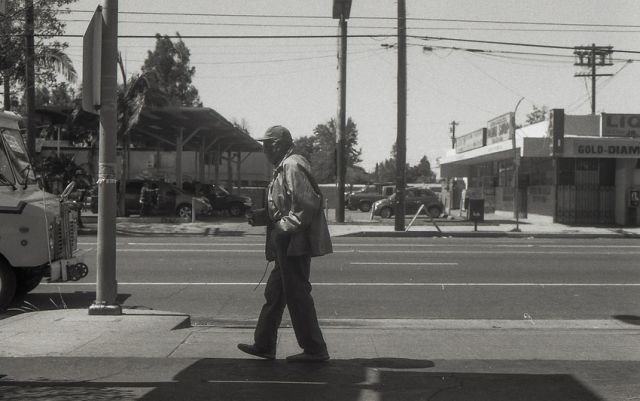
Some from Fe2/Delta100


May 07, 2015 at 03:45 PM
rattymouse
Offline
• • • • •
Upload & Sell: Off
p.490 #6 · Post your recent film shots!


First shot is really beautiful Robert!


May 07, 2015 at 03:55 PM
rattymouse
Offline
• • • • •
Upload & Sell: Off
p.490 #7 · Post your recent film shots!


Neopan 400 film.

Nara Deer by E_O_S, on Flickr


May 07, 2015 at 03:55 PM
robert829
Offline
• • •
Upload & Sell: Off
p.490 #8 · Post your recent film shots!


rattymouse wrote:
First shot is really beautiful Robert!

Thanks, I really need to learn how to scan. Right now I'm using the epson scan from v550, will it be better if I get the Silverfast SE?


May 07, 2015 at 04:46 PM
rattymouse
Offline
• • • • •
Upload & Sell: Off
p.490 #9 · Post your recent film shots!


robert829 wrote:
Thanks, I really need to learn how to scan. Right now I'm using the epson scan from v550, will it be better if I get the Silverfast SE?


I cant answer your question, but there's a film scanning forum over at www.dpug.org. You can try there for help.


May 07, 2015 at 05:00 PM
kwoodard
Offline
• • • • •
Upload & Sell: On
p.490 #10 · Post your recent film shots!


rattymouse wrote:
I cant answer your question, but there's a film scanning forum over at www.dpug.org. You can try there for help.


That is exactly what I was going to suggest. I use the Nikon software that came with my Coolscan, but I want to try Viewscan...


May 07, 2015 at 05:04 PM


Search in Used Dept. 

rattymouse
Offline
• • • • •
Upload & Sell: Off
p.490 #11 · Post your recent film shots!


Neopan Acros film.

Nara Deer by E_O_S, on Flickr


May 07, 2015 at 05:29 PM
loosh
Offline
• • •
Upload & Sell: Off
p.490 #12 · Post your recent film shots!


Not completely sure how much I enjoy shooting film, I'm not sure how I'm going to integrate it into my shooting, and I am not very good at focusing with a split prism. I do, however, enjoy the output.


May 07, 2015 at 06:03 PM
Jon Buffington
Offline
• • •
Upload & Sell: Off
p.490 #13 · Post your recent film shots!


Talk about sharp, Ratty! That deer's nose is coming out of my screen.


May 07, 2015 at 09:11 PM
dswiger
Offline
• • • • •
Upload & Sell: Off
p.490 #14 · Post your recent film shots!


lenticular11,
I will give my two cents. Scanning color slide film & neg color film is a challenge.
The shot seems a bit underexposed in the shadows but that might be your scan
I'm not sure of your exposure technique, but I will give you mine.
For Velvia, I measure the brightest spot & open it up two stops from there
In that scene, the bright spots in the sky might be a problem for containing the shadows & highlights
If I were shooting this with MF/LF, I would consider a GND filter to tame the hot spots in the sky
Another technique I use is two or three shots, bracketed. A tripod would be essential for that.
I then align & blend to suite in P/S.

For scanning, whether using the Epson s/w or Vuescan.
I do the absolute minimum in the scanner software.
In some cases I will also do a RAW scan w/Vuescan as that gives the complete unfettered output from the scanner.
This gives me the best possibility of containing the dynamic range.
With the Epson S/W, after the preview,
I use the histogram & move the sliders to just past the dark & lightest ends
I then adjust the output values to 0 & 255.
This gives me everything & a slightly flat scan.

There is no magic in the scanner software that can't be better controlled in Photoshop

Having said all this, I realize you shot this with a GA645 & no doubt hand held.
That precludes some of the above shooting suggestions.
Not sure what manual modes that camera has.

A "safer" way with handheld shooting would be to use either Portra 160/400 or Ektar.
These negative films have more dynamic range then transparency film.
Another choice would be Astia or Provia transparency film as it has an extra stop or so of dyn range.

I love shooting Velvia 50 but I try to choose the film that works best with the scene.
The trouble with a camera like the GA645 is that your are committed to the roll you loaded!
I have the same issue with my Pentax 6x7.

Adjusting out color cast is a challenge, more so for me as I have color blindness.
I have learned what the RGB mix is for various scene elements, sky, foliage, water, etc.
I also take a cell phone shot for reference.
I then use curves and/ or blending to get things right--- most of the time.

What ever you do, be methodical & keep track of what you change whether shooting or scanning.
I know film isn't free, but I will sometimes do different exposures & note what the results were.
I hope this helps

Dan


May 08, 2015 at 12:12 AM
wfektar
Offline
• •
Upload & Sell: Off
p.490 #15 · Post your recent film shots!


Simon Kennedy wrote:
More large format film in the Lake District, this one with 135mm Rodenstock Apo-Sironar-S:

https://farm8.staticflickr.com/7657/16781424043_39520495bb_o.jpg

Buttermere by Spkennedy3000 - Architectural Photographer, on Flickr


Spectacular again!
---------------------------------------------

Paul Gabel wrote:
The plastic reels need to be absolutely dry. Even if you fiddle in the changing bag too long, the inside gets damp and the moisture will condensate on the film, which will cause a sticky mess. I always wear a cotton shirt with long sleeves, so as not to produce too much sweat.


Yeah, I've heard that too, but the sweating thing hadn't occurred to me. Maybe that was the problem. If I run into plastic I'll try the long sleeve trick. Though once you get the hang of it, steel is at least as easy and a lot less fussy.


May 08, 2015 at 12:48 AM
Peter Figen
Offline
• • • • •
Upload & Sell: On
p.490 #16 · Post your recent film shots!


The problem with scanning Velvia on an Epson flatbed is that Velvia can potentially have a d-max of about 3.7 and the Epson will be hard pressed to hit even 3.0, so you're missing over two full stops of detail. In addition the Epson can't record all the fine highlight detail as well.

Whether or not manipulating the scanning software makes a difference depends on the scanner. At a minimum setting the endpoints - the black and white points in the scan is something that should always be done. Some scanning apps have more access than other to hardware control of the scanner. In my experience, inverting color neg scans is always better done in the scanning software, but that's my experience with the software that runs my scanner.

When I scan Velvia, or any color transparency film, I always start with the scanner set to the exact same settings that I used to make the scanner input profile from scanning the Hutchcolor 4x5 Velvia target. Those settings give me just a bit of headroom at both ends of the tonal range so that the rebate edge comes in about pixel level three for Velvia (around seven for Ektachrome) and around 253 for a piece of clear, fully exposed film. That scan will be very very close to the look of the original piece of film. If, like in the case of scanning Dan's transparency and trying to pull everything out of the shadows, it was better on the drum scanner to make basically a wide open boosted shadows scan to be blended with a more normal one. It's not that the scanner can't record the whole range at once, it's that it's often easier to have two scans that are closer to optimal tonality to blend than to try and do a ton of localized fixing. On black and whites, however, I just always scan to include everything on the neg, make a very flat scan and optimize it in Ps later.

Enough scanning stuff for 2 am...


May 08, 2015 at 04:08 AM
rattymouse
Offline
• • • • •
Upload & Sell: Off
p.490 #17 · Post your recent film shots!


There's an aqueduct running through the Zen temple Nanzen-ji. I climbed up this aqueduct and made a few images, with the water running furiously right underneath me. Sort of scary, there's a good 15 foot fall on either side.

Acros film.

Aqueduct, Nanzen-ji Temple by E_O_S, on Flickr

Aqueduct, Nanzen-ji Temple by E_O_S, on Flickr

* by E_O_S, on Flickr


May 08, 2015 at 06:29 AM
lenticular11
Offline
• • •
Upload & Sell: Off
p.490 #18 · Post your recent film shots!


rattymouse wrote:
I cant answer your question, but there's a film scanning forum over at www.dpug.org. You can try there for help.

Thanks RM, I have registered on there and done some initial digging.


---------------------------------------------

dswiger wrote:
lenticular11,
I will give my two cents. Scanning color slide film & neg color film is a challenge.
The shot seems a bit underexposed in the shadows but that might be your scan

Yes it's certainly heavily underexposed in the shadows but I know from way back not to overexpose highlights in slides, hence I erred (too much) on underexposure.

I'm not sure of your exposure technique, but I will give you mine.
For Velvia, I measure the brightest spot & open it up two stops from there
In that scene, the bright spots in the sky might be a problem for containing the shadows
...Show more

Another attempt - different image. This one has better focus and I have spotted the dust, however I am unhappy about colour balance, both too yellow AND too blue!!
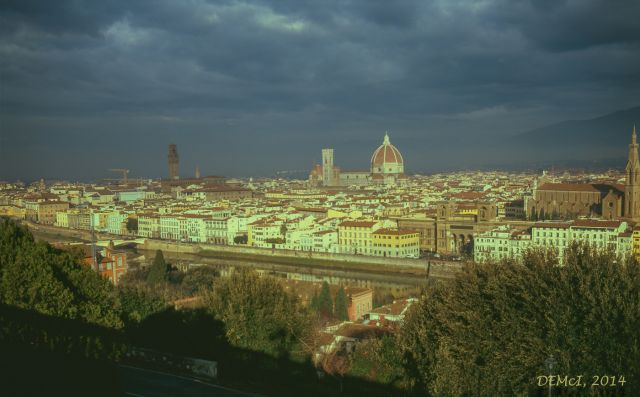


Florence, Tuscany, 13 Dec 2014: GA645 camera Fuji Velvia slide, V700 scan


Edited on May 08, 2015 at 06:50 AM · View previous versions


May 08, 2015 at 06:36 AM
lenticular11
Offline
• • •
Upload & Sell: Off
p.490 #19 · Post your recent film shots!


Peter Figen wrote:
The problem with scanning Velvia on an Epson flatbed is that Velvia can potentially have a d-max of about 3.7 and the Epson will be hard pressed to hit even 3.0, so you're missing over two full stops of detail. In addition the Epson can't record all the fine highlight detail as well.

Whether or not manipulating the scanning software makes a difference depends on the scanner. At a minimum setting the endpoints - the black and white points in the scan is something that should always be done. Some scanning apps have more access than other to hardware
...Show more


Thank you Peter - I didn't see your post when making my previous one, sorry.

I don't have a Velvia target but sounds like I should get one, apart from the inherent dynamic range issue you mention up front.

Another approach, although one that didn't give me great results when I tried it on a couple of old Ektachromes, is to use my old T2-mount slide copier (35mm only) and fit it to my A7R full-frame and try a new digital copy of the slide. In it's own way it's no more perverse that digitally scanning the analog image! I know some on DPUG have had great results this way.

Re biasing for shadows and highlights in 2 scans. I did that with another one of these Italian images, but that was before being further up the learning curve and hence I haven't tried blending those two as yet.

So, thanks also for your considered input.
regards,
David


Edited on May 08, 2015 at 06:54 AM · View previous versions


May 08, 2015 at 06:43 AM
lenticular11
Offline
• • •
Upload & Sell: Off
p.490 #20 · Post your recent film shots!


Image comments 508 and 509.

Love that Lake District image SImon Kennedy.

Ratty - I always like seeing your Japanese images. Of these I like the 2nd acqueduct shot best, the Ektar templ-offerings one and the last extremely sharp deer photo with Acros.

Robert829 - that tree stump shot really appeals.

loosh - great film colours in the picnic scene.


May 08, 2015 at 06:53 AM
1       2       3              489              491              1717       1718       end


FM Forums | Film Is Not Dead Forum | Join Upload & Sell

1       2       3              489              491              1717       1718       end


Welcome back
Log in to your account