Outstanding shots from Nepal! Looks like a fascinating place to visit. I am guessing you had to bring your own film there. I'd hate to have to track down rolls of 120 size film in Nepal!
Thank you guys. Ratty, you are in China, pack your bags and go. It's right across the border. It's a nice place and it was described to me as mild version of India.
Yes, I did pack a lot of film, but with the huge viewfinders in both of my cameras I shot a lot less than I expected. So I brought back 2/3rds of the film that I took with me. When I was there, I couldn't see any film, so it was good that I had too much.
TheChefs wrote:
Thank you guys. Ratty, you are in China, pack your bags and go. It's right across the border. It's a nice place and it was described to me as mild version of India.
Yes, I did pack a lot of film, but with the huge viewfinders in both of my cameras I shot a lot less than I expected. So I brought back 2/3rds of the film that I took with me. When I was there, I couldn't see any film, so it was good that I had too much.
My son *might* have a boy scout camping trip in Nepal, and if so, I will be going. But I worry about altitude sickness. Did you suffer any?
TheChefs wrote:
Thank you guys. Ratty, you are in China, pack your bags and go. It's right across the border. It's a nice place and it was described to me as mild version of India.
Yes, I did pack a lot of film, but with the huge viewfinders in both of my cameras I shot a lot less than I expected. So I brought back 2/3rds of the film that I took with me. When I was there, I couldn't see any film, so it was good that I had too much.
What scanner do you use?
i'm running into a problem with higher DR negatives. when i'm scanning, if i adjust the white point so it doesn't clip the highlights, it shifts the entire rest of the image to the left on the histogram. (make sense?) so the problem here is that i might be able to fit in all the highlights, but then the rest of the image gets crunched down in the darks and i don't have a nice file to work with. i.e. my histograms aren't clipping the highlights, but the rest of the damned image is all jammed up in the left 1/3 of the histogram. what can i do to combat this? i'm messing around with the curves and whatnot to try and even things out a bit, but it's a pain and i'm not getting the results i want. it seems strange to me..... like the default scan that epson wants to give me might have a decent histogram, but it's clipping the highlights, and i can't just salvage those highlights without messing up the rest of the image? any input would be appreciated.
Ratty, I didn't go higher than 1600m. So I didn't have any issues.
Goran, I use Epson V700. It's all in learning your meter and getting the initial exposure spot on. I included as much information about all photos on Flickr, so for details check there.
goosemang wrote:
hey guys, a question about scanning:
i'm running into a problem with higher DR negatives. when i'm scanning, if i adjust the white point so it doesn't clip the highlights, it shifts the entire rest of the image to the left on the histogram. (make sense?) so the problem here is that i might be able to fit in all the highlights, but then the rest of the image gets crunched down in the darks and i don't have a nice file to work with. i.e. my histograms aren't clipping the highlights, but the rest of the damned image is all jammed up in the left 1/3 of the histogram. what can i do to combat this? i'm messing around with the curves and whatnot to try and even things out a bit, but it's a pain and i'm not getting the results i want. it seems strange to me..... like the default scan that epson wants to give me might have a decent histogram, but it's clipping the highlights, and i can't just salvage those highlights without messing up the rest of the image? any input would be appreciated.
goosemang wrote:
hey guys, a question about scanning:
i'm running into a problem with higher DR negatives. when i'm scanning, if i adjust the white point so it doesn't clip the highlights, it shifts the entire rest of the image to the left on the histogram. (make sense?) so the problem here is that i might be able to fit in all the highlights, but then the rest of the image gets crunched down in the darks and i don't have a nice file to work with. i.e. my histograms aren't clipping the highlights, but the rest of the damned image is all jammed up in the left 1/3 of the histogram. what can i do to combat this? i'm messing around with the curves and whatnot to try and even things out a bit, but it's a pain and i'm not getting the results i want. it seems strange to me..... like the default scan that epson wants to give me might have a decent histogram, but it's clipping the highlights, and i can't just salvage those highlights without messing up the rest of the image? any input would be appreciated.
Oh, thats frustrating.
What film and developer are you using?
You may have to develop according to your scanners needs.
I know that Beutler often creates thin and easy to scan negs.
Other than that, what kind of scanning software are you using? Some software allows scanners to do multiple passes, which reduces noise, allowing shadows to be pushed more than before
goosemang wrote:
hey guys, a question about scanning:
i'm running into a problem with higher DR negatives. when i'm scanning, if i adjust the white point so it doesn't clip the highlights, it shifts the entire rest of the image to the left on the histogram. (make sense?) so the problem here is that i might be able to fit in all the highlights, but then the rest of the image gets crunched down in the darks and i don't have a nice file to work with. i.e. my histograms aren't clipping the highlights, but the rest of the damned image is all jammed up in the left 1/3 of the histogram. what can i do to combat this? i'm messing around with the curves and whatnot to try and even things out a bit, but it's a pain and i'm not getting the results i want. it seems strange to me..... like the default scan that epson wants to give me might have a decent histogram, but it's clipping the highlights, and i can't just salvage those highlights without messing up the rest of the image? any input would be appreciated.
Show some examples of your photos, original scan and what you get after altering. I don't mind losing my highlights or shadows when needed to. I like more contrast in my photos and I find busy photos with too much detail everywhere boring and distracting. If you look at photos of the great masters, there are lots of areas with pure blacks and pure whites.
goosemang, here is a link to a scanning workflow. While I wouldn't use all his recomendations, it dos show how he adjusts the lights and darks to get a good scan to finish in PS.
thank you. I'll check this out. I'm using Epson scan so I'm seeing what he's seeing.
Gary Sommer wrote:
goosemang, here is a link to a scanning workflow. While I wouldn't use all his recomendations, it dos show how he adjusts the lights and darks to get a good scan to finish in PS.
A few musicians shot on film...
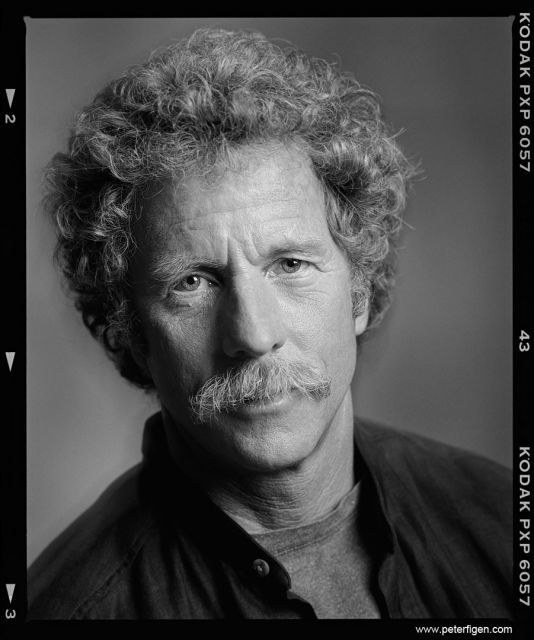
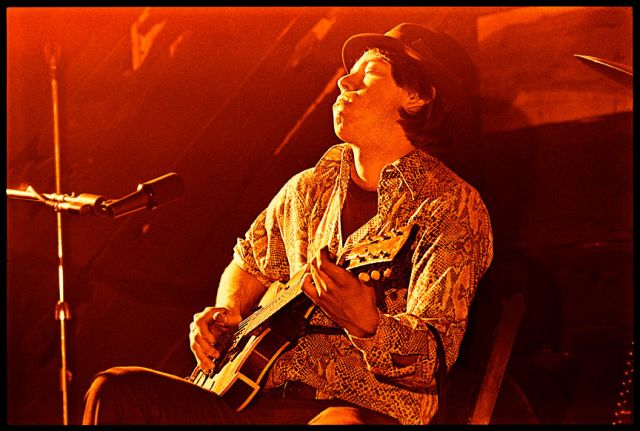
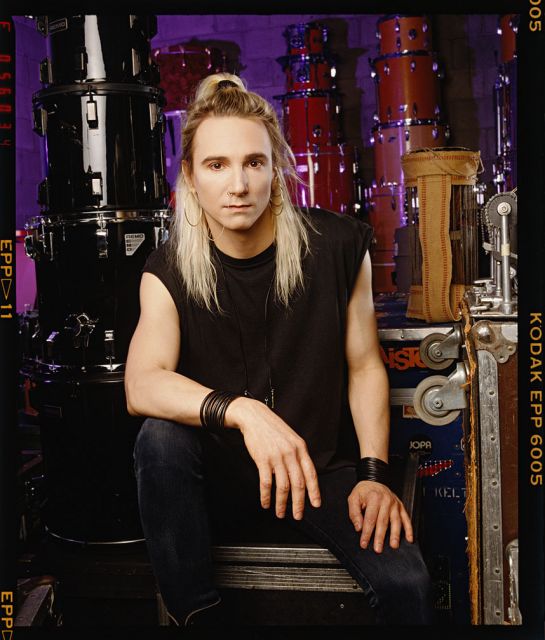
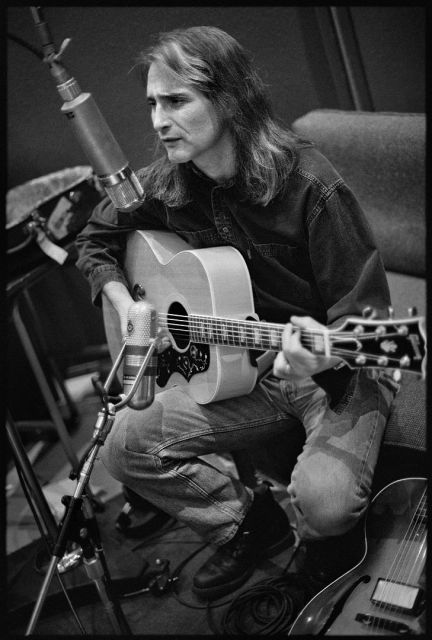
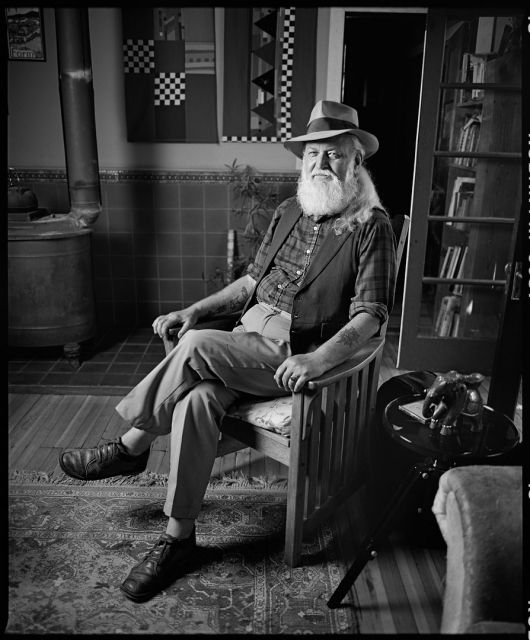
Chris Hillman shot on Plus-X and and RZ. George Thorogood playing in a bar in Santa Cruz when his first record came out circa '78. Terry Bozio shot in L.A. with Ektachrome and and RZ. Jimmy Dale Gilmore at Sunset Sound in Hollywood shot with a Nikon and Tri-X. T-Bone Burnett producing and Jim Keltner on drums. Yeah Keltner! Utah Phillips in his living room in Nevada City, Ca. RZ and Plux-X. Boy do I miss Plus-X. Probably the best portrait black and white film ever made. Scans phenomenally well too.
Chris Hillman - Byrds • Flying Burrito Bros. • Desert Rose Band