Post your recent film shots!
p.1734 #1Post your recent film shots!
Kentmere 400
MC Zenitar 16mm f/2.8
Fujica ST 705

MC Zenitar 16mm f/2.8
Fujica ST 705
Jul 22, 2026 at 06:24 PM


p.1734 #3Post your recent film shots!
I posted this color version on another thread. This was one of about 15 rolls I saved up in a shoe box until I had enough to warrant mixing the C-41 chemistry. This was taken over two years ago - adding a grayscale this time.

Canon-EOS-1_Portra-160-Cinestill-C-41

Canon-EOS-1_Portra-160-Cinestill-C-41
Jul 22, 2026 at 06:42 PM


p.1734 #6Post your recent film shots!
M6 + Zeiss 35/1.4
Leica Monopan 50 + HC-110


Leica Monopan 50 + HC-110
Jul 22, 2026 at 08:35 PM
p.1734 #7Post your recent film shots!
Switzerland with the Rolleiflex 3.5f. I adore this camera to bits.


Jul 22, 2026 at 10:32 PM
p.1734 #8Post your recent film shots!
Scanned and edited my own versions of some of the photos I posted upthread (previous were lab scans). All F3 + 250D AHU w/ the Voigtlander 40mm Ultron. Lowriders to start.
...and my reward for taking photos...
 |
||
 |
||
|
|
||
 |
||
|
|
||
 |
||
|
|
||
 |
||
|
|
||
 |
||
|
|
||
 |
||
|
|
||
 |
||
|
|
||
 |
||
|
|
||
 |
||
|
|
||
 |
||
|
|
||
 |
||
|
...and my reward for taking photos...
|
||
 |
||
|
Jul 23, 2026 at 08:31 AM
p.1734 #9Post your recent film shots!
These car shots are great, what a nice view to have at breakfast time
I am going to really have to rescan my own lab scans....... your photos come alive
I am going to really have to rescan my own lab scans....... your photos come alive
Jul 23, 2026 at 08:35 AM
p.1734 #10Post your recent film shots!
Leica M6 + Zeiss 35/1.4
Leica Monopan 50 + HC-110
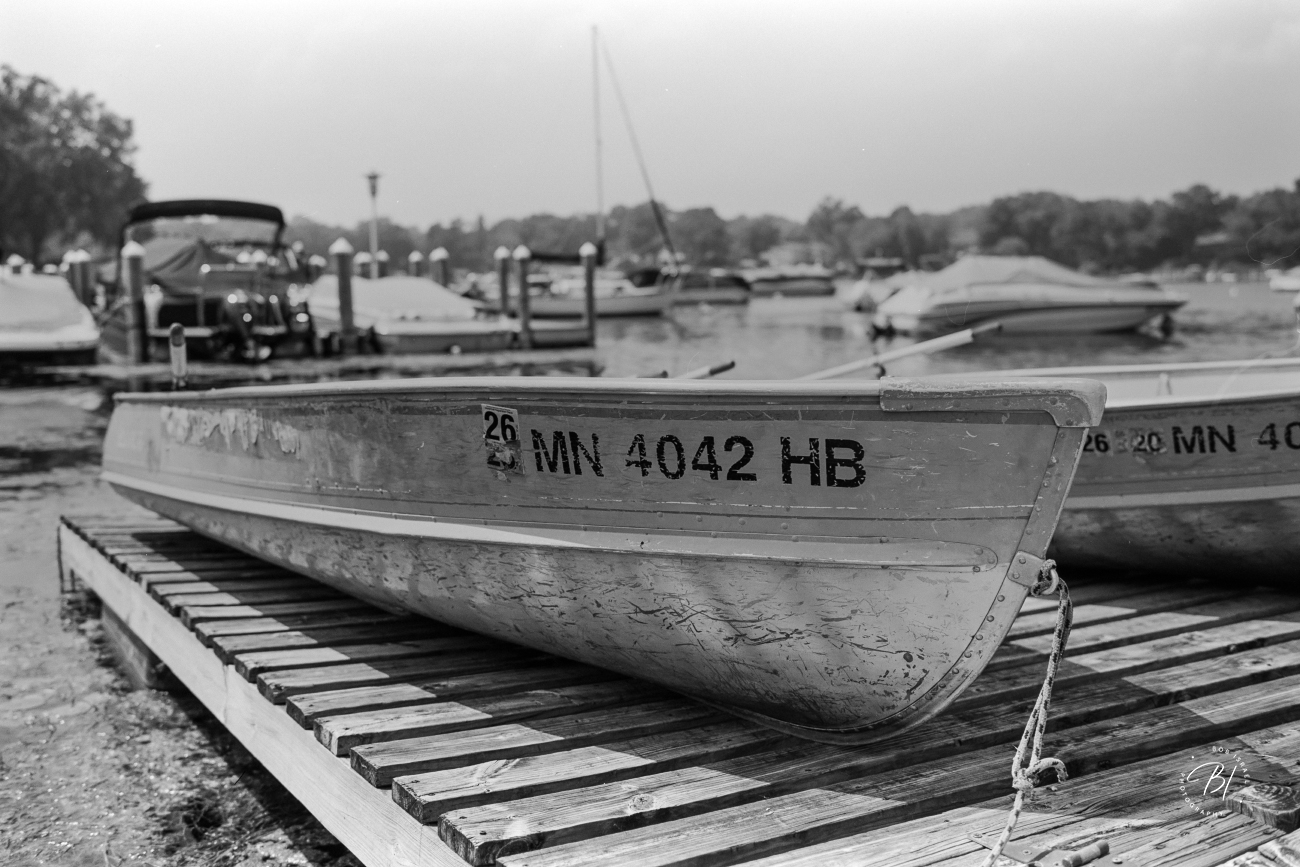
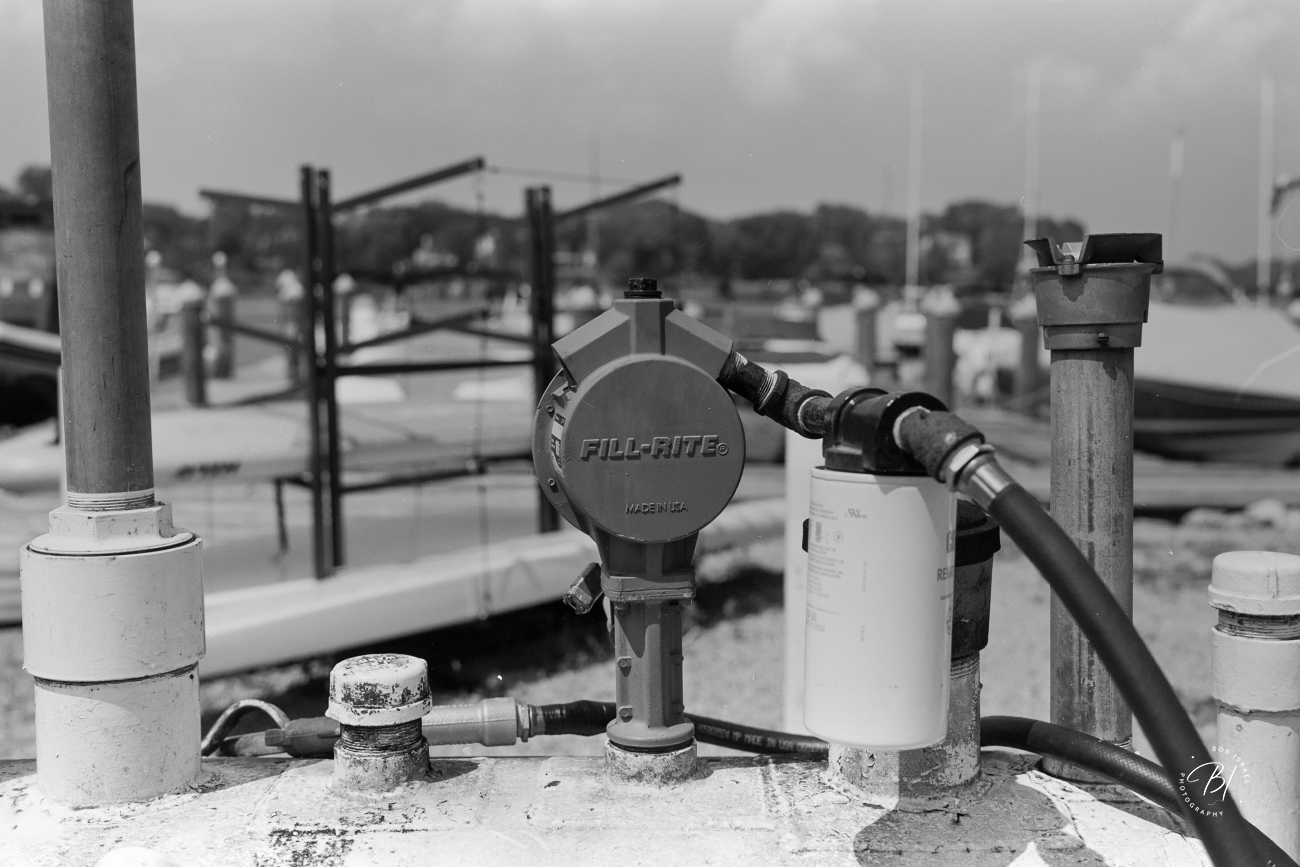
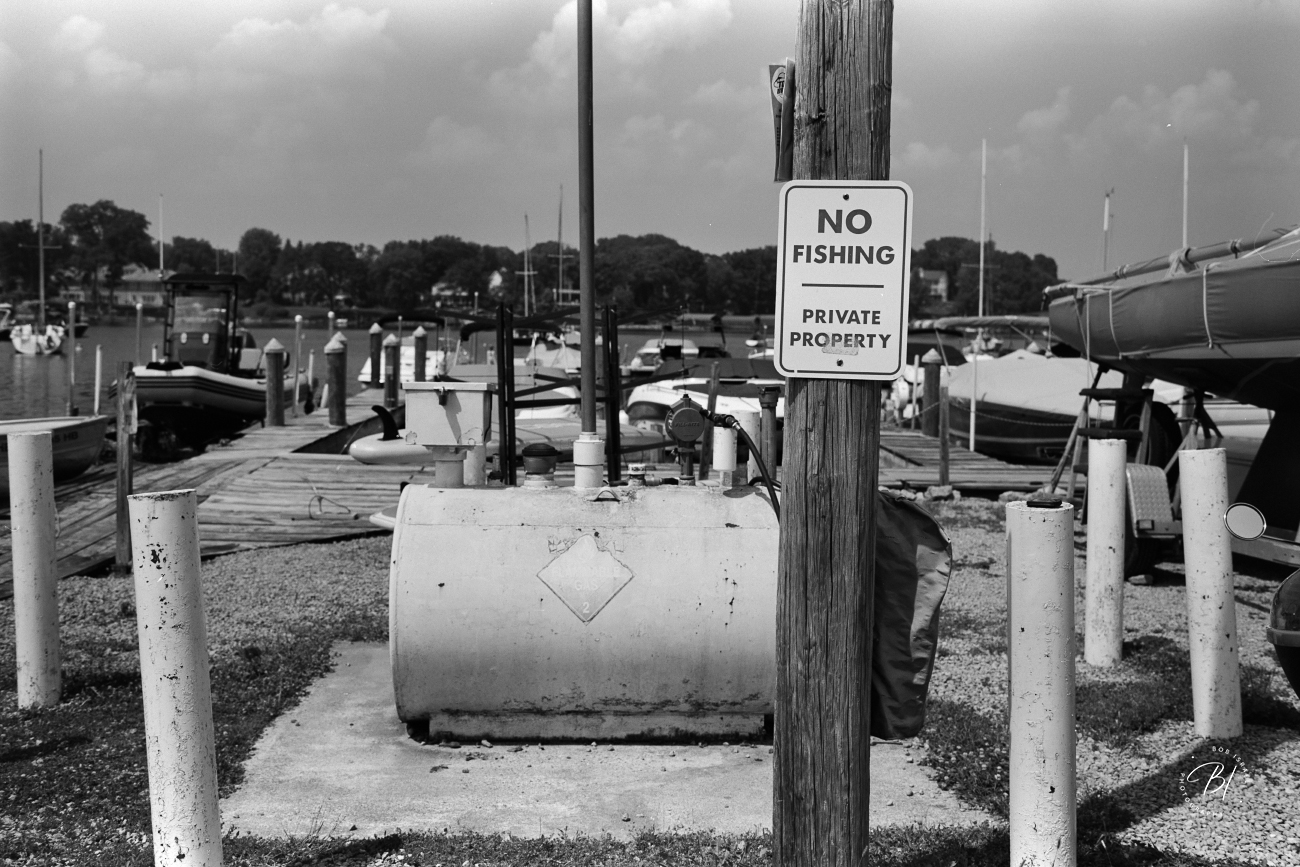
Leica Monopan 50 + HC-110
Jul 23, 2026 at 08:56 AM
|
p.1734 #11Post your recent film shots!
James Markus wrote:
I posted this color version on another thread. This was one of about 15 rolls I saved up in a shoe box until I had enough to warrant mixing the C-41 chemistry. This was taken over two years ago - adding a grayscale this time.
Firstly, this is a wonderful image. Very well seen.
What kinda of post-processing are you doing? There is some kind of sharpening + noise/grain/detail reduction that creates a slightly impressionistic effect.
I posted this color version on another thread. This was one of about 15 rolls I saved up in a shoe box until I had enough to warrant mixing the C-41 chemistry. This was taken over two years ago - adding a grayscale this time.
Firstly, this is a wonderful image. Very well seen.
What kinda of post-processing are you doing? There is some kind of sharpening + noise/grain/detail reduction that creates a slightly impressionistic effect.
Jul 23, 2026 at 09:20 AM
p.1734 #12Post your recent film shots!
_jim_ wrote:
Firstly, this is a wonderful image. Very well seen.
What kinda of post-processing are you doing? There is some kind of sharpening + noise/grain/detail reduction that creates a slightly impressionistic effect.
What follows is probably tmi
I don't really have recipes in Lr - I use my eyes. After NLP got done I did this in Lr to that grouping of similar images and then paste those adjustments to the group
Contrast +6
Highlights -12
Shadows +37
Whites -17
Blacks -12
Clarify +17
Dehaze +7
Vibrance +12
Saturation -6
ticked the "remove chromatic aberration" box
Then export to jpg
Then right click and "Edit in Photoshop"
And I still wasn't happy with the skin tones.
In Ps I ctrl+U (Hue/Saturation) I adjusted the red and yellow channel
Lasersoft's SRDx plugin for dust (low settings)
heal brushed the bigger dust bunnies
I have a range of "actions" I wrote for Ps that I run in sequence
-I ran something I call "LAB Sharpen" at a really low setting. It involves changing the color mode to LAB,
and running a weak USM on only the luminosity channel then converting back to RGB.
since that makes the grain even more apparent I then run "LAB Noise Reduction" which is the same as the sharpen action, but you substitute a weak gaussian blur on the luminosity channel to knock the edges off the grain. I have about 5-6 levels
of each written as "Actions", but usually use the weakest ones. I want there to be grain - just a refined grain.
EDIT
You'd think with all that there would be a dramatic difference, but it is far more subtle - imo. Here is a pre-edit version straight out of NLP, and my edit. Is it worth it? To me it is,
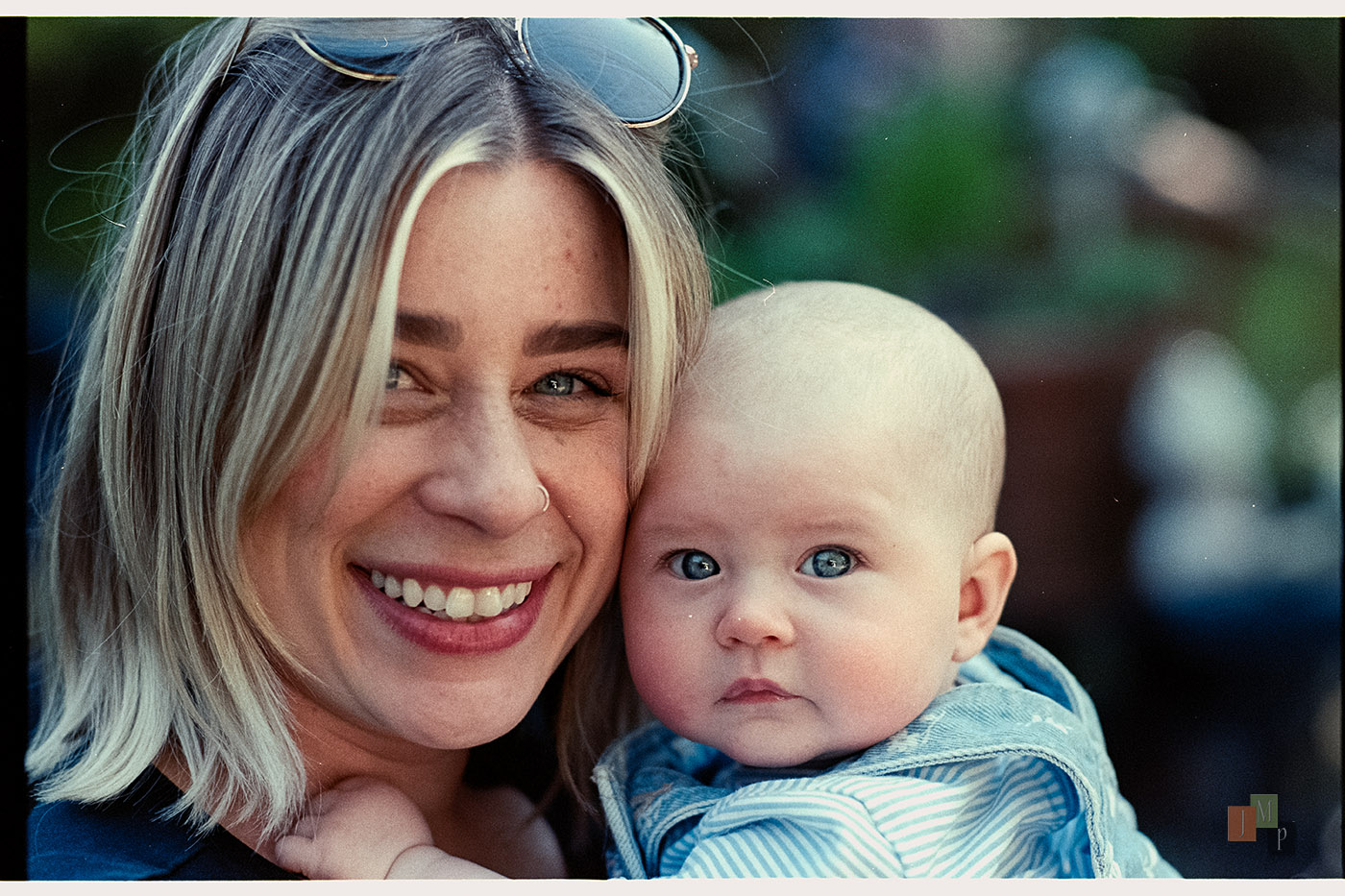
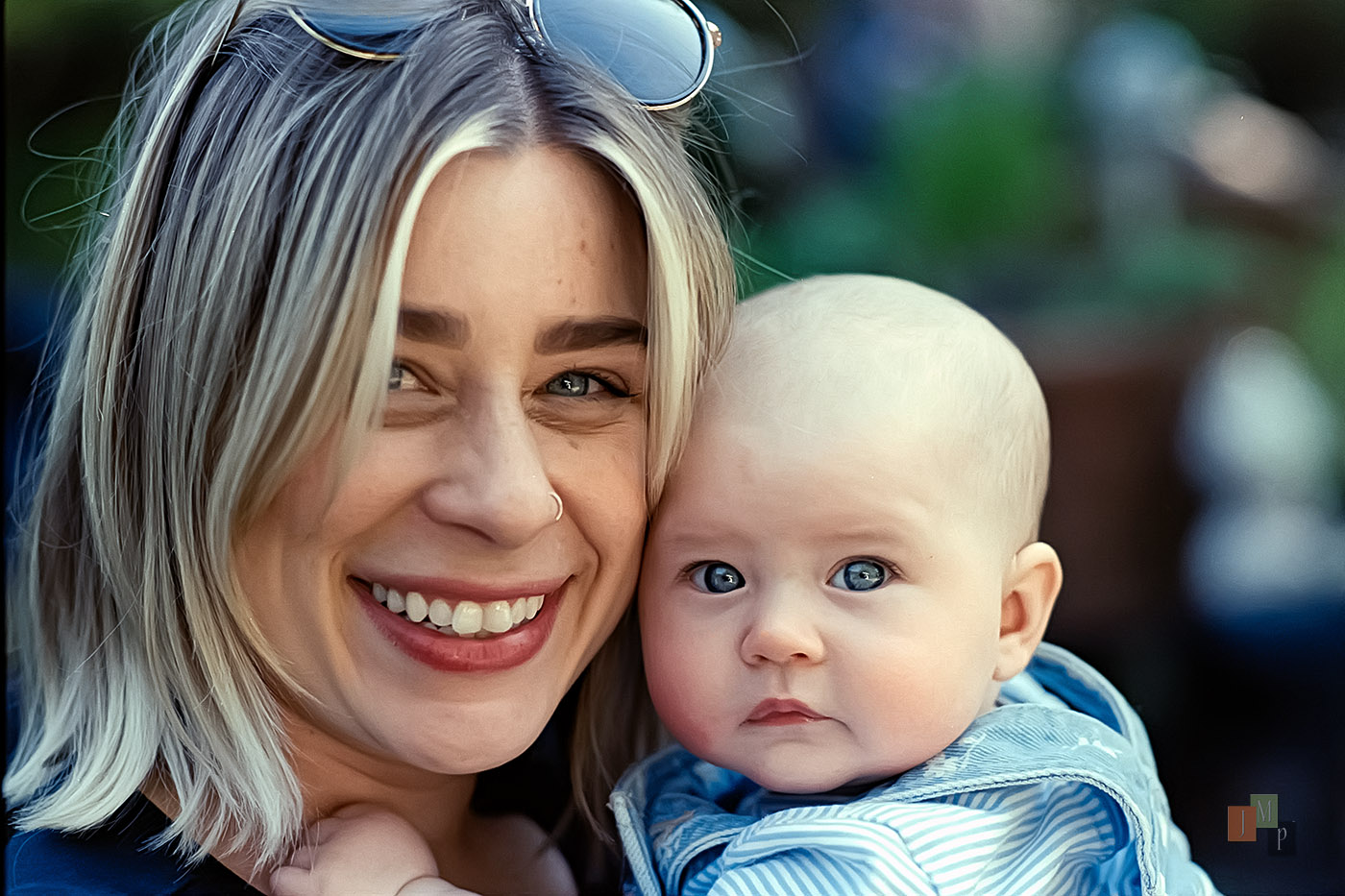
James Markus wrote
I posted this color version on another thread. This was one of about 15 rolls I saved up in a shoe box until I had enough to warrant mixing the C-41 chemistry. This was taken over two years ago - adding a grayscale this time.What kinda of post-processing are you doing? There is some kind of sharpening + noise/grain/detail reduction that creates a slightly impressionistic effect.
What follows is probably tmi
I don't really have recipes in Lr - I use my eyes. After NLP got done I did this in Lr to that grouping of similar images and then paste those adjustments to the group
Contrast +6
Highlights -12
Shadows +37
Whites -17
Blacks -12
Clarify +17
Dehaze +7
Vibrance +12
Saturation -6
ticked the "remove chromatic aberration" box
Then export to jpg
Then right click and "Edit in Photoshop"
And I still wasn't happy with the skin tones.
In Ps I ctrl+U (Hue/Saturation) I adjusted the red and yellow channel
Lasersoft's SRDx plugin for dust (low settings)
heal brushed the bigger dust bunnies
I have a range of "actions" I wrote for Ps that I run in sequence
-I ran something I call "LAB Sharpen" at a really low setting. It involves changing the color mode to LAB,
and running a weak USM on only the luminosity channel then converting back to RGB.
since that makes the grain even more apparent I then run "LAB Noise Reduction" which is the same as the sharpen action, but you substitute a weak gaussian blur on the luminosity channel to knock the edges off the grain. I have about 5-6 levels
of each written as "Actions", but usually use the weakest ones. I want there to be grain - just a refined grain.
EDIT
You'd think with all that there would be a dramatic difference, but it is far more subtle - imo. Here is a pre-edit version straight out of NLP, and my edit. Is it worth it? To me it is,
Jul 23, 2026 at 10:06 AM
p.1734 #13Post your recent film shots!
EMH2025 wrote:
These car shots are great, what a nice view to have at breakfast time
I am going to really have to rescan my own lab scans....... your photos come alive
Thanks! There's definitely a difference.
These car shots are great, what a nice view to have at breakfast time
I am going to really have to rescan my own lab scans....... your photos come alive
Thanks! There's definitely a difference.
Jul 23, 2026 at 10:54 AM
p.1734 #14Post your recent film shots!
James Markus wrote:
Firstly, this is a wonderful image. Very well seen.
What kinda of post-processing are you doing? There is some kind of sharpening + noise/grain/detail reduction that creates a slightly impressionistic effect.What follows is probably tmi
I don't really have recipes in Lr - I use my eyes. After NLP got done I did this in Lr to that grouping of similar images and then paste those adjustments to the group
Contrast +6
Highlights -12
Shadows +37
Whites -17
Blacks -12
Clarify +17
Dehaze +7
Vibrance +12
Saturation -6
ticked the "remove chromatic aberration" box
Then export to jpg
Then right click and "Edit in Photoshop"
And I still wasn't happy with the skin tones.
In Ps I ctrl+U (Hue/Saturation) I adjusted the red and yellow channel
Lasersoft's SRDx plugin for dust (low settings)
heal brushed the bigger dust bunnies
I have a range of "actions"...Show more →
Thank you for all of the info!
You have an aesthetic goal and a work flow that gets you there.
For me, the 'before' image looks more natural (or, I guess I should really say "expected"). It looks like a beautifully composed, focused and exposed photo on film.
At any rate, it's such a lovely image and I'm sure that your family will look at it with joy and tenderness for years to come.
Edited on Jul 23, 2026 at 12:01 PM · View previous versions
_jim_ wrote
James Markus wrote
I posted this color version on another thread. This was one of about 15 rolls I saved up in a shoe box until I had enough to warrant mixing the C-41 chemistry. This was taken over two years ago - adding a grayscale this time.What kinda of post-processing are you doing? There is some kind of sharpening + noise/grain/detail reduction that creates a slightly impressionistic effect.
I don't really have recipes in Lr - I use my eyes. After NLP got done I did this in Lr to that grouping of similar images and then paste those adjustments to the group
Contrast +6
Highlights -12
Shadows +37
Whites -17
Blacks -12
Clarify +17
Dehaze +7
Vibrance +12
Saturation -6
ticked the "remove chromatic aberration" box
Then export to jpg
Then right click and "Edit in Photoshop"
And I still wasn't happy with the skin tones.
In Ps I ctrl+U (Hue/Saturation) I adjusted the red and yellow channel
Lasersoft's SRDx plugin for dust (low settings)
heal brushed the bigger dust bunnies
I have a range of "actions"...Show more →
Thank you for all of the info!
You have an aesthetic goal and a work flow that gets you there.
For me, the 'before' image looks more natural (or, I guess I should really say "expected"). It looks like a beautifully composed, focused and exposed photo on film.
At any rate, it's such a lovely image and I'm sure that your family will look at it with joy and tenderness for years to come.
Edited on Jul 23, 2026 at 12:01 PM · View previous versions
Jul 23, 2026 at 11:27 AM
p.1734 #15Post your recent film shots!
I'm with Jim. The original is *chef's kiss*, such a lovely shot. The second version looks like it was mangled by a Topaz AI app.
Jul 23, 2026 at 11:35 AM
p.1734 #16Post your recent film shots!
RomanMF wrote:
I'm with Jim. The original is *chef's kiss*, such a lovely shot. The second version looks like it was mangled by a Topaz AI app.
Technically I'm Jim too, but I know which one you are referring to.
I suspect both of you are younger than me. I come from a printing background, and when the color is not natural it is rejected. Or color corrected - which is what I did. I know there is a nostalgia for what were formerly considered mistakes from the analog era. I started with film professionally, tested the very first digital cameras, and now find myself traveling back down the analog image making road. I wish I could look at that horrible red skin tone (Portra outside the studio) and think "chef's kiss", but I can't - it is a glaring error to my eye.
c'est la vie
the other Jim
I'm with Jim. The original is *chef's kiss*, such a lovely shot. The second version looks like it was mangled by a Topaz AI app.
Technically I'm Jim too, but I know which one you are referring to.
I suspect both of you are younger than me. I come from a printing background, and when the color is not natural it is rejected. Or color corrected - which is what I did. I know there is a nostalgia for what were formerly considered mistakes from the analog era. I started with film professionally, tested the very first digital cameras, and now find myself traveling back down the analog image making road. I wish I could look at that horrible red skin tone (Portra outside the studio) and think "chef's kiss", but I can't - it is a glaring error to my eye.
c'est la vie
the other Jim
Jul 23, 2026 at 12:04 PM
p.1734 #17Post your recent film shots!
RomanMF wrote:
I'm with Jim. The original is *chef's kiss*, such a lovely shot. The second version looks like it was mangled by a Topaz AI app.
Have to agree. People like what they like, but to me the final photo is overly smoothed and looks a bit AI'd.
I'm with Jim. The original is *chef's kiss*, such a lovely shot. The second version looks like it was mangled by a Topaz AI app.
Have to agree. People like what they like, but to me the final photo is overly smoothed and looks a bit AI'd.
Jul 23, 2026 at 12:10 PM
p.1734 #18Post your recent film shots!
James Markus wrote:
Firstly, this is a wonderful image. Very well seen.
What kinda of post-processing are you doing? There is some kind of sharpening + noise/grain/detail reduction that creates a slightly impressionistic effect.What follows is probably tmi
I don't really have recipes in Lr - I use my eyes. After NLP got done I did this in Lr to that grouping of similar images and then paste those adjustments to the group
Contrast +6
Highlights -12
Shadows +37
Whites -17
Blacks -12
Clarify +17
Dehaze +7
Vibrance +12
Saturation -6
ticked the "remove chromatic aberration" box
Then export to jpg
Then right click and "Edit in Photoshop"
And I still wasn't happy with the skin tones.
In Ps I ctrl+U (Hue/Saturation) I adjusted the red and yellow channel
Lasersoft's SRDx plugin for dust (low settings)
heal brushed the bigger dust bunnies
I have a range of "actions"...Show more →
First, fantastic image.
Second, have you tried PS's color balance tool? It can be really helpful for moving colors around with film scans.
Here's a 120 scan I got from the lab. Just a low-res test roll scan. They tend to skew very green.

This is just a color balance layer. You can see how much control there is.

This is a curve added.

Then HSL to pull out some remaining red saturation in the fence and dirt.

I wouldn't call it a perfect result, but still, it shows how much heavy lifting the color balance tool can do.
_jim_ wrote
James Markus wrote
I posted this color version on another thread. This was one of about 15 rolls I saved up in a shoe box until I had enough to warrant mixing the C-41 chemistry. This was taken over two years ago - adding a grayscale this time.What kinda of post-processing are you doing? There is some kind of sharpening + noise/grain/detail reduction that creates a slightly impressionistic effect.
I don't really have recipes in Lr - I use my eyes. After NLP got done I did this in Lr to that grouping of similar images and then paste those adjustments to the group
Contrast +6
Highlights -12
Shadows +37
Whites -17
Blacks -12
Clarify +17
Dehaze +7
Vibrance +12
Saturation -6
ticked the "remove chromatic aberration" box
Then export to jpg
Then right click and "Edit in Photoshop"
And I still wasn't happy with the skin tones.
In Ps I ctrl+U (Hue/Saturation) I adjusted the red and yellow channel
Lasersoft's SRDx plugin for dust (low settings)
heal brushed the bigger dust bunnies
I have a range of "actions"...Show more →
First, fantastic image.
Second, have you tried PS's color balance tool? It can be really helpful for moving colors around with film scans.
Here's a 120 scan I got from the lab. Just a low-res test roll scan. They tend to skew very green.
This is just a color balance layer. You can see how much control there is.
This is a curve added.
Then HSL to pull out some remaining red saturation in the fence and dirt.
I wouldn't call it a perfect result, but still, it shows how much heavy lifting the color balance tool can do.
Jul 23, 2026 at 12:35 PM
p.1734 #19Post your recent film shots!
Keahi08 wrote:
Switzerland with the Rolleiflex 3.5f. I adore this camera to bits.
Photo #2 is very surreal, with the snack stand and the Alps just barely peeking (and peaking?) out.
Switzerland with the Rolleiflex 3.5f. I adore this camera to bits.
Photo #2 is very surreal, with the snack stand and the Alps just barely peeking (and peaking?) out.
Jul 23, 2026 at 01:05 PM
p.1734 #20Post your recent film shots!
Some more from the same roll of 250D AHU:
|
||
 |
||
|
|
||
 |
||
|
|
||
 |
||
|
|
||
 |
||
|
|
||
 |
||
|
|
||
 |
||
|
Jul 23, 2026 at 01:41 PM