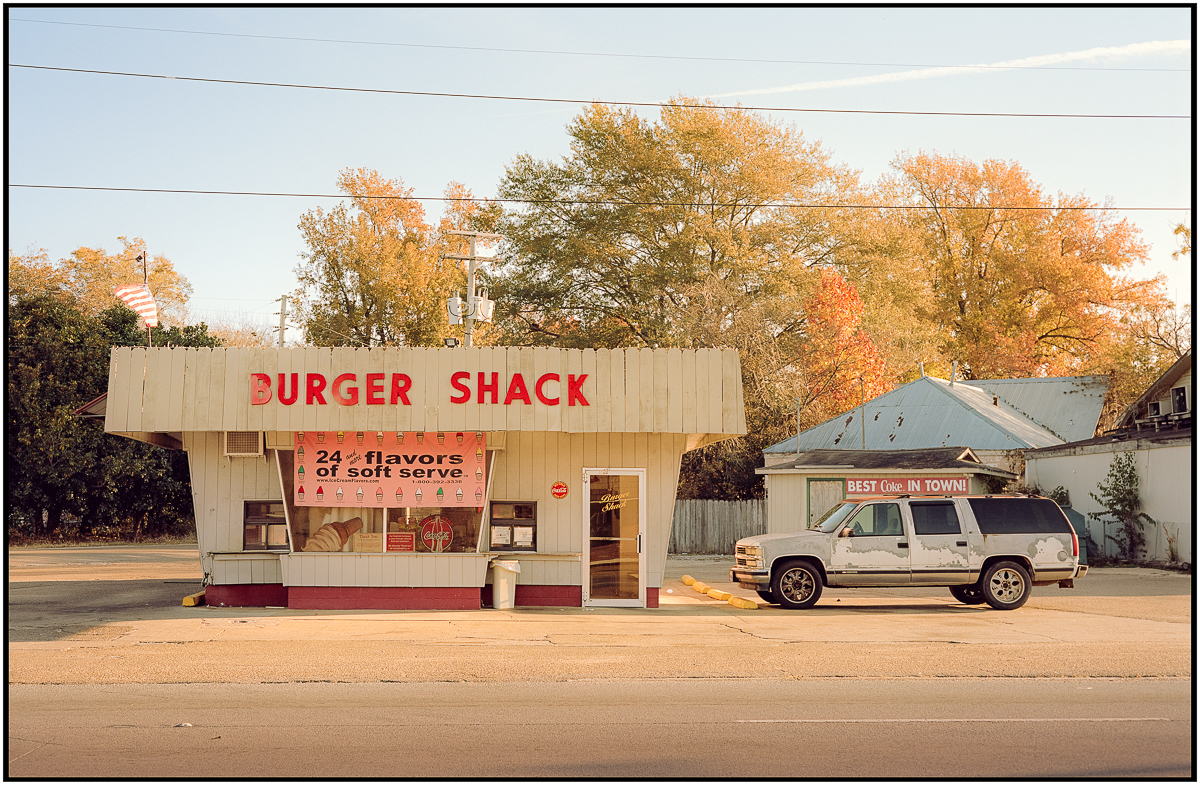
I am still working on finding the best way to convert my negatives. For scanning Valoi35 Easy is great with the TTartisan 40mm Macro. Smartconvert is fast and convinient, but looses out on highlight retention and flexibility. On1 Raw is good, but getting colors and contrast right is sometimes tricky. Darktable is in general my preferred choice, but I need to get used to Negadoctor but works better without scene referred modes is seems...
Desmolicious wrote:
That image has a very heavy cyan cast. Have you tried negativelabpro?
NLP only works with Adobe LR, which I am not supporting anymore. It can be quite easily corrected in Darktable, but is of course more manual than with either NLP or Smartconvert
I am still working on finding the best way to convert my negatives. For scanning Valoi35 Easy is great with the TTartisan 40mm Macro. Smartconvert is fast and convinient, but looses out on highlight retention and flexibility. On1 Raw is good, but getting colors and contrast right is sometimes tricky. Darktable is in general my preferred choice, but I need to get used to Negadoctor but works better without scene referred modes is seems...
If you want to share the RAW file I could test and share some settings in Smartconvert. Shouldn't come out with a cyan cast like that, something seems off.
fjablo wrote:
If you want to share the RAW file I could test and share some settings in Smartconvert. Shouldn't come out with a cyan cast like that, something seems off.
Appreciate the offer! Smartconvert does a good job w/o a color cast, the above was Darktable with Negadoctor. But I have adjusted the workflow now to Smartconvert conversion with Darktable editing, which works good. Will share something later tonight
Comparison of LR photo merging.
The first image is using "Fill edges" i.e fill in the blank missing areas which were not in either image.
The second is using "Auto crop" where it crops out any part of the auto merge that does not have image.
If you look at the "Fill edges" (the top) image, you can see that there are weird cloning artefacts in the middle top, and also on the bottom right. The second cropped image is much narrower because there was a lot in the top and bottom part of the merge that was empty.
If you are intentional from the very beginning when you actually take the pics to merge in LR, you can make these merge much more seamlessly. I wasn't, it was only as an afterthought that I wondered how it would look!
Desmolicious wrote:
Comparison of LR photo merging.
The first image is using "Fill edges" i.e fill in the blank missing areas which were not in either image.
The second is using "Auto crop" where it crops out any part of the auto merge that does not have image.
If you look at the "Fill edges" (the top) image, you can see that there are weird cloning artefacts in the middle top, and also on the bottom right. The second cropped image is much narrower because there was a lot in the top and bottom part of the merge that was empty.
If you are intentional from the very beginning when you actually take the pics to merge in LR, you can make these merge much more seamlessly. I wasn't, it was only as an afterthought that I wondered how it would look!...Show more →
I like the more natural look of the cropped image. It's closer to what you would expect from an X-Pan or a Fuji TX-1.
There's a project for you. Thake some with the Fuji and assemble some in LR for comparison.
Ineound wrote:
Appreciate the offer! Smartconvert does a good job w/o a color cast, the above was Darktable with Negadoctor. But I have adjusted the workflow now to Smartconvert conversion with Darktable editing, which works good. Will share something later tonight
This one is Smartconvert with Darktable editing. Seems to emerge as my favourite workflow.
Also this was shot with the Brightin Star 28mm F2.8. Incredible, unbelievable small. Great quality stopped down for my purposes. The Pentax SMC 28mm F2.8 is not that much larger, but of course the mirror adds to the heft.
madNbad wrote:
I like the more natural look of the cropped image. It's closer to what you would expect from an X-Pan or a Fuji TX-1.
There's a project for you. Thake some with the Fuji and assemble some in LR for comparison.
That would be interesting. Of note LR has really improved their merge functionality as years past you will see a distinct border at the join. Here I still see it if I look closely, but that is more of a fault of the camera - Samsung AF Slim - which can heavily vignette the image. So when you have two vignetted images merge, it is hard to avoid that seam - even though LR has done a remarkably good job IMO.