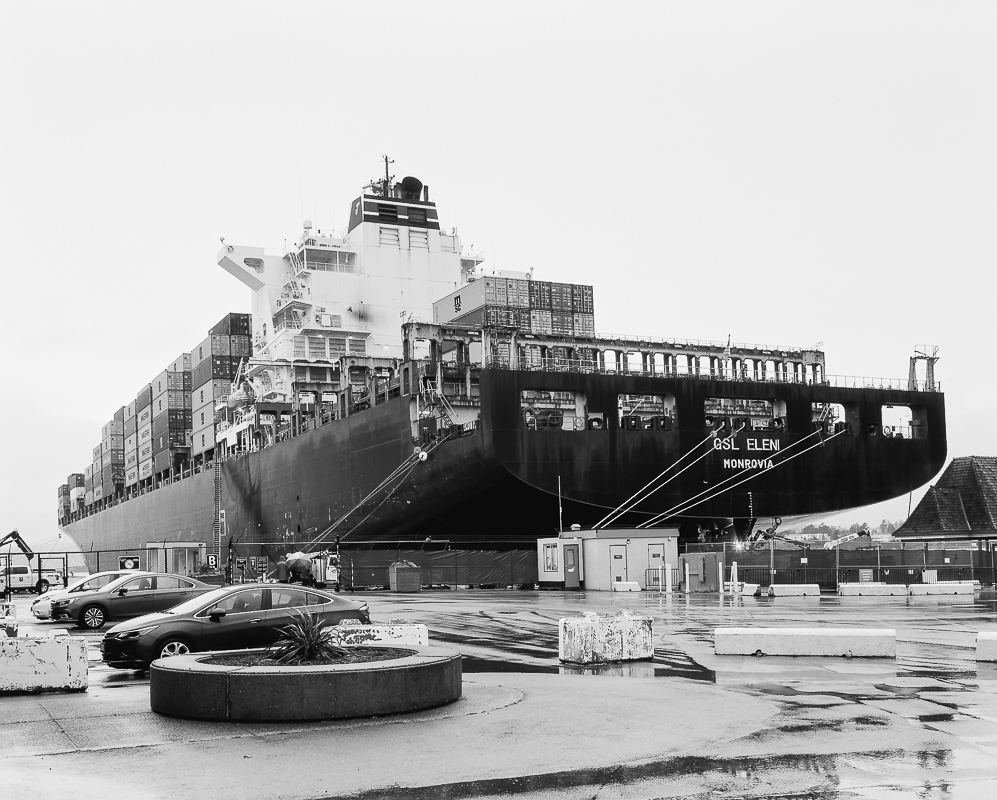
Pentax 67 II + 75/4.5 Shift + OG Acros 100 pushed +1
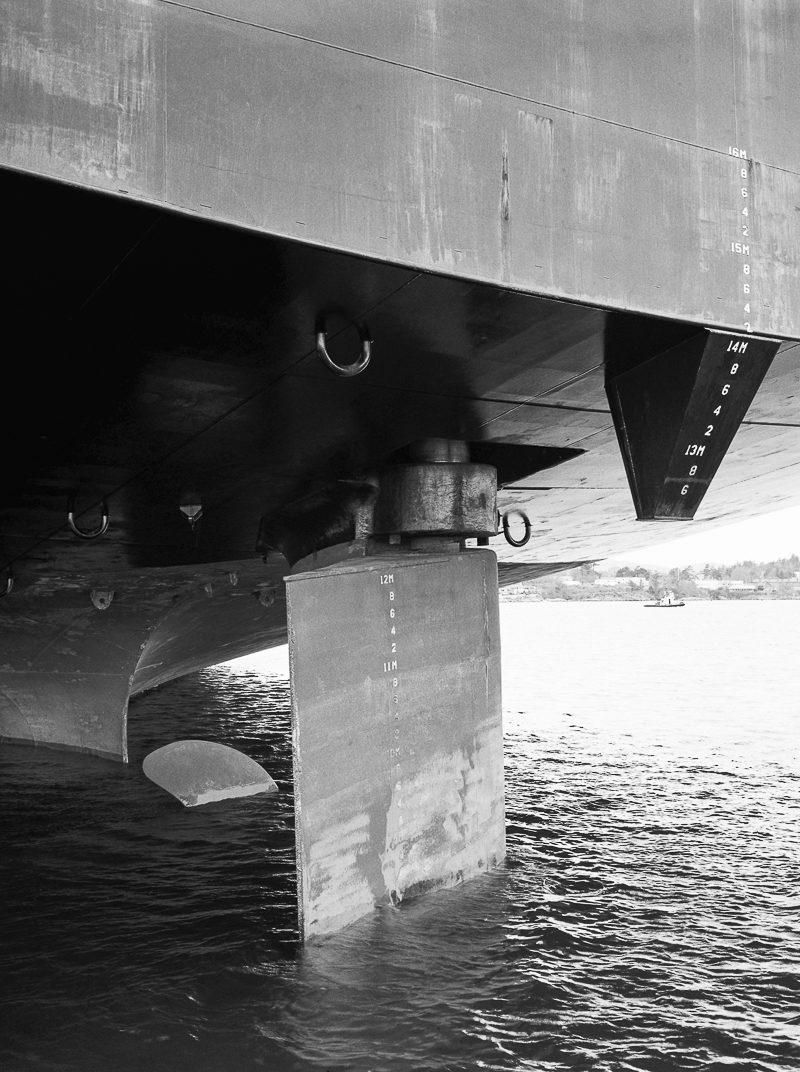
The ship was towed into port having sheared it's rudder shaft off the West Coast of Vancouver Island. A welding arc is visible in the bottom right of the image, as they added mounts to chain the rudder to while they towed it to drydock.
helimat wrote:
Pentax 67 II + 75/4.5 Shift + OG Acros 100 pushed +1
The ship was towed into port having sheared it's rudder shaft off the West Coast of Vancouver Island. A welding arc is visible in the bottom right of the image, as they added mounts to chain the rudder to while they towed it to drydock.
Scene:
An important looking official enters a dark, smoky bar at the docks. The kind of place where no-one asks your name because they know it is better not to know.
"Who here knows how to weld mounts to chain a rudder onto a cargo ship?"
Yuri, without looking up from the Leica M5 he is loading, softly but sternly says:
My scanning setup is made up of several generations of Negative Supply gear. The copy stand is their original Pro Riser MK 1 which I have modified with longer bolts for the feet, a 60mm RRS Arca-Swiss clamp and a Boos Block cutting board for a base. The carrier is a Pro Carrier 135, the improved model of the original carrier and the light source is the original 5X7 version. My old Sony A7II won't tether to Lightroom and I'm hesitant to spend the money on a A7C just to scan negatives.
One of the problems with Negative Supply (other than being expensive) is maintaining alignment. I added the Boos Block because the original copy stand has an open base. That's fine if you have the space to leave everything set up and never have to move it. Not so good if you have to push it out of the way. I've spent a few hours today trying to get the borders set and the negative square in the frame. It did allow me to get some more practice with NLP. I have posted these before but now with a better understanding of how NLP works, I feel these are better scans.
madNbad wrote:
My scanning setup is made up of several generations of Negative Supply gear. The copy stand is their original Pro Riser MK 1 which I have modified with longer bolts for the feet, a 60mm RRS Arca-Swiss clamp and a Boos Block cutting board for a base. The carrier is a Pro Carrier 135, the improved model of the original carrier and the light source is the original 5X7 version. My old Sony A7II won't tether to Lightroom and I'm hesitant to spend the money on a A7C just to scan negatives.
One of the problems with Negative Supply (other than being expensive) is maintaining alignment. I added the Boos Block because the original copy stand has an open base. That's fine if you have the space to leave everything set up and never have to move it. Not so good if you have to push it out of the way. I've spent a few hours today trying to get the borders set and the negative square in the frame. It did allow me to get some more practice with NLP. I have posted these before but now with a better understanding of how NLP works, I feel these are better scans.
madNbad wrote:
Looks like I still need to make a few adjustments in alignment!
I guess I am not exactly sure which alignment you are referring to. It's hard to tell from web size samples, but the images appear that they are square to the camera? Do you mean that the image needs to be rotated slightly so that the corners are perfectly at 90 degrees? Or something else altogether?
_jim_ wrote:
I guess I am not exactly sure which alignment you are referring to. It's hard to tell from web size samples, but the images appear that they are square to the camera? Do you mean that the image needs to be rotated slightly so that the corners are perfectly at 90 degrees? Or something else altogether?
I was looking at the one with Ryan and Addie in todays scan seems just t touch askew. I'll raise the camera a bit and give myself a bit more border to work with. So far in my scanning journey over the last several years, after using a Plustek 7600i, there has been a Lomo DigitaLIZA, a Nikon ES-2, the Skier Copybox 2 and finally the Negative Supply gear. All of the others held the negative fairly square to the sensor but with the Negative Supply getting the stack of light source and carrier in just the right position takes some experimentation. I replaced the rubber feet on the light source with felt pads to make moving it easier. It'll look good on the screen but then a bit off in the actual capture. I went to the wider borders for consistency but they were confusing NLP. Plus, I'm aligning it using the Sony Imaging Edge viewer, the files are automatically exported to Lightroom after capture. I'm getting closer and it's actually more fun than frustrating.
madNbad wrote:
I was looking at the one with Ryan and Addie in todays scan seems just t touch askew. I'll raise the camera a bit and give myself a bit more border to work with. So far in my scanning journey over the last several years, after using a Plustek 7600i, there has been a Lomo DigitaLIZA, a Nikon ES-2, the Skier Copybox 2 and finally the Negative Supply gear. All of the others held the negative fairly square to the sensor but with the Negative Supply getting the stack of light source and carrier in just the right position takes some experimentation. I replaced the rubber feet on the light source with felt pads to make moving it easier. It'll look good on the screen but then a bit off in the actual capture. I went to the wider borders for consistency but they were confusing NLP. Plus, I'm aligning it using the Sony Imaging Edge viewer, the files are automatically exported to Lightroom after capture. I'm getting closer and it's actually more fun than frustrating. ...Show more →
This isn't the best video for it, but it shows how to use a small mirror to center/square your camera to the film carrier.
?si=OVFlpFhxI0fQpATU
Now, your film may still slide around in the carrier. I experience this all the time. Even though it's square to the camera, the negative corners aren't at 90 degrees. No biggie - I usually start off with the auto-straighten function in LR (it will usually get you close) and then manually adjust until it's straight. Then I make my crop and convert.
An important looking official enters a dark, smoky bar at the docks. The kind of place where no-one asks your name because they know it is better not to know.
"Who here knows how to weld mounts to chain a rudder onto a cargo ship?"
Yuri, without looking up from the Leica M5 he is loading, softly but sternly says:
"I do, but it will cost you"
Aaaand scene.
haha. Yuri is the man.
Here's a shot of the damaged rudder, taken with the GA645i + Tmax 400. The sheared rudder shaft is visible, over 2' of solid steel.
_jim_ wrote:
This isn't the best video for it, but it shows how to use a small mirror to center/square your camera to the film carrier.
?si=OVFlpFhxI0fQpATU
Now, your film may still slide around in the carrier. I experience this all the time. Even though it's square to the camera, the negative corners aren't at 90 degrees. No biggie - I usually start off with the auto-straighten function in LR (it will usually get you close) and then manually adjust until it's straight. Then I make my crop and convert.
Thanks for the tip! I went back to a wider border. It makes it look more like a photograph and now I know to crop it out before the conversion. Ryan and Addie Redux:
bestdayz wrote:
How do you like the voigtlander 40? I'm debating getting a 35 f2 Nikkor(I'm using 35 2.8) but the CV 40 is so small and enticing for my style.