Post your recent film shots!
p.1133 #1Post your recent film shots!
geekcop wrote:
I am starting what I would consider is my first real photography project since I was in college. I am beginning a series on roadside drive-up stands. I went to a ton of these as a kid and they are disappearing. Film, seems to be the perfect medium for the project. I shot this first shot on my Fujinon 690SW II and Portra 400 and metered with my Pentax digital spot meter. I scanned the frame on my "new to me" Epson V800 scanner using the anti-newton ring 120 film holder. I am pleased with what was my first roll...Show more →
Welcome to this thread! Great idea, and love that shot. Waiting for the book.
Jan 25, 2024 at 09:49 AM
p.1133 #2Post your recent film shots!
Desmolicious wrote:
Welcome to this thread! Great idea, and love that shot. Waiting for the book.
Funny that you mentioned doing a book. I’d like to do a pair of good quality zines in the future. I have another project I’m working on, but with digital. If I have the chance and the money, I’d like both of the projects made into zines. Only time will tell. And thanks for the welcome, Huss!
Jan 25, 2024 at 10:06 AM
p.1133 #3Post your recent film shots!
geekcop wrote:
Funny that you mentioned doing a book. I’d like to do a pair of good quality zines in the future. I have another project I’m working on, but with digital. If I have the chance and the money, I’d like both of the projects made into zines. Only time will tell. And thanks for the welcome, Huss!
I love looking at Americana like that. In California Dairy Queen used to have standalone locations, also Fosters Freeze but those have seriously dwindled. The unique/individual businesses are more interesting!
Desmolicious wrote
Welcome to this thread! Great idea, and love that shot. Waiting for the book.I love looking at Americana like that. In California Dairy Queen used to have standalone locations, also Fosters Freeze but those have seriously dwindled. The unique/individual businesses are more interesting!
Jan 25, 2024 at 10:31 AM

p.1133 #5Post your recent film shots!
Desmolicious wrote:
Funny that you mentioned doing a book. I’d like to do a pair of good quality zines in the future. I have another project I’m working on, but with digital. If I have the chance and the money, I’d like both of the projects made into zines. Only time will tell. And thanks for the welcome, Huss!I love looking at Americana like that. In California Dairy Queen used to have standalone locations, also Fosters Freeze but those have seriously dwindled. The unique/individual businesses are more interesting!
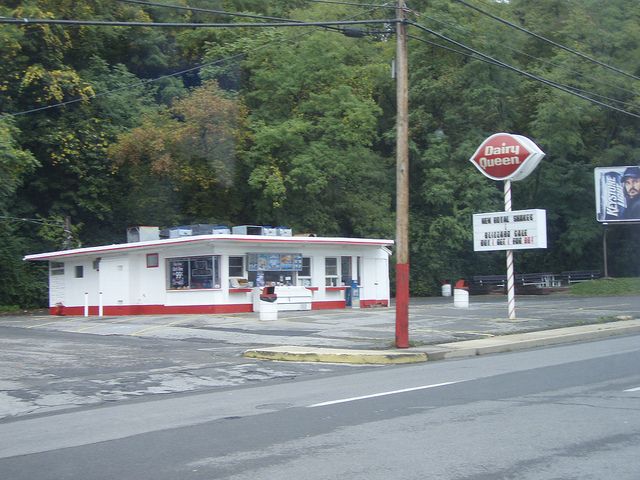
After church, when I was a small child, my grandfather would stop and get "Sunday ice cream" at the local Dairy Queen drive-up on the way back to his house for Sunday dinner. He only bought two things there, a tub of vanilla, or a box of dilly bars with chocolate coating. It's an indelible memory. That Dairy Queen building still operates as an ice cream stand, but it isn't a Dairy Queen any longer. He left us in 1991. It's next on my shot list and it will hold a special meaning, I'm sure. The picture is from back when it was a Dairy Queen. This is not my photo. No photographer listed to credit.
geekcop wrote
Desmolicious wrote
Welcome to this thread! Great idea, and love that shot. Waiting for the book.After church, when I was a small child, my grandfather would stop and get "Sunday ice cream" at the local Dairy Queen drive-up on the way back to his house for Sunday dinner. He only bought two things there, a tub of vanilla, or a box of dilly bars with chocolate coating. It's an indelible memory. That Dairy Queen building still operates as an ice cream stand, but it isn't a Dairy Queen any longer. He left us in 1991. It's next on my shot list and it will hold a special meaning, I'm sure. The picture is from back when it was a Dairy Queen. This is not my photo. No photographer listed to credit.
Jan 25, 2024 at 10:48 AM
p.1133 #6Post your recent film shots!
geekcop wrote:
Funny that you mentioned doing a book. I’d like to do a pair of good quality zines in the future. I have another project I’m working on, but with digital. If I have the chance and the money, I’d like both of the projects made into zines. Only time will tell. And thanks for the welcome, Huss!I love looking at Americana like that. In California Dairy Queen used to have standalone locations, also Fosters Freeze but those have seriously dwindled. The unique/individual businesses are more interesting!After church, when I was a small child, my grandfather would stop and get "Sunday ice cream" at the local Dairy Queen drive-up on the way back to his house for Sunday dinner. He only bought two things there, a tub of vanilla, or a box of dilly bars with chocolate coating. It's an indelible memory. That Dairy Queen building still operates as an ice cream stand, but it isn't a Dairy Queen any longer. He left us in 1991. It's next on my shot list and it will hold a special meaning, I'm sure. The picture is from back...Show more →
This is the type of Americana that will likely hold no equal in society today. We don’t fondly look back after the closure of Circuit City, Mervyn’s (of California) or (eventually) Best Buy, like these slices of American history. Looking forward to seeing more Americana, and if possible, any personal connections to it.
Desmolicious wrote
geekcop wrote
Desmolicious wrote
Welcome to this thread! Great idea, and love that shot. Waiting for the book.This is the type of Americana that will likely hold no equal in society today. We don’t fondly look back after the closure of Circuit City, Mervyn’s (of California) or (eventually) Best Buy, like these slices of American history. Looking forward to seeing more Americana, and if possible, any personal connections to it.
Jan 25, 2024 at 11:07 AM
p.1133 #7Post your recent film shots!
Reminds me of when the Burger Barns came to town.
All kidding aside, there is a place like that out in New Cuyama, CA in the pistachio fields that I used to ride by on my moto. I should check if it is still there. If it is I will let @geekcop know in case he decides to hit the road!
All kidding aside, there is a place like that out in New Cuyama, CA in the pistachio fields that I used to ride by on my moto. I should check if it is still there. If it is I will let @geekcop know in case he decides to hit the road!
Jan 25, 2024 at 11:42 AM


p.1133 #9Post your recent film shots!
geekcop wrote:
I am starting what I would consider is my first real photography project since I was in college. I am beginning a series on roadside drive-up stands. I went to a ton of these as a kid and they are disappearing. Film, seems to be the perfect medium for the project. I shot this first shot on my Fujinon 690SW II and Portra 400 and metered with my Pentax digital spot meter. I scanned the frame on my "new to me" Epson V800 scanner using the anti-newton ring 120 film holder. I am pleased with what was my first roll...Show more →
Beautiful!
Jan 25, 2024 at 02:43 PM
p.1133 #10Post your recent film shots!
One of the ones I scanned in today. 503CW + P800

Jan 25, 2024 at 02:45 PM
|
p.1133 #11Post your recent film shots!
lifeandmylens wrote:
One of the ones I scanned in today. 503CW + P800
Great photo, as always! One advantage to using flatbed or slot-type scanners is that you can use Digital ICE (a combination of infrared hardware in the scanner and software on your computer) to remove dust spots and hairs quite effectively. There are tools for doing that in post in Photoshop, Capture One, etc., but Digital ICE is really effective. It can only be used on color films (and one B&W film, Ilford XP2 400).
Jan 25, 2024 at 02:59 PM
p.1133 #12Post your recent film shots!
On the subject of Americana...
This place was obviously some sort of dine-out / take-away joint before the cobbler (and his turquoise truck) took it over. This is from 2014. Hassy SWC and Ektar.
 Shoe Repair_30700008_lzn by Henry Beckmeyer, on Flickr
This place was obviously some sort of dine-out / take-away joint before the cobbler (and his turquoise truck) took it over. This is from 2014. Hassy SWC and Ektar.
Shoe Repair_30700008_lzn by Henry Beckmeyer, on FlickrJan 25, 2024 at 03:18 PM
p.1133 #13Post your recent film shots!
bjhurley wrote:
Great photo, as always! One advantage to using flatbed or slot-type scanners is that you can use Digital ICE (a combination of infrared hardware in the scanner and software on your computer) to remove dust spots and hairs quite effectively. There are tools for doing that in post in Photoshop, Capture One, etc., but Digital ICE is really effective. It can only be used on color films (and one B&W film, Ilford XP2 400).
Thanks! Yes there's lots of dust. I think mostly from the cardbox boxes the negatives were shipped in. It's a lot more time intensive it seems to remove dust via camera scanning. I wonder how a scanner would compare.
lifeandmylens wrote
One of the ones I scanned in today. 503CW + P800Thanks! Yes there's lots of dust. I think mostly from the cardbox boxes the negatives were shipped in. It's a lot more time intensive it seems to remove dust via camera scanning. I wonder how a scanner would compare.
Jan 25, 2024 at 03:26 PM

p.1133 #15Post your recent film shots!
Oldwino wrote:
On the subject of Americana...
And Québeciana...
We still have quite a few classic old restaurants and fast-food joints here in Montréal; this one is close to my house and I actually just walked by it on my way home this evening; I took this photo last spring. We had a classic Dairy Queen near here too when I first moved here but it got torn down and a modern DQ put in its place.
 Chez ma tante by Brad Hurley, on Flickr
On the subject of Americana...
And Québeciana...
We still have quite a few classic old restaurants and fast-food joints here in Montréal; this one is close to my house and I actually just walked by it on my way home this evening; I took this photo last spring. We had a classic Dairy Queen near here too when I first moved here but it got torn down and a modern DQ put in its place.
Chez ma tante by Brad Hurley, on FlickrJan 25, 2024 at 06:27 PM
p.1133 #17Post your recent film shots!
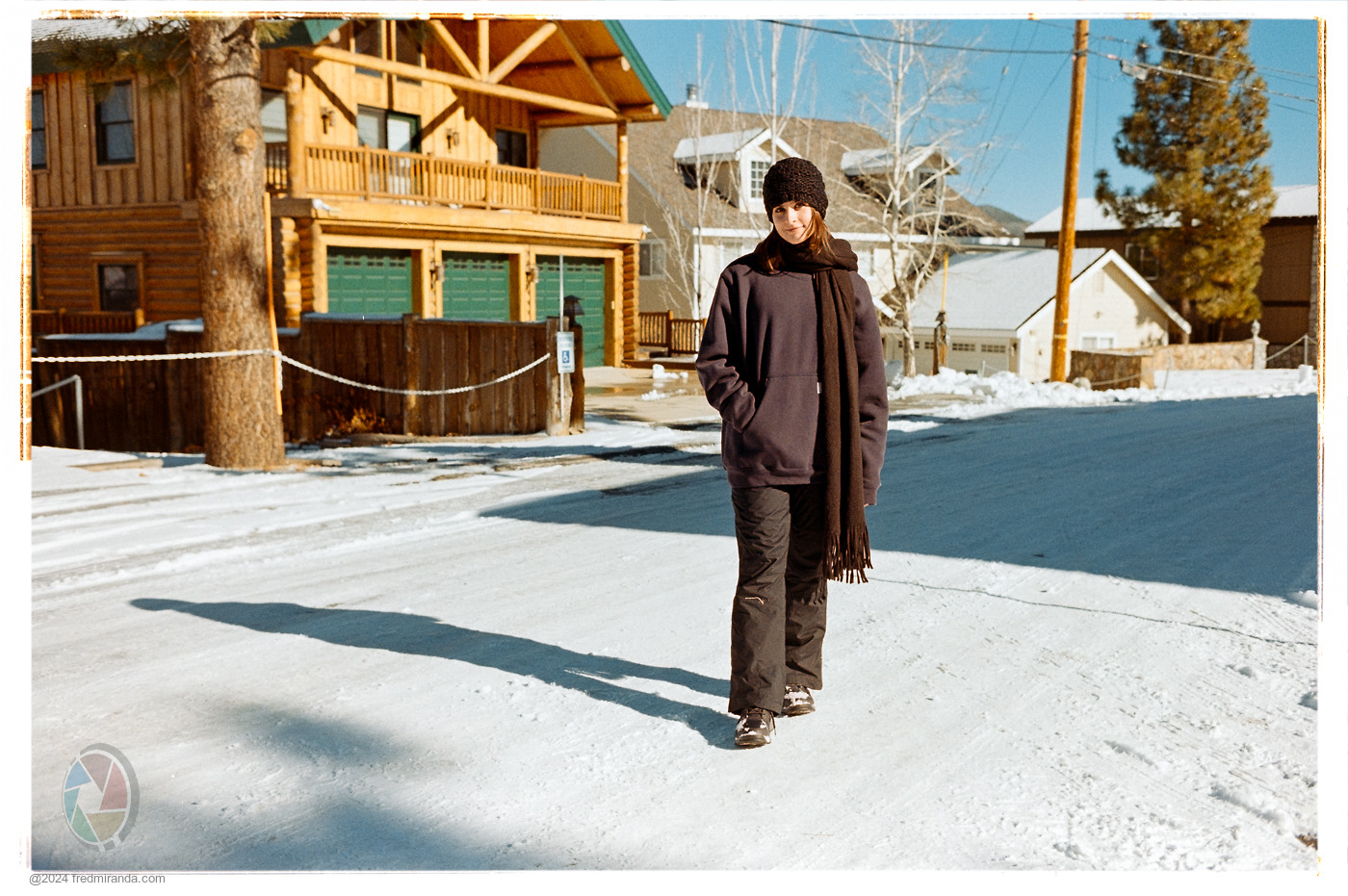
Nikon FM2n, AI Nikkor 50mm f/1.8S, Kentmere Pan 400, developed in LegacyPro L110 at 1:31 for 5.5 minutes.

2023.07.07 Roll #336-08196-positive.jpg by dourbalistar, on Flickr
2023.07.07 Roll #336-08196-positive.jpg by dourbalistar, on Flickr
Jan 26, 2024 at 02:00 AM
p.1133 #18Post your recent film shots!
geekcop wrote:
I am starting what I would consider is my first real photography project since I was in college. I am beginning a series on roadside drive-up stands. I went to a ton of these as a kid and they are disappearing. Film, seems to be the perfect medium for the project. I shot this first shot on my Fujinon 690SW II and Portra 400 and metered with my Pentax digital spot meter. I scanned the frame on my "new to me" Epson V800 scanner using the anti-newton ring 120 film holder. I am pleased with what was my first roll...Show more →
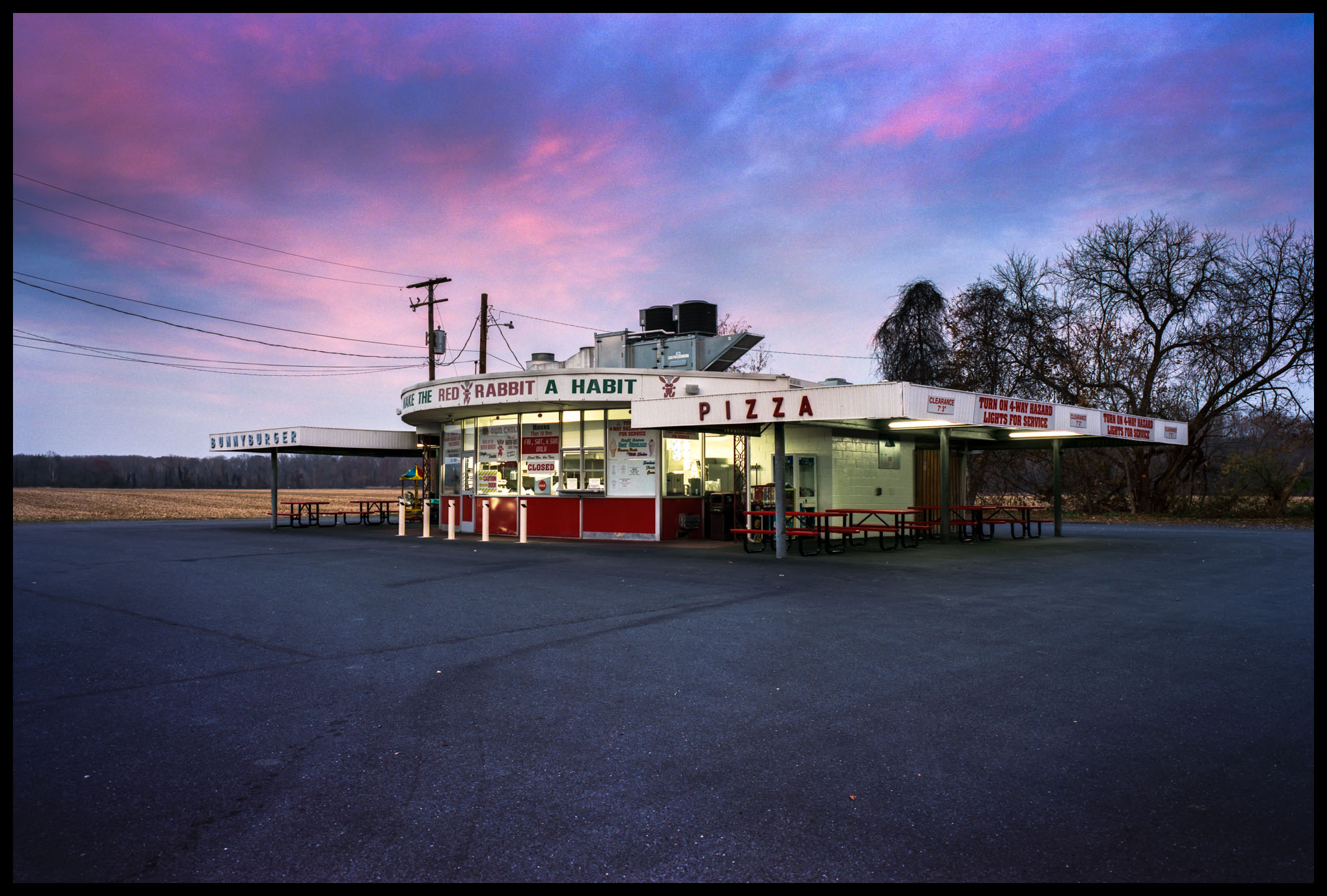
Sunset over the drive in. What a great 'Americana' theme! That sky over the Red Rabbit is beautiful. I think the image would be even more captivating with more sky, less asphalt.
I am starting what I would consider is my first real photography project since I was in college. I am beginning a series on roadside drive-up stands. I went to a ton of these as a kid and they are disappearing. Film, seems to be the perfect medium for the project. I shot this first shot on my Fujinon 690SW II and Portra 400 and metered with my Pentax digital spot meter. I scanned the frame on my "new to me" Epson V800 scanner using the anti-newton ring 120 film holder. I am pleased with what was my first roll...Show more →
Sunset over the drive in. What a great 'Americana' theme! That sky over the Red Rabbit is beautiful. I think the image would be even more captivating with more sky, less asphalt.
Jan 26, 2024 at 06:10 AM
p.1133 #19Post your recent film shots!
lifeandmylens wrote:
Great photo, as always! One advantage to using flatbed or slot-type scanners is that you can use Digital ICE (a combination of infrared hardware in the scanner and software on your computer) to remove dust spots and hairs quite effectively. There are tools for doing that in post in Photoshop, Capture One, etc., but Digital ICE is really effective. It can only be used on color films (and one B&W film, Ilford XP2 400).Thanks! Yes there's lots of dust. I think mostly from the cardbox boxes the negatives were shipped in. It's a lot more time intensive it seems to remove dust via camera scanning. I wonder how a scanner would compare.
I've been going through a lot of old negatives and slides lately. There can be a lot of dust on negatives stored in paper boxes, or in envelopes with prints. Even the old Kodak and Fuji slide boxes and paper slides end up producing a lot of dust. In going through several decades of old slides I've found that the cleanest ones are the 126 format slides from the 1970s that were mounted in plastic frames and stored in plastic clamshell boxes -- no cardboard, no dust.
With Kodachrome it's never been an option to use Digital Ice, and it's a very tedious process to use the 'heal' tool to remove dust in post. IME the easiest workflow involves dusting the negs before scanning. I find that compressed air works better than a brush.
bjhurley wrote
lifeandmylens wrote
One of the ones I scanned in today. 503CW + P800I've been going through a lot of old negatives and slides lately. There can be a lot of dust on negatives stored in paper boxes, or in envelopes with prints. Even the old Kodak and Fuji slide boxes and paper slides end up producing a lot of dust. In going through several decades of old slides I've found that the cleanest ones are the 126 format slides from the 1970s that were mounted in plastic frames and stored in plastic clamshell boxes -- no cardboard, no dust.
With Kodachrome it's never been an option to use Digital Ice, and it's a very tedious process to use the 'heal' tool to remove dust in post. IME the easiest workflow involves dusting the negs before scanning. I find that compressed air works better than a brush.
Jan 26, 2024 at 06:24 AM
p.1133 #20Post your recent film shots!
coralnut wrote:
https://www.fredmiranda.com/forum/ufiles/57/2678857.jpg
Sunset over the drive in. What a great 'Americana' theme! That sky over the Red Rabbit is beautiful. I think the image would be even more captivating with more sky, less asphalt.
I like the balance as is. The asphalt has a richness to it which contrasts nicely to the sky. Plus to get more sky geekcop would have to get a step ladder etc to raise his vantage point as his camera does not have a tilt shift lens which would be needed to fix the verticals. This is film, we don’t fix in post
geekcop wrote
I am starting what I would consider is my first real photography project since I was in college. I am beginning a series on roadside drive-up stands. I went to a ton of these as a kid and they are disappearing. Film, seems to be the perfect medium for the project. I shot this first shot on my Fujinon 690SW II and Portra 400 and metered with my Pentax digital spot meter. I scanned the frame on my "new to me" Epson V800 scanner using the anti-newton ring 120 film holder. I am pleased with what was my first roll thru the camera and my first real scan with the Epson.Sunset over the drive in. What a great 'Americana' theme! That sky over the Red Rabbit is beautiful. I think the image would be even more captivating with more sky, less asphalt.
I like the balance as is. The asphalt has a richness to it which contrasts nicely to the sky. Plus to get more sky geekcop would have to get a step ladder etc to raise his vantage point as his camera does not have a tilt shift lens which would be needed to fix the verticals. This is film, we don’t fix in post
Jan 26, 2024 at 09:58 AM