fredmiranda.com
Login

Moderated by: Fred Miranda
Username  


FM Forums | Leica & Alternative Gear | Join Upload & Sell

1       2              end
  

FM Studio: review, tag and transfer photos on Mac


Fred Miranda
Offline
Admin
Upload & Sell: On
p.3 #1 · FM Studio: review, tag and transfer photos on Mac


rscheffler wrote:
There was an app that provided this for the M9 called M9Info but it's not compatible with current Mac OSes.


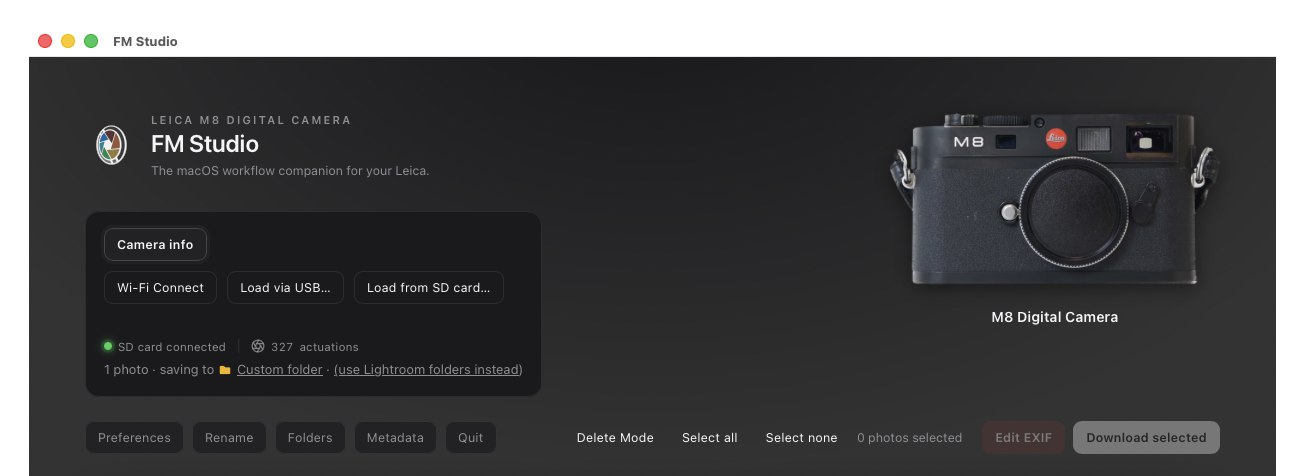
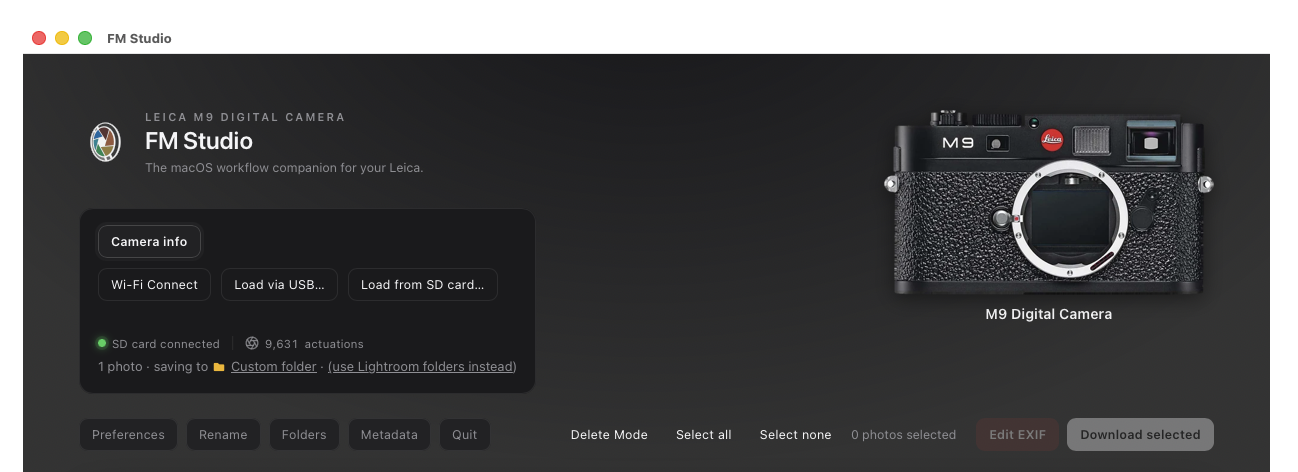
By the way, Ron, FM Studio v1.3 (coming soon) will read shutter counts for the Leica M8 and M8.2 in addition to the M9...whether loaded via SD card or Wi-Fi card.

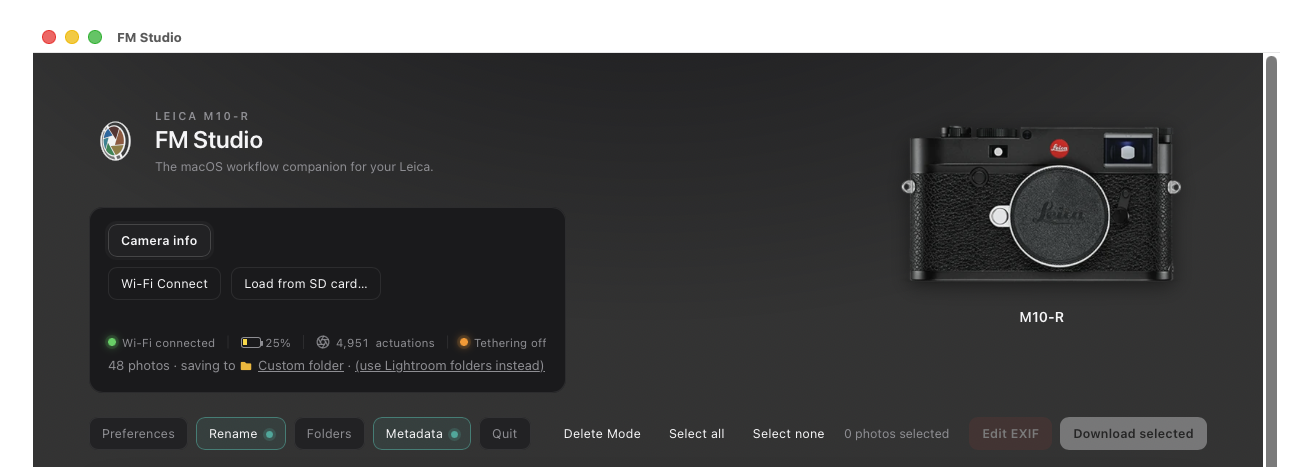
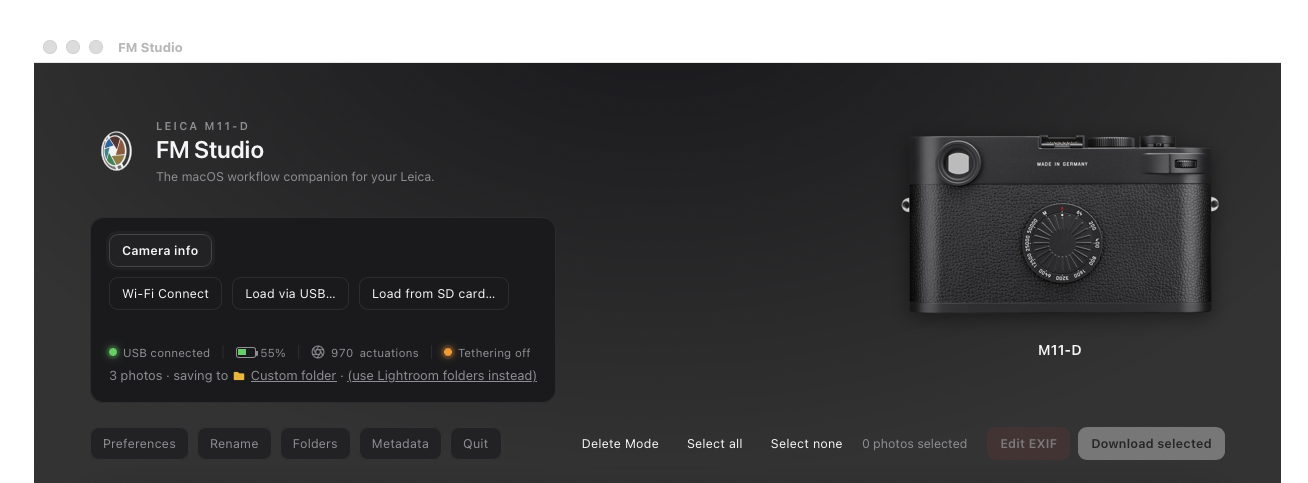
That means v1.3 will display total actuations right on the main page and under "Camera Info" for the M8, M8.2, M9 series, M10 series, and M11 series. Every time you load your images you will automatically see the count.


Oct 29, 2026 at 09:36 AM
Ne314satel
Offline
• •
Upload & Sell: Off
p.3 #2 · FM Studio: review, tag and transfer photos on Mac


I’ve taken a look at the program, and I liked everything about it. But the software built into macOS is perfectly sufficient for my needs when it comes to copying files from a camera to my Mac.


Oct 29, 2026 at 10:18 AM
Fred Miranda
Offline
Admin
Upload & Sell: On
p.3 #3 · FM Studio: review, tag and transfer photos on Mac


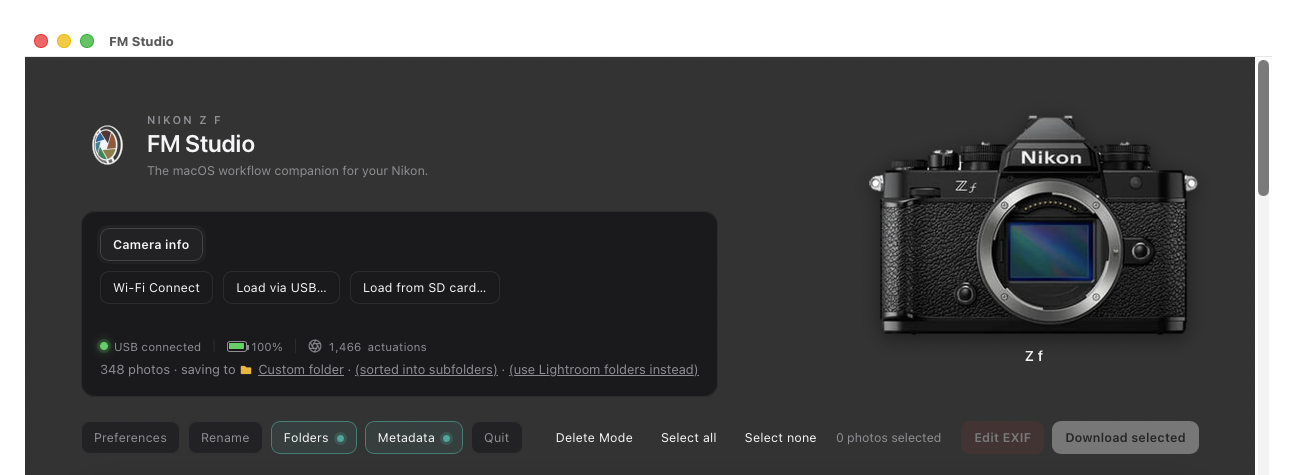
Here's a sneak peek at what's coming in v1.3! 🚀

The upcoming update brings shutter count support to the Leica M8 and M9!

Just like with the Leica M10 and M11 series, you will now be able to view the total number of actuations right in the left dark panel (and Camera info window).

Note: Shutter count detection isn't limited to Leica...other supported cameras, like the Nikon Zf (Image attached as well), show it too!

You can also see the new "Rename", "Folders", "Metadata" buttons on the main grid.


Oct 29, 2026 at 11:46 AM
freaklikeme
Offline
• • • • • •
Upload & Sell: Off
p.3 #4 · FM Studio: review, tag and transfer photos on Mac


This looks great, Fred, and adding the lens to EXIF would be cool, but most of my photos are from the mono rII, and those files go through mono2DNG first so LR doesn't try to debayer the files. What's the best way to integrate your software into that workflow? Can I run the files through the mono software first and then point your software to the file on my RAID where I've saved those DNGs or do I run your software first, output to a custom folder, and then run those RAWs through the mono software?


Oct 29, 2026 at 12:11 PM


Search in Used Dept. 

Fred Miranda
Offline
Admin
Upload & Sell: On
p.3 #5 · FM Studio: review, tag and transfer photos on Mac


freaklikeme wrote:
This looks great, Fred, and adding the lens to EXIF would be cool, but most of my photos are from the mono rII, and those files go through mono2DNG first so LR doesn't try to debayer the files. What's the best way to integrate your software into that workflow? Can I run the files through the mono software first and then point your software to the file on my RAID where I've saved those DNGs or do I run your software first, output to a custom folder, and then run those RAWs through the mono software?


Thanks! The best order is to run FM Studio first, then mono2DNG.

FM Studio is built to work between the camera or card and your computer. It reads from the camera or card, and it writes the lens and your metadata into each photo while it copies it. It can’t be pointed at DNGs that are already on your RAID, and it doesn’t edit photos that are already on your Mac. So starting with mono2DNG would leave FM Studio with nothing to work on.

Your workflow would look like this:

1) Put the card in a reader (or connect the camera) and open FM Studio.
2) Select the photos, click Edit EXIF, and set the lens model (you can save it as a preset). Click Metadata if you want your name and copyright added too.
3) Download to your custom folder. The lens is written into each file as it downloads.
4) Run that folder through mono2DNG, and then import into Lightroom.

One thing to test first: does mono2DNG carry the original file's lens tag over into the new DNG? I’d try it on a few photos before you do a big batch. Also, if your files are not DNG, FM Studio saves your name and copyright in a small .xmp file next to each RAW instead of inside it. mono2DNG may not carry that sidecar over, so check it too. The lens tag from Edit EXIF is written inside the file itself, so it's the more likely one to survive.

Let me know how the test goes. If something doesn't carry over, I can look at it.


Oct 29, 2026 at 01:43 PM
Fred Miranda
Offline
Admin
Upload & Sell: On
p.3 #6 · FM Studio: review, tag and transfer photos on Mac


FM Studio 1.3 is out!

FM Studio 1.3 is now available. The big themes this time are getting your files named, filed and labeled correctly as they download, plus a few things many of you asked for.

What’s new

⦿ Folders. Sort downloads into folders built from the capture date, camera, serial number and a job name, for example 2026/Wedding/2026-10-04_NIKON-Z-f. It works with Lightroom folders or any plain folder. Photos you already downloaded keep showing ON DISK if you change the pattern later, and nothing is moved or deleted.

⦿ IPTC metadata on download. Write up to 17 IPTC fields (creator, copyright, credit line, caption, keywords, location and more) into each photo as it downloads, instead of in Lightroom afterward. RAW files from other makers are never touched. Their data goes into a small .xmp sidecar that Lightroom reads.

⦿ Text shortcuts. Type a short code like =ts= in a metadata field and it expands to your full text.

⦿ Rename has a new {job} item, a refreshed window, and a Reset button.

⦿ Leica M8 and M9 shutter count. They can’t report it over a connection, but they record it in every photo, so FM Studio reads it from the files. It works with a card reader or a FlashAir card, and joins the M10 and M11 counts it already showed.

⦿ Camera pictures. The header now shows a picture of the camera or phone you connected, for nearly 400 models.

⦿ A What’s new card after you update (also in Preferences).

I’ve tested this release on a range of cameras and connection types. Everything is off by default until you turn it on, so your downloads don't change unless you want them to. And as always, nothing is written to your camera or card.

The manual has been updated too, with new sections for Folders, Metadata, text shortcuts, iPhone and iPad, and the shutter count:

https://www.fredmiranda.com/Buzz/FM-Studio-User-Manual.pdf

If you already own FM Studio, download 1.3 from your FM Studio page and drag it into Applications over the old copy. Your license and settings carry over. If you have not tried it yet, here's the page:

https://www.fredmiranda.com/forum/fm-studio.php

Thank you! A lot of what's in this release came directly from your feedback and feature requests, posted here, sent by private message, and sent by email. Please keep them coming. It really does shape what I build next.

I will keep adding features to FM Studio, and a PC version is in development.

Fred


Oct 29, 2026 at 03:28 PM
Jeffrey
Offline
• • • • • •
Upload & Sell: On
p.3 #7 · FM Studio: review, tag and transfer photos on Mac


Thank you Fred for working tirelessly on this......


Oct 29, 2026 at 10:38 PM
1       2              end


FM Forums | Leica & Alternative Gear | Join Upload & Sell

1       2              end


You are not logged in. Login or Register