p.1 #1 · FM Studio: review, tag and transfer photos on Mac
Hi everyone,
I'd like to introduce FM Studio, a Mac app I've been building, and tell you why it exists.
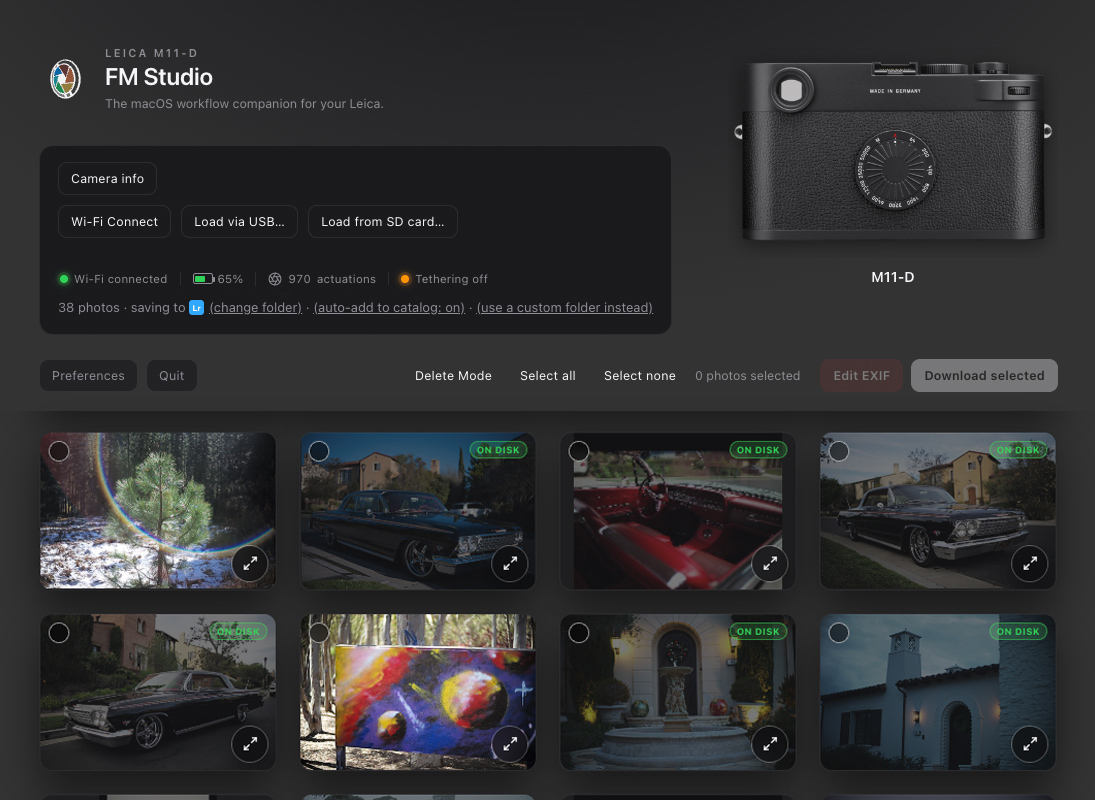
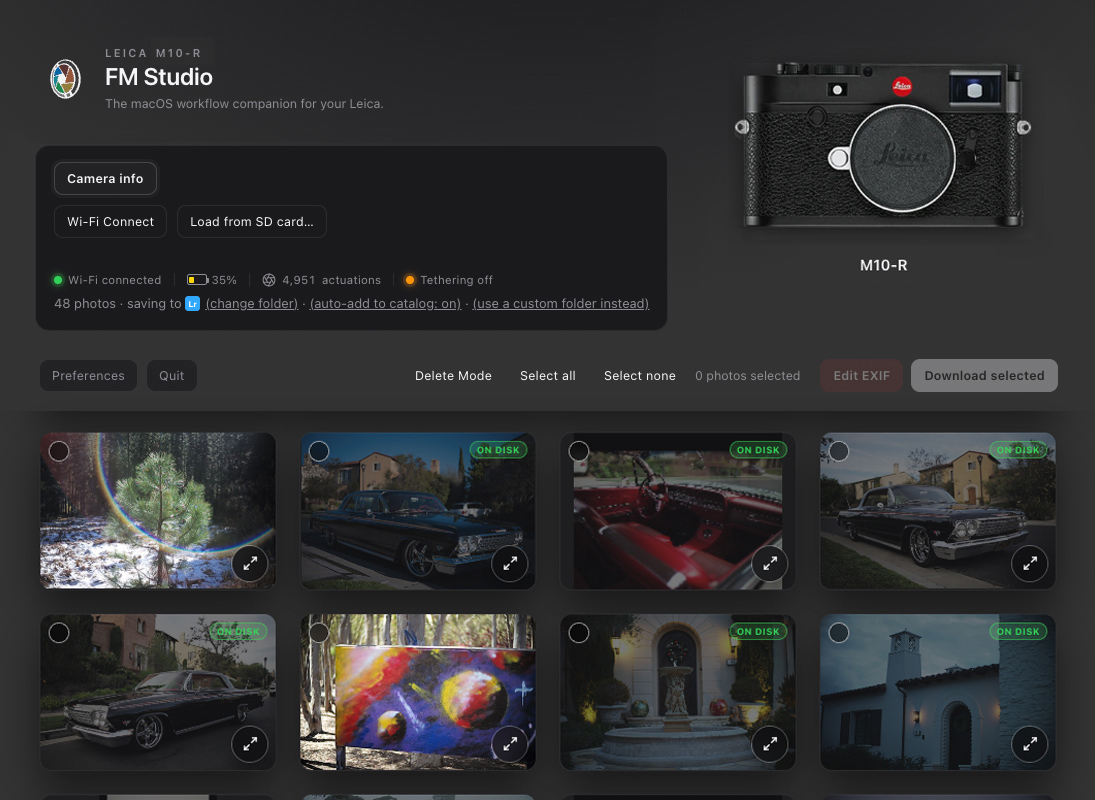
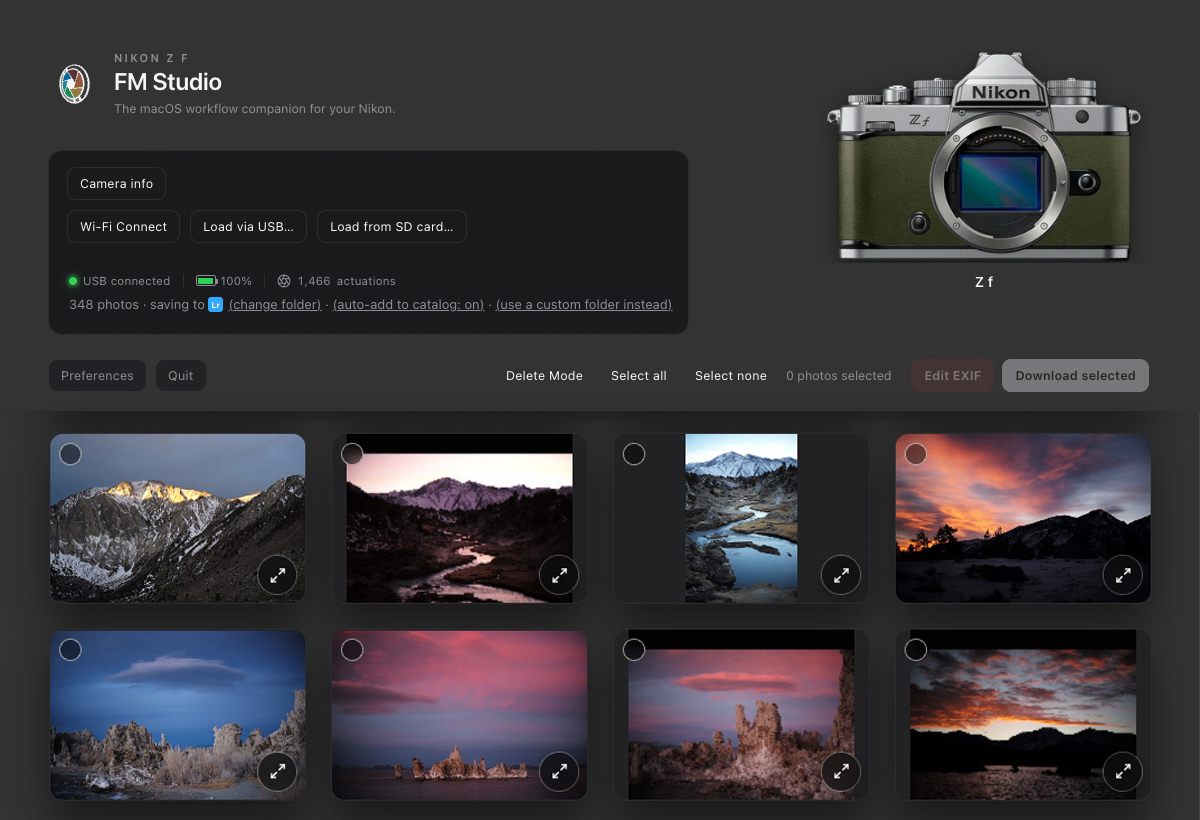
It started as a handful of command line scripts for my own use, mostly with my Leica cameras. I wanted a faster way to look through what was on the camera, rate the keepers, and move only those files to my computer. I also wanted to know the real photo count (actuations) of my M10 and M11 series bodies, and I was able to build that into the app.
As I kept using the scripts, I realized they worked just as well with my other mirrorless cameras: Leica SL and Q, Sony, Nikon, Canon and Fujifilm. After a lot of sweat, the scripts became a full app, built from scratch and tested with many cameras along the way.
What it does
• Browse the images on your camera or card before anything is imported, then cull and transfer only what you want to any location on your drive, including your Lightroom catalog
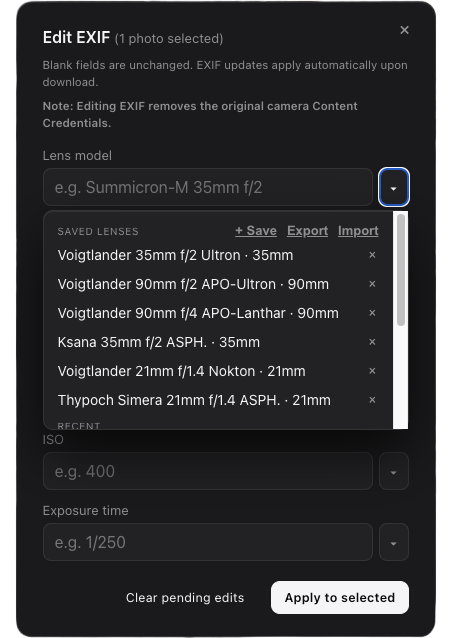
• Edit metadata (all fields)
• Star-rate images, with the ratings carrying over into Lightroom
• Load images into Lightroom automatically with the included plug-in
• Safely delete images from the camera
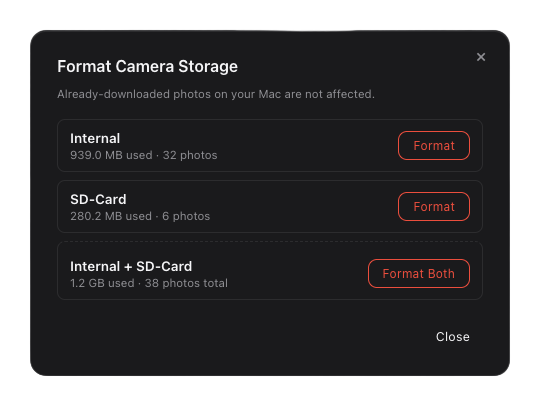
• Safely format the card or the camera’s internal memory
• Tethered shooting on selected cameras in PTP mode
What it works with Most cameras in USB mass storage mode, and any SD or CFexpress card loaded in a reader on your computer. It also works with Leica M bodies over Wi-Fi or USB.
p.1 #4 · FM Studio: review, tag and transfer photos on Mac
adamgray1 wrote:
Hi
Can this import only locked files from the camera side, so if I rated/locked on a sony/canon camera etc?
Good question. Right now it doesn't read the lock/protect flag or any ratings set in the camera. FM Studio only knows the star ratings you give inside the app.
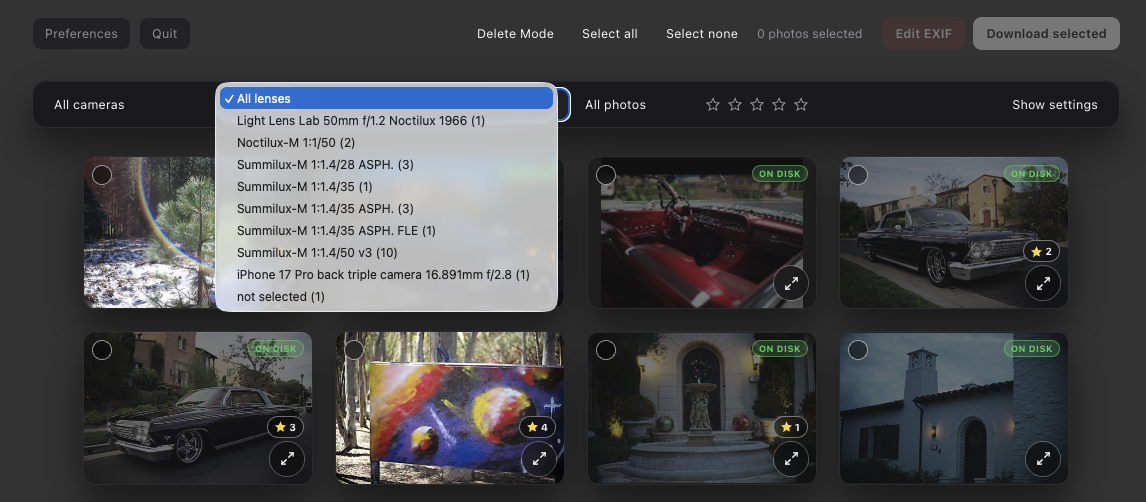
What works today: while browsing the card or camera, rate the photos you want (click a star, or press Space for 5 stars), then set the star filter to 5 and download only those. The ratings also carry over to Lightroom.
Importing only locked files is a good idea, and I'm going to look into whether it's doable. It depends on how each camera reports protected files.
p.1 #5 · FM Studio: review, tag and transfer photos on Mac
EB-1 wrote:
Is there any chance you will port this to Windows or Linux, doesn't AI make that easy nowadays?
EBH
Thanks for asking. Windows is something I'm seriously considering, and part of the app should carry over. The camera pairing (Wi-fi) and the app packaging are Mac-specific though, so it's more than a quick port and won’t be in the next update. I will post here when I go ahead with it.
p.1 #7 · FM Studio: review, tag and transfer photos on Mac
FM Studio 1.0.1 is out!
Thanks to everyone who has tried FM Studio so far, and for the feedback. Version 1.0.1 is now available with a few small fixes and improvements:
⦿ Dock icon brings the window back. If you close the browser window, click the FM Studio icon in the Dock and the window reopens. FM Studio keeps running until you quit it.
⦿ Lifetime licenses work offline for much longer. An internet connection is only needed to verify your license, so travel and shoots without Wi-Fi aren’t a problem.
⦿ Clearer Location Services warning (Leica M11 Wi-Fi connection only). If Location Services is off for FM Studio, the Bluetooth setup window now tells you right away, with a button that opens the right System Settings page. It doesn’t affect USB or card reader use.
⦿ User Manual button. There’s a new button next to Preferences that opens the manual, and the manual itself has been updated.
To update, download the new version from the FM Studio page and replace the old FM Studio in your Applications folder. Your license, key and settings carry over.
p.1 #9 · FM Studio: review, tag and transfer photos on Mac
Since this is my baby, I'll keep updating and supporting it...especially since I use it every day with all my cameras and smartphones.
FM Studio 1.1 is out!
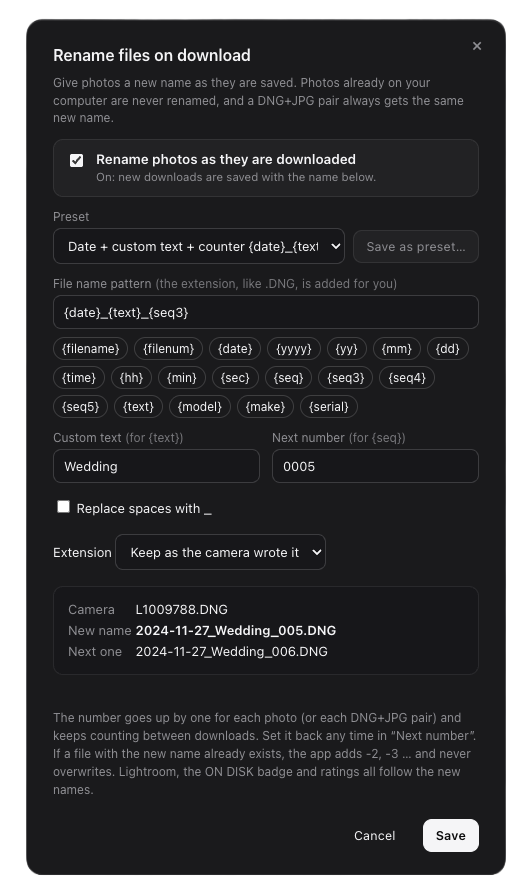
⦿ New: Rename on import: Give your photos names like 2026-10-18_Wedding_0001.DNG as they download. Build the name from the date, camera, your own text and a counter, with ready-made presets and a live preview. A DNG and JPEG shot together always keep matching names, nothing is overwritten, and nothing is renamed unless you turn it on.
Also in 1.1:
⦿ Photos from two cameras with the same file numbers (such as a Leica M-D and a Q3) are no longer confused for each other.
⦿ ON DISK badges are more reliable, and the lens list no longer splits one lens into several entries.
⦿ Format Card now refuses until every photo has a verified copy on your Mac.
⦿ Selected photos are easier to see in the light appearance.
⦿ The first-time download folder is now in your Pictures folder.
Download it from your FM Studio page. Your license and settings carry over.