FLX Film Lab - physics-based film simulations
p.7 #1FLX Film Lab - physics-based film simulations
fjablo wrote:
I'm trying to keep the app more "analogue" and true to the film experience in some ways, hence the more limited tools in the pre-negative stage of the pipeline
Interesting. I hadn't considered you were trying to recreate the "analogue" workflow, in all of its steps and combinations, in addition to recreating the results of such workflows. In a past life, I spent many, many hours in darkrooms, primarily in the B&W world. While film selection mattered, paper selection, processing, bleaching, and toning played equally important roles. It has taken me a very long time to come anywhere near duplicating the look of my favorite analogue combinations. On the paper front, Agfa Portriga Rapid, and later, Forte Polywarmtone, were favorites. With large format negatives, unless stepping into alternate processes, nothing quite matched contact printing on Kodak Azo. On the color end, nothing quite matched a well exposed chrome--I came to love Astia and Provia--viewed through a quality loupe on a color correct lightbox.
Back to white balance, and adjusting color temperature. Your idea of starting with base response of the film (5500 or 3200K depending) makes sense, as does using Wratten filters. Back in the day, I had 81 and 82 color adjusting and 80 and 85 color conversion Wratten gels in range of strengths. I also remember reading stories about how the better architecture photographers would have to gel individual light fixtures, in mixed lighting technology situations.
Out of curiosity, when considering the base response of a film, is only the color temperature selected, or is there a tint adjustment behind the curtain. Depending, a compromise might be to set whatever values are used for the film response as the initial values when "custom" is selected.
Regardless, keep up the great work. You have made some serious progress in a rather short time. The user interface is remarkably polished for such a young program.
While I know you aren't looking to commercialize, you might consider putting up a "buy me a coffee" type donation button.
I'm trying to keep the app more "analogue" and true to the film experience in some ways, hence the more limited tools in the pre-negative stage of the pipeline
Interesting. I hadn't considered you were trying to recreate the "analogue" workflow, in all of its steps and combinations, in addition to recreating the results of such workflows. In a past life, I spent many, many hours in darkrooms, primarily in the B&W world. While film selection mattered, paper selection, processing, bleaching, and toning played equally important roles. It has taken me a very long time to come anywhere near duplicating the look of my favorite analogue combinations. On the paper front, Agfa Portriga Rapid, and later, Forte Polywarmtone, were favorites. With large format negatives, unless stepping into alternate processes, nothing quite matched contact printing on Kodak Azo. On the color end, nothing quite matched a well exposed chrome--I came to love Astia and Provia--viewed through a quality loupe on a color correct lightbox.
Back to white balance, and adjusting color temperature. Your idea of starting with base response of the film (5500 or 3200K depending) makes sense, as does using Wratten filters. Back in the day, I had 81 and 82 color adjusting and 80 and 85 color conversion Wratten gels in range of strengths. I also remember reading stories about how the better architecture photographers would have to gel individual light fixtures, in mixed lighting technology situations.
Out of curiosity, when considering the base response of a film, is only the color temperature selected, or is there a tint adjustment behind the curtain. Depending, a compromise might be to set whatever values are used for the film response as the initial values when "custom" is selected.
Regardless, keep up the great work. You have made some serious progress in a rather short time. The user interface is remarkably polished for such a young program.
While I know you aren't looking to commercialize, you might consider putting up a "buy me a coffee" type donation button.
Nov 11, 2026 at 12:43 PM
p.7 #2FLX Film Lab - physics-based film simulations
Taperwing wrote:
Interesting. I hadn't considered you were trying to recreate the "analogue" workflow, in all of its steps and combinations, in addition to recreating the results of such workflows. In a past life, I spent many, many hours in darkrooms, primarily in the B&W world. While film selection mattered, paper selection, processing, bleaching, and toning played equally important roles. It has taken me a very long time to come anywhere near duplicating the look of my favorite analogue combinations. On the paper front, Agfa Portriga Rapid, and later, Forte Polywarmtone, were favorites. With large format negatives, unless stepping into alternate processes,...Show more →
Well I still shoot a lot of film and always wanted to find a way to emulate that look accurately on digital. Never thought I'd have to build my own app to achieve that
The other motivation is to actually spend less time editing. With a lot of these profiles, I don't feel like I need to tweak the colors or white balance at all. The example below is just the EXR 200T profile + 81C Filter + Bloom/Glow on standard settings, no slider touched.
And the extreme case of that is to actually use the 3D LUTs generated from the app and apply them directly on my Panasonic S9. It's the first setup ever, where I'm happy just using straight out of camera JPGs (though there will be situations where the RAW file makes sense - e.g. for graduated exposure - so I still shoot RAW+JPG)
 Königsplatz x Kodak EXR 200T / 81C by Felix, auf Flickr
fjablo wrote
I'm trying to keep the app more "analogue" and true to the film experience in some ways, hence the more limited tools in the pre-negative stage of the pipelineWell I still shoot a lot of film and always wanted to find a way to emulate that look accurately on digital. Never thought I'd have to build my own app to achieve that
The other motivation is to actually spend less time editing. With a lot of these profiles, I don't feel like I need to tweak the colors or white balance at all. The example below is just the EXR 200T profile + 81C Filter + Bloom/Glow on standard settings, no slider touched.
And the extreme case of that is to actually use the 3D LUTs generated from the app and apply them directly on my Panasonic S9. It's the first setup ever, where I'm happy just using straight out of camera JPGs (though there will be situations where the RAW file makes sense - e.g. for graduated exposure - so I still shoot RAW+JPG)
Königsplatz x Kodak EXR 200T / 81C by Felix, auf FlickrNov 11, 2026 at 01:35 PM
p.7 #3FLX Film Lab - physics-based film simulations
Really loving Reala 100!

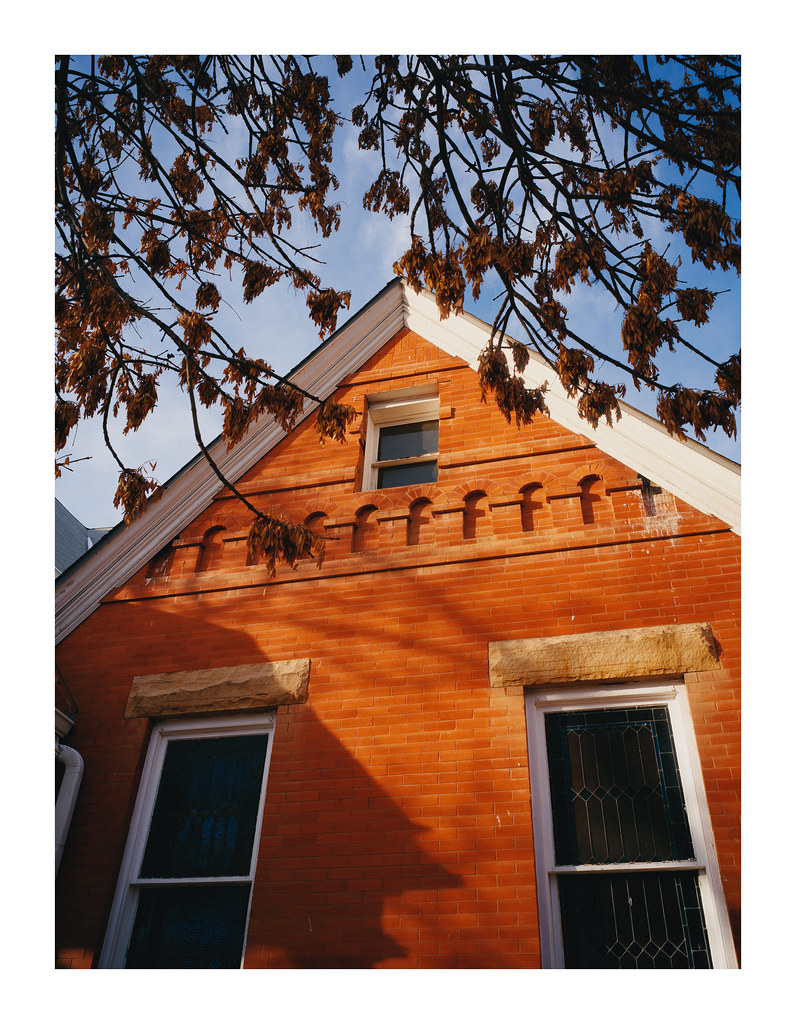


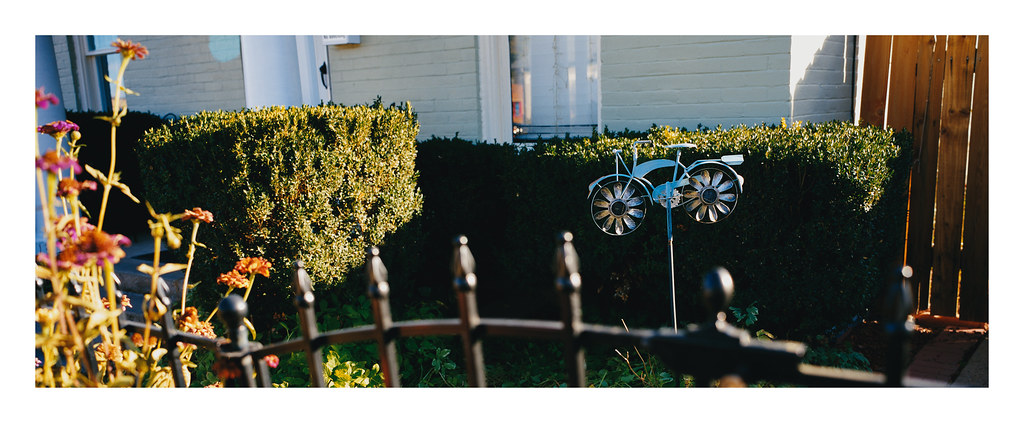
Nov 11, 2026 at 03:11 PM
p.7 #4FLX Film Lab - physics-based film simulations
I may have missed it... how is noise reduction handled?
Nov 11, 2026 at 06:26 PM

p.7 #5FLX Film Lab - physics-based film simulations
fjablo wrote:
Well I still shoot a lot of film and always wanted to find a way to emulate that look accurately on digital. Never thought I'd have to build my own app to achieve that
Felix,
Do you have plans to allow the UI to scale for those with diminished vision? Font size, enlarging the width of the right hand work area to accommodate the larger fonts etc. I tried scaling it using the windows compatibility and it was missing that tab?
Jim
Well I still shoot a lot of film and always wanted to find a way to emulate that look accurately on digital. Never thought I'd have to build my own app to achieve that
Felix,
Do you have plans to allow the UI to scale for those with diminished vision? Font size, enlarging the width of the right hand work area to accommodate the larger fonts etc. I tried scaling it using the windows compatibility and it was missing that tab?
Jim
Nov 11, 2026 at 10:12 PM
p.7 #6FLX Film Lab - physics-based film simulations
Anyone had success with Sony A7rVI files? I get an error in red down below that says cannot read file name and then something else, but can't read that because of the "open a raw file to begin" is over the top of it. Assuming it has something to do macOS support of that raw file but Mac renders it so figured it would be good.
Nov 12, 2026 at 08:05 AM
p.7 #7FLX Film Lab - physics-based film simulations
James Markus wrote:
Felix,
Do you have plans to allow the UI to scale for those with diminished vision? Font size, enlarging the width of the right hand work area to accommodate the larger fonts etc. I tried scaling it using the windows compatibility and it was missing that tab?
Jim
Added a setting for larger font / UI for the new preference menu in the upcoming v2.0.0.
That version will also introduce multi-image workflow and batch exports. ETA next week-ish
---------------------------------------------
Seabassius wrote:
Anyone had success with Sony A7rVI files? I get an error in red down below that says cannot read file name and then something else, but can't read that because of the "open a raw file to begin" is over the top of it. Assuming it has something to do macOS support of that raw file but Mac renders it so figured it would be good.
A7R VI sample raws from dpreview work fine on my end (on Mac). Maybe a compressed RAW weirdness? On Mac the app should be compatible with any camera & RAW setting that is natively supported by Mac OS.
fjablo wrote
Well I still shoot a lot of film and always wanted to find a way to emulate that look accurately on digital. Never thought I'd have to build my own app to achieve thatDo you have plans to allow the UI to scale for those with diminished vision? Font size, enlarging the width of the right hand work area to accommodate the larger fonts etc. I tried scaling it using the windows compatibility and it was missing that tab?
Jim
Added a setting for larger font / UI for the new preference menu in the upcoming v2.0.0.
That version will also introduce multi-image workflow and batch exports. ETA next week-ish
---------------------------------------------
Seabassius wrote:
Anyone had success with Sony A7rVI files? I get an error in red down below that says cannot read file name and then something else, but can't read that because of the "open a raw file to begin" is over the top of it. Assuming it has something to do macOS support of that raw file but Mac renders it so figured it would be good.
A7R VI sample raws from dpreview work fine on my end (on Mac). Maybe a compressed RAW weirdness? On Mac the app should be compatible with any camera & RAW setting that is natively supported by Mac OS.
Nov 12, 2026 at 08:30 AM
p.7 #8FLX Film Lab - physics-based film simulations
fjablo wrote:
Added a setting for larger font / UI for the new preference menu in the upcoming v2.0.0.
That version will also introduce multi-image workflow and batch exports. ETA next week-ish
Thank you in advance Felix
Added a setting for larger font / UI for the new preference menu in the upcoming v2.0.0.
That version will also introduce multi-image workflow and batch exports. ETA next week-ish
Thank you in advance Felix
Nov 12, 2026 at 08:56 AM
p.7 #9FLX Film Lab - physics-based film simulations
Seabassius wrote:
Anyone had success with Sony A7rVI files? I get an error in red down below that says cannot read file name and then something else, but can't read that because of the "open a raw file to begin" is over the top of it. Assuming it has something to do macOS support of that raw file but Mac renders it so figured it would be good.
A7R VI sample raws from dpreview work fine on my end (on Mac). Maybe a compressed RAW weirdness? On Mac the app should be compatible with any camera & RAW setting that is natively supported by Mac OS.
"
Hmm, maybe, I'm shooting Compressed HQ. I'll test the three versions and report back.
Edit: that was it, Lossless COMP works and Compressed HQ and Compressed do not.
Also, if you're taking requests, have you ever considered adding a couple of vintage digital camera looks alongside the film simulations? Specifically, the Leica M8 and M9 with their Kodak CCD sensors.
I love my M8 files especially in daylight. Clean, luminous whites, really nice midtone separation, rich but natural colors, and a certain clarity that I have a hard time reproducing with modern raws.
I realize the "CCD look" is probably as much about color calibration, tone curves, and processing as the sensor technology.
I'm wondering whether FLX's approach to color rendering would lend itself to recreating some of those characteristics. Sort of a film-adjacent collection of classic digital looks rather than literal film stocks.
Would that be technically feasible within the way you've built FLX? I'd be happy to provide reference images or sample M8 DNGs if that would help.
Anyone had success with Sony A7rVI files? I get an error in red down below that says cannot read file name and then something else, but can't read that because of the "open a raw file to begin" is over the top of it. Assuming it has something to do macOS support of that raw file but Mac renders it so figured it would be good.
A7R VI sample raws from dpreview work fine on my end (on Mac). Maybe a compressed RAW weirdness? On Mac the app should be compatible with any camera & RAW setting that is natively supported by Mac OS.
"
Hmm, maybe, I'm shooting Compressed HQ. I'll test the three versions and report back.
Edit: that was it, Lossless COMP works and Compressed HQ and Compressed do not.
Also, if you're taking requests, have you ever considered adding a couple of vintage digital camera looks alongside the film simulations? Specifically, the Leica M8 and M9 with their Kodak CCD sensors.
I love my M8 files especially in daylight. Clean, luminous whites, really nice midtone separation, rich but natural colors, and a certain clarity that I have a hard time reproducing with modern raws.
I realize the "CCD look" is probably as much about color calibration, tone curves, and processing as the sensor technology.
I'm wondering whether FLX's approach to color rendering would lend itself to recreating some of those characteristics. Sort of a film-adjacent collection of classic digital looks rather than literal film stocks.
Would that be technically feasible within the way you've built FLX? I'd be happy to provide reference images or sample M8 DNGs if that would help.
Nov 12, 2026 at 10:41 AM
p.7 #10FLX Film Lab - physics-based film simulations
Seabassius wrote:
Edit: that was it, Lossless COMP works and Compressed HQ and Compressed do not.
I assume you're on Windows then? Open source support for compressed RAW files is spotty at best. Nothing I can do about that, unfortunately.
Seabassius wrote:
Would that be technically feasible within the way you've built FLX? I'd be happy to provide reference images or sample M8 DNGs if that would help.
It's probably feasible to build something like that, but it's only somewhat related to the imaging pipeline the app uses. And unclear that there is good data available to build on (sidenote: I'm trying to avoid guesswork or using proxies as much as possible in the app. That's also why there are no profiles for Kentmere films - their spec sheets don't give enough information). It is also not really the direction I want to take with the app, but never say never I guess.
Edit: that was it, Lossless COMP works and Compressed HQ and Compressed do not.
I assume you're on Windows then? Open source support for compressed RAW files is spotty at best. Nothing I can do about that, unfortunately.
Seabassius wrote:
Would that be technically feasible within the way you've built FLX? I'd be happy to provide reference images or sample M8 DNGs if that would help.
It's probably feasible to build something like that, but it's only somewhat related to the imaging pipeline the app uses. And unclear that there is good data available to build on (sidenote: I'm trying to avoid guesswork or using proxies as much as possible in the app. That's also why there are no profiles for Kentmere films - their spec sheets don't give enough information). It is also not really the direction I want to take with the app, but never say never I guess.
Nov 12, 2026 at 11:31 AM
|
p.7 #11FLX Film Lab - physics-based film simulations
fjablo wrote:
I assume you're on Windows then? Open source support for compressed RAW files is spotty at best. Nothing I can do about that, unfortunately.
No MacOS 26.5.1
Seabassius wrote
Edit: that was it, Lossless COMP works and Compressed HQ and Compressed do not.No MacOS 26.5.1
Nov 12, 2026 at 11:41 AM
p.7 #12FLX Film Lab - physics-based film simulations
Seabassius wrote:
I assume you're on Windows then? Open source support for compressed RAW files is spotty at best. Nothing I can do about that, unfortunately.No MacOS 26.5.1
I think updating to 27.2.1 might solve it. At least that's what Gemini says.
fjablo wrote
Seabassius wrote
Edit: that was it, Lossless COMP works and Compressed HQ and Compressed do not.I think updating to 27.2.1 might solve it. At least that's what Gemini says.
Nov 12, 2026 at 11:51 AM
p.7 #13FLX Film Lab - physics-based film simulations
Having used film emulation plug-ins and apps for too many decades, this app is quite amazing and puts most if not all others to shame. I also can't believe how rapidly it has been refined and improved upon. Thank you fjablo for this gift to the community!
Just a side note in case it has not been mentioned...Mac OS 27 introduced a major improvement to Apples system level RAW image processing in RAW 9. The previous RAW 8 engine dates back almost a decade.
Just a side note in case it has not been mentioned...Mac OS 27 introduced a major improvement to Apples system level RAW image processing in RAW 9. The previous RAW 8 engine dates back almost a decade.
Nov 12, 2026 at 12:19 PM
p.7 #14FLX Film Lab - physics-based film simulations
to echo @Tariq Gibran and everyone else that has praised it before its pretty damn awesome, I've run it on a lot of cameras raw and Heif and love the out put. And your responsive has been awesome, Do you have a buy me a coffee link or anything like that? I'd send you a beer or two
Nov 12, 2026 at 01:13 PM
p.7 #15FLX Film Lab - physics-based film simulations
I'm continuing to have a blast with this app!
Portra 800+1

I really appreciate the purist approach to an analogish workflow.
Does cross processing fit into this vision? Not sure of the extent to which it's supported by data...
Portra 800+1
I really appreciate the purist approach to an analogish workflow.
Does cross processing fit into this vision? Not sure of the extent to which it's supported by data...
Nov 12, 2026 at 07:10 PM
p.7 #16FLX Film Lab - physics-based film simulations
Tariq Gibran wrote:
Having used film emulation plug-ins and apps for too many decades, this app is quite amazing and puts most if not all others to shame. I also can't believe how rapidly it has been refined and improved upon. Thank you fjablo for this gift to the community!
Just a side note in case it has not been mentioned...Mac OS 27 introduced a major improvement to Apples system level RAW image processing in RAW 9. The previous RAW 8 engine dates back almost a decade.
---------------------------------------------
Seabassius wrote:
to echo @Tariq Gibran and everyone else that has praised it before its pretty damn awesome, I've run it on a lot of cameras raw and Heif and love the out put. And your responsive has been awesome, Do you have a buy me a coffee link or anything like that? I'd send you a beer or two
Thank you both
And all the great feedback from this thread and seeing people use and enjoy the app is honestly enough reward for me, so I don't feel like I need to set up a "buy me a coffee" thing or something similar. Also, these things are technically subject to taxation in Germany and I don't want to deal with that lol
Making good progress with version 2.0 and might already release it tomorrow. Being able to edit and export multiple images is a big step forward in terms of workflow. Also added some additional UI and quality of life tweaks - for example you'll be able to hide film stocks from the lists if you only want to see your favorites and not the full list (which will grow to 61 entries with the new release..)
Having used film emulation plug-ins and apps for too many decades, this app is quite amazing and puts most if not all others to shame. I also can't believe how rapidly it has been refined and improved upon. Thank you fjablo for this gift to the community!
Just a side note in case it has not been mentioned...Mac OS 27 introduced a major improvement to Apples system level RAW image processing in RAW 9. The previous RAW 8 engine dates back almost a decade.
---------------------------------------------
Seabassius wrote:
to echo @Tariq Gibran and everyone else that has praised it before its pretty damn awesome, I've run it on a lot of cameras raw and Heif and love the out put. And your responsive has been awesome, Do you have a buy me a coffee link or anything like that? I'd send you a beer or two
Thank you both
And all the great feedback from this thread and seeing people use and enjoy the app is honestly enough reward for me, so I don't feel like I need to set up a "buy me a coffee" thing or something similar. Also, these things are technically subject to taxation in Germany and I don't want to deal with that lol
Making good progress with version 2.0 and might already release it tomorrow. Being able to edit and export multiple images is a big step forward in terms of workflow. Also added some additional UI and quality of life tweaks - for example you'll be able to hide film stocks from the lists if you only want to see your favorites and not the full list (which will grow to 61 entries with the new release..)
Nov 13, 2026 at 04:43 AM
p.7 #17FLX Film Lab - physics-based film simulations
To follow up, upgrading to 27.2.1 solved it, compressed HQ now open.
Nov 13, 2026 at 03:25 PM
p.7 #18FLX Film Lab - physics-based film simulations
Just published version 2.0! https://github.com/felixjablonka/flx-film-lab/releases/tag/v2.0.0
The major new feature this version is the multi-image workflow - you can open folders with pictures, cull, batch edit & export, etc.
The Windows version also received some love with an overhaul of the visuals, so it now looks a bit more like the Mac version.
There are some additional UI and quality of life improvements:
- A settings window to change text size, preview resolution and which films should be displayed in the list.
- A before/after toggle in the top bar
- Hiding masks toggle has been moved to their respective section on the toolbar
- the status bar on the bottom now displays capture data (camera, focal length, shutter speed, ISO)
Last but not least, a couple new films and filters:
- Fuji Acros II
- Agfa APX 100 and 400
- Wratten 82A and 82C cooling filters
The major new feature this version is the multi-image workflow - you can open folders with pictures, cull, batch edit & export, etc.
The Windows version also received some love with an overhaul of the visuals, so it now looks a bit more like the Mac version.
There are some additional UI and quality of life improvements:
- A settings window to change text size, preview resolution and which films should be displayed in the list.
- A before/after toggle in the top bar
- Hiding masks toggle has been moved to their respective section on the toolbar
- the status bar on the bottom now displays capture data (camera, focal length, shutter speed, ISO)
Last but not least, a couple new films and filters:
- Fuji Acros II
- Agfa APX 100 and 400
- Wratten 82A and 82C cooling filters
Nov 14, 2026 at 07:03 AM
p.7 #19FLX Film Lab - physics-based film simulations
love the photo navigation pane and the cooling filters!
Nov 14, 2026 at 10:56 AM
p.7 #20FLX Film Lab - physics-based film simulations
Felix, I really appreciate the enlarged fonts, and the latest additions like the before/after toggle in the top bar. Here is a Velvia 50 that always gave me fits on the foreground dead grass color. It has always come out gray/brown - now, it looks like I saw it 32 years ago. Thanks
Jim
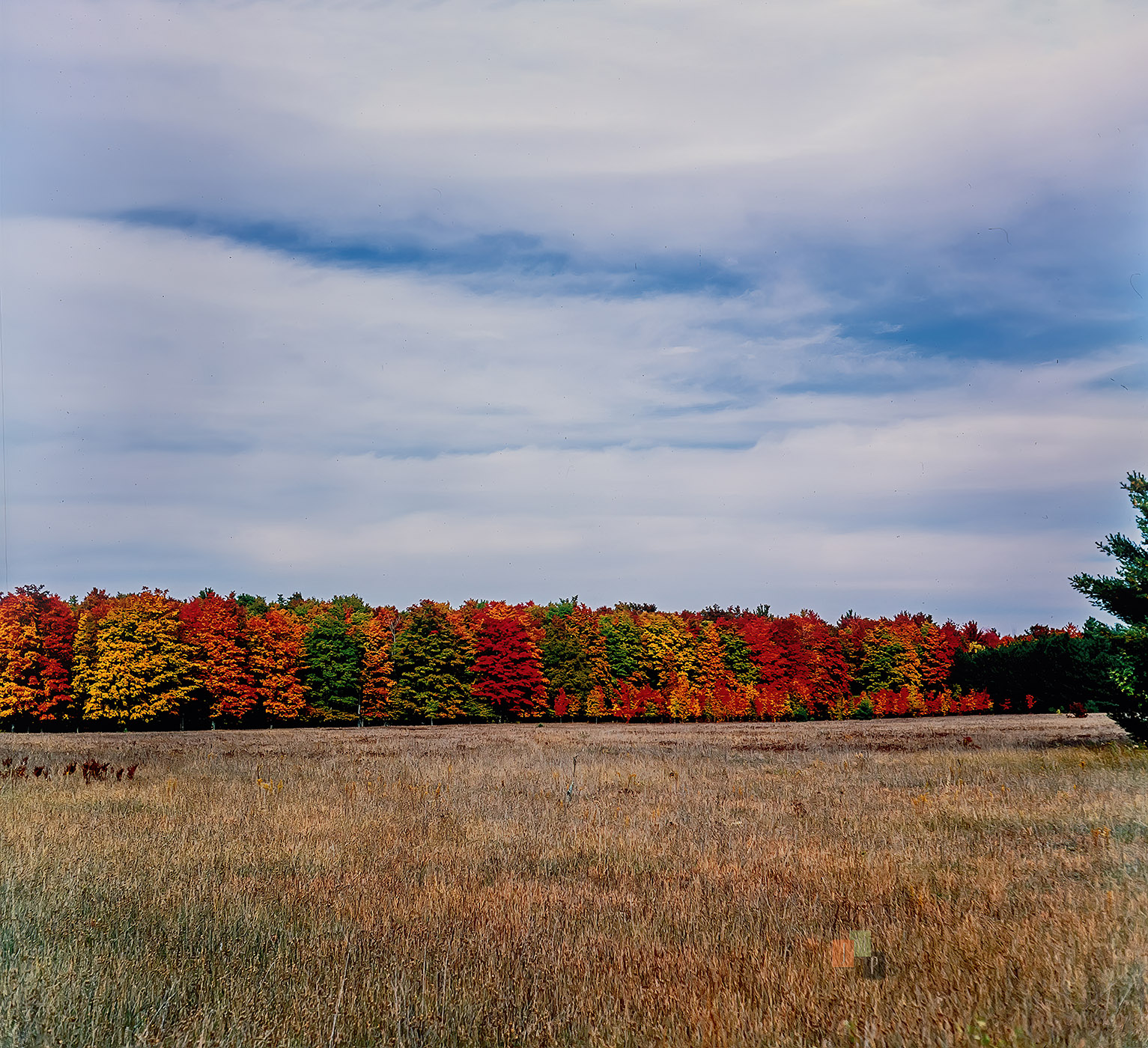
Agfa Isolette - 5DS-R dslr captureo - FujifilmVelvia50 Profile
Jim
Agfa Isolette - 5DS-R dslr captureo - FujifilmVelvia50 Profile
Nov 14, 2026 at 04:14 PM