Apple's new RAW decoder and denoise engine rivals DxO's PureRAW
p.2 #1Apple's new RAW decoder and denoise engine rivals DxO's PureRAW
duncangr wrote:
In the left window where the projects etc are above the 5 stars there it says Assets: 16>16>0
So when I don't see the images in splitscreen I can't choose the image that I have edit and don't get the export tabHave you selected all the filters in the left sidebar - if you select the top level in each section it should show all the files in the browser. If there is nothing showing under each of the top level filters that usually means the file import wasn't successful.
DM me directly and I can help you get it working.
Now I got it to work, done some test and the result look promising.
* The apps fullsize window gets bigger than my screen is (is fullscreen of the app fixed at 4k?)
* The slider for white balans is very sensitive, the range is too big 2 000 - 50 000 ( should be more like 2 000 - 10 000).
biggles2002 wrote
I have imported 16 raw files and in split screen below the main window I can't see any images Just Assets 0/16.In the left window where the projects etc are above the 5 stars there it says Assets: 16>16>0
So when I don't see the images in splitscreen I can't choose the image that I have edit and don't get the export tab
DM me directly and I can help you get it working.
Now I got it to work, done some test and the result look promising.
* The apps fullsize window gets bigger than my screen is (is fullscreen of the app fixed at 4k?)
* The slider for white balans is very sensitive, the range is too big 2 000 - 50 000 ( should be more like 2 000 - 10 000).
Oct 06, 2026 at 10:15 AM
p.2 #2Apple's new RAW decoder and denoise engine rivals DxO's PureRAW
biggles2002 wrote:
In the left window where the projects etc are above the 5 stars there it says Assets: 16>16>0
So when I don't see the images in splitscreen I can't choose the image that I have edit and don't get the export tabHave you selected all the filters in the left sidebar - if you select the top level in each section it should show all the files in the browser. If there is nothing showing under each of the top level filters that usually means the file import wasn't successful.
DM me directly and I can help you get it working.Now I got it to work, done some test and the result look promising.
* The apps fullsize window gets bigger than my screen is (is fullscreen of the app fixed at 4k?)
* The slider for white balans is very sensitive, the range is too big 2 000 - 50 000 ( should be more like 2 000 - 10 000).
Yes, apologies in advance over the state of the UI - I wasn't sure it was worth fixing until this latest version of Apple's RAW decoder.
That range is the range provided by the Apple documentation but it doesn't seem that useful at 50,000 ??
I am doing a big cleanup of things so it is a bit more user friendly and will release a new version later today with a video(tomorrow) showing how to use it.
The latest version should have a link to a very basic Help page in the Help menu.
duncangr wrote
biggles2002 wrote
I have imported 16 raw files and in split screen below the main window I can't see any images Just Assets 0/16.In the left window where the projects etc are above the 5 stars there it says Assets: 16>16>0
So when I don't see the images in splitscreen I can't choose the image that I have edit and don't get the export tab
DM me directly and I can help you get it working.
* The apps fullsize window gets bigger than my screen is (is fullscreen of the app fixed at 4k?)
* The slider for white balans is very sensitive, the range is too big 2 000 - 50 000 ( should be more like 2 000 - 10 000).
Yes, apologies in advance over the state of the UI - I wasn't sure it was worth fixing until this latest version of Apple's RAW decoder.
That range is the range provided by the Apple documentation but it doesn't seem that useful at 50,000 ??
I am doing a big cleanup of things so it is a bit more user friendly and will release a new version later today with a video(tomorrow) showing how to use it.
The latest version should have a link to a very basic Help page in the Help menu.
Oct 06, 2026 at 07:54 PM
p.2 #3Apple's new RAW decoder and denoise engine rivals DxO's PureRAW
EB-1 wrote:
EBHThere is a lens correction option (on or off) - but whether it is available depends on the lens used and I'm my limited testing the only seems to be available on images I have taken with wide angle lenses, which are typically landscape images.
Check the second last page in the Instructions for example showing the lens correction option.Maybe I'm not understading. You are building a front end for the native Apple ARW converter?
My main question is really because of trhe a7rVI and if NR with the problematic 12-bit files looks different from the 14-bit files.
EBH
It's an alternative to other RAW demosaicing and denoising options that are available - at this stage it is primarily experimental to see how good the new Apple RAW decoder is.
The app has a bunch of other features that I use it for e.g. cropping around a point on a sequence of images, categorising, etc.
I have not compared the NR with 12 bit and 14 bit files, you would have to test that out yourself or send me a link to one or two sample files of your and I can process them for you.
duncangr wrote
EB-1 wrote
Does it have lens profiles in the RAW conversion or how does that work for high distortion and CA in many modern lenses?EBH
Check the second last page in the Instructions for example showing the lens correction option.
My main question is really because of trhe a7rVI and if NR with the problematic 12-bit files looks different from the 14-bit files.
EBH
It's an alternative to other RAW demosaicing and denoising options that are available - at this stage it is primarily experimental to see how good the new Apple RAW decoder is.
The app has a bunch of other features that I use it for e.g. cropping around a point on a sequence of images, categorising, etc.
I have not compared the NR with 12 bit and 14 bit files, you would have to test that out yourself or send me a link to one or two sample files of your and I can process them for you.
Oct 06, 2026 at 08:02 PM
p.2 #4Apple's new RAW decoder and denoise engine rivals DxO's PureRAW
duncangr wrote:
https://duncangroenewald.com/img/tests/AppleRAW/DG7_20260914_1_5707_DxD.jpg
What are the differences between the Apple RAW 9 on the left and Apple RAW 9 on the right?
https://duncangroenewald.com/img/tests/AppleRAW/DG7_20260914_1_5707_DxD.jpg
What are the differences between the Apple RAW 9 on the left and Apple RAW 9 on the right?
Oct 06, 2026 at 10:18 PM
p.2 #5Apple's new RAW decoder and denoise engine rivals DxO's PureRAW
The issue with the lack of support for 12-bit RAW files goes beyond just processing them.
Sony’s ARW files contain an embedded JPEG with a resolution of 1616x1080.
If you have a 4K monitor, it is very difficult to judge the image quality or determine whether a photo is a keeper or not.
With 14-bit files, you could at least assess this in software that supports the RAW format.
However, the lack of support for 12-bit RAW files creates a problem.
As long as there is no support for these 12-bit RAW files in DxO PhotoLab, PureRAW, or Capture One,
I have to use the Adobe DNG Converter.
I change one specific setting: the embedded JPEG size to "full size."
This makes it easier for me to evaluate quality and other details on a 4K monitor.
However, this is not an optimal approach, as the conversion makes impact on quality —especially with high-ISO photos.
Sony’s ARW files contain an embedded JPEG with a resolution of 1616x1080.
If you have a 4K monitor, it is very difficult to judge the image quality or determine whether a photo is a keeper or not.
With 14-bit files, you could at least assess this in software that supports the RAW format.
However, the lack of support for 12-bit RAW files creates a problem.
As long as there is no support for these 12-bit RAW files in DxO PhotoLab, PureRAW, or Capture One,
I have to use the Adobe DNG Converter.
I change one specific setting: the embedded JPEG size to "full size."
This makes it easier for me to evaluate quality and other details on a 4K monitor.
However, this is not an optimal approach, as the conversion makes impact on quality —especially with high-ISO photos.
Oct 07, 2026 at 03:29 AM
p.2 #6Apple's new RAW decoder and denoise engine rivals DxO's PureRAW
austinlau wrote:
What are the differences between the Apple RAW 9 on the left and Apple RAW 9 on the right?
Slightly different raw adjustment settings - I can't recall exactly - bear in mind DXO PL10 is using a preset with quite a few built in default automatic adjustments while the two Apple raw decoded images are using only the basic RAW adjustments available with the Apple decoder.
duncangr wrote
https://duncangroenewald.com/img/tests/AppleRAW/DG7_20260914_1_5707_DxD.jpgSlightly different raw adjustment settings - I can't recall exactly - bear in mind DXO PL10 is using a preset with quite a few built in default automatic adjustments while the two Apple raw decoded images are using only the basic RAW adjustments available with the Apple decoder.
Oct 07, 2026 at 04:59 AM
p.2 #8Apple's new RAW decoder and denoise engine rivals DxO's PureRAW
Sorry in advance if I missed this, if it has already been discussed: some raw converters allow you to make a "linear" conversion from a raw file. I am most interested in the linear conversions, which do not apply "additional" curves to enhance contrast, saturation, etc. I prefer to use a linear conversion process and perform most adjustments later, in an editor that supports layers.
I first use DxO to make a DNG that has been denoised. Then I edit that DNG in Adobe Camera Raw to make a linear Photoshop file. Then I edit that.
Is there anything analogous in the workflow with this tool ?
I first use DxO to make a DNG that has been denoised. Then I edit that DNG in Adobe Camera Raw to make a linear Photoshop file. Then I edit that.
Is there anything analogous in the workflow with this tool ?
Oct 08, 2026 at 11:28 AM
p.2 #9Apple's new RAW decoder and denoise engine rivals DxO's PureRAW
Is this your app or one from Apple? If the former, then the thread title is misleading.
There is clearly room for improvement in denoising, as the options were stagnant for years. The Phocus app from Hasselblad is pretty incredible (and works on DNG files…shhh)
Jim
There is clearly room for improvement in denoising, as the options were stagnant for years. The Phocus app from Hasselblad is pretty incredible (and works on DNG files…shhh)
Jim
Oct 08, 2026 at 01:26 PM
p.2 #10Apple's new RAW decoder and denoise engine rivals DxO's PureRAW
Grenache wrote:
Is this your app or one from Apple? If the former, then the thread title is misleading.
There is clearly room for improvement in denoising, as the options were stagnant for years. The Phocus app from Hasselblad is pretty incredible (and works on DNG files…shhh)
Jim
It's my app but the RAW decoder is provided as part of macOS so anyone could use it to develop their own app. All my app provides is the scaffolding that allows the user to process raw files and make the adjustments using the Apple provided RAW decoder.
The title is not referring to my app but to the RAW demosaicing and denoising engine that is being provided by Apple to software developers. There is nothing stopping DxO or Adobe from using the Apple decoder provided with macOS in their own apps - obviously it wouldn't be available in the Windows versions of their apps.
Is this your app or one from Apple? If the former, then the thread title is misleading.
There is clearly room for improvement in denoising, as the options were stagnant for years. The Phocus app from Hasselblad is pretty incredible (and works on DNG files…shhh)
Jim
It's my app but the RAW decoder is provided as part of macOS so anyone could use it to develop their own app. All my app provides is the scaffolding that allows the user to process raw files and make the adjustments using the Apple provided RAW decoder.
The title is not referring to my app but to the RAW demosaicing and denoising engine that is being provided by Apple to software developers. There is nothing stopping DxO or Adobe from using the Apple decoder provided with macOS in their own apps - obviously it wouldn't be available in the Windows versions of their apps.
Oct 08, 2026 at 02:49 PM
|
RoamingScott
Offline
Activity
[X]
Details
p.2 #11Apple's new RAW decoder and denoise engine rivals DxO's PureRAW
The total lack of technical cognition in this thread is hilarious.
Oct 08, 2026 at 02:51 PM
p.2 #12Apple's new RAW decoder and denoise engine rivals DxO's PureRAW
Kenneth Lee wrote:
Sorry in advance if I missed this, if it has already been discussed: some raw converters allow you to make a "linear" conversion from a raw file. I am most interested in the linear conversions, which do not apply "additional" curves to enhance contrast, saturation, etc. I prefer to use a linear conversion process and perform most adjustments later, in an editor that supports layers.
I first use DxO to make a DNG that has been denoised. Then I edit that DNG in Adobe Camera Raw to make a linear Photoshop file. Then I edit that.
Is there anything...Show more →
Export to PNG using a linear colour space with high precision - currently the app doesn't do that it just defaults to sRGB/RGBA16 but I can add an option to export using a linear space for tiff, png and heif - I think PNG supports high precision and would have to check the other two. Pretty sure TIFF would.
It would only take 5 minutes to add extendedLinearSRGB/RGBAh (half float format) as an option. Curious myself as to whether this would work - perhaps some graphics processing expert can chip in. Let me know if there is some specific linear colour space/format Photoshop requires.
EDIT: forgot to mention that by default Apple uses a linear colour space internally to avoid math errors during processing and the resultant clipping.
EDIT: I am not sure about whether PNG correctly uses linear colour space but it seems exporting to TIFF with this option enabled does. Would need to confirm that works correctly for your files - the output file is massive 600mb for an A7R6 file.
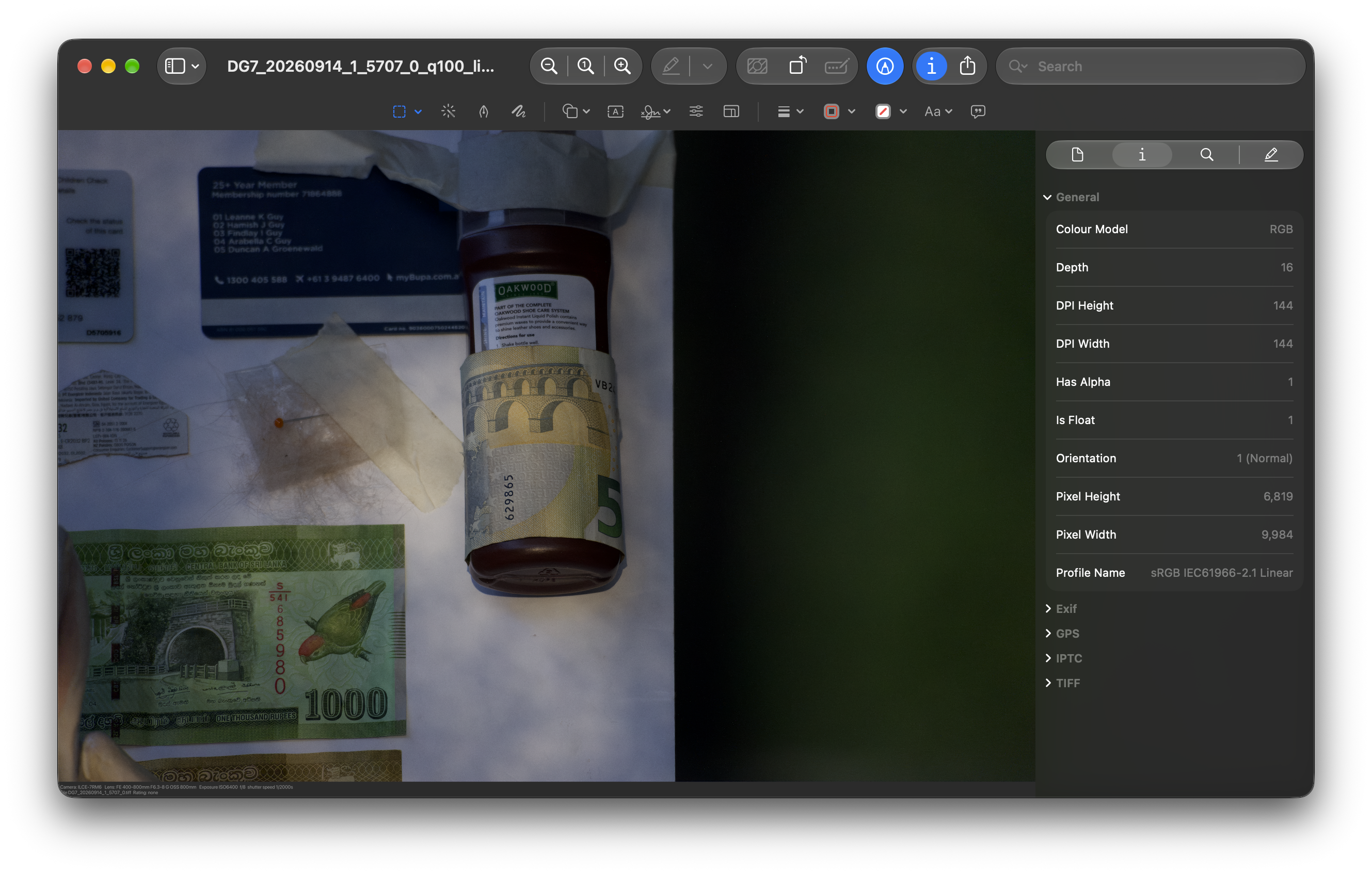
Edited on Oct 08, 2026 at 05:26 PM · View previous versions
Sorry in advance if I missed this, if it has already been discussed: some raw converters allow you to make a "linear" conversion from a raw file. I am most interested in the linear conversions, which do not apply "additional" curves to enhance contrast, saturation, etc. I prefer to use a linear conversion process and perform most adjustments later, in an editor that supports layers.
I first use DxO to make a DNG that has been denoised. Then I edit that DNG in Adobe Camera Raw to make a linear Photoshop file. Then I edit that.
Is there anything...Show more →
Export to PNG using a linear colour space with high precision - currently the app doesn't do that it just defaults to sRGB/RGBA16 but I can add an option to export using a linear space for tiff, png and heif - I think PNG supports high precision and would have to check the other two. Pretty sure TIFF would.
It would only take 5 minutes to add extendedLinearSRGB/RGBAh (half float format) as an option. Curious myself as to whether this would work - perhaps some graphics processing expert can chip in. Let me know if there is some specific linear colour space/format Photoshop requires.
EDIT: forgot to mention that by default Apple uses a linear colour space internally to avoid math errors during processing and the resultant clipping.
EDIT: I am not sure about whether PNG correctly uses linear colour space but it seems exporting to TIFF with this option enabled does. Would need to confirm that works correctly for your files - the output file is massive 600mb for an A7R6 file.
Edited on Oct 08, 2026 at 05:26 PM · View previous versions
Oct 08, 2026 at 03:47 PM
p.2 #13Apple's new RAW decoder and denoise engine rivals DxO's PureRAW
There are many variations of editors with Apple Raw 9 support on github. I tested one of the projects there, got to build the app from the project files with xcode. The UI was nice but the app was way too slow. The name of the project is RawNineStudio
Oct 08, 2026 at 04:12 PM
p.2 #14Apple's new RAW decoder and denoise engine rivals DxO's PureRAW
duncangr wrote:
Export to PNG using a linear colour space with high precision - currently the app doesn't do that it just defaults to sRGB/RGBA16 but I can add an option to export using a linear space for tiff, png and heif - I think PNG supports high precision and would have to check the other two. Pretty sure TIFF would.
It would only take 5 minutes to add extendedLinearSRGB/RGBAh (half float format) as an option. Curious myself as to whether this would work - perhaps some graphics processing expert can chip in. Let me know if there is some specific linear colour...Show more →
Excellent !
In case this might be helpful:
Adobe Camera Raw will let you use a linear raw conversion profile, instead of one or their provided profiles...
... but first you need a linear profile for the model of camera which took the photo. And that, you can obtain freely from Tony Kuyper's Linear Profile Repository at https://goodlight.us/linear-profiles.html
Or you can make your own, fairly easily.
Once you have the profile (which is a file), you place a copy of it in the appropriate directory. On restart of Adobe Camera Raw, it now appears in the drop-down list of raw conversion profiles.
There is more information about the topic, at https://www.kennethleegallery.com/index.php#linearDNG
On a related note: If you are looking to chat with some real imaging scientists (friendly ones), you can do it easily on DPReview's Science and Technology Forum at https://www.dpreview.com/forums/forums/science-and-technology.1061/
Export to PNG using a linear colour space with high precision - currently the app doesn't do that it just defaults to sRGB/RGBA16 but I can add an option to export using a linear space for tiff, png and heif - I think PNG supports high precision and would have to check the other two. Pretty sure TIFF would.
It would only take 5 minutes to add extendedLinearSRGB/RGBAh (half float format) as an option. Curious myself as to whether this would work - perhaps some graphics processing expert can chip in. Let me know if there is some specific linear colour...Show more →
Excellent !
In case this might be helpful:
Adobe Camera Raw will let you use a linear raw conversion profile, instead of one or their provided profiles...
... but first you need a linear profile for the model of camera which took the photo. And that, you can obtain freely from Tony Kuyper's Linear Profile Repository at https://goodlight.us/linear-profiles.html
Or you can make your own, fairly easily.
Once you have the profile (which is a file), you place a copy of it in the appropriate directory. On restart of Adobe Camera Raw, it now appears in the drop-down list of raw conversion profiles.
There is more information about the topic, at https://www.kennethleegallery.com/index.php#linearDNG
On a related note: If you are looking to chat with some real imaging scientists (friendly ones), you can do it easily on DPReview's Science and Technology Forum at https://www.dpreview.com/forums/forums/science-and-technology.1061/
Oct 08, 2026 at 04:43 PM
p.2 #15Apple's new RAW decoder and denoise engine rivals DxO's PureRAW
RoamingScott wrote:
The total lack of technical cognition in this thread is hilarious.
Another useful comment from an incredibly arrogant individual.
The total lack of technical cognition in this thread is hilarious.
Another useful comment from an incredibly arrogant individual.
Oct 08, 2026 at 05:28 PM
p.2 #16Apple's new RAW decoder and denoise engine rivals DxO's PureRAW
Kenneth Lee wrote:
It would only take 5 minutes to add extendedLinearSRGB/RGBAh (half float format) as an option. Curious myself as to whether this would work - perhaps some graphics processing expert can chip in. Let me know if there is some specific linear colour space/format Photoshop requires.
EDIT: forgot to mention that by default Apple uses a linear colour space internally to avoid math errors during processing and the resultant clipping.Excellent !
In case this might be helpful:
Adobe Camera Raw will let you use a linear raw conversion profile, instead of one or their provided profiles...
... but first you need a linear profile for the model of camera which took the photo. And that, you can obtain freely from Tony Kuyper's Linear Profile Repository at https://goodlight.us/linear-profiles.html
Or you can make your own, fairly easily.
Once you have the profile (which is a file), you place a copy of it in the appropriate directory. On restart of Adobe Camera Raw, it now appears in the drop-down list of raw conversion profiles....Show more →
Thanks, happy to chat with them if there are specific features someone might want that I don't understand. Unfortunately I have a real job - so unless someone wants to pay for this app or addition of new features I won't be spending more time on it than is required to add features for my own use.
BTW I have added the option for linear output and will update the app shortly so that feature is available in the download version.
Perhaps someone who uses linear color space can confirm that it works as expected once it has been updated.
duncangr wrote
Export to PNG using a linear colour space with high precision - currently the app doesn't do that it just defaults to sRGB/RGBA16 but I can add an option to export using a linear space for tiff, png and heif - I think PNG supports high precision and would have to check the other two. Pretty sure TIFF would.It would only take 5 minutes to add extendedLinearSRGB/RGBAh (half float format) as an option. Curious myself as to whether this would work - perhaps some graphics processing expert can chip in. Let me know if there is some specific linear colour space/format Photoshop requires.
EDIT: forgot to mention that by default Apple uses a linear colour space internally to avoid math errors during processing and the resultant clipping.
In case this might be helpful:
Adobe Camera Raw will let you use a linear raw conversion profile, instead of one or their provided profiles...
... but first you need a linear profile for the model of camera which took the photo. And that, you can obtain freely from Tony Kuyper's Linear Profile Repository at https://goodlight.us/linear-profiles.html
Or you can make your own, fairly easily.
Once you have the profile (which is a file), you place a copy of it in the appropriate directory. On restart of Adobe Camera Raw, it now appears in the drop-down list of raw conversion profiles....Show more →
Thanks, happy to chat with them if there are specific features someone might want that I don't understand. Unfortunately I have a real job - so unless someone wants to pay for this app or addition of new features I won't be spending more time on it than is required to add features for my own use.
BTW I have added the option for linear output and will update the app shortly so that feature is available in the download version.
Perhaps someone who uses linear color space can confirm that it works as expected once it has been updated.
Oct 08, 2026 at 05:34 PM
p.2 #17Apple's new RAW decoder and denoise engine rivals DxO's PureRAW
duncangr wrote:
Apple’s new RAW decoder and denoising appears to be as good as DxO’s RAW denoise - and it works great with the A7R6 files (any format) and apparently support the A75 files as well.
If you have a Mac running macOS 27 and want to try it out you can download my RAW app - its a bit clunky because I broke some of the UI elements and haven’t got around to fixing them until I figured it would be worth doing - and given how good the App RAW denoiser seems to be I will probably put a bit...Show more →
I'm confused. How do Lightroom users on a Mac benefit from this?
Oct 09, 2026 at 04:15 AM
p.2 #18Apple's new RAW decoder and denoise engine rivals DxO's PureRAW
It's a standalone app for Mac.
Oct 10, 2026 at 05:01 AM
p.2 #19Apple's new RAW decoder and denoise engine rivals DxO's PureRAW
My compressed RAW files from A7V are not supported on RAW 9
Oct 10, 2026 at 03:03 PM
p.2 #20Apple's new RAW decoder and denoise engine rivals DxO's PureRAW
austinlau wrote:
My compressed RAW files from A7V are not supported on RAW 9
My bad - I thought it was the A7V but on closer inspection it is the A7RV that is supported . Oh well my A1ii and A9iii aren't supported either yet !
My compressed RAW files from A7V are not supported on RAW 9
My bad - I thought it was the A7V but on closer inspection it is the A7RV that is supported
. Oh well my A1ii and A9iii aren't supported either yet !Oct 10, 2026 at 03:34 PM