

Forgot to post full size to show the actual frame. Here's the last frame from above
"Some evidence of motion blur on some of them"
I noticed it too. I have other sequences that doesn't have this issue. I was wondering for the OSS does this. I'll try without OSS next with the settings you suggested.
I can stop down to avoid some of it. Then the ISO will go up. Anyway I'd like to figure out the best settings to get maximum success first then work on depth issue?..
Does A9III behave differently compared to A1II? I had A9III briefly before moving on to Nikon side (for a different reason back then).. I didn't look at this much detail back then..
duncangr wrote:
Post a link to one of the original un-cropped images - one can't really tell much about the original, e.g subject distance, extent of oof/motion blur, from resized crops.
Good light is usually the biggest problem and even in good light those pale shore birds are a nightmare for subject detection.
Some evidence of motion blur on some of them (eye highlights not perfectly round even if oof should be round unless sun is low and reflecting off water but on some its a pin prick so that's obviously not the case here) - increase shutter speed.
Two have focus on the near wing - which would be the issue that I would be wanting to fix. Stop down a bit perhaps - small bird at a distance (big crop you said) should mostly be in focus ? - use Image Edge to check the focus points.
Here is an example of what you should be able to get, so it can work. These are not what I would call close up btw, which is where I start having issues. Close up for me starts about where the bird leaves the frame .
These are with the 300 + 2xTC, 1/4000s, f/5.6, iso800.
And for reference here is an un-cropped image so you can see the size of the bird in the frame - which is just starting to get big enough in the frame for a bit of detail to be visible.
Yes, for birds flying towards you it doesn't matter. But one flying to the sides for me OSS helps to keep them in frame. I tried 2X briefly and OSS was the big issue. At 600mm the effect of OSS is way worse than lens alone (Jan mention this in many of his videos).
I will try turning it off and mode 2 next time
Daran wrote:
Huh? It should be slightly easier to keep it in the frame as you get more precise feedback how your tracking differs from the flight path. For a slow, straight flyer the bird should be nearly stationary on the sensor even without OSS.
OSS is fine with doing it's thing, whether that helps or not:-D Keep in mind that OSS does not see the bird, it merely reacts to acceleration of the camera. I know that many say it doesn't matter as long as your shutter speed is high. But I have occasionally forgotten to disable it and then scratched my head in post as to why there were so many shots with motion blur or plain OOF (AF also benefits from the view not getting blurred). EXIF solved that mystery.
OSS mode 2 will additionally estimate your panning and stop compensating in that direction. Last time I checked, I recall it took about a second to establish that direction after you start panning. Which seemed OK for cars but slow compared to how fast erratic flight paths can can change....Show more →
Yes. When switching into APS-C you reduce the absolute DOF by approximately the crop factor of 1.5. So e.g. for 10m, 600mm & f4 the DOF is reduced from 6cm to 4cm. This happens because you present the same set of pixels larger, which enlarges the CoC by the same factor.
duncangr wrote:
If only that were true - we could crop in post and bring things that are oof into focus - or simply switch into or out of APS-C mode.
No, you don't get to choose what DOF you get and cropping always reduces the DOF anyway.
Daran wrote:
Yes. When switching into APS-C you reduce the absolute DOF by approximately the crop factor of 1.5. So e.g. for 10m, 600mm & f4 the DOF is reduced from 6cm to 4cm. This happens because you present the same set of pixels larger, which enlarges the CoC by the same factor.
No, you don't get to choose what DOF you get and cropping always reduces the DOF anyway.
You are mistaken the DOF does not change when in crop mode, the camera is digitally cropping the exact same image and displaying it in the EVF. The cropped portion of the image remains identical.
The inserts are taken from the APS-C image captured within seconds of the FF image.
duncangr wrote:
You are mistaken the DOF does not change when in crop mode, the camera is digitally cropping the exact same image and displaying it in the EVF. The cropped portion of the image remains identical.
The inserts are taken from the APS-C image captured within seconds of the FF image.
The way DOF is defined is based on judging a print of a specific size when viewed from a specific distance.
If you take the full frame and display it at specific size, and then take a crop of the full frame and display it so it fills the same specific size and view it from the same specified distance, the DOF will be smaller. It does not matter whether you crop in the camera or in post.
Your examples do not follow that pattern.
@Daran correctly attributes the change in the DOF to the COC factor in the formula for DOF.
Jemini wrote:
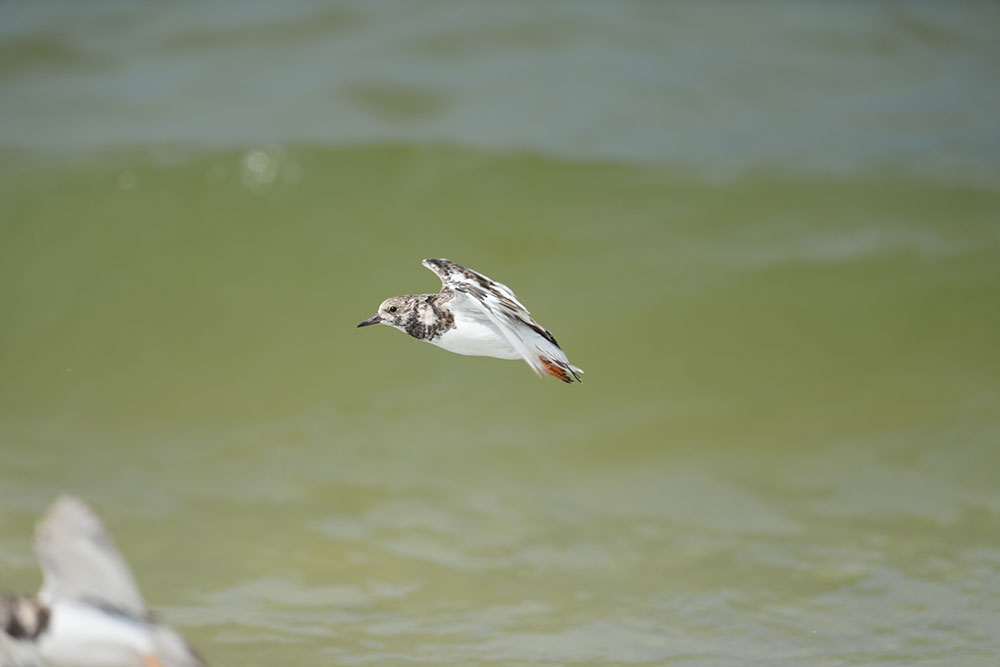
May be my expectation is too high. Not sure. I just want to make sure it's not the settings that messes up.
Below first 3 images are continuous shots from a sequence. Many of them were tack sharp and all of a sudden some shots started getting OOF. After some missed shots eye got sharp again, but not for all of them. The last picture was towards end of the burst where it got the eye even towards edge of the frame.