Jemini wrote:
May be my expectation is too high. Not sure. I just want to make sure it's not the settings that messes up.
Significant variation is normal, especially on small birds, but still, your OOF image seems further out than I would think common. You do not happen to have stabilization on?
Jemini wrote:
May be my expectation is too high. Not sure. I just want to make sure it's not the settings that messes up.
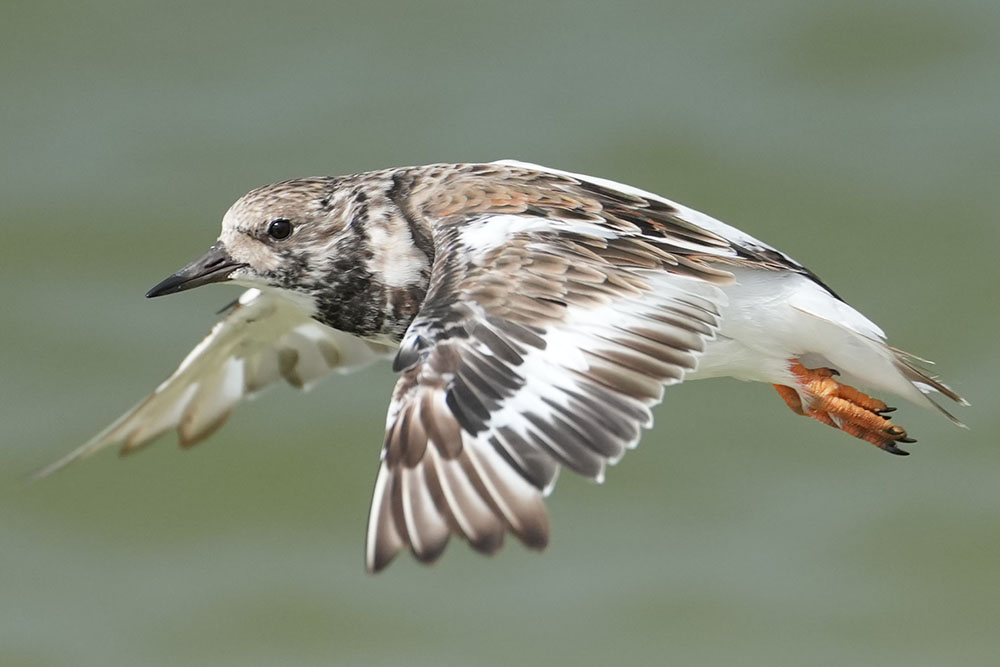
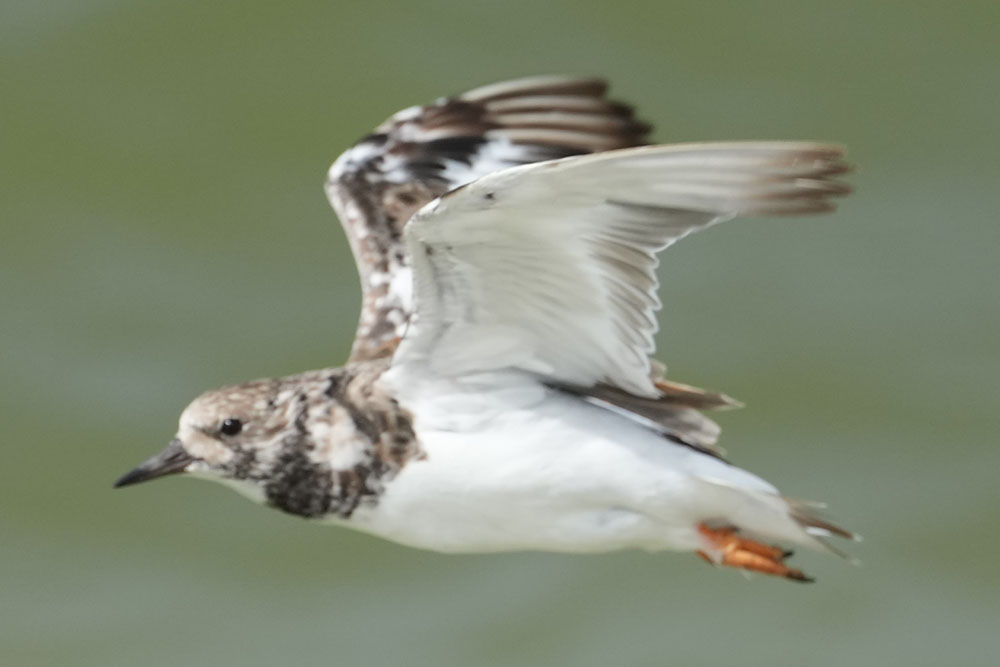
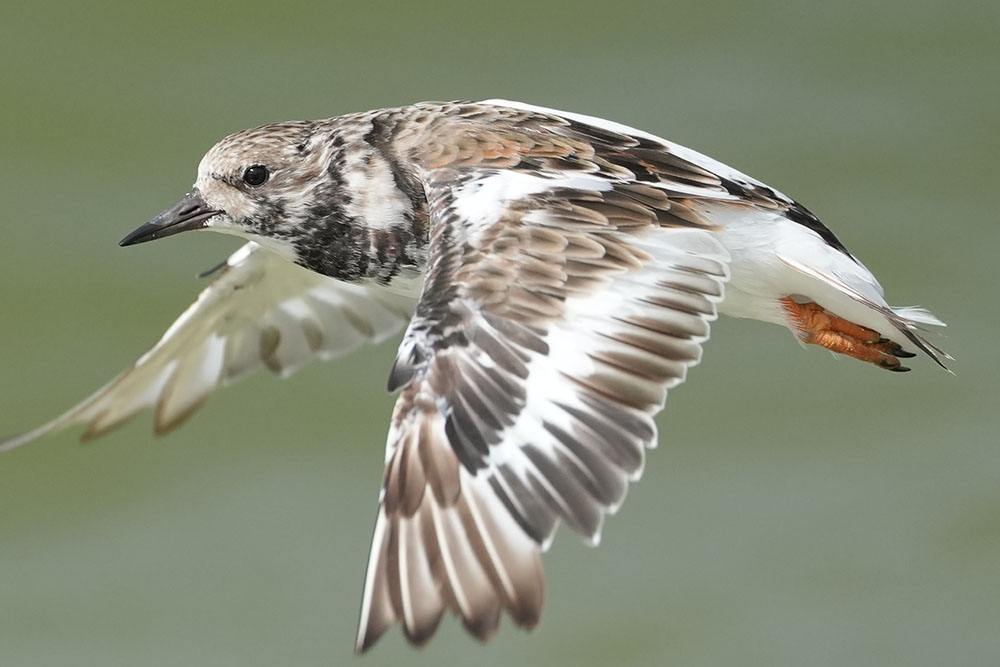
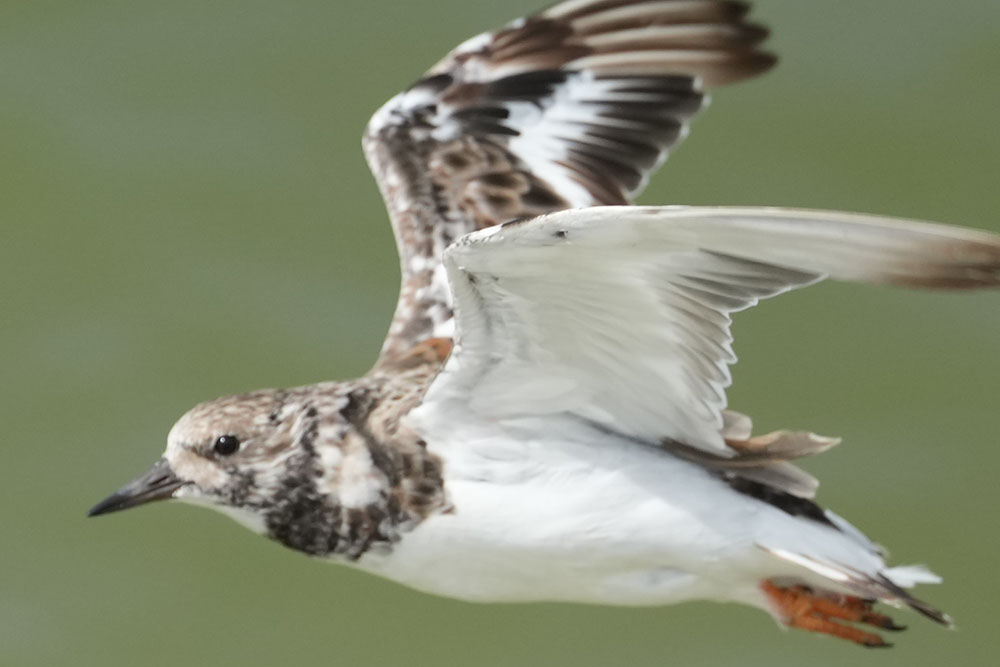
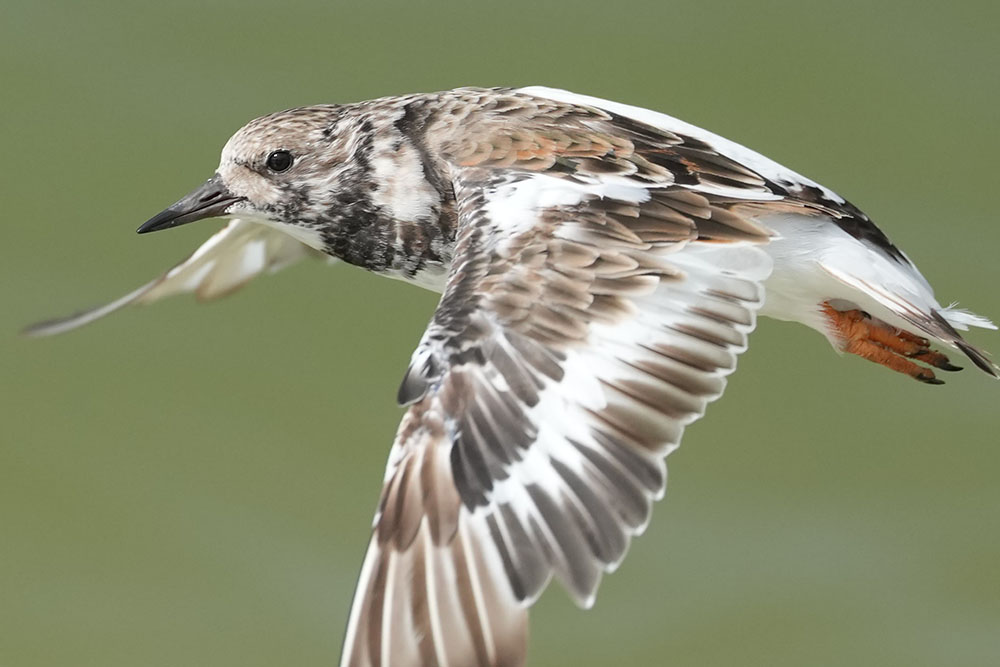
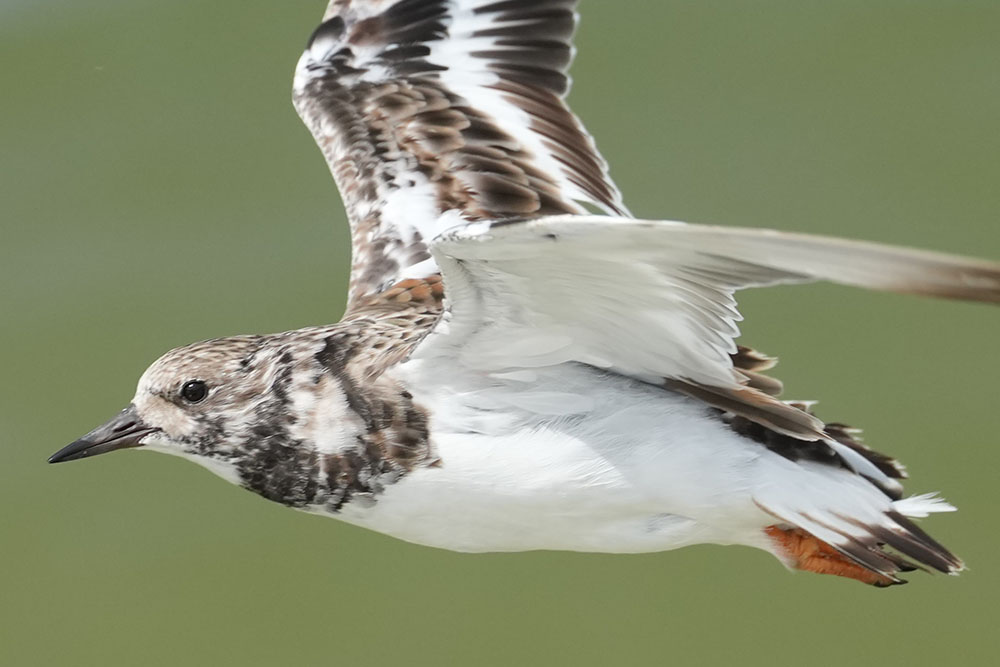
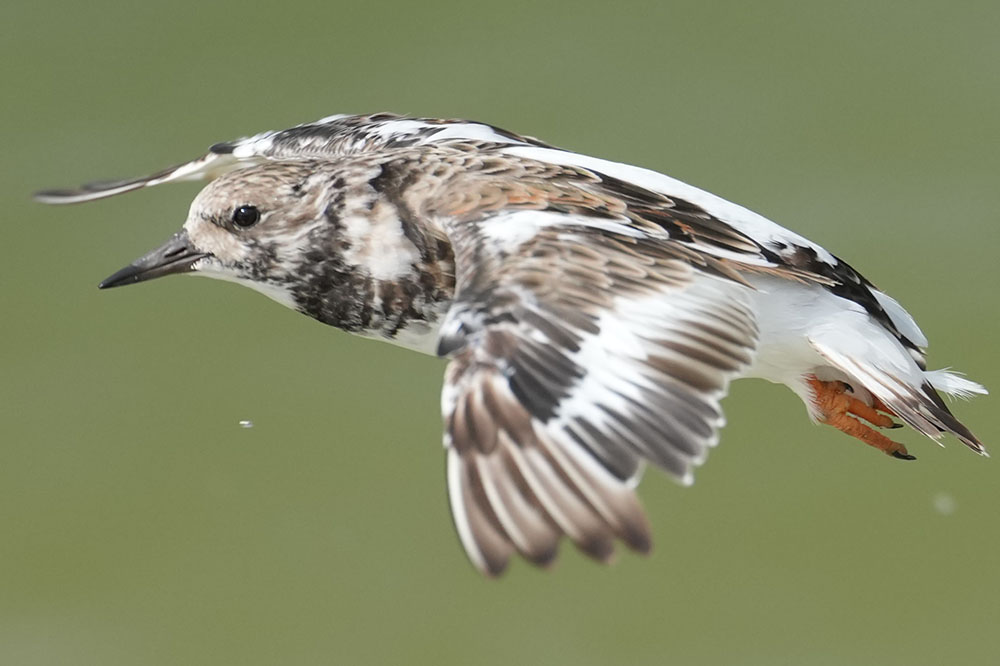
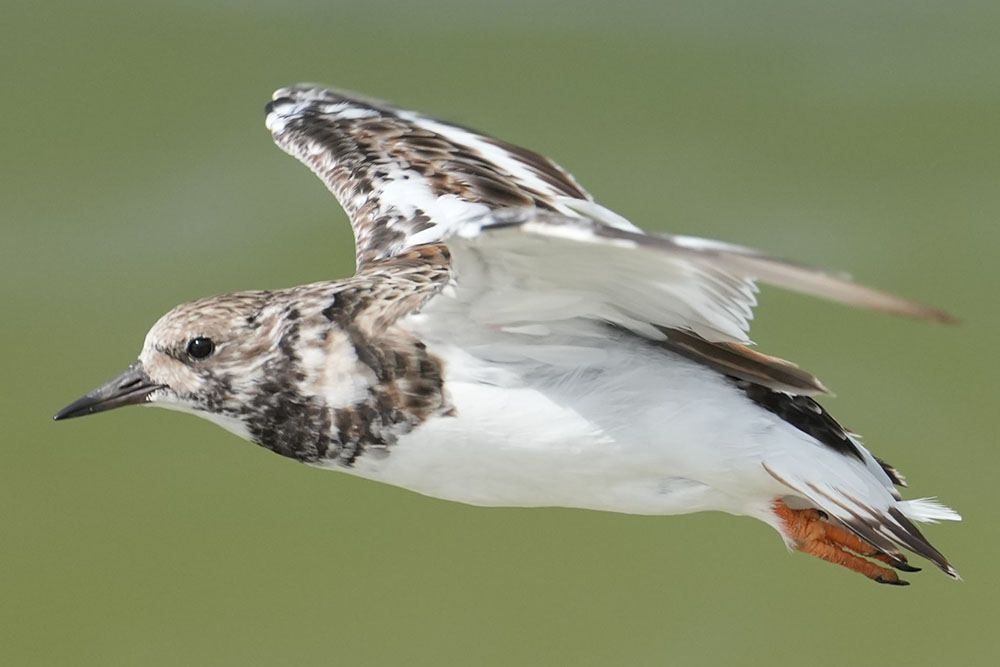
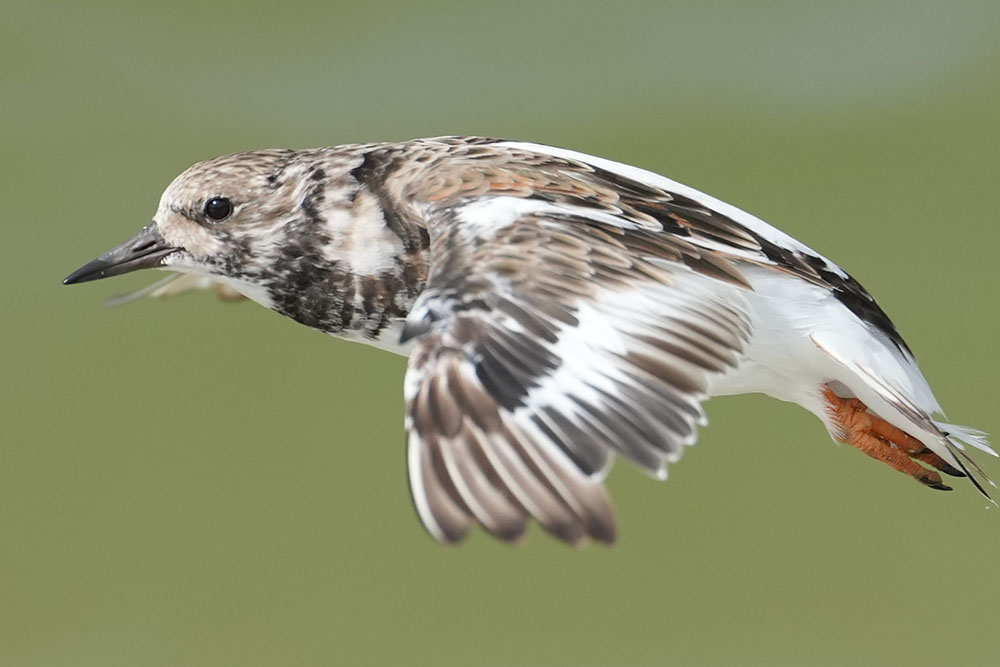
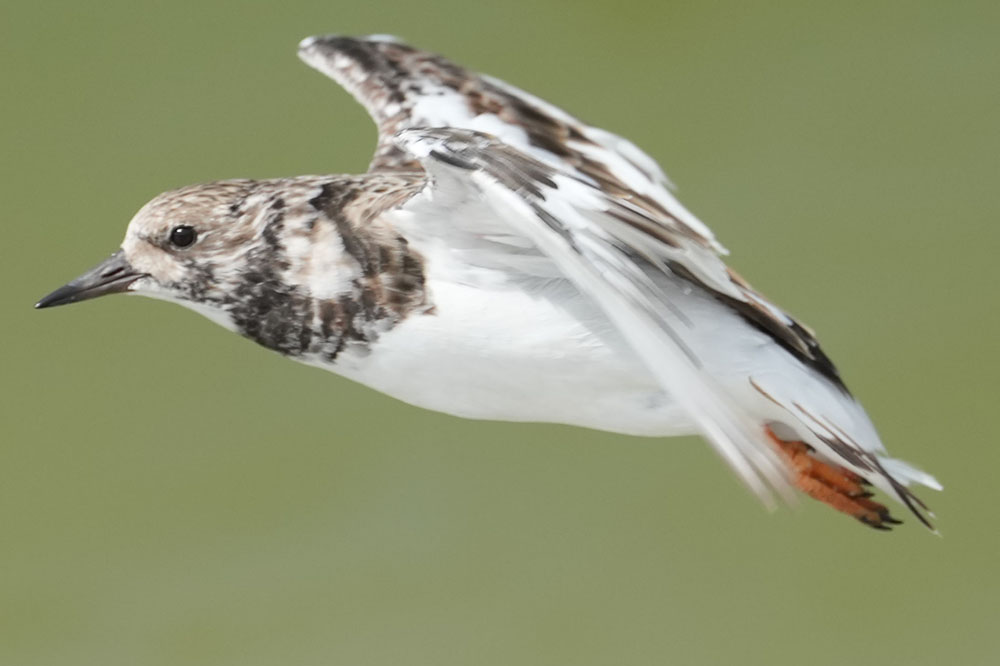
Below first 3 images are continuous shots from a sequence. Many of them were tack sharp and all of a sudden some shots started getting OOF. After some missed shots eye got sharp again, but not for all of them. The last picture was towards end of the burst where it got the eye even towards edge of the frame.
I have to say I've seen exactly the same thing with the Z8. My first day of shooting with the A1 II seems generally better for number of shots in a burst but I used too slow a shutter for many of them (I was using the 100-400mm 4.5 pointing almost straight up so I think the vibration reduction efficiency was reduced).
Daran wrote:
Significant variation is normal, especially on small birds, but still, your OOF image seems further out than I would think common. You do not happen to have stabilization on?
I know Z8 does same or worse than A1 II. As mentioned above my expectation from A1 II might be too high
bcaslis wrote:
I have to say I've seen exactly the same thing with the Z8. My first day of shooting with the A1 II seems generally better for number of shots in a burst but I used too slow a shutter for many of them (I was using the 100-400mm 4.5 pointing almost straight up so I think the vibration reduction efficiency was reduced).
birderbill1 wrote:
"May be my expectation is too high. Not sure. I just want to make sure it's not the settings that messes up."
If you're expecting 100% of your action shots to be "tack sharp", you're expectations are too high.
Have you figured out what your A1ii hit rate is for acceptably sharp photos?
I thought if the bird is the only thing in the frame and nothing else to compete for focus A1 II will nail it. But that's not the case. I have more samples today. If this is normal, I understand. Just want to make sure my settings are right...
I'm no expert, but from what I've come across in various forums no camera has a 100% hit rate. Don't you have enough images to pick acceptable keepers from?
Jemini wrote:
May be my expectation is too high. Not sure. I just want to make sure it's not the settings that messes up.
Below first 3 images are continuous shots from a sequence. Many of them were tack sharp and all of a sudden some shots started getting OOF. After some missed shots eye got sharp again, but not for all of them. The last picture was towards end of the burst where it got the eye even towards edge of the frame.
I found that lens seems to do that with the A1ii and A9iii particularly when the subject gets close so I prefer to use the old 100-400 which seems to be much more consistent at close range.
I turn off Body detect on the A9iii to try and force the focus to always be on the eye/head and to avoid wing top focus. In your one image it seems focus has jumped to the rear wing tip though so I doubt that would help.
Try the following settings:
AF Lvl for Crossing: 1(Locked On)
Af Try for Spd Chng: Responsive (for birds suddenly jumping towards you) and Stable (for birds in flight to avoid focus jumping to wing tips)
On the Bird Detect option set the following:
Tracking shift range to 1 (narrow),
Tracking persistent level to 5(locked on)
Recognition sensitivity to 1(low) on the Bird setting.
Turn off Body Detect to try and keep focus on head/eye and not wing tips.
I'd suggest disabling it for moving birds. Otherwise your camera works against your aim when tracking the bird. I do believe this happens even at high shutter speeds, though it is much harder to notice. But as arbitrage said, it is hard to be sure with this stuff.
I set mine on Mode 2, pretty much all the time. That being said, I do get a few OOF images in the sequential burst although there are still plenty of tack sharp images in any given sequence.
Jemini wrote:
I should've tried Steve Perry's. Since I already bought Jan's don't want to spend another $30 . Hopefully I'll get the right settings with some experiments..
I bought both books. Jan's covers video in more detail, but Steve's has more detail on focusing modes. I'd strongly recommend Steve's book, I found it more useful.
Thank you very much for the information. I know you take wonderful flying sequences even with 200-600. I'll try these settings
I never thought 100-400 would be better than 300mm which I think the fastest lens I've ever used!
duncangr wrote:
I found that lens seems to do that with the A1ii and A9iii particularly when the subject gets close so I prefer to use the old 100-400 which seems to be much more consistent at close range.
I turn off Body detect on the A9iii to try and force the focus to always be on the eye/head and to avoid wing top focus. In your one image it seems focus has jumped to the rear wing tip though so I doubt that would help.
Try the following settings:
AF Lvl for Crossing: 1(Locked On)
Af Try for Spd Chng: Responsive (for birds suddenly jumping towards you) and Stable (for birds in flight to avoid focus jumping to wing tips)
On the Bird Detect option set the following:
Tracking shift range to 1 (narrow),
Tracking persistent level to 5(locked on)
Recognition sensitivity to 1(low) on the Bird setting.
Turn off Body Detect to try and keep focus on head/eye and not wing tips.
Daran wrote:
I'd suggest disabling it for moving birds. Otherwise your camera works against your aim when tracking the bird. I do believe this happens even at high shutter speeds, though it is much harder to notice. But as arbitrage said, it is hard to be sure with this stuff.
Will try that too. But it'll be hard to keep the bird in frame without OSS. I thought newer OSS/IS modes are ok to be turned on all the time. SLR days it was recommended to turn it off..
AGeoJO wrote:
I set mine on Mode 2, pretty much all the time. That being said, I do get a few OOF images in the sequential burst although there are still plenty of tack sharp images in any given sequence.
Yes, I too get lots of sharp shots. But some are missed. Will post more samples soon
bcaslis wrote:
I bought both books. Jan's covers video in more detail, but Steve's has more detail on focusing modes. I'd strongly recommend Steve's book, I found it more useful.
I'm not sure if I'm going to learn a lot more than the gentlemen here including Duncan and Geoff. from another book. It's only one Menu. Looks like some shots in the sequence will be OOF based on comments here.
Here's a sequence I tried today with 'Bird' as subject. Not much better than my 'Bird/Animal' attempt. These are continuous shots. Heavily cropped and resized to 1000 pixels wide
Overall I think I'm getting better result than Z8 and 400mm prime. Little less than my expectations. It's alright. I will try what Duncan suggested settings soon.
Jemini wrote:
Thank you very much for the information. I know you take wonderful flying sequences even with 200-600. I'll try these settings
I never thought 100-400 would be better than 300mm which I think the fastest lens I've ever used!
It's a mistake to assume as fast lens will result in more accurate autofocus. Bear in mind that if the camera gets it wrong occasionally a slightly slower lens might filter out those mistakes by being slow to respond and result in more consistent AF results.
For acquisition I let the birds fly through the focal plane so lens racking speed has never been an issue for me - the speed the camera recognises the subject is though - if the camera is slow then the bird may be well out of focus before the camera detects it.
Of course there are benefits of a faster aperture when more light may help with faster or more accurate subject recognition.
Jemini wrote:
I'm not sure if I'm going to learn a lot more than the gentlemen here including Duncan and Geoff. from another book. It's only one Menu. Looks like some shots in the sequence will be OOF based on comments here.
Here's a sequence I tried today with 'Bird' as subject. Not much better than my 'Bird/Animal' attempt. These are continuous shots. Heavily cropped and resized to 1000 pixels wide
Overall I think I'm getting better result than Z8 and 400mm prime. Little less than my expectations. It's alright. I will try what Duncan suggested settings soon.
Post a link to one of the original un-cropped images - one can't really tell much about the original, e.g subject distance, extent of oof/motion blur, from resized crops.
Good light is usually the biggest problem and even in good light those pale shore birds are a nightmare for subject detection.
Some evidence of motion blur on some of them (eye highlights not perfectly round even if oof should be round unless sun is low and reflecting off water but on some its a pin prick so that's obviously not the case here) - increase shutter speed.
Two have focus on the near wing - which would be the issue that I would be wanting to fix. Stop down a bit perhaps - small bird at a distance (big crop you said) should mostly be in focus ? - use Image Edge to check the focus points.
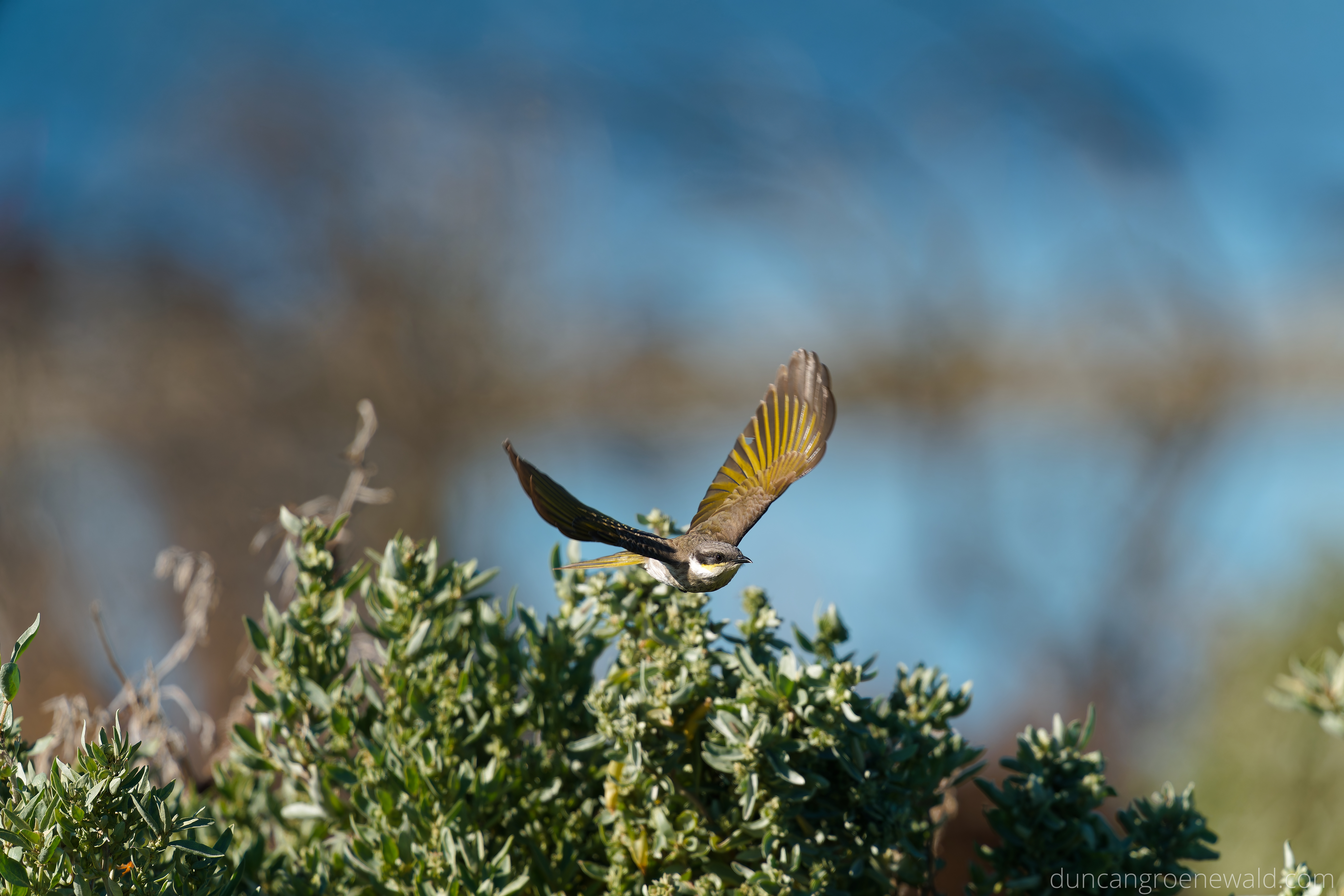
Here is an example of what you should be able to get, so it can work. These are not what I would call close up btw, which is where I start having issues. Close up for me starts about where the bird leaves the frame .
These are with the 300 + 2xTC, 1/4000s, f/5.6, iso800.
And for reference here is an un-cropped image so you can see the size of the bird in the frame - which is just starting to get big enough in the frame for a bit of detail to be visible.
A9iii it is for me with these small birds, but there are extra challenges to filling the frame.
Jemini wrote:
Will try that too. But it'll be hard to keep the bird in frame without OSS.
Huh? It should be slightly easier to keep it in the frame as you get more precise feedback how your tracking differs from the flight path. For a slow, straight flyer the bird should be nearly stationary on the sensor even without OSS.
I thought newer OSS/IS modes are ok to be turned on all the time. SLR days it was recommended to turn it off..
OSS is fine with doing it's thing, whether that helps or not:-D Keep in mind that OSS does not see the bird, it merely reacts to acceleration of the camera. I know that many say it doesn't matter as long as your shutter speed is high. But I have occasionally forgotten to disable it and then scratched my head in post as to why there were so many shots with motion blur or plain OOF (AF also benefits from the view not getting blurred). EXIF solved that mystery.
OSS mode 2 will additionally estimate your panning and stop compensating in that direction. Last time I checked, I recall it took about a second to establish that direction after you start panning. Which seemed OK for cars but slow compared to how fast erratic flight paths can can change.
duncangr wrote:
Two have focus on the near wing - which would be the issue that I would be wanting to fix. Stop down a bit perhaps - small bird at a distance (big crop you said) should mostly be in focus ?
If you crop, the DOF changes. As long as you shoot the same aperture diameter as seen by the subject, the same bird to image scale implies the same DOF. So 600f8, 300f4TC2 and 300f4 cropped by a factor two all yield the same image scale, amount of light gathered and absolute DOF. As do 300f8 from half the distance or 1200f16 from twice the distance.
Daran wrote:
If you crop, the DOF changes. As long as you shoot the same aperture diameter as seen by the subject, the same bird to image scale implies the same DOF. So 600f8, 300f4TC2 and 300f4 cropped by a factor two all yield the same image scale, amount of light gathered and absolute DOF. As do 300f8 from half the distance or 1200f16 from twice the distance.
If you crop the DOF changes ??
If only that were true - we could crop in post and bring things that are oof into focus - or simply switch into or out of APS-C mode.