fredmiranda.com
Login

Moderated by: Fred Miranda
  New fredmiranda.com Mobile Site
  New Feature: SMS Notification alert
  New Feature: Buy & Sell Watchlist
  

FM Forums | Canon Forum | Join Upload & Sell


Hero Reach and Motion Blur - LR, Topaz, ON1, DXO, ..... For 45mpx R5ii ...


Scott Stoness
Offline
• • • • • •
Upload & Sell: On
p.1 #1 · Hero Reach and Motion Blur - LR, Topaz, ON1, DXO, ..... For 45mpx R5ii and R7


Recently I got some good pictures of whales breaching in La Pax Mexico, and was struggling with processing. Some were motion blurred and some were heavily cropped. I also ran into this when a bobcat came out in florida on two separate occasions and I had some hero processing attempts.

I now have tried Luminar Neo, LR superscale, and ON1 upscale ( topaz gigapixel several years ago) and I think I have landed but I wanted your thoughts.

My main camera's are r5ii (wildlife at reasonable distance), r7 (wildlife at hero distance), and r8 (backpacking/travel, and r5 (landscape). My main lens are ef600f4v2, ef200-400/560f4/f5.6, Rf200-800, RF100-400 and TS17, TS24, EF24-105.

I have a base M1 laptop (travel), Mac Book Pro 2023 (very good for its time), and 5k Imac 2017 4 core 40gb with 4.2mhz SSD drive (my main engine at home). [I am debating replacing the 5kimac with Mac mini pro 24gb 512gb ssd, but am fussed by losing 5k monitor.]

The purpose of this post is to tell you what I learned and get your thoughts on Hero Reach processing and Motion blur.

My normal process is LR cropping, modest lighting adjustements, Denoise, and LR sharpening.

I like to print favourites at 48x32" landscape or portrait on canvas.

I explored:
1) LR/PS. LR has a super resolution. LR has Denoise/Raw details.
- You can adjust motion blur in photo shop in two ways. Smart Filter, measure the movement...
- you can upscale in super resolution
- you can denoise in LR
- or you can ask generative AI to fix it
My conclusions were - Not adequate. Photoshop deblur is difficult (measureing blur directoin / layers...) in settings. Superresolution was not as good as On1, Luminar Neo, Topaz.

2) Luminar Neo has a upscale feature. I have luminar neo.
- I bought the recent upscaling with AI. A $120 perpetual liscence.
My conclusions - Not Adequate. Was okay occasionally good but not great. Not much for controls.

3) ON1 has an upscale feature
- It is available on a perptual liscence.
- You can try it for 1 month with no obligation
- has AI upscale
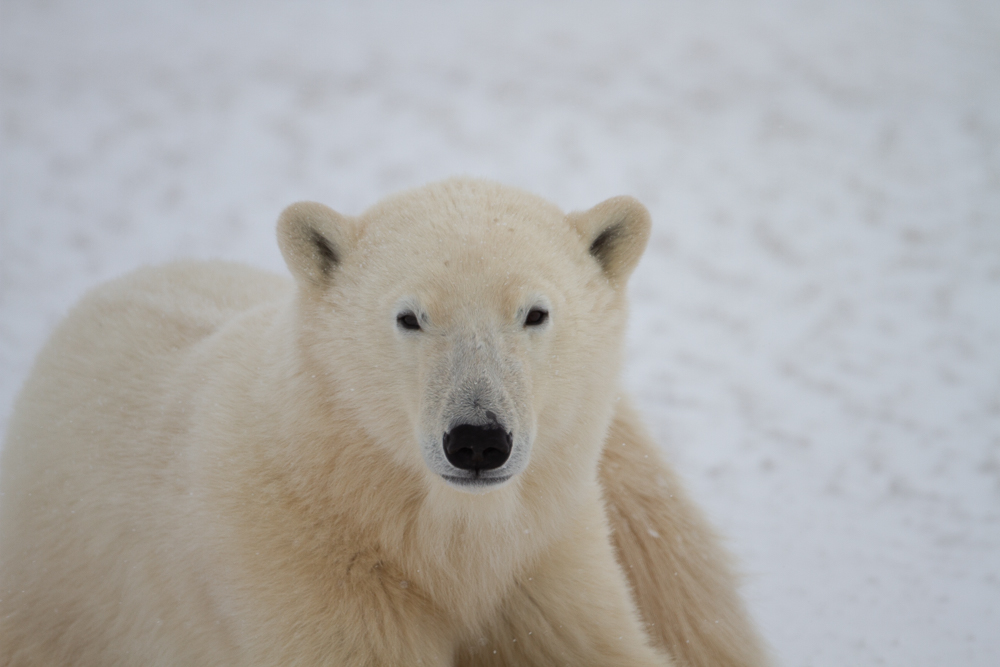
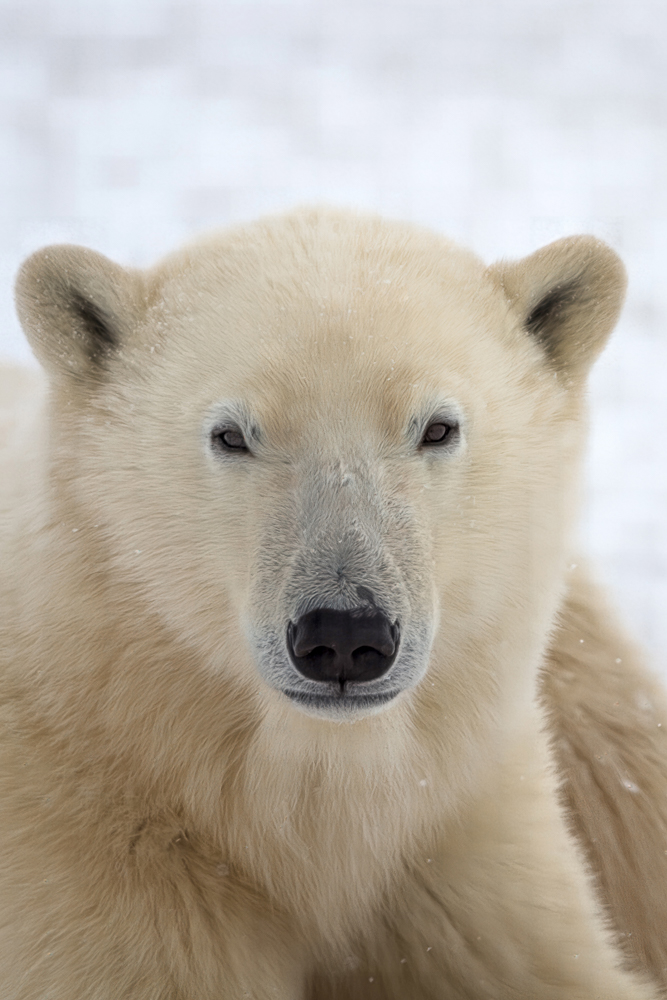
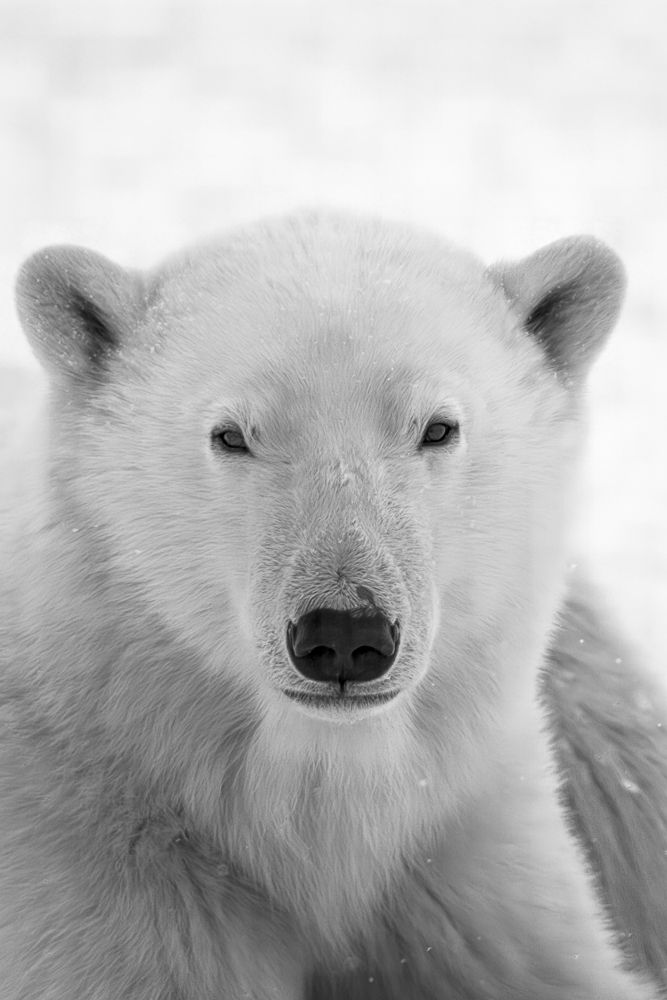
- a highly cropped polar bear from 7d 15 years ago came out good enough for printing large on canvas but it did not solve motion blur well on my whale breaching.
- Better than LR super resolution, and Luminar Neo but not adequate. Was 15minute per image on my old computer. The process was difficult. LR for initial processing (lighting, cropping, lens adjust, denoise -- then ON1 upscale to 10,000 long (15minutes), then back to LR for final processing. Was a painful process - long, repetitve with 15 minute gaps. Maxed out my gpu at 100% (GPU limits on my 8gb GPU was making it slow). And did an okay job if the focus was pretty close and not much cropping.

4) Topaz Gigapixel
- $12m/month ongoing.
- I tried this previoulsy and liked the results but I tried to try it again, and it would not let me because of the retry
- I was not willing to committ to $12/month ongoing to try it.
- My previous try (2 years ago) yielded pretty good AI the rescued my big polar bear crop on 7d from years ago.
- Worried that the in LR, passing to topaz, and back will be difficult.

5) I also considered DXO PureRaw 6, but concluded it did not have upscale AI and LR was just about as good on noise issues. I don't need another tool that I don't use (eg Luminare Neo).

My tentative conclusion - for hero reach (crop/upsze) and hero motion blur fix- buy the Topaz Gigapixel $12/month forever, try it again, and cancel if it does not do a good job. I am worried that its really akward to use in my process, really slow but most worryingly, may not do as good a job as what I remember for $144/year.

Your thoughts on Topaz upscaling for hero crop reach, and motion blur would be appreciated. I have already spent $120 on Luminar Neo (upscaling) and did not like it. I would rather ON1 perpetual than Topaz Gigapixel $12/month forever unless its just as difficult as ON1 without better motion blur processing.

Thanks in Advance.


My Hero Upscale Polar Bear - Original

  Canon EOS 7D    EF500mm f/4L IS USM lens    500mm    f/4.0    1/800s    160 ISO    +0.7 EV  


Colour - Best from ON1

  Canon EOS 7D    EF500mm f/4L IS USM lens    500mm    f/4.0    1/800s    160 ISO    +0.7 EV  


B/W Best from ON1 [ My wife wants b/W to match her chair]

  Canon EOS 7D    EF500mm f/4L IS USM lens    500mm    f/4.0    1/800s    160 ISO    +0.7 EV  


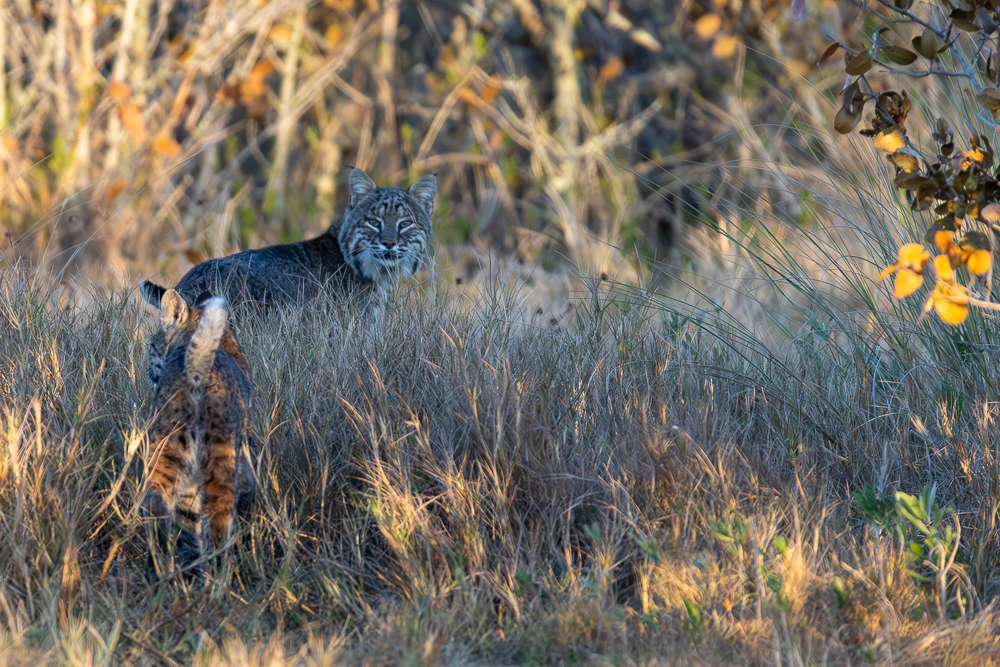
Original BobCat Hero Subject

  Canon EOS R7    EF200-400mm f/4L IS USM EXT lens    560mm    f/5.6    1/2000s    6400 ISO    -0.3 EV  


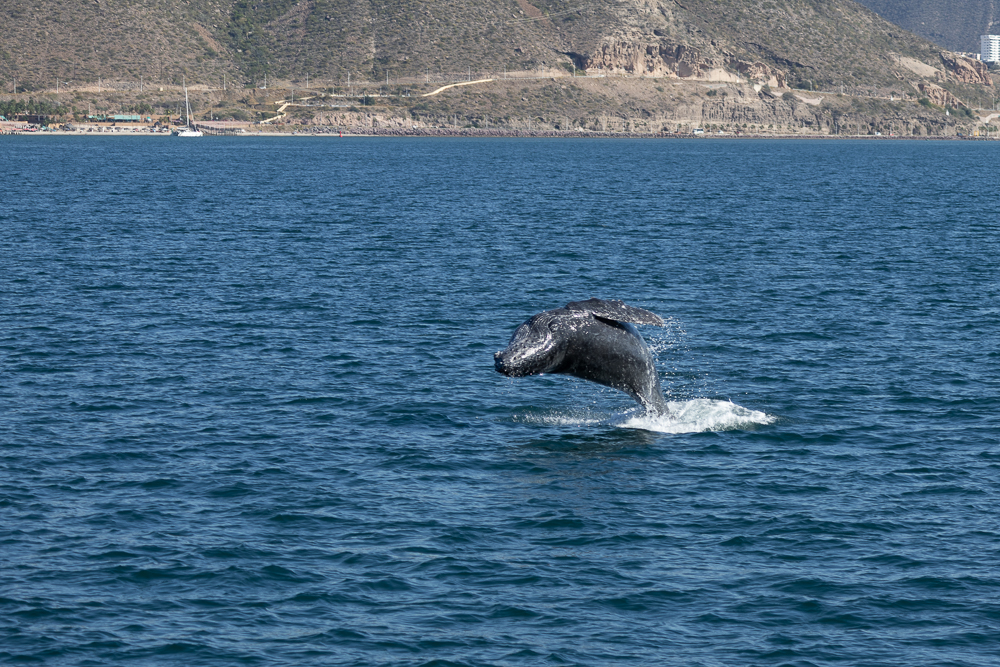
Orginal Breaching Whale Subject

  Canon EOS R7    RF100-400mm F5.6-8 IS USM lens    100mm    f/5.6    1/500s    100 ISO    -0.3 EV  


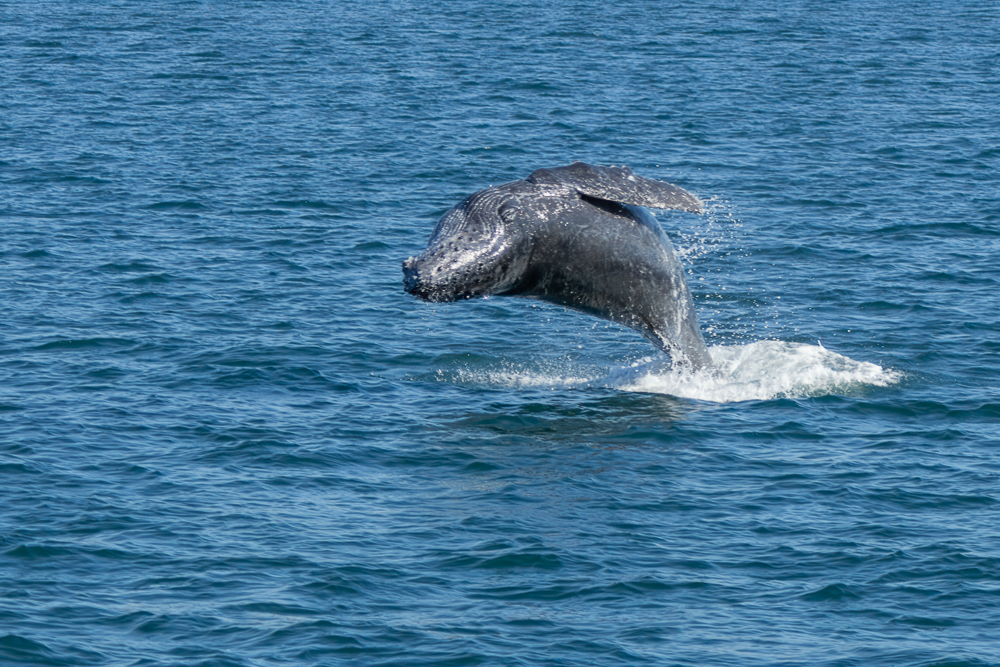
ON1 - Best Fix of Breaching Whale (Don't judge - I have better :) )

  Canon EOS R7    RF100-400mm F5.6-8 IS USM lens    100mm    f/5.6    1/500s    100 ISO    -0.3 EV  


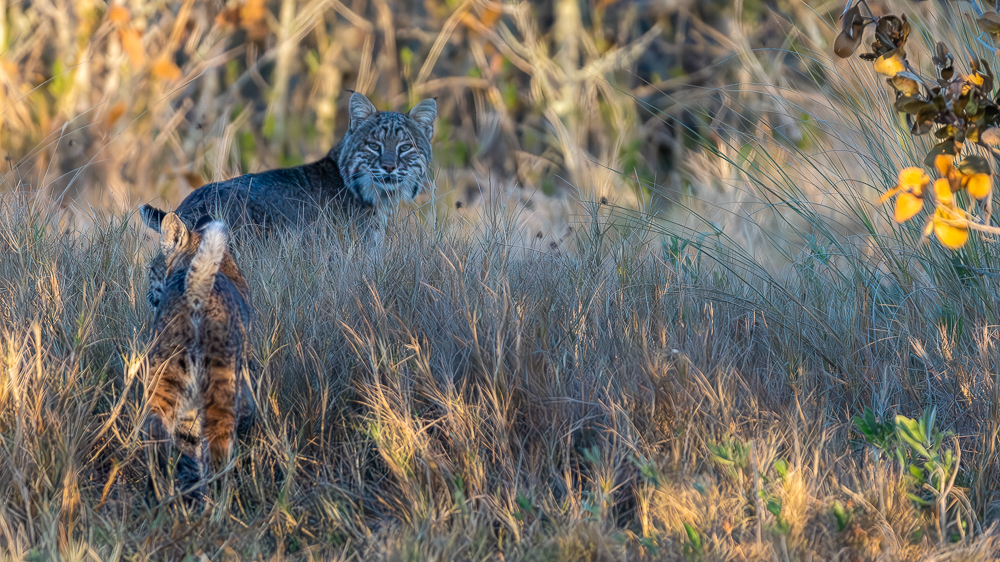
ON1 - Upscale fix ON1 BobCat

  Canon EOS R7    EF200-400mm f/4L IS USM EXT lens    560mm    f/5.6    1/2000s    6400 ISO    -0.3 EV  


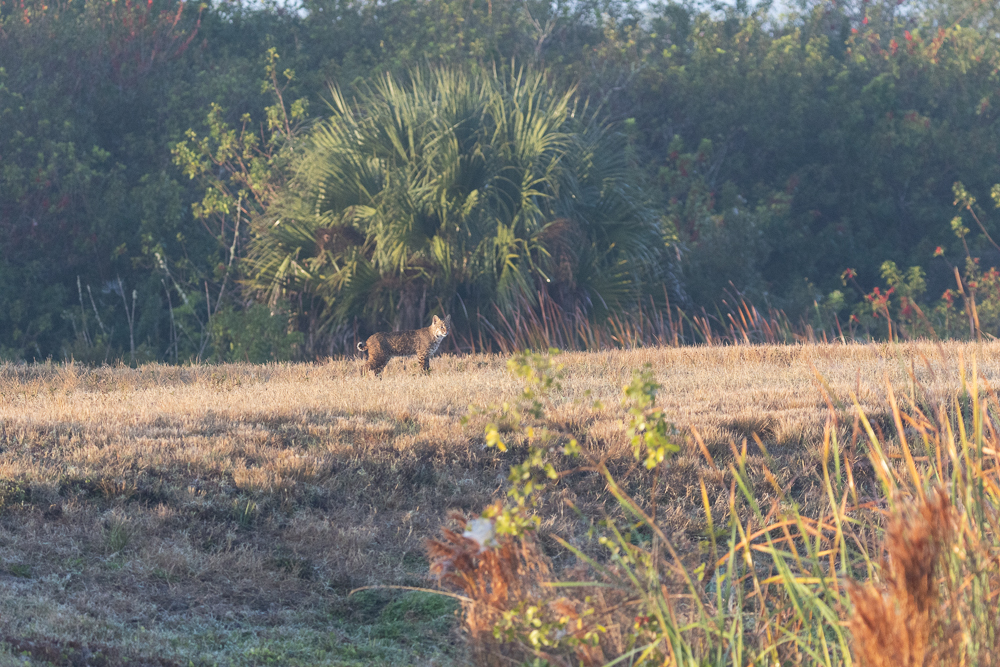
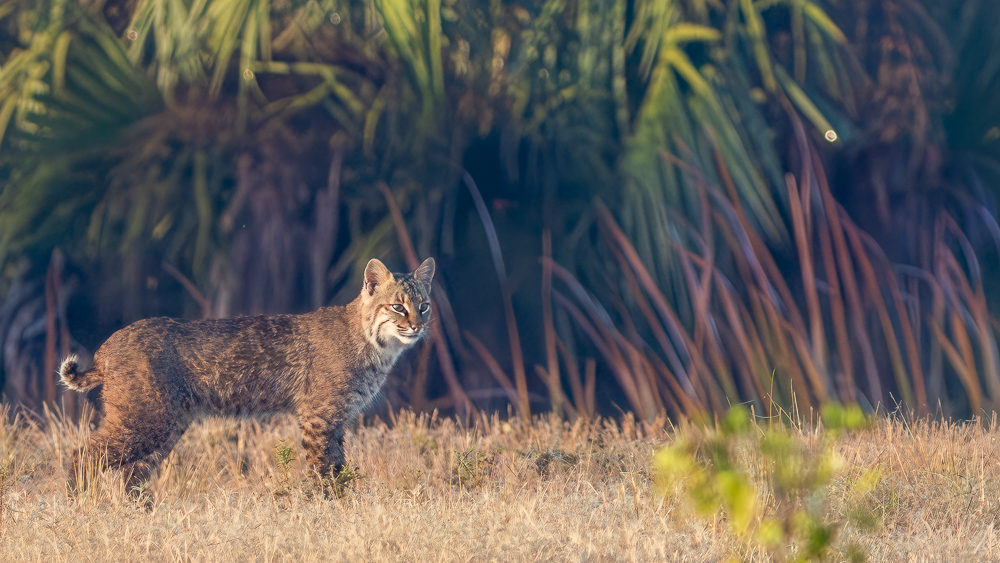
Another Original Bobcat Hero Subject

  Canon EOS R7    EF200-400mm f/4L IS USM EXT lens    325mm    f/5.6    1/1250s    2000 ISO    -0.3 EV  


ON1 Best Fix

  Canon EOS R7    EF200-400mm f/4L IS USM EXT lens    325mm    f/5.6    1/1250s    2000 ISO    -0.3 EV  


Edited on Mar 30, 2026 at 01:18 PM · View previous versions


Mar 30, 2026 at 12:46 PM
Scott Stoness
Offline
• • • • • •
Upload & Sell: On
p.1 #2 · Hero Reach and Motion Blur - LR, Topaz, ON1, DXO, ..... For 45mpx R5ii and R7


All images processed, into LR, cropped to desired aspect, auto colour, minor fixes to blow outs, denoise, then moved to DNG for ON1 for updscaleing sharpening. Then back to LR for final adjustments and sharpend of print.

This is my favourite Polar bear portrait for the expression. The polar bear portrait is pretty good - shows some pixelation at 48x32 but on canvas it won't be noticable. 48x32 matches my other framed size.

The bobcat is good enough for posting online but not interteresting enough to print big.

The breaching whale I have better pictures of but was using as my subject. I don't think ON1 did a good job on motion blur but it did better than PS layer masking....

Last Bobcat would not meet my standard even for web posting. In the excitement, I missedzooming maximum on this one.

[and i realize there are ethical issues of passing upscale AI off as photo's but sometimes its a one in a lifetime and its art after all]


I am also leaning toward replacing my 2017 5k imac with M4PRO Mini with 24gb and 512SSD. And if you have any thoughts (36gb needed or go to Studio M2Max, I would like to hear them. But that's another post]


Mar 30, 2026 at 12:58 PM
Jeff Nolten
Offline
• • • •
Upload & Sell: Off
p.1 #3 · Hero Reach and Motion Blur - LR, Topaz, ON1, DXO, ..... For 45mpx R5ii and R7


I use both the Adobe LR/PS photography subscription and the recent Topaz Photo release. I use Topaz to upscale old photos to fit my 5120x2880 display and for sharpening and denoise when I can't use LR. Topaz works well and can recover some blur. I haven't found anything that works well for getting rid of motion blur. I like the LR denoise and raw resolution enhancements on my raw files and the sharpening slider seems to work better these days. If you find a way to improve motion blur I'd like to hear about it.

Sending images to Topaz from PS and back is pretty seamless but you have to use the Transform menu if you are changing image size. PS used to crash if you didn't, I think Topaz now prevents size changes if you access through the Filter menu. LR creates a new file to send to Topaz or PS. Since this is a final processing step for me I set it to send a JPEG to save space. I keep my original RAWs in LR.

BTW, my computer is a Mac Studio M2 Max with 32 GB RAM and a 1 TB internal SSD. I use a 4 TB external SSD for all my images, but keep my LR library file in the internal SSD for speed. The M2 Mac seems to work fine for all the current image processing software.


Mar 31, 2026 at 10:34 AM
350lcpete
Offline

Upload & Sell: Off
p.1 #4 · Hero Reach and Motion Blur - LR, Topaz, ON1, DXO, ..... For 45mpx R5ii and R7


I have tried Aiarty image enhancer on the free trial it was quite good and could rescue images that aren’t quite there in sharpness and also upscale
I didn’t end up purchasing it but only because its not something i need to do very often
My favourite is a freeware program called Upscayl it has basic upscale models with it but I had best results with custom models , i would recommend experimenting with it to see which model works best for the image
Its easy to use and add custom models which people have developed
Results are very good and is handy for those occasions where you just were not able to get close enough
For upscayl the original image does have to be sharp for something that isn’t quite there i think Aiarty is better


Mar 31, 2026 at 10:53 AM
Scott Stoness
Offline
• • • • • •
Upload & Sell: On
p.1 #5 · Hero Reach and Motion Blur - LR, Topaz, ON1, DXO, ..... For 45mpx R5ii and R7


Jeff Nolten wrote:
I use both the Adobe LR/PS photography subscription and the recent Topaz Photo release. I use Topaz to upscale old photos to fit my 5120x2880 display and for sharpening and denoise when I can't use LR. Topaz works well and can recover some blur. I haven't found anything that works well for getting rid of motion blur. I like the LR denoise and raw resolution enhancements on my raw files and the sharpening slider seems to work better these days. If you find a way to improve motion blur I'd like to hear about it.

Sending images to Topaz
...Show more

There are two methods to reduce motion blur in photoshop:
1) Measure the motion blur with ruler, duplicate layers, smart filter, play with the angle - i tried it and my whale motion blur in the example above was too much. Perhaps I was unskilled but it was tough to get the angle figured out. In theory it works but it is challenging. And for my highly cropped breaching motion blurred whale above, with 2017 imac, I gave up. I was going to try the gigapixel upscale in photoshop, but my old imac 2017 was not able.
2) Use generation ai and ask it to fix the motion blur. I tried it. In theory it works but I ended up with bizarre suggestions. Maybe I could have solved it but for me it was too much like not staying true to photography - minor changes to my image.

I just bought a Mac Studio m4 max with 32gb, with 512GB ssd. I will use a tb5 with my kingston kc3000 2TB, as my working space. I will have 15 days to take it back. Hopefully it is a good solution for 5 years.

Thank you for the comments.


Edited on Mar 31, 2026 at 12:47 PM · View previous versions


Mar 31, 2026 at 11:01 AM


Search in Used Dept. 

Scott Stoness
Offline
• • • • • •
Upload & Sell: On
p.1 #6 · Hero Reach and Motion Blur - LR, Topaz, ON1, DXO, ..... For 45mpx R5ii and R7


350lcpete wrote:
I have tried Aiarty image enhancer on the free trial it was quite good and could rescue images that aren’t quite there in sharpness and also upscale
I didn’t end up purchasing it but only because its not something i need to do very often
My favourite is a freeware program called Upscayl it has basic upscale models with it but I had best results with custom models , i would recommend experimenting with it to see which model works best for the image
Its easy to use and add custom models which people have developed
Results are very good
...Show more

Thank you - I will look but I think I need some AI help for extremes. I will read about Upscaly and Aiarty.

After much review, and not seeing a great upscale on luminar after $100 upgrade, I am inclined to go with either Topaz or ON1. Everything I have read (reviewed on video) suggests - Topaz resize is best, but not at great amount but a modest amount. Topaz is $12usd/mth forever. ON1 is $115 one time perpetual.

I am still testing ON1 with my new Studio M4 Max 32gb that arrives monday, but at this moment, I am inclined to ON1 just because perpetual $12usd/mth for something I infrequently use is just too much. And the Topaz Photo Suite at $33/mth, is just crazy given that it is not that much better than Adobe (Adobe Denoise is quite good and supersize is meh but the package is overall good) and only makes sense if I drop Adobe monthly plan.

Your thoughts would be appreciated. Drop Adobe for Topaz or Adobe Gigapixel is worth it for $12usd/mth forever - about 2x more than ON1 if I upgrade every couple of years.

Edited on Apr 01, 2026 at 08:30 AM · View previous versions


Mar 31, 2026 at 11:05 AM
Jeff Nolten
Offline
• • • •
Upload & Sell: Off
p.1 #7 · Hero Reach and Motion Blur - LR, Topaz, ON1, DXO, ..... For 45mpx R5ii and R7


Scott Stoness wrote:
I just bought a Mac Studio m4 max with 32gb, with 512GB ssd. I will use a tb5 with my kingston kc3000 2TB, as my working space. I will have 15 days to take it back. Hopefully it is a good solution for 5 years.


That should last a good while as I feel no need to update yet. Thanks for the suggestions and video.


Mar 31, 2026 at 01:03 PM
Scott Stoness
Offline
• • • • • •
Upload & Sell: On
p.1 #8 · Hero Reach and Motion Blur - LR, Topaz, ON1, DXO, ..... For 45mpx R5ii and R7


Just for reference to complete this pursuit.

I managed to get into Gigapixel trial (Gigapixel AI from last year) and run it for the same.

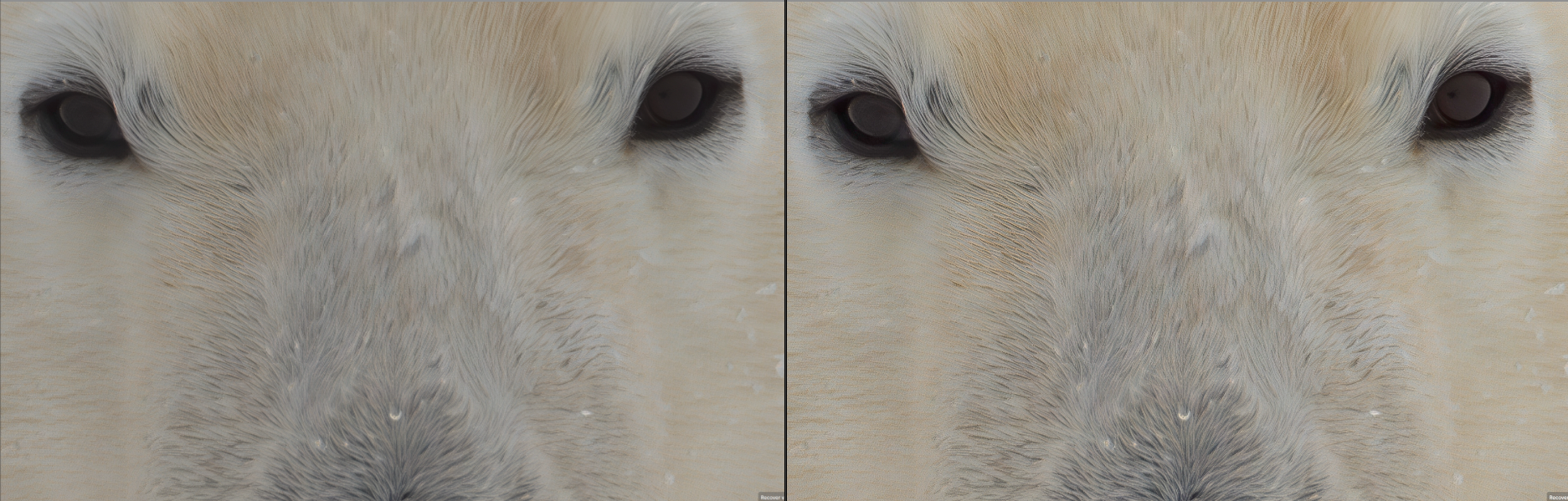
The attached is a comparison. ON1 in High mode resize and Gigapixel in Recover. It was very difficult to compare because even after Gigapixel trial was invoked (new email, like an easter egg hunt because Topaz does not refund after 2 days, but gigapixel ai 2025 does without allowing export) it did not allow export to a file, so its a screenshot. ON1 was easy to use for a month, but has a steep learning curve (gigapixel too) - fortunately AI was my guide in choosing settings. On an old computer (2017 Imac) either would be frustrating (20mins, no practical preview).

Note the picture started from an exteme crop (same as above) of a 17mpx 7d, and was resized (about 3.7x) to 10,000 pixels long. I have it printed on the wall years ago at 48x32 canvas (without upscaling) but if you get within 1.5' it bugs me to see lack of detail.

My observations:
[I just bought mac m4 studio / 32bd / 512GB SSD. I ran on a 2800mb/s TB3 external]
1) Gigapixel and Topaz took comparable times ~10 minutes at the highest resize. They both go faster in standard mode - under a minute but not much better than using LR resizing. Maximum resize is CPU based (ai created fur enhancements) vs standard (gpu faster) based. Thus standard is maybe 30s in either, likely similar to LR.
2) I think they are pretty close in results with
- ON1 being less adjustable, more true to original, way less cost perpetual upgrade every 3rd year makes it 40% of the cost.
- Gigapixel having the ability to adjust more invented detail, and more detail for rescue shots, but 2.5 times the cost
- They are both difficult to use. Long pauses, long renders, choices that are not well documented. In and out of LR/PS is difficult. It feels like a version 1 technology. I guess if you bought Topaz Photo Studio (includes video, upscaling and noise reduction) the $33usd/month (and drop LR to replace their dumb cataloging with Topaz dumb cataloging) would not be so bad a cost impact; but whatever catalog you get in you are creating huge friction for future change.

Absent price, I would go with Gigapixel $12usd/month because its more adjustable and can make more realistic ai, that make your picture look good.

But $12usd/month for 3 years is close to $600 cdn

And ON1 resize is about $120 cdn and perhaps $54 every 2nd year to update. For close to the same outcome at less than 1/2 the cost.

If I was selling prints, I would definitely get Topaz. Buyers don't care if you use AI as long as it looks real and very interesting on their wall. And you are an artist, not a recorder.

The reason I started this investigation is that my current 48x32 canvas is not good at 1' for loss of details and I want to recreate i. I am still debating but since I don't do more than maybe at most a dozen hero shots per year (sometimes none), $600 is hard to stomach. Topaz Studio( includes gigapixel) is still in the running for me because it includes video processing and I like to take a long burst at 30fps if something interesting happens and then Topaz could interpolate (add motion blur) many frames to 24fps slow motion (3s 24fps cinema on r7, 8s on R5ii).


Very tight crop from 17mpx, Comparing ON1 Left (High Quality ) to Gigipexal Right (Restore)


Apr 04, 2026 at 03:34 PM
Scott Stoness
Offline
• • • • • •
Upload & Sell: On
p.1 #9 · Hero Reach and Motion Blur - LR, Topaz, ON1, DXO, ..... For 45mpx R5ii and R7


A good video on Adobe upscale


concludes superzoom and generative upscale are even and based on preference
superzoom better for text and generative better for polished (removes blemishes, invents detail)
I quickly tried it on my polar bear and generative AI was better than supersize but not as good (significant gap) as ON1/Gigapixel.
I also tried it on photoshop giga and generative upscale - an quickly ran out of firefly credits, but from what I saw Gigapixel/ON1 standalone app's maximum upscale looks significantly better and photoshop limited upscaling to 6000 pixel long. But it was snappy response.

Edited on Apr 05, 2026 at 12:55 PM · View previous versions


Apr 05, 2026 at 11:50 AM
Scott Stoness
Offline
• • • • • •
Upload & Sell: On
p.1 #10 · Hero Reach and Motion Blur - LR, Topaz, ON1, DXO, ..... For 45mpx R5ii and R7


Gigapixel is now available in Photoshop. As is bloom (creative change as opposed to true).


Pretty good option vs buying Gigapixel or ON1 for one use. Can try 1 or 2 times before hitting give away credits.
Only ( ) enables 4x
But requires purchase of credits from Adobe. $13/month for 100-200 upscaled pic a month, I think. Effectively 1 month commitment but you have to cancel.
I don't think it gives as much power as the recovery in standalone Gigapixel (or ON1 standalone) but with only 2 free tries I was not able to test it very well.

Bloom is an Topaz upscaler - that is also by credit, that gives you a picture that is way away from real - eg it might make me look handsome

---------------

Based on my quick looks, ON1 upscaler is better for price and almost as good as Topaz Gigapixel upscaler, so if you are a infrequent user, try PS first, then buy ON1. If you don't consider $12/month a lot (I do) buying the Topaz Gigapixel subscription gives you more control, more magnification... buy it.


Apr 05, 2026 at 12:36 PM


FM Forums | Canon Forum | Join Upload & Sell


Welcome back
Log in to your account