fredmiranda.com
Login

Moderated by: Fred Miranda
  New fredmiranda.com Mobile Site
  New Feature: SMS Notification alert
  New Feature: Buy & Sell Watchlist
  

FM Forums | Leica & Alternative Gear | Join Upload & Sell

       2       3              5       6       end
  

"Leica Looks" for All


Fred Miranda
Offline
Admin
Upload & Sell: On
p.1 #1 · "Leica Looks" for All


"Leica Looks" for All
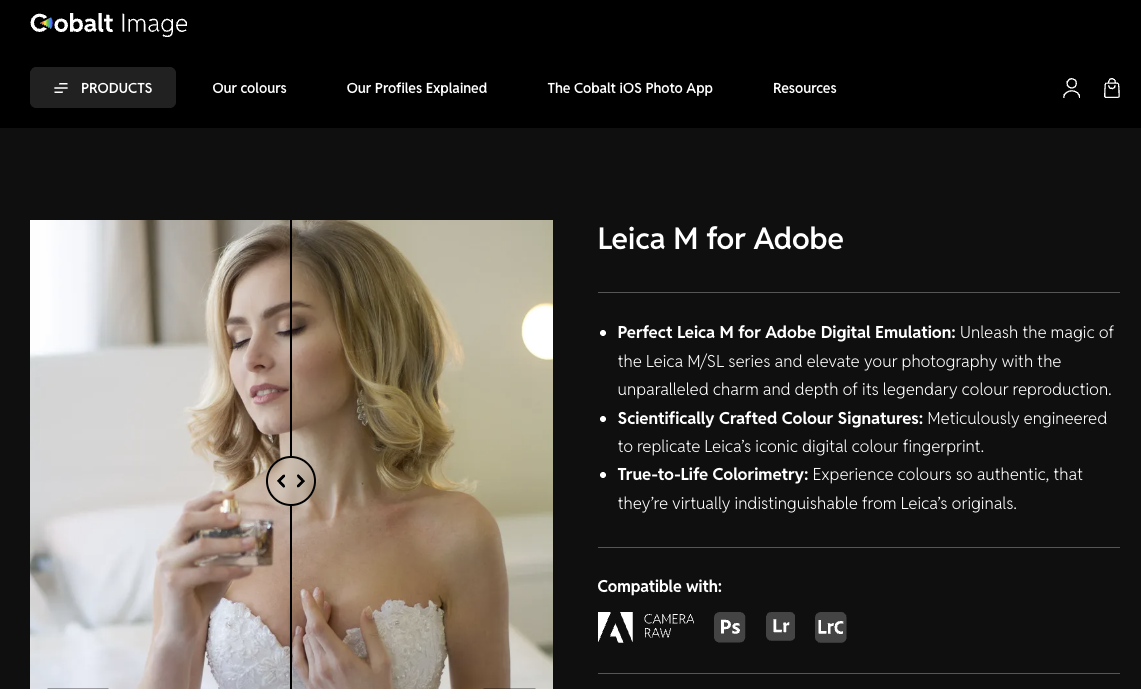
Cobalt Profiles just released a new set called "Leica M" V3, and it's a pretty big deal.

This set includes profiles that replicate all current "Leica Looks" that, until now, were exclusive to cameras like the Leica Q3 and SL3 through the FOTOS app. With this release, those same looks can now be used on any digital camera supported by a Cobalt base profile.

For example, if you own a Leica M10 or M11, you can now apply these Leica Looks directly to your DNG files in Lightroom or Capture One. The same applies if you are shooting with other supported cameras such as Sony, Canon, Fuji, etc...

The Leica Looks included in this set are: Bleach, Blue, Brass, BW HC, BW NAT, Chrome, Classic, Contemporary, Eternal, Greg Williams, Natural, Selenium, Sepia, Teal and Vivid.

Also, the package also includes profiles that mimic: Leica M9 color and B&W native output, Leica M10-R color and B&W native output.

I think this is huge. It greatly expands creative options and effectively gives photographers a whole new set of "recipes" to work with during editing, regardless of camera system.

More details here:
https://www.cobalt-image.com/product/leica-m-for-adobe/


Dec 14, 2025 at 07:01 PM
brick33308
Offline
• • •
Upload & Sell: On
p.1 #2 · "Leica Looks" for All


thanks I'm interested but saw this informational note and am unclear what it's about, and I didn't see a separate base pack item to purchase. I want to use these profiles on images from my M11P.

For our modular emulations to work, you must have the BASE Profiles for your specific camera model installed. These emulations depend on the foundational data from these profiles. Without them, you won’t be able to use our emulations.


Dec 14, 2025 at 08:04 PM
RichardPhota
Offline

Upload & Sell: Off
p.1 #3 · "Leica Looks" for All


Thanks for sharing. It’s going to be so interesting to see the different options we could potentially use even on non-leica cameras.


Dec 14, 2025 at 08:33 PM
retrofocus
Offline
• • • • • •
Upload & Sell: Off
p.1 #4 · "Leica Looks" for All


Getting my bag of popcorn ready to see future posts in this thread what the Leica look is.....


Dec 14, 2025 at 08:53 PM
Fred Miranda
Offline
Admin
Upload & Sell: On
p.1 #5 · "Leica Looks" for All


brick33308 wrote:
thanks I'm interested but saw this informational note and am unclear what it's about, and I didn't see a separate base pack item to purchase. I want to use these profiles on images from my M11P.

For our modular emulations to work, you must have the BASE Profiles for your specific camera model installed. These emulations depend on the foundational data from these profiles. Without them, you won’t be able to use our emulations.


I believe that first, you must have the base profile for your camera installed. You can find it under "Choose an option".

https://www.cobalt-image.com/product/adobe-base-pack/


Dec 14, 2025 at 10:44 PM
Mitch Alland
Offline
• • •
Upload & Sell: Off
p.1 #6 · "Leica Looks" for All


Fred Miranda wrote:
Cobalt Profiles just released a new set called "Leica M" V3, and it's a pretty big deal.

This set includes profiles that replicate all current "Leica Looks"...like the Leica Q3 and SL3...For example, if you own a Leica M10 or M11, you can now apply these Leica Looks directly to your DNG files in Lightroom...The Leica Looks included in this set are: Bleach, Blue, Brass, BW HC, BW NAT, Chrome, Classic, Contemporary, Eternal, Greg Williams, Natural, Selenium, Sepia, Teal and Vivid...Also, the package also includes profiles that mimic: Leica M9 color and B&W native output, Leica M10-R color and B&W
...Show more

I agree, this is huge if you want to mimic a certain Leica look, like that of, say, an M9 or an SL3 — and to apply a uniform look from various other cameras.

However, (for color photography) I am looking at this from the context of already using Cobalt-Image profiles for my M10, GR4x and GRDiv cameras, for which I have the base profiles — and to which I apply, almost exclusively, the Cobalt Elite Kodak Portra800 NB profile. Liking this Portra800 profile, I don't see the advantage of my getting this Leica M v3 package.

For B&W, I sometimes use Cobalt Neopan, TriX or TMax profiles or the Nik Silver Efex Lightroom plugin. Perhaps, for B&W, some of the Leica M v3 Monochrom could be more useful for me, such as M9 BW High or SL3 BW Selenium.

@Fred Miranda - What do you think?


Dec 14, 2025 at 11:23 PM
Tarekith
Offline
• •
Upload & Sell: Off
p.1 #7 · "Leica Looks" for All


Finally, woo hoo!


Dec 15, 2025 at 10:23 AM
RustyBug
Offline
• • • • • • •
Upload & Sell: On
p.1 #8 · "Leica Looks" for All


Fred Miranda wrote:
I believe that first, you must have the base profile for your camera installed. You can find it under "Choose an option".

https://www.cobalt-image.com/product/adobe-base-pack/


Does that mean a separate BASE purchase for EACH (different) camera you own?


Dec 15, 2025 at 10:40 AM
nhmorgan
Offline
• • •
Upload & Sell: On
p.1 #9 · "Leica Looks" for All


I gave these a spin this morning. I REALLY like them on the Sony base pack. The M10r embedded and M9 Embedded are probably my favorites. It works wonders on some woodland shots with a Sony A1ii. I really struggle with the green rendering on that camera, and this pack makes the greens so much more true to life. I've mostly been using the Nikon pack with that camera and like the results better than any of the Sony profiles in LR. I think these might be my new go-to, though. I don't know whether these profiles are super accurate to the cameras they are trying to reproduce (I don't feel like they are for the Nikon profiles), but I like using these cobalt profiles as just another color palette to work with that does a great job expanding the range of any camera.


Dec 15, 2025 at 11:05 AM
Marcus Stein
Offline

Upload & Sell: Off
p.1 #10 · "Leica Looks" for All


RustyBug wrote:
Does that mean a separate BASE purchase for EACH (different) camera you own?


Seems like it from my understanding.
For example, if you have Nikon Zf (like I do), you go purchase base pack for that first (44 pounds).
And then whatever the look/simulation you like, you add that (another 54 pounds).

I don't think it's worth the price though.

There is a way to circumvent the Leica look restrictions to certain camera profiles/shots.
You can put the photos taken from whatever the cameras in the folder of "Leica" in your phone, and then it will show up at Leica Foto gallery, then you can apply whatever the look you like to it.


Dec 15, 2025 at 11:13 AM


Search in Used Dept. 

Fred Miranda
Offline
Admin
Upload & Sell: On
p.1 #11 · "Leica Looks" for All


Marcus Stein wrote:
There is a way to circumvent the Leica look restrictions to certain camera profiles/shots.
You can put the photos taken from whatever the cameras in the folder of "Leica" in your phone, and then it will show up at Leica Foto gallery, then you can apply whatever the look you like to it.


Marcus Stein wrote:
There is a way to circumvent the Leica look restrictions to certain camera profiles/shots.
You can put the photos taken from whatever the cameras in the folder of "Leica" in your phone, and then it will show up at Leica Foto gallery, then you can apply whatever the look you like to it.


I wouldn't call this dishonest, but it's definitely exploiting a loose door that Leica left unlocked. Leica restricts those Looks to specific cameras on purpose, so this method goes against their intended use and could easily stop working with a future app update.

It's also worth keeping in mind that this isn't the same as using proper camera profiles. Files from other cameras are not actually tuned for these Looks, so using your method, results can be hit or miss. Sometimes it looks great, sometimes it doesn't.

With Cobalt, you are working from a base profile that's specifically fine tuned for your camera sensor, and then the Leica Looks are built on top of that standard. The results are much more reliable and consistent.

I tried this on a couple of images this morning and liked some of the Leica Looks, but I often prefer dialing them back to around 75%. Lightroom makes that easy with the amount slider. In some cases the Leica Looks profiles can be a bit strong, and I appreciate having the option to tone them down. That's something you can't do with native Leica Looks on Q3 or SL3 files. With those, you get the look as is, whether it's perfect or a little too much.


Dec 15, 2025 at 11:56 AM
Fred Miranda
Offline
Admin
Upload & Sell: On
p.1 #12 · "Leica Looks" for All


RustyBug wrote:
Does that mean a separate BASE purchase for EACH (different) camera you own?


Yes, you do need a separate base profile for each camera you own. That's what ensures the Leica Looks (or any other Cobalt profiles) are accurate and consistent for your specific sensor...but I'll admit, it can get a bit pricey if you own a ton of cameras and want this to work with all of them.


Dec 15, 2025 at 11:57 AM
Marcus Stein
Offline

Upload & Sell: Off
p.1 #13 · "Leica Looks" for All


Fred Miranda wrote:
Yes, you do need a separate base profile for each camera you own. That's what ensures the Leica Looks (or any other Cobalt profiles) are accurate and consistent for your specific sensor...but I'll admit, it can get a bit pricey if you own a ton of cameras and want this to work with all of them.


I just counted my digital inventory: Leica M11-P, M10-R, SL3-S, Q3/43, Nikon D850, Nikon Zf, Fuji X-T50
One profile for each camera?! Hell no, I would go bankrupt.


Dec 15, 2025 at 01:17 PM
johnvanr
Offline
• • • • •
Upload & Sell: On
p.1 #14 · "Leica Looks" for All


Marcus Stein wrote:
I just counted my digital inventory: Leica M11-P, M10-R, SL3-S, Q3/43, Nikon D850, Nikon Zf, Fuji X-T50
One profile for each camera?! Hell no, I would go bankrupt.


Same for me. On the other hand, maybe we can just buy one camera and then use the Leica profiles and get that Leica look for cheap. If only I knew what the Leica look actually was.


Dec 15, 2025 at 02:29 PM
ariviere80
Offline

Upload & Sell: Off
p.1 #15 · "Leica Looks" for All


I have seen the “looks” thru the fotos app on my jpeg files. I always end up going back to the classic base look. I don’t believe there’s a way to apply them to the DNG file, but I haven’t dug too deep. What I have noticed is that when I apply the base Leica profile in Lightroom (under legacy) that image starts off far more magenta than the one that the fotos app applies to the jpegs.


Dec 15, 2025 at 02:53 PM
chez
Online
• • • • • • •
Upload & Sell: Off
p.1 #16 · "Leica Looks" for All


johnvanr wrote:
Same for me. On the other hand, maybe we can just buy one camera and then use the Leica profiles and get that Leica look for cheap. If only I knew what the Leica look actually was.


Why not just create the “Johnvanr look” rather than trying to have a look like everyone else. Put your own stamp on your images…not what others are doing.


Dec 15, 2025 at 03:03 PM
Fred Miranda
Offline
Admin
Upload & Sell: On
p.1 #17 · "Leica Looks" for All


Marcus Stein wrote:
I just counted my digital inventory: Leica M11-P, M10-R, SL3-S, Q3/43, Nikon D850, Nikon Zf, Fuji X-T50
One profile for each camera?! Hell no, I would go bankrupt.


I'd start with just one camera outside your Q3/SL3 since that already gets free support through FOTOS. Try it out, and if you like it, you can always add other cameras later...or not.


Dec 15, 2025 at 04:08 PM
SrMi
Offline
• •
Upload & Sell: Off
p.1 #18 · "Leica Looks" for All


Marcus Stein wrote:
I just counted my digital inventory: Leica M11-P, M10-R, SL3-S, Q3/43, Nikon D850, Nikon Zf, Fuji X-T50
One profile for each camera?! Hell no, I would go bankrupt.


If you go bankrupt, it will be because of the cost of the camera bodies, not the base packs .
Just saying, as someone who has bought about 50 base packs ... ouch, I did not know I have/had so many cameras.


Dec 15, 2025 at 04:51 PM
SrMi
Offline
• •
Upload & Sell: Off
p.1 #19 · "Leica Looks" for All


Mitch Alland wrote:
I agree, this is huge if you want to mimic a certain Leica look, like that of, say, an M9 or an SL3 — and to apply a uniform look from various other cameras.


Leica Looks are more akin to Fuji film simulations or LUTs for Panasonic cameras


However, (for color photography) I am looking at this from the context of already using Cobalt-Image profiles for my M10, GR4x and GRDiv cameras, for which I have the base profiles — and to which I apply, almost exclusively, the Cobalt Elite Kodak Portra800 NB profile. Liking this Portra800 profile, I don't see the advantage of my getting this Leica M v3 package.

For B&W, I sometimes use Cobalt Neopan, TriX or TMax profiles or the Nik Silver Efex Lightroom plugin. Perhaps, for B&W, some of the Leica M v3 Monochrom could be more useful for me, such as M9 BW High
...Show more


Dec 15, 2025 at 04:54 PM
johnvanr
Offline
• • • • •
Upload & Sell: On
p.1 #20 · "Leica Looks" for All


chez wrote:
Why not just create the “Johnvanr look” rather than trying to have a look like everyone else. Put your own stamp on your images…not what others are doing.


My post was actually sarcasm. I like the rendering of certain lenses, but don’t believe in a Leica look.


Dec 16, 2025 at 02:35 AM
       2       3              5       6       end


FM Forums | Leica & Alternative Gear | Join Upload & Sell

       2       3              5       6       end


Welcome back
Log in to your account