I recently picked up an A1ii after using the A1 for the last few years. I’m trying to shoot my wife at her horse show and I’m struggling/disappointed with the tracking. First, it has a hard time locking on to her head, not sure the helmet is an issue or not. Then, when she goes behind a jump, it locks onto the jump. It’s set on human and ‘locked’ etc but. I’m either missing something in the settings or this a step down from the A1. Any help appreciated.
I get the same result. As soon as the horse goes behind a jump it locks onto the jump and I have to reacquire focus. I never had these issues with the A1. Very disappointing
You could look at your Focus> AF/MF settings. Play with the AF Level for Crossing settings. If it's loosing the rider in lieu of the jump obstacle (crossing) you might need to bump the sensitivity up to 1 (Locked on).....
Never use tracking. Just use Wide and subject detection.
Tracking will lock on to the pattern under the focus box and stick with the pattern. So when combined with a subject detection mode it will lock on to whatever shape/pattern is under the focus box when the AF-ON is pressed if it is unable to detect a subject.
So when your person disappears behind something the camera will then lock on to whatever it is that is in the focus box, e.g. the jump itself and then stick to it.
Sony "Tracking" modes should not be interpreted as tracking the subject. Typically this mode is used for tracking a "product" or feature when shooting a product commercial or landscape or building etc. where you want the keep the focus on some point in the scene and then recompose the scene.
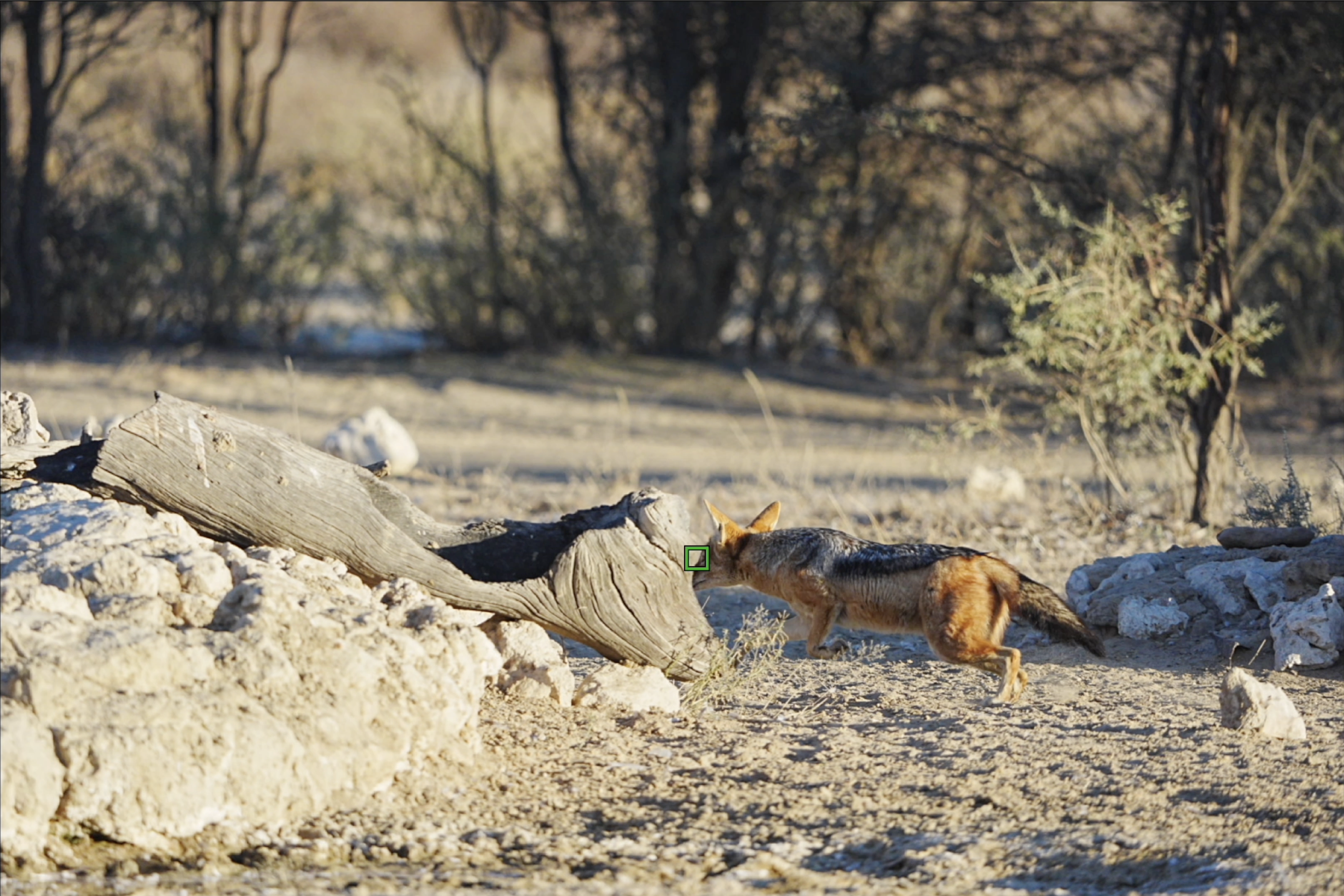
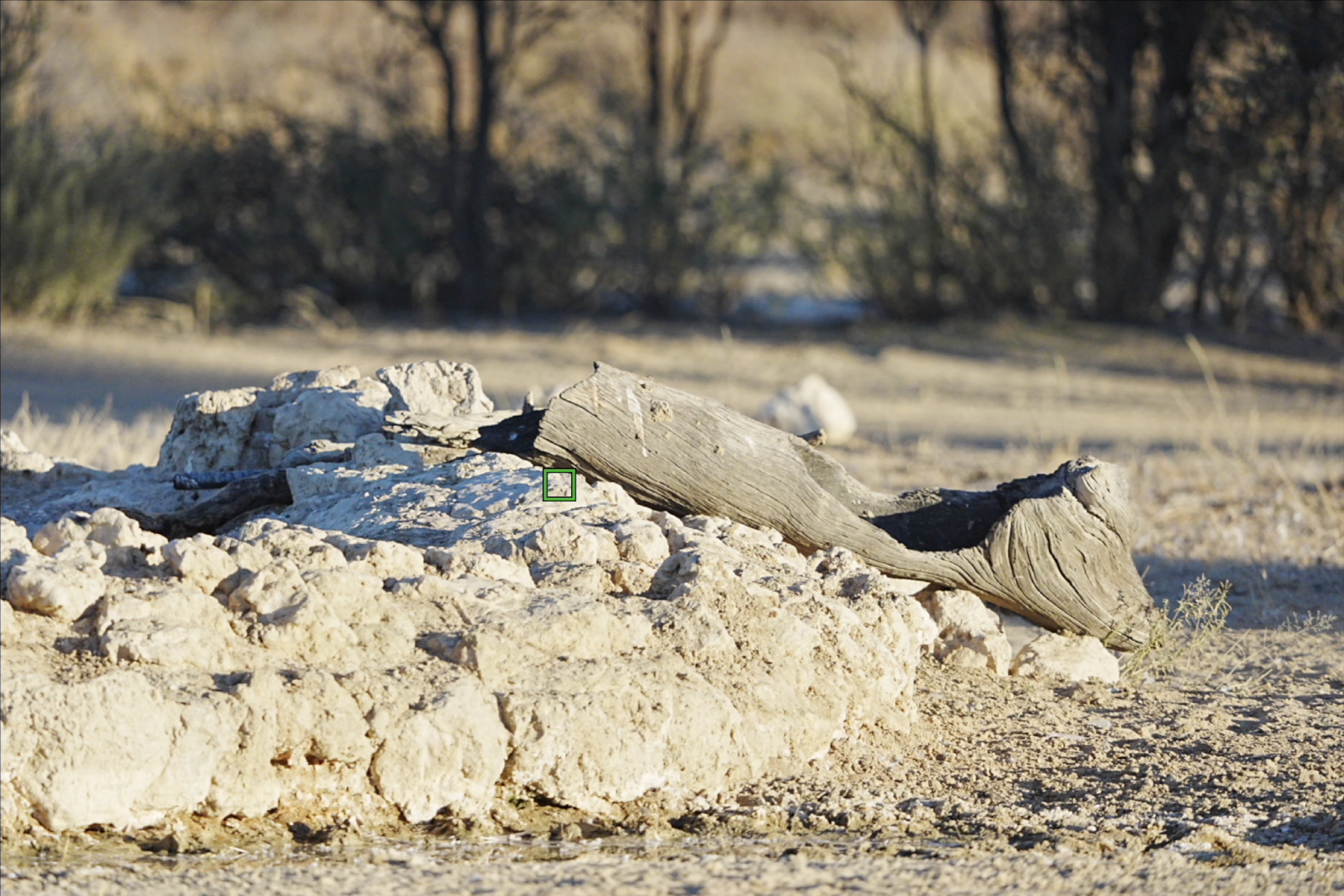
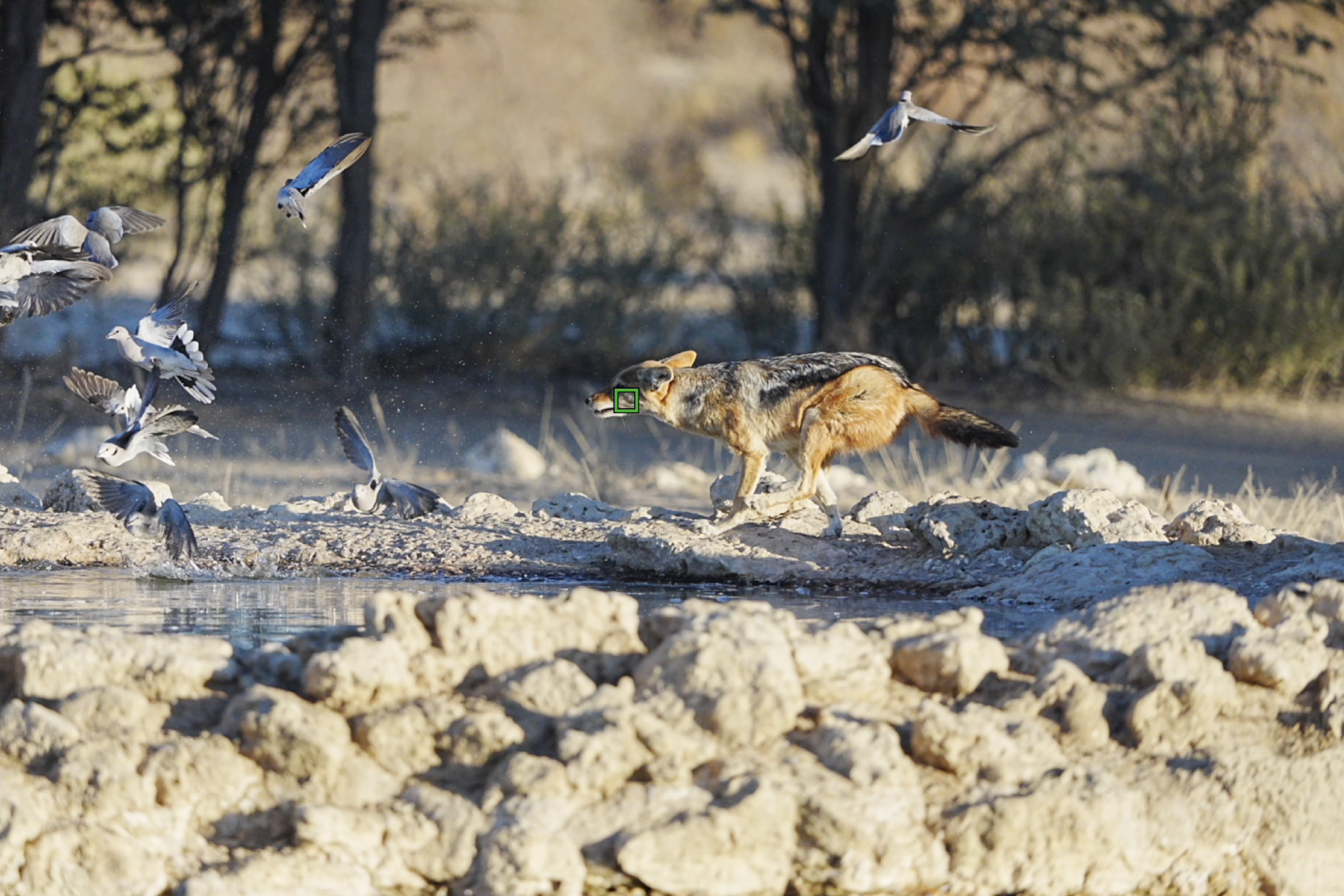
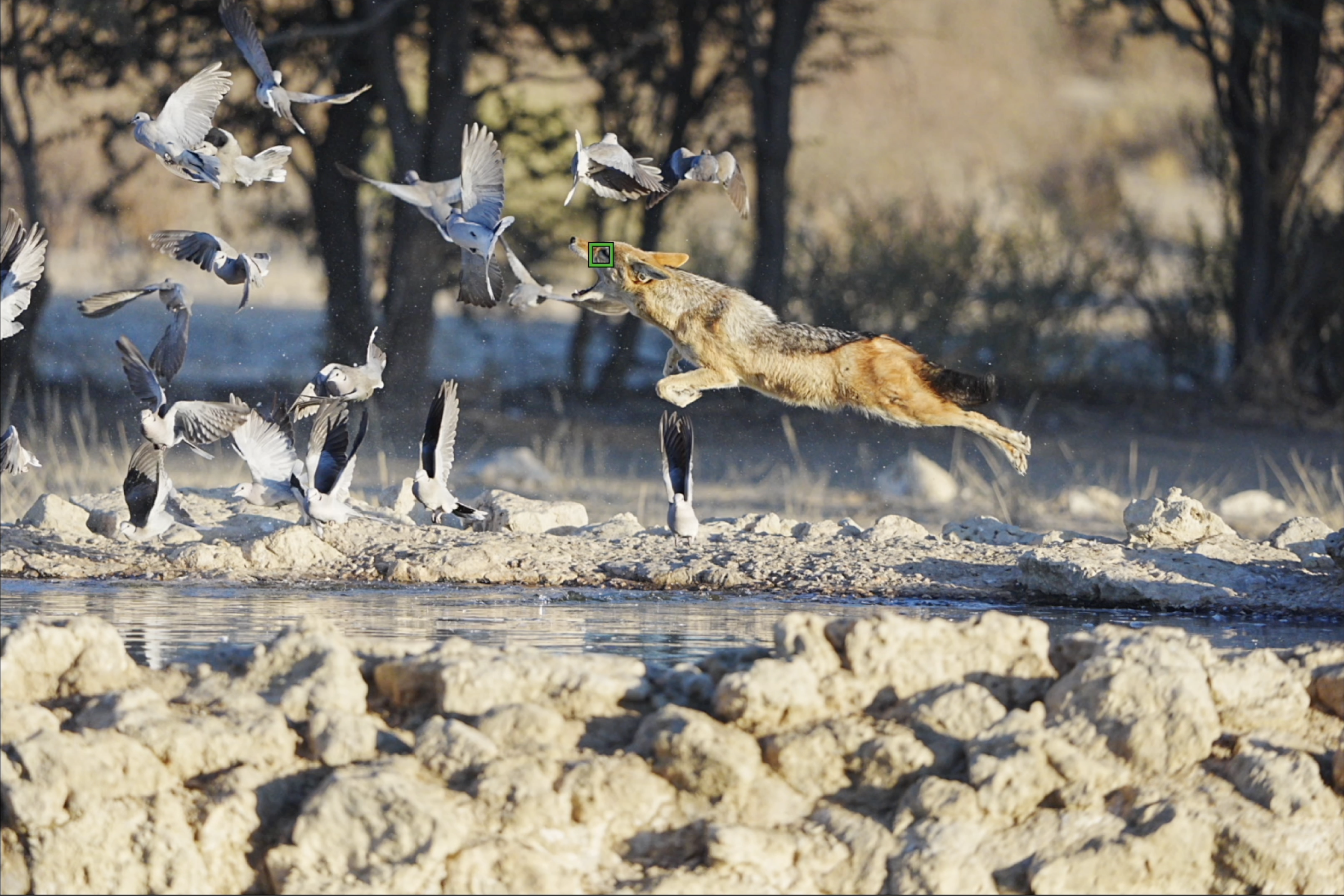
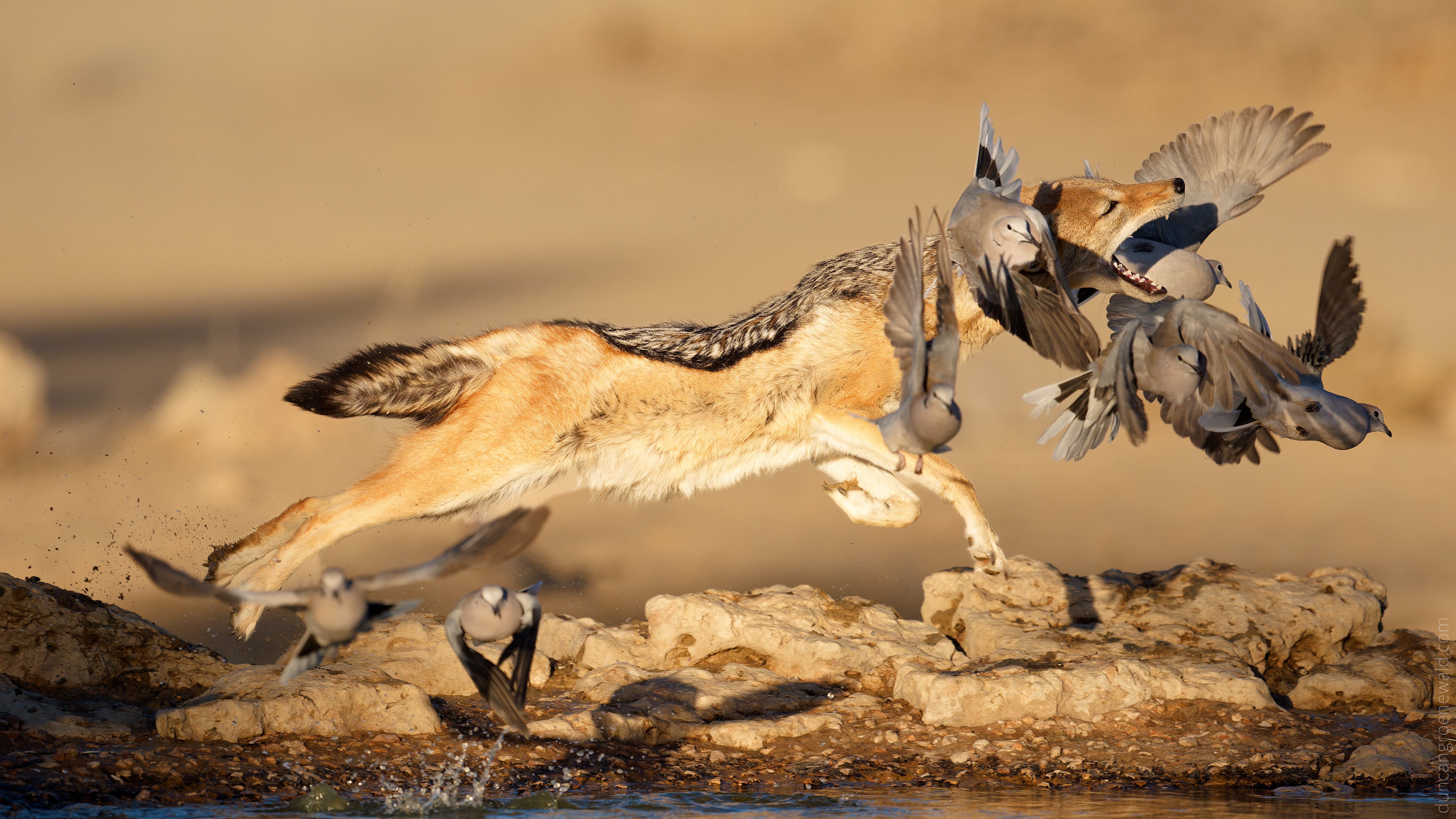
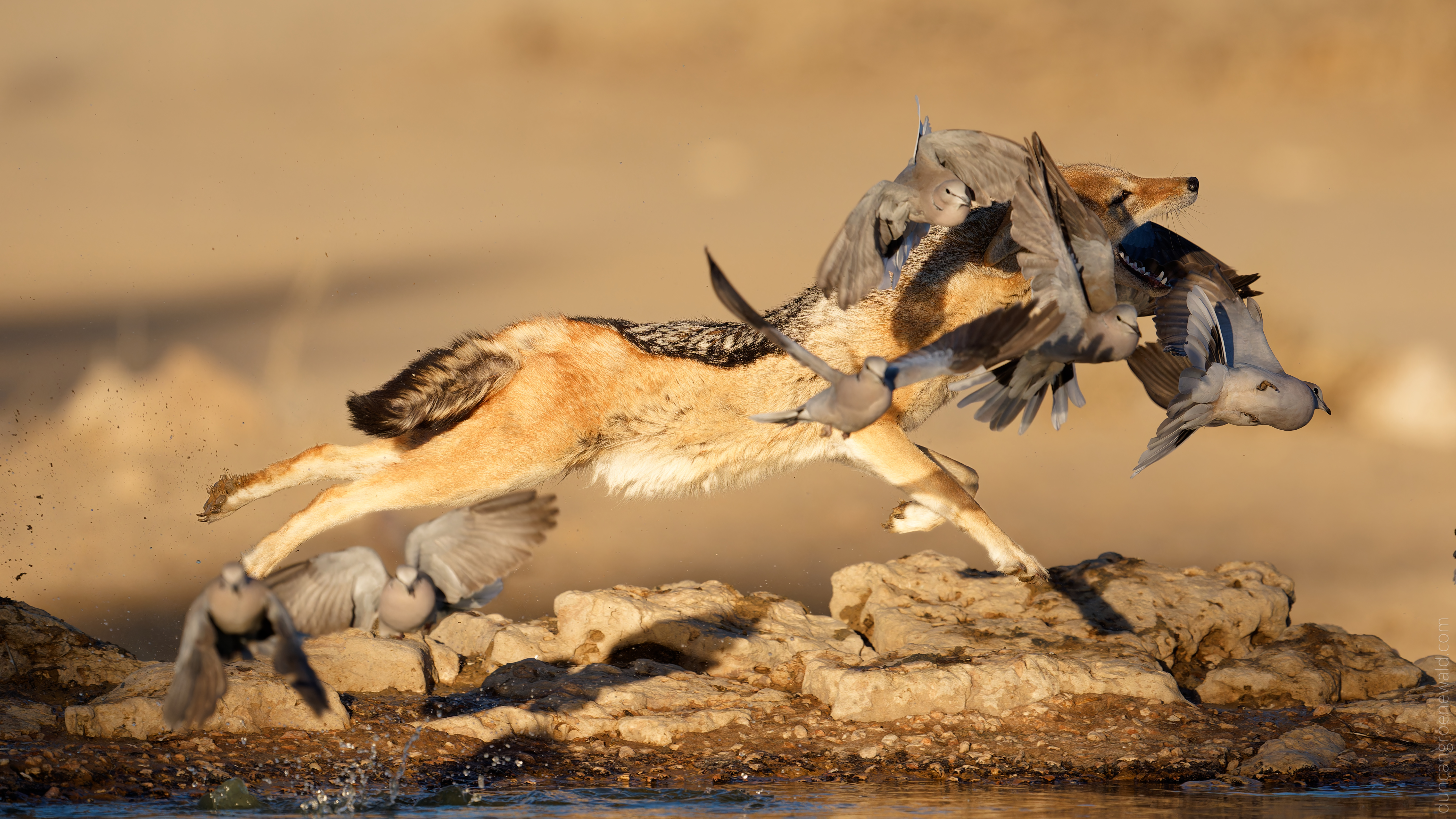
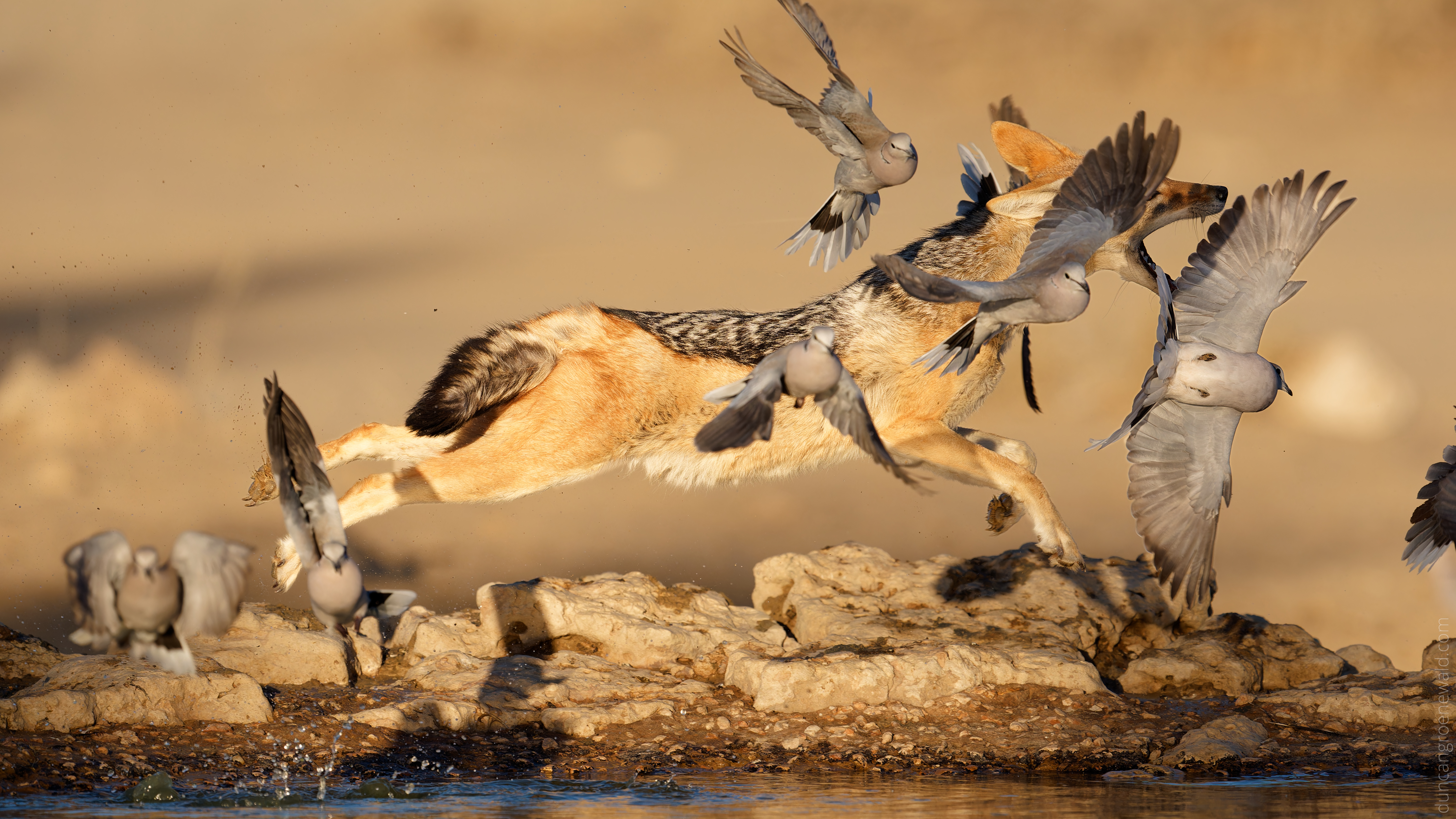
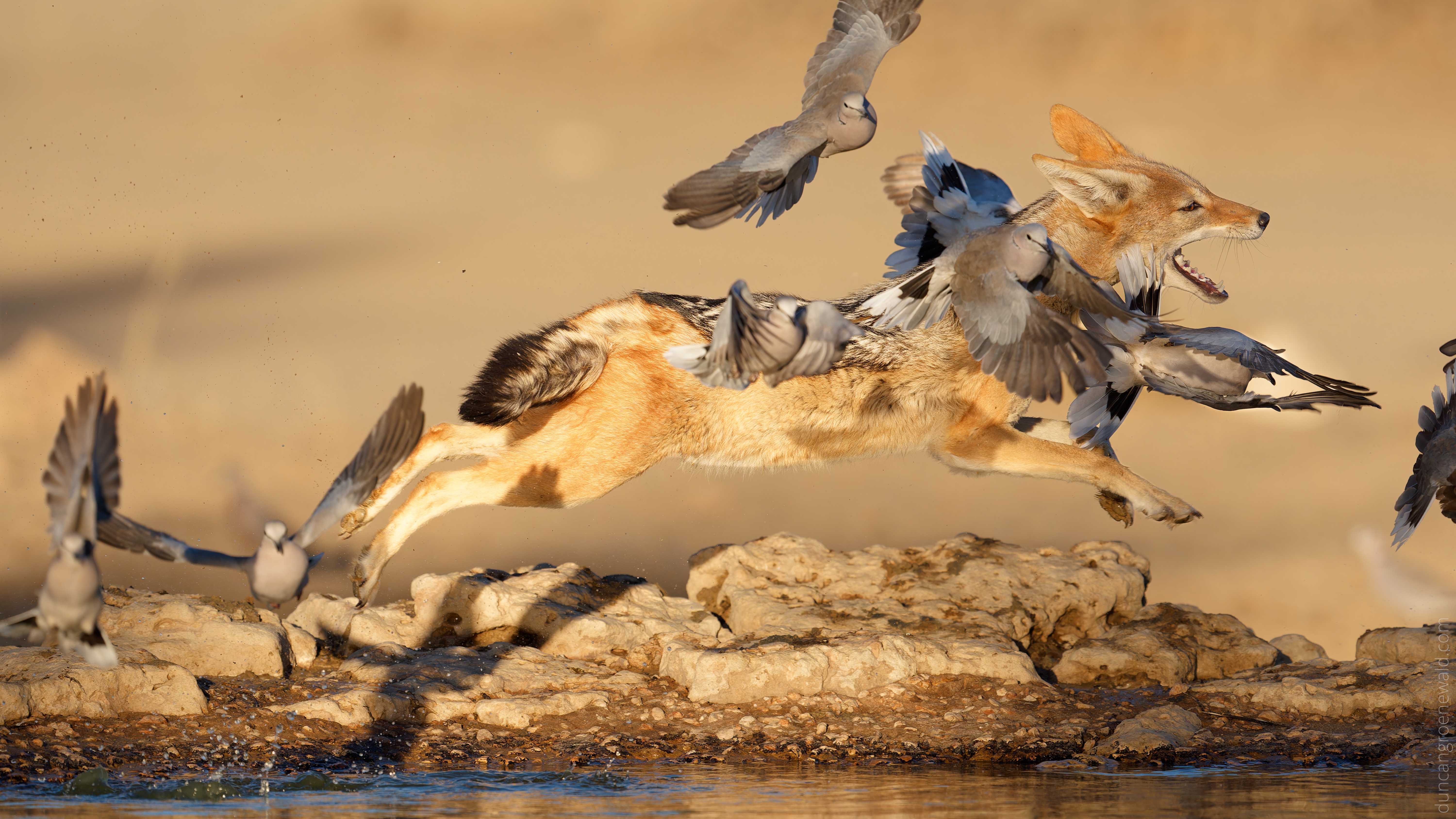
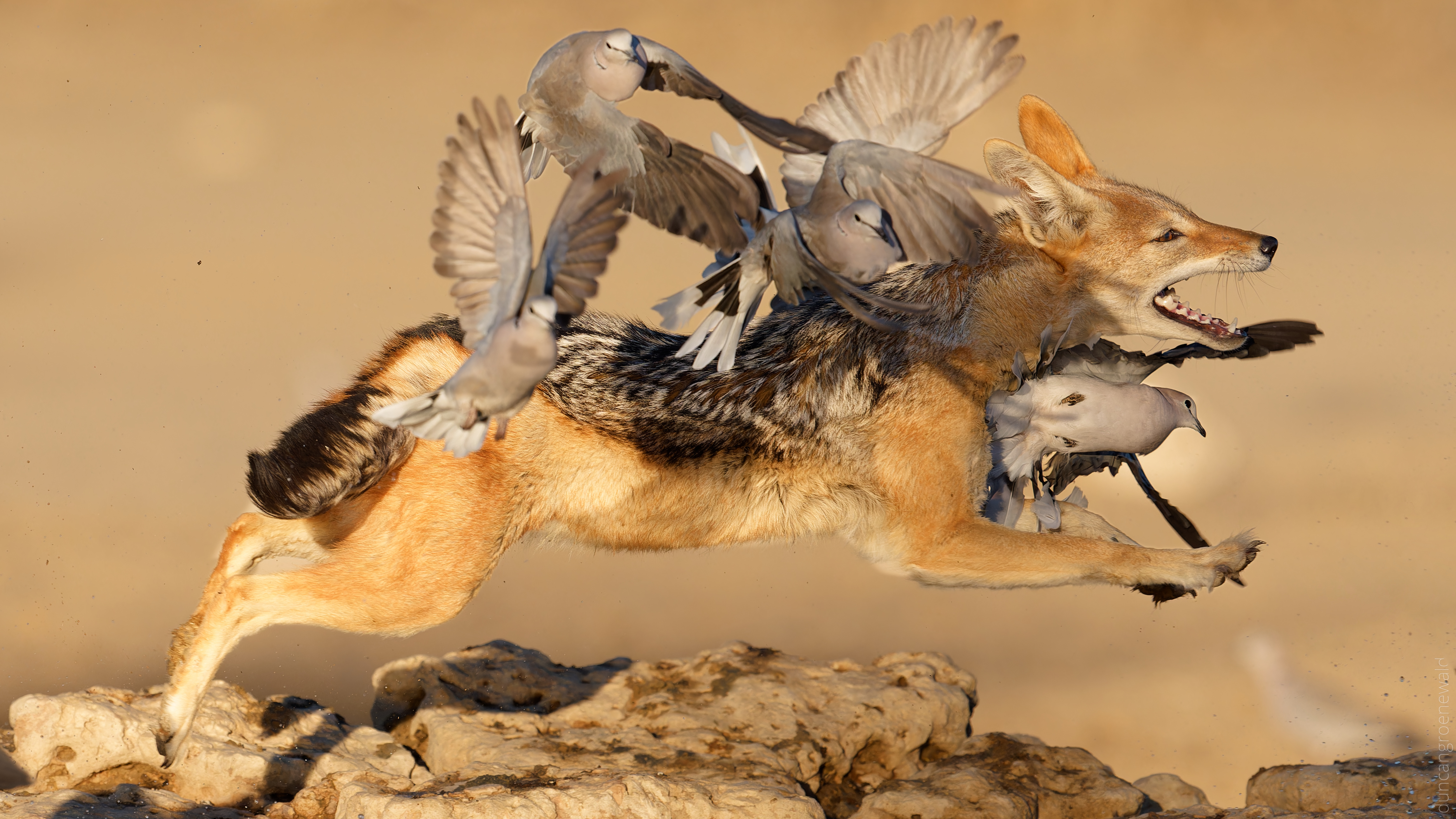
Here is an example of some screen shots of a few frames from a sequence showing the focus point. This with the A9iii but in my testing the A1ii seems to be very similar and should work fine for slower subjects like a horse rider.
I have some similar ones from the A1ii I can find if you are interested. In my limited testing is seemed to be better than the A1 at sticking with the subject.
In this example is the subject recognition set to animal only? If set to auto or bird/animal wouldn't it jump to the launching birds perhaps?
duncangr wrote:
Never use tracking. Just use Wide and subject detection.
Tracking will lock on to the pattern under the focus box and stick with the pattern. So when combined with a subject detection mode it will lock on to whatever shape/pattern is under the focus box when the AF-ON is pressed if it is unable to detect a subject.
So when your person disappears behind something the camera will then lock on to whatever it is that is in the focus box, e.g. the jump itself and then stick to it.
Sony "Tracking" modes should not be interpreted as tracking the subject. Typically this mode is used for tracking a "product" or feature when shooting a product commercial or landscape or building etc. where you want the keep the focus on some point in the scene and then recompose the scene.
Here is an example of some screen shots of a few frames from a sequence showing the focus point. This with the A9iii but in my testing the A1ii seems to be very similar and should work fine for slower subjects like a horse rider.
I have some similar ones from the A1ii I can find if you are interested. In my limited testing is seemed to be better than the A1 at sticking with the subject....Show more →
James Burden wrote:
In this example is the subject recognition set to animal only? If set to auto or bird/animal wouldn't it jump to the launching birds perhaps?
It is set to animal not auto.
This is one of the key differences between the Nikons and Sony. There were two pro's and a client shooting Nikons over the same period and the Nikons always front focus on the birds unless the original subject is never obscured by anything. 100% of the time - very frustrating for them.
There is no way to set animal only on the Nikons.
Check my YouTube videos and you will see that eventually it does loose the subject but by then the images wouldn't be any good anyway.
I’m going to have to try turning tracking off. Subjectively the the difference between the A1 and A1 II hasn’t blown me away but hopefully it’s a matter of dialing in the settings.
James Burden wrote:
You could look at your Focus> AF/MF settings. Play with the AF Level for Crossing settings. If it's loosing the rider in lieu of the jump obstacle (crossing) you might need to bump the sensitivity up to 1 (Locked on).....
Something to note: 1 (Locked On) probably doesn't mean what you think it means. It means it locks onto only the visual appearance of the subject you initially focus on. This keeps the camera from refocusing if something moves in front of that subject.
It does NOT mean it holds overall focus better on a moving subject. In fact, it'll do worse if a subject is moving toward/away from you. It will refuse to change focus until the subject moves a significant distance (significant meaning starting to move OOF).
5 (Responsive) works best in terms of actual tracking, and lets the AF move as fast as the setup is capable of, without limitation. This also includes instantly switching focus to anything that lands between you and your subject. 3 is default because it's a good balance for most situations. The only reason to drop to a lower number would be for sports, and situations where you know something will move in front of your subject for more than a split second.
Could you post a link to your YT videos please? Thanks!
duncangr wrote:
It is set to animal not auto.
This is one of the key differences between the Nikons and Sony. There were two pro's and a client shooting Nikons over the same period and the Nikons always front focus on the birds unless the original subject is never obscured by anything. 100% of the time - very frustrating for them.
There is no way to set animal only on the Nikons.
Check my YouTube videos and you will see that eventually it does loose the subject but by then the images wouldn't be any good anyway.
BlueBomberTurbo wrote:
Something to note: 1 (Locked On) probably doesn't mean what you think it means. It means it locks onto only the visual appearance of the subject you initially focus on. This keeps the camera from refocusing if something moves in front of that subject.
It does NOT mean it holds overall focus better on a moving subject. In fact, it'll do worse if a subject is moving toward/away from you. It will refuse to change focus until the subject moves a significant distance (significant meaning starting to move OOF).
5 (Responsive) works best in terms of actual tracking, and lets the AF move as fast as the setup is capable of, without limitation. This also includes instantly switching focus to anything that lands between you and your subject. 3 is default because it's a good balance for most situations. The only reason to drop to a lower number would be for sports, and situations where you know something will move in front of your subject for more than a split second. ...Show more →
I think you are confused - it does mean the camera will stay locked on to the current subject better even if it is moving towards/away from you. The Locked On applies when the subject is obscured or leaves the frame - otherwise is will stay focussed on the subject. Check my videos of swallows and lanner falcons coming straight toward the camera - Locked On does not prevent the camera from staying focussed on to these subjects.
From the Manual
Select [5(Responsive)] when you want to quickly focus on the crossing subject if another subject crosses between the
camera and the subject, or when you want to quickly focus on another subject in the focus area if the subject goes out of
the focus area.
Select [1(Locked on)] when you want to keep focusing on the subject if another subject crosses between the camera and
the subject, or when you want to keep focusing on the distance where the subject previously was if the subject goes out
of the focus area.