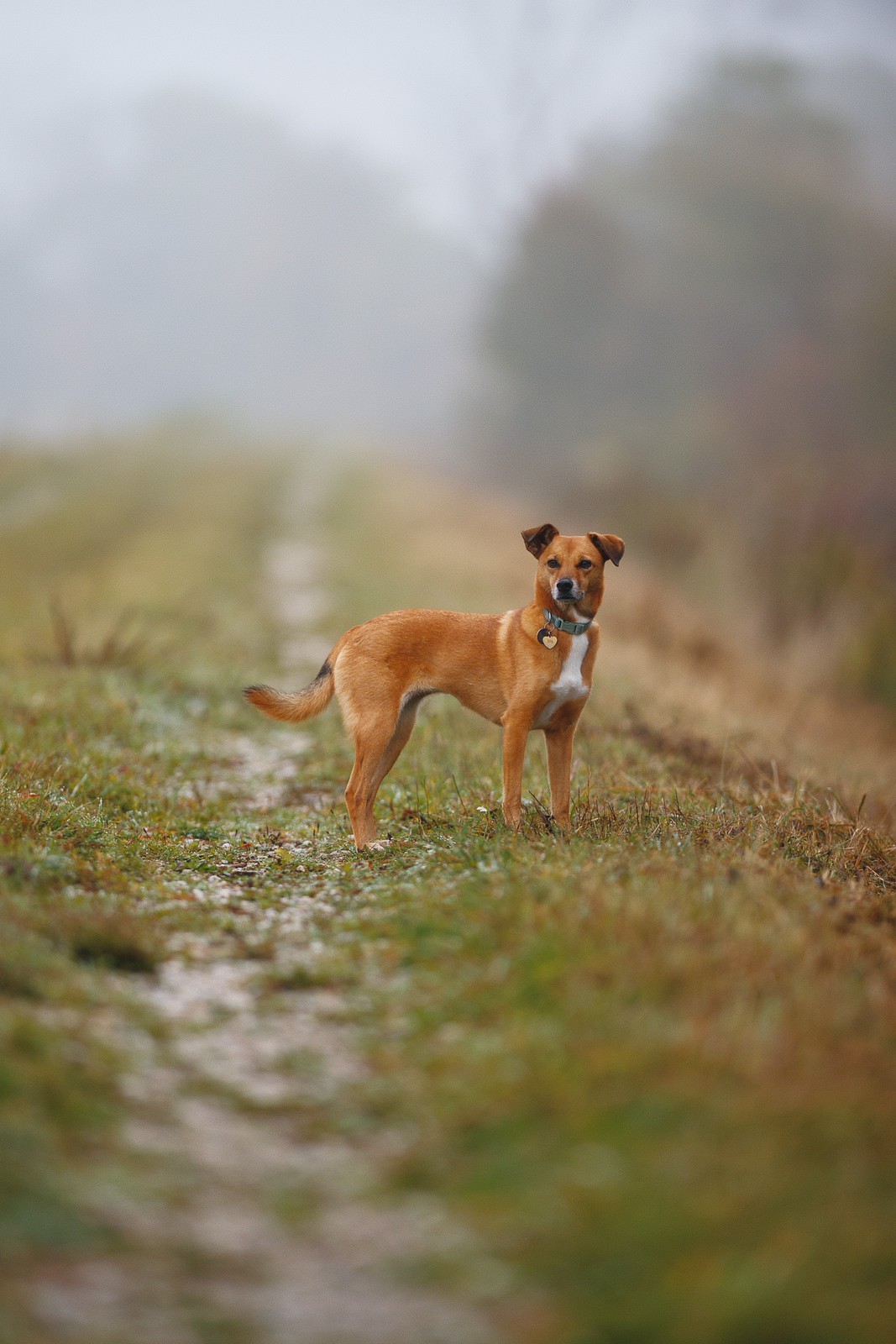
First two shots testing the new-to-me 300mm f2.8 VR II on the Zf. Surprisingly comfortable to hand-hold (I have a Neewer grip on the Zf). Surely nicer on a Z8 or Z9 or even a Z5II, but I didn't mind carrying the combo for 90 minutes or so.
Converted using a new version of my own film simulation app I've been working on over the last couple of weeks. It's an evolution of this project: https://github.com/andreavolpato/spektrafilm
Really cool project!!!
How many raw formats do you support?
fjablo wrote:
First two shots testing the new-to-me 300mm f2.8 VR II on the Zf. Surprisingly comfortable to hand-hold (I have a Neewer grip on the Zf). Surely nicer on a Z8 or Z9 or even a Z5II, but I didn't mind carrying the combo for 90 minutes or so.
Converted using a new version of my own film simulation app I've been working on over the last couple of weeks. It's an evolution of this project: https://github.com/andreavolpato/spektrafilm
fjablo wrote:
First two shots testing the new-to-me 300mm f2.8 VR II on the Zf. Surprisingly comfortable to hand-hold (I have a Neewer grip on the Zf). Surely nicer on a Z8 or Z9 or even a Z5II, but I didn't mind carrying the combo for 90 minutes or so.
Converted using a new version of my own film simulation app I've been working on over the last couple of weeks. It's an evolution of this project: https://github.com/andreavolpato/spektrafilm
gjoliver wrote:
Really cool project!!!
How many raw formats do you support?
Thanks! Currently it uses Apple's RAW conversion engine, so all cameras that are supported by Apple.
The really cool thing is that I can use the app's imaging pipeline to bake LUTs for Log formats and they replicate the film looks almost perfectly - which also means Panasonic cameras can actually shoot JPGs with these looks in-camera. I may have an S9 on the way to me right now..
---------------------------------------------
RoamingScott wrote:
That neopan look is nice!
Thanks! Also one of my favorites and so cool being able to "resurrect" films that are not available anymore, as long as there is a tech sheet available. I also have profiles for Kodachrome and Superia 1600 for example.
Can you say a bit more about:
“Panasonic cameras can actually shoot JPGs with these looks in-camera.”
??
What does this mean? You shoot LLog, and the camera will run your package and give you jpegs directly?
Thanks.
fjablo wrote:
Thanks! Currently it uses Apple's RAW conversion engine, so all cameras that are supported by Apple.
The really cool thing is that I can use the app's imaging pipeline to bake LUTs for Log formats and they replicate the film looks almost perfectly - which also means Panasonic cameras can actually shoot JPGs with these looks in-camera. I may have an S9 on the way to me right now..
---------------------------------------------
Thanks! Also one of my favorites and so cool being able to "resurrect" films that are not available anymore, as long as there is a tech sheet available. I also have profiles for Kodachrome and Superia 1600 for example....Show more →
gjoliver wrote:
Can you say a bit more about:
“Panasonic cameras can actually shoot JPGs with these looks in-camera.”
??
What does this mean? You shoot LLog, and the camera will run your package and give you jpegs directly?
Thanks.
The app basically takes the sensor data, transforms that into linear light and then runs its model according to the film's (and selected paper's!) response to wavelengths of light. In the end this creates a map from pixel input values to output values which can be encoded in a 3D LUT file to be used on N-Log, V-Log etc. as these also present the sensor data in linear light.
There's also official documentation for these Log formats, which is important so one doesn't have to guess around manufacturers color science differences.
There are some minor things that get lost in this translation, but the LUTs are 99% accurate in terms of color response.
Panasonic cameras have a feature called "real time LUT" which allows applying LUT files to picture styles for stills, not just video. And you can select V-Log as the basis this LUT should be applied to. So with a film stock LUT from my app + V-Log, I get the same results that you see above in live view and as out of camera JPG.
I would have loved - and tried hard - to achieve the same thing with Nikon's custom picture profiles, but it is impossible. While you can make nice profiles with that, Nikon only gives you access to a custom tone curve, basic HSL and global shadow / mids / highlight toning. The problem is that film has color and saturation shifts that are dependent on exposure (e.g. green might shift warm in the highlights, cool in the shadows) and Nikon does not allow you to link the two. So for Nikon, you'll be able to get the looks in-camera for video - once they allow custom LUTs for monitoring N-Log - but not for stills in the foreseeable future..
Thank you very much for the detailed explanation again!
Indeed, I love lumix’s realtime lut and am anxiously waiting for a new S9 that has evf to be launched.
I will give this program a try.
Much appreciated!
fjablo wrote:
The app basically takes the sensor data, transforms that into linear light and then runs its model according to the film's (and selected paper's!) response to wavelengths of light. In the end this creates a map from pixel input values to output values which can be encoded in a 3D LUT file to be used on N-Log, V-Log etc. as these also present the sensor data in linear light.
There's also official documentation for these Log formats, which is important so one doesn't have to guess around manufacturers color science differences.
There are some minor things that get lost in this translation, but the LUTs are 99% accurate in terms of color response.
Panasonic cameras have a feature called "real time LUT" which allows applying LUT files to picture styles for stills, not just video. And you can select V-Log as the basis this LUT should be applied to. So with a film stock LUT from my app + V-Log, I get the same results that you see above in live view and as out of camera JPG.
I would have loved - and tried hard - to achieve the same thing with Nikon's custom picture profiles, but it is impossible. While you can make nice profiles with that, Nikon only gives you access to a custom tone curve, basic HSL and global shadow / mids / highlight toning. The problem is that film has color and saturation shifts that are dependent on exposure (e.g. green might shift warm in the highlights, cool in the shadows) and Nikon does not allow you to link the two. So for Nikon, you'll be able to get the looks in-camera for video - once they allow custom LUTs for monitoring N-Log - but not for stills in the foreseeable future.. ...Show more →
gjoliver wrote:
Thank you very much for the detailed explanation again!
Indeed, I love lumix’s realtime lut and am anxiously waiting for a new S9 that has evf to be launched.
I will give this program a try.
Much appreciated!
Yes an S9II with EVF and better manual focus assist tools for M mount glass would be amazing!
I would still prefer to use the Zf most of the time though, so I’m a bit disappointed that I couldn’t get it to work on the Nikon.
And just to be clear: the GitHub project I linked provides the foundation in terms of the physics model in the pipeline, but it took substantial work on my end to get from there to the outputs above. And I haven’t published my app or the LUTs yet, but maybe will do so at some point. Feel like it still needs some polish and then it should also be a universal Mac, Windows, Linux thing, so need to change the RAW processor and programming language (currently swift & metal)..
As this is a picture thread, here's another one from the Zf made with the app, simulating Kodak Vision 3 500T:
fjablo wrote:
Yes an S9II with EVF and better manual focus assist tools for M mount glass would be amazing!
I would still prefer to use the Zf most of the time though, so I’m a bit disappointed that I couldn’t get it to work on the Nikon.
And just to be clear: the GitHub project I linked provides the foundation in terms of the physics model in the pipeline, but it took substantial work on my end to get from there to the outputs above. And I haven’t published my app or the LUTs yet, but maybe will do so at some point. Feel like it still needs some polish and then it should also be a universal Mac, Windows, Linux thing, so need to change the RAW processor and programming language (currently swift & metal)..
As this is a picture thread, here's another one from the Zf made with the app, simulating Kodak Vision 3 500T:
That is again a really lovely picture.
While you are trying to replicate LUTs with Nikon NP3, I once spent a little time trying to go the other direction.
I really liked how some of the Nikon imaging recipes look, and was hoping to replicate it with LUTs