p.16 #1 · Official Nikon Z 180-600mm f5.6-6.3 VR Image Thread
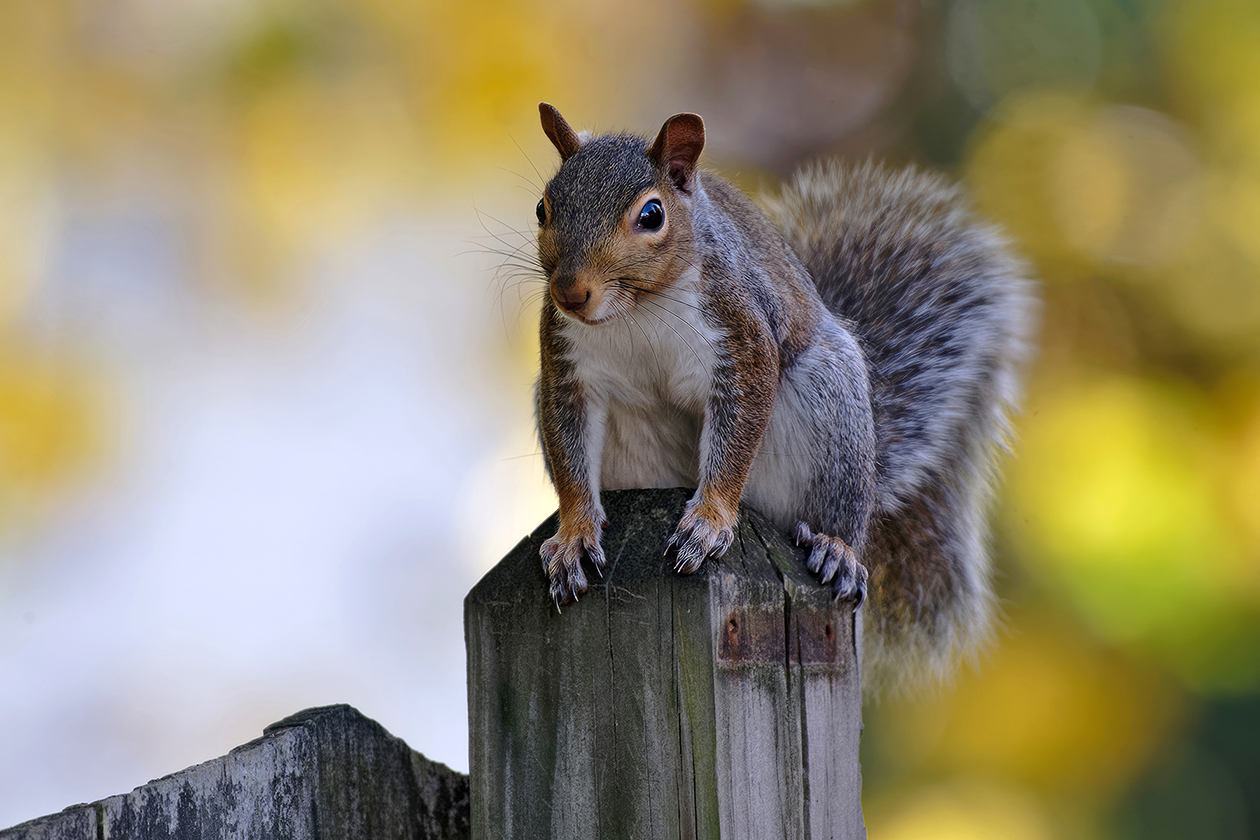
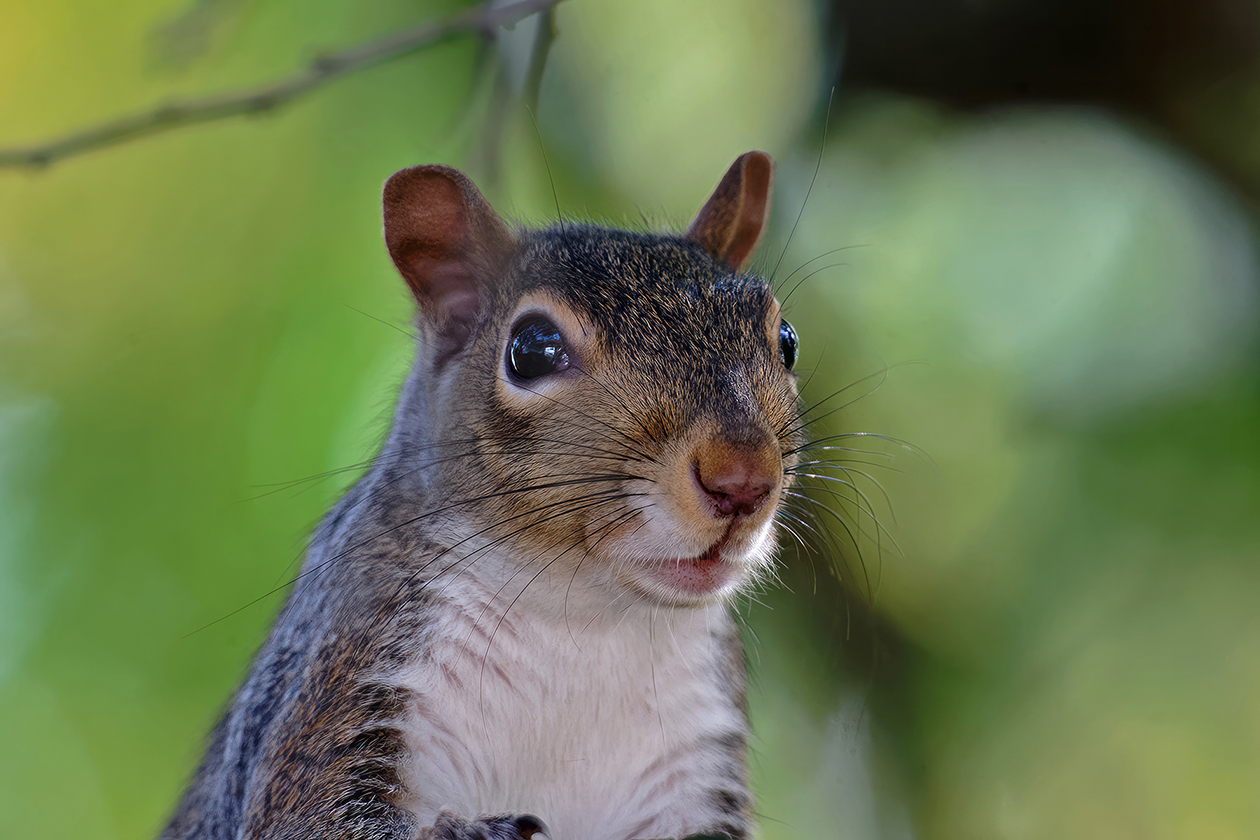
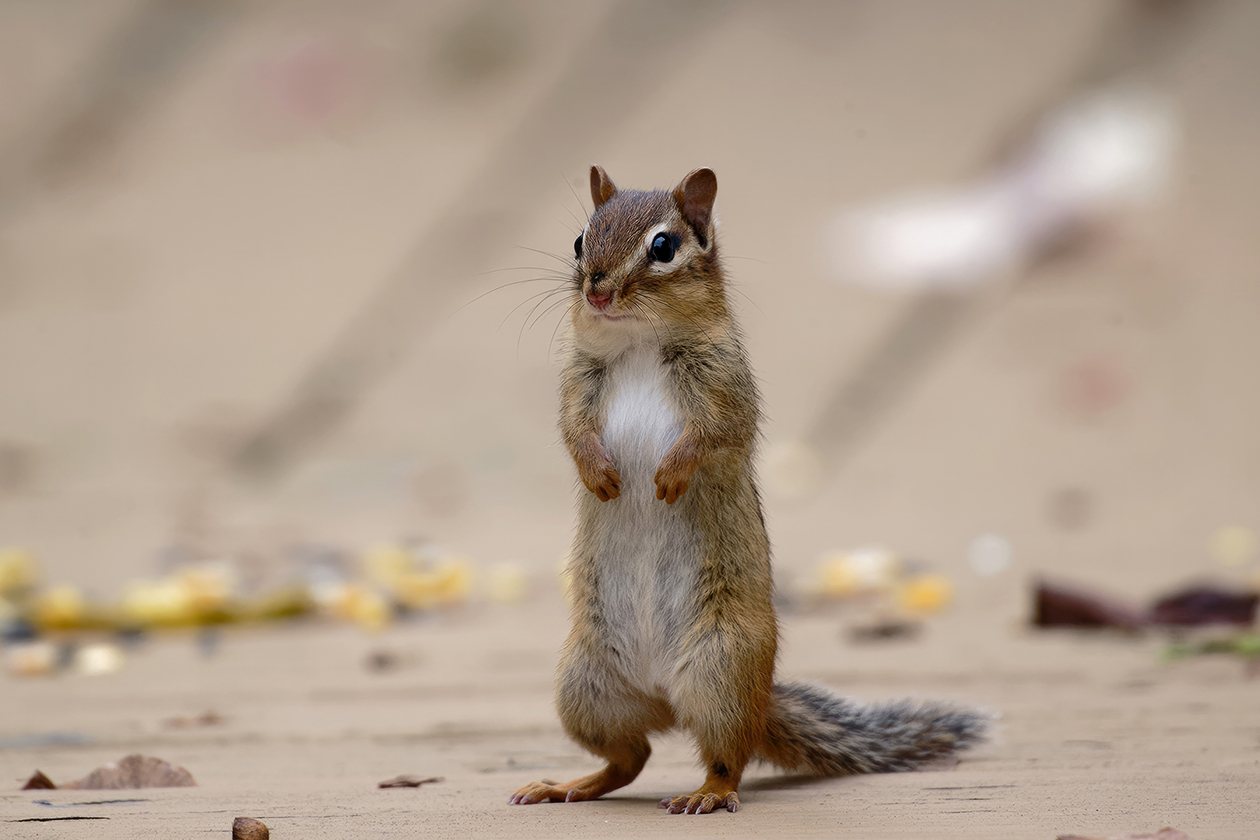
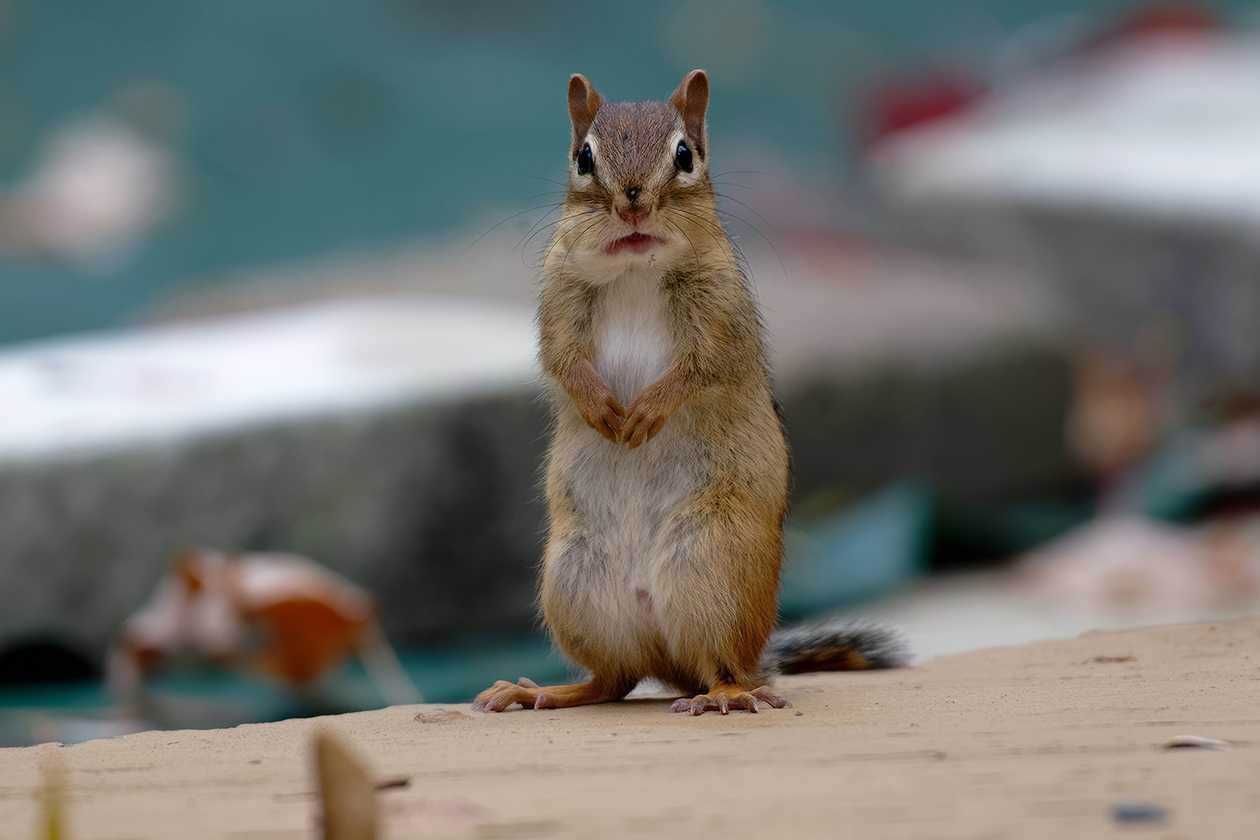
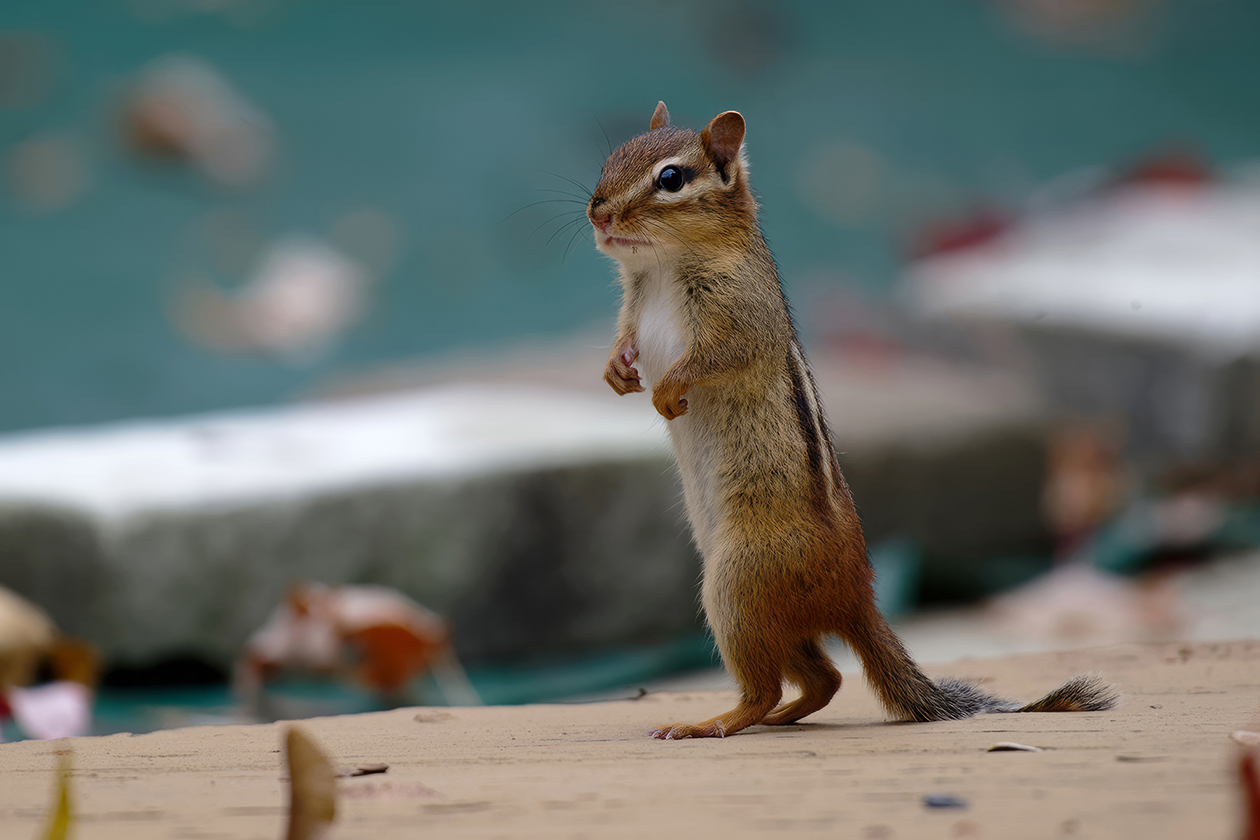
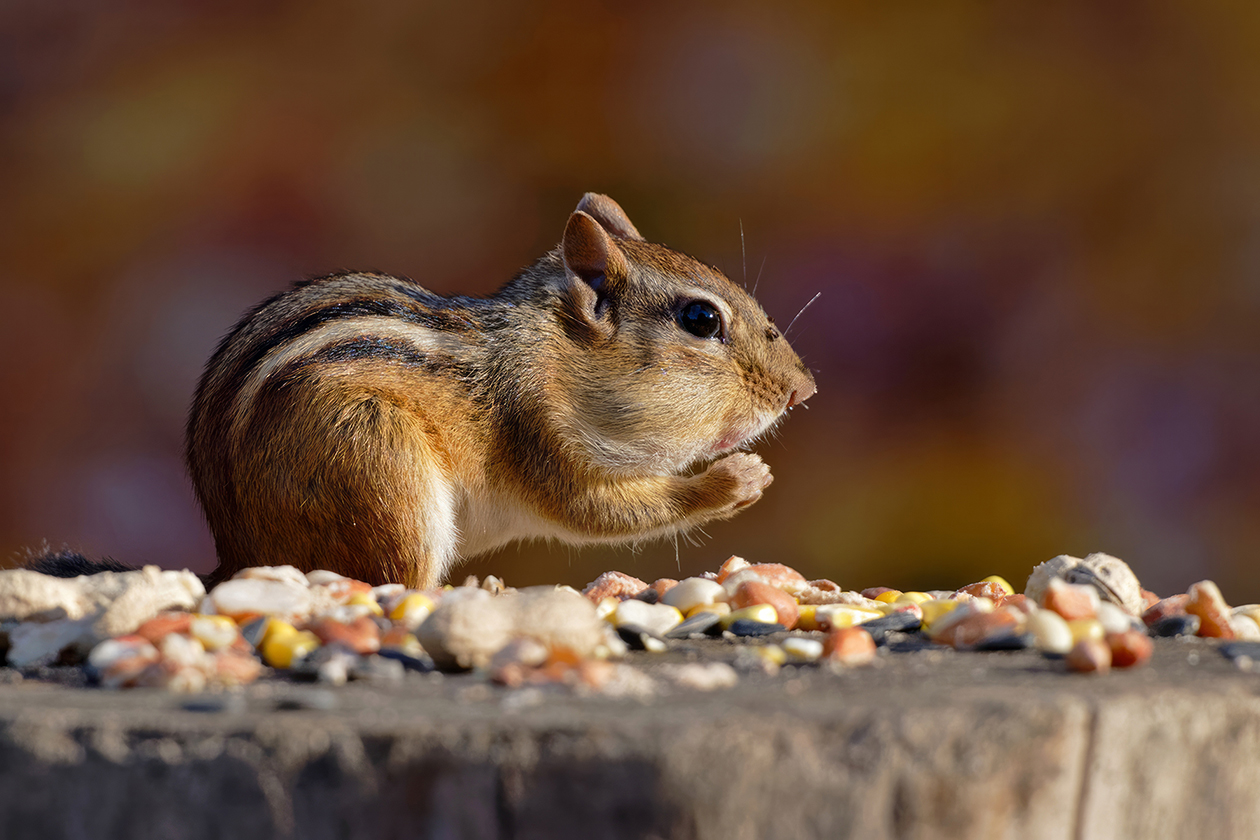
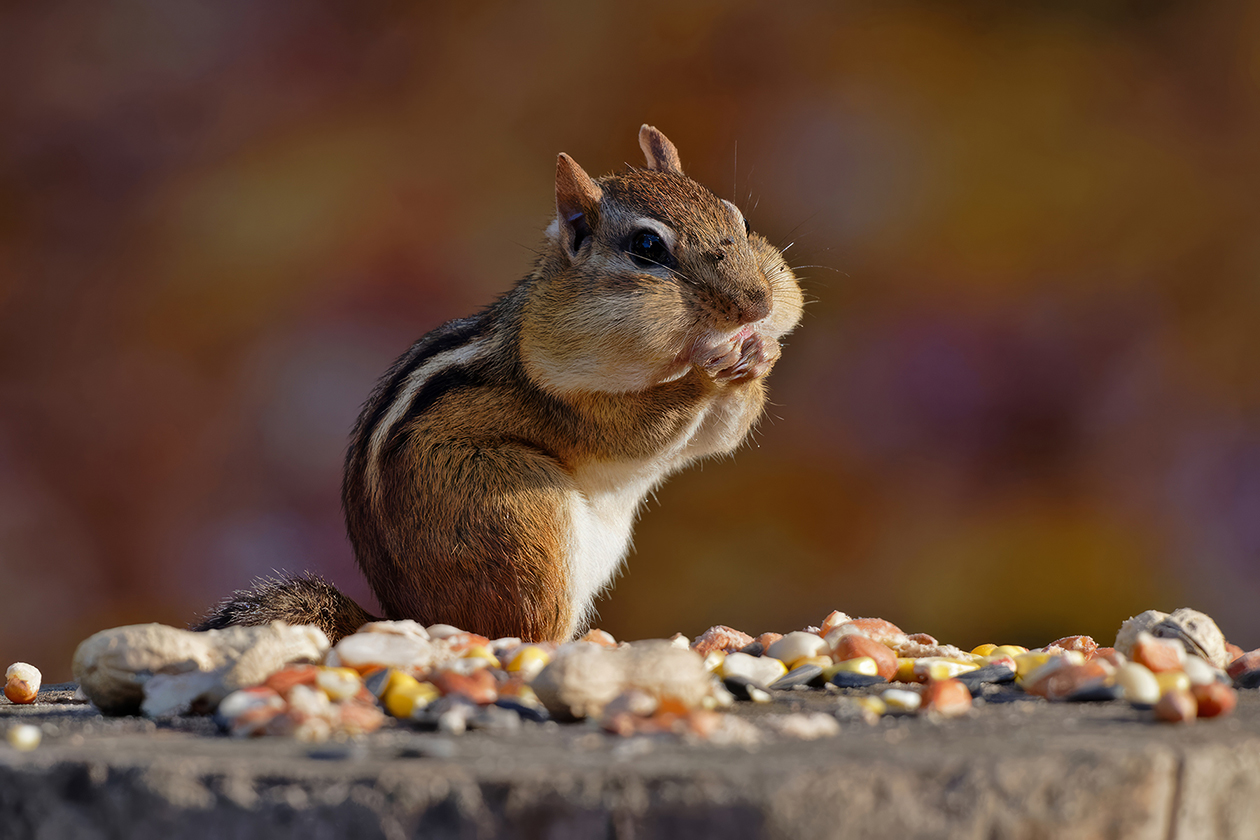
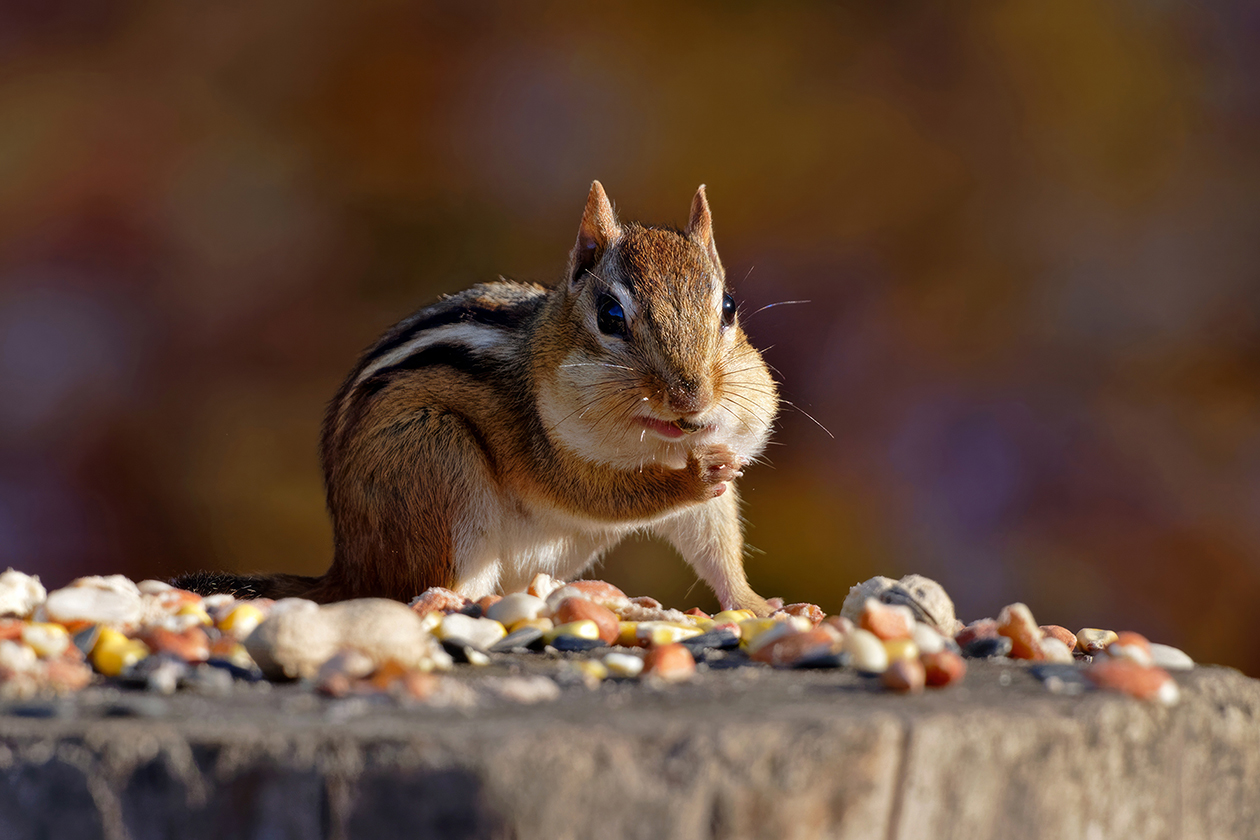
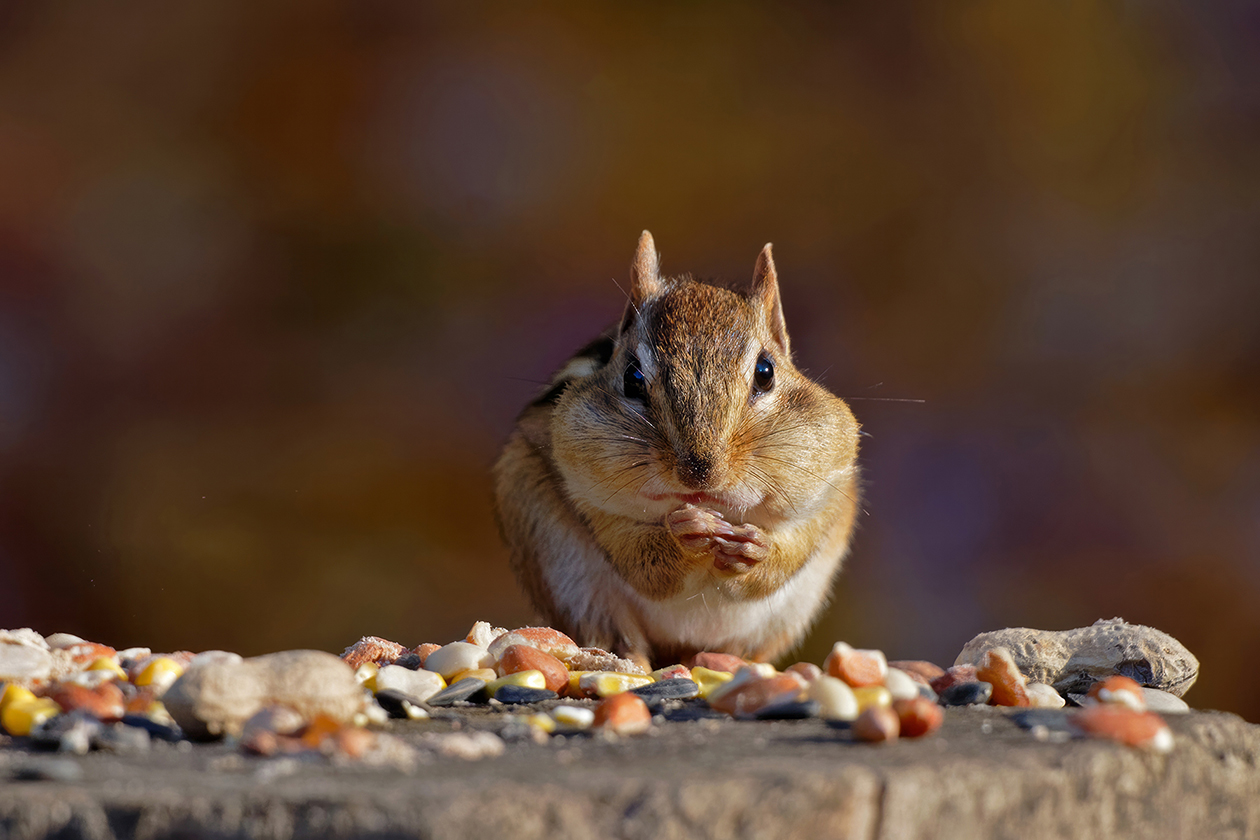
My LCS called me last week while I was away to let me know my 180-600 had arrived. I had every intention of passing on this lens but then they gave me a decent number on a trade for my Sigma S so I decided to go for it. I'm hoping to get out tomorrow to see what it will do. Just for kicks I slapped on the 1.4 and went into the backyard. Found one cooperative squirrel and chipmunk. I was curious if the tc would be useable and I have to say just from a few shots it's better than I expected. Not great, but not bad either. And this was pretty dim light. These were just run through my normal routine; Converted with Adobe DNG, opened in DxO Pure Raw, and then default sharpen in Topaz. Hand held. Hoping to find some decent subjects soon.
NIKON Z 9NIKKOR Z 180-600mm f/5.6-6.3 VR Z TC-1.4x lens840mmf/9.01/400s800 ISO-1.0 EV
NIKON Z 9NIKKOR Z 180-600mm f/5.6-6.3 VR Z TC-1.4x lens730mmf/9.01/250s1600 ISO-1.0 EV
NIKON Z 9NIKKOR Z 180-600mm f/5.6-6.3 VR Z TC-1.4x lens840mmf/9.01/800s1000 ISO-1.0 EV
NIKON Z 9NIKKOR Z 180-600mm f/5.6-6.3 VR Z TC-1.4x lens840mmf/9.01/640s1000 ISO-1.0 EV
NIKON Z 9NIKKOR Z 180-600mm f/5.6-6.3 VR Z TC-1.4x lens840mmf/9.01/800s1000 ISO-1.0 EV
p.16 #2 · Official Nikon Z 180-600mm f5.6-6.3 VR Image Thread
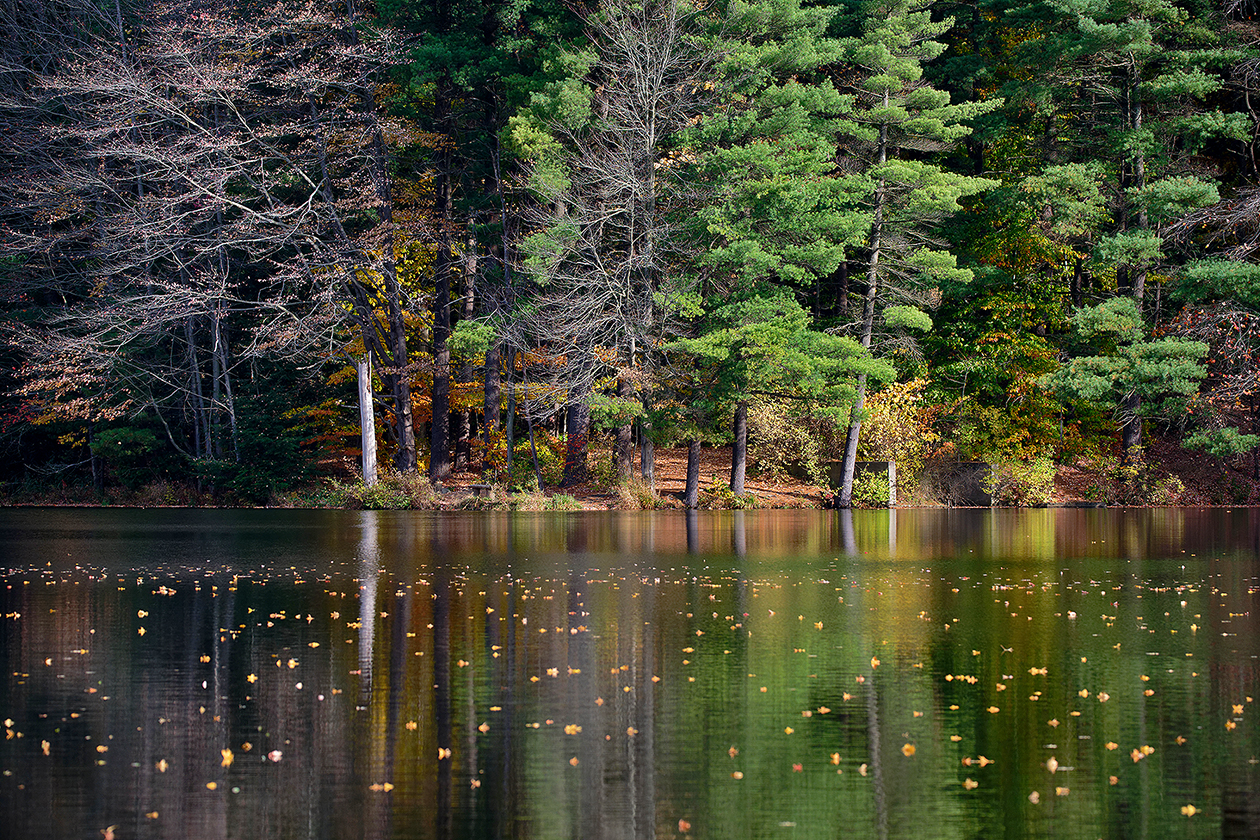
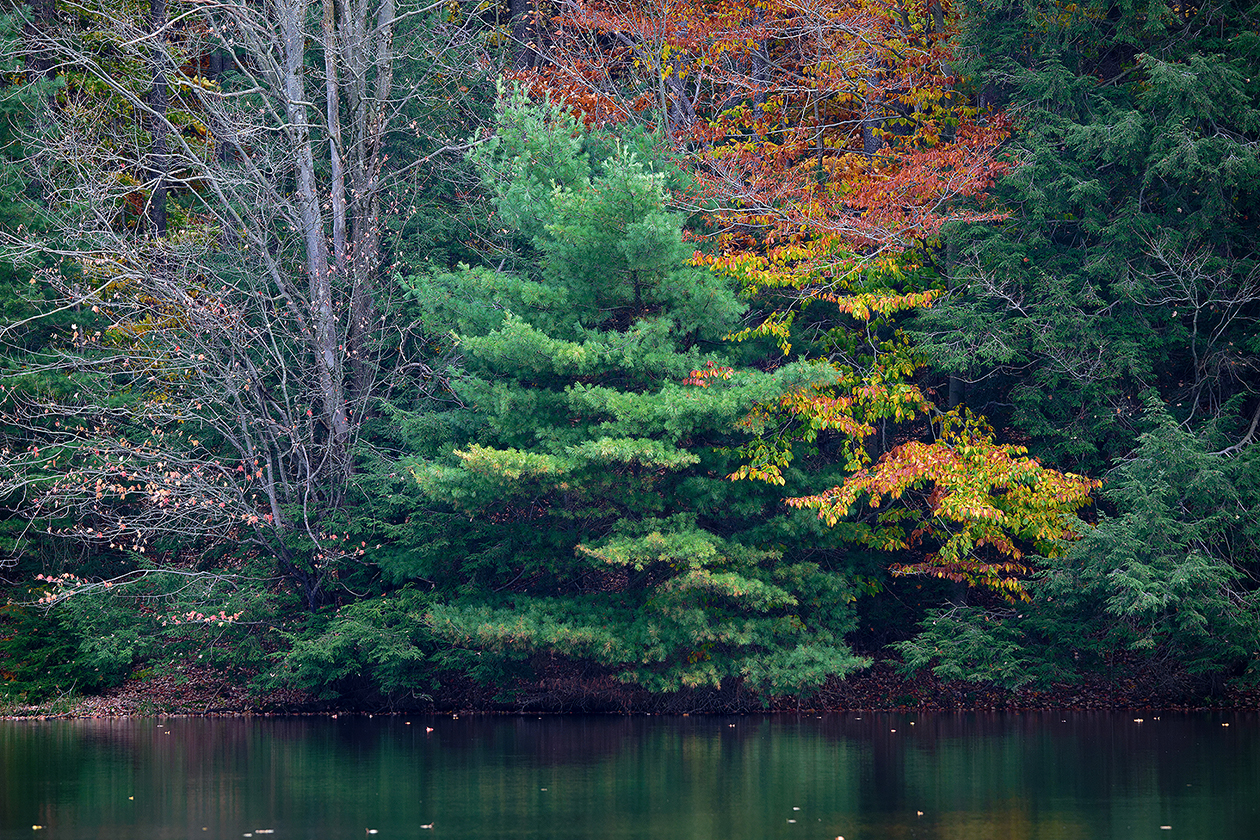
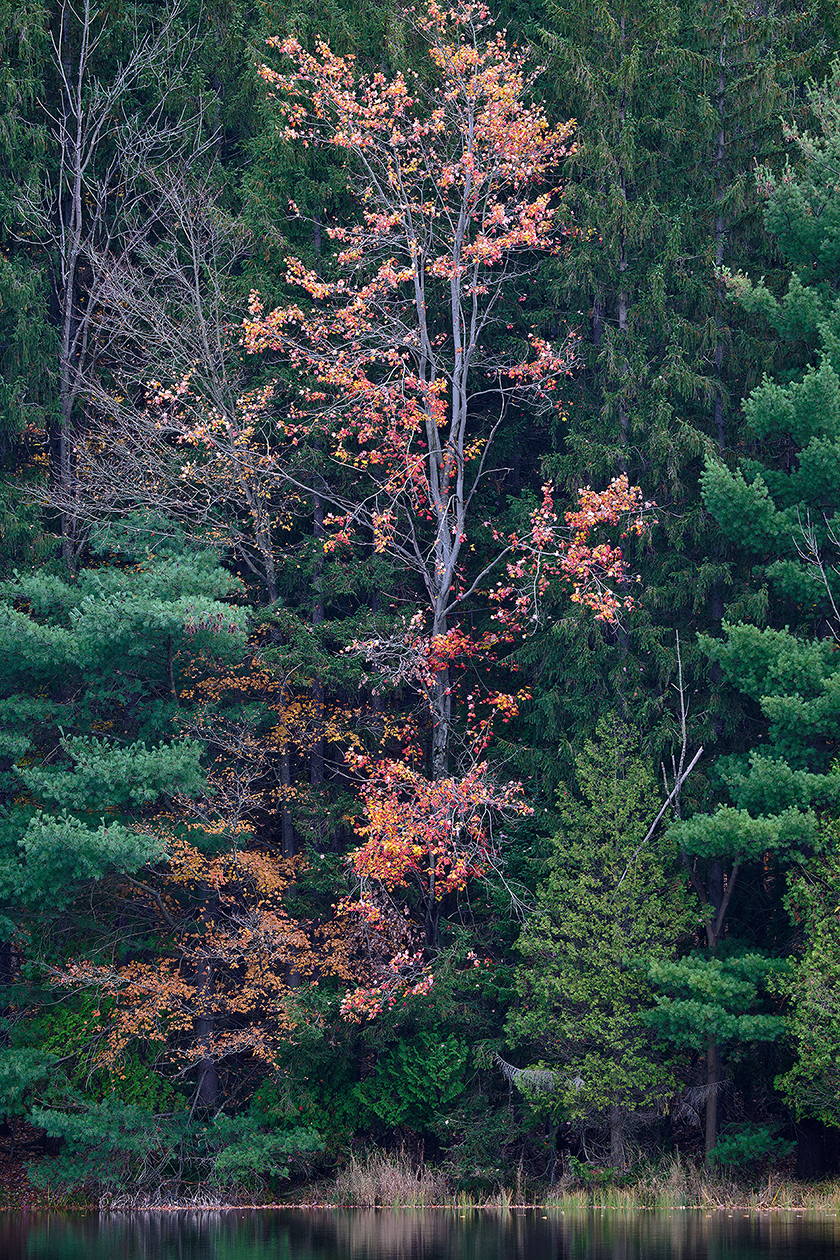
Took a drive around the block this morning. First time out with the new lens. It's great to be able to frame everything in camera and isolate some subjects. Too bad winter is only a few short weeks away
All hand held using VR Normal. Normally I'd probably shoot something like this at around f8 but I purposely wanted to see the results wide open.
NIKON Z 9NIKKOR Z 180-600mm f/5.6-6.3 VR lens180mmf/5.61/1000s320 ISO-1.0 EV
NIKON Z 9NIKKOR Z 180-600mm f/5.6-6.3 VR lens380mmf/6.01/200s320 ISO-1.0 EV
NIKON Z 9NIKKOR Z 180-600mm f/5.6-6.3 VR lens260mmf/5.61/320s320 ISO-1.0 EV
NIKON Z 9NIKKOR Z 180-600mm f/5.6-6.3 VR lens300mmf/6.01/500s320 ISO-1.0 EV
NIKON Z 9NIKKOR Z 180-600mm f/5.6-6.3 VR lens350mmf/6.01/320s320 ISO-1.0 EV
NIKON Z 9NIKKOR Z 180-600mm f/5.6-6.3 VR lens600mmf/6.31/500s320 ISO-1.0 EV
NIKON Z 9NIKKOR Z 180-600mm f/5.6-6.3 VR lens330mmf/6.01/320s320 ISO-1.0 EV
NIKON Z 9NIKKOR Z 180-600mm f/5.6-6.3 VR lens220mmf/5.61/400s320 ISO-1.0 EV
NIKON Z 9NIKKOR Z 180-600mm f/5.6-6.3 VR lens510mmf/6.31/1000s320 ISO-1.0 EV
p.16 #4 · Official Nikon Z 180-600mm f5.6-6.3 VR Image Thread
I've seen a lot of discussion about whether this lens is sharp, worth the money, is capable, etc...
As is always the case, early reports often highlight the worst case experience because the lens may not be used in good light, or people have unrealistic expectations. As someone who has owns and shoots with the 400 f4.5 and 800PF, I am comfortable stating that I would not hesitate to use the 180-600 when flexibility or a simpler lens kit is required.
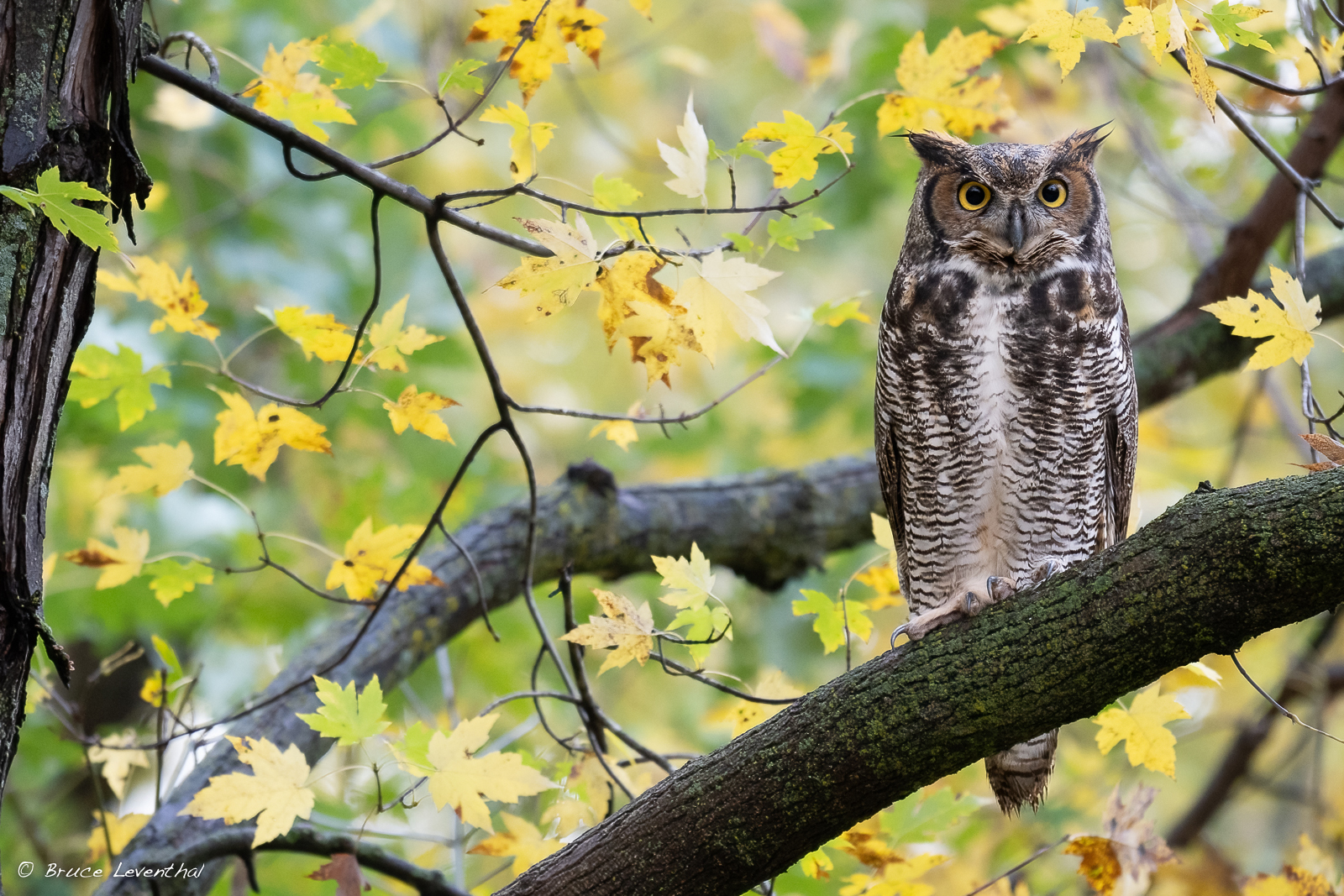
I shot this owl for the first time yesterday afternoon with my 800mm lens. The light was horrible and the bird was partially blocked by a branch (see 800PF thread). I decided to see if I could find it this morning. Much like yesterday, we had heavy overcast, drizzle, and 15 to 20 mph winds. I had to push my ISO to 3200 and couldn't use a tripod. The owl gave me about 4 minutes of its time before moving on... I am happy with the lens!
bruce
NIKON Z 8NIKKOR Z 180-600mm f/5.6-6.3 VR lens560mmf/7.11/200s3200 ISO0.0 EV
p.16 #5 · Official Nikon Z 180-600mm f5.6-6.3 VR Image Thread
OwlsEyes wrote:
....'The light was horrible and the bird was partially blocked by a branch (see 800PF thread).
I don't know if you have Photoshop or not, but the AI removal tool would probably do an excellent job of removing that branch with nobody the wiser. I've used the tool several times on owls sitting in dense trees, even when a branch was obstructing the face, and it's quite amazing how good it is. Might be fun to try if you were hoping the branch wasn't there.
p.16 #6 · Official Nikon Z 180-600mm f5.6-6.3 VR Image Thread
CanadaMark wrote:
I don't know if you have Photoshop or not, but the AI removal tool would probably do an excellent job of removing that branch with nobody the wiser. I've used the tool several times on owls sitting in dense trees, even when a branch was obstructing the face, and it's quite amazing how good it is. Might be fun to try if you were hoping the branch wasn't there.
No thanks... I don't mind a little grooming, but not as much as that shot would require. Did you look at the shot?... I've seen what the various remove tools can do, and it looks like there is way too much real estate that needs to be replace.
p.16 #7 · Official Nikon Z 180-600mm f5.6-6.3 VR Image Thread
OwlsEyes wrote:
No thanks... I don't mind a little grooming, but not as much as that shot would require. Did you look at the shot?... I've seen what the various remove tools can do, and it looks like there is way too much real estate that needs to be replace.
cheers,
bruce
I did look at it - the branch across the breast of the bird I think would be pretty easy to remove with that tool. Again, just thought it might be fun to try, if you aren't into that sort of thing I completely understand
Here's a quick example - the AI tool was able to accurately re-draw the eye and other facial features that were obstructed, took about 20 seconds to do:
p.16 #8 · Official Nikon Z 180-600mm f5.6-6.3 VR Image Thread
Having only owned this lens for a couple days I'm still very much in the testing phase. As far as sharpness goes I'd say it's on par with my Sigma 150-600 S. I kinda wish I could do a head to head but I traded my Sigma when I picked this one up. Suffice to say, sharpness will not be an issue, but if I'm being honest I was hoping it was going to be noticeably better than my seven year old, third party lens. I'm not going to say it's worse but let's say it's not exceeding my expectations. But to be fair I haven't been able to test on my usual subjects. Pretty much everythings gone south. I think the oof areas are really nice for a 6.3 lens and the internal zoom is soooo much easier to handle. That in itself was worth the upgrade. Lighter, no more ftz, I'm very happy with the trade. I can see this lens replacing my 400 4.5 and tc in the kayak come springtime. I didn't like fussing with attaching and removing the tc. Not only do you miss opportunities but you also greatly increase the chance of dropping something in the water. However, having said all that, at this point in time I have no interest in getting rid of the 400 4.5. It's too light and too good.
Gary
I didn't realize until I saw the exif that I shot these at 500mm ?? Oh well
NIKON Z 9NIKKOR Z 180-600mm f/5.6-6.3 VR lens500mmf/6.31/1250s800 ISO-1.0 EV
NIKON Z 9NIKKOR Z 180-600mm f/5.6-6.3 VR lens500mmf/6.31/1250s800 ISO-1.0 EV
NIKON Z 9NIKKOR Z 180-600mm f/5.6-6.3 VR lens500mmf/6.31/1250s800 ISO-1.0 EV
NIKON Z 9NIKKOR Z 180-600mm f/5.6-6.3 VR lens500mmf/6.31/1250s800 ISO-1.0 EV
p.16 #9 · Official Nikon Z 180-600mm f5.6-6.3 VR Image Thread
CanadaMark wrote:
I did look at it - the branch across the breast of the bird I think would be pretty easy to remove with that tool. Again, just thought it might be fun to try, if you aren't into that sort of thing I completely understand
Here's a quick example - the AI tool was able to accurately re-draw the eye and other facial features that were obstructed, took about 20 seconds to do:
Well that's just crazy good!... I can't imagine all of the images I've tossed because branches cut across the eyes of an animal.
While I'm no purist, as I will process my images hard, I'd rather not rely on this level of technology for my photography. I still remember when AF began to replace MF, and I stuck with my Contax and Hasselblad gear for years before recognizing how much AF could improve my keeper rate. I was a little less resistant to my move to digital, mostly because my film and processing budget was beginning to limit my productivity... But... I still am holding tight to field craft, finding better angles, and representing the place I find my subjects. I am sure that there will be a day when I give into the temptations of more aggressive Ai, however for now I'll stick with the "remove" tool for cleaning up branches that detract from the mood or feel of an image.
p.16 #12 · Official Nikon Z 180-600mm f5.6-6.3 VR Image Thread
CanadaMark wrote:
I did look at it - the branch across the breast of the bird I think would be pretty easy to remove with that tool. Again, just thought it might be fun to try, if you aren't into that sort of thing I completely understand
Here's a quick example - the AI tool was able to accurately re-draw the eye and other facial features that were obstructed, took about 20 seconds to do:
p.16 #13 · Official Nikon Z 180-600mm f5.6-6.3 VR Image Thread
sum1sgrampa wrote:
My LCS called me last week while I was away to let me know my 180-600 had arrived. I had every intention of passing on this lens but then they gave me a decent number on a trade for my Sigma S so I decided to go for it. I'm hoping to get out tomorrow to see what it will do. Just for kicks I slapped on the 1.4 and went into the backyard. Found one cooperative squirrel and chipmunk. I was curious if the tc would be useable and I have to say just from a few shots it's better than I expected. Not great, but not bad either. And this was pretty dim light. These were just run through my normal routine; Converted with Adobe DNG, opened in DxO Pure Raw, and then default sharpen in Topaz. Hand held. Hoping to find some decent subjects soon....Show more →
These are all outstanding Gary! I'm impressed by the first image showing what the lens can do wide open with a TC. And the last image is just over the top!
The more I see of this lens the more convinced I am to buy it in awhile.
Robert
I think I am over the weight thing too. CanadaMark helped with his characterization (on page 14 I think). Yesterday I went to the estuary with the 500PF and 200-500 (on good images for show for the outing). For weeks, I've been thinking about disciplining myself to use only the lightweight PF... as Morris does in the Wildlife/Nature forum. Any of the lightweights would great for this, including the 400 4.5. But still, I love video and am tired of hefting the 2-5. I noted you captured these handholding.
p.16 #14 · Official Nikon Z 180-600mm f5.6-6.3 VR Image Thread
Well, the "generated" eye is quite messed up, the shape is not round, the iris has a sharp corner, and the catchlight is not in the logical position when looking at the two eyes side by side.
Maybe the AI was taught with some Picasso eyes? That would explain it.
OwlsEyes wrote:
Well that's just crazy good!... I can't imagine all of the images I've tossed because branches cut across the eyes of an animal.
While I'm no purist, as I will process my images hard, I'd rather not rely on this level of technology for my photography. I still remember when AF began to replace MF, and I stuck with my Contax and Hasselblad gear for years before recognizing how much AF could improve my keeper rate. I was a little less resistant to my move to digital, mostly because my film and processing budget was beginning to limit my productivity... But... I still am holding tight to field craft, finding better angles, and representing the place I find my subjects. I am sure that there will be a day when I give into the temptations of more aggressive Ai, however for now I'll stick with the "remove" tool for cleaning up branches that detract from the mood or feel of an image.
p.16 #15 · Official Nikon Z 180-600mm f5.6-6.3 VR Image Thread
ilkka_nissila wrote:
Well, the "generated" eye is quite messed up, the shape is not round, the iris has a sharp corner, and the catchlight is not in the logical position when looking at the two eyes side by side.
Maybe the AI was taught with some Picasso eyes? That would explain it.
If OwlsEyes (ironically) had posted just the AI-corrected image, would ANYONE have spotted the AI generated eye?
PS. Just to clarify, OwlsEyes did not modify the image, CanadaMark did, to make a point.
p.16 #16 · Official Nikon Z 180-600mm f5.6-6.3 VR Image Thread
lara_ckl wrote:
If OwlsEyes (ironically) had posted just the AI-corrected image, would ANYONE have spotted the AI generated eye?
PS. Just to clarify, OwlsEyes did not modify the image, CanadaMark did, to make a point.
Thanks @lara_ckl
In my response to Mark, I shared my amazement at how good this looked, but also indicated that doing something like this would not fulfill me as a photographer. I am beginning to push my own boundaries as I look to put the stamp of "art" on some of my wildlife work, but I am still firmly stuck closer to the notion of realism.
Like I said, I have no problem grooming a composition where sticks awkwardly exit the frame or even protrude from the head of a subject, but I still try to maintain the subject as I see it.
The hardest part about being a wildlife photographer is recognizing that we have little control of our subjects and backgrounds. Movements will cause our animals to move, offer an alert gaze, feel threatened, or hide. I am guilty of making many images where I have altered the behavior of my subjects... forcing them in an "alert" pose to get eye contact. There are times where I wish I used more self-control and wish that I had enough confidence to just accept what the animal is giving me.
Ai manipulation will be a boon to many, but for me it is a step too far, as it will now make me question if the photographer was skilled behind the camera, behind the computer, or both.
p.16 #17 · Official Nikon Z 180-600mm f5.6-6.3 VR Image Thread
I am aware that OwlEyes did not make the modification.
If looking at the image at arm's length using a
mobile phone 30 cm away, probably it would not be obvious. but if displayed at normal presentation size i.e. A2-A3 on a wall, on a full size monitor, of printed full page or double page in a book, I quite confident people would have noticed how distorted the AI-repaired eye looks.
People who are used to looking at photographs usually feel very uncomfortable with AI-generated or -modified images because they look so fake. The human brain is quite adept at noticing when something isn't quite right.
Why have all those pixels, if one does not care what they reveal? If the image is presented at very small size, then the distorted eye would probably not be spotted. An image that is 8000 pixels wide would be very hard to fabricate without the details going wrong. This could be partly because most generative AIs are taught with low-resolution and low-quality images scraped off the internet (probably not Adobe's though as they say they use Adobe stock) so it is no surprise it can't get the details right. (The pixels are there to inform us of the details.)
I did try Adobe's AI on one image when the feature first came out, trying to put on a smile on one the people in an image where that person was looking grim despite the happy occasion. The eyes became distorted also in that case and one of the eyes become tilted relative to the other and it looked very copy-pasted. Amazingly some of my friends felt it was better than the original. I guess the problem is when people view the images through a mobile phone screen, they don't get to see the details and very low quality passes as acceptable.
Actually I really like Picasso. Perhaps if the eye was rotated by 45 degrees instead of just 10-15, it could pass as an artistic interpretation. The way it comes out of AI tools is just sloppy.
This is not a criticism of the person who made the original or the edit. It's a criticism of the low standard of the AI tools that are available.
lara_ckl wrote:
If OwlsEyes (ironically) had posted just the AI-corrected image, would ANYONE have spotted the AI generated eye?
PS. Just to clarify, OwlsEyes did not modify the image, CanadaMark did, to make a point.
p.16 #18 · Official Nikon Z 180-600mm f5.6-6.3 VR Image Thread
bs kite wrote:
Hi Mark
Where is this AI in PS?
I don't have Lightroom, so if you use that it might be different if that feature exists there, but in regular Photoshop, not Camera Raw, (make sure you're using the latest 2024 version), as soon as you make a selection with the lasso tool, you will see an AI Generative tool box pop up, and you can either just hit "generate" which will guess as to what you want, or you can write a brief description of what you want and it will make an attempt. I basically just use it for pesky branches/leaves or other environmental aspects that allow me to salvage certain photos - I can do the same thing with the clone tool but it might take me an hour to do a really good job versus 20 seconds with this tool. For me it's a time saver more than anything.
p.16 #19 · Official Nikon Z 180-600mm f5.6-6.3 VR Image Thread
ilkka_nissila wrote:
Well, the "generated" eye is quite messed up, the shape is not round, the iris has a sharp corner, and the catchlight is not in the logical position when looking at the two eyes side by side.
Maybe the AI was taught with some Picasso eyes? That would explain it.
When I posted it in the photo thread at a much larger size, nobody noticed anything wrong with it Anyway, like I said, for me it's just a time saver compared to the clone tool, which can often achieve the same results but it would take exponentially longer. I could have improved it manually but I'm too lazy to do that on a photo that is unlikely to see usage beyond low-res internet sharing. I'm willing to accept some imperfections to save literal hours. If the image would otherwise be a throw-away (like the example I posted), this lets me salvage them to a degree I find acceptable without spending all day with the clone brush.
p.16 #20 · Official Nikon Z 180-600mm f5.6-6.3 VR Image Thread
I'm by nature a purist when it comes to the presentation of artistic work and I am a bit pessimistic about the way AI will be used in the visual arts in the future, but I am a little open to its use for fixing up minor issues in a photo, which I think can sometimes include things like branches in front of an animal.
The standard I follow is whether or not the fundamental character of a photo is changed by the alternation. Inserting a totally new element into a frame seems to me to fundamentally change the character of an image. Removing a branch that happens to have gotten in the way might cross that line but I think it often doesn't. I suspect that there is probably not a precise step-by-step checklist anyone could come up with to judge these sorts of things because I think there are so many angles to them.
For instance, take the own photo with the replaced eye. Imagine that the owl was framed up perfectly with nothing in front of it so that everything looked like the edited shot with the branch removed and then right as the photographer went to snap the photo, the wind gusted or out of the frame a squirrel jumped on the branch and so it moved so that it covered the owl. To me, that's a very clear case where removing the branch doesn't fundamentally change the photo's character - it just corrects a defect that was not necessarily within the photographer's control. It's not exactly the same as using a healing brush to clean up a spot of dust on the sensor or a bit of ketchup of a kid's face, but to me it's not all that different, either.
Now if instead of that branch coming in front of the owl because of some outside force the branch were always there and the photographer just couldn't move in a way to get the shot without the branch, is removing it any different? In one sense it might be, because what we're doing is closer to changing something that the photographer theoretically had more opportunity to have fixed ahead of time and gotten right in the field, but I think that in the more important sense it's not, because regardless of the cause of the branch being in the way the change to the final image is the same either way. I think in each case the photo is largely the same character of photo before and after the fix - it's just a better version of the same photo, like if the photographer in the field had taken the shot with the branch in the way and then noticed it and taken another after the squirrel moved and the branch sprung back out of the way.
Here's a cardinal I shot - not the best photo, but it will serve for the example - both the original and an edit to remove a branch (note that these photos aren't from the 180-600!):
To me these are basically the same photo - one is just a slightly better version because it doesn't have the branch in the way. Both photos have the same character in my judgment: they convey the same idea, should evoke the same kinds of thoughts emotions in a viewer, should tell the same story, etc.
Here's another example from some portraits I took for someone I know. This was a while back when I was relatively new to photography and didn't think as carefully about the composition of this photo. I was also using a significantly worse lens than I'd use if I did this again today, so now with Adobe's denoise and generative fill I decided to go back and fix some of the photos up for her. Most of them I just denoised and tweaked the colors on a bit based on the experience I've gained since then, but for this one I really thought it needed more room to breath so I used generative fill to give me a bit more room for a better composition.
I think this is closer to changing the character of the image, but I'm still not 100% sure it crosses the line. In one sense it does because the composition is pretty different. In another sense, it is the same photo as far as the subject is concerned - it's just a better version, as if when I took it I had moved slightly.
Now to be clear, I think this photo comes much closer to crossing the line than the cardinal photo. That's part of why I shared it as my second example. As a portrait for a friend or a client, I wouldn't consider this out of bounds because the idea in that situation is to provide the best photo possible and the entire photo was staged in the first place - it wasn't "documentary" in the way that a photo of a wild animal is. If this were meant to be an artistic piece for the sake of the art alone, I think it would likely cross the line for me or at least make me feel uncomfortable because I think it has probably changed the character of the original photo a little bit.