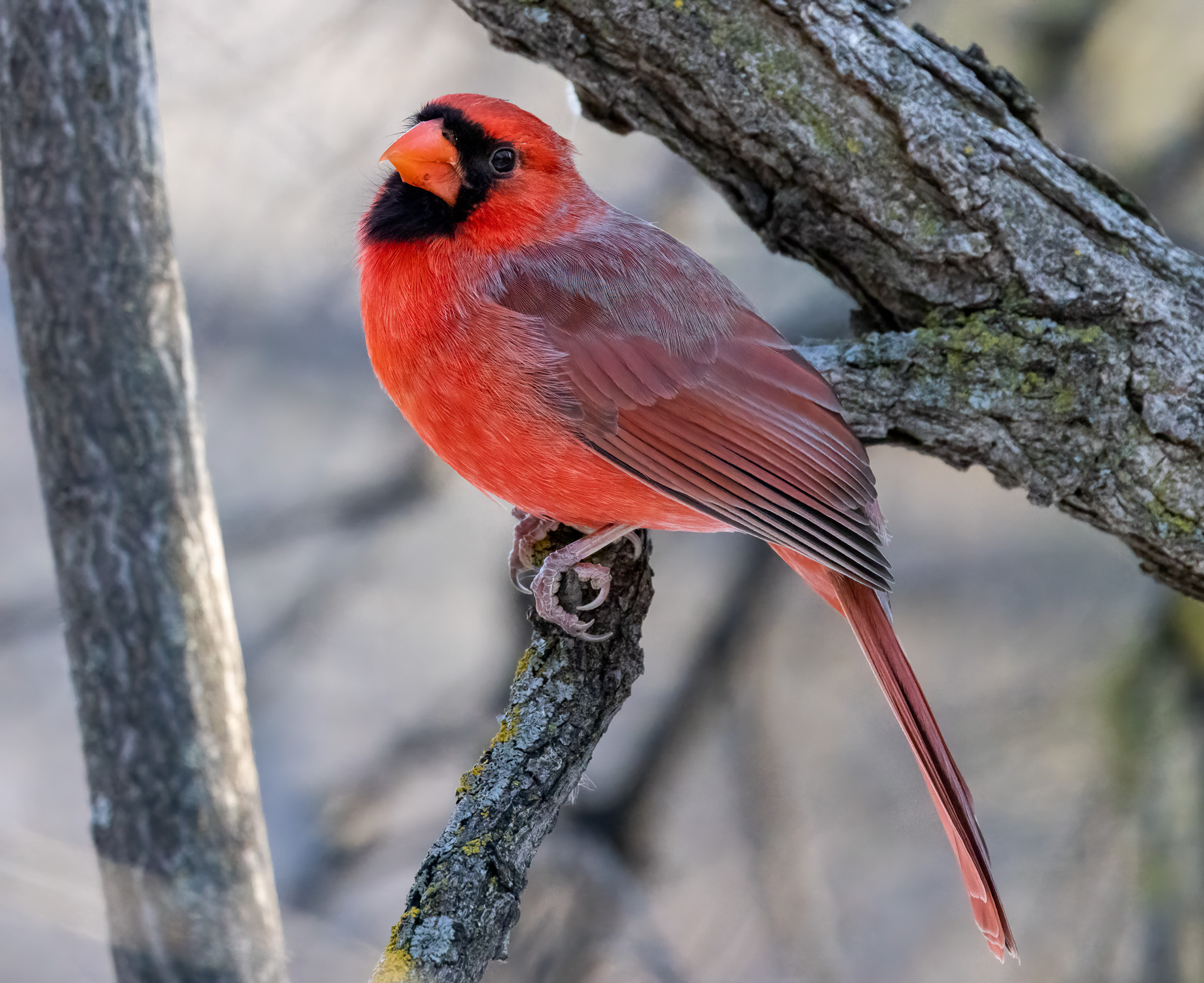
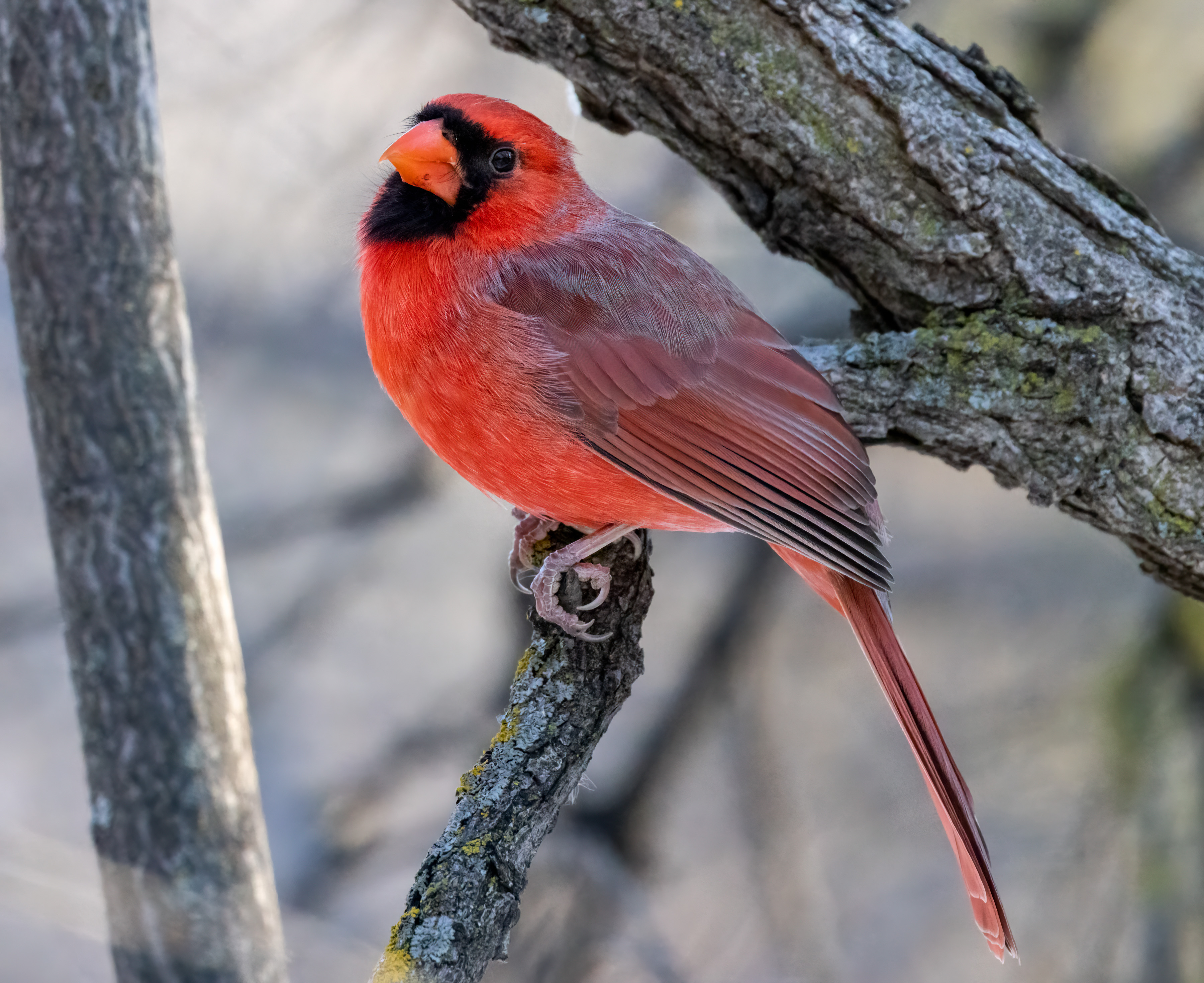
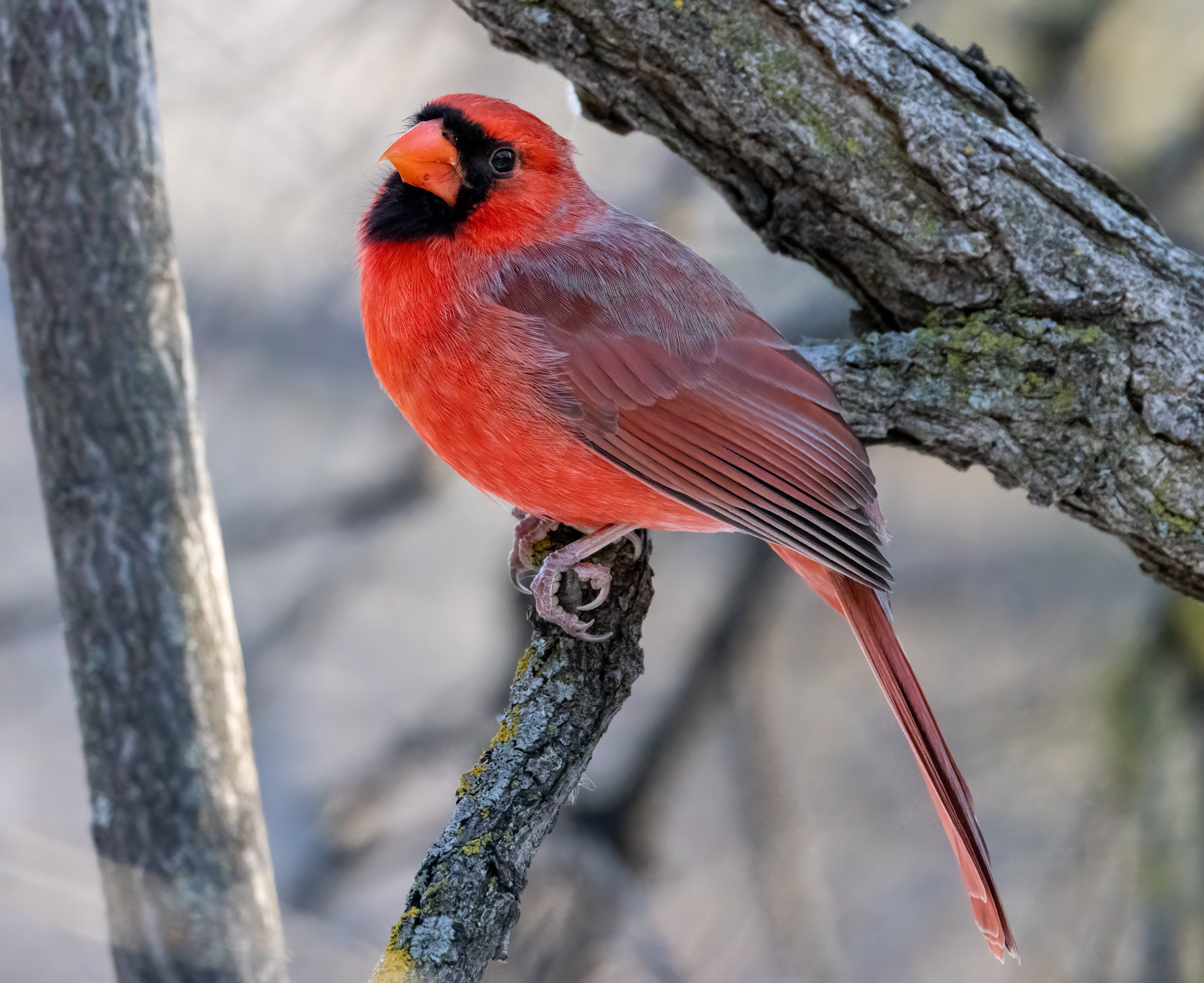
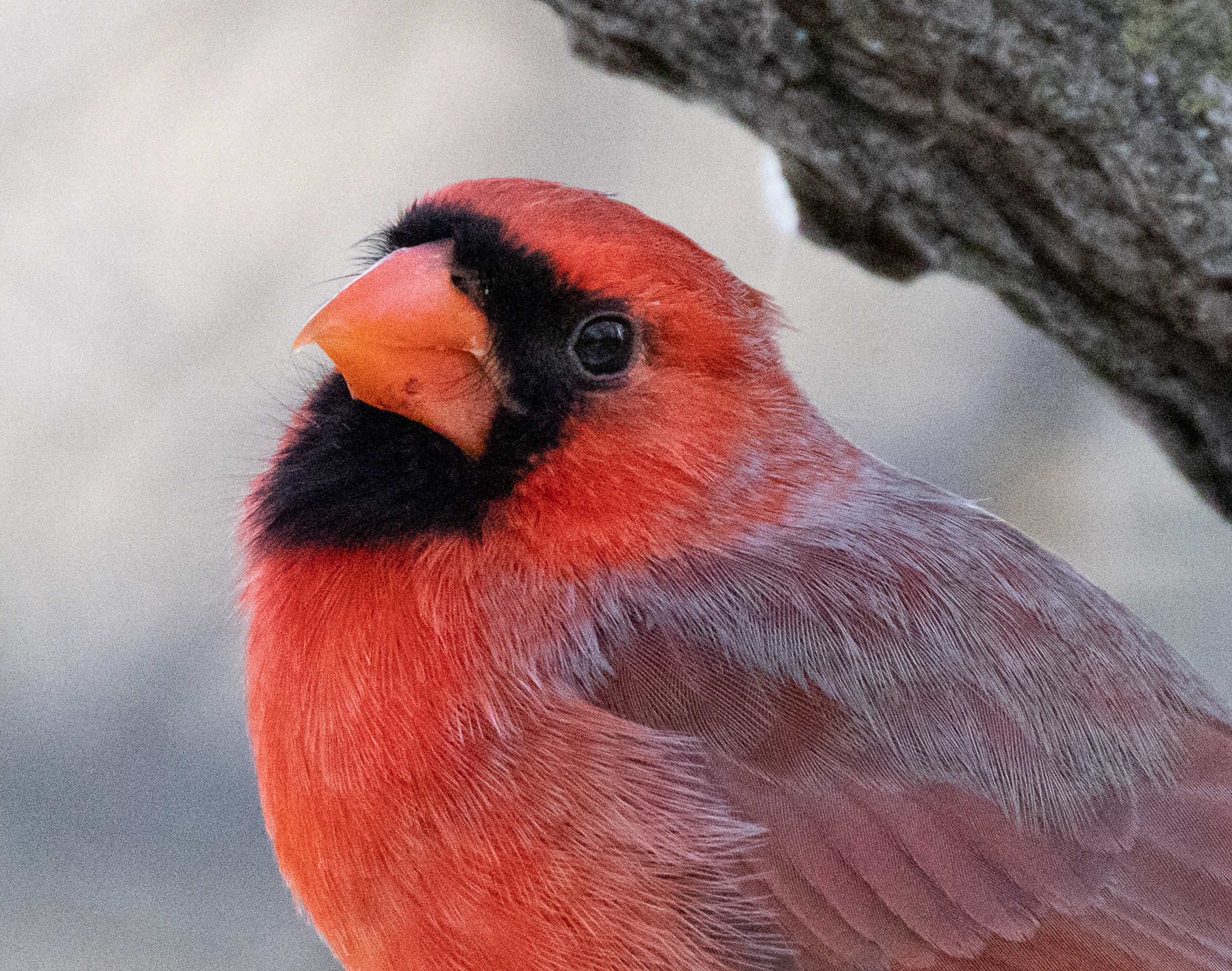
I like to constantly test the apps out there to see who's moving ahead. I tried out Deep Prime a year ago based on people's recommendations here and was pretty underwhelmed; it most cases I felt it was at best a wash vs. Topaz or ON1 No Noise, except for very high ISO images. In the time since then, Topaz has gotten better and better, and faster, especially on Apple Silicon.
With the release of the new version of DXO I thought I'd see where things stood today. I'm very underwhelmed. I don't think it's an exaggeration to say that Topaz is vastly better at this point. Here's a sample image I took in very low light in Costa Rica last month, ISO 16,000. Default processing in DXO PhotoLab 6 with DeepPrime XD (and XD vs. regular DeepPrime was basically all but identical) and Topaz DeNoise AI v 3.7.0, using the RAW model. Judge for yourself.
I compared DeeoPrimeXD to ON1 NoNoise AI 2022 yesterday. Processed a raw image taken at ISO1600. ON1 was so much better, like night and day better. DxO had to go...
docusync wrote:
I compared DeeoPrimeXD to ON1 NoNoise AI 2022 yesterday. Processed a raw image taken at ISO1600. ON1 was so much better, like night and day better. DxO had to go...
A year ago I would have said ON1 was the best, and Topaz a close second, but with the 3.x releases of Topaz it's now even better. If you're editing from Lightroom, it works really well up to ISO 6400 on the TIFF files sent back and forth (this is with my Sony A1). I prefer the "Low Light" model as it has the least amount of unnecessary sharpening/AI detail creation. Above that, I will process using the app as a standalone with the RAW model, as it does an outstanding job on high ISO. The downside is that it doesn't read the camera profile and once you've exported it as a DNG LR won't let you apply the camera profile either. BTW, that issue is the same with ON1 as well.
jhapeman wrote:
A year ago I would have said ON1 was the best, and Topaz a close second, but with the 3.x releases of Topaz it's now even better. If you're editing from Lightroom, it works really well up to ISO 6400 on the TIFF files sent back and forth (this is with my Sony A1). I prefer the "Low Light" model as it has the least amount of unnecessary sharpening/AI detail creation. Above that, I will process using the app as a standalone with the RAW model, as it does an outstanding job on high ISO. The downside is that it doesn't read the camera profile and once you've exported it as a DNG LR won't let you apply the camera profile either. BTW, that issue is the same with ON1 as well. ...Show more →
My experience is the opposite. DxO DeepPRIME is exceptional, whereas Topaz generates all kinds of artifacts (visible when you zoom in 200% and more). ON1 is better but not as good as DxO. I have no dog in the fight as I own all 3 of these tools.
jhapeman wrote:
I like to constantly test the apps out there to see who's moving ahead. I tried out Deep Prime a year ago based on people's recommendations here and was pretty underwhelmed; it most cases I felt it was at best a wash vs. Topaz or ON1 No Noise, except for very high ISO images. In the time since then, Topaz has gotten better and better, and faster, especially on Apple Silicon.
With the release of the new version of DXO I thought I'd see where things stood today. I'm very underwhelmed. I don't think it's an exaggeration to say that Topaz is vastly better at this point. Here's a sample image I took in very low light in Costa Rica last month, ISO 16,000. Default processing in DXO PhotoLab 6 with DeepPrime XD (and XD vs. regular DeepPrime was basically all but identical) and Topaz DeNoise AI v 3.7.0, using the RAW model. Judge for yourself.
Did you adjust the parameters (Luminance slider and Noise model) for the DeepPRIME?
Also: DeepPRIME and DeepPRIME XD are not identical. I thought so, too, when I looked at the preview in the DxO Photolab itself. But I had to export the two comparisons to Photoshop to see the difference. Totally idiotic of DxO to not have a true full preview available (instead of the tiny magnifier tool).
Rajan Parrikar wrote:
My experience is the opposite. DxO DeepPRIME is exceptional, whereas Topaz generates all kinds of artifacts (visible when you zoom in 200% and more). ON1 is better but not as good as DxO. I have no dog in the fight as I own all 3 of these tools.
It depends on the model you use with Topaz. The default model is the worst IMO; it's great for a hobbyist who just wants an image to look sharp but it does create artifacts. I only ever use the Low Light or RAW models; those don't create any of the artifacts, or at least can remove them all by dialing back any sharpening.
Rajan Parrikar wrote:
Did you adjust the parameters (Luminance slider and Noise model) for the DeepPRIME?
Also: DeepPRIME and DeepPRIME XD are not identical. I thought so, too, when I looked at the preview in the DxO Photolab itself. But I had to export the two comparisons to Photoshop to see the difference. Totally idiotic of DxO to not have a true full preview available (instead of the tiny magnifier tool).
I did do quite a bit of adjustment. For the difficult images like the one I posted the problem was the worst--the fine-scale noise is replaced with blotchier smoothing. Also, note I said that Deep Prime and Deep Prime XD are "all but identical," which matches your experience. The differences are extremely subtle. Like you I own all three (well I own PureRaw 2 but there's no three yet, hence the test with PhotoLab 6). In the past I would swap between them for different use cases, but lately I haven't as Topaz has improved. The biggest improvements in the last release of Topaz were the RAW model IMO.
My biggest disappointment is that it doesn't retain all of the EXIF data in the DNG file so I can't apply camera profiles, etc. after the fact.
Rajan Parrikar wrote:
My experience is the opposite. DxO DeepPRIME is exceptional, whereas Topaz generates all kinds of artifacts (visible when you zoom in 200% and more). ON1 is better but not as good as DxO. I have no dog in the fight as I own all 3 of these tools.
I complete agree with you on DXO. For me it’s the better product.I have not found a single image where Topaz does a better job than DXO. DXO has a much more natural look. I also own both and used to use Topaz extensively…love the competition as I believe it is pushing everyone to get better.
transientgolf wrote:
I complete agree with you on DXO. For me it’s the better product.I have not found a single image where Topaz does a better job than DXO. DXO has a much more natural look. I also own both and used to use Topaz extensively…love the competition as I believe it is pushing everyone to get better.
I'm curious, you think that image I linked to looks better with DXO?
I have all 3. I really like the look of ON1's NoNoise. DeNoise AI is very good but I never warmed up to it. I still have it. I use PureRaw v1 for tougher jobs. I did not get v2 because I didn't think the upgrade cost was worth it for the plugin which that was the only major change.
As stated using ON1 and Topaz you lose access to colour profiles when a file comes back to LrC. I always select the profile before sending to either one and check the "Edit with LrC adjustments. The kicker is that NoNoise specifically says results will be better when working on it as a RAW and you do. I used to do that but sending back to LrC was a pain. Same for Topaz. It has been a while but one step you had to do in LrC was in the library panel yo have to find the folder, right click on it and select Update Folder Location. Maybe I'll try it again.
The thing I like about PureRaw is I can drag a file from LrC into it, process and export back to LrC. PureRaw does not recognize LrC edits but when it comes back to LrC you have access to the colour profiles. What I don't like is it seems to cook the files and change the exposure.
While I'm here how does PureRaw 2 plugin work? Do you still have access to Colour profiles when the file comes back to LrC? I'm not going to get it as it's too late. I'll wait for v3.
I also use Sharpen AI which I really like so I am curious about ON1's new combined NoNoise & Tack Sharp App soon to be released.
What I see between those two files in the original post is I prefer Topaz. It looks cleaner with less artifacts. If you enlarge it and look at the small fur (hairs) they look better or sharper. DXO appears to show more detail but at the expense of artifacts. That may be exposure as well because both are not identical.
What I have noticed with Topaz and tough jobs you can get weird patterns in skies, etc. DXO almost never suffers this.
Zenon Char wrote:
It has been a while but one step you had to do in LrC was in the library panel yo have to find the folder, right click on it and select Update Folder Location. Maybe I'll try it again.
Sorry, that command is Synchronize folder, not Update.
Well I was going to wait until all the other competitors released their stuff. The deal for me was supposed to expire on the 7th. It was the 8th at 12:15 AM so I decided to let the moths out of my wallet. I had DeNoise and Sharpen. I got Giga and Photo AI for $79. Not sure how much I'll use Giga but we'll give Photo AI a whirl.
Topaz says that Photo AI is not as good as the individual apps but wants to get there. It is slow bit nice to have DeNoise and Sharpen in one app.
jhapeman wrote:
I'm curious, you think that image I linked to looks better with DXO?
---------------------------------------------
Zenon Char wrote:
Well I was going to wait until all the other competitors released their stuff. The deal for me was supposed to expire on the 7th. It was the 8th at 12:15 AM so I decided to let the moths out of my wallet. I had DeNoise and Sharpen. I got Giga and Photo AI for $79. Not sure how much I'll use Giga but we'll give Photo AI a whirl.
Topaz says that Photo AI is not as good as the individual apps but wants to get there. It is slow bit nice to have DeNoise and Sharpen in one app....Show more →
Some of the differences in which people think is best may just come down to taste and aesthetic preferences.
I say this with respect, because both of you have post-processing skills that significantly exceed my own. But: in the original comparison I find the DXO shot to be much more natural and realistic--the fur is more as I see squirrels with my own eyes; And the same is true in even the smallest cardinal shot--to my eyes, the white in the feathers, as with the fur of the Topaz squirrel, stands out with too much sharpness and hard edges, not as the animals appear in nature. This could be just the sharpening setting rather than the noise processing, but I suspect it is both.
However, this may just be differences in how we like our images to look rather than either being right or wrong.