Some of the differences in which people think is best may just come down to taste and aesthetic preferences.
I say this with respect, because both of you have post-processing skills that significantly exceed my own. But: in the original comparison I find the DXO shot to be much more natural and realistic--the fur is more as I see squirrels with my own eyes; And the same is true in even the smallest cardinal shot--to my eyes, the white in the feathers, as with the fur of the Topaz squirrel, stands out with too much sharpness and hard edges, not as the animals appear in nature. This could be just the sharpening setting rather than the noise processing, but I suspect it is both.
However, this may just be differences in how we like our images to look rather than either being right or wrong....Show more →
Of course. We all see it differently and there is no right or wrong. Whatever pleases your eye. I like DXO for certain purposes. I'm going to work with Photo AI, use the individual apps as needed. I've got PureRaw as well which I do like. I'll wait until v3 comes out and see. So far I like what I'm seeing with Photo AI. It's a little slow but it processes each adjustment separately by the looks of it.
DxO is the most expensive to maintain over time. Topaz Labs is the exact opposite with their customers and provides frequent free upgrades to their software.
Topaz isn’t giving you anything more than anyone else. The price you pay includes free updates for a year. DXO provides free updates until the next version is released. elkhornsun wrote:
DxO is the most expensive to maintain over time. Topaz Labs is the exact opposite with their customers and provides frequent free upgrades to their software.
jwpstl wrote:
Topaz isn’t giving you anything more than anyone else. The price you pay includes free updates for a year. DXO provides free updates until the next version is released.
If I get Topaz I get for a year from date of purchase. If I get a DXO product 6 months into annual upgrade cycle I only get 6 months of support for that version. PureRaw’s cycle does not match PL and most others that upgrade every October. V3 won’t be out until sometime in 2023. I skipped V2 but I’ll take a look at V3.
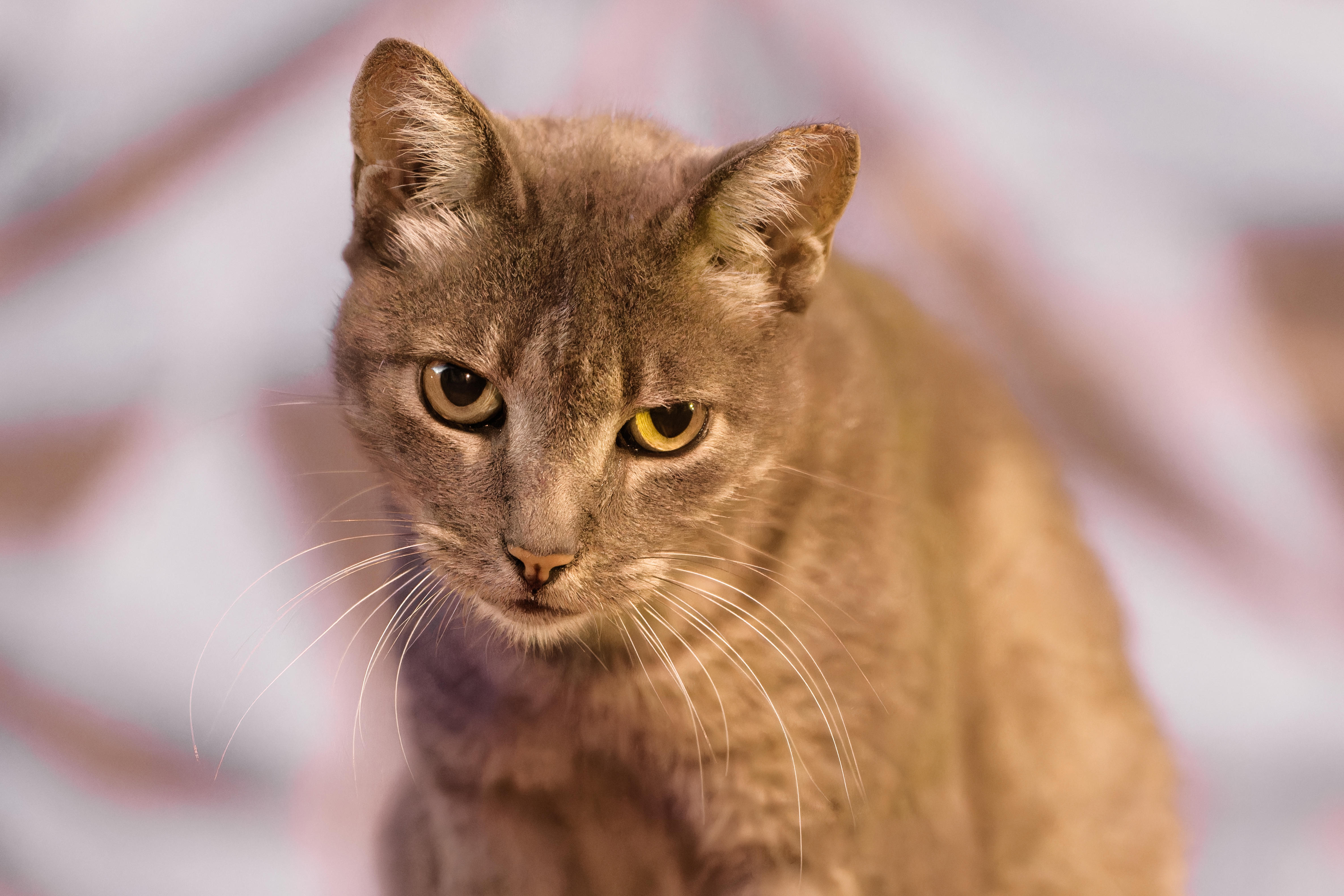
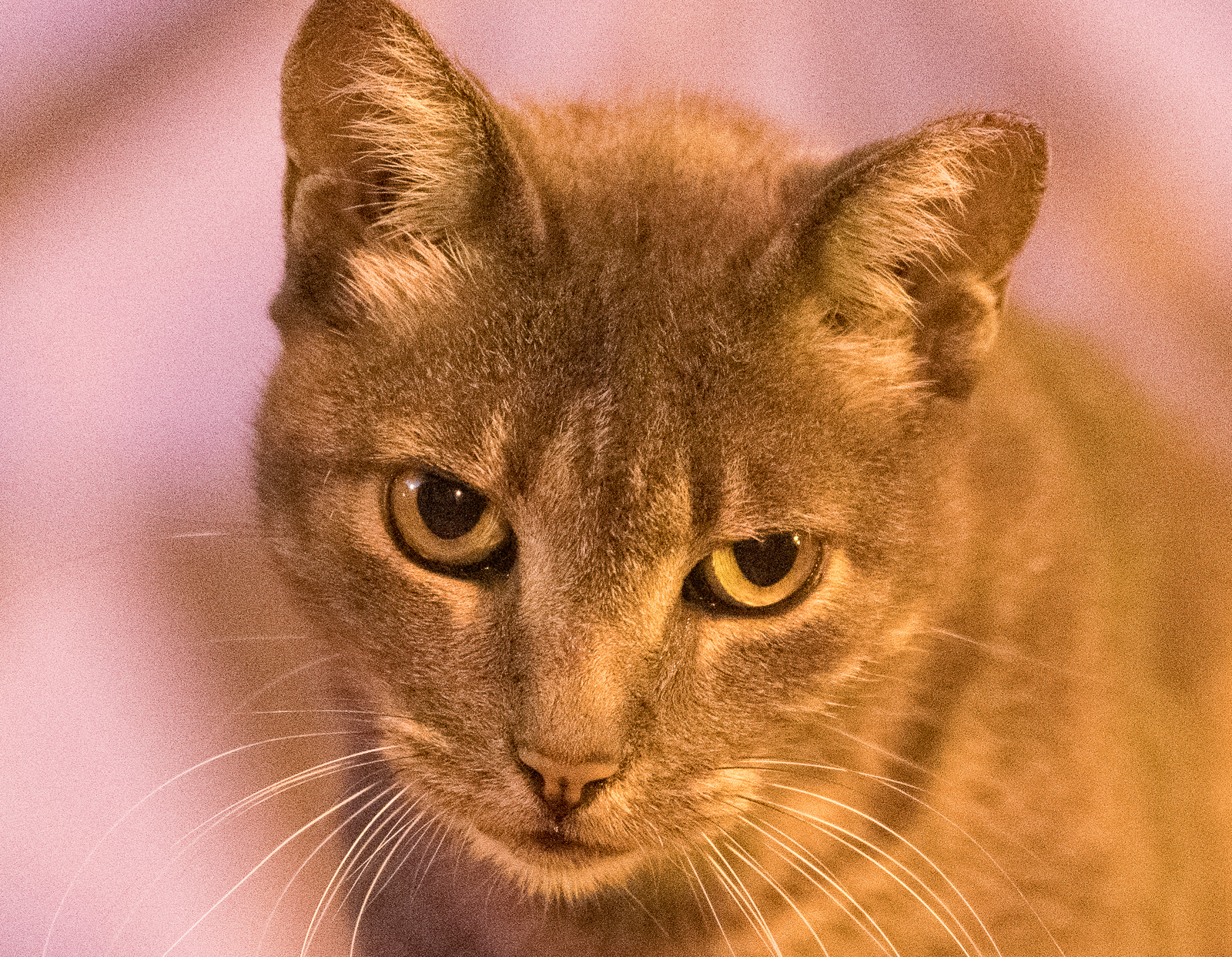
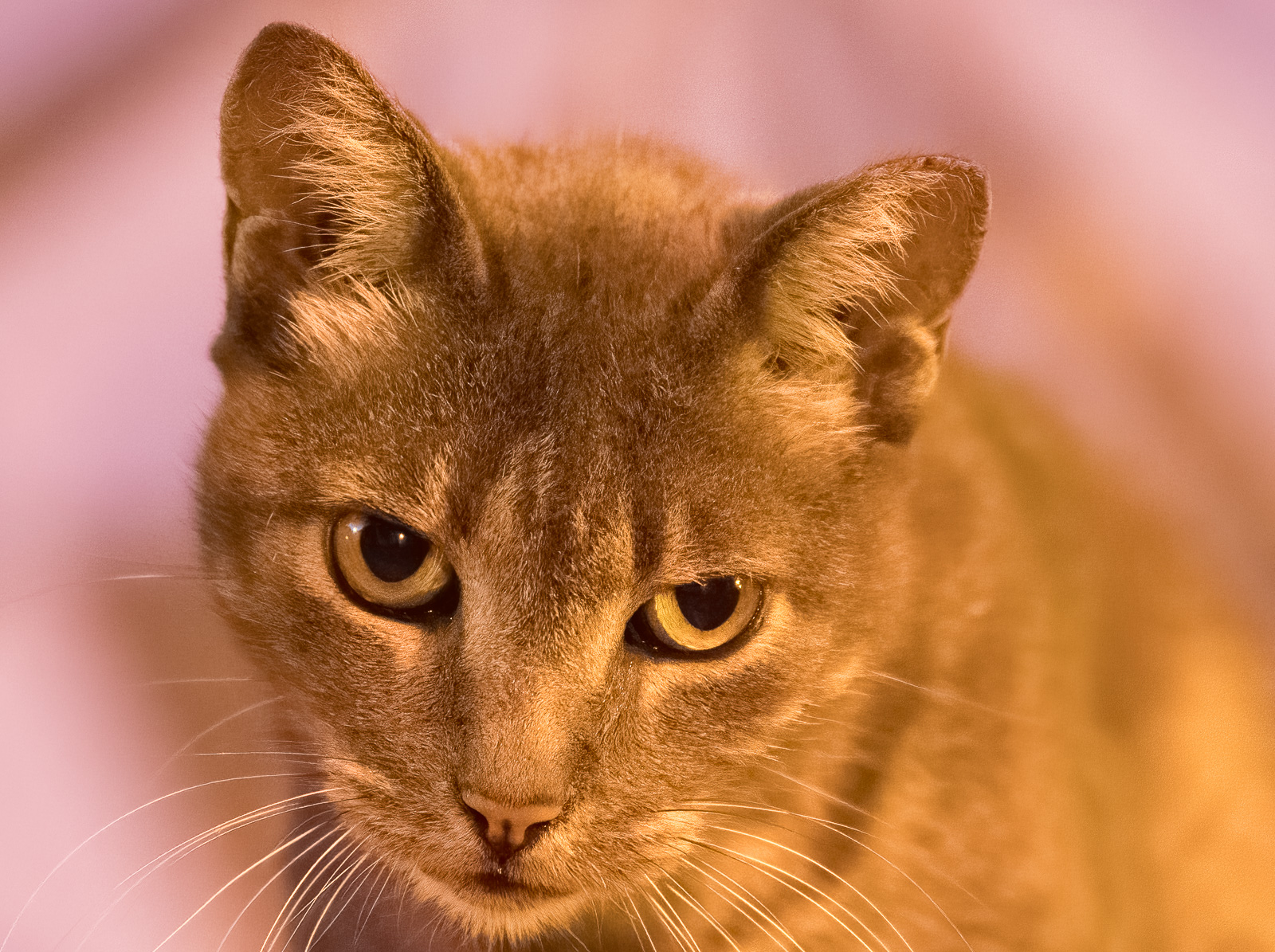
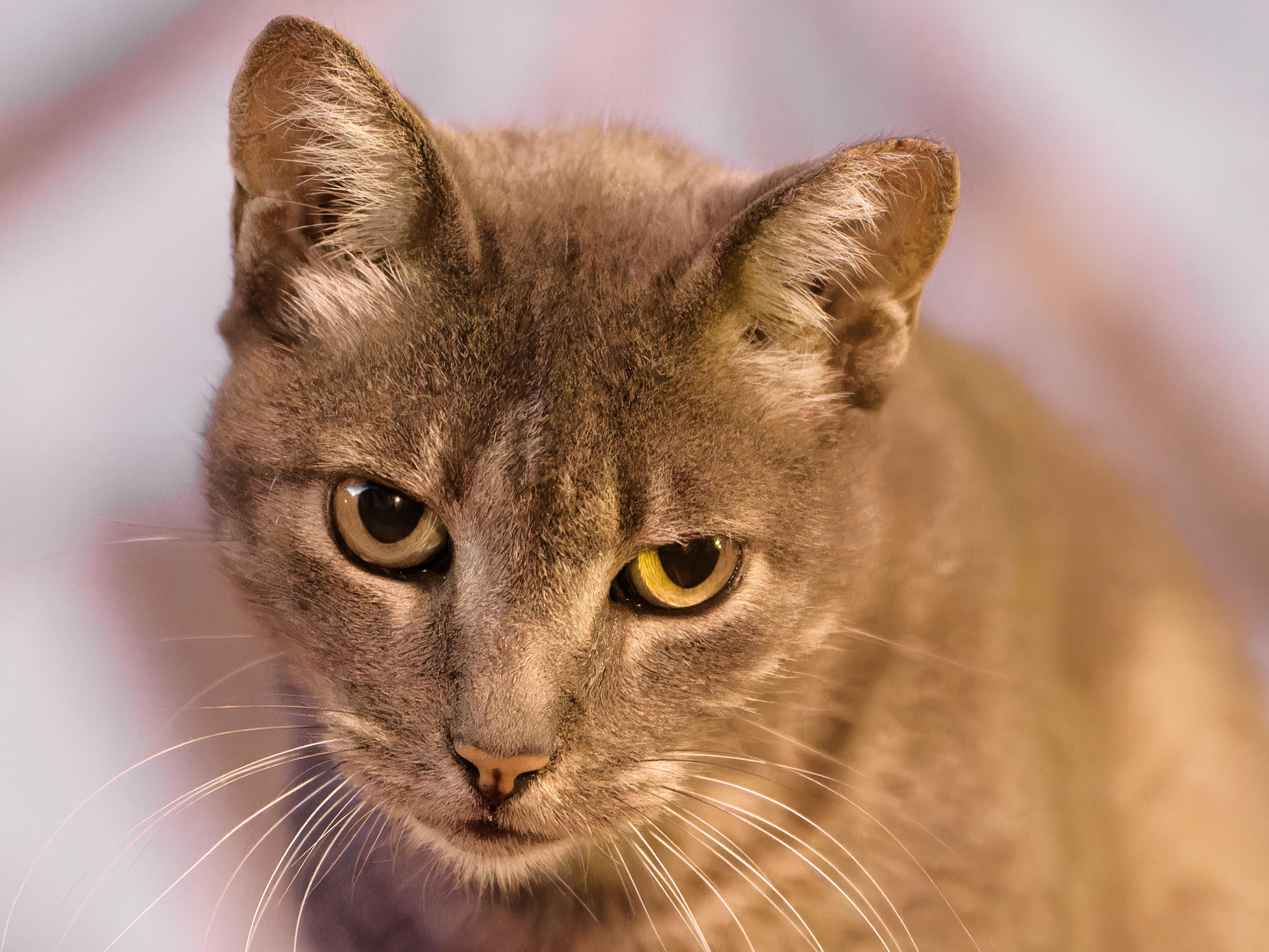
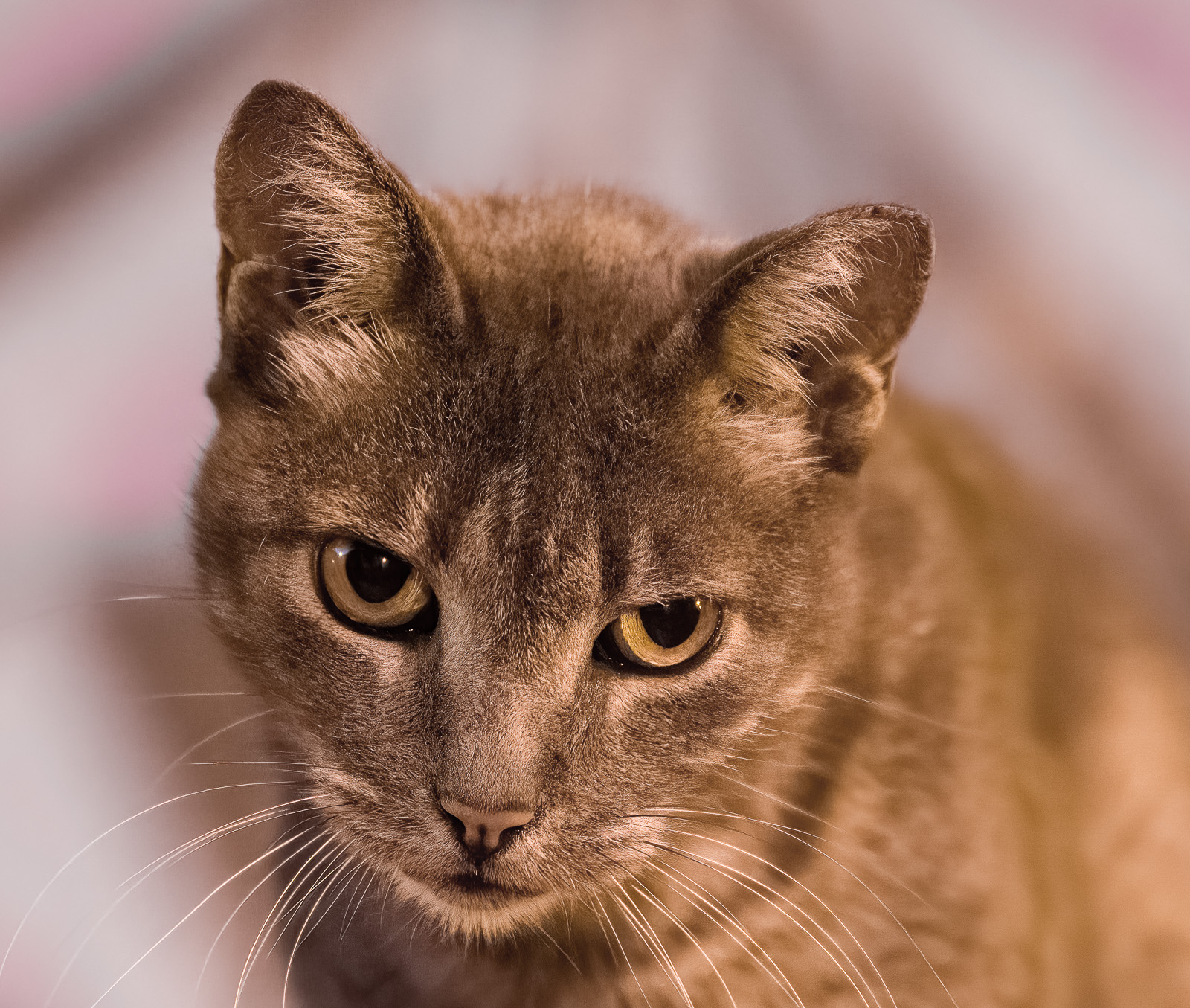
A cat in a dark street: ISO 12800 &f2.8
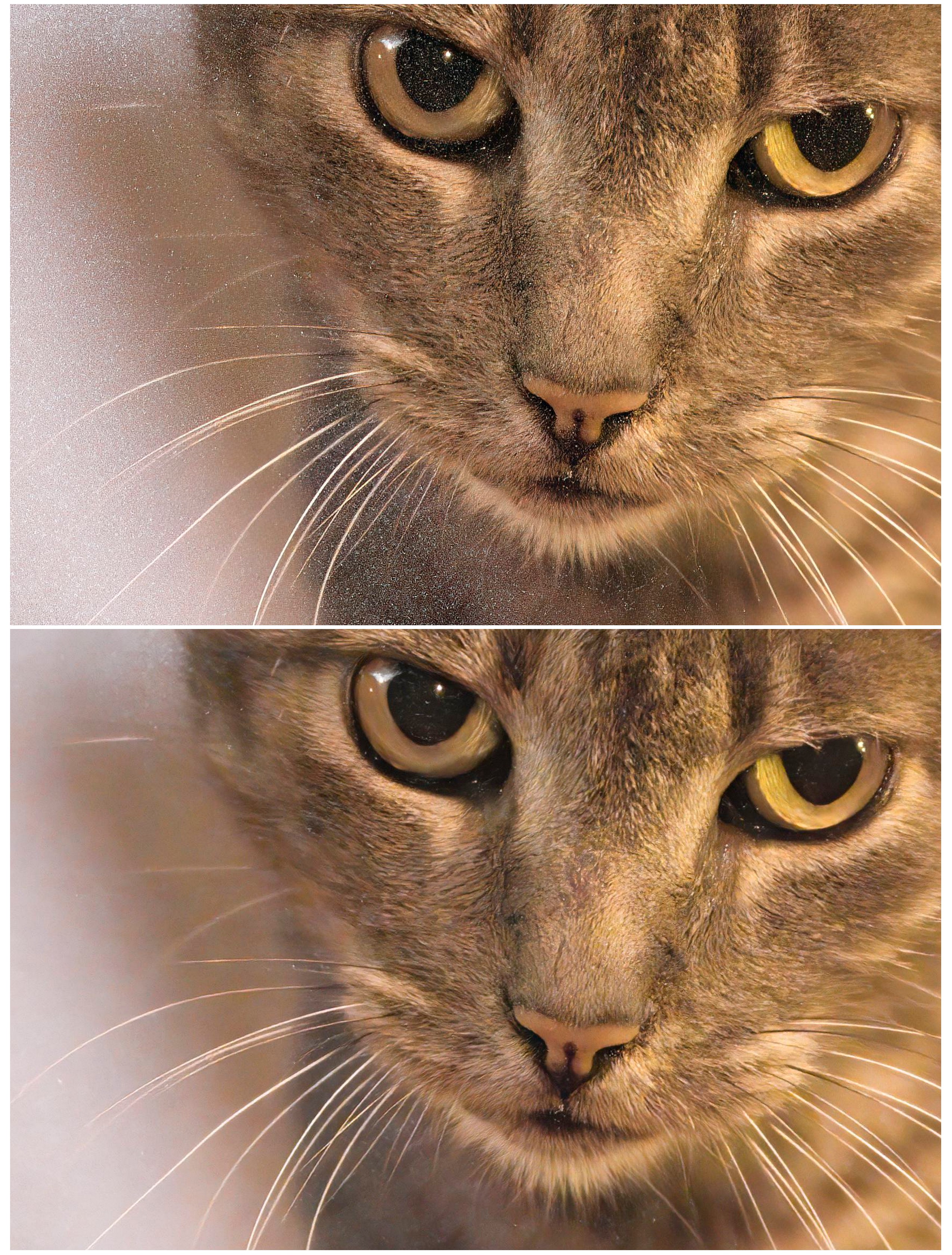
The next two uploads are 2MP crops from the 50MP image.
All corrections were done in DxO Photolab 6. The differences are as follows:
1st crop (from the top): denoised using DxO DeepPRIME
2nd crop: denoised using DxO DeepPRIME XD
3rd crop: denoising turned off in DxO PL 6, the output TIFF file was run through Topaz v 3.7.0 Low Light (default settings)
4th crop: denoising turned off in DxO PL 6, the output TIFF file was run through Topaz v 3.7.0 Severe Noise (default settings).
ILCE-1E 35-150mm F2.0-F2.8 A058 lens150mmf/2.81/100s12800 ISO0.0 EV
1st crop (from the top): denoised using DxO DeepPRIME 2nd crop: denoised using DxO DeepPRIME XD
3rd crop: denoising turned off in DxO PL 6, the output TIFF file was run through Topaz v 3.7.0 Low Light (default settings) 4th crop: denoising turned off in DxO PL 6, the output TIFF file was run through Topaz v 3.7.0 Severe Noise (default settings)
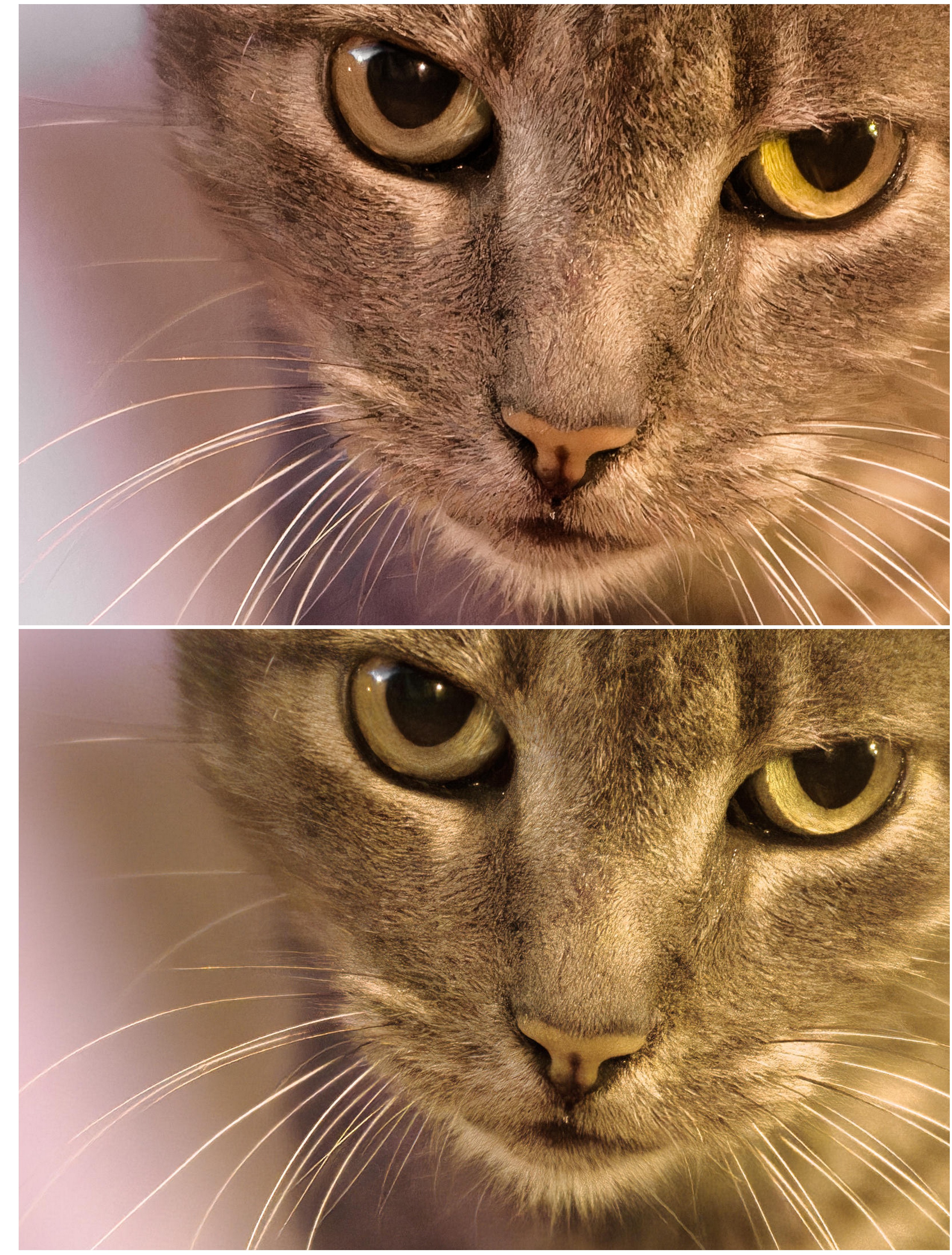
The following comparison is as follows:
Top: processed from RAW in DxO PL 6 and denoised with DeepPRIME XD (i.e. the same as crop 2 in the above post)
Bottom: processed from RAW in Topaz v 3.7.0 Low Light (default settings). The TIFF output was further corrected in DxO PL 6
Thus, denoising from RAW is much more efficient than denoising from TIFF in Topaz.
However, the problem with this approach is two-fold:
1) The denoised file cannot be saved as RAW, thus making it impossible, subsequently, to apply the lens corrections in DxO Photolab.
2) Topaz adds a dark color-cast to the output TIFF (or DNG) file. Correcting this can be a bit problematic.
ruthenium wrote:
The following comparison is as follows:
Top: processed from RAW in DxO PL 6 and denoised with DeepPRIME XD (i.e. the same as crop 2 in the above post)
Bottom: processed from RAW in Topaz v 3.7.0 Low Light (default settings). The TIFF output was further corrected in DxO PL 6
Thus, denoising from RAW is much more efficient than denoising from TIFF in Topaz.
However, the problem with this approach is two-fold:
1) The denoised file cannot be saved as RAW, thus making it impossible, subsequently, to apply the lens corrections in DxO Photolab.
2) Topaz adds a dark color-cast to the output TIFF (or DNG) file. Correcting this can be a bit problematic....Show more →
You shouldn't be using the "Low Light" model with a raw file. Use the raw model for best results. Also, one of the beauties of Topaz is there is a huge amount of granular control over the denoising; don't use the default settings.
Topaz *should* keep the EXIF data in the DNG you can save from raw processing, but they don't. Not sure why, it is a bit disappointing.
jhapeman wrote:
You shouldn't be using the "Low Light" model with a raw file. Use the raw model for best results. Also, one of the beauties of Topaz is there is a huge amount of granular control over the denoising; don't use the default settings.
Topaz *should* keep the EXIF data in the DNG you can save from raw processing, but they don't. Not sure why, it is a bit disappointing.
Thank you for correcting me.
The following comparison is as follows:
Top: processed from RAW in DxO PL 6 and denoised with DeepPRIME XD (i.e. the same as crop 1 in the above post)
Bottom: processed from RAW in Topaz v 3.7.0 AI model RAW (Auto model preferences). The TIFF output was further corrected in DxO PL 6 and converted to JPG. It might be possible to make the color match between the two crops but I am not sure about this. Something to keep in mind: all lens corrections were applied in the first crop, including the sharpening. These corrections are unavailable in DxO Photolab when the input is a TIFF file; thus, no sharpening was applied in DxO on the second crop. All sharpening in the second crop originates from Topaz.
In Topaz Preferences, apply RAW color correction was "on"
I will make the RAW file available tomorrow.
I can see how Topaz can be useful for those who don't use DxO PL; however, for the users of the latter I don't know a reason to do denoising in Topaz instead.
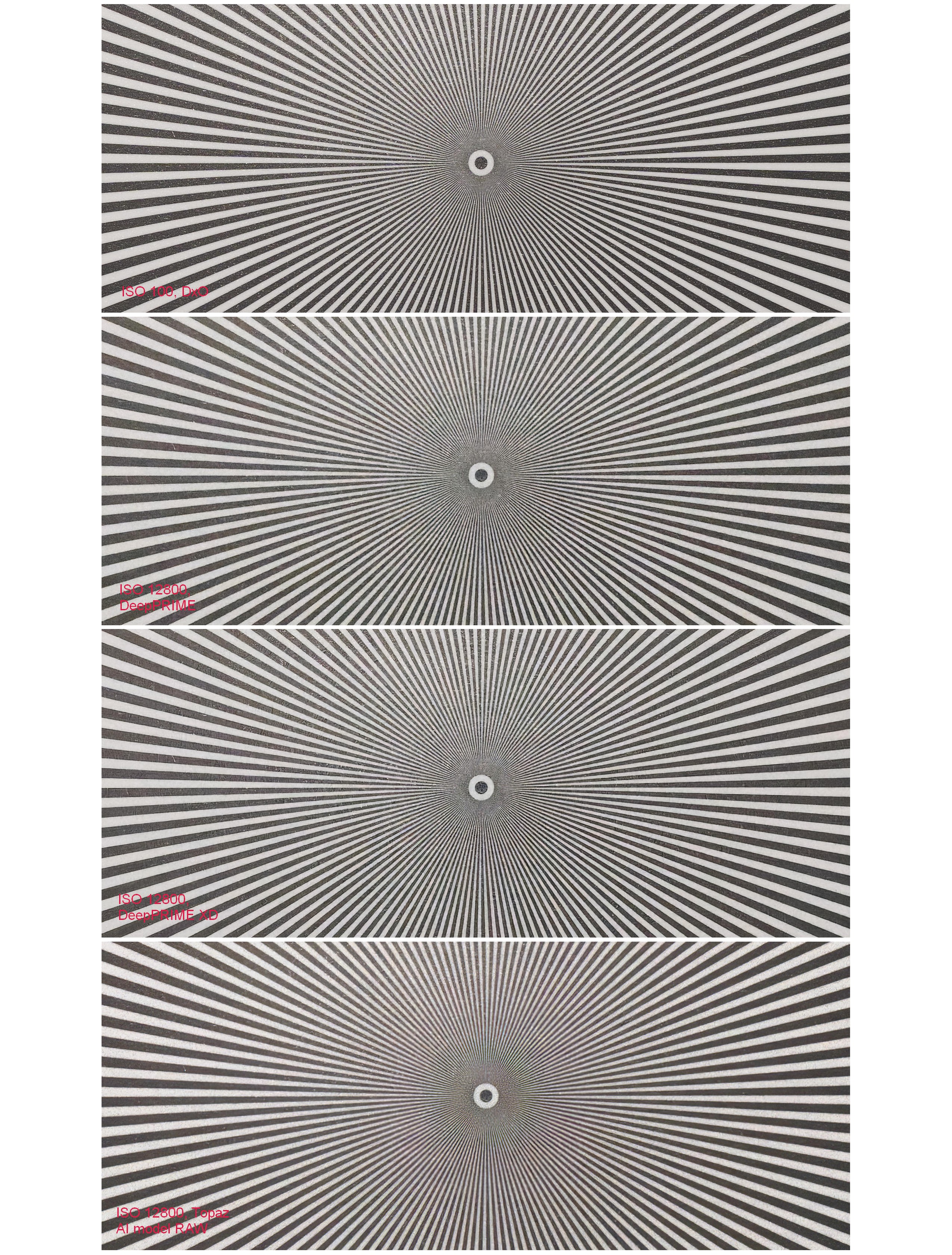
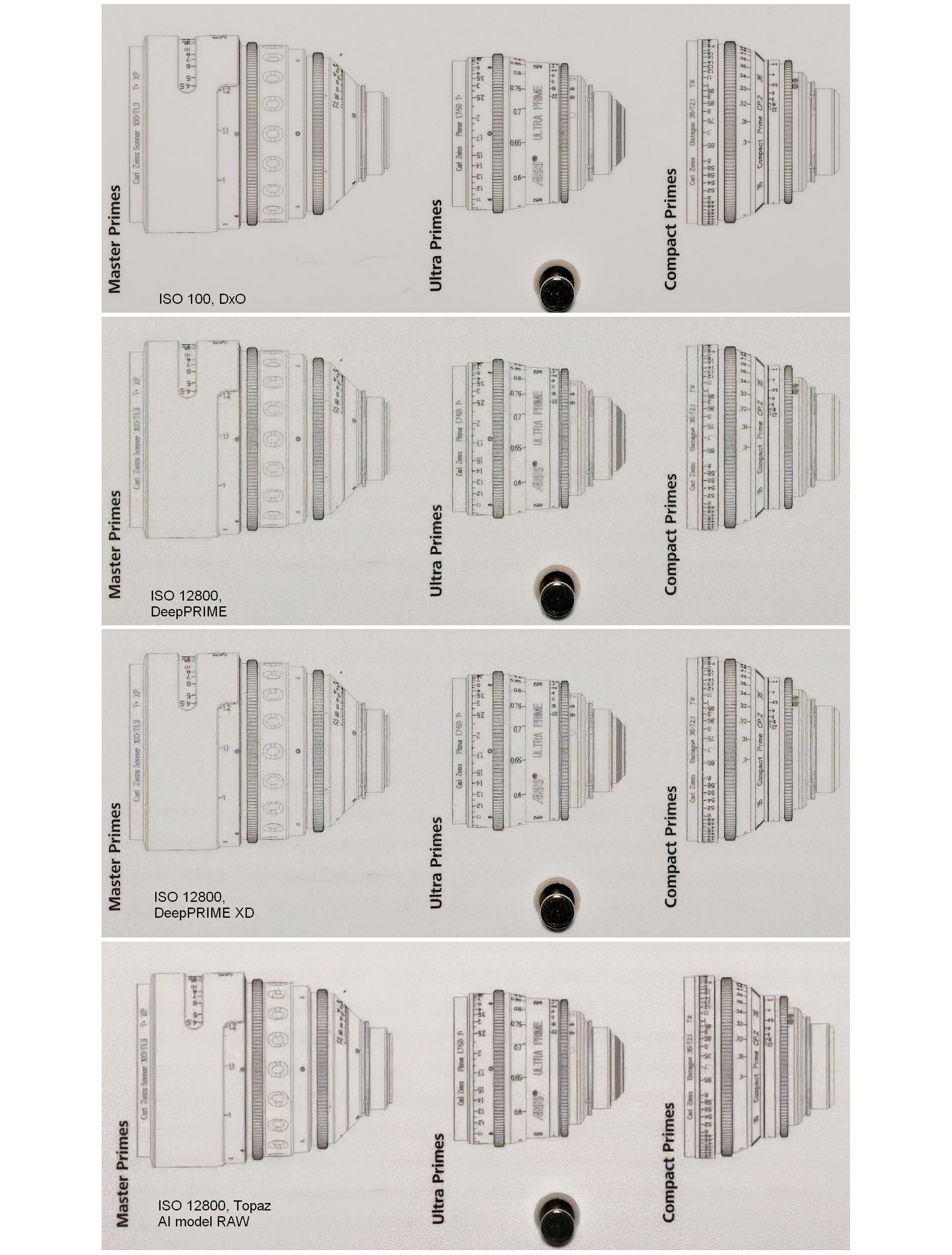
We can further look at the detail recovery of DeepPRIME vs DeepPRIME XD vs Topaz DeNoise AI model RAW.
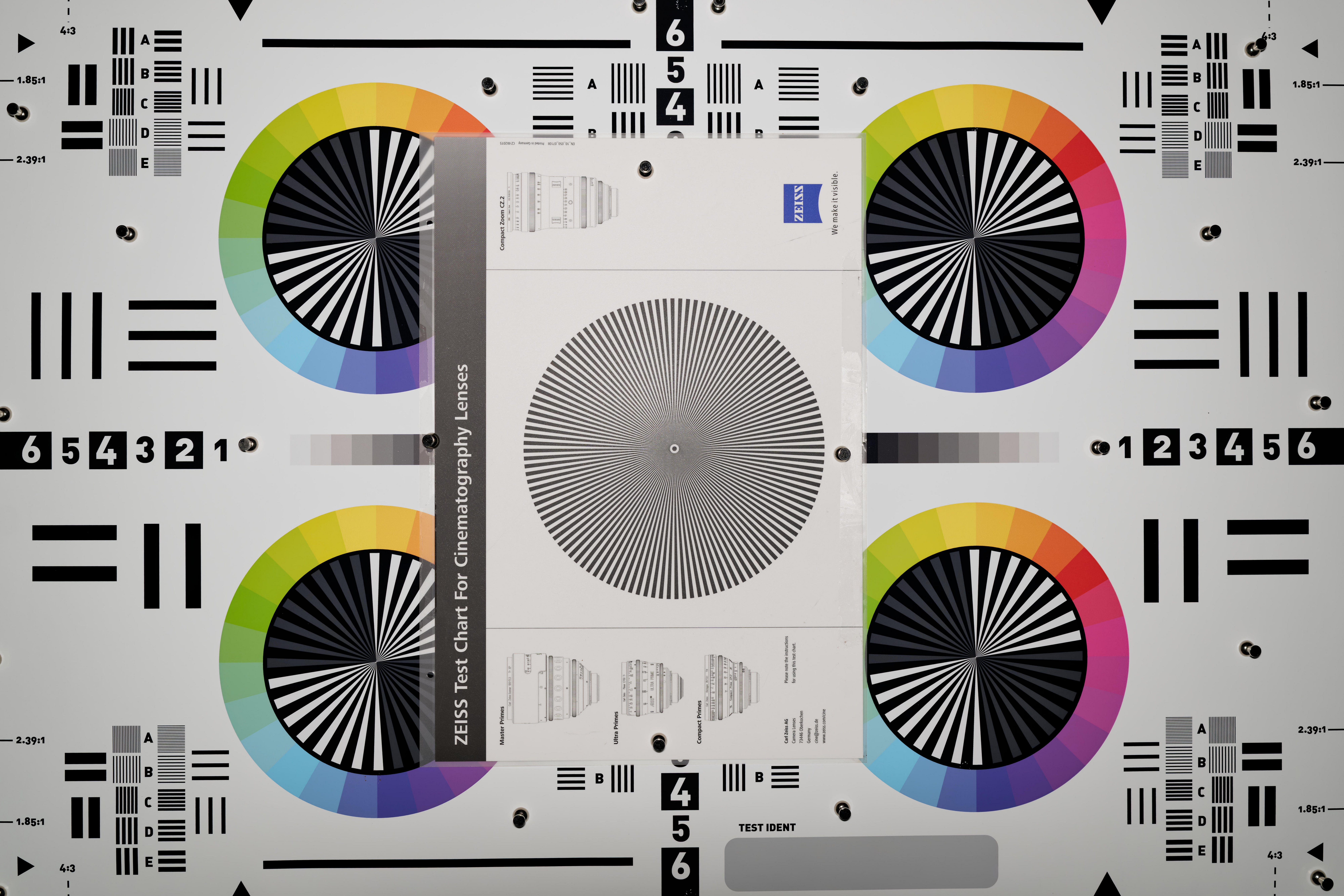
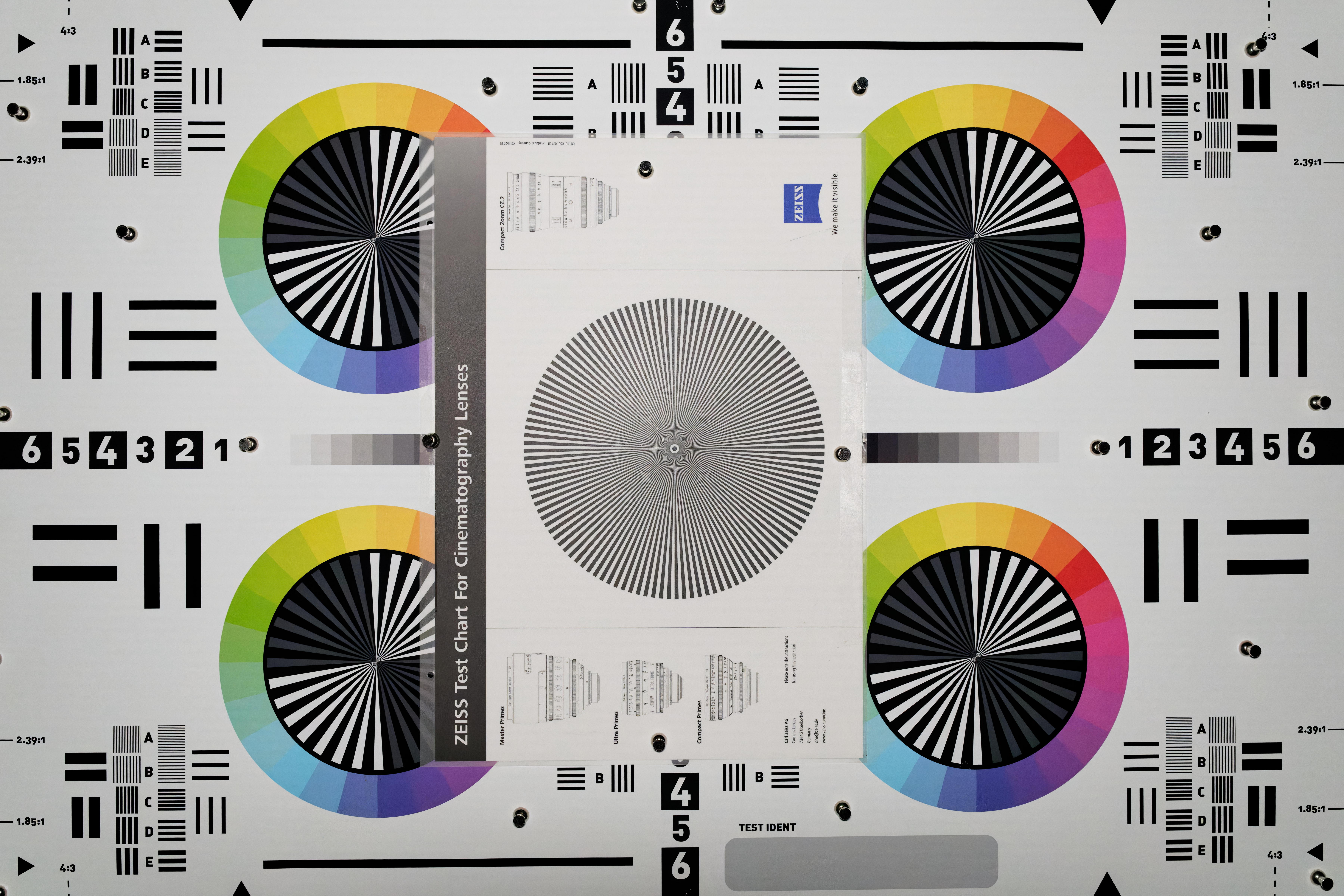
The following are full-size images at ISO 100 and 12800, plus two compilations of 1700 x 700 pixel crops from the full-size images. The labels on the individual crops indicate the ISO and denoising method used.
There is no need for extensive comments other than it is quite obvious that DeepPRIME XD tries to recover fine detail in addition to a slightly more efficient denoising vs. DeepPRIME. I guess, this can be be useful for wildlife photographers and birders in those relatively common situations when using relatively slow telephoto zooms (e.g. f/6.3) in less then ideal light.
Topaz performs well, and the corresponding image might look sharper if I could use sharpening when processing the TIFF file from Topaz in DxO PL. I already noted this in the above post that DxO PL can apply lens corrections (including sharpening and WB) only when processing from RAW. Thus all sharpening in the image denoised in Topaz originates from Topaz and this might not be as efficient as the sharpening applied by DxO PL when processing from RAW.
Edit added: I don't have studio lights in the basement where the images of the chart were taken. The lone source of light was Aputure Amaran AL-MW LED Light installed on top of the camera like a flash. Thus, the observable vignette is from the uneven light from Amaran illuminating the center more than the edges.
ILCE-1FE 35mm F1.4 GM lens35mmf/4.01/40s100 ISO0.0 EV
ILCE-1FE 35mm F1.4 GM lens35mmf/5.61/2000s12800 ISO0.0 EV
Here is my go at it. Exported from LrC to Topaz Photo AI as a plug-in so it opened as a RAW. It came back as DNG. Both files are Adobe standard and only the default sharpening was applied at import. I did nothing else.