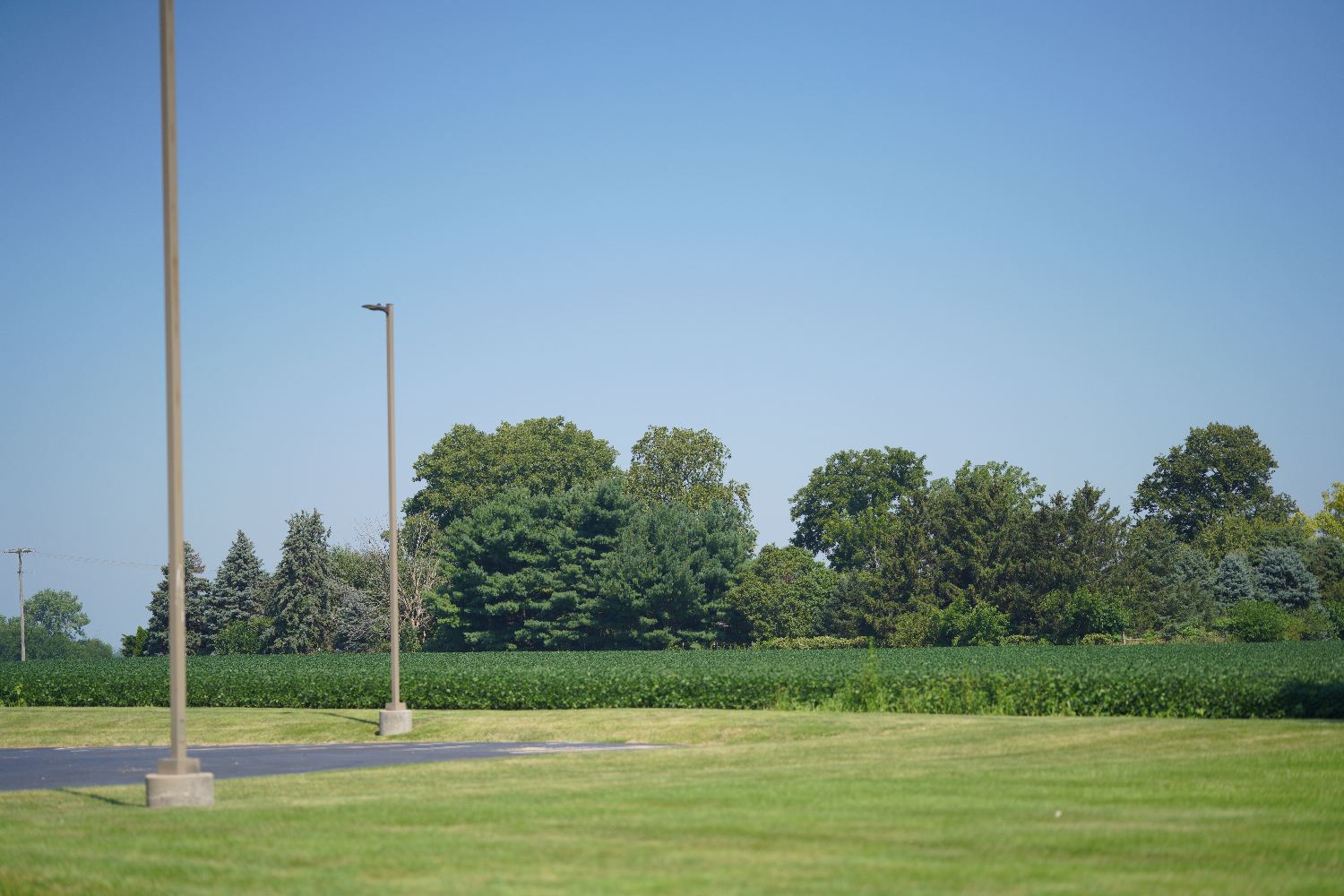
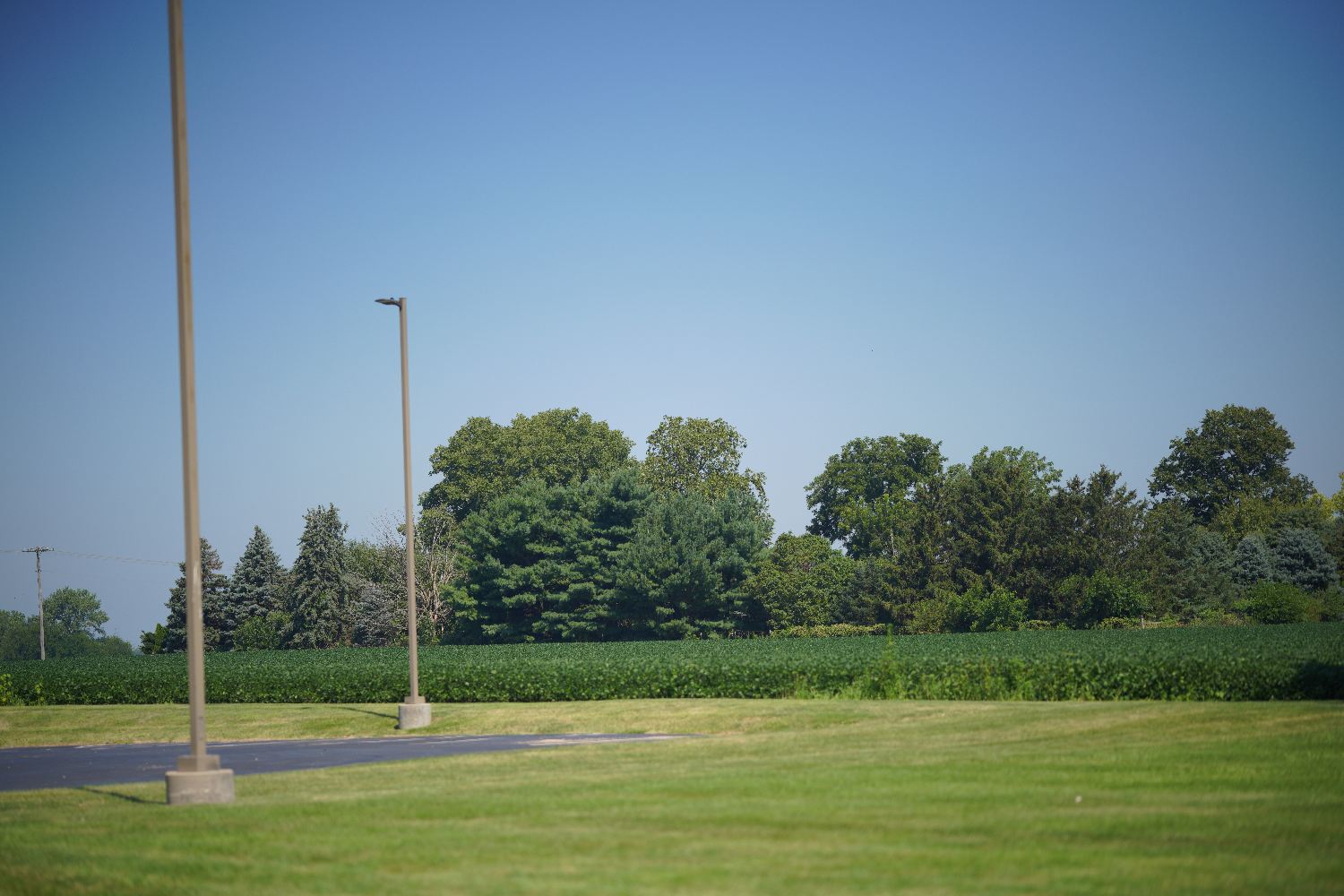
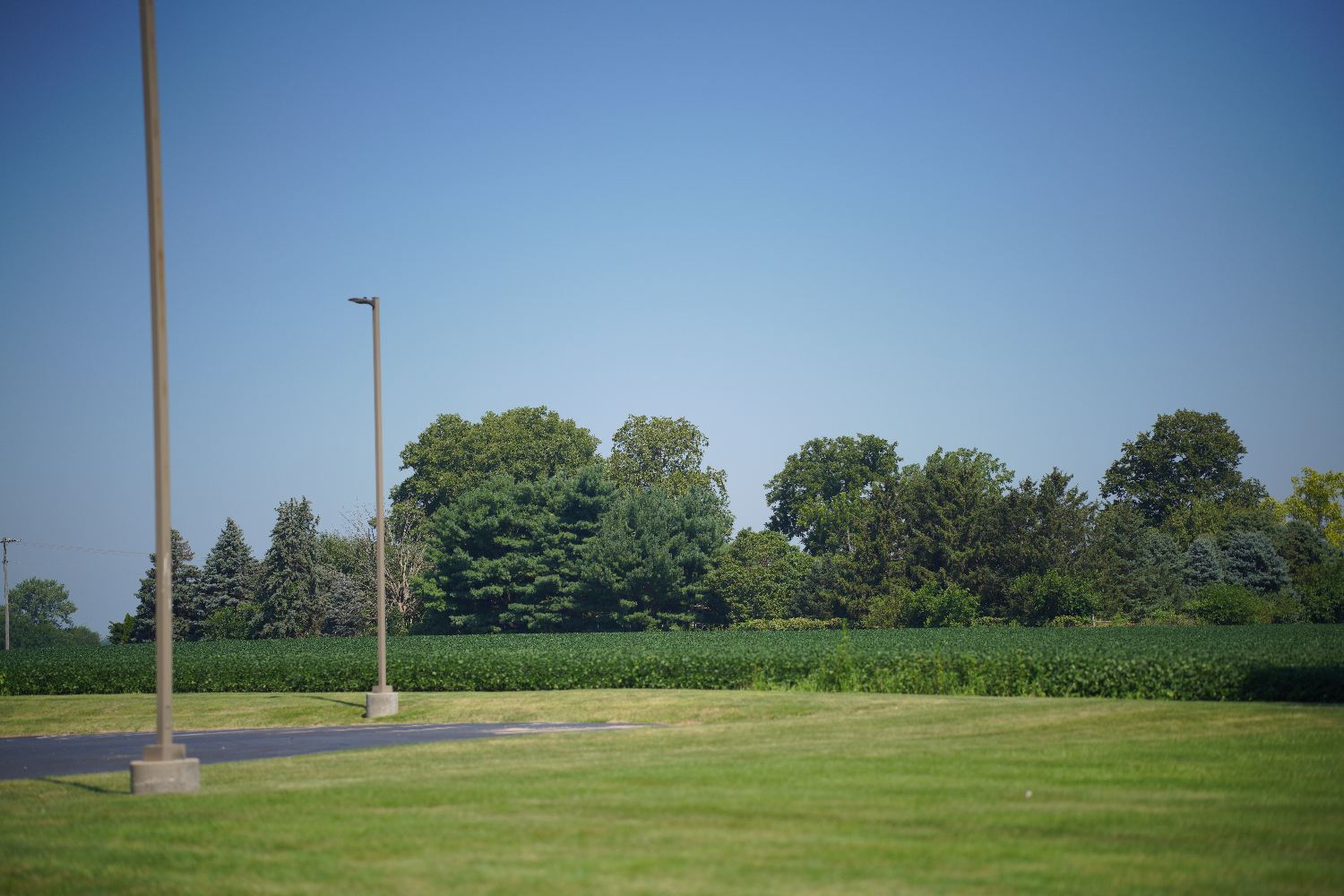
It really depends from shot to shot though. Most of the time I have solid black corners when shooting at F8 and pushing LR dehaze.
BTW: this is a perfectly centered copy.
That's spot on with what I'm seeing. My copy to the best of my knowledge is centered. Does anyone know what this is in the corners? Are there any other lenses that have this issue? I'm not too happy about it. I suppose to counter it I can always crop the corners off. I suppose I'll have to deal with it until I get my copy of the Sony 85mm F/1.2 GM.
Jochenb wrote:
That's the strange thing. It doens't always happen.
Most of the time it shows dark corners instead of a dark line.
However, to my surprise I found that one example that showed the lines too.
BTW Fred, test it at F8 at different focus distances. Wide open I never really had those issues.
Here's another example (variation of the previous one) that also shows the exact same issue:
Again F8:
This time the dehaze tool wasn't even touched, only added some contrast.
As you can see the lines are already visible here.
So it really has nothing to do with the dehazing tool, it just makes the issue more obvious.
It's also not posterization or a LR image preview issue. The lines are visible at 100%.
Again: it's the lens.
The weird vignetting and the wonky continuous AF are the reasons I sold mine.
InFocus2014 wrote:
Dehaze basically increases highly localized contrast (for computation algorithm purposes), along with some saturation enhancement. The fact that the sky was darkened so severely tells me that the Dehaze setting was likely set higher than the intended design parameters of the function. In this case, I would simply mask it from the sky.
I set dehaze to 100 to bring out the dark lines so viewers can easily see the issue. I don't normally set it that high. I normally use it to bring out the blues from atmospheric haze.
GHarris wrote:
Silly question, I know, and probably not a lot of help - I ask only out of idle curiosity, while wishing you the best of luck in getting it sorted - does the problem change, or move to the other side of the frame, when you hold the camera upside-down to take your shot? Or with any other orientation?
Does the problem occur with IBIS off and a tripod in use?
Doesn't change when holding the camera upside down. I'll have to test the ibis off when handheld. I normally turn it off when it is mounted on my tripod. I'll wait until I get to Florida today. Here in Jersey it's a bit cloudy and the sky isn't ideal for this test.
grahamgibson wrote:
If you zoom in to 100% does it go away? It could be posterization just showing up in the preview render that LR makes.
It's still there when zooming in to 100% It also can be seen in camera before even uploading it to lightroom and it appears when exporting the finished PP photograph.
Decided to do a test outside my window. Between F/1.4and F/8
Front Curtain off With hood off don't see it even with adjustments made and dehaze set 100. ISO 100 F1.4 1/8000 image 2 ISO 100 F/8 1/750
Test 2: Adjustments made with dehaze set to 100. Hood on front curtain off ISO 100 F/1.4 1/8000. I dont see it. Image 2 ISO 100 F/8 1/500 I see a bit of vignetting not seeing the pronounced line but I can see slightly dark corners on the top and the left corner on the bottom. I can't really tell with the right bottom corner as there is a tree there.
Test 3: hood on front curtain on adjustments made dehaze set to 100. ISO 100 F/1.4 1/8000 don't see it. Image 2 slight vignetting corners look less dark than test 2. Don't see any vignetting on the bottom left corner. Still not seeing the dark lines on the top corners. I'll test again later on a clear blue sky with no trees in the frame.
InFocus2014 wrote:
I went through my files and found a sky photo with the 85mm DG DN. I blocked-out the subject, reduced the exposure by one stop to better replicate the density in your shot and ran the Dehaze up to 100%. It was shot at f1.4 (not f8, if that makes a difference) on the A7RIV in silent mode. No problems that I can see.
As you can see by the second photo, I ended-up replacing the sky, anyway.
Random thought - was your lens hood off by 90 degree's?
Very nice portrait. At F/1.4 with my recent test the photos appear clear. My example shot with my first post was mounted on a tripod. Shot at F/8. My focus was on the monument. I had the lens tilted upward to remove the parking lot and other distractions. The lens hood was locked in. By what degree the lens was angled I couldn't tell you as I don't remember.
This time the dehaze tool wasn't even touched, only added some contrast.
As you can see the lines are already visible here.
So it really has nothing to do with the dehazing tool, it just makes the issue more obvious.
It's also not posterization or a LR image preview issue. The lines are visible at 100%.
Again: it's the lens.
The weird vignetting and the wonky continuous AF are the reasons I sold mine.
Glad I'm not the only one that notices it. What did you replace it with if you don't mind me asking?
To me it looks like an internal reflection issue, i.e. a lens problem that requires sending the lens in for repair/fix. My guess it is a production issue, that Sigma needs to remedy in your lens.
I would contact Sigma, send them picture samples and take it from there.
Sorry I can not contribute to an explanation but rather add a related issue that I have been struggling with with my Sigma 85 F1.4 DG DN copy.
My use case is a bit special since I almost exclusively use it for multirow milky way panoramas. So at 85mm, that's 20-30 images stitched together. With this lens, I have noticed a vignetting issue that I am unable to even out in post.
My results always show very pronounced 'rings' - you can clearly see the stiches: https://i.imgur.com/FnBS3KR.jpg Higher resolution here
Normally I would handle the vignetting in LR by finding the right vignetting/midpoint correction values. For the stitching I am using PTGuI which is great at getting rid of any remaining vignetting at the seams. But for this particular lens, tons of hours of playing with vignetting/midpoint combinations did not yield any better results. I also tried deactivating Sony's in-camera vignetting correction. Also removed the hood, testet at different F-stops (F1.4 - F2.0) and overlapping angles, to no avail.
I haven't had the chance yet to test again with another lens 'after' buying the Sigma 85mm, but at least before I got it, I never had this kind of issue with any of my other lenses (including Sony 85mm F1.8). So I doubt it's the camera, and my editing workflow has not changed either.
This thread gives me more reason to believe it is actually the lens. There are some differences: in my case I shoot at F1.8 - F2.0 so I observe the issue at wider apertures. Also, it is not just top corners but the whole 'ring' is clearly visible even in the raw file. Focus is always infinity. On the other hand, I have not experienced any issues in the very few daytime images at F8.0 or smaller as described in this thread. Still I think it might be related, maybe a general problem with quality control of vignetting behavior in this lens?
Here’s a thought.
The lens has a bit more native distortion than most 85s and is designed to be used post correction.
So the lens is a bit wider than 85, giving 85 after correction.
Maybe before the correction, there is a bit of hard vignette that is cropped off by correction?
DavidBM wrote:
Here’s a thought.
The lens has a bit more native distortion than most 85s and is designed to be used post correction.
So the lens is a bit wider than 85, giving 85 after correction.
Maybe before the correction, there is a bit of hard vignette that is cropped off by correction?
The OP says they were using no correction, so…
If that was the case the extreme corners would be black and cropped out when correcting the distortion.
In my examples I fully used the LR lens profile to correct distortion and vignetting.
It's something caused by the lens itself, but only in specific circumstances. My guess is that's why most users haven't noticed it (yet).
I only found those 2 examples that showed the same dark lines as the OP showed.
All my other photos show "normal" vignetting. Too much for my liking stopped down, but at least without those dark lines.
My copy was thoroughly tested and had perfect centering. Something you don't see that often.
That's why I find it hard to believe that this issue would be copy related.
But who knows...
I took some quick photos of a clear blue sky. I haven't noticed any problems with my copy. Shots with hood & B+W UV filter, SOOC jpg, various states of lens correction. The small jpgs below show some banding, but the 60MP jpg do not.
The photos below were in MF mode, focused on trees in the distance for consistency of focal point between images, hand held.
I don't see any issues with the lens other than the expected vignette and distortion. It looks like the vignette is not fully corrected by the built in correction.
DistantPlaces wrote:
My use case is a bit special since I almost exclusively use it for multirow milky way panoramas. So at 85mm, that's 20-30 images stitched together. With this lens, I have noticed a vignetting issue that I am unable to even out in post.
My results always show very pronounced 'rings' - you can clearly see the stiches:
Very impressive. The vignette issue will be challenging to remove in an astro panorama. In astro photos we pushing the performance of the sensors and lenses to their limits. If the edge of the frame got 2 stops less light than the center there is no way to do a simple fix to correct this. There is information that is missing and your signal to noise level is not large enough to compensate. For normal landscape shots, there is enough S/N and you just pull up the gain in the corners as needed. If you apply a vignette correction the noise in the edge will be boosted and dark regions will show bright rings (as in your photo). If you don't apply a vignette correction the bright areas of the galaxy will show dark rings.
So the key is to get the signal to noise ratio high enough that you can apply a vignette correction without boosting the noise by a visible amount. I'm not sure about your workflow, but it should include a set of files with your lenses actual vignette focused at infinity. I take a photo of paper illuminated by sunlight for my files. You also want to use uncompressed RAW as this will increase the dynamic range of the file. I typically remove UV filters as I have seen them making vignette type artifacts on astro. I set the ISO to the start of the second range, any higher ISO on Sony can only decrease dynamic range in the photo. If you are happy with the quality of photo in the center you need to get the signal to noise at the edge to a similar level. It looks like the vignette of the 85DN is between 2-3 stops in the corner. So that means the corners got around 1/8 the amount of light as the center. So you could take 8x more shots and stack them to improve the S/N in the vignette area.
You might try this approach with a 2x2 pano of non-galaxy to see if it improves stitching performance. I use sequator for astro stacking and have been pretty happy with it. I haven't tried astro pano, its hard to say if you will still see the ring structure because the quality of the photo in the center will increase so you will still have a difference in quality between the center of the shots and the corners.
Best of luck. I tend to use the 135GM for tele astro, the vignette on this lens is better than the 85DN, also less distortion.
I didn't look as close at the ones below the sky shots. It seems like those look more normal.....so I have no idea.
tsdevine wrote:
Do the "Sky, all corrections off" test with the camera oriented normally like you did here....then do the same with the camera inverted.
The vignetting does not appear symmetric, even though the lens is well-centered. Doing the above will help ascertain whether that's true or not.
Bizarre. Is there a rear baffle on this lens? It's almost like that baffle isn't perfectly centered vis-a-vie the sensor.
There does seem to be some asymmetry in the vignette. Overall I don't have any complaints with this lens. The global sharpness is a bit less than the 35GM and 135GM. The sharpness in center for portraits is everything I could want in a lens. I haven't noticed any issues with edge sharpness asymmetry in brick wall tests of this lens.
Sky corrections off
Sky camera inverted, image rotated, corrections off.