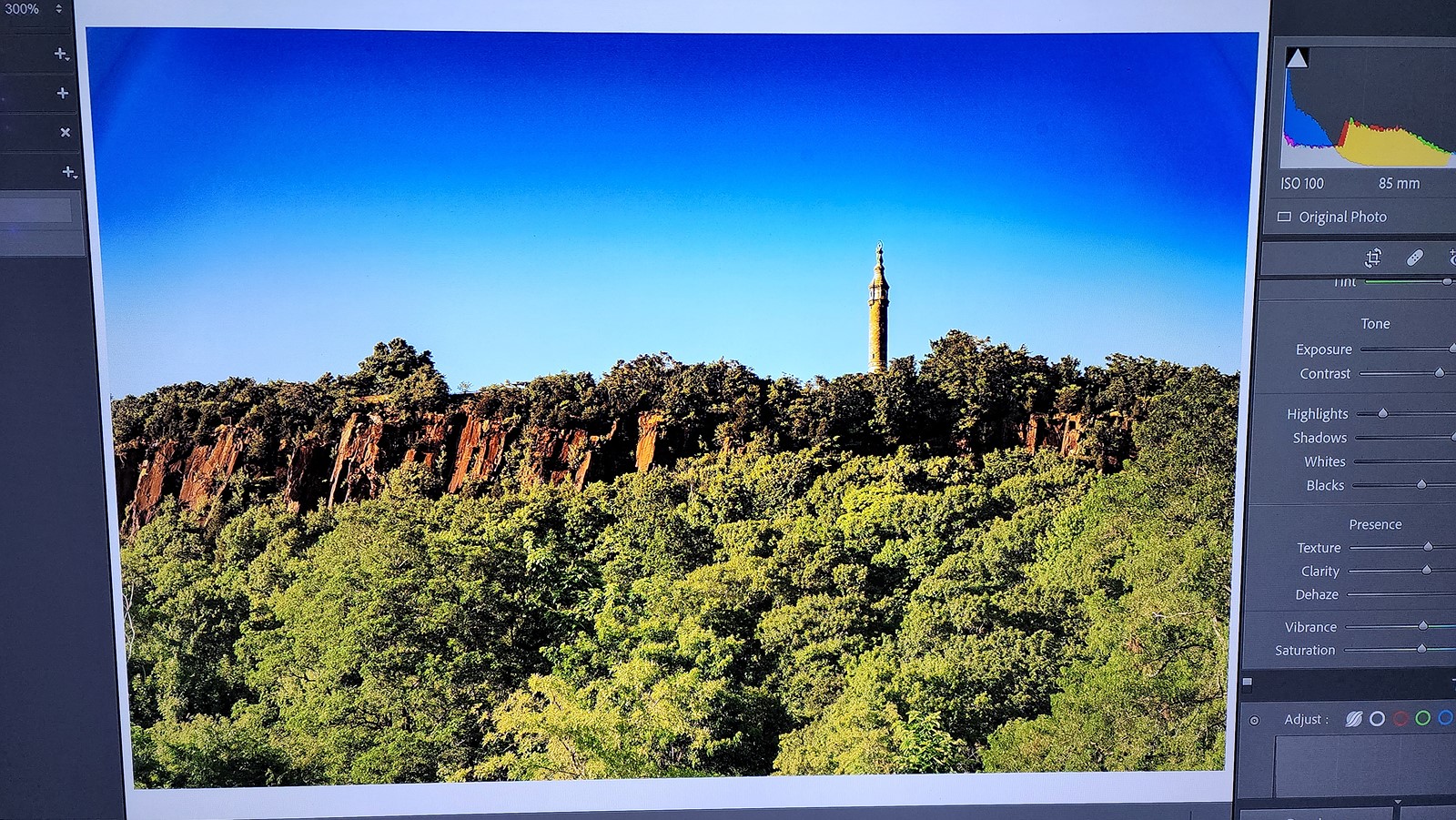
Hello, I've noticed dark lines on the top corners of my lens. I don't think it is vignette as the lens profile isn't removing it. I'm shooting in raw and editing in Adobe Lightroom. Manually setting vignette correction to 100 doesn't remove it. I notice it more whenever I add some dehaze in post. I've set dehaze to 100 so you can see what I'm talking about. Can anyone with the lens confirm if this is normal. What exactly is it? I've never seen this before with any other lens. Removing the filter and hood doesn't help it either. I'm using the lens on my A7RIII. Turning off shading correction in camera doesn't work either.
That looks like physical vignetting to me; the upper left more pronounced than the right. I wouldn’t be happy with that. Any chance of returning the lens and try another copy?
AGeoJO wrote:
That looks like physical vignetting to me; the upper left more pronounced than the right. I wouldn’t be happy with that. Any chance of returning the lens and try another copy?
If it's vignetting. Why doesn't it go away when I correct for it?
My copy was the same.
Even when I stopped down to F8 the corners were still dark. It also depends on the focus distance. I mostly noticed it when shooting at/near infinity.
Here's a post where I showed it.
I guess it's physical vignetting that the lens profile can't fully get rid of.
Is this showing the full shot? If so, the vignetting is only really affecting the sky.....which means it's asymmetrical. So it sort of means it's only affecting the corners where there is sky. What does it look like if you shoot all sky?
Just trying to figure out whether it's just affecting the blue channel predominantly or whether it's only impacting the top corners. Which sounds like decentering of some kind.
princeharbinger wrote:
Hello, I've noticed dark lines on the top corners of my lens. I don't think it is vignette as the lens profile isn't removing it. I'm shooting in raw and editing in Adobe Lightroom. Manually setting vignette correction to 100 doesn't remove it. I notice it more whenever I add some dehaze in post. I've set dehaze to 100 so you can see what I'm talking about. Can anyone with the lens confirm if this is normal. What exactly is it? I've never seen this before with any other lens. Removing the filter and hood doesn't help it either. I'm using the lens on my A7RIII. Turning off shading correction in camera doesn't work either.
Dehaze basically increases highly localized contrast (for computation algorithm purposes), along with some saturation enhancement. The fact that the sky was darkened so severely tells me that the Dehaze setting was likely set higher than the intended design parameters of the function. In this case, I would simply mask it from the sky.
It's the full shot. I tested it in my living room photographing the white wall and I can still see it in the top corners. I'll test for blue skys later. It passed the star chart for decenterment. It also appears to my eyes sharp from all corners.
tsdevine wrote:
Is this showing the full shot? If so, the vignetting is only really affecting the sky.....which means it's asymmetrical. So it sort of means it's only affecting the corners where there is sky. What does it look like if you shoot all sky?
Just trying to figure out whether it's just affecting the blue channel predominantly or whether it's only impacting the top corners. Which sounds like decentering of some kind.
Silly question, I know, and probably not a lot of help - I ask only out of idle curiosity, while wishing you the best of luck in getting it sorted - does the problem change, or move to the other side of the frame, when you hold the camera upside-down to take your shot? Or with any other orientation?
Does the problem occur with IBIS off and a tripod in use?
Jochenb wrote:
That's not causing it. It's the lens itself.
I never shoot with the in-camera corrections on and showed a very similar example in my previous post.
I have this lens on L-mount. I will try the 85/1.4 DG DN on the SL camera today.
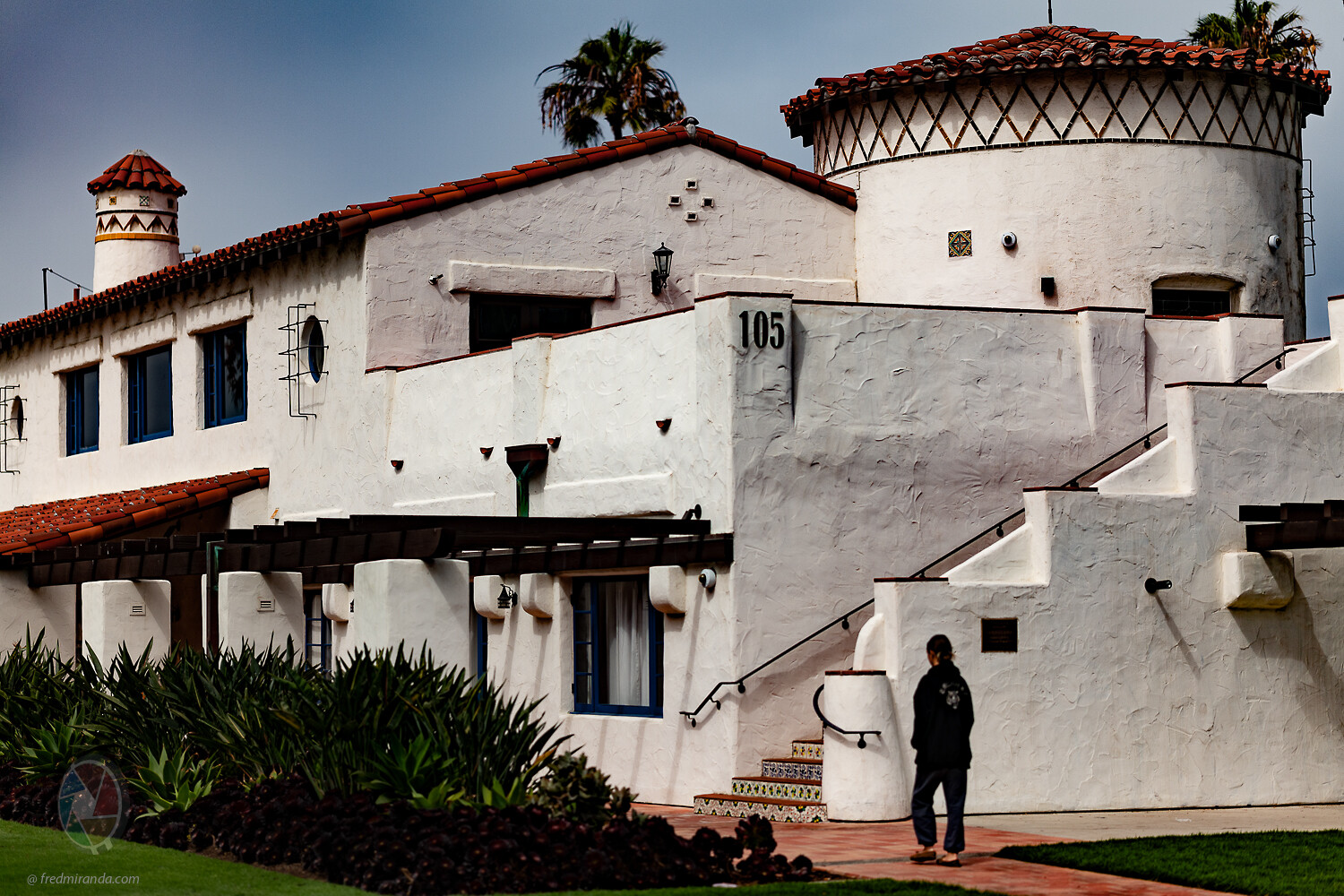
Here is an image straight with no adjustments except for vignetting correction (using the LR profile) and dehaze set to 100.
I don't see the issue on this image.
Fred Miranda wrote:
Here is an image straight with no adjustments except for vignetting correction (using the LR profile) and dehaze set to 100.
I don't see the issue on this image.
That's the strange thing. It doens't always happen.
Most of the time it shows dark corners instead of a dark line.
However, to my surprise I found that one example that showed the lines too.
BTW Fred, test it at F8 at different focus distances. Wide open I never really had those issues.
I went through my files and found a sky photo with the 85mm DG DN. I blocked-out the subject, reduced the exposure by one stop to better replicate the density in your shot and ran the Dehaze up to 100%. It was shot at f1.4 (not f8, if that makes a difference) on the A7RIV in silent mode. No problems that I can see.
As you can see by the second photo, I ended-up replacing the sky, anyway.
Random thought - was your lens hood off by 90 degree's?
Jochenb wrote:
My copy was the same.
Even when I stopped down to F8 the corners were still dark. It also depends on the focus distance. I mostly noticed it when shooting at/near infinity.
Here's a post where I showed it.
I guess it's physical vignetting that the lens profile can't fully get rid of.
I had a look at your thread. It was interesting but your example photo doesn't look exactly like what I am seeing. Your corners are a little dark but I don't see the dark lines I'm seeing with my copy.