Jesse Evans wrote:
Unfortunately, on my first time out with the R3 this morning I suffered lock-ups 3 different times in which the camera was frozen in the off position and refused to turn on until taking out and reinserting the battery.
I don't know if I got a bad unit, but either way I will be sending the unit back to Canon.
Sorry to hear this, I have had no locks ups at all. I have the same lens setup as you too. Wonder what the cause/settings are doing this to some and not all.
RobAmy wrote:
Sorry to hear this, I have had no locks ups at all. I have the same lens setup as you too. Wonder what the cause/settings are doing this to some and not all.
I have GPS turned on in mode 2. Do you have GPS turned on?
Jesse,
So sorry to hear that this happened to you too. Curious to hear what Canon says to you about the issue. I watched your clip and I hope Canon looks at it seriously. Once again, they told me to write in CRAW to the cards instead of RAW. Not much of a fix or an acceptable remedy to the problem. Note: since my initial post, I have not experienced the lockup again. I have used the Camera only a handful of time's and only for short durations. Still not writing to CRAW but did switch to a Delkin Black 256 cfexpress. I will post when it happens again.
Hasn’t happened again to mine. I’ve had a solid month of no issues since I first called Canon. If it ever happens again, I may send to CPS but since it isn’t reproducible and there is no information recorded in the logs, I suspect my camera would come back the same way it left. When I’m in NJ again, I’ll stop and have them give it a quick look.
I believe my issue is not related to any of the lockups described here as I had a very different and more repeatable experience.
I’m going to go out tomorrow morning for another round of fun and will leave GPS turned off. Perhaps that is what is causing the bug. Or, perhaps I have bum hardware.
Frankly, I’m a bit miffed. But I’m hopeful tomorrow will prove to be a better day.
Jesse Evans wrote:
Unfortunately, on my first time out with the R3 this morning I suffered lock-ups 3 different times in which the camera was frozen in the off position and refused to turn on until taking out and reinserting the battery.
Happened to me as well (this very same thing, camera was off and had to be powered up by dropping the battery), and a lot of lockups with R5 since 1.5, too.
I was just sent a link to this forum from another member over at the Canon Community forum. I have this same issue, having experienced it the first week after receiving the R3. Canon CPS took it in, replicated the issue in the shop, reinstalled the FW, and couldn't replicate it after that. Since my use over the holidays was minimal and the problem not not reoccur, however yesterday, it resurfaced. It has nothing to do with equipment, but rather the time the camera was in use. Short use it doesn't seem to occur. Extended use, boom, it happens. Here's my post over at Canon. https://community.usa.canon.com/t5/EOS-DSLR-Mirrorless-Cameras/R3-Freezes-Canon-Repaired-Problem-Persists/td-p/360273
I have shot about 3k to 4k images with my R3 (six basketball games). It seems to be working fine, except tonight something strange happened. My set up is really basic. Full manual, single point focus, manually set ISO and AWB. I have the power switch set to lock. Lens was a 70-200 f/2.8L mk2 using a Canon EF to R adaptor.
On a couple occasions tonight, I noticed after the camera was idle for several minutes during half time, the focus point moved. On another occasion, the ISO changed, and on one occasion the the AWB changed to another setting. I assumed I had bumped something and didn't give it much thought, but then I realized I had it locked and the camera was not being used when it happened. I had to unlock it to move the focus point back to the center again.
The only thing I could think of that I did was flip the back panel to the closed position. I have not idea what could have happened.
Full admission: I have not really read any of the instructions on the camera, I just set it up like my other Canon bodies and started using it - so who knows what I could have done! If this is the only problem I have with the R3 then I am still very pleased with its performance.
graycat wrote:
I have shot about 3k to 4k images with my R3 (six basketball games). It seems to be working fine, except tonight something strange happened. My set up is really basic. Full manual, single point focus, manually set ISO and AWB. I have the power switch set to lock. Lens was a 70-200 f/2.8L mk2 using a Canon EF to R adaptor.
On a couple occasions tonight, I noticed after the camera was idle for several minutes during half time, the focus point moved. On another occasion, the ISO changed, and on one occasion the the AWB changed to another setting. I assumed I had bumped something and didn't give it much thought, but then I realized I had it locked and the camera was not being used when it happened. I had to unlock it to move the focus point back to the center again.
The only thing I could think of that I did was flip the back panel to the closed position. I have not idea what could have happened.
Full admission: I have not really read any of the instructions on the camera, I just set it up like my other Canon bodies and started using it - so who knows what I could have done! If this is the only problem I have with the R3 then I am still very pleased with its performance....Show more →
This is extremely unintuitive… however… the camera comes by default with the Lock position set to do nothing, and the vertical grip controls always enabled. I don’t know if you changed it, but you need to go in to the menus and either disable the vertical grip or set it to follow the lock position on the switch.
Unfortunately I experienced the same lockup this morning after waiting patiently for a Kite to finally dive for prey near where I was waiting. Raised the camera to take the picture and it had gone to sleep and would not come on.
I am not thrilled, but I still got images I am happy with this morning.
Jesse Evans wrote:
Unfortunately I experienced the same lockup this morning after waiting patiently for a Kite to finally dive for prey near where I was waiting. Raised the camera to take the picture and it had gone to sleep and would not come on.
I am not thrilled, but I still got images I am happy with this morning.
Sorry again but you must have a defective one, send it in and let them make it right. By chance what are your sleep/shut off times? I will match yours and see if mine does this too.
While playing with my R3's settings last night the physical controls stopped working. I could only control the camera with the touch screen. Turning the camera to the "off" position didn't even turn the camera off. A real ghost in the machine. My only option was to remove/reinstall the battery. Everything worked again for a couple minutes, but then locked up again while futzing with the menu settings. This repeated a couple more times so did a factory reset and so far all has been OK, but crossing my fingers it was a one-off.
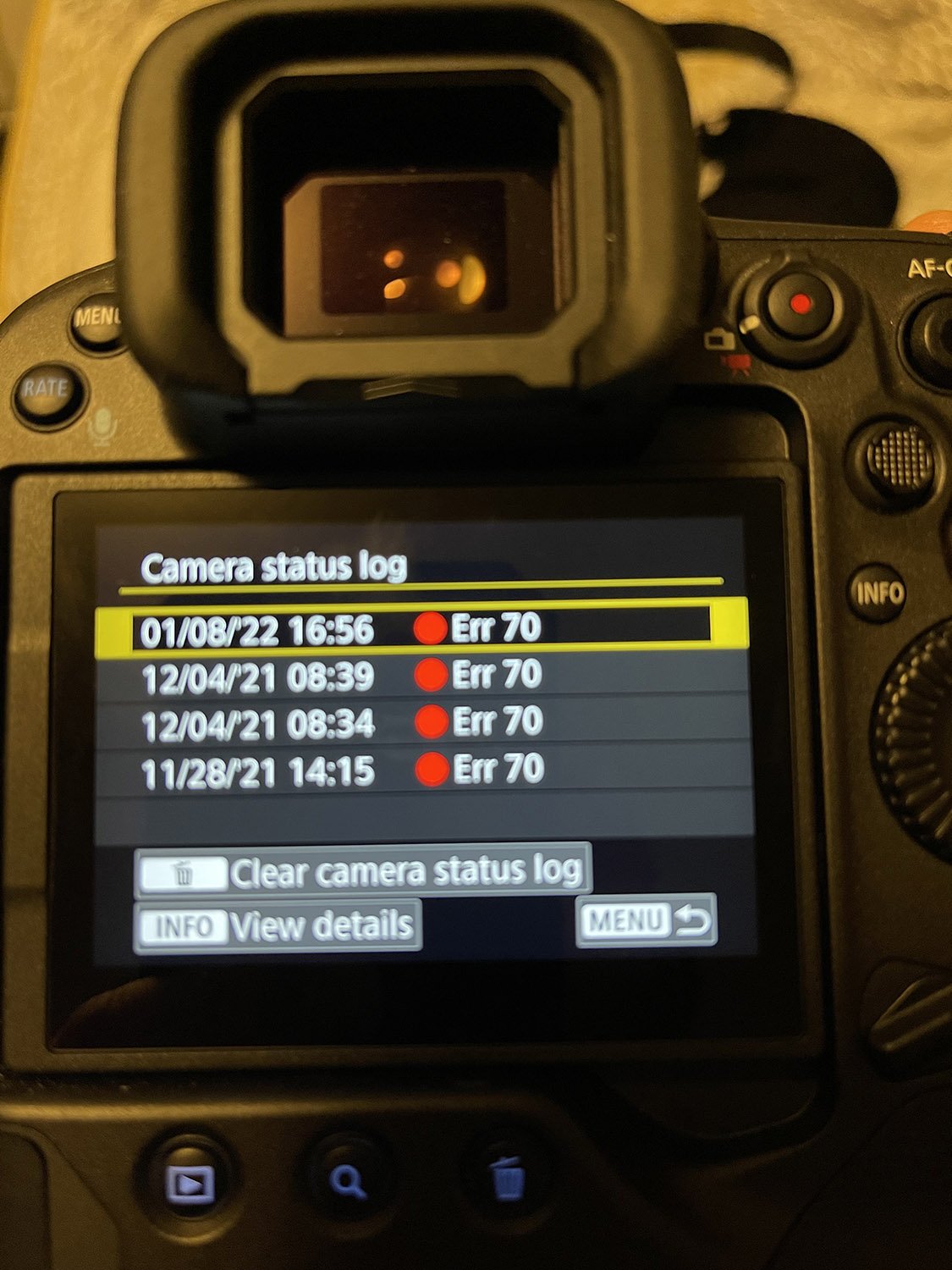
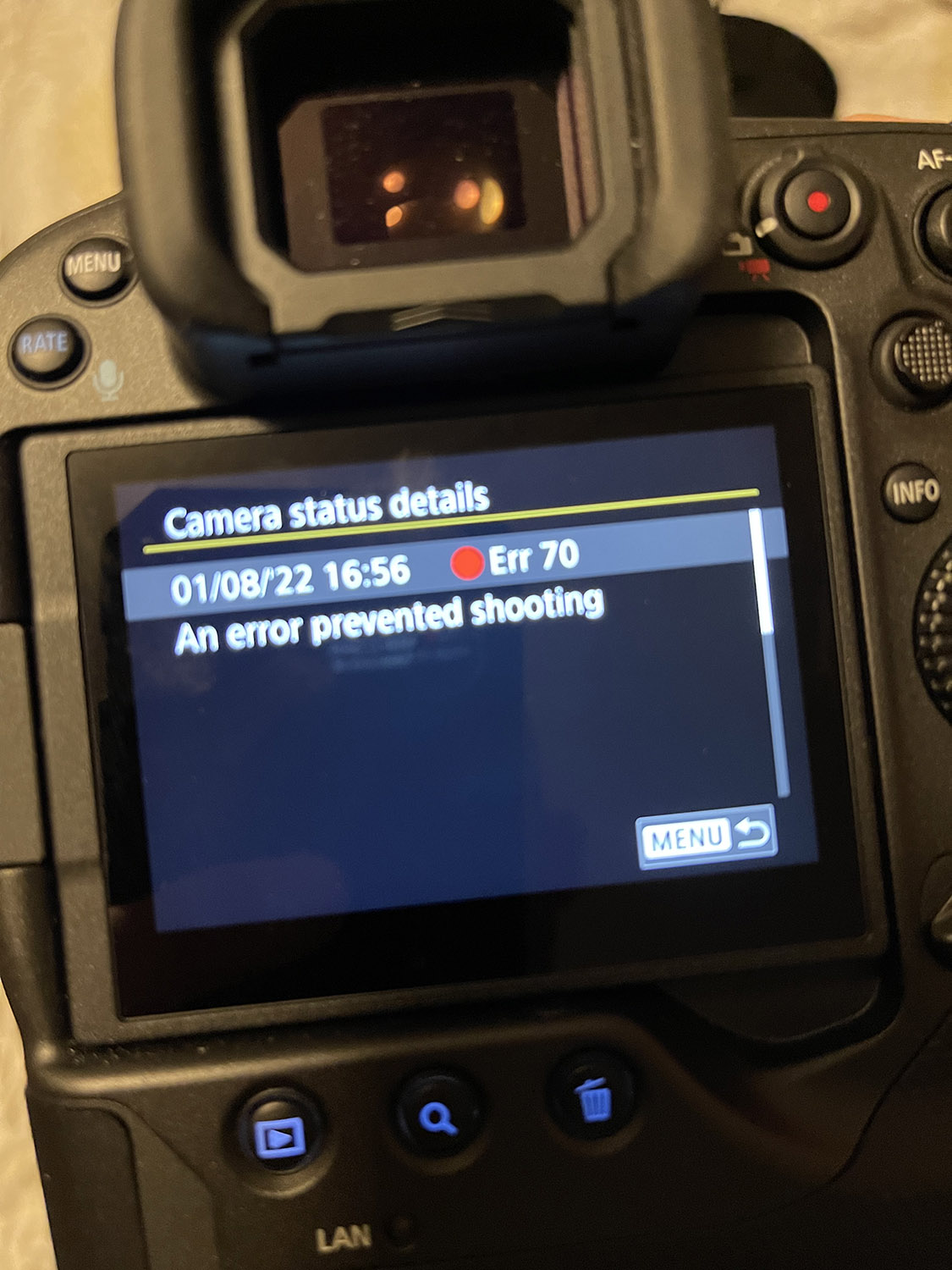
I received my R3 last week and I haven't had the opportunity to do a long practice outings, but no problems with the shorter ones -- 2x 15 minutes sessions. So this lock up surprised me since the CFExpress card wasn't being used when it happened. Has anyone else experienced this or know what's going on? I'm just wondering if there is a known firmware bug that will be fixed or if I have a bad part in mine. Unfortunately, I didn't think to look at the error log before doing the factory reset. I don't know the R3 manufacturing rate, but going off the last few digits of my serial, I'm in the high 200s so hoping it's not a buggy part.
Didn't know they added an error log. That's a good sign. I wonder if it logs useful info or just the occurrences.
On my R5, the last couple times it locked up, I was looking at an odd scene and I was able to get it to reoccur by composing the same scene (or as close as possible) twice more after the lock up. It was a pretty complex scene and I was using Eye AF so I'm curious if the lockups are more or less related to the scene recognition system.
Anyone else able to reproduce it after the initial lockup?
Error 70 displayed on an EOS DSLR Camera.
Article ID: ART177684 | Date published: 10/15/2020 | Date last updated: 10/15/2020
Description
An error code or message may appear on your product for different reasons. Please see the information information below regarding your specific error code that will explain the cause and provide you with the necessary steps for how to proceed.
Solution
Err 70
Description
A malfunction with the images has been detected.
Resolution
Turn the power off and remove then re-install the battery
Turn the power on again
If the error message is still showing, then it is necessary for the camera to be inspected by a Canon Factory Service Center.
It's very painful to read that so many are experiencing freezes with the R3/R5s.
I've always kept an Error 99 Troubleshooting Cheatsheet handy for my 1Dx/IIs along with steps to prevent travel gotchas. And as I wait for my R3, I already started my Freeze Troubleshooting Cheatsheet (culled from various R5/R3 forums while plowing through the1k+ page manual) in preparation for my move to ML. This is my work in progress so far.
Hopefully, this helps somebody and please add to this list if you've learned how to prevent more gotchas.
Remove battery 1* (to fix a freeze *)
Remove battery 2 (to fix battery drain**)
• Remove the battery
• Switch the ON/Off switch to ON with battery removed.
• Press shutter release for a few seconds.
• Switch the ON/Off switch to OFF
• Install a fully charged battery and wait until the red "Busy" lamp stops blinking
• Switch the camera back ON
• Camera is always partially powered up whenever a charged battery is installed. The only way to truly power it down and clear registers is to remove the battery.
Reset (for repeated freezes)
• Menu 5/6 = Clear custom functions and customized settings
• Turn camera off
• Remove battery, memory card and lens
• Hold down shutter for 20 secs.
• Replace battery, memory card and lens and turn back on
Per a R5 user via Canon support before sending in for service
Other Notes:
• * It’s okay to turn power off while busy lamp is on/blinking but never remove the battery when the light it on as it could corrupt the card
• ** Reduce battery drain: disable WiFi/BT w/airplane mode on, GPS off, LCD preview off
• Always format new cards and do low level format whenever possible
• Keep contacts clean, tighten screws (JIS screwdriver only) and don’t put stress on the contacts
• Wipe bodies down nightly (remove sunscreen/bug spray) and brush dust off buttons, etc.
I’ve had occasional minor lockups on both the R3 and R5. Most seem to be the shutter getting suck or IBIS/sensor readout freezing unhappily. Nothing that hasn’t been fixed by a quick battery pull and re-insert… but should still be corrected. My R3 serial looks to be in the first 10 in its batch—I hope there are no early component issues!
I had similar issues with my gripped 5D4 in life view. I think EFCS may have something to do with it. Definitely annoying and unlike anything my 1Dx has ever done.