This topic is in the 2020 archive. You can read it and like its posts here. It is read only.
Archive 2020The R5 and LR 9.3
p.1 #1The R5 and LR 9.3
Anyone converting to DNG and using LR? Since were are probably not going to get Canon colours I have seen experimenting with ColourChecker Passport. While it over saturates some colours as we compare it to what we think we seen I find the skin tones always look excellent. I don't want to get into a CCP colour debate. Let's reserve that for the PP forum. 
I downloaded set of the Fro's DNG examples and I have to say Adobe Colour looks pretty darn good to me. His face is a little red but he is running around. His arm looks very pleasing on my calibrated monitor. I like the other colours too. I don't know Polin did any editing but I have a hunch he didn't.
The R5 looks better than the R. I know Adobe has been partnering up with Canon and maybe this is the result or just a fluke? I know with the new cloud capabilities you can upload to the Adobe cloud from the R5 and 6 .
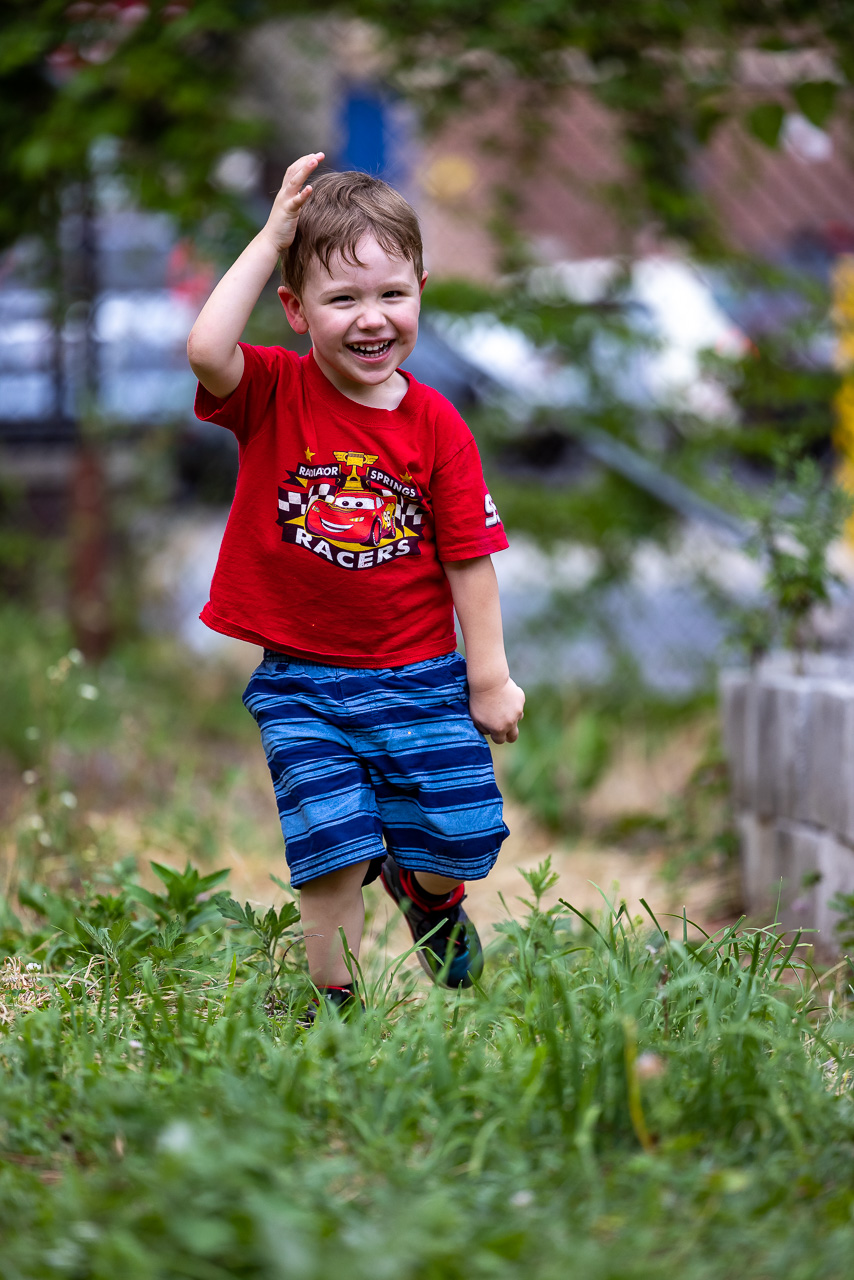
I downloaded set of the Fro's DNG examples and I have to say Adobe Colour looks pretty darn good to me. His face is a little red but he is running around. His arm looks very pleasing on my calibrated monitor. I like the other colours too. I don't know Polin did any editing but I have a hunch he didn't.
The R5 looks better than the R. I know Adobe has been partnering up with Canon and maybe this is the result or just a fluke? I know with the new cloud capabilities you can upload to the Adobe cloud from the R5 and 6 .
Aug 02, 2020 at 11:30 AM
p.1 #2The R5 and LR 9.3
Thx for posting
How long do u think it’ll take adobe to get us a LR update?
How long do u think it’ll take adobe to get us a LR update?
Aug 02, 2020 at 11:49 AM
p.1 #3The R5 and LR 9.3
Of course Jared did some PP to it, he has to sell FroPack1 and 2 to everyone. 
Aug 02, 2020 at 12:02 PM
p.1 #4The R5 and LR 9.3
therealthings wrote:
Of course Jared did some PP to it, he has to sell FroPack1 and 2 to everyone.
You could be right.
Of course Jared did some PP to it, he has to sell FroPack1 and 2 to everyone.
You could be right.
Aug 02, 2020 at 12:02 PM
p.1 #5The R5 and LR 9.3
Dj R wrote:
Thx for posting
How long do u think it’ll take adobe to get us a LR update?
Two to three weeks typically.
Thx for posting
How long do u think it’ll take adobe to get us a LR update?
Two to three weeks typically.
Aug 02, 2020 at 12:04 PM
p.1 #6The R5 and LR 9.3
If that is from his preset I may just get them. I like it better than CCP.
Minute 4:25 he says RAW DNG. At 5:15 it doesn't look like that on my computer. In LR I Selected Adobe Colour, clicked on my personal Adaptive ISO preset, Auto and then adjusted my base Texture, Clarity and Dehaze settings that apply with my Adaptive ISO Preset.
I find what he says here a little confusing

Minute 4:25 he says RAW DNG. At 5:15 it doesn't look like that on my computer. In LR I Selected Adobe Colour, clicked on my personal Adaptive ISO preset, Auto and then adjusted my base Texture, Clarity and Dehaze settings that apply with my Adaptive ISO Preset.
I find what he says here a little confusing
Aug 02, 2020 at 12:40 PM
p.1 #7The R5 and LR 9.3
Zenon, if you watch the video again starting at 'say' the 5:15 mark...
You will see where the 'AC/DC Preset' from the FroPack2 was applied to the DNG File (@ the 5:23 mark).
(*The difference in Color is very, very noticeable).
Edited on Aug 02, 2020 at 03:02 PM · View previous versions
You will see where the 'AC/DC Preset' from the FroPack2 was applied to the DNG File (@ the 5:23 mark).
(*The difference in Color is very, very noticeable).
Edited on Aug 02, 2020 at 03:02 PM · View previous versions
Aug 02, 2020 at 03:00 PM
p.1 #8The R5 and LR 9.3
OK thanks
Takira71A wrote:
Zenon, if you watch the video again starting at 'say' the 5:15 mark...
You will see where one of the 'Presets' from the FroPack2 was applied to the DNG File (@ the 5:23 mark).
(*The difference in Color is very, very noticeable).
Takira71A wrote:
Zenon, if you watch the video again starting at 'say' the 5:15 mark...
You will see where one of the 'Presets' from the FroPack2 was applied to the DNG File (@ the 5:23 mark).
(*The difference in Color is very, very noticeable).
Aug 02, 2020 at 03:02 PM
p.1 #11The R5 and LR 9.3
I'm not so sure about that. I went back and looked at it again.
The first image is the LR export before I did any editing. The 2nd is after my edits. That was why I found his note a little confusing. To me it sounds like he applied his preset to the video example but not to the DNG downloads.
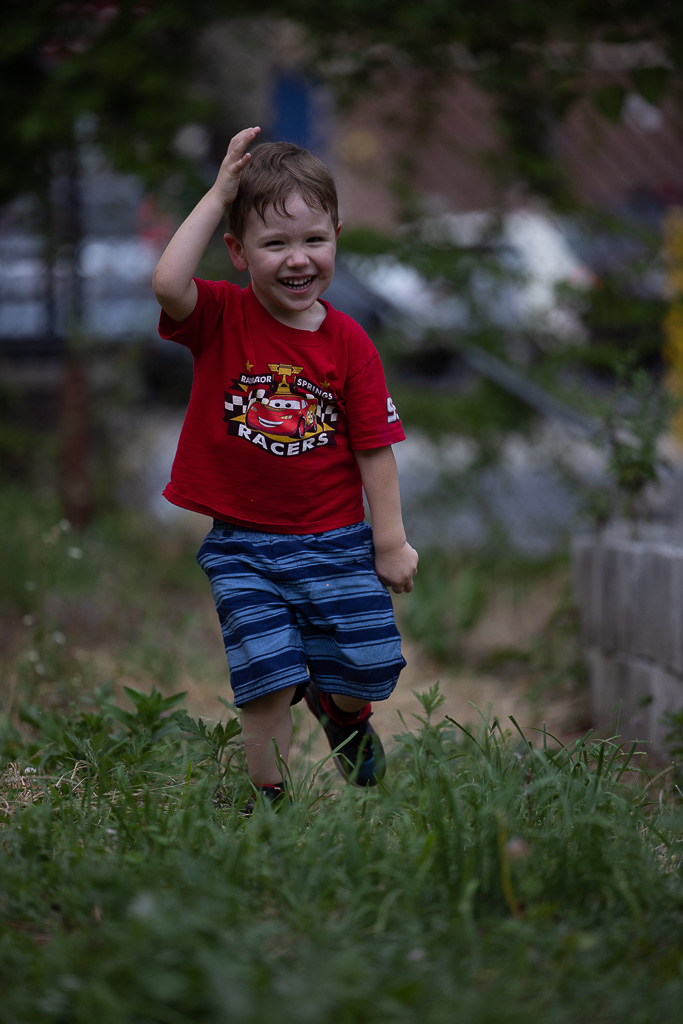
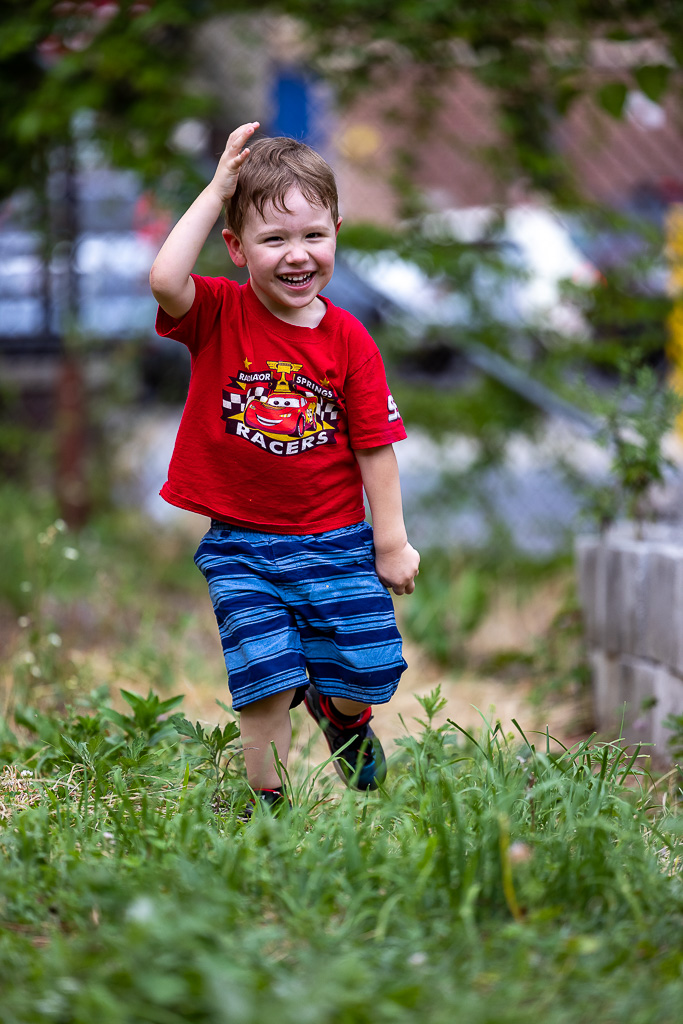
The first image is the LR export before I did any editing. The 2nd is after my edits. That was why I found his note a little confusing. To me it sounds like he applied his preset to the video example but not to the DNG downloads.
Aug 02, 2020 at 03:49 PM