This topic is in the 2018 archive. You can read it and like its posts here. It is read only.
Archive 2018First Trip to the San Diego Zoo Aviary
p.1 #1First Trip to the San Diego Zoo Aviary
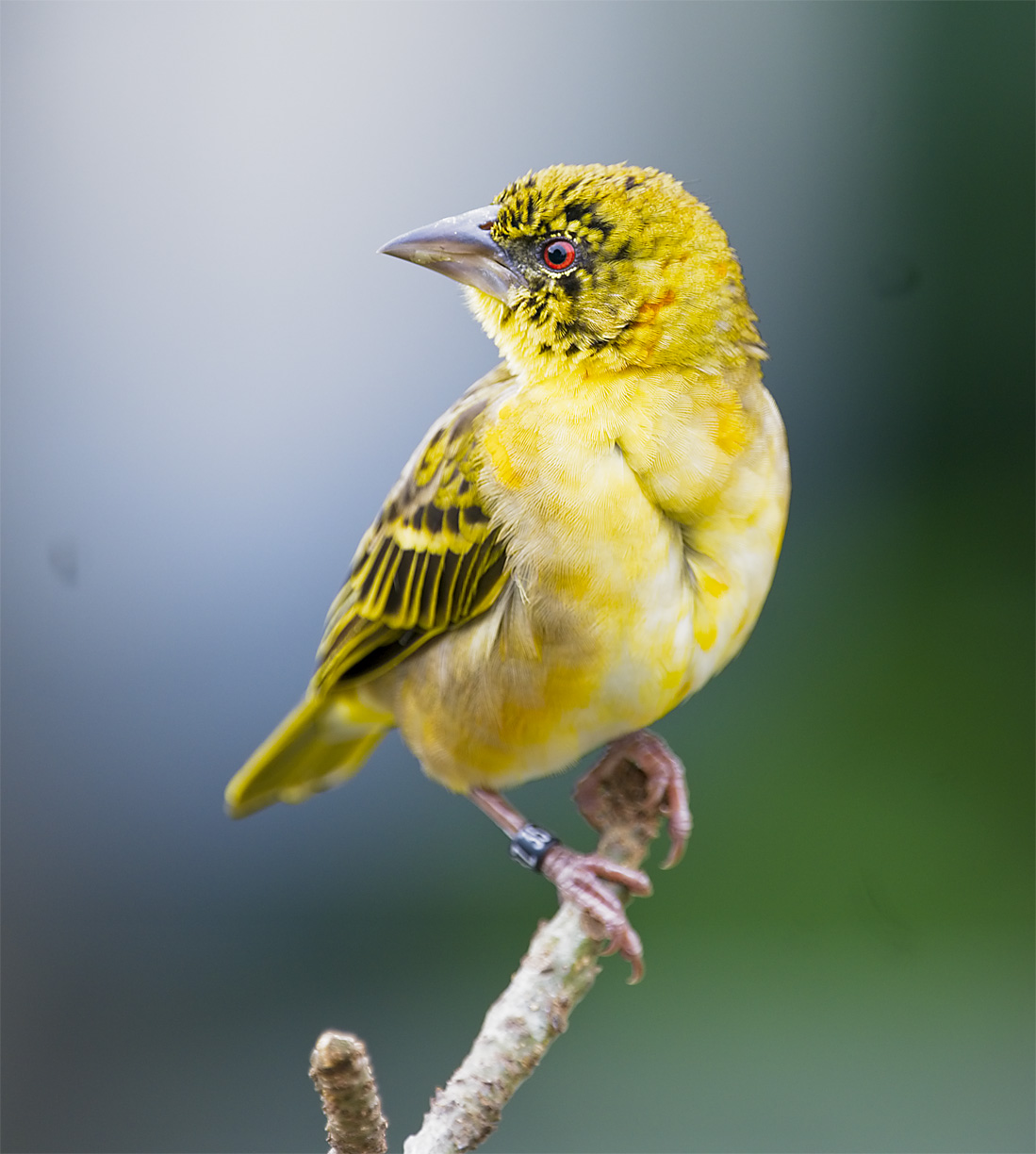
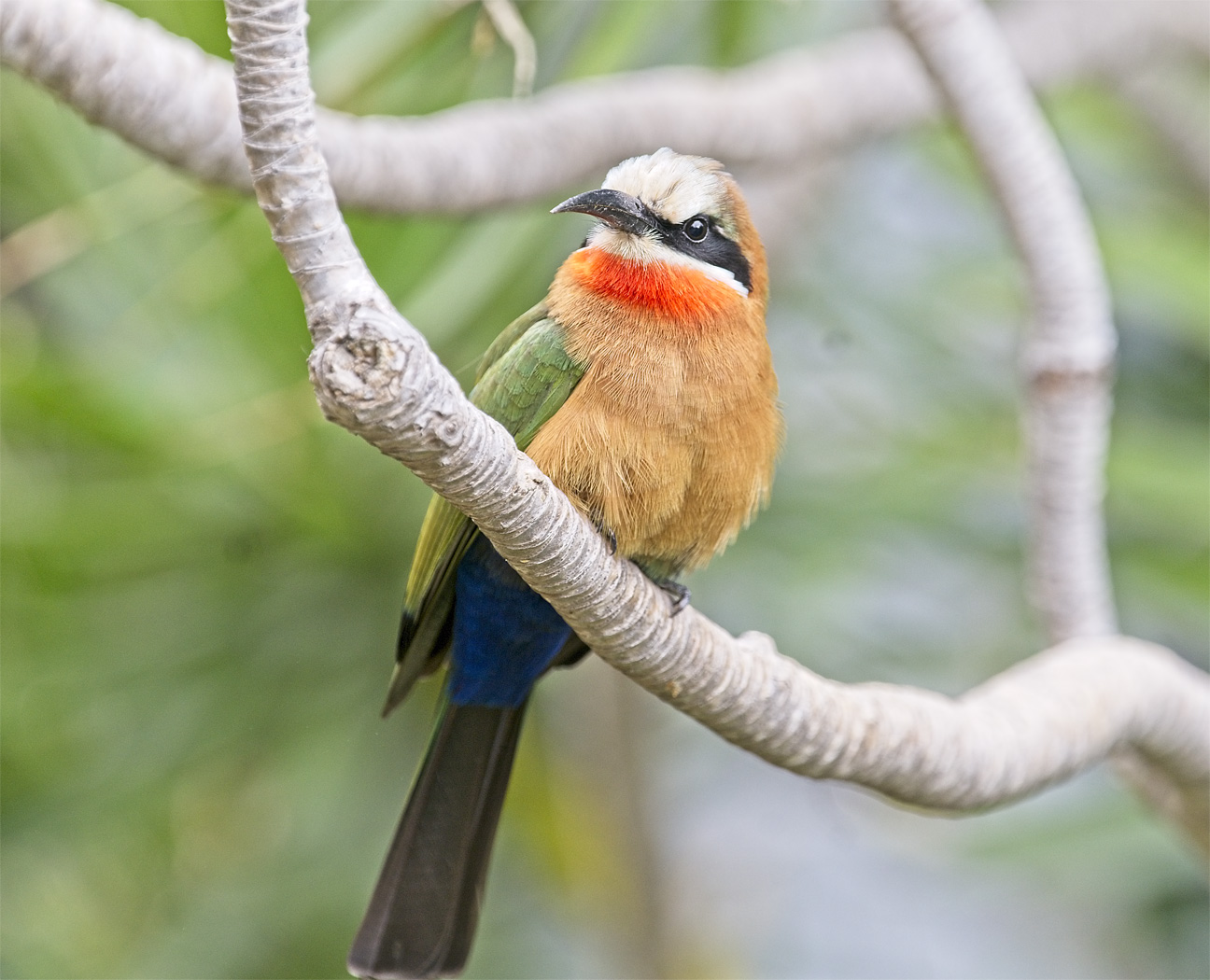
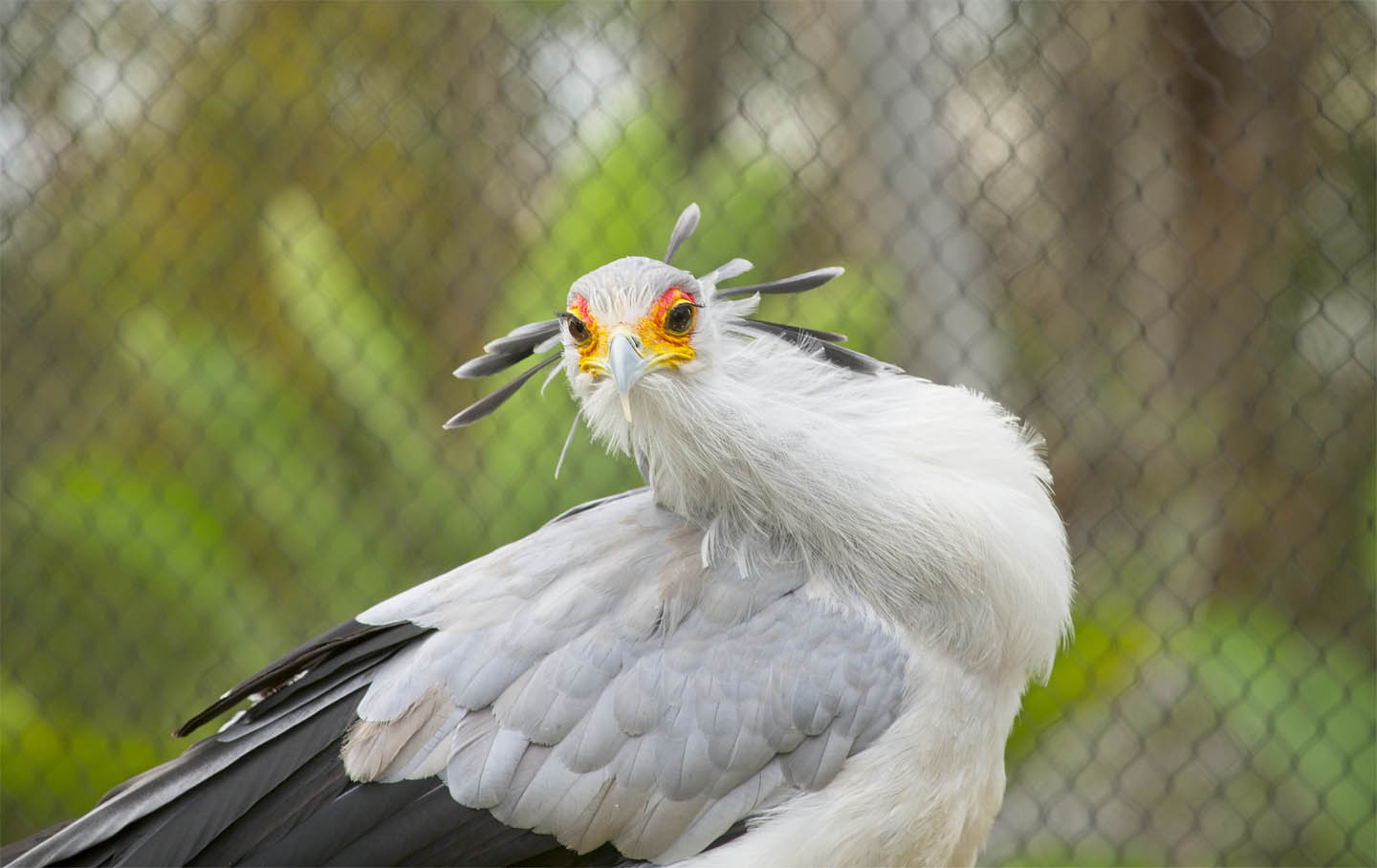
On a very rare heavily overcast day, I took a few pictures in the beautiful SD Aviary. This is my first picture post so some critique is greatly appreciated.
Thanks,
Joel
Thanks,
Joel
Dec 17, 2018 at 07:08 PM
p.1 #2First Trip to the San Diego Zoo Aviary
Welcome to N&W Joel. You are off to a very nice start.
1 would be very nice if you removed the sensor spots.
2 Would also be very nice with a cleaner bg, and the spots removed. (Please clean your sensor )
3 has a great pose and is nice and sharp, but try to stay away from things that show your subject is captive.
Ron
1 would be very nice if you removed the sensor spots.
2 Would also be very nice with a cleaner bg, and the spots removed. (Please clean your sensor
)3 has a great pose and is nice and sharp, but try to stay away from things that show your subject is captive.
Ron
Dec 17, 2018 at 07:46 PM
p.1 #3First Trip to the San Diego Zoo Aviary
Nice start Joel. It would be help us in giving advise if you included the EXIF data along with your posts.
Dec 17, 2018 at 07:49 PM
p.1 #4First Trip to the San Diego Zoo Aviary
Welcome to FM Joel. The first is my pick. You might be able to remove the sensor dust in the fist two with the cloning stamp or similar tool depending what you are processing with. It is very easy to clean your camera's sensor and if you have not done it before it can be a bit intimidating. Don't worry, just use a fresh battery and any of many well reviewed kits or methods. All of your images have good feather detail
Morris
Morris
Dec 17, 2018 at 08:02 PM
p.1 #5First Trip to the San Diego Zoo Aviary
You're off to a nice start, Joel. Practicing at an aviary is a good way to test your gear and your techniques.
Here are some suggestions to try in processing. Whether these will work or not, will depend on your original file. Apologies in advance if you have already tried these things.
All of the images appear to be somewhat overexposed, producing glare and blown-out whites. (Blown out meaning there is lost detail in the white areas.) For future shots, pay attention to your histogram: if the histogram is cut off on the right, you have blown your whites and have probably permanently lost detail in the whites. If the detail is not lost, you can recover the detail in a processor like PhotoShop. Possible corrections are any of the following alone or in combination: reduce the exposure setting, reduce the whites setting, possibly increase the shadows setting, possibly increase the blacks setting, possibly reduce contrast, possibly reduce clarity. In the selective color adjustment possibly increase the blacks in the whites and neutrals. I have found that the "burn" tool just makes the whites look muddy.
To maximize your flexibility in processing, be sure to shoot in RAW mode.
Hope this helps.
Dec 17, 2018 at 08:55 PM

p.1 #6First Trip to the San Diego Zoo Aviary
Welcome Joel ! You are off to a very good start. Nice detail and the eye(s) are nice and sharp.
You have been given some good suggestions. The only things I would add is to try not and center the subject and a bit of noise reduction on the backgrounds.
Look forward to more from you.
Birdie
You have been given some good suggestions. The only things I would add is to try not and center the subject and a bit of noise reduction on the backgrounds.
Look forward to more from you.
Birdie
Dec 17, 2018 at 09:20 PM
p.1 #7First Trip to the San Diego Zoo Aviary
Hi All,
Thanks so much for the fantastic advice. I hadn't noticed the sensor spot until a few of you mentioned it and then, of course, it was obvious. A little compressed air solved that problem so I think I need to be aware when changing lenses outside.
As for exif data, I am sorry for the omission. Here is what I have:
All 3 shots are using the A7rii camera,
1. Canon 400mm f4DO V1 shot at iso 320, f4.5, and 1/160s
2. Canon 400mm f4DO V1 shot at iso 640, f5.6, and 1/200s
3. Canon 70-300L f4-5.6 shot at iso 640, f5.6, and 1/500s
I do shoot raw and I make sure that my whites and blacks are under control, but perhaps I need to back them off a little bit more. I could not avoid the fence with the secretary bird, pic 3, but otherwise I tried to keep enclosures out of the picture. I have a black panther shot, but there is fencing.
I don't see noise in the background, but I will diddle with that control and see what I can do. Perhaps it is due to the higher iso values. I will try again on a sunny day when I can shoot at the base 100 or 200 iso.
Again, many thanks,
Joel
Dec 18, 2018 at 08:38 AM
p.1 #8First Trip to the San Diego Zoo Aviary
As already pointed out, the highlights need to be pulled down in all three.
Your sensor has more than one spot, and unless you are extremely careful using compressed air (if from a can), you can damage both the sensor and your shutter:
http://www.servicecamerapro.com/e-sensor.html
https://www.quora.com/How-do-I-fix-SLR-camera-mirror-that-has-been-cleaned-with-compressed-gas
https://cpn.canon-europe.com/content/education/infobank/capturing_the_image/sensor_cleaning.do
etc., etc., etc.
Dec 18, 2018 at 11:32 PM
p.1 #9First Trip to the San Diego Zoo Aviary
Thanks much for this information. I will use my rocket blaster to remove loose spots on my sensor.
Cheers,
Joel
Cheers,
Joel
Dec 19, 2018 at 09:46 AM