This topic is in the 2018 archive. You can read it and like its posts here. It is read only.
Archive 2018Motion detection in PixelShift files
p.2 #2Motion detection in PixelShift files
I will post more samples with new images. I was shooting with a sturdy tripod and there was very little wind. Lighting was consistent and the pixel shift sequence was set to 0.5s between frames, so I don't think there was any lighting shift.
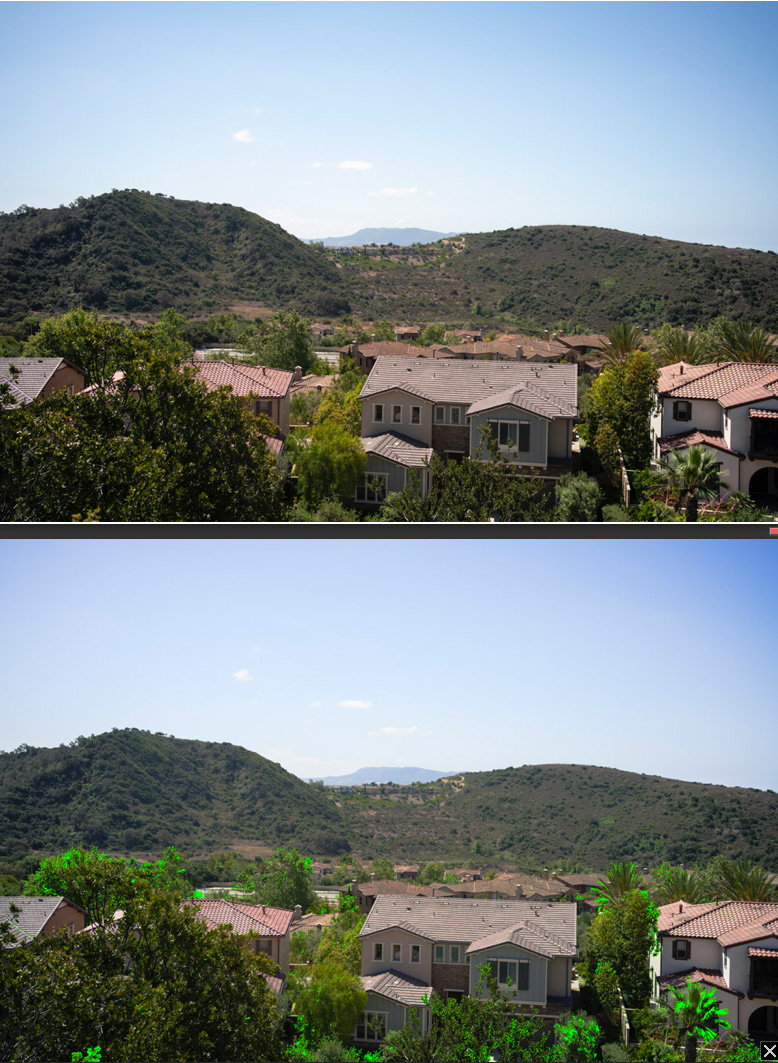
I think RT's motion alert (green) was a bit over the top for this image. (see resized image below)
I also posted a crop showing RT's Tiff compared to an ARQ image (area of no motion).
As you can see the RT crop is softer in comparison (colors look duller as well). Same LR settings for both files.
This crop shows RT's motion detection been a bit too sensitive and including areas of zero blur
I think RT's motion alert (green) was a bit over the top for this image. (see resized image below)
I also posted a crop showing RT's Tiff compared to an ARQ image (area of no motion).
As you can see the RT crop is softer in comparison (colors look duller as well). Same LR settings for both files.
 |
||
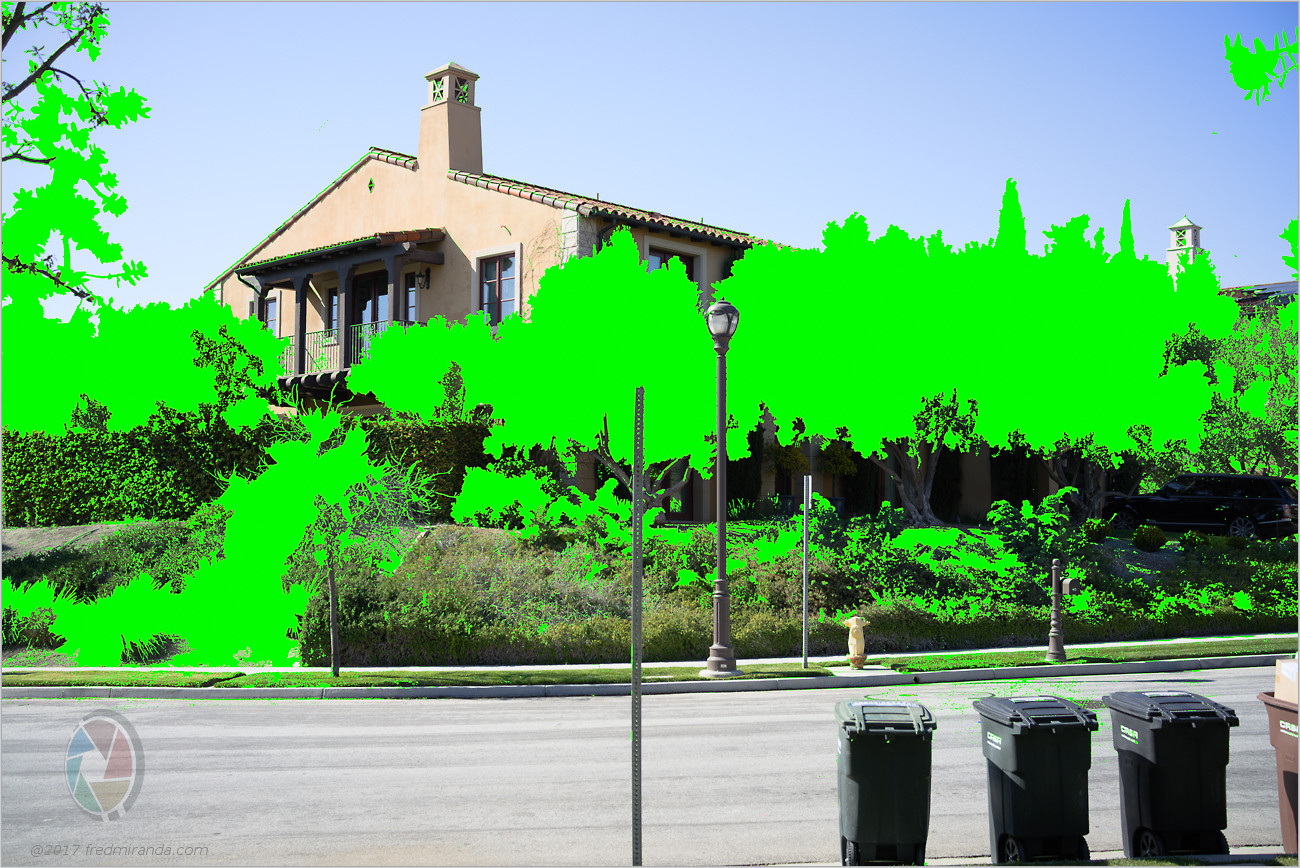 |
||
|
|
||
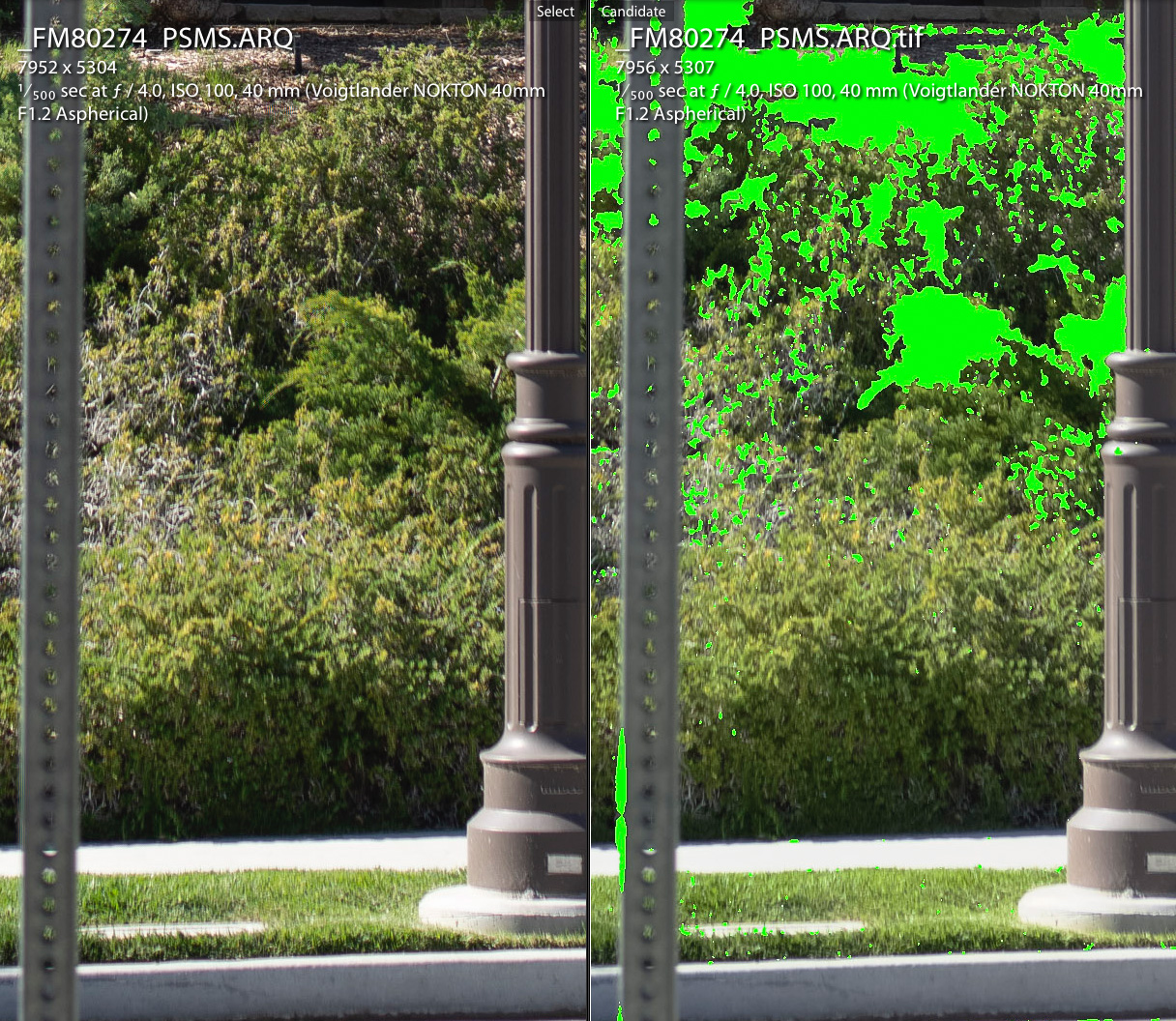 |
||
|
|
||
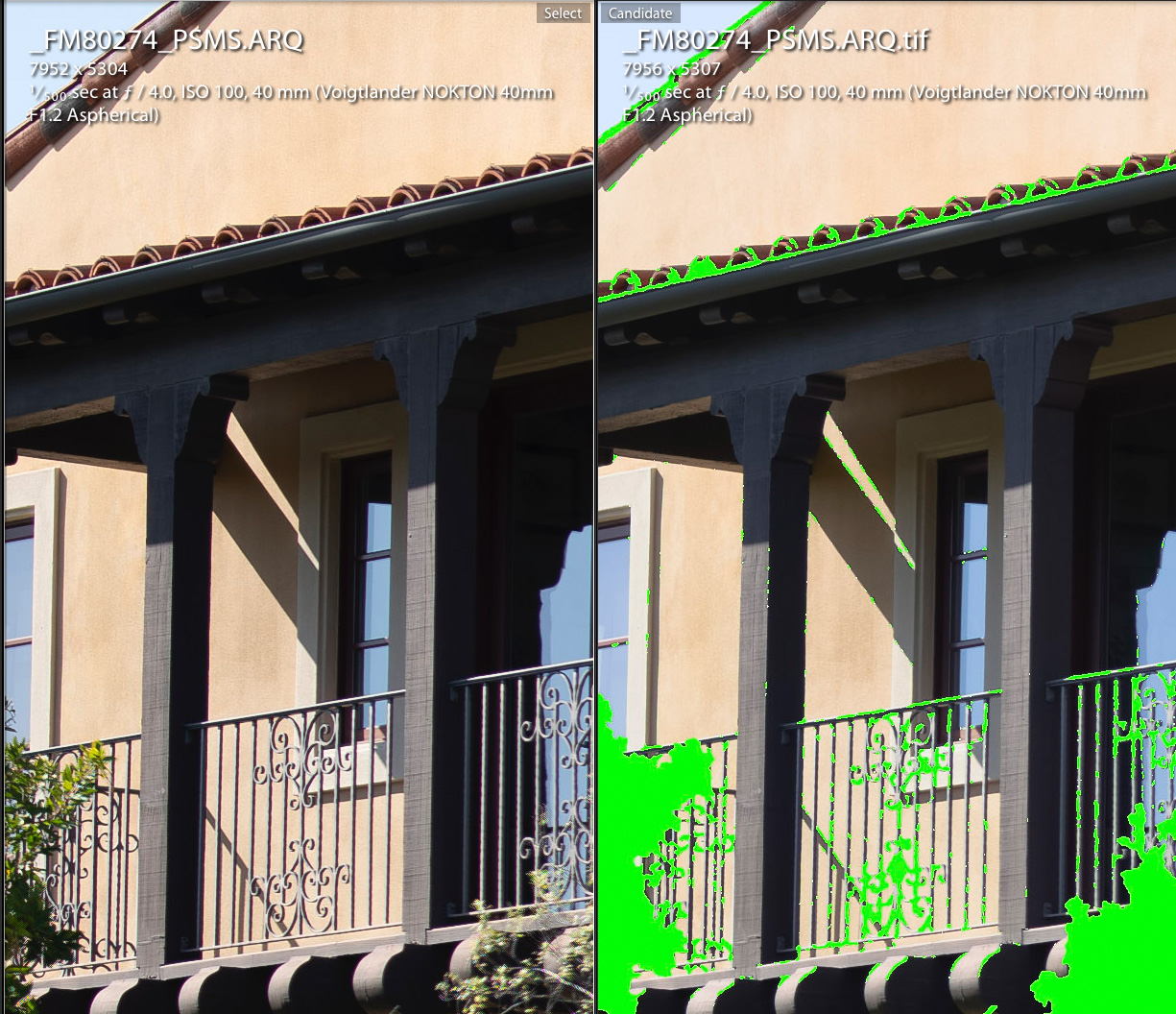 |
||
|
This crop shows RT's motion detection been a bit too sensitive and including areas of zero blur
May 16, 2018 at 10:48 AM
p.2 #3Motion detection in PixelShift files
Was that using automatic motion detection mode or custom motion detection mode with the changes I suggested?
May 16, 2018 at 11:03 AM
p.2 #4Motion detection in PixelShift files
ogniw wrote:
Was that using automatic motion detection mode or custom motion detection mode with the changes I suggested?
This one was auto. I will try your suggestion right now.
Was that using automatic motion detection mode or custom motion detection mode with the changes I suggested?
This one was auto. I will try your suggestion right now.
May 16, 2018 at 11:09 AM
p.2 #5Motion detection in PixelShift files
Fred Miranda wrote:
This one was auto. I will try your suggestion right now.
Setting ISO adaptation to -1 didn't make much difference for this scene. However setting it to "-3" seemed to do a better job. At least areas I know should have no green were free of it.
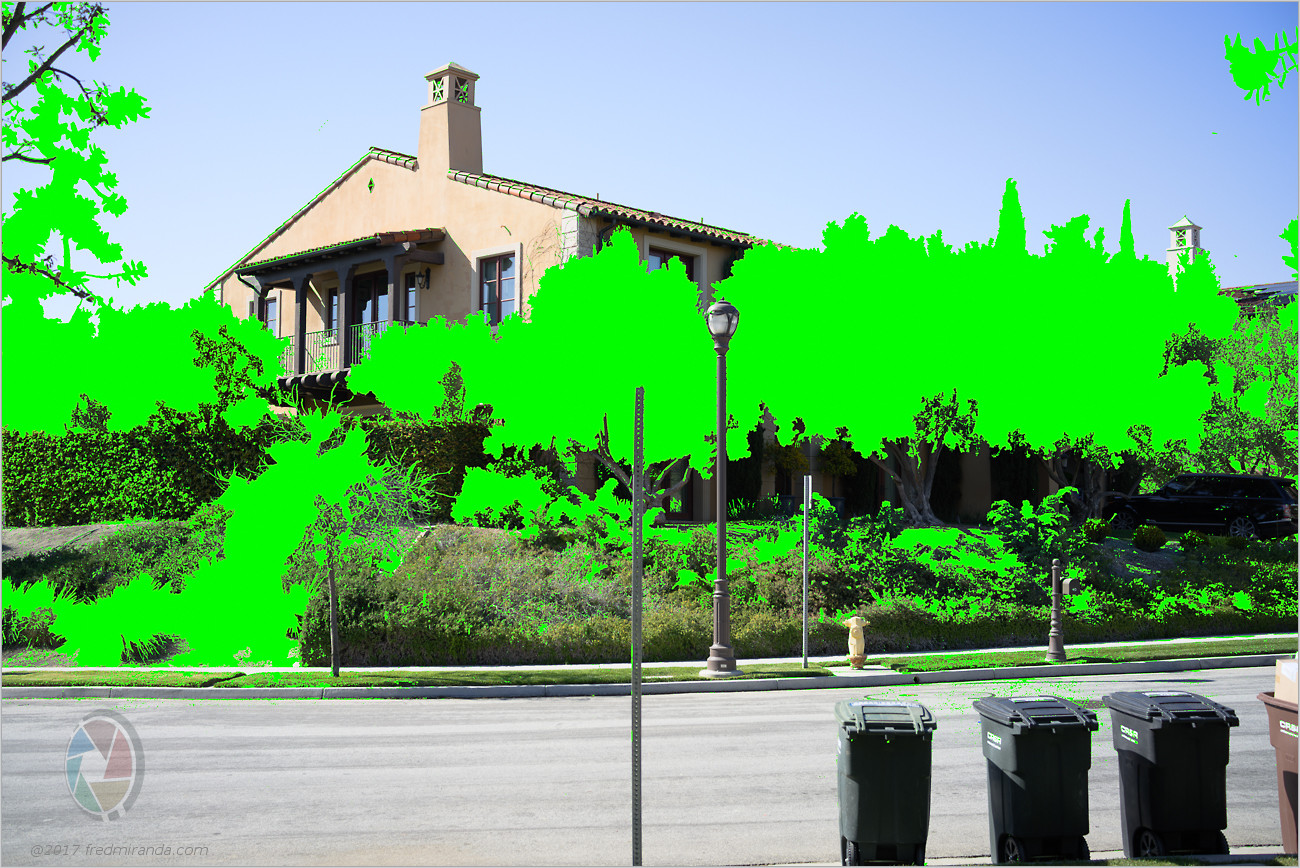
Motion set to "auto"
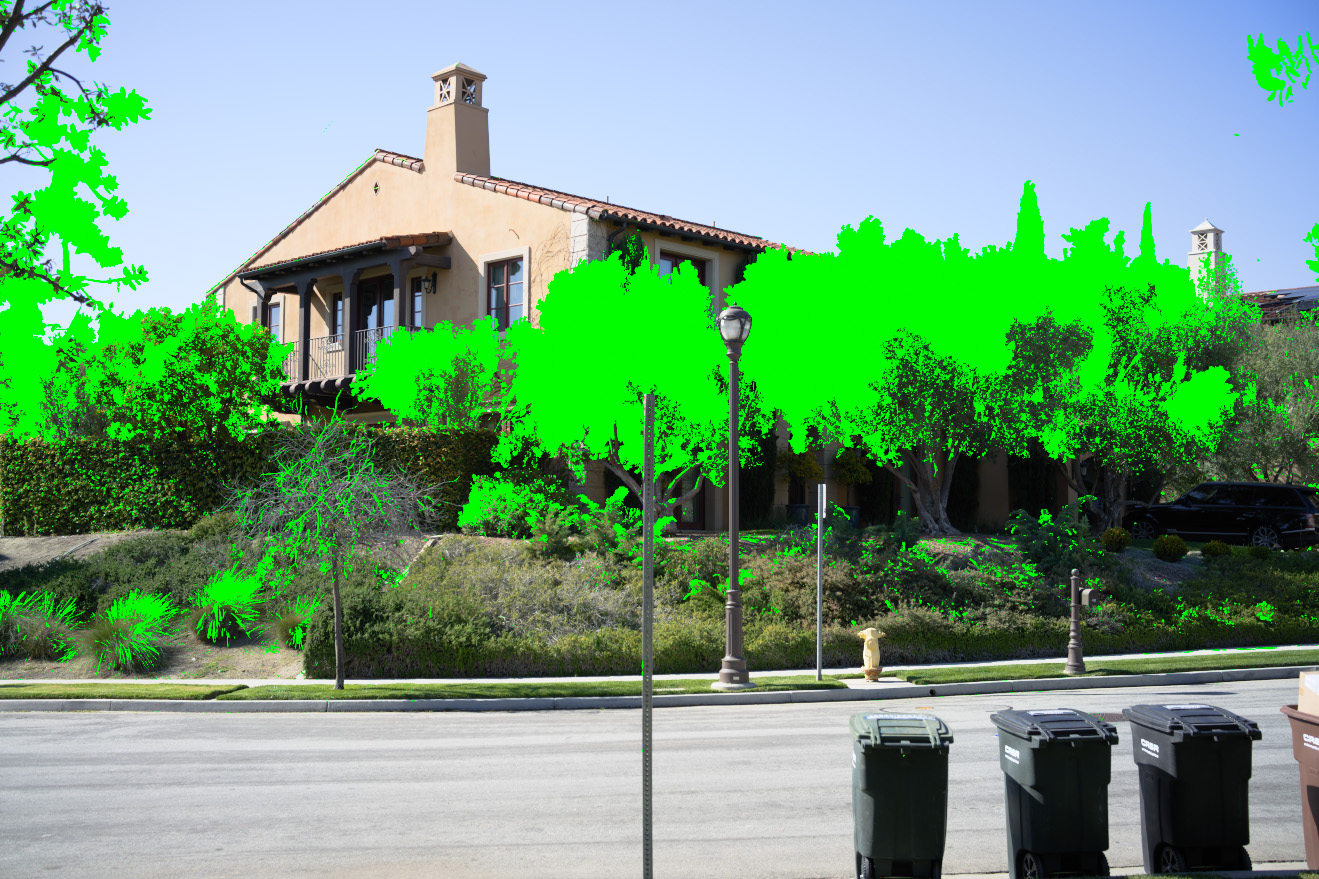
Motion set to Custom, and ISO adaptation to "-3"
ogniw wrote
Was that using automatic motion detection mode or custom motion detection mode with the changes I suggested?Setting ISO adaptation to -1 didn't make much difference for this scene. However setting it to "-3" seemed to do a better job. At least areas I know should have no green were free of it.
Motion set to "auto"
Motion set to Custom, and ISO adaptation to "-3"
May 16, 2018 at 11:16 AM
p.2 #6Motion detection in PixelShift files
The different colours in RT may be caused by the fact that RT 5.4 doesn't ship a dcp for this camera. You can fine the one we will ship for RT 5.5 here https://github.com/Beep6581/RawTherapee/blob/dev/rtdata/dcpprofiles/SONY%20ILCE-7RM3.dcp
and put it in the dcpprofiles folder of RT. That could solve the colour issue
and put it in the dcpprofiles folder of RT. That could solve the colour issue
May 16, 2018 at 11:19 AM
p.2 #7Motion detection in PixelShift files
I will try your suggestion for color. I'm a bit more worried about the sharpness difference though.
I thought that RT was analyzing the ARQ pixel shifted file and converting it to a TIFF file and only removing the pixel shift effect from areas of blur. That's not what's happening as you can see from the 1:1 sample I posted.
Perhaps I'm doing something wrong. Any suggestion?
I thought that RT was analyzing the ARQ pixel shifted file and converting it to a TIFF file and only removing the pixel shift effect from areas of blur. That's not what's happening as you can see from the 1:1 sample I posted.
Perhaps I'm doing something wrong. Any suggestion?
May 16, 2018 at 11:20 AM
p.2 #8Motion detection in PixelShift files
ogniw wrote:
The different colours in RT may be caused by the fact that RT 5.4 doesn't ship a dcp for this camera. You can fine the one we will ship for RT 5.5 here https://github.com/Beep6581/RawTherapee/blob/dev/rtdata/dcpprofiles/SONY%20ILCE-7RM3.dcp
and put it in the dcpprofiles folder of RT. That could solve the colour issue
BTW: "SONY ILCE-7RM3.dcp" was already located in the 'dcpprofiles' folder. (RT 5.4)
So it looks like it already came with 5.4. The one from your link is perhaps a new version?
May 16, 2018 at 11:30 AM
p.2 #9Motion detection in PixelShift files
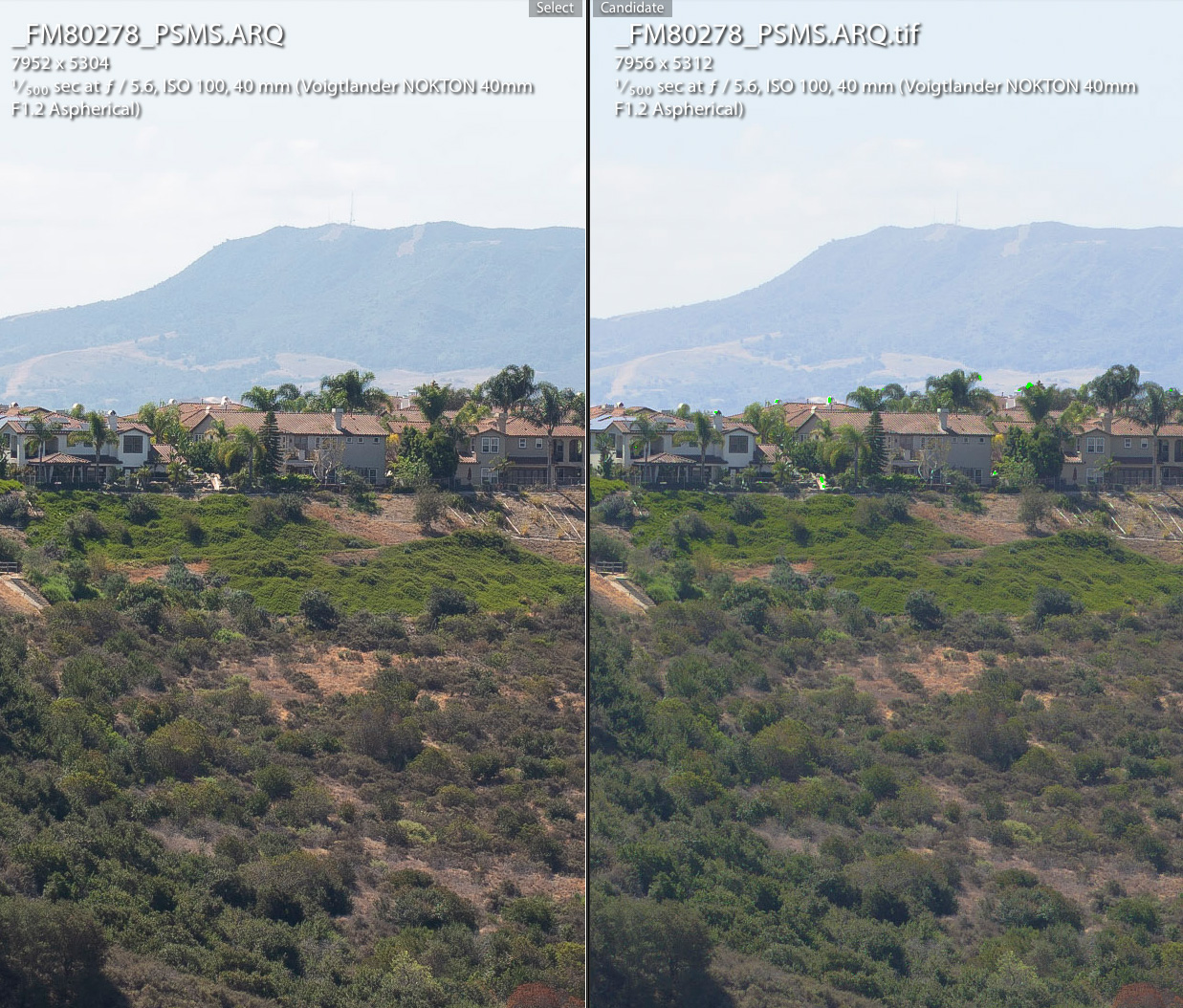
More samples:
Comparing ARQ file versus RT (Tif converted from the ARQ).
Same exact LR settings for both. BTW: auto motion is way too sensitive. I was shooting at ISO 100 and ISO adaptation only worked correctly at around -4.
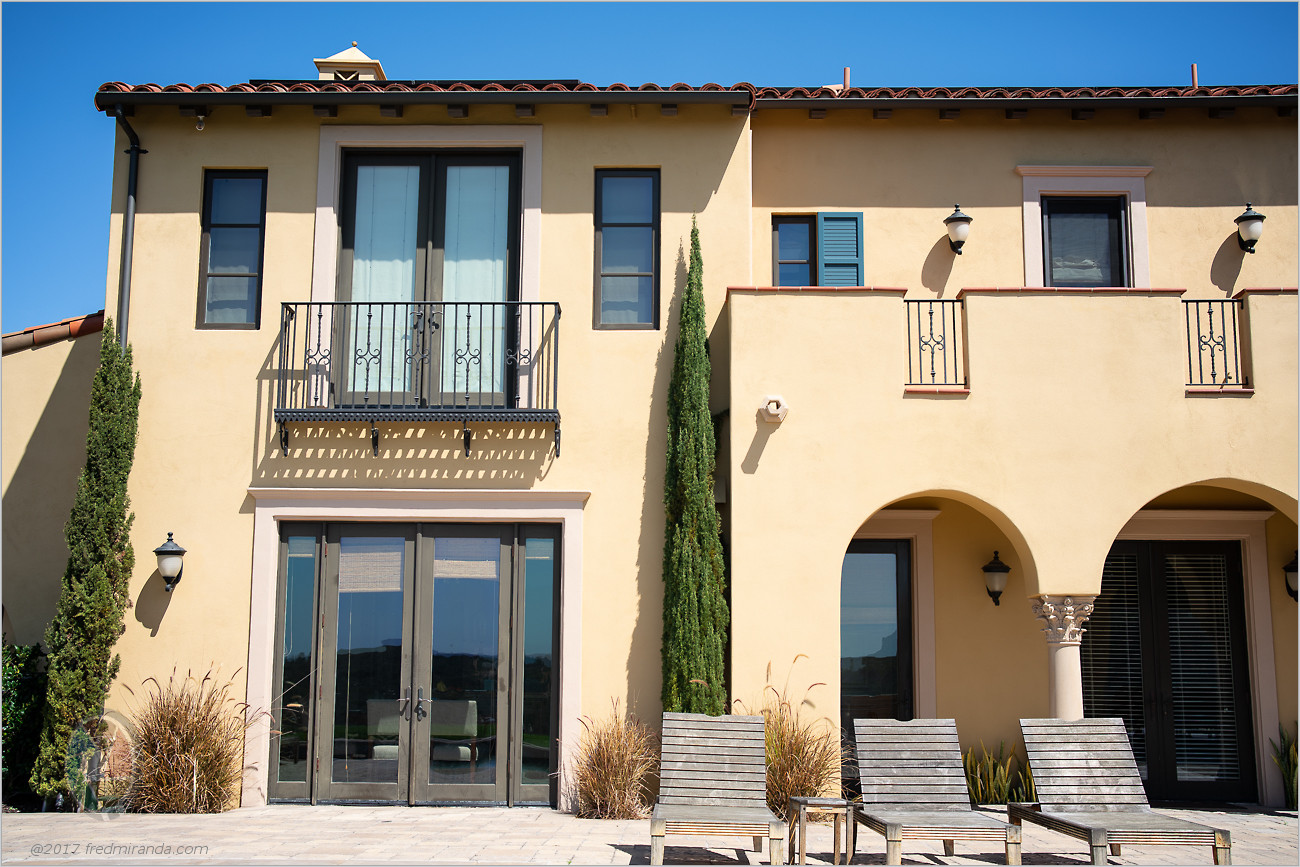
resized image
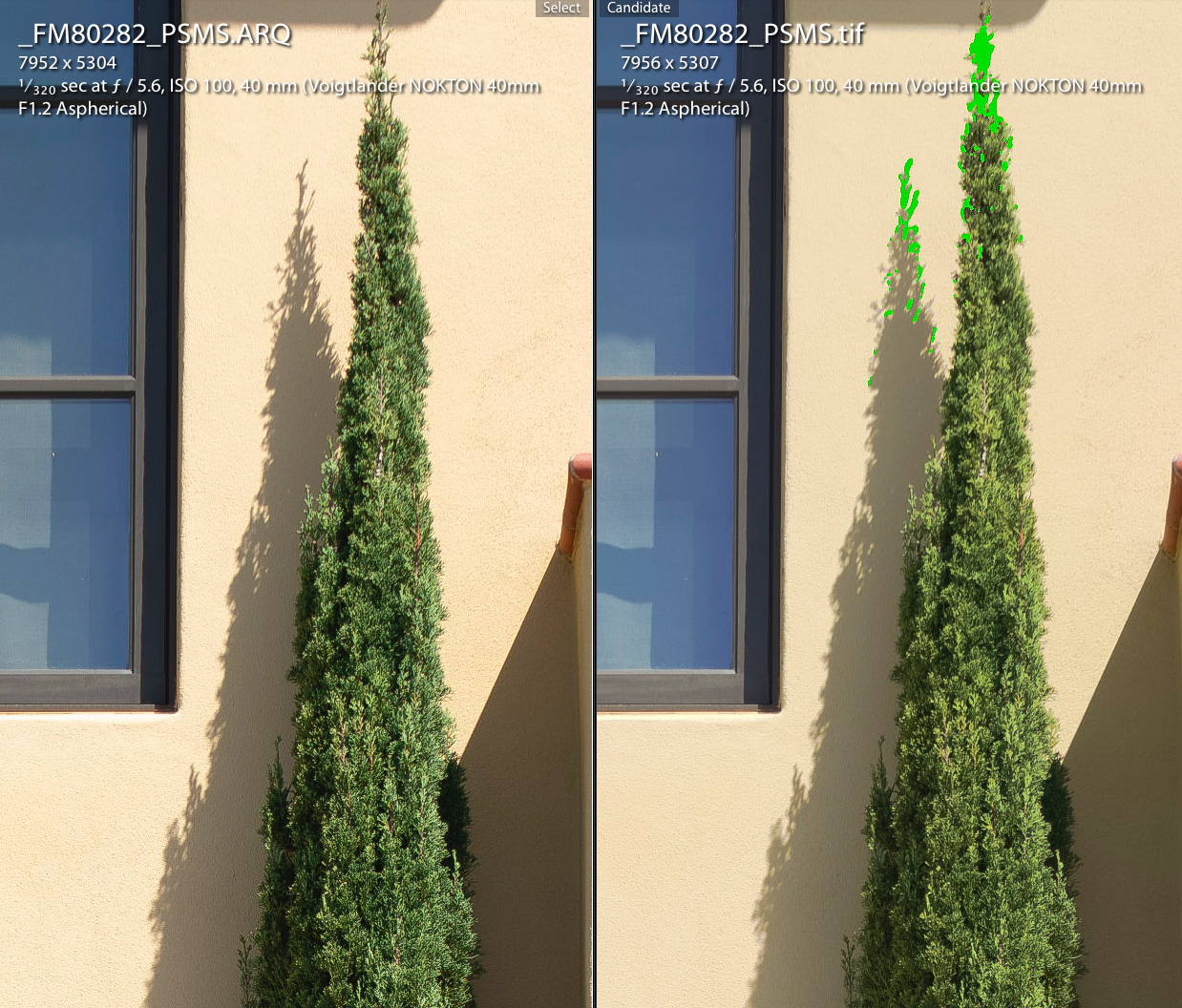
sharpness difference
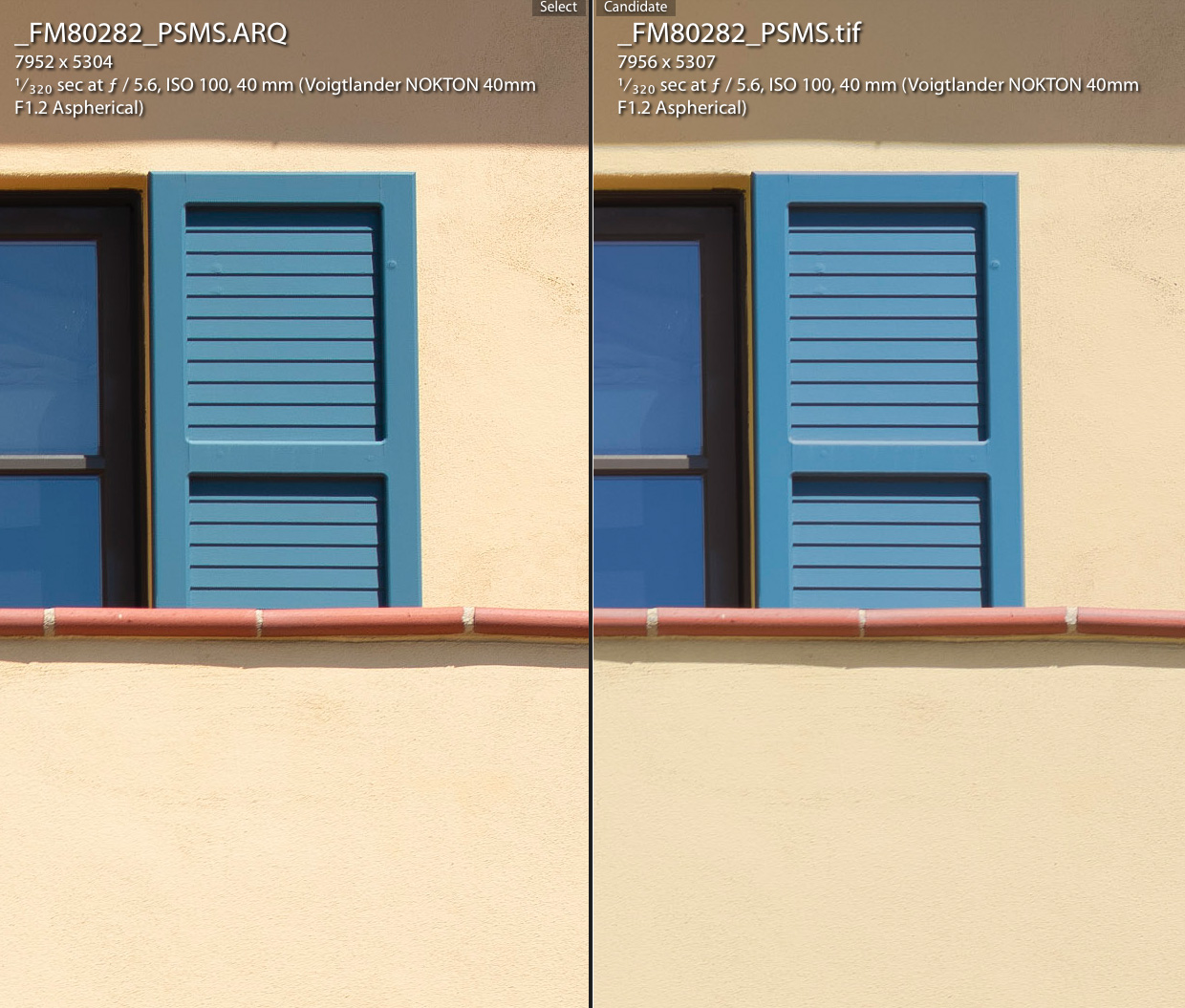
color difference
Comparing ARQ file versus RT (Tif converted from the ARQ).
Same exact LR settings for both. BTW: auto motion is way too sensitive. I was shooting at ISO 100 and ISO adaptation only worked correctly at around -4.
resized image
sharpness difference
color difference
May 16, 2018 at 11:45 AM
p.2 #10Motion detection in PixelShift files
On this sample shot at infinity, you can really see the difference in resolution and color. I'd say the RT file is much worse than not even doing a pixel shift conversion. (ARW)
May 16, 2018 at 11:49 AM
p.2 #11Motion detection in PixelShift files
Yes, my fault with the dcp. It's just a newer versions. Don't know what changed as I don't make them.
Which OS do you use for RT? I ask because I already made some changes to the pixelshift code and at least for Windows there are builds made from the new code available. Maybe we're comparing apples and pears atm?
See this issue for example, which is solved in new builds.
https://github.com/Beep6581/RawTherapee/issues/4456
Also:
https://discuss.pixls.us/t/detect-flying-birds-with-pixel-shift/7076
May 16, 2018 at 11:51 AM
p.2 #12Motion detection in PixelShift files
Here is a regular ARW (from a pixel shift sequence) vs RT: (first image)
and a regular ARW vs ARQ. (second image)
The ARQ (pixel shifted) file looks the best and RT the worst.
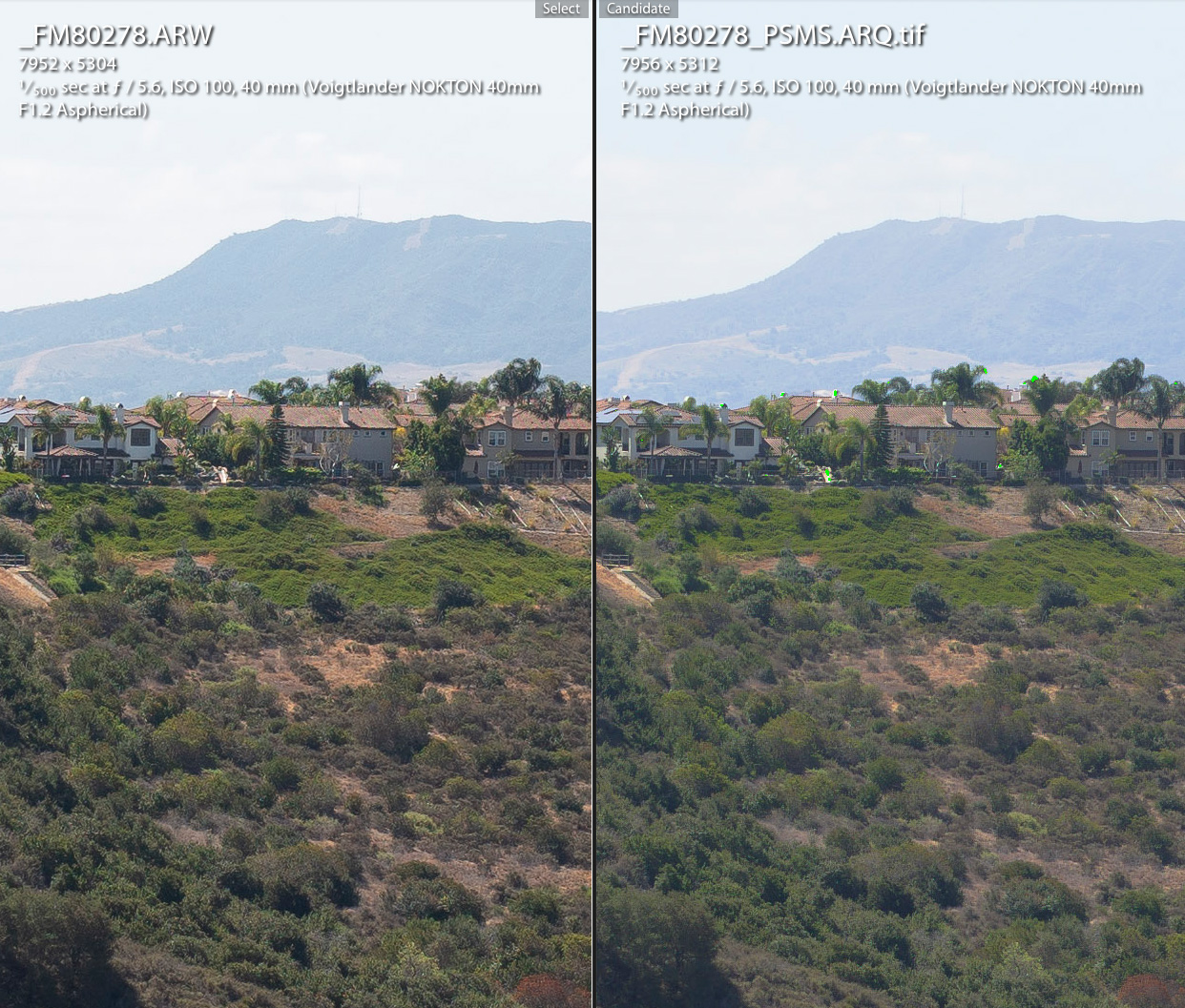
ARW vs RT
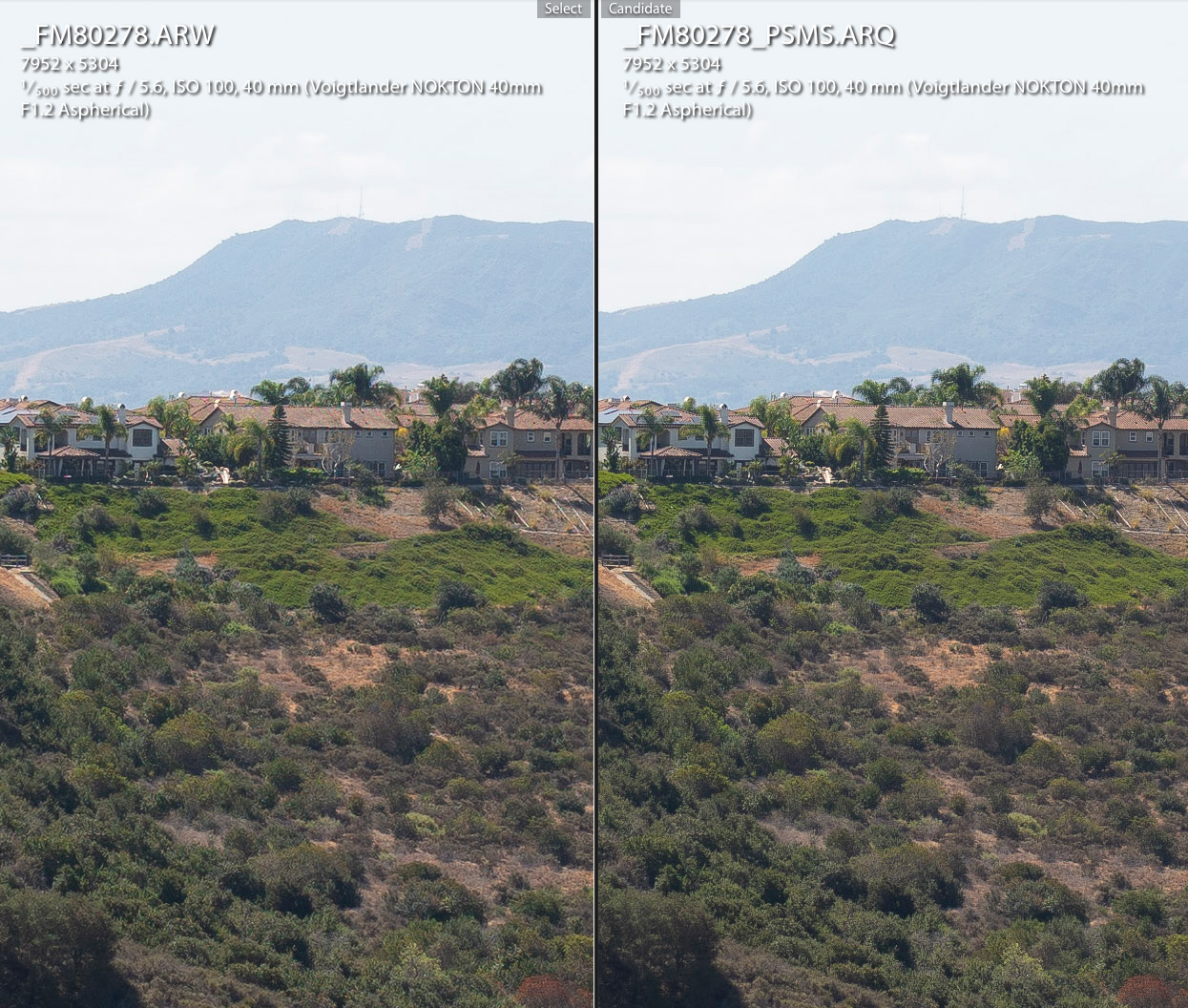
ARW vs ARQ (moire is gone and apparent more resolution for the ARQ file)
and a regular ARW vs ARQ. (second image)
The ARQ (pixel shifted) file looks the best and RT the worst.
ARW vs RT
ARW vs ARQ (moire is gone and apparent more resolution for the ARQ file)
May 16, 2018 at 11:53 AM
p.2 #13Motion detection in PixelShift files
and by the way, the RT samples above were with the updated "SONY ILCE-7RM3.dcp" file.
I'm on a MacOS. I hope these samples are useful tracking down any possible issues.
RT and its automatic motion detection could be a great tool for those using pixel shift for landscapes. However, at this point, something is not working right with the conversion.
I'm on a MacOS. I hope these samples are useful tracking down any possible issues.
RT and its automatic motion detection could be a great tool for those using pixel shift for landscapes. However, at this point, something is not working right with the conversion.
May 16, 2018 at 11:56 AM
p.2 #14Motion detection in PixelShift files
If you process both, the first ARW of the series and the ARQ to tiffs in RT and load both tiffs in Lightroom, is the tiff from ARQ still softer than the tiff from ARW?
For me it looks like there is some sharpening applied to raw files in Lightroom. I read that for raw files Lightroom applies a sharpening per default while it does not for jpeg. Don't know for tiff.
For me it looks like there is some sharpening applied to raw files in Lightroom. I read that for raw files Lightroom applies a sharpening per default while it does not for jpeg. Don't know for tiff.
May 16, 2018 at 12:02 PM
p.2 #15Motion detection in PixelShift files
For MacOs there are also newer builds available here:
https://discuss.pixls.us/t/download-rawtherapee-development-builds/2924
https://discuss.pixls.us/t/download-rawtherapee-development-builds/2924
May 16, 2018 at 12:04 PM
p.2 #16Motion detection in PixelShift files
ogniw wrote:
If you process both, the first ARW of the series and the ARQ to tiffs in RT and load both tiffs in Lightroom, is the tiff from ARQ still softer than the tiff from ARW?
For me it looks like there is some sharpening applied to raw files in Lightroom. I read that for raw files Lightroom applies a sharpening per default while it does not for jpeg. Don't know for tiff.
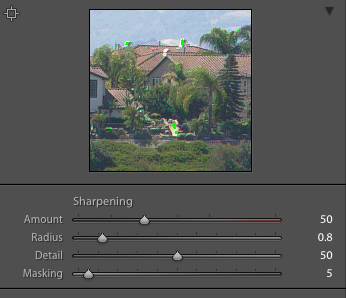
You are correct that LR does not apply any sharpening to Jpegs or Tiffs. However, I'm matching the ARW sharpening setting to the Tiff files. (The ARQ files are treated as ARW in LR so already get my default sharpening)
The sharpening setting for all files being compared is this:
(all other LR settings were set to default)
But it's not just sharpening. As you can see from the crops above there are issues with contrast and color as well.
|
||
 |
||
|
May 16, 2018 at 12:06 PM
p.2 #17Motion detection in PixelShift files
ogniw wrote:
For MacOs there are also newer builds available here:
https://discuss.pixls.us/t/download-rawtherapee-development-builds/2924
I have the latest built. (these samples were processed on it)
For MacOs there are also newer builds available here:
https://discuss.pixls.us/t/download-rawtherapee-development-builds/2924
I have the latest built. (these samples were processed on it)
May 16, 2018 at 12:13 PM
p.2 #18Motion detection in PixelShift files
Fred, can you share a raw file to test so we can test with the same files?
I'm especially interested to reproduce the need to set the Sensitivity slider (that's the new name of the old Iso adaption slider) to -4 for motion detection.
I'm especially interested to reproduce the need to set the Sensitivity slider (that's the new name of the old Iso adaption slider) to -4 for motion detection.
May 16, 2018 at 12:23 PM
p.2 #19Motion detection in PixelShift files
ogniw wrote:
Fred, can you share a raw file to test so we can test with the same files?
I'm especially interested to reproduce the need to set the Sensitivity slider (that's the new name of the old Iso adaption slider) to -4 for motion detection.
Sure, do you want all the ARW for the pixel shift sequence or the ARQ converted with Sony's software?
May 16, 2018 at 12:26 PM
p.2 #20Motion detection in PixelShift files
I have downloaded raw therapee from this page: http://rawtherapee.com/downloads
I don't know if it is me, my computer or something else, but I can't use most of the tools of the software. Actually nothing else makes a difference when you touch it apart from the exposure tool. I can slide the bars right and left but nothing appears in the history on the left side and nothing changes in the photo. I uninstalled and reinstalled it but nothing changed. I'm using a windows 10 skylake 6700k computer with no issues so far.
By the way it opens the pixel shift files corrected for movement by default, which is really cool. But very limited tool function for these files, exactly as the simple raws.
May 16, 2018 at 12:28 PM