This topic is in the 2018 archive. You can read it and like its posts here. It is read only.
Archive 2018FE 100-400 issues with and without 1.4 extender
p.5 #1FE 100-400 issues with and without 1.4 extender
naturephoto1 wrote:
https://www.fredmiranda.com/Buzz/100-400+1.4x-vignetting-fix.xmp.zipHi Fred,
Forgive my ignorance. I have the file that you posted and it was opened. Could you walk me through how to install/import this into my LR6.14.
Thanks for your assistance. I can not find how and where this is:
Username > Library > Application Support > Adobe > CameraRaw > Settings > User Presets.
Do I just use the + in LR for Presets to add this?
Rich
Alternatively you can open Lightroom in Develop mode, and click on the Presets "+" sign. (see image)
Than just click on Import Presets... (and find the one you downloaded from here. Unzip it first)
It should appear in your "User Presets" list as "100-400+1.4x-vignetting-fix".
Fred Miranda wrote
Copy and paste it on your browser instead:https://www.fredmiranda.com/Buzz/100-400+1.4x-vignetting-fix.xmp.zip
Forgive my ignorance. I have the file that you posted and it was opened. Could you walk me through how to install/import this into my LR6.14.
Thanks for your assistance. I can not find how and where this is:
Username > Library > Application Support > Adobe > CameraRaw > Settings > User Presets.
Do I just use the + in LR for Presets to add this?
Rich
Alternatively you can open Lightroom in Develop mode, and click on the Presets "+" sign. (see image)
Than just click on Import Presets... (and find the one you downloaded from here. Unzip it first)
It should appear in your "User Presets" list as "100-400+1.4x-vignetting-fix".
 |
||
 |
||
|
Feb 17, 2019 at 01:41 PM
p.5 #2FE 100-400 issues with and without 1.4 extender
Hi Fred,
Thank you. I was able to use your "Fix" and to import it into LR.
Below are Images were shot with my tripod mounted 100-400mm GM plus the mentioned 1.4X teleconverter. Lens with teleconverter set at ISO 100, f8 at 1/500 sec.
First Image Lens Compensation on, Fred's "Fix" + LR Profille.
Second Image Lens Compensation on, LR Profile applied plus Manual Vignetting applied that I originally had prepared. This is shown for comparison with Fred's "Fix". They are close, but I believe Fred's version is slightly better.
Rich

Lens Compensation on, Fred's

Lens Compensation on, LR Profile applied plus Manual Vignetting applied.
Edited on Feb 17, 2019 at 06:55 PM · View previous versions
Thank you. I was able to use your "Fix" and to import it into LR.
Below are Images were shot with my tripod mounted 100-400mm GM plus the mentioned 1.4X teleconverter. Lens with teleconverter set at ISO 100, f8 at 1/500 sec.
First Image Lens Compensation on, Fred's "Fix" + LR Profille.
Second Image Lens Compensation on, LR Profile applied plus Manual Vignetting applied that I originally had prepared. This is shown for comparison with Fred's "Fix". They are close, but I believe Fred's version is slightly better.
Rich
© naturephoto1 2019
Lens Compensation on, Fred's
© naturephoto1 2019
Lens Compensation on, LR Profile applied plus Manual Vignetting applied.
Edited on Feb 17, 2019 at 06:55 PM · View previous versions
Feb 17, 2019 at 02:31 PM
p.5 #3FE 100-400 issues with and without 1.4 extender
Personally I leave all in-camera compensation corrections turned OFF. I think they cause more harm than good and I never shoot jpeg so, I don't lose anything when editing RAW files in Lightroom. I find that with most images I tried, just the preset fix should be enough compensation. (For the 100-400@400+1.4x vignetting)
Feb 17, 2019 at 03:32 PM
p.5 #4FE 100-400 issues with and without 1.4 extender
Fred Miranda wrote:
Personally I leave all in-camera compensation corrections turned OFF. I think they cause more harm than good and I never shoot jpeg so, I don't lose anything when editing RAW files in Lightroom. I find that with most images I tried, just the preset fix should be enough compensation. (For the 100-400@400+1.4x vignetting)
Hi Fred,
When I tried the image with the lens compensation turned off, I got much poorer results.
Rich
Personally I leave all in-camera compensation corrections turned OFF. I think they cause more harm than good and I never shoot jpeg so, I don't lose anything when editing RAW files in Lightroom. I find that with most images I tried, just the preset fix should be enough compensation. (For the 100-400@400+1.4x vignetting)
Hi Fred,
When I tried the image with the lens compensation turned off, I got much poorer results.
Rich
Feb 17, 2019 at 03:42 PM
p.5 #5FE 100-400 issues with and without 1.4 extender
naturephoto1 wrote:
Hi Fred,
When I tried the image with the lens compensation turned off, I got much poorer results.
Rich
I think there is a small variance in the amount of vignetting we are getting. So, perhaps the preset is not one-fits-all.
Fred Miranda wrote
Personally I leave all in-camera compensation corrections turned OFF. I think they cause more harm than good and I never shoot jpeg so, I don't lose anything when editing RAW files in Lightroom. I find that with most images I tried, just the preset fix should be enough compensation. (For the 100-400@400+1.4x vignetting)When I tried the image with the lens compensation turned off, I got much poorer results.
Rich
I think there is a small variance in the amount of vignetting we are getting. So, perhaps the preset is not one-fits-all.
Feb 17, 2019 at 03:50 PM
p.5 #6FE 100-400 issues with and without 1.4 extender
Fred Miranda wrote:
Hi Fred,
When I tried the image with the lens compensation turned off, I got much poorer results.
RichI think there is a small variance in the amount of vignetting we are getting. So, perhaps the preset is not one-fits-all.
Hi Fred,
I am in the processes of running a backup on my computer. I will post my results with your "Fix" with what I had posted earlier as well as adding additional vignetting adjustment after the back-up is complete.
Rich
naturephoto1 wrote
Fred Miranda wrote
Personally I leave all in-camera compensation corrections turned OFF. I think they cause more harm than good and I never shoot jpeg so, I don't lose anything when editing RAW files in Lightroom. I find that with most images I tried, just the preset fix should be enough compensation. (For the 100-400@400+1.4x vignetting)When I tried the image with the lens compensation turned off, I got much poorer results.
Rich
Hi Fred,
I am in the processes of running a backup on my computer. I will post my results with your "Fix" with what I had posted earlier as well as adding additional vignetting adjustment after the back-up is complete.
Rich
Feb 17, 2019 at 04:02 PM
p.5 #7FE 100-400 issues with and without 1.4 extender
Below are Images that were shot with my tripod mounted 100-400mm GM plus the mentioned 1.4X teleconverter. Lens with teleconverter set at ISO 100, f8 at 1/500 sec.
First Image Lens Compensation off, Fred's "Fix" + LR Profille.
Second Image Lens Compensation off, LR Profile applied plus Manual Vignetting applied.
Third Image as presented previously, Lens Compensation off, LR Profile applied, plus Manual Vignetting applied.
Rich

Lens Compensation off, Fred's

Lens Compensation off, Fred's

As presented previously, Lens Compensation off, LR Profile applied, plus Manual Vignetting applied.
First Image Lens Compensation off, Fred's "Fix" + LR Profille.
Second Image Lens Compensation off, LR Profile applied plus Manual Vignetting applied.
Third Image as presented previously, Lens Compensation off, LR Profile applied, plus Manual Vignetting applied.
Rich
© naturephoto1 2019
Lens Compensation off, Fred's
Lens Compensation off, Fred's
As presented previously, Lens Compensation off, LR Profile applied, plus Manual Vignetting applied.
Feb 17, 2019 at 07:05 PM
p.5 #8FE 100-400 issues with and without 1.4 extender
naturephoto1 wrote:
Below are Images that were shot with my tripod mounted 100-400mm GM plus the mentioned 1.4X teleconverter. Lens with teleconverter set at ISO 100, f8 at 1/500 sec.
First Image Lens Compensation off, Fred's "Fix" + LR Profille.
Second Image Lens Compensation off, LR Profile applied plus Manual Vignetting applied.
Third Image as presented previously, Lens Compensation off, LR Profile applied, plus Manual Vignetting applied.
Rich
This is how the preset works for me:
https://www.fredmiranda.com/forum/topic/1535862/3#14760530
(LR compensation Off and in-camera compensation Off) - so, Preset only.
Can I try it on your RAW file? Perhaps you are getting less vignetting from your extender since it's not really matching my results.
Below are Images that were shot with my tripod mounted 100-400mm GM plus the mentioned 1.4X teleconverter. Lens with teleconverter set at ISO 100, f8 at 1/500 sec.
First Image Lens Compensation off, Fred's "Fix" + LR Profille.
Second Image Lens Compensation off, LR Profile applied plus Manual Vignetting applied.
Third Image as presented previously, Lens Compensation off, LR Profile applied, plus Manual Vignetting applied.
Rich
This is how the preset works for me:
https://www.fredmiranda.com/forum/topic/1535862/3#14760530
(LR compensation Off and in-camera compensation Off) - so, Preset only.
Can I try it on your RAW file? Perhaps you are getting less vignetting from your extender since it's not really matching my results.
Feb 17, 2019 at 07:36 PM
p.5 #9FE 100-400 issues with and without 1.4 extender
Mine 1.4xTC came later today and will give it a go with the new 100-400GM that I picked up yesterday.
Feb 18, 2019 at 01:38 AM
p.5 #10FE 100-400 issues with and without 1.4 extender
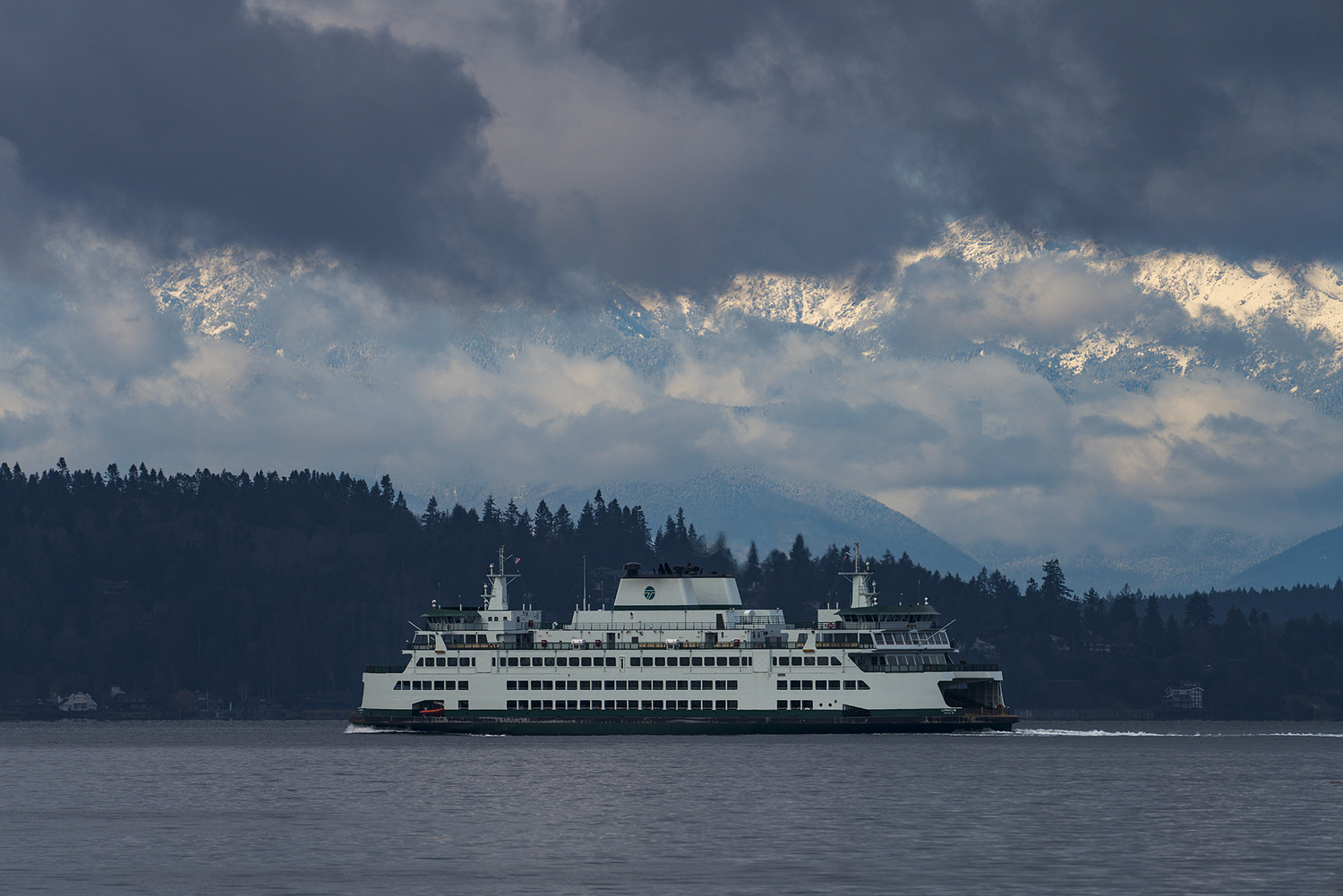
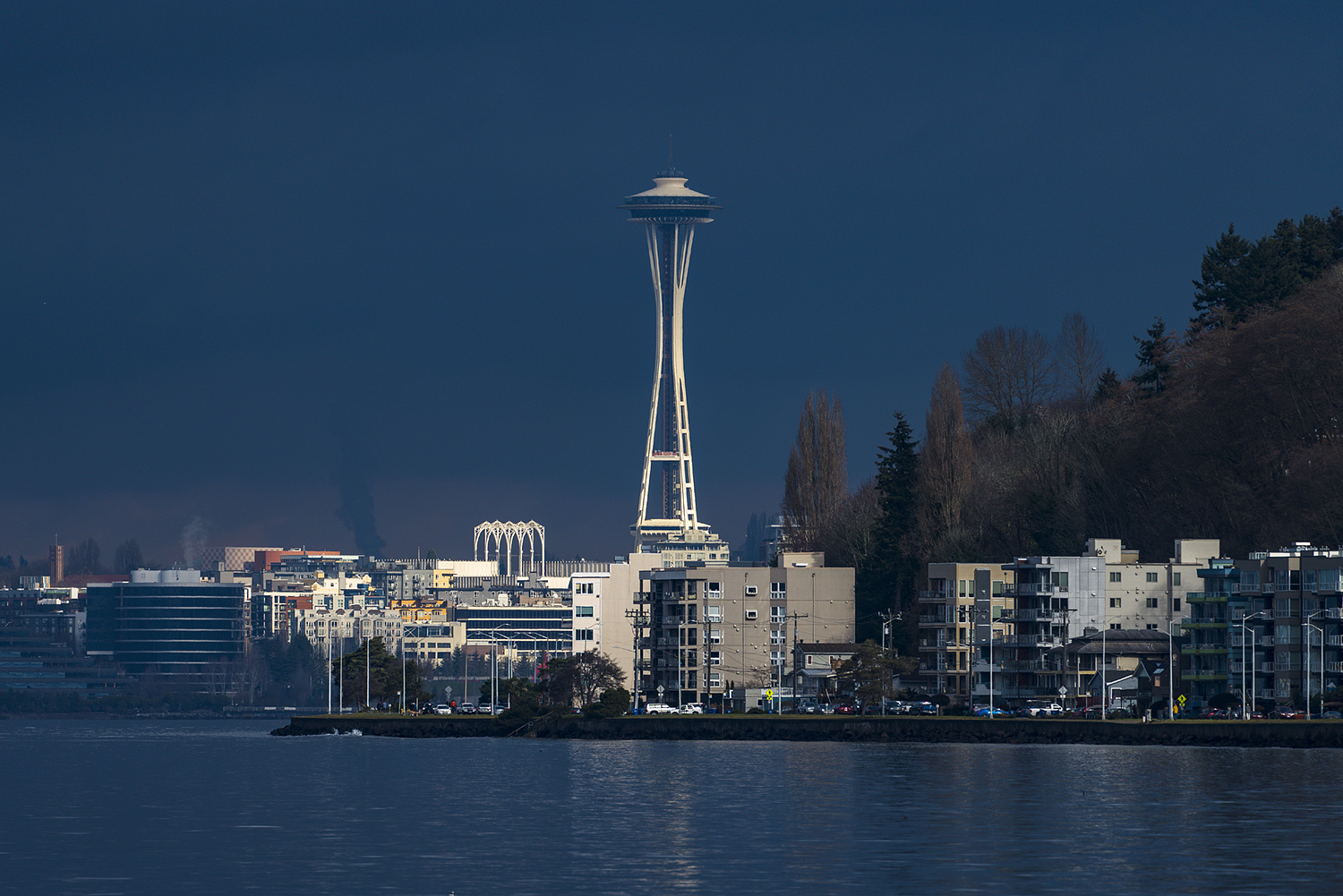
Well, here's two shots with the 1.4xTC (brand new) + 100-400GM set at 400mm.
Highly stretched in post.
Note that I have a B+W MRC clear filter on this - I don't only get vignetting, but a pattern that I suspect is due to the addition of the filter. This is weird. I'll try for the same kind of shots with and without the filter.
It was not a perfectly gray day this morning, so I pointed it at the largest cloud with the most uniform gray center as I could, thus the illumination across the field is not perfect.


Highly stretched in post.
Note that I have a B+W MRC clear filter on this - I don't only get vignetting, but a pattern that I suspect is due to the addition of the filter. This is weird. I'll try for the same kind of shots with and without the filter.
It was not a perfectly gray day this morning, so I pointed it at the largest cloud with the most uniform gray center as I could, thus the illumination across the field is not perfect.
Feb 18, 2019 at 12:44 PM
p.5 #11FE 100-400 issues with and without 1.4 extender
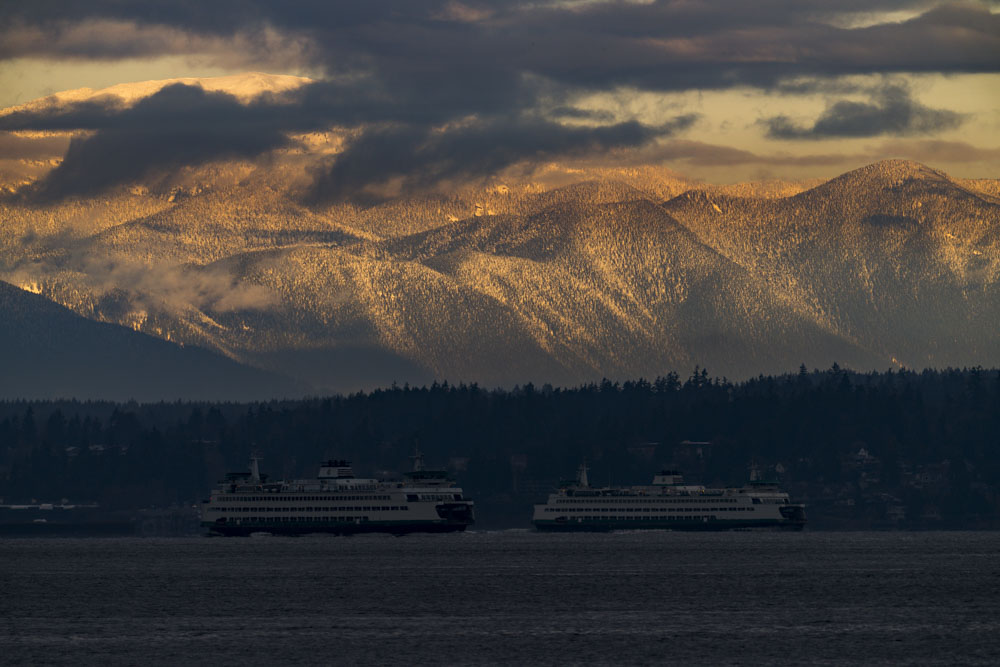
And here's a typical shot that I would use this combo for (took it a bit earlier this morning), the corner issues are not apparent in the RAW image, but with typical contrast enhancement, stretching, etc. for a landscape shot you can just start to see hints of the pattern in the lower left corner in the water (and barely in the lower right corner). The upper corners appear to be just fine.
Looks like no filter for this lens + TC combo.
Looks like no filter for this lens + TC combo.
Feb 18, 2019 at 12:52 PM
p.5 #12FE 100-400 issues with and without 1.4 extender
jhinkey wrote:
And here's a typical shot that I would use this combo for (took it a bit earlier this morning), the corner issues are not apparent in the RAW image, but with typical contrast enhancement, stretching, etc. for a landscape shot you can just start to see hints of the pattern in the lower left corner in the water (and barely in the lower right corner). The upper corners appear to be just fine.
Looks like no filter for this lens + TC combo.
Can you take a picture of a solid sky with the extender at f/8?
And here's a typical shot that I would use this combo for (took it a bit earlier this morning), the corner issues are not apparent in the RAW image, but with typical contrast enhancement, stretching, etc. for a landscape shot you can just start to see hints of the pattern in the lower left corner in the water (and barely in the lower right corner). The upper corners appear to be just fine.
Looks like no filter for this lens + TC combo.
Can you take a picture of a solid sky with the extender at f/8?
Feb 18, 2019 at 01:34 PM
p.5 #13FE 100-400 issues with and without 1.4 extender
Fred Miranda wrote:
Looks like no filter for this lens + TC combo.Can you take a picture of a solid sky with the extender at f/8?
That's what the first one was supposed to be, though I couldn't get a good solid grey sky. I'll try this afternoon if the weather cooperates (? I want a totally overcast gray sky?? that's kind of funny).
- J
jhinkey wrote
And here's a typical shot that I would use this combo for (took it a bit earlier this morning), the corner issues are not apparent in the RAW image, but with typical contrast enhancement, stretching, etc. for a landscape shot you can just start to see hints of the pattern in the lower left corner in the water (and barely in the lower right corner). The upper corners appear to be just fine.Looks like no filter for this lens + TC combo.
That's what the first one was supposed to be, though I couldn't get a good solid grey sky. I'll try this afternoon if the weather cooperates (? I want a totally overcast gray sky??
that's kind of funny).- J
Feb 18, 2019 at 01:46 PM
p.5 #14FE 100-400 issues with and without 1.4 extender
Parariss wrote:
Page 38 in the a7riii manual. Little grren boxes for small objects, big green boxes for larger stuff.
Lock on focus mode is not good for scenes like the one shown and could yield poor focus because there is not a clear object to lock on. Also, AF-C in general is not good for static landscapes because the camera is trying to focus even when it's already in focus. That means it moves the lens away from good focus, perhaps right when you shoot. You could also try to move shutter release to focus emphasis. I think the default is...Show more →
I was thinking fat filter.
Page 38 in the a7riii manual. Little grren boxes for small objects, big green boxes for larger stuff.
Lock on focus mode is not good for scenes like the one shown and could yield poor focus because there is not a clear object to lock on. Also, AF-C in general is not good for static landscapes because the camera is trying to focus even when it's already in focus. That means it moves the lens away from good focus, perhaps right when you shoot. You could also try to move shutter release to focus emphasis. I think the default is...Show more →
I was thinking fat filter.
Feb 18, 2019 at 04:57 PM
p.5 #15FE 100-400 issues with and without 1.4 extender
Had good enough gray sky this morning.
First shot with the B+W F-Pro 77mm MRC clear filter and the second without - seems there is no difference.
These have been stretched a bit to enhance the issue, but as I showed previously these corner things show up in normal images when you apply some typical post processing.

With Clear Filter

Without Clear Filter
First shot with the B+W F-Pro 77mm MRC clear filter and the second without - seems there is no difference.
These have been stretched a bit to enhance the issue, but as I showed previously these corner things show up in normal images when you apply some typical post processing.
With Clear Filter
Without Clear Filter
Feb 19, 2019 at 10:50 AM
p.5 #16FE 100-400 issues with and without 1.4 extender
Looking at the rear light baffle of the teleconverter it appears to me to be a reflection from the serrated surface in the corners. It looks like you can take the rear baffle out with a couple of screws . . .
Edited on Feb 19, 2019 at 07:34 PM · View previous versions
Edited on Feb 19, 2019 at 07:34 PM · View previous versions
Feb 19, 2019 at 02:41 PM
p.5 #17FE 100-400 issues with and without 1.4 extender
jhinkey wrote:
Looking at the rear light babble of the teleconverter it appears to me to be a reflection from the serrated surface in the corners. It looks like you can take the rear baffle out with a couple of screws . . .
I took two shots today with the camera's lens compensation on and off, and tried the following processing: SOOC, Lightroom correction, Fred's secret sauce correction. Fred's fix seems to over correct a bit.
To my eyes, the best result is with lens comp. on in the camera, + LR profile correction.

Lens Comp. on SOOC

Lens Comp. on and correct by LR profile

Lens Comp. on and corrected in LR with Fred Sauce

Lens Comp. off SOOC

Lens Comp. off and correct by LR profile

Lens Comp. off and corrected in LR with Fred Sauce
Looking at the rear light babble of the teleconverter it appears to me to be a reflection from the serrated surface in the corners. It looks like you can take the rear baffle out with a couple of screws . . .
I took two shots today with the camera's lens compensation on and off, and tried the following processing: SOOC, Lightroom correction, Fred's secret sauce correction
. Fred's fix seems to over correct a bit. To my eyes, the best result is with lens comp. on in the camera, + LR profile correction.
Lens Comp. on SOOC
Lens Comp. on and correct by LR profile
Lens Comp. on and corrected in LR with Fred Sauce
Lens Comp. off SOOC
Lens Comp. off and correct by LR profile
Lens Comp. off and corrected in LR with Fred Sauce
Feb 19, 2019 at 05:08 PM
p.5 #18FE 100-400 issues with and without 1.4 extender
And at 400mm:
The first one is SOOC with camera comp. on
The second one is SOOC with camera comp. off
The third one is camera comp. off, LR profile corrected
I think still camera comp. yields better result.

SOOC with camera comp. on

SOOC with camera comp. off

camera comp. off LR corrected
The first one is SOOC with camera comp. on
The second one is SOOC with camera comp. off
The third one is camera comp. off, LR profile corrected
I think still camera comp. yields better result.
SOOC with camera comp. on
SOOC with camera comp. off
camera comp. off LR corrected
Feb 19, 2019 at 05:51 PM
p.5 #19FE 100-400 issues with and without 1.4 extender
FYI, this pattern appears without the TC also, Sony Pro support has had my lens a few times and Sony engineers in Japan looked into it. They came back saying it is normal behavior and nothing can be done about it. I take a lot of aviation pictures, planes on blue skies, and have been having a hard time getting pictures accepted/sold because of the weird pattern that happens mostly above 220mm, to the point I am considering buying another Canon 100-400 and adapt it as I was getting better results with that than the 100-400 G Master. I mean, even my friend's $700 sigma adapted yielded better results than this $2500 lens 
It appears the pattern visible in the pictures is in fact a reflection of a baffle inside the lens (around the diaphragm), and at just the right FL and ambient light angle you get a nice "flower" pattern.
Oh just a trick, if you really want to see how bad it is, in photoshop just use the "Equalize" function, you can't miss it then!
Here's a link to the pics I sent Sony Pro support, I'll post a few below too
https://www.dropbox.com/sh/hljprqy122x8gd7/AAAXUFei1YgxXjeQhcibR0-va?dl=0
And a thread I had started a while back too
https://www.fredmiranda.com/forum/topic/1562931/0
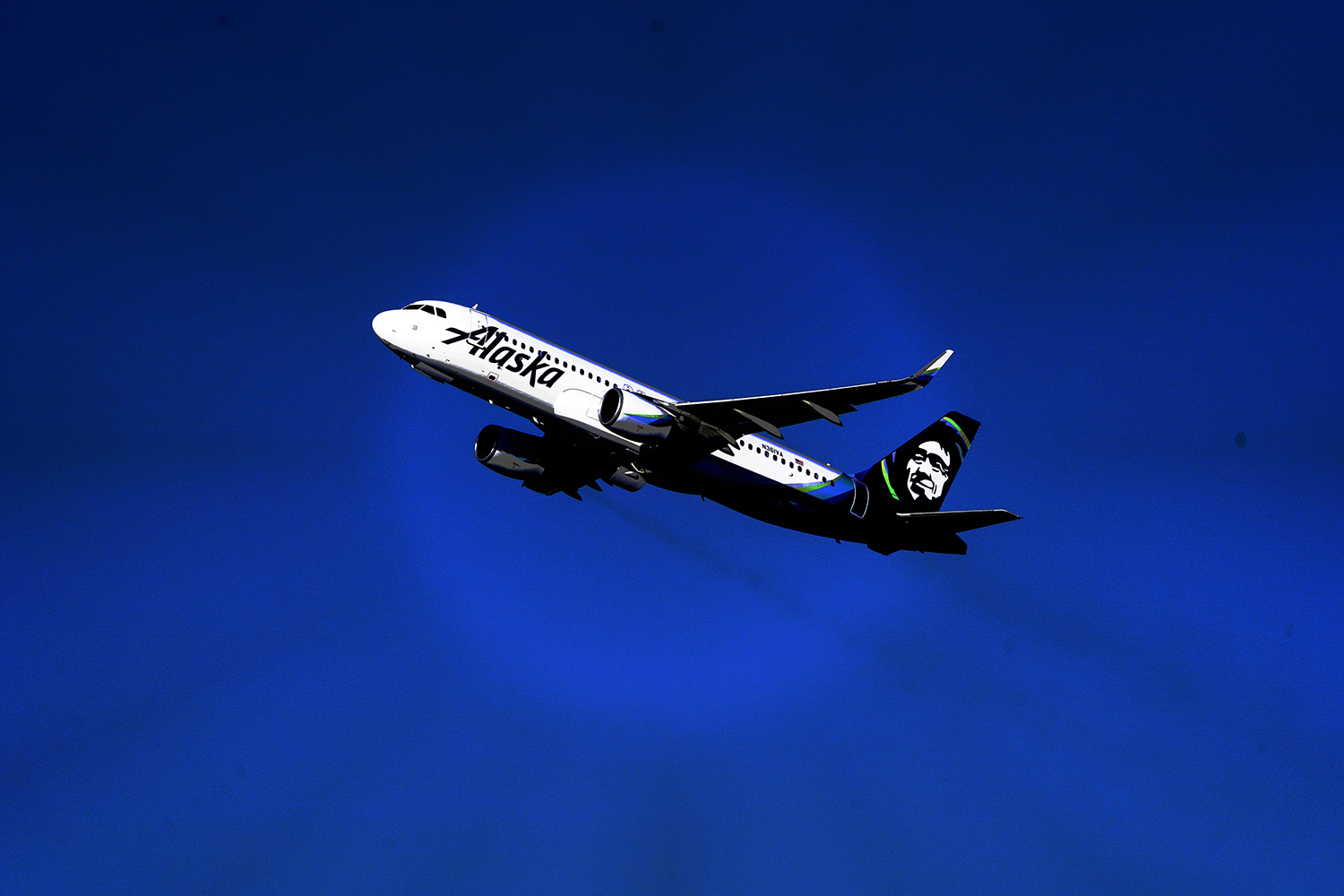
With Equalize
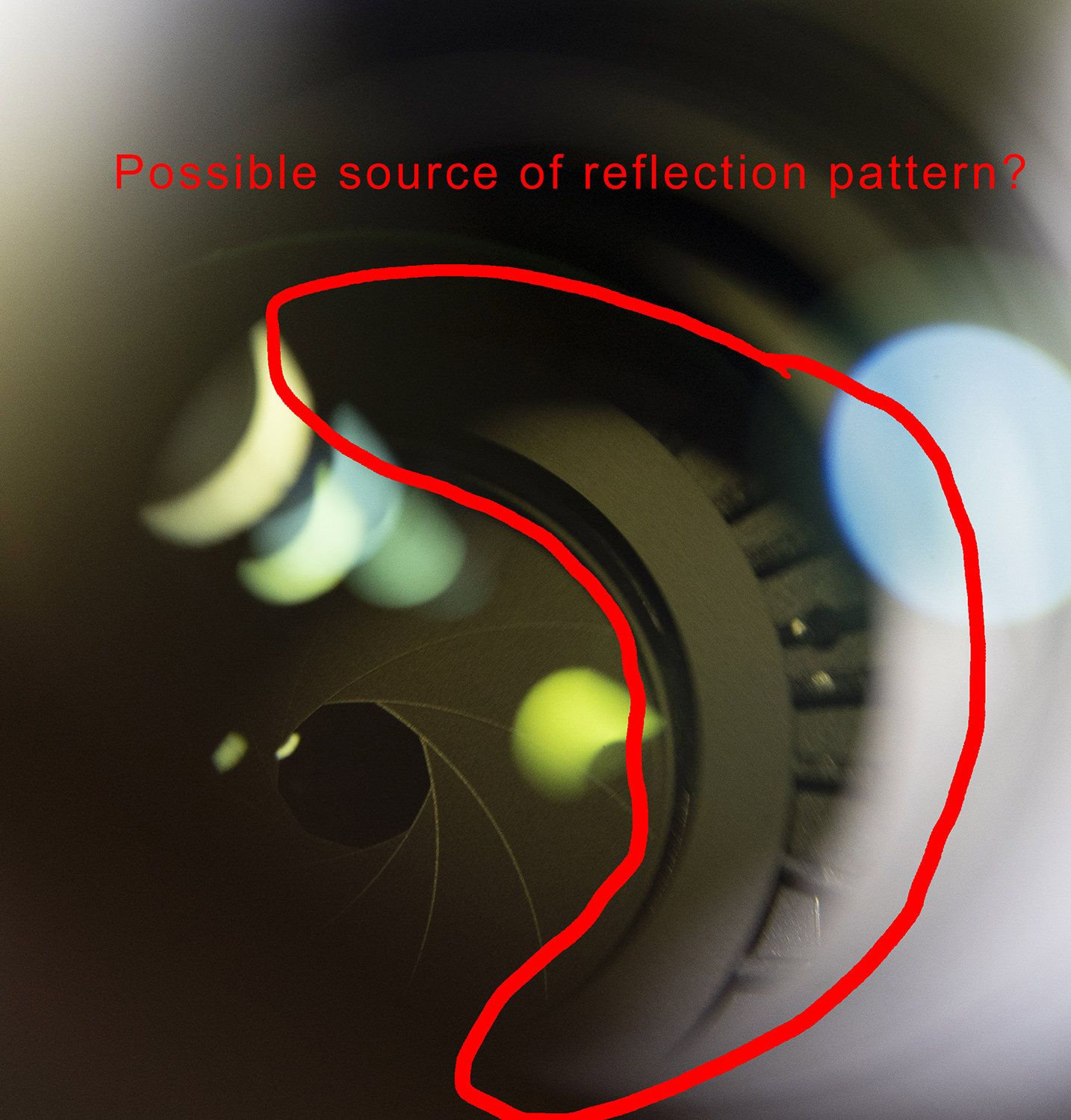
Baffle
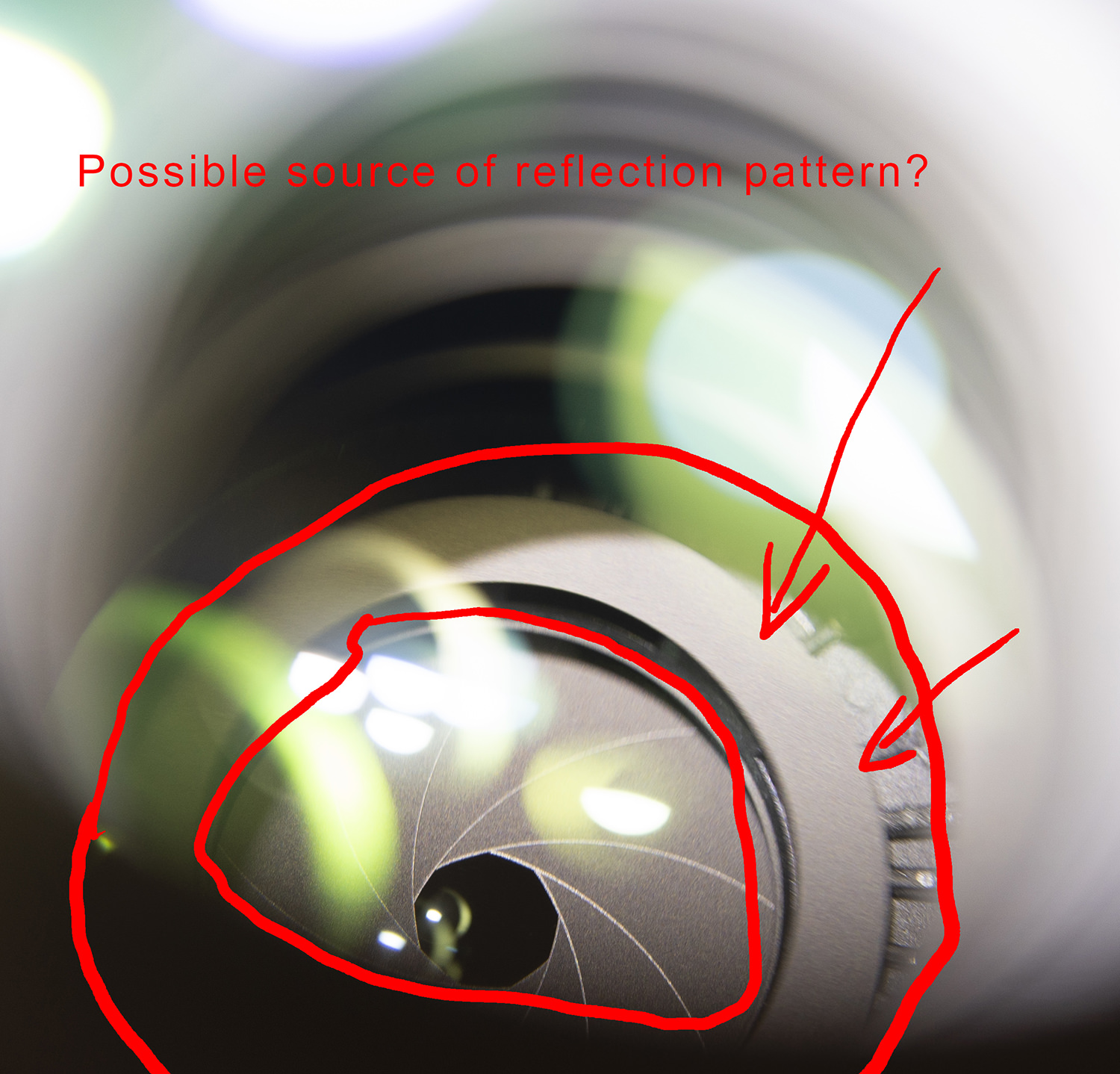
Baffle
It appears the pattern visible in the pictures is in fact a reflection of a baffle inside the lens (around the diaphragm), and at just the right FL and ambient light angle you get a nice "flower" pattern.
Oh just a trick, if you really want to see how bad it is, in photoshop just use the "Equalize" function, you can't miss it then!
Here's a link to the pics I sent Sony Pro support, I'll post a few below too
https://www.dropbox.com/sh/hljprqy122x8gd7/AAAXUFei1YgxXjeQhcibR0-va?dl=0
And a thread I had started a while back too
https://www.fredmiranda.com/forum/topic/1562931/0
With Equalize
Baffle
Baffle
Feb 19, 2019 at 11:12 PM
p.5 #20FE 100-400 issues with and without 1.4 extender
This is what the back end of my 1.4x TC looks like - I just bought it off of Amazon last week.
What does your all TC back ends look like?
- John
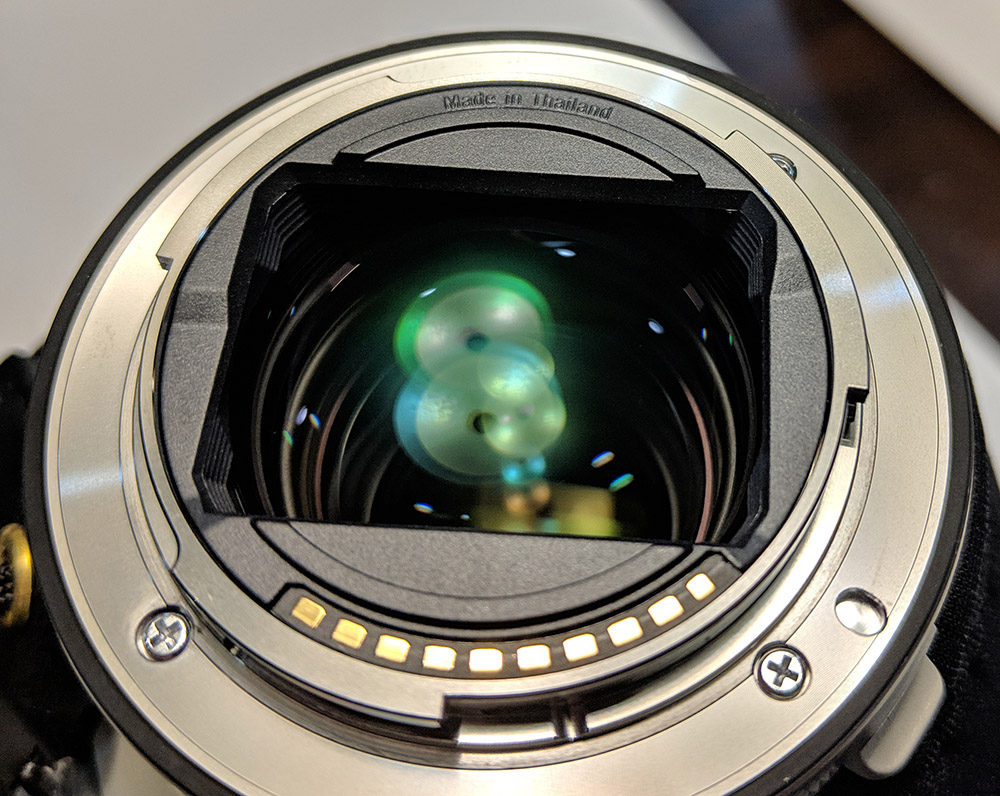
What does your all TC back ends look like?
- John
Feb 20, 2019 at 06:05 PM