This topic is in the 2017 archive. You can read it and like its posts here. It is read only.
Archive 2017Stitching or Merging Images. Your Panoramas are Welcome!
p.2 #1Stitching or Merging Images. Your Panoramas are Welcome!
Panos are even easier with a PC-E lens. Little is lost and there is no distortion. I shoot one shot shifted left, one centered, one shifted right, and stitch in CC. And yes, tripod level with camera in M mode.
Kent in SD
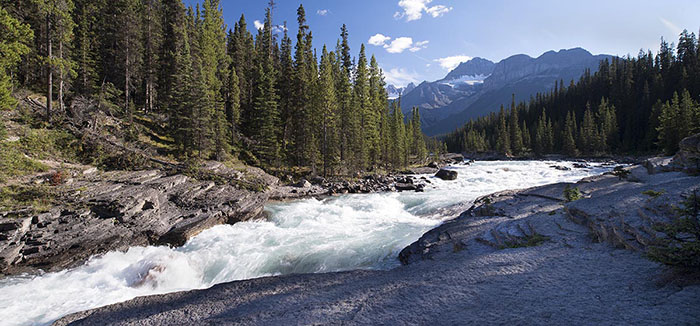
Jasper Parkway
Kent in SD
Jasper Parkway
Dec 27, 2017 at 06:21 PM
p.2 #2Stitching or Merging Images. Your Panoramas are Welcome!
Good advice -- except unless you are using long exposures or working for a client you don't need to use a tripod or special head - just hand hold steady rotate around your waist. I have attached an example.
Yes overlap 50% or more is good when using wide or super-wide angle lenses and let Lightroom or Photoshop autoblend.
Obviously if you are shooting water or other long exposure images then you need rock solid support and precise control - I have just purchased a Syrp Genie Mini to help in this process (if only I can get it to work)
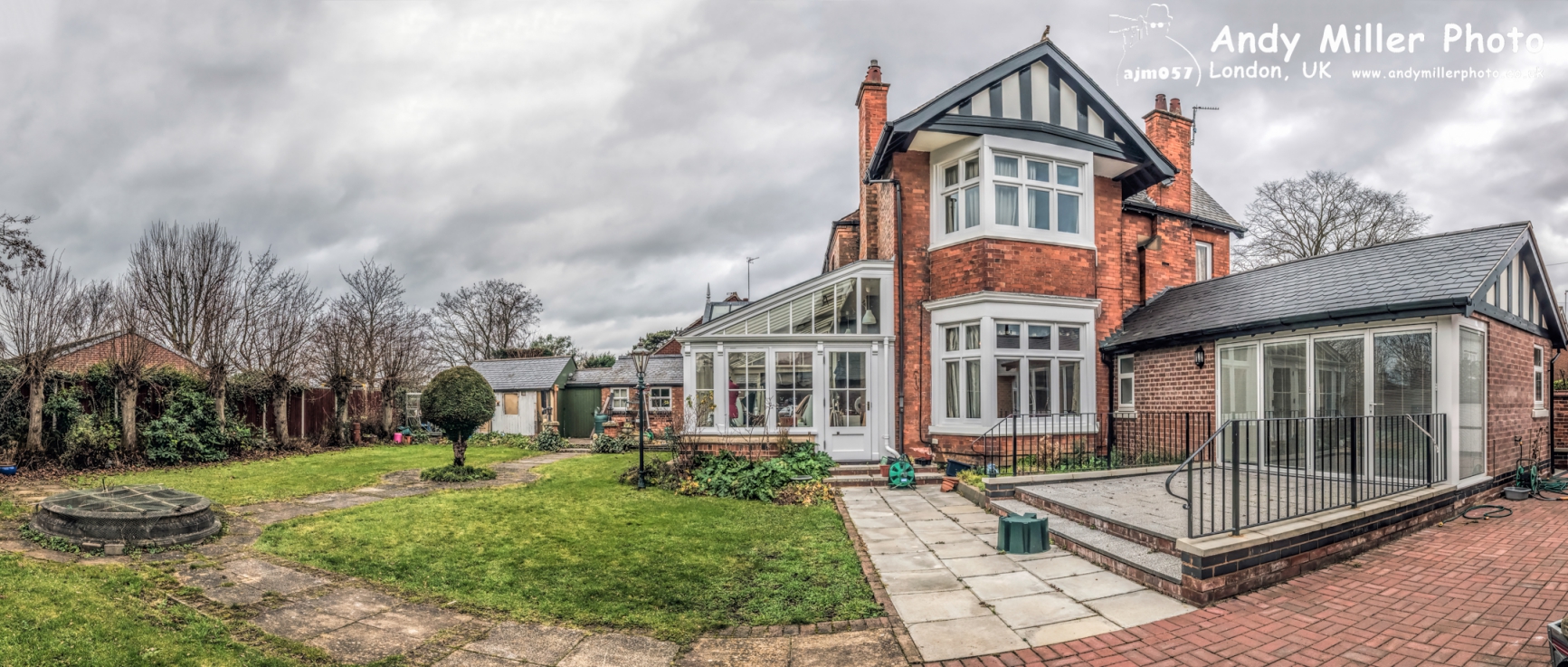
5 shot hand held pano - made in LR CC
Yes overlap 50% or more is good when using wide or super-wide angle lenses and let Lightroom or Photoshop autoblend.
Obviously if you are shooting water or other long exposure images then you need rock solid support and precise control - I have just purchased a Syrp Genie Mini to help in this process (if only I can get it to work)
5 shot hand held pano - made in LR CC
Dec 28, 2017 at 03:50 AM
p.2 #3Stitching or Merging Images. Your Panoramas are Welcome!
Yesterday, I learned that leveling the camera on the horizon was not good enough; i.e. observing the relationship between the camera base and the horizon, and leveling accordingly.
Because, when slowly panning, I noticed that the extreme right and extreme left camera positions were not level, but rather, they were tilted.
Why is this?
Is it because the camera really is not level for a panoramic unless the bubble atop the tripod is used?
Robert
Dec 28, 2017 at 08:45 AM
p.2 #4Stitching or Merging Images. Your Panoramas are Welcome!
What needs to be level is the camera baseplate. Otherwise, when you rotate the baseplate you are making an arc. The ballhead itself is loose, so leveling the tripod helps but it does not truly level the camera. The ball head designs that level the camera and then have a spinning (i.e. panoramic) baseplate are the easiest to use - Arca Swiss P0 and Acratech GP-SS). Some ball heads like RRS allow you to buy a panorama base for the clamp which is nice but adds weight, bulk, and cost.
A problem with being confined to camera level panoramas is that you cannot point the camera up or down which is almost always required. RRS has a panoramic gimbal head that allows you to center the camera's nodal point on all axes. That way you can do multi row panoramas, or point the camera up or down and still be "level." However, that is a bulky piece of gear that requires a commensurately bulky tripod and ballhead. It is also expensive and requires a lot of thought in its use. I have one but seldom use it - too bulky for my travel style.
A problem with being confined to camera level panoramas is that you cannot point the camera up or down which is almost always required. RRS has a panoramic gimbal head that allows you to center the camera's nodal point on all axes. That way you can do multi row panoramas, or point the camera up or down and still be "level." However, that is a bulky piece of gear that requires a commensurately bulky tripod and ballhead. It is also expensive and requires a lot of thought in its use. I have one but seldom use it - too bulky for my travel style.
Dec 28, 2017 at 08:52 AM
p.2 #5Stitching or Merging Images. Your Panoramas are Welcome!
I used to take panoramas with many frames. But I learned that unless I was hoping to make a billboard size print, I was stitching too many frames. Also, the files size of stitched 42MP images is enormous and the processing time is tediously slow. Now I do mostly stitches of 2-4 images which results in a more manageable workflow and a more natural looking image.
Dec 28, 2017 at 08:57 AM
p.2 #6Stitching or Merging Images. Your Panoramas are Welcome!
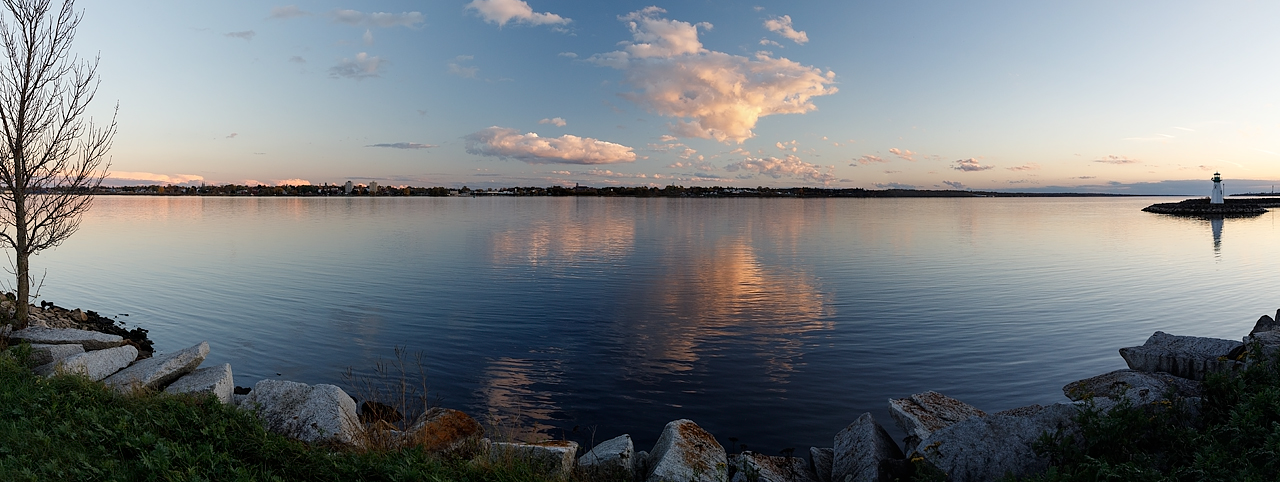
My second hand held pano and the two mistakes I made were mentioned in this thread. Not in manual exposure and I had a polarizer on.
Dec 28, 2017 at 09:51 AM
p.2 #7Stitching or Merging Images. Your Panoramas are Welcome!
jharter wrote:
What needs to be level is the camera baseplate. Otherwise, when you rotate the baseplate you are making an arc. The ballhead itself is loose, so leveling the tripod helps but it does not truly level the camera. The ball head designs that level the camera and then have a spinning (i.e. panoramic) baseplate are the easiest to use - Arca Swiss P0 and Acratech GP-SS). Some ball heads like RRS allow you to buy a panorama base for the clamp which is nice but adds weight, bulk, and cost.
A problem with being confined to camera level panoramas is that...Show more →
The only other experience I had shooting panos was a brief stint as a real estate photographer about 8 years ago. I had to do 360 degree panos and for that I needed a pano head because of parallax. They can get pretty costly so I converted a macro rail that I already had. The only stitching software the worked consistently for 360 was Autopano by Kolor.
I just posted the second handheld pano I have taken since then. PS/LR did a good job stitching. I sold my macro rail so recently converted a long RRS base plate and Kirk clamp to put the nodal point on the axis but have not tried it yet. Looking forward to experimenting with it.
Dec 28, 2017 at 10:06 AM
p.2 #8Stitching or Merging Images. Your Panoramas are Welcome!
Here is my first from September. 5D4, 100-400 II and 1.4 III Hand held

Dec 28, 2017 at 10:09 AM
p.2 #9Stitching or Merging Images. Your Panoramas are Welcome!
Personally, I find most pano shots are pointless. Whilst the above two shots are good examples of stitching, I find nothing aesthetically pleasing or interesting about it. But then I also feel that way about many ultra-wide angle photos. That is not the way we see landscapes in one look. We scan wide vistas and concentrate on each part that is straight in front of us, turning our eyes and/or head to view what is to both sides.
Viewed on a monitor, the wider the image, the less detail one can see. The wider the image, the more one has distorted what one sees naturally. JMO, of course.
I should add that the best reason I find for stitching is when you only have a telephoto lens with you and have to stitch maybe 4-6 images together to get the view you would with a 24-105mm lens.
Dec 28, 2017 at 10:26 AM
p.2 #10Stitching or Merging Images. Your Panoramas are Welcome!
I'm just doing it because I can't decide on a WA lens and as I get older and travel I am less interested in carrying more gear around. Unless I get a prime the zooms weigh more. Still bulky.
I'd love Canon's 12-24 but for the cost vs usage I can't justify it. I have been looking at Irix, LAOWA and a few others. The more I research the more unsure I get and bulk to travel with is still concern. Wish they made a pancake WA
I'd love Canon's 12-24 but for the cost vs usage I can't justify it. I have been looking at Irix, LAOWA and a few others. The more I research the more unsure I get and bulk to travel with is still concern. Wish they made a pancake WA
Dec 28, 2017 at 10:34 AM
p.2 #11Stitching or Merging Images. Your Panoramas are Welcome!
Imagemaster wrote:
Personally, I find most pano shots are pointless.
I should add that the best reason I find for stitching is when you only have a telephoto lens with you and have to stitch maybe 4-6 images together to get the view you would with a 24-105mm lens.
I find it useful regardless of what lens you have when you just need something wider.
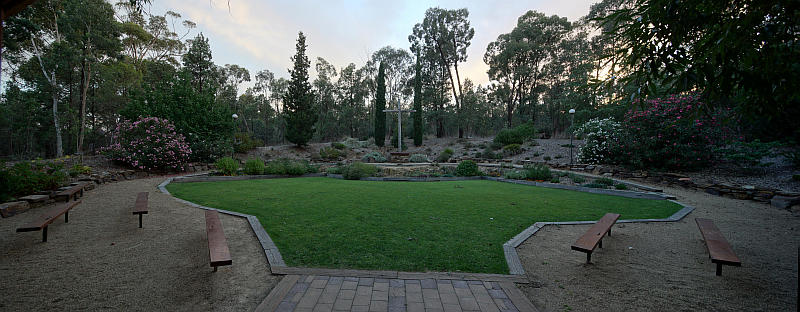
This is with a FF 17mm lens stitched with MS ICE and one of the shots it was stitched from (quick and dirty hand held).
Personally, I find most pano shots are pointless.
I should add that the best reason I find for stitching is when you only have a telephoto lens with you and have to stitch maybe 4-6 images together to get the view you would with a 24-105mm lens.
I find it useful regardless of what lens you have when you just need something wider.
This is with a FF 17mm lens stitched with MS ICE and one of the shots it was stitched from (quick and dirty hand held).
Dec 28, 2017 at 11:59 AM
p.2 #12Stitching or Merging Images. Your Panoramas are Welcome!
Zenon Char wrote:
My second hand held pano and the two mistakes I made were mentioned in this thread. Not in manual exposure and I had a polarizer on.
You could try fixing it in LR using two grad filters of about -1/2 stop (-0.5) each starting in the center and dragging each laterally, then use the new range mask function to mask out the darker foreground on each side of the image.
Then the entire exposure might need to be a little brighter.
Not ideal but it would help.
Dec 28, 2017 at 12:27 PM
p.2 #14Stitching or Merging Images. Your Panoramas are Welcome!
handheld of the chicago skyline on a hazy day, 5 or 6 shots at 50mm.
 |
||
| https://i.imgur.com/5p4L6O4.jpg | ||
|
Dec 28, 2017 at 12:56 PM
p.2 #15Stitching or Merging Images. Your Panoramas are Welcome!
I absolutely love doing 'panos'...as many others have already said 1) level the base plate of tripod 2) make lens corrections to the individual images Before stitching 3) Overlap is your friend, use at least 50% overlap.
One of the cool thing about pano's is that it really doesn't matter which focal length you shoot with, as you can create or capture "any shot with what you got".


One of the cool thing about pano's is that it really doesn't matter which focal length you shoot with, as you can create or capture "any shot with what you got".
Dec 28, 2017 at 01:27 PM
p.2 #16Stitching or Merging Images. Your Panoramas are Welcome!
Brenizer method a.k.a. bokeh panorama -- a panorama shot a longer lens to give the effect of a wider field of view with shallow depth of field that might not be attainable with a wide focal length lens. Was made with either the 58mm 1.4G or 105mm 1.4E, I don't recall. Shot handheld, probably about 6 - 10 images stitched together.
https://static1.squarespace.com/static/51f2c709e4b01b79caf00ebf/597a9ecb86e6c04f9b784a62/597a9fa7cd0f68aa807e72e0/1501208500057/Bridges-Golf-Club-Wedding-Photography-031.jpg
https://static1.squarespace.com/static/51f2c709e4b01b79caf00ebf/597a9ecb86e6c04f9b784a62/597a9fa7cd0f68aa807e72e0/1501208500057/Bridges-Golf-Club-Wedding-Photography-031.jpg
Dec 28, 2017 at 03:18 PM
p.2 #17Stitching or Merging Images. Your Panoramas are Welcome!
jharter wrote:
Stitching is pretty simple. Level your tripod. Overlap your images by about a third - too little overlap and there is not enough bite for the software to line up the edges.
For starters, just stitch the images in Lightroom. No need to do any pre-processing because the stitched file will be a RAW file that can be processed with your usual workflow. To stitch the files, simply select them. On a Mac, press and hold the Command key while clicking on each image you want to stitch. Then Right-Click on any of the selected images. Select Photomerge|Panorama. Then you will...Show more →
seriously, i was not aware lr has the stitching command. thx the info... :-)
Dec 28, 2017 at 05:26 PM
p.2 #18Stitching or Merging Images. Your Panoramas are Welcome!
Nor was I.
I think jharter was the first to mention it ... up top.
Learn something new every day.
I think jharter was the first to mention it ... up top.
Learn something new every day.
Dec 28, 2017 at 05:30 PM
p.2 #19Stitching or Merging Images. Your Panoramas are Welcome!
I shoot some panos...but from a composition aspect I find many panos seemed to be forced and fall flat. It seems like many times people are trying to put a square peg into a round hole. Some subjects shine in panoramic compositions...but many do not. I find the actual subject matter of a pano gets lost and it ends up with just an expanse without a real focus to the image.
I guess panos are like wide open shooting...there is a time and place for them and if used wrong...they can ruin an image.
I guess panos are like wide open shooting...there is a time and place for them and if used wrong...they can ruin an image.
Dec 28, 2017 at 05:52 PM
p.2 #20Stitching or Merging Images. Your Panoramas are Welcome!
bs kite wrote:
Who has done this? And please feel welcome to show us your work.
I have not done a panoramic yet (Dec 27, 2018). I have wanted to learn how. I will be using the D850 on a tripod. I will first level the tripod. Do I overlap images?
I plan on shooting RAW's first, giving each image a quick post process and converting to JPEG's before merging. Then, using PSCC, File, Automate, Photomerge. Is this ok ?
Is that about it?
Thanks
Robert
posted in two forums: "Post Processing" and "Nikon"
Much of the basics have been covered.
Being level and plumb is important enough to mention again. So is using manual, and also white balance must be fixed- do not use auto white balance. Pick "daylight" or a temperature if your camera allows.
Note that there are differences in stitching software. Try more than one (many have free evaluation periods) . I have had failures with one program and another did just fine.
As far as wide angle vs panorama goes, the wide angle can allow the whole scene to be captured at once, but I typically do not like the perspective of doing it that way. I prefer a portrait orientation panorama- you get more height, and the overlap is closer to the center or "better" part of the lens compared to the corners in landscape orientation.
I also prefer 50% overlap as it seems to even out the exposure a bit more.
This is a 12 image stitch, and it will print at 42" x 294" without any problems (about 150 dpi). Not much is cropped away.
 [Group 0]-_IGP7878__IGP7889-12 images.jpg by Dan T, on Flickr
Who has done this? And please feel welcome to show us your work.
I have not done a panoramic yet (Dec 27, 2018). I have wanted to learn how. I will be using the D850 on a tripod. I will first level the tripod. Do I overlap images?
I plan on shooting RAW's first, giving each image a quick post process and converting to JPEG's before merging. Then, using PSCC, File, Automate, Photomerge. Is this ok ?
Is that about it?
Thanks
Robert
posted in two forums: "Post Processing" and "Nikon"
Much of the basics have been covered.
Being level and plumb is important enough to mention again. So is using manual, and also white balance must be fixed- do not use auto white balance. Pick "daylight" or a temperature if your camera allows.
Note that there are differences in stitching software. Try more than one (many have free evaluation periods) . I have had failures with one program and another did just fine.
As far as wide angle vs panorama goes, the wide angle can allow the whole scene to be captured at once, but I typically do not like the perspective of doing it that way. I prefer a portrait orientation panorama- you get more height, and the overlap is closer to the center or "better" part of the lens compared to the corners in landscape orientation.
I also prefer 50% overlap as it seems to even out the exposure a bit more.
This is a 12 image stitch, and it will print at 42" x 294" without any problems (about 150 dpi). Not much is cropped away.
[Group 0]-_IGP7878__IGP7889-12 images.jpg by Dan T, on FlickrDec 28, 2017 at 06:23 PM