This topic is in the 2017 archive. You can read it and like its posts here. It is read only.
Archive 2017A7rIII settings
p.10 #1A7rIII settings
Iman113 wrote:
Auto Review question: can it be set so the photo just taken appears only in the monitor and not in the viewfinder, when Auto Review is set 2, 5, 10 seconds?
Doogie2304 wrote:
that was my hope as I love this feature on my 1dx, but haven't found a way to do it...
I map my down button to "Finder Monitor Select". It allows me to keep my monitor off unless I want it on. Saves batteries (I learned this with the RX1RII) because with the monitor off, the viewfinder will still turn off when you lower the camera from your eye. So most of the time both are off. I don't tend to chimp much. This setting will also cause auto review to show in the viewfinder if the monitor is off.
Edited on Dec 12, 2017 at 09:19 AM · View previous versions
Dec 12, 2017 at 08:16 AM
p.10 #2A7rIII settings
Now my silly question. I can't figure out how to use face detect! When the face square comes up and I do a half press of the shutter, the camera refocuses on the Auto Focus point instead of the face detect square. I'm doing fine with Eye Detect, but can't figure out Face detection
Dec 12, 2017 at 08:20 AM
p.10 #3A7rIII settings
Fred Miranda wrote:

Don't worry about some of your images seem overexposed at first as that's the beauty of ETTR. In post, we can lower exposure and/or highlights and the shadows will be improved.
So far it's my favorite new feature.So to set this +2EV in one of the Memory Modes, do you assign it via the "Exposure Std Adjust" (Highlight)? or you rather do it manually each time? I noticed this way it will not show as EV compensation on camera (as it will be tied up to the Highlight Evaluative mode internally) EVcomp won't stick in memory unless I do that...It would be great if we could adjust 'Exposure Std Adjust: Highlight" to "+2EV" but the maximum compensation allowed with this option is "+1EV"...
So, you could add "+1EV" there and another "+1EV" to the top exposure compensation dial. That would give us +2EV as long as you we using Metering Highlight.
Makes sense?
I used +1 not +2 but looks like I was under some so Im going to bump it up today on tests and try it


Kronologix wrote
Fred Miranda wrote
+2EV is actually perfect so far. I already knew I could push the highlights up to 2 stops when using the Zebra technique but the new metering 'Highlight' does the job for us.Don't worry about some of your images seem overexposed at first as that's the beauty of ETTR. In post, we can lower exposure and/or highlights and the shadows will be improved.
So far it's my favorite new feature.
So, you could add "+1EV" there and another "+1EV" to the top exposure compensation dial. That would give us +2EV as long as you we using Metering Highlight.
Makes sense?
I used +1 not +2 but looks like I was under some so Im going to bump it up today on tests and try it
Dec 12, 2017 at 09:32 AM
p.10 #4A7rIII settings
I just moved my Af/on to the joystick. I have a little tough time to the AF/on button which is now focus standard but Im going to lay a Custom Recall on it to with wide area but more the point the Joystick on the A9 is different you really have to be dead straight down to engage the punch. The A7rIII is much better her you can attack at a little more angle so now using it as the Af on works much nicer. Other big thing is I put a little Sugru on it and it just sticks so nice to my thumb I had to make it the Af/On . I left AEL for Eye AF still though as thats a easier button to get to. Okay Im all out trying to get this camera going today. Doing firmware update now. Going to try tethered too today
Dec 12, 2017 at 09:38 AM
p.10 #5A7rIII settings
GMPhotography wrote:
Don't worry about some of your images seem overexposed at first as that's the beauty of ETTR. In post, we can lower exposure and/or highlights and the shadows will be improved.
So far it's my favorite new feature.So to set this +2EV in one of the Memory Modes, do you assign it via the "Exposure Std Adjust" (Highlight)? or you rather do it manually each time? I noticed this way it will not show as EV compensation on camera (as it will be tied up to the Highlight Evaluative mode internally) EVcomp won't stick in memory unless I do that...It would be great if we could adjust 'Exposure Std Adjust: Highlight" to "+2EV" but the maximum compensation allowed with this option is "+1EV"...
So, you could add "+1EV" there and another "+1EV" to the top exposure compensation dial. That would give us +2EV as long as you we using Metering Highlight.
Makes sense?I used +1 not +2 but looks like I was under some so Im going to bump it up today on tests and try it
Remember it's not about your image looking great out of the camera. It's ETTR and a safe way to overexpose highlights and recover them in post. All in order to get cleaner shadows. (improved S/N ratio)
I use this with pretty much all my images including landscapes.
Fred Miranda wrote
Kronologix wrote
Fred Miranda wrote
+2EV is actually perfect so far. I already knew I could push the highlights up to 2 stops when using the Zebra technique but the new metering 'Highlight' does the job for us.Don't worry about some of your images seem overexposed at first as that's the beauty of ETTR. In post, we can lower exposure and/or highlights and the shadows will be improved.
So far it's my favorite new feature.
So, you could add "+1EV" there and another "+1EV" to the top exposure compensation dial. That would give us +2EV as long as you we using Metering Highlight.
Makes sense?
Remember it's not about your image looking great out of the camera. It's ETTR and a safe way to overexpose highlights and recover them in post. All in order to get cleaner shadows. (improved S/N ratio)
I use this with pretty much all my images including landscapes.
Dec 12, 2017 at 10:07 AM
p.10 #6A7rIII settings
I just tried this on an image with dark foreground and light background with EV +2. Looks like it works really well with Highlight Metering Mode. I'll try to post the image later as it's hard to post from LR mobile to a small size for here.
Dec 12, 2017 at 10:10 AM
p.10 #7A7rIII settings
Yea I'm talking coming back in on C1 but my EVF was a little dark but I'm going to adjust that a little to match the new metering. The highlights from the shots of little Davis where very strong in the background and it handled it nicely.
Okay Tethered in C1 using USB 3 cord is working very nicely and certainly faster than the a7rII. Maybe not as fast as the A9 even though slower USB 2 but its only 24mpx. I do notice about a second difference in compressed versus uncompressed. Im actually questioning uncompressed. I know I know but I have never seen it
Okay Tethered in C1 using USB 3 cord is working very nicely and certainly faster than the a7rII. Maybe not as fast as the A9 even though slower USB 2 but its only 24mpx. I do notice about a second difference in compressed versus uncompressed. Im actually questioning uncompressed. I know I know but I have never seen it
Dec 12, 2017 at 10:12 AM
p.10 #8A7rIII settings
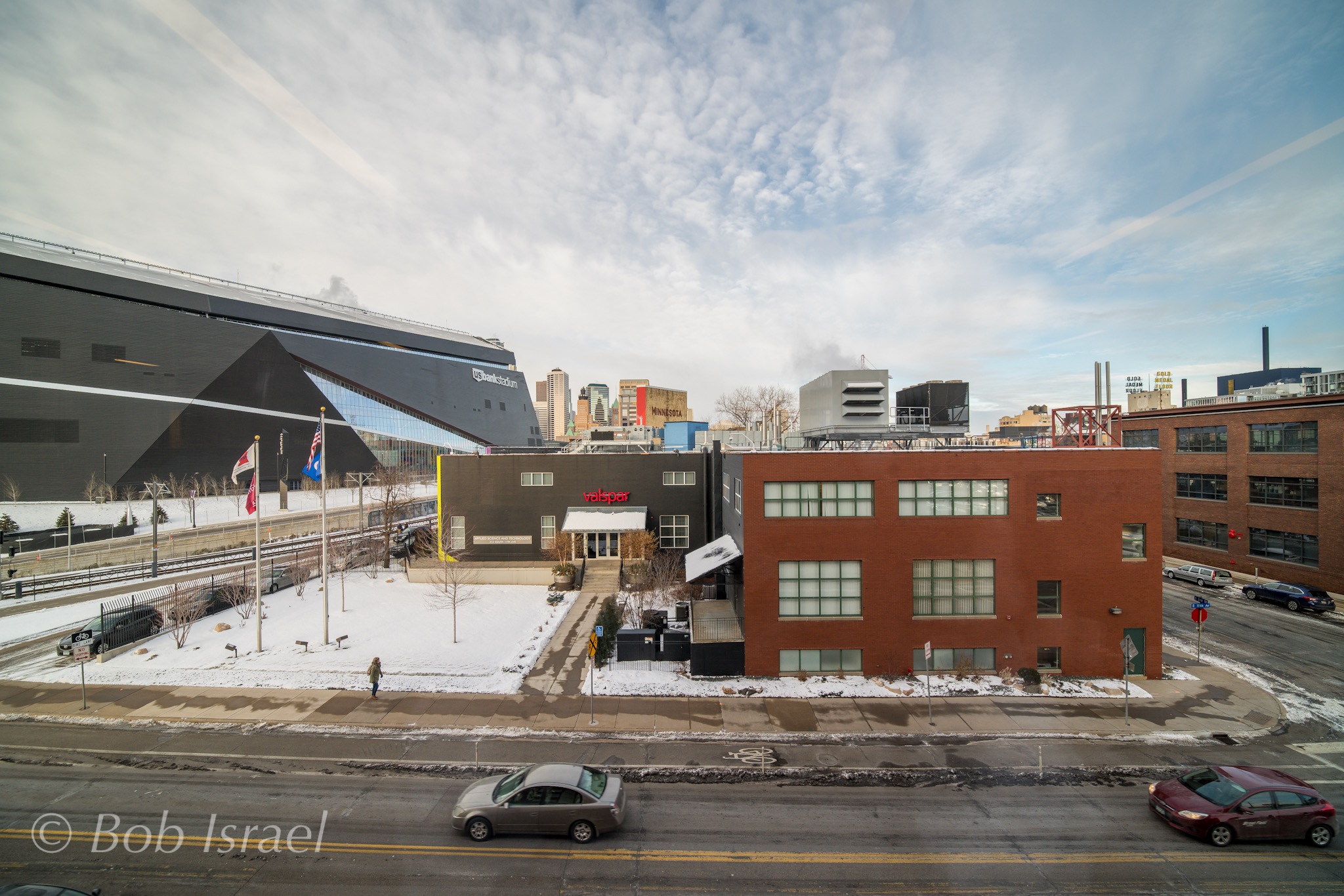
This image was taken with the Rokinon 14/2.4 SP using Highlight Metering Mode with EV +2. I didn't have to do much processing on this image despite the dark foreground and light sky. Sorry if this image is quite large as I need to figure out how to reduce the image size from my iPad and LR Mobile. BTW - Obviously taken through a window . . .
Dec 12, 2017 at 10:27 AM
p.10 #9A7rIII settings
Im going to post this in a couple threads about Pulsing
Okay good news bad news. First the good news its not your camera, its your lenses. I just went out with My Batis 135, Sony FE 85 1.8, Sony 50mm 1.8 yea the cheap one.
Okay in AFC does not matter what aperture or even what focus area the Batis 135 is dead on perfect. No pumping
FE85 1.8 where i noticed it first there is some and its workable but we could use a firmware update. Im seeing it in Zone and also in Flexible spot (small). Ill test more in other Focus areas but its where i notice it the most.
FE 50mm 1.8 I have version .3 firmware for this lens. I just got it but I think there has been a update that i need to find. But right now its very obvious pumping. Kind of a fun lens though for 200 bucks. My 28 F2 comes friday so I will check that.
But good news is its not your camera the Basis 135 is perfect with AF. Now you may run into it with other Sony glass but thats all i have i have on hand with AF
Dec 12, 2017 at 10:55 AM
p.10 #10A7rIII settings
Wonderful warm Pictures in your site Wind! I love how you put your beautiful little family always perfectly into the landscape!!! Congratulations
wind30 wrote:
I am surprised not many people has used the Recall Custom Hold function. It is amazing as it allows you to override selective settings while keeping AF-on functionality. It basically allows you to map AF-on to any button with specific overrides like highlight metering, or AF area, or Focus lock on. The possibilities are huge. Below is what I am using.
Also I feel that Regist AF toggle Area is a better way to center the AF point vs "Focus Standard"
Control wheel ISO
C1 Regist AF toggle area.
C2 Focus Area
C3 Recall Custom hold 3 (Shoot mode Program Auto, Drive Continuous, ISO...Show more →
Dec 12, 2017 at 05:41 PM
p.10 #11A7rIII settings
Fred, what Creative Style are you setting with this method (or does it even matter)?
Dec 13, 2017 at 09:07 PM
p.10 #12A7rIII settings
StephenLowell wrote:
Fred, what Creative Style are you setting with this method (or does it even matter)?
If you are referring to the Metering 'Highlight' + 2EV, the Creative Style should not matter since the camera is metering for the highlights and won't let it overexpose before we add the additional compensation.
Fred, what Creative Style are you setting with this method (or does it even matter)?
If you are referring to the Metering 'Highlight' + 2EV, the Creative Style should not matter since the camera is metering for the highlights and won't let it overexpose before we add the additional compensation.
Dec 13, 2017 at 09:11 PM
p.10 #13A7rIII settings
OK, dumb question - how do I set up the recording to the SD cards so that slot 1 is the main card and slot 2 is overflow when (if) slot one is full (or missing, like still in the card reader). RAW only, no JPEG.
Thanks -
J
Thanks -
J
Dec 14, 2017 at 12:40 AM
p.10 #14A7rIII settings
So since it's been ~24 hrs with no response - does this mean that I can't set up my SD card slots the way I described?
Dec 15, 2017 at 12:17 AM
p.10 #15A7rIII settings
See this blog post by Colby Brown. Scroll down to the Determine Your Multi SD Card Workflow. This is how I set mine up so the camera switches over to the 2nd card automatically after filling the first card.
https://www.colbybrownphotography.com/getting-the-most-out-of-your-sony-a7r-iii/
Chuck
https://www.colbybrownphotography.com/getting-the-most-out-of-your-sony-a7r-iii/
Chuck
Dec 15, 2017 at 05:12 AM
p.10 #16A7rIII settings
Mark Galer (Sony Global Imaging Ambassador) has made a good video explaining different options for action shooting; it covers shutter modes, how they affect EVF/tracking, AF areas etc. and lot of else. Highly recommended
Dec 15, 2017 at 05:48 AM
p.10 #17A7rIII settings
This is great. Thank you for sharing it.
As I was getting close to the end I thought wouldn’t it be great if someone covered the settings for other genres - street photography, portraits, Landscape, still life etc
Low and behold he then says he has another video for ‘landscape’
tn1krr wrote:
Mark Galer (Sony Global Imaging Ambassador) has made a good video explaining different options for action shooting; it covers shutter modes, how they affect EVF/tracking, AF areas etc. and lot of else. Highly recommended
Dec 15, 2017 at 06:21 AM
p.10 #18A7rIII settings
tn1krr wrote:
Mark Galer (Sony Global Imaging Ambassador) has made a good video explaining different options for action shooting; it covers shutter modes, how they affect EVF/tracking, AF areas etc. and lot of else. Highly recommended
The video answers more than a couple questions for me. Thanks!
Kim
Mark Galer (Sony Global Imaging Ambassador) has made a good video explaining different options for action shooting; it covers shutter modes, how they affect EVF/tracking, AF areas etc. and lot of else. Highly recommended
The video answers more than a couple questions for me. Thanks!
Kim
Dec 15, 2017 at 07:46 AM
p.10 #19A7rIII settings
Yes the AF face priority was something I did not know. Have to set that up and put in my Fn key
Dec 15, 2017 at 08:51 AM
p.10 #20A7rIII settings
Can someone explain why you want to do a +2 (or +1.7 or your preferred amount) compensation when shooting in Highlight Mode? I get the highlight mode preserves the highlight area, you can recover the shadow area in post, I understand and it is a nice feature.
But then isn't compensating exposure just exposing similar to not using Highlight mode?
But then isn't compensating exposure just exposing similar to not using Highlight mode?
Dec 15, 2017 at 09:10 AM