Vcize wrote:
The purple noise is thermal noise, also sometimes referred to as amp glow. It happens when the sensor gets hot, which happens very quickly on the A7x bodies when shooting high ISO long exposures, especially right now when it is warm out.
It is, IMO, by far the weakest point in the A7x series for astro work. Note below the dark images from my A7r vs. D750 taken on the same night at the same temperature right next to each other. Alt-tab back and forth to really see the difference.
Despite its worse noise performance, it still performs quite well for a properly exposed astro image.
I guess where it flunks for me is in the dark foreground. Then again, my 5D3 didn't do any better. Would be nice to take my sky and land shots and head back home instead of needing to do a twilight shot.
Vcize wrote:
The purple noise is thermal noise, also sometimes referred to as amp glow. It happens when the sensor gets hot, which happens very quickly on the A7x bodies when shooting high ISO long exposures, especially right now when it is warm out.
It is, IMO, by far the weakest point in the A7x series for astro work. Note below the dark images from my A7r vs. D750 taken on the same night at the same temperature right next to each other. Alt-tab back and forth to really see the difference.
Your options for cleaning it up are two-fold (assuming you don't want to build some rig to cool the camera). You can either shoot with LENR on (double the exposure time, drop to 12 bit) or shoot a dark frame manually with the same settings and the lens cap on and then subtract it in post (just put the dark layer on top of the light frame in photoshop and set the blend mode to subtract). Ideally you would shoot multiple dark frames to create an averaged master dark frame (otherwise you may be introducing other noise during the DF subtraction), but for now while you're learning one frame will do.
Here is an example of a recent shot I took before and after dark frame subtraction, before any other edits were made. Again alt-tab back and forth to really see the difference in just how much thermal noise was in the original.
As far as focusing goes, one thing to keep in mind is that you need to set the lens at least near infinity before you start hunting for stars in the live view. If you're too far off of infinity the stars will be so out of focus that they will be invisible....Show more →
The difference between the a7r and the D750 is absolutely huge wow. I guess the D810 isn't that good.... too bad as that would be an obviously backup camera. Debating if I should rent one for my shooting next week since I am gonna use a Nikon 14-24 anyway.
Chris
I don't mean to hijack this thread, but what software do the astro loving Mac users rely on for stacking? I used an old Windows 7 laptop with Deep Sky Stacker, but recently it keeps crashing on me and I don't like the output. Any opinions on whether Nebulosity or Pixelinsight are worth the money?
Chris_88 wrote:
I don't mean to hijack this thread, but what software do the astro loving Mac users rely on for stacking? I used an old Windows 7 laptop with Deep Sky Stacker, but recently it keeps crashing on me and I don't like the output. Any opinions on whether Nebulosity or Pixelinsight are worth the money?
I've searched for mac platforms in the past but haven't found anything free/cheap.
I use DSS on a Win7 pc. Occasionally it will crash. I found rebooting my pc and then closing any unnecessary applications gets me through. The output should be pretty good. What are you noticing? I've only had two other issues with DSS for which I found a simple workaround.
1. Larger stars have a black crunchy center - If you expose your astro image properly (histogram peak at ~30%), it turns out the bright stars get mangled by DSS. In lightroom I'll push the highlights slider down maybe halfway or so. Then the black hole in the center disappears.
2. Can't process Canon raw files. I convert to TIFF after correcting the highlights and lens profile.
dgdg wrote:
I've searched for mac platforms in the past but haven't found anything free/cheap.
I use DSS on a Win7 pc. Occasionally it will crash. I found rebooting my pc and then closing any unnecessary applications gets me through. The output should be pretty good. What are you noticing? I've only had two other issues with DSS for which I found a simple workaround.
1. Larger stars have a black crunchy center - If you expose your astro image properly (histogram peak at ~30%), it turns out the bright stars get mangled by DSS. In lightroom I'll push the highlights slider down maybe halfway or so. Then the black hole in the center disappears.
2. Can't process Canon raw files. I convert to TIFF after correcting the highlights and lens profile.
Thanks, David. DDS crashes pretty frequently (3 out of 4 times) on me, but that may be the result of me using an old, not really powerful laptop from 2010 as a Windows-PC. DDS basically "sucked" all the color out of my last set of stacked images. I tried to re-adjust color/saturation in PS afterwards, but to no avail. Not sure what happened there.
Most astro shooting Mac users seems to recommend Pixinsight. I've been thinking of getting a demo and see for myself whether it's worth the (rather hefty) price tag.
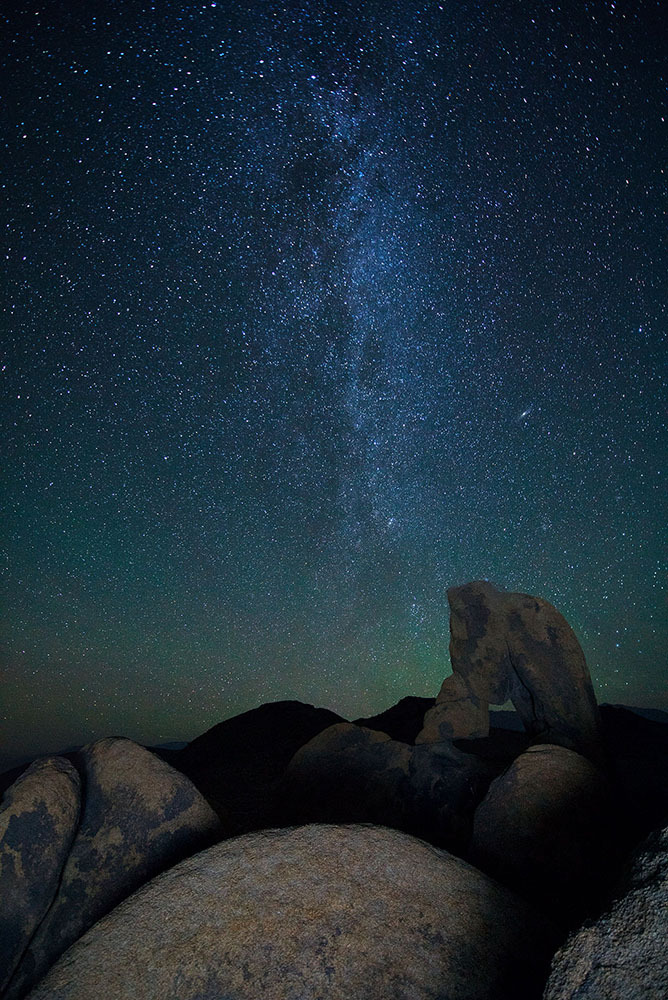
Second attempt last night... seemed to go better. Here's a quick shot. (toward the north - not a milky way shot) What apps do people use to star stack to reduce noise?
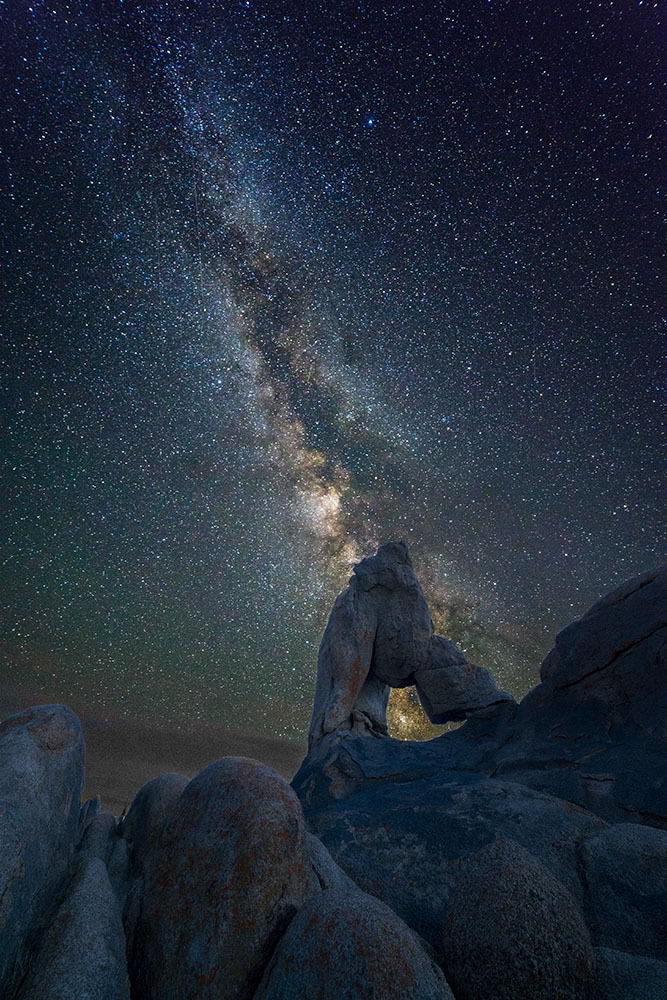
and here was my second try at the MW. I used dark frame which was a huge help. Foreground shot taken before it got REALLY dark. I have 6 consecutive shots of the milky way so I'm hoping I can stack them to reduce noise (ISO6400, f2.8, 20 seconds)
dgdg wrote:
Can you post a jpeg of the DSS final image prior to any pp?
Pixinsight is supposed to be pretry cool. More tool than I need though.
Thanks, David and sorry for the belated reply. Was on a business trip. I'll see whether I can still dig up that pre-processed file.
Schlotkins wrote:
and here was my second try at the MW. I used dark frame which was a huge help. Foreground shot taken before it got REALLY dark. I have 6 consecutive shots of the milky way so I'm hoping I can stack them to reduce noise (ISO6400, f2.8, 20 seconds)
dgdg wrote:
Very cool! I love your comp!
Maybe a little bright edge on the upper right rocks? That's easily softened/removed.
Thanks! I assume you mean on the right side of the arch. Yea, One lesson I learned is to focus at infinity and then stop down for the foreground shot. The focus breathing changed the size of the frame just a tick. I'll fix that
Gary Clennan wrote:
Chris - that turned out really good! I also love your composition. Which lens did you use?
Thanks Gary - it really is thanks to all of the great advice on this thread. My job after that was easy. Just point the camera and following instructions.
This was with the Bower (Rokinon, Samyang, etc) 14 2.8mm. It took 3 times but I finally got a good copy.
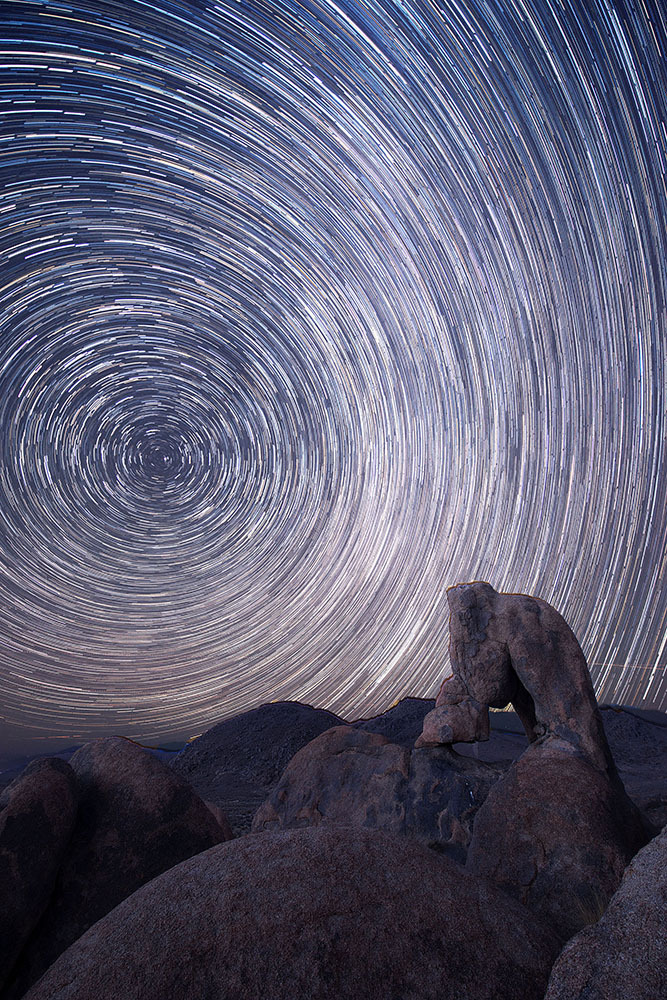
This was my star trail attempt. I had a different composition in mind, but the landscape is what it is. There is some fringing on the rocks that I would need to fix, but... given my intervalometer stopped working it works OK i think.
dgdg wrote:
Super cool.
How many rigs did you have out there Chris?
Very nice.
David
I had two - both with a7rs. The Milky Way was a bower 14 and this was with a Nikon 14-24. I got there around 3 to check things out and then went to ate and hydrate. I setup both rigs at 615 and snapped foreground shots at the same time around 8. I ended up doing the Milky Way and then the star trails. I was gonna just setup the star trails but I couldn't get my intervalometer working so I took shots by hand for an hour for the star trails.
dgdg wrote:
Can you post a jpeg of the DSS final image prior to any pp?
Pixinsight is supposed to be pretry cool. More tool than I need though.
David, I couldn't locate the image after all. Apparently, I have deleted it, but what I remember was that the value for each RGB channel in the PS info panel, which usually sits around 30-40 for night sky shots, were way down to 3 or 4. I tried to stack captures of a more recent attempts, but DDS has crashed 4-5 times in a row. I'm really starting to get annoyed by this application.
Edit: I tried to stack a few pictures out of the most recent batch, but the results remain the same. Frustrated, I searched around a bit, and as expected, I'm not the only one who has issues with DDS. Most "monochrome" problems seem to stem from changing the save settings, but irrespective of whether I choose to embed or apply settings, the result remains the same black and white.
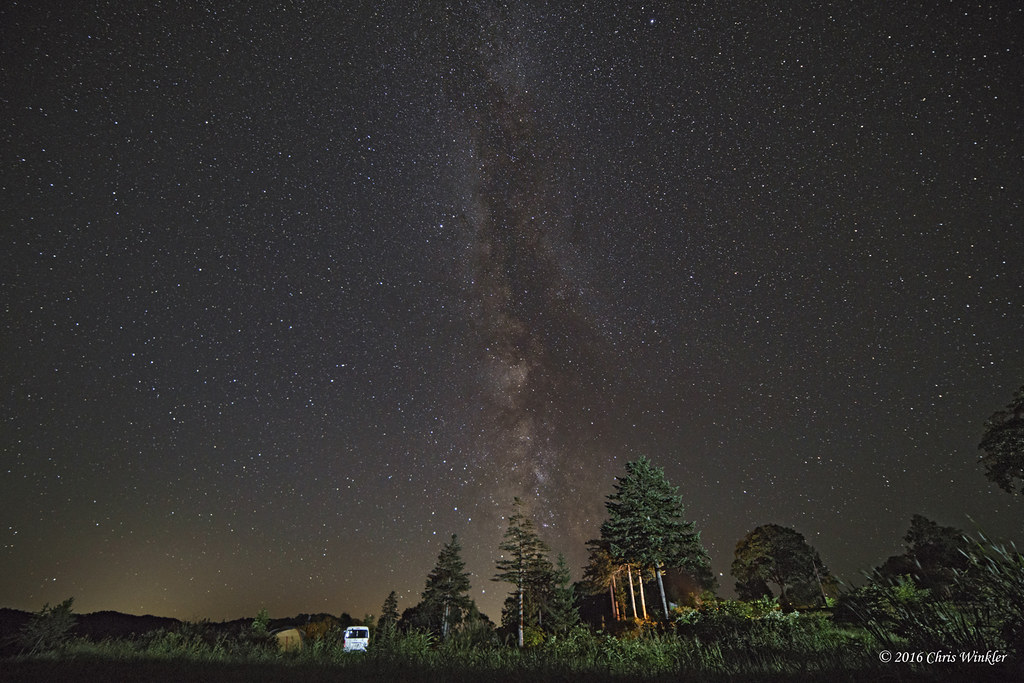
Here is one single frame shot out of this series with the a7rii and a Samyang 14mm at ISO 6400.
Nice sky.
I never save or make any edits in DSS.
The very monochrome appearing DSS output image goes straight to PS. My pre-stack raw images will be a little higher than 30-40 for each channel. The DSS output is even higher. After adjusting RGB black point levels separately, it generally works fine.
If you want to make 3 different jpeg images available, I'll try to find time to stack and make simple post processing adjustments in PS to see if I can reproduce it or suggest you change your settings somewhere. It does not take too long for DSS to stack, then black point adjustments in PS.
Chris_88 wrote:
I don't mean to hijack this thread, but what software do the astro loving Mac users rely on for stacking? I used an old Windows 7 laptop with Deep Sky Stacker, but recently it keeps crashing on me and I don't like the output. Any opinions on whether Nebulosity or Pixelinsight are worth the money?
why is there a need to stack astro-images; please explain?