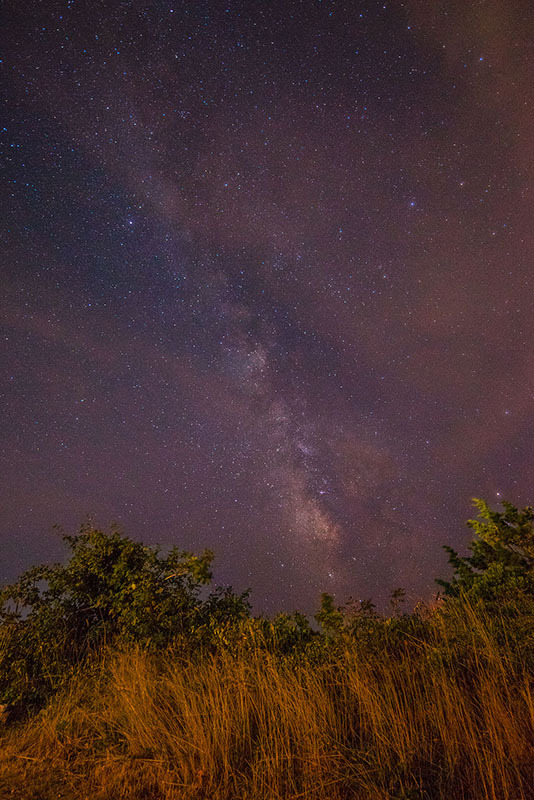
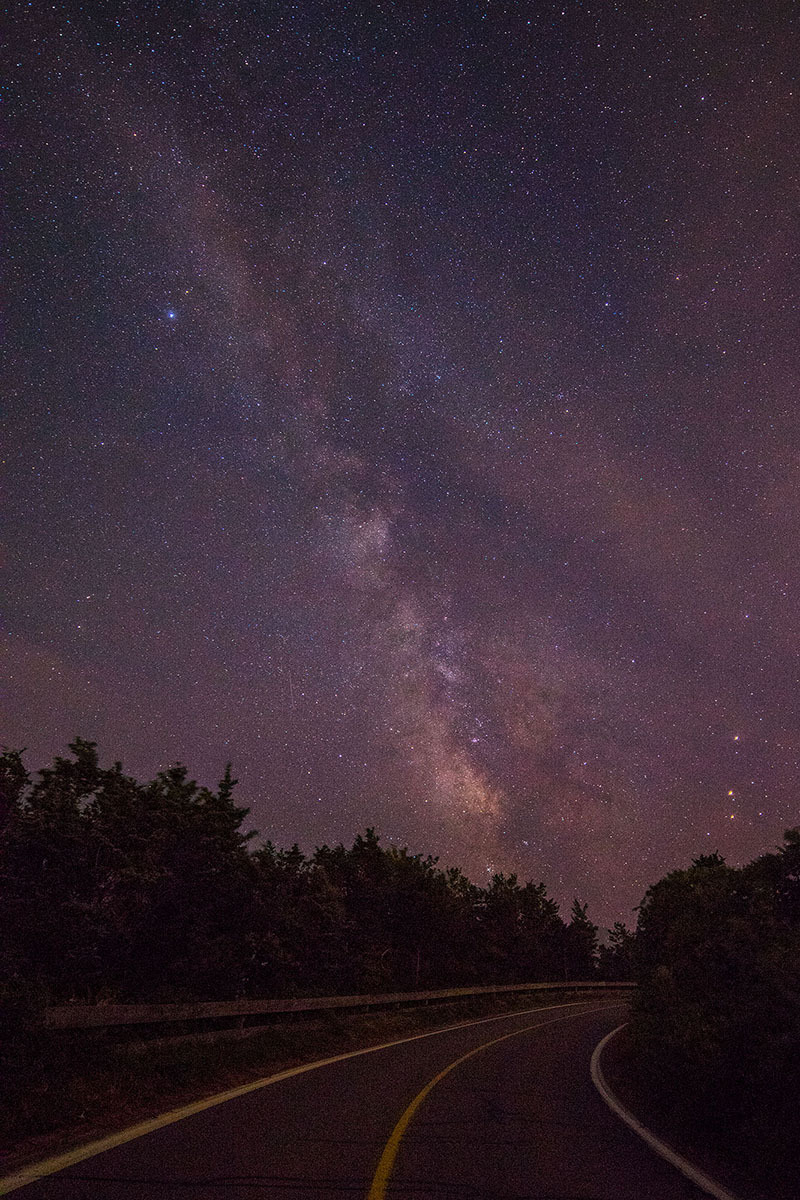
David - would you mind sharing (briefly) how you went about creating this composite? I *may* have one shot I could possibly salvage from my night out. The moon was a nuisance considering the limited time I was able to be out shooting. The occasional clouds and lack of meteors was also a factor. I'm happy you managed to create a really nice image.
Sure! Thank you for your kind comments.
The moon did cause a little trouble. I had no good views to the north for a radiant, but had already done that type of shot last year. I aimed south instead. The milky way was setting with the moon, so I took a shot while there was still a little glow on the horizon. It made color balance tricky in post. It is interesting the variety of reports on meteor counts. Our local astronomy club was a little disappointed. Another FMer was at Old Rag in SNP and saw quite a few. Last year I saw several yellow fireballs just after sunset.
For others who may be interested - all shots were taken the same day, same observing field, same direction, same gear.
1. Background sky. 4.5 minutes tracked with an Astrotrac. ISO 800, A7R, Tamron 15-30mm EF mount, MBIV, at 15mm, f/2.8.
2. Foreground taken in the morning. low ISO, high f-stop, 15mm, A7R.
3. Meteors. Untracked. 30 secs, f/2.8, 15mm, ISO 6400, A7R. Did this for about 2-3 hours until fog rolled in.
Processed #1 and #2 separately in PS.
Blended #1 and #2 in PS with color channel mask.
I aligned each meteor in Difference mode using reference stars.
Then I masked in by hand each meteor. Each meteor was on a separate layer.
I have a routine for processing the milky way if you are interested, but I think you were asking about the composite in general. For this image, I did not do much to the milky way other than the black point, deep sky noise reduction, and color balance.
Thanks David - that helps a lot. I am not very good at Photoshop (yet) and it seems it is needed for work such as this. May be time to do a few tutorials and practice. Was your background image very noisy with hot pixels considering the long exposure at ISO800? Did you use a dark frame at all?
Here is a link to the 4.5 minute 800 ISO SOOC raw, converted to JPEG in LR with no adjustments other than lens profile. You can download the image and inspect it if you wish. Interestingly I did catch on meteor that was very bright. Would have been even better at ISO 6400.
Click on the word "Download" just above the image.
I think it's pretty clean. When you adjust the black point to darken the deep sky, this reduces noise. Then apply a little more noise reduction just to the deep sky. This works well.
If I the moon had not interfered, I would have taken six images and stacked them in Deep Sky Stacker, but I only used one tracked image and switched to catching meteors. Without a dew strap, my night would have ended shortly after this image capture.
Thanks again! Already been researching dew straps. Seems like the best way to prolong shooting. The 12V battery could be a cumbersome issue though. Are you aware of any that perform well and are really small? I'd love to use my external battery somehow but don't think it will work.
Just double check the battery's total power and TSA/Canadian battery regulations in case you need to buy the next size down.
Some will buy power banks on ebay/amazon but you just have to make sure they have the power ports you need and enough power.
In the USA they are permitted as carry on only. They are much smaller than the jump start batteries and should be sufficient.
Just messed around a little last night. I didn't pre-plan, used my 17 f4 TSE which is suboptimal, still a decent amount of light pollution, I didn't have a timer thingie (so couldn't take a lower ISO foreground shot), and the clouds rolled in before twilight really ended but I learned a lot:
- I got the really purple color/noise on the bottom of the frame (cropped here).
- There is no way I could ever focus with the live view on my A7r. All I saw were red noise.
- Have a flashlight that lasts more than 20 seconds.
- Don't take shots close to a lighthouse.
Thanks for all the help here.... hopefully I can get better shots next week!
Chris, you're using an A7r1? If you don't see stars for focusing make sure you have it set to bulb, f2.8, 6400 iso, turn lens to infinity mark, set live view to first 5x magnification setting, then point and pan around to the brightest star or planet you see. It should show up.
The purple noise are deep blacks being read incorrectly due to high iso, compounded by vignetting in the corners. Hence a reason for foreground twilight shot at low iso, then pp for nighttime look.
I read that some will simply set their infinity mark on the lens during the daytime. With temp changes and maybe little nudges on the focus ring, I can't say you'd have perfect focus. I'm sure it's close though. If you had a Bahtinov mask that WORKED with your lens, you'd know for sure.
dgdg wrote:
Chris, you're using an A7r1? If you don't see stars for focusing make sure you have it set to bulb, f2.8, 6400 iso, turn lens to infinity mark, set live view to first 5x) magnification setting, then point and pan around to the brightest star or planet you see. It should show up.
The purple noise are deep blacks being read incorrectly due to high iso, compounded by vignetting in the corners. Hence a reason for foreground twilight shot at low iso, then pp for nighttime look.
I read that simply set their infinity mark on the lens during the daytime. With temp changes and maybe little nudges on the focus ring, I can't say you'd have perfect focus. I'm sure it's close though. If you had a Bahtinov mask that WORKED with your lens, you'd know for sure. ...Show more →
I have an A7r 1 yes. OK - I was shooting with an F4 lens so I had f4, 30 sec, ISO 6400 and couldn't see them. I'll try bulb and I'll have a Nikon 14-24 next time so hopefully that will help.
Last night I focused all the way to max and then just did trial and error until the stars look good. There was some star trails at 30" but 20" looked good. I didn't have enough time to take a dark frame or do star stacking or of course do the low ISO foreground. But overall, considering my limitations, I was pretty happy.
I assume you could also use a really strong flashlight and focus on something 20" away or so. At these focal lengths that will be OK.
Still learning so if any tips I'm missing let me know. Really, again, this was an awesome thread and I appreciate everyone's time.
Glad you are having fun Chris. Way better than my first image. I won't dare post it.
I enjoy observing with my own eyes and if I have room in my bag, a pair of binoculars while I'm imaging.
Setting the camera to 30sec may have been the culprit. I always use Bulb and consistently find bright stars on the lcd screen.
You could make up for f/4 with a little extra iso if needed. Other than leaving the lens cap on, I think my most common error, still, is not focusing near infinity before I try to find a BRIGHT star at 5x magnification. Similar to airplane exit instructions, "Be aware that your brightest star may be behind you!".
I find 5x lcd magnification (the first magnification level when you push the magnify button) makes it much easier to find bright little pin point stars. Once you are sharp at 5x, then go to 10x and find it again. At 15mm I can do it hand held, but at longer focal lengths using a tripod is best. At 10x the star will be a relatively large fuzzy orb that will not resolve into a pin point dot. Perfect focus should give the smallest sized, nice round object without weird halos or artifacts on the periphery.
Moving only a modest twist from true infinity focus and all stars will disappear. I guess that is another vote for marking infinity focus during the daytime to get you in the ballpark. I'd use the flashlight trick as a last resort, never tried it.
Thanks dgdg. Honestly, I'm sure it's just because I got great tips on this thread!
BTW, has anyone every used the Time Lapse App on their Sony? It looks like a built in intervalometer but I don't know if it has downsides like it's always in 12bit RAW or something.
Great tips from David. I actually find that focusing on stars is best done with a slightly lower ISO than that of which you plan to expose the image. If I try at higher ISO's, it is way too grainy and noisy to focus properly. With both the A7R and A7RII, I find it quite easy to focus properly. Set your lens wide open, have ISO around 3200, start at the long end of your focus throw and work your way back. Make sure to be doing all of this at the FL (if using a zoom) you intend to use. And don't forget to periodically check it again through the night if you can. Half of my Perseid images are toast because of this... I also heard people suggest to set the EVF to "setting effect on" to help but I'm not sure. I use the time lapse app and it works quite well. Not the best UI but usable for sure. The 12bit thing is a bit exaggerated but there is a bit of image degradation - especially for night shooting. If you use an external intervalometer, you will still drop to 12bit FYI. The only way around this is shooting single exposures under 30s. Hope this helps!
I installed time lapse app on my Sony recently but haven't used it yet. Mostly explored the menus and settings for a better look.
I did take a couple hours of 30 second images during the Perseids, but have not made my first time lapse yet.
It looks like a great app, however you can't save raw files and have it also make a movie in the end, only jpegs. That may or may not matter depending on your project. It certainly looks convenient.
If you are going to do a timelapse, you'll probably want to use an external battery supply that plugs into the battery compartment of your A7R1. The sony battery will not last for the whole night, esp in cold weather. I got the Case Relay Camera Power system. It has a little battery in it. On one end you can connect it to a usb power supply (I used a jump start battery), on the other end you connect a dongle that looks like a sony battery. It's pretty small and slick since I don't want to use a 120v AC source.
Except for star trails, I wouldn't get hung up on 12bit stuff.
+1 to rechecking your focus periodically overnight.
When I have noticed focus shift, it was only with a telephoto lens. It was significant. I assumed it was from temperature changes since I always tape the focus ring. Good idea to check with every lens, even if it is wide angle.
Schlotkins wrote:
Just messed around a little last night. I didn't pre-plan, used my 17 f4 TSE which is suboptimal, still a decent amount of light pollution, I didn't have a timer thingie (so couldn't take a lower ISO foreground shot), and the clouds rolled in before twilight really ended but I learned a lot:
- I got the really purple color/noise on the bottom of the frame (cropped here).
- There is no way I could ever focus with the live view on my A7r. All I saw were red noise.
- Have a flashlight that lasts more than 20 seconds.
- Don't take shots close to a lighthouse.
Thanks for all the help here.... hopefully I can get better shots next week!
The purple noise is thermal noise, also sometimes referred to as amp glow. It happens when the sensor gets hot, which happens very quickly on the A7x bodies when shooting high ISO long exposures, especially right now when it is warm out.
It is, IMO, by far the weakest point in the A7x series for astro work. Note below the dark images from my A7r vs. D750 taken on the same night at the same temperature right next to each other. Alt-tab back and forth to really see the difference.
Your options for cleaning it up are two-fold (assuming you don't want to build some rig to cool the camera). You can either shoot with LENR on (double the exposure time, drop to 12 bit) or shoot a dark frame manually with the same settings and the lens cap on and then subtract it in post (just put the dark layer on top of the light frame in photoshop and set the blend mode to subtract). Ideally you would shoot multiple dark frames to create an averaged master dark frame (otherwise you may be introducing other noise during the DF subtraction), but for now while you're learning one frame will do.
Here is an example of a recent shot I took before and after dark frame subtraction, before any other edits were made. Again alt-tab back and forth to really see the difference in just how much thermal noise was in the original.
As far as focusing goes, one thing to keep in mind is that you need to set the lens at least near infinity before you start hunting for stars in the live view. If you're too far off of infinity the stars will be so out of focus that they will be invisible.
I also heard that powering the A7R (with a battery pack) via the micro-USB port does not work with the A7R but it does on the newer A7RII, A7SII models. Is this true? I bought an external battery but haven't tried it out yet. I thought I could use it on my A7R but maybe I need to spring for the Case Relay system.
Thanks so much Vcize! Wow that's a lot of purple that got pulled out. How would you make an average if I say took 5 dark frames?
Also if I did star trails would I just take one at the end and then in Photoshop use that one on the photo after I combined all the star trail pics? I'd imagine the thermal noise would change over the 90 minutes of shots.
Finally, just out of curiosity, I'd be interested in seeing an a7r vs 750 after post as a comparison. I'm assuming you do the same dark frame etc so curious how much of a difference it makes.
Starstax (free) is fairly good for easy compilation of star trail images. You just load up all the images (including a dark frame if you like) and let it run. Super easy and the results are usually quite good.


 I'm happy you managed to create a really nice image.