This topic is in the 2015 archive. You can read it and like its posts here. It is read only.
Archive 2015Official Coolpix A Image Thread
p.2 #1Official Coolpix A Image Thread
martines34 wrote:
Ray & pja7:
I have the latest iMac 27" with current operating system.
I tried - once again - by inserting the SD card into the computer. The card showed up on the desk top - once.
I have not been able to repeat that feat again.
I would appreciate any direction you can give me.
What software are you importing the files into? I use Lightroom and have it open when I insert the card. It finds the files and shows me the import screen so I can decide what to import and where to put them. I don't generally bother with the desktop and haven't noticed whether the card shows up there or not.
But I've been using it like this for years, with every camera, and never had a problem...
-Ray
Ray & pja7:
I have the latest iMac 27" with current operating system.
I tried - once again - by inserting the SD card into the computer. The card showed up on the desk top - once.
I have not been able to repeat that feat again.
I would appreciate any direction you can give me.
What software are you importing the files into? I use Lightroom and have it open when I insert the card. It finds the files and shows me the import screen so I can decide what to import and where to put them. I don't generally bother with the desktop and haven't noticed whether the card shows up there or not.
But I've been using it like this for years, with every camera, and never had a problem...
-Ray
Apr 25, 2015 at 06:27 PM
p.2 #2Official Coolpix A Image Thread
Finally took it for a spin.
 lookinSOUTH by mnhoj, on Flickr
Apr 25, 2015 at 08:52 PM
p.2 #3Official Coolpix A Image Thread
martines34 wrote:
Ray & pja7:
I have the latest iMac 27" with current operating system.
I tried - once again - by inserting the SD card into the computer. The card showed up on the desk top - once.
I have not been able to repeat that feat again.
I would appreciate any direction you can give me.
If the card doesn't appear when you open Disk Utility it maybe a hardware problem with the computer or the card reader slot or simply dirt/dust in the slot. If it does show up then check your Finder Preferences > General that external disks appear on the desktop. Also try using Image Capture to to see it shows the card and import the images to your computer.
Ray & pja7:
I have the latest iMac 27" with current operating system.
I tried - once again - by inserting the SD card into the computer. The card showed up on the desk top - once.
I have not been able to repeat that feat again.
I would appreciate any direction you can give me.
If the card doesn't appear when you open Disk Utility it maybe a hardware problem with the computer or the card reader slot or simply dirt/dust in the slot. If it does show up then check your Finder Preferences > General that external disks appear on the desktop. Also try using Image Capture to to see it shows the card and import the images to your computer.
Apr 26, 2015 at 02:20 AM
p.2 #4Official Coolpix A Image Thread
If all else fails you can open the computer selection in the windows ball on the left bottom of the screen and click on the drive that the sd card is in. Move the window to the right side of the screen and then open the drive you want to put the images in and move that window to the right side so that you have two half windows displayed. Then just drag and drop the images you want from the right side to the left side. It's a little more complicated, but once you do it, it is easy. It also takes longer.
Apr 26, 2015 at 04:30 AM


p.2 #7Official Coolpix A Image Thread
Nice shooting John - really like the B&W shots a lot. Putting that OVF to good use? 
-Ray
-Ray
Apr 26, 2015 at 09:14 AM
p.2 #9Official Coolpix A Image Thread
Hawaiian restaurant "808" Portland OR with the wife.

808

808
Apr 26, 2015 at 11:28 AM



p.2 #11Official Coolpix A Image Thread
A little out of focus blur.
 Redondo-10.jpg by mnhoj, on Flickr
Apr 27, 2015 at 12:43 PM
p.2 #14Official Coolpix A Image Thread
Still learning the camera (and FM forum uploads), but I like the deep DOF.
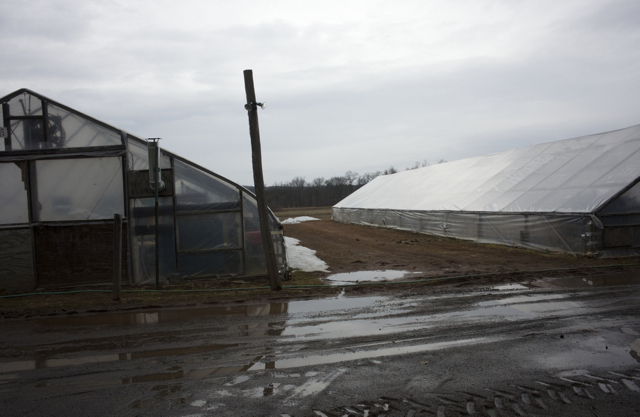
Farm stand
© carlitos 2015
Farm stand
Apr 27, 2015 at 07:17 PM
p.2 #15Official Coolpix A Image Thread
Available darkness...
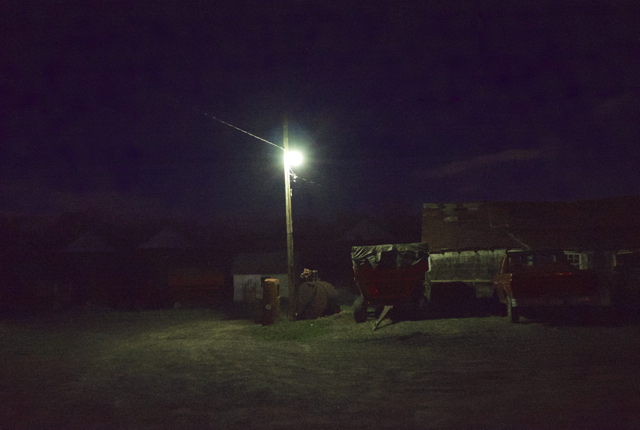
Farm equipment
© carlitos 2015
Farm equipment
Apr 27, 2015 at 07:23 PM
p.2 #16Official Coolpix A Image Thread
BTW - there is some modest manipulation of the above images (raising shadows, contrast increase, de-saturation in iPhoto).
Apr 27, 2015 at 07:26 PM
p.2 #17Official Coolpix A Image Thread
Ray S. wrote:
I just use a card reader (or the SD card slot on the laptop) or download the images direct to my phone or tablet over wi-fi with the Nikon WMU app.Yeah, I don't get that either. I've never down loaded images any differently with the Coolpix A than with any other digital camera I've had. I've always used a card reader - they're built into my two Macs.
No problem if you don't bond with a particular camera, but I don't understand that specific complaint...
BTW, nice shooting pja7 - love that last shot with the boat...
-Ray
I don't get it either. I did not bond with the A the first time I tried one last summer but it is really growing on me this time - especially since my DF-CP1 viewfinder arrived from B&H yesterday. The Sigma VF-11 ( I believe Ray had one for a while) was perfectly usable but the Nikon VF gives a much larger, brighter view.
Re the Canon S110, I think that camera nicely complements the A. Of course the A's IQ i way ahead but 24-120mm certainly has its uses. I bought one used on B&S for my wife as I have been so impressed with the results of a friend's S95 with which he has hike the length of NZ, around Annapurna (at least twice) and across Iceland with - so I expect the S110 to hold up well enough for us.
Patrick
pja7 wrote
martines34 wrote
The idea that I have yo plug the camera into the computer to down load images is so 90's!No problem if you don't bond with a particular camera, but I don't understand that specific complaint...
BTW, nice shooting pja7 - love that last shot with the boat...
-Ray
I don't get it either. I did not bond with the A the first time I tried one last summer but it is really growing on me this time - especially since my DF-CP1 viewfinder arrived from B&H yesterday. The Sigma VF-11 ( I believe Ray had one for a while) was perfectly usable but the Nikon VF gives a much larger, brighter view.
Re the Canon S110, I think that camera nicely complements the A. Of course the A's IQ i way ahead but 24-120mm certainly has its uses. I bought one used on B&S for my wife as I have been so impressed with the results of a friend's S95 with which he has hike the length of NZ, around Annapurna (at least twice) and across Iceland with - so I expect the S110 to hold up well enough for us.
Patrick
Apr 28, 2015 at 10:17 AM
p.2 #18Official Coolpix A Image Thread
martines34 wrote:
Ray & pja7:
I have the latest iMac 27" with current operating system.
I tried - once again - by inserting the SD card into the computer. The card showed up on the desk top - once.
I have not been able to repeat that feat again.
I would appreciate any direction you can give me.
Have you tried a different card? I too am using an imac with Yosemite (though it is a 2010 machine) and have no issues with a card from the Coolpix A.
As Ray mentioned it could be dirt/dust interfering with a contact - or a hardware problem.
I would try to isolate the problem by trying the following:
A different SD card freshly formatted in the Coolpix A
The same card freshly formatted in the S110
Perhaps repeat the above using an external card reader.
Look for the card in Finder if you don't have iphoto/aperture/LR etc set up to auto import.
Good luck finding what the issue (or possibly combination of issues) is.
Patrick
Ray & pja7:
I have the latest iMac 27" with current operating system.
I tried - once again - by inserting the SD card into the computer. The card showed up on the desk top - once.
I have not been able to repeat that feat again.
I would appreciate any direction you can give me.
Have you tried a different card? I too am using an imac with Yosemite (though it is a 2010 machine) and have no issues with a card from the Coolpix A.
As Ray mentioned it could be dirt/dust interfering with a contact - or a hardware problem.
I would try to isolate the problem by trying the following:
A different SD card freshly formatted in the Coolpix A
The same card freshly formatted in the S110
Perhaps repeat the above using an external card reader.
Look for the card in Finder if you don't have iphoto/aperture/LR etc set up to auto import.
Good luck finding what the issue (or possibly combination of issues) is.
Patrick
Apr 28, 2015 at 10:31 AM
p.2 #19Official Coolpix A Image Thread
pja7,
Would love to know where your shots were taken - especially the balcony overlooking the sea.
Aegean?
I'm enjoying them anyway - but very curious!
Patrick
Would love to know where your shots were taken - especially the balcony overlooking the sea.
Aegean?
I'm enjoying them anyway - but very curious!
Patrick
Apr 28, 2015 at 10:34 AM
p.2 #20Official Coolpix A Image Thread
I've read quite a few formal and casual reviews about the Coolpix A that state that the JPGs out of the camera are great- how are they against a properly processed RAW? How versatile are the RAWs- can you push/pull them as much as some of the larger DSLRs?
Apr 28, 2015 at 11:26 AM