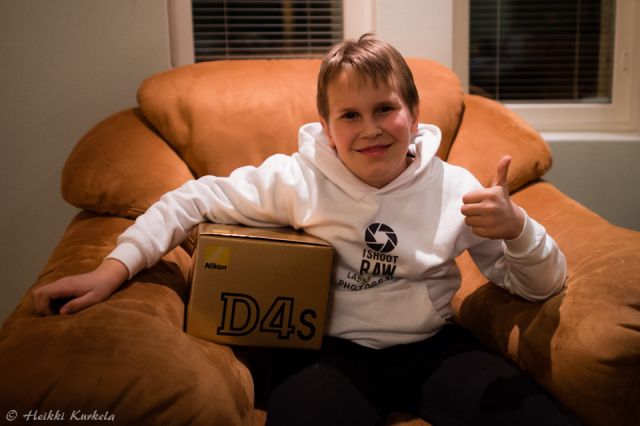
I've been stuck at "in stock, order sent to warehouse" with B&H the last two days. Anyone else in the same boat?
I just got an email from NPS saying my priority purchase was processed. I made my order at B&H within minutes of the link going up, but I didn't send my info to Nikon for another 2 days. I wonder if using NPS priority purchase actually slowed down the process in the case since B&H had to wait for another NPS badged box from Nikon.
Whatever the case, it's awfully annoying. Now it won't ship until Monday at the earliest and I'm on set the following 12 days straight, so I can't sign for it.
The D4 I was using had BF/FF with all my lenses. For some combos with TC, it was impossible to do the AF fine-tune.
So far, I feel like that the D4s has an automatic AF fine-tune with all my fast lenses (faster than f/2.8) : the focus is spot on every time, even with the TC-20EIII. In the next few days, I'll have to check with my 200-400 and 600 VR as well (with and without TCs).
For the moment, I'm over the moon with the D4s AF system !
JakeB17 wrote:
I've been stuck at "in stock, order sent to warehouse" with B&H the last two days. Anyone else in the same boat?
I just got an email from NPS saying my priority purchase was processed. I made my order at B&H within minutes of the link going up, but I didn't send my info to Nikon for another 2 days. I wonder if using NPS priority purchase actually slowed down the process in the case since B&H had to wait for another NPS badged box from Nikon.
Whatever the case, it's awfully annoying. Now it won't ship until Monday at the earliest and I'm on set the following 12 days straight, so I can't sign for it. ...Show more →
I got mine yesterday (Friday, 3/7) from B&H. (Non-NPS) I ordered it on 2/25.
I ordered mine from Photocraft in Burke, Va on Wednesday it shipped Friday and will have on Monday. even got the 2% reward that B&H offers (store credit just like B&H).
4mpx wrote:
The D4 I was using had BF/FF with all my lenses. For some combos with TC, it was impossible to do the AF fine-tune.
So far, I feel like that the D4s has an automatic AF fine-tune with all my fast lenses (faster than f/2.8) : the focus is spot on every time, even with the TC-20EIII. In the next few days, I'll have to check with my 200-400 and 600 VR as well (with and without TCs).
For the moment, I'm over the moon with the D4s AF system !
That's wonderful to hear. Please let use know when you get to test the 600 VR, with 1.4x and 1.7x TC if you have them.
Please also give us some insight to the new small RAW size feature as well.
NIKON 200-400 + TC 20III this combo is not sharp and focus very slowly.
I rekon D4S high iso is attractive, but all cross AF points in the middle like D4... D4S must be hunting and not accurate when using non-cross AF points to take portrait(vertical) shots in low light.
I shot 300+ images at a sporting event last night and I just now discovered that I cannot upload the D4S RAW files to Lightroom 5. I didn't see an update in Creative Cloud either. I found the ACR beta plugin, but I want to use LR5. I guess in the meantime I can convert the RAW files to DNG and upload to LR5.
I'm curious about this as well. I have 2 coming in from NPS for a basketball tournament and normally shoot raw. Guess I'll have to change my work flow.
Game Changer wrote:
I shot 300+ images at a sporting event last night and I just now discovered that I cannot upload the D4S RAW files to Lightroom 5. I didn't see an update in Creative Cloud either. I found the ACR beta plugin, but I want to use LR5. I guess in the meantime I can convert the RAW files to DNG and upload to LR5.
I hope that all the images I am seeing are OOC jpgs and that the type of blotchy colors I'm seeing aren't going to happen with RAW output. Like, in the closeup of eyes I see a yellow/green splotch running along the bottom of each eyebrow, and on the clumped hairs I see magenta and yellow/green patches all over the place.
I'd hate to think this is what the sensor is seeing, because that's not accurate. It looks like color "staining" of the eyebrow hairs and skin, etc.
This is just a cheapo dell basic panel. I don't use it for editing, but it picks up on virtually ANY color variance at all and makes it glaringly obvious. If I looked at the same image on my old workhorse CRT I use for editing, I'd probably never notice...however a print will show color deviations more obviously like this cheapo monitor does.