Archive 2013 · Sigma USB Dock calibration data for 35mm
p.3 #1Sigma USB Dock calibration data for 35mm
Austin,
I am sorry you are having problems but please hang in there for a few more days. You have invested a lot of effort to help the rest of us who own this lens.
Can you describe the steps you go through which are leading you to conclude the focus is inconsistent?
Being new to the Dot Tune method, I spent a good bit of time repeating measurements to determine if the method was reliable. I discovered that you must change focus target patterns (larger detail elements) as you move further away. A fine pattern that is suitable for a 12" distance will not product consistent results at 20 feet. Once I discovered this, I have been getting very consistent results. I am not familiar with FoCal but perhaps there is a sensitivity to target pattern/size at greater distances as well.
I have also found that AFMA values for my copy of the Sigma 35mm change dramatically in the range of 15" to 26". Even a change of one or two inches can make a big difference. I have been using a laser measuring device to ensure consistent distances when I am checking for repeatability.
I have also found Dot tune to be quite accurate. I have tested this by comparing photos taken with live view to normal focus (using AFMA adjustment for that distance). I also have a shortcut for checking accuracy which agrees very well with photo comparison. After entering the recommended AFMA value for a given distance, I use live view 10x to focus. I then turn off live view and use normal focus while watching the distance scale on the lens. If it does not rotate in the slightest then all is good.
I guess what I am trying to say with all of this is not to give up on the lens until you have ruled out the measurement tools/techniques as being the source of the error. If you are finding that the lens is producing inconsistent focus results with the AFMA values all set to the factory default then that starts pointing to the lens.
I am sorry you are having problems but please hang in there for a few more days. You have invested a lot of effort to help the rest of us who own this lens.
Can you describe the steps you go through which are leading you to conclude the focus is inconsistent?
Being new to the Dot Tune method, I spent a good bit of time repeating measurements to determine if the method was reliable. I discovered that you must change focus target patterns (larger detail elements) as you move further away. A fine pattern that is suitable for a 12" distance will not product consistent results at 20 feet. Once I discovered this, I have been getting very consistent results. I am not familiar with FoCal but perhaps there is a sensitivity to target pattern/size at greater distances as well.
I have also found that AFMA values for my copy of the Sigma 35mm change dramatically in the range of 15" to 26". Even a change of one or two inches can make a big difference. I have been using a laser measuring device to ensure consistent distances when I am checking for repeatability.
I have also found Dot tune to be quite accurate. I have tested this by comparing photos taken with live view to normal focus (using AFMA adjustment for that distance). I also have a shortcut for checking accuracy which agrees very well with photo comparison. After entering the recommended AFMA value for a given distance, I use live view 10x to focus. I then turn off live view and use normal focus while watching the distance scale on the lens. If it does not rotate in the slightest then all is good.
I guess what I am trying to say with all of this is not to give up on the lens until you have ruled out the measurement tools/techniques as being the source of the error. If you are finding that the lens is producing inconsistent focus results with the AFMA values all set to the factory default then that starts pointing to the lens.
Jun 11, 2013 at 12:04 PM
p.3 #2Sigma USB Dock calibration data for 35mm
After tweaking the lens in several lighting situations, I've come to two conclusions:
1st: The focus consistency of my version is too low for me to tolerate. According to Focal, the Consistency of Focus is in the mid-seventies. Shooting static subjects with it, on a stable tripod, and just comparing pics confirms this. For comparison, my Canon L glass is typically in the mid to upper 90's.
I checked consistency with my tweaked USB Dock settings, as well as at the factory defaults. For the record, it should have NO impact. If altering the lens MFA using the dock also alters the consistency of the AF, what's the point.
2nd: (and most damning) I found that the USB Dock MFA values seem to have hard-edges (my term). What I mean is, say my Group 3 AFMA value is +5 and my Group 4 AFMA value is +10, the lens does not split the difference (as Canon bodies do for wide/tele AFMA bodies). As soon as my focal distance crossed the mark from Group 3 to Group 4, the focus got terrible. Every single time. We are talking about inches here. Great focus (70% of the time) for a certain shot, then back the camera up 3 inches and all the sudden can't get a keeper.
For the first two Groups, this isn't an issue as the MFA values are similar. From Group 3 to the Group 4 (Infinity) is where the problem pops up.
I'm not going to bother with trying another copy. I wanted this to work more than anyone, I assure you, but it's just not worth the hassle. I'm getting the Canon 35mm f/2 IS.
1st: The focus consistency of my version is too low for me to tolerate. According to Focal, the Consistency of Focus is in the mid-seventies. Shooting static subjects with it, on a stable tripod, and just comparing pics confirms this. For comparison, my Canon L glass is typically in the mid to upper 90's.
I checked consistency with my tweaked USB Dock settings, as well as at the factory defaults. For the record, it should have NO impact. If altering the lens MFA using the dock also alters the consistency of the AF, what's the point.
2nd: (and most damning) I found that the USB Dock MFA values seem to have hard-edges (my term). What I mean is, say my Group 3 AFMA value is +5 and my Group 4 AFMA value is +10, the lens does not split the difference (as Canon bodies do for wide/tele AFMA bodies). As soon as my focal distance crossed the mark from Group 3 to Group 4, the focus got terrible. Every single time. We are talking about inches here. Great focus (70% of the time) for a certain shot, then back the camera up 3 inches and all the sudden can't get a keeper.
For the first two Groups, this isn't an issue as the MFA values are similar. From Group 3 to the Group 4 (Infinity) is where the problem pops up.
I'm not going to bother with trying another copy. I wanted this to work more than anyone, I assure you, but it's just not worth the hassle. I'm getting the Canon 35mm f/2 IS.
Jun 11, 2013 at 07:12 PM
p.3 #3Sigma USB Dock calibration data for 35mm
My dock arrived this evening. I plugged my carefully determined AFMA adjustments into the lens, set the camera AFMA back to zero and tested focus accuracy at a couple of arbitrary distances. I found the short distances to be off by as much as four counts. Not very satisfying after the amount of work I had invested. The longer two distances were within 1 count. Not so bad.
Next I decided to test to confirm if the lens AFMA steps were equivalent to the camera AFMA steps. I did this by keeping the focus distance constant and setting the lens to 8 different AFMA settings that spanned the full range. For each setting I used Dot Tune to find the reported camera AFMA value. I then compared the deltas between the lens increments and the camera increments. The correlation was close (~90%) but not perfect. If the rain keeps up, I will plot out all 40 points and figure out the exact ratio. For my purposes, however, a 10% difference did not explain why my values were off by up to 4 counts.
Next I decided to focus on the two short distances to see if I could dial them in manually. I was able to do this in both cases by trial and error (I was already in the right neighborhood but this still took some time, mounting and unmounting the lens). The software checks for updates every time you dock the lens which adds to the delay and a future release should give the user the chance to disable this.
I then set camera AFMA to zero and tested the lens at several arbitrary distances. Now I experienced more satisfying results. Worst case error was 2 counts from ideal. I did not notice the hard edge effect reported by Austin but I did not test enough distances to say definitively. I was pretty exhausted and wanted to communicate what I had learned rather than do more testing this evening.
It is very clear to me that the AFMA values for this lens are EXTREMELY sensitive to distance from the target (an inch or two will introduce a big swing when you are in the 15" to 26" range). I did not achieve success with setting the two shorter distances until I completed the whole procedure without moving the lens at all. I did a lot of homework before my dock arrived and thought I could just reset the lens distances with my laser measuring device and get the same results. Not so. Most people will not start the process until they have the dock in hand and will be saved this frustration. My recommendations to those who wish to use the AFMA feature. Do the entire procedure for each distance without moving the lens one iota. Use a target that provides reliable results with your favorite AFMA setting technique. Use the exact distances indicated by the software (12.25", 14.75", 26.25, and infinity) for calibration.
Tomorrow morning I plan to test to see if my current lens calibration values transfer to a second body.
My conclusions about the dock after using it for AFMA adjustments:
(1) I was eventually able to dial in my lens to a reasonable degree of accuracy and repeatability. It was a time consuming, frustrating and tedious process. I would not choose to do it again. For those who have reported good results without a lot of effort, you are lucky indeed. Make sure, however, to validate your results. It easy to plug four numbers in. I found it far more challenging to have those numbers translate to precision focusing at arbitrary distances. I do not anticipate that I will use this lens at the two (or even three) shortest calibration distances provided. Nor will I use it that often at infinity. My plan will be to use camera AFMA to tune the lens for my nominal shooting distances.
(2) Anyone planning to use the AFMA feature because they lack this capability on their body should not even think about it. Even with the convenience of the Dot Tune or Focal method the calibration process is tedious. Without these tools (which depend on the in camera AFMA capability) the job will take a very, very long time.
All my statements pertain to the 35mm lens. I do not know if these conclusions can be mapped to the 120-300mm lens which may be calibrated at more practical distances and with less sensitivity.
That said the 120-300mm will require four times the number of measurements for the various focal lengths. I am not currently planning to upgrade my 120-300 (non "S") so I will leave it to someone else to report on how things work with that lens.
My conclusions about the Sigma 35mm f/1.4 lens:
I love this lens. It was extremely sharp out of the box with very responsive AF. IQ is off the charts and build quality is excellent. I am looking forward to some decent weather so I can start shooting rather than measurebating all day.
Next I decided to test to confirm if the lens AFMA steps were equivalent to the camera AFMA steps. I did this by keeping the focus distance constant and setting the lens to 8 different AFMA settings that spanned the full range. For each setting I used Dot Tune to find the reported camera AFMA value. I then compared the deltas between the lens increments and the camera increments. The correlation was close (~90%) but not perfect. If the rain keeps up, I will plot out all 40 points and figure out the exact ratio. For my purposes, however, a 10% difference did not explain why my values were off by up to 4 counts.
Next I decided to focus on the two short distances to see if I could dial them in manually. I was able to do this in both cases by trial and error (I was already in the right neighborhood but this still took some time, mounting and unmounting the lens). The software checks for updates every time you dock the lens which adds to the delay and a future release should give the user the chance to disable this.
I then set camera AFMA to zero and tested the lens at several arbitrary distances. Now I experienced more satisfying results. Worst case error was 2 counts from ideal. I did not notice the hard edge effect reported by Austin but I did not test enough distances to say definitively. I was pretty exhausted and wanted to communicate what I had learned rather than do more testing this evening.
It is very clear to me that the AFMA values for this lens are EXTREMELY sensitive to distance from the target (an inch or two will introduce a big swing when you are in the 15" to 26" range). I did not achieve success with setting the two shorter distances until I completed the whole procedure without moving the lens at all. I did a lot of homework before my dock arrived and thought I could just reset the lens distances with my laser measuring device and get the same results. Not so. Most people will not start the process until they have the dock in hand and will be saved this frustration. My recommendations to those who wish to use the AFMA feature. Do the entire procedure for each distance without moving the lens one iota. Use a target that provides reliable results with your favorite AFMA setting technique. Use the exact distances indicated by the software (12.25", 14.75", 26.25, and infinity) for calibration.
Tomorrow morning I plan to test to see if my current lens calibration values transfer to a second body.
My conclusions about the dock after using it for AFMA adjustments:
(1) I was eventually able to dial in my lens to a reasonable degree of accuracy and repeatability. It was a time consuming, frustrating and tedious process. I would not choose to do it again. For those who have reported good results without a lot of effort, you are lucky indeed. Make sure, however, to validate your results. It easy to plug four numbers in. I found it far more challenging to have those numbers translate to precision focusing at arbitrary distances. I do not anticipate that I will use this lens at the two (or even three) shortest calibration distances provided. Nor will I use it that often at infinity. My plan will be to use camera AFMA to tune the lens for my nominal shooting distances.
(2) Anyone planning to use the AFMA feature because they lack this capability on their body should not even think about it. Even with the convenience of the Dot Tune or Focal method the calibration process is tedious. Without these tools (which depend on the in camera AFMA capability) the job will take a very, very long time.
All my statements pertain to the 35mm lens. I do not know if these conclusions can be mapped to the 120-300mm lens which may be calibrated at more practical distances and with less sensitivity.
That said the 120-300mm will require four times the number of measurements for the various focal lengths. I am not currently planning to upgrade my 120-300 (non "S") so I will leave it to someone else to report on how things work with that lens.
My conclusions about the Sigma 35mm f/1.4 lens:
I love this lens. It was extremely sharp out of the box with very responsive AF. IQ is off the charts and build quality is excellent. I am looking forward to some decent weather so I can start shooting rather than measurebating all day.
Jun 11, 2013 at 10:18 PM
p.3 #4Sigma USB Dock calibration data for 35mm
Nice report. I think it's VERY likely that I just got a bad copy. For example, my required AFMA value for 200-feet was +7, and for 300-feet it was +13. Both of these are WELL into the 4th Adjustment Group, so there's no way to account for both of them.
As for methods, mine were even more rigorous than the last tests, and I put over 500 shots on my camera today in the process... I could get from MFD to about 1-meter PERFECT, but once I crossed that it was a nightmare. From a meter to about 5-meters was a constant MFA, then from 5-Meters to approaching infinity the number just steadily increased.
Oh well. It was fun while it lasted, and shots that were sharp were VERY sharp.

Full Frame
And A Crop
As for methods, mine were even more rigorous than the last tests, and I put over 500 shots on my camera today in the process... I could get from MFD to about 1-meter PERFECT, but once I crossed that it was a nightmare. From a meter to about 5-meters was a constant MFA, then from 5-Meters to approaching infinity the number just steadily increased.
Oh well. It was fun while it lasted, and shots that were sharp were VERY sharp.
Full Frame
And A Crop
Jun 11, 2013 at 10:41 PM
p.3 #5Sigma USB Dock calibration data for 35mm
Austin,
I think you have a bad copy. DOF after 100 ft is as good as infinity. So it appears your lens cannot achieve infinite focus. It only takes one lens element out of spec to do this. I would try another copy. Best of luck.
I think you have a bad copy. DOF after 100 ft is as good as infinity. So it appears your lens cannot achieve infinite focus. It only takes one lens element out of spec to do this. I would try another copy. Best of luck.
Jun 12, 2013 at 12:07 AM
p.3 #6Sigma USB Dock calibration data for 35mm
Myron- I agree, it's just a bad copy. Still, I don't want to play this game anymore! It appears Photonic and I have completely reversed roles in this debate. 
I was willing to tune the lens myself, but that was assuming it would be tunable. It's not. I'm not willing to go through this crap with Sigma... Besides, I was on the fence between this lens and the 35mm f/2 IS, so this makes the choice easy.
I was willing to tune the lens myself, but that was assuming it would be tunable. It's not. I'm not willing to go through this crap with Sigma... Besides, I was on the fence between this lens and the 35mm f/2 IS, so this makes the choice easy.
Jun 12, 2013 at 12:45 AM
p.3 #7Sigma USB Dock calibration data for 35mm
Great. The 35 IS has the best and latest AF system. If you have the latest 1,5 or 6, 70 series, it will take advantage of it.
Jun 12, 2013 at 01:01 AM
p.3 #8Sigma USB Dock calibration data for 35mm
Austin,
I experienced similar inconsistencies when I was in the range of the fourth focus group until I switched to a focus target with larger features. This was before my dock arrived and I was trying to set my baseline and achieve confidence with Dot Tune. Until I increased my target feature size for longer distances my results were all over the map.
Here is my full baseline sequence.
12.25" +4
14.75" +6
20.00" +14
26.25" +17
40.00" +17
69.00" +15 (50x focal length)
138.0" +11 (100x)
180.0" +12
220.0" +12
237.0" +11
infinity +11
The final numbers I put in the lens for optimal results:
12.25" +4
14.75" +8 (even the smallest change in distance affected this number dramatically)
26.25" +17
infinity +11
With these numbers I get accuracy within two counts of ideal at all distances (plus or minus 2). Without using the lens AFMA and just the camera body AFMA I would not worry about the sub 15" range. These are not distances I typically shoot at this focal length (keep in mind these distances are from the focal plane, not the end of the lens). Excluding these values, I would set my camera for +14 which would result in and error of plus or minus 3 counts.
I thought I had come up with a clever idea to test on my second (non-AFMA body). I woke up this morning and realized it would be another huge time sink. I have damn near worn out my Dot Tune finger and will leave the question of determining if lens AFMA values work across different bodies (plus or minus a fixed offset) to someone else. I really want to start using the lens outside my basement.
While this has been a massively time consuming and sometimes very frustrating experience I gained a lot from the exercise.
(1) I discovered Dot Tune (I cannot thank snapsy enough for this very effective technique).
(2) I got VERY fast at using Dot Tune. I would not hesitate now to tune a lens in the field for a specific shooting situation. Tuning for the "left edge" and adding half the width (always 7 for my 35mm lens) takes me less than 30 seconds.
(3) I fully characterized my lens and feel I know exactly how I can expect it to behave at any given distance.
Indeed it is ironic that we have reversed roles in this debate. To be clear, however, I have not reversed my position since the thread that got this all started and stand by the statements I have made since then.
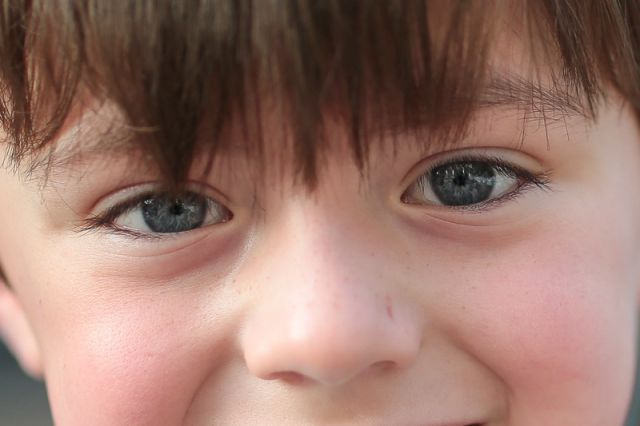
I think there is a good chance you do not have a bad copy of the Sigma (given I struggled with testing consistency at longer distances as well). As long as you are going to switch to the Canon why not keep the Sigma for a few more days so you can compare both side by side. Good luck in either case and beautiful photograph of the little boy.
I experienced similar inconsistencies when I was in the range of the fourth focus group until I switched to a focus target with larger features. This was before my dock arrived and I was trying to set my baseline and achieve confidence with Dot Tune. Until I increased my target feature size for longer distances my results were all over the map.
Here is my full baseline sequence.
12.25" +4
14.75" +6
20.00" +14
26.25" +17
40.00" +17
69.00" +15 (50x focal length)
138.0" +11 (100x)
180.0" +12
220.0" +12
237.0" +11
infinity +11
The final numbers I put in the lens for optimal results:
12.25" +4
14.75" +8 (even the smallest change in distance affected this number dramatically)
26.25" +17
infinity +11
With these numbers I get accuracy within two counts of ideal at all distances (plus or minus 2). Without using the lens AFMA and just the camera body AFMA I would not worry about the sub 15" range. These are not distances I typically shoot at this focal length (keep in mind these distances are from the focal plane, not the end of the lens). Excluding these values, I would set my camera for +14 which would result in and error of plus or minus 3 counts.
I thought I had come up with a clever idea to test on my second (non-AFMA body). I woke up this morning and realized it would be another huge time sink. I have damn near worn out my Dot Tune finger and will leave the question of determining if lens AFMA values work across different bodies (plus or minus a fixed offset) to someone else. I really want to start using the lens outside my basement.
While this has been a massively time consuming and sometimes very frustrating experience I gained a lot from the exercise.
(1) I discovered Dot Tune (I cannot thank snapsy enough for this very effective technique).
(2) I got VERY fast at using Dot Tune. I would not hesitate now to tune a lens in the field for a specific shooting situation. Tuning for the "left edge" and adding half the width (always 7 for my 35mm lens) takes me less than 30 seconds.
(3) I fully characterized my lens and feel I know exactly how I can expect it to behave at any given distance.
Indeed it is ironic that we have reversed roles in this debate. To be clear, however, I have not reversed my position since the thread that got this all started and stand by the statements I have made since then.
I think there is a good chance you do not have a bad copy of the Sigma (given I struggled with testing consistency at longer distances as well). As long as you are going to switch to the Canon why not keep the Sigma for a few more days so you can compare both side by side. Good luck in either case and beautiful photograph of the little boy.
Jun 12, 2013 at 05:16 AM
p.3 #9Sigma USB Dock calibration data for 35mm
Photonic wrote:
I think there is a good chance you do not have a bad copy of the Sigma (given I struggled with testing consistency at longer distances as well). As long as you are going to switch to the Canon why not keep the Sigma for a few more days so you can compare both side by side.
And you'd be completely wrong. Don't let the fact that I didn't write a novel each time I reported results to you guys confuse you on whether I'm qualified to properly control variables and test equipment. Thanks though, for assuming my incompetence.
As for target feature size; I used all sorts of different targets. Also, be sure to realize that my inconsistencies were mainly in that ENTIRE 4th Group, not just at Infinity. Where your data for the 4th Group seems to have been at either +11 or +12, mine had more than a 10-point swing for the beginning of this Group to Infinity. That's how I discovered my lens was acting like the Groups had "hard edges."
One more comment on Target Feature size... Is that consistent with your other lenses? In most shooting situations, the target is the target, and you don't get to cherry-pick it to enhance results. I don't think I'd want to rely on such a fragile system.
No, I don't need to test a defective lens next to a different model. I'm very glad you guys are having excellent results, and I'm certain that my lens is just funky. Still, it's enough to cause me to look elsewhere.
I think there is a good chance you do not have a bad copy of the Sigma (given I struggled with testing consistency at longer distances as well). As long as you are going to switch to the Canon why not keep the Sigma for a few more days so you can compare both side by side.
And you'd be completely wrong. Don't let the fact that I didn't write a novel each time I reported results to you guys confuse you on whether I'm qualified to properly control variables and test equipment. Thanks though, for assuming my incompetence.
As for target feature size; I used all sorts of different targets. Also, be sure to realize that my inconsistencies were mainly in that ENTIRE 4th Group, not just at Infinity. Where your data for the 4th Group seems to have been at either +11 or +12, mine had more than a 10-point swing for the beginning of this Group to Infinity. That's how I discovered my lens was acting like the Groups had "hard edges."
One more comment on Target Feature size... Is that consistent with your other lenses? In most shooting situations, the target is the target, and you don't get to cherry-pick it to enhance results. I don't think I'd want to rely on such a fragile system.
No, I don't need to test a defective lens next to a different model. I'm very glad you guys are having excellent results, and I'm certain that my lens is just funky. Still, it's enough to cause me to look elsewhere.
Jun 12, 2013 at 07:29 AM

p.3 #10Sigma USB Dock calibration data for 35mm
Austin,
I feel your pain. I went through two copies of the Sigma 35 before the dock. They both exhibited erratic focus behavior: if I calibrated them at 50x focal distances, they'd work fine there but mis-focus terribly at closer focal distances. I know what I'm doing and never had any similar problems with my fast Canon lenses (50L, 85L II, 35L, etc.).
Because I'm a glutton for punishment, I've ordered a third copy with the dock. We'll see how it goes. As a side note, I have the Sigma 85/1.4 now and it doesn't suffer from these issues. It's tack sharp at f/1.4 at all focal distances. Amazing lens.
If this Sigma 35 gives me any trouble, I'll go back to the 35L or consider the 35/2. In my case, I think the extra stop is more important than IS.
I feel your pain. I went through two copies of the Sigma 35 before the dock. They both exhibited erratic focus behavior: if I calibrated them at 50x focal distances, they'd work fine there but mis-focus terribly at closer focal distances. I know what I'm doing and never had any similar problems with my fast Canon lenses (50L, 85L II, 35L, etc.).
Because I'm a glutton for punishment, I've ordered a third copy with the dock. We'll see how it goes. As a side note, I have the Sigma 85/1.4 now and it doesn't suffer from these issues. It's tack sharp at f/1.4 at all focal distances. Amazing lens.
If this Sigma 35 gives me any trouble, I'll go back to the 35L or consider the 35/2. In my case, I think the extra stop is more important than IS.
Jun 12, 2013 at 08:25 AM
p.3 #11Sigma USB Dock calibration data for 35mm
Just want to get my opinion out there.
The s35, 35l, 35IS are all great lens. I would be happy with any one of them. Sharpness is really two things. Resolution and edge contrast. In the real world with dynamic light conditions, you will get all kinds of effects like CA, halo, blurs, etc that will affect perceived sharpness. So it's time to shoot some real pictures and see how the lens renders the photo as a whole. I have yet to decide if I am going to keep the sig35 or keep my great 35l.
The USB dock is a revolutionary tool. I am sure other companies will follow suit. Given that one has a good copy, it's amazing that one can optimize auto focus for the entire focal range rather than just 50x focal length . The difference is apparent if you pixel peep.
The sigma is pretty darn sharp at the edges at f1.4. Much better than the 35l in this department. For this kind of shooting, a full frame portrait , I will expect a greater resolution of the eyes than on the 35l. It's the reason I am willing to try out the sigma.
For me sharpness isn't everything. Many times I will use the sig 50mm over my sharper 35l or 85l because I like the way the sig 50 renders. Each lens has its personality, and i take advantage of them. I probably will use my sig35 for only 1.4 shots of full body portraits and praying that it will perform as good as my 35l in low light conditions.
The data shown so far has been great. I have yet to see one that is 0,0,0,0 or 5,5,5,5. Anyone else?
The s35, 35l, 35IS are all great lens. I would be happy with any one of them. Sharpness is really two things. Resolution and edge contrast. In the real world with dynamic light conditions, you will get all kinds of effects like CA, halo, blurs, etc that will affect perceived sharpness. So it's time to shoot some real pictures and see how the lens renders the photo as a whole. I have yet to decide if I am going to keep the sig35 or keep my great 35l.
The USB dock is a revolutionary tool. I am sure other companies will follow suit. Given that one has a good copy, it's amazing that one can optimize auto focus for the entire focal range rather than just 50x focal length . The difference is apparent if you pixel peep.
The sigma is pretty darn sharp at the edges at f1.4. Much better than the 35l in this department. For this kind of shooting, a full frame portrait , I will expect a greater resolution of the eyes than on the 35l. It's the reason I am willing to try out the sigma.
For me sharpness isn't everything. Many times I will use the sig 50mm over my sharper 35l or 85l because I like the way the sig 50 renders. Each lens has its personality, and i take advantage of them. I probably will use my sig35 for only 1.4 shots of full body portraits and praying that it will perform as good as my 35l in low light conditions.
The data shown so far has been great. I have yet to see one that is 0,0,0,0 or 5,5,5,5. Anyone else?
Jun 12, 2013 at 08:28 AM
p.3 #12Sigma USB Dock calibration data for 35mm
Austin,
When I am using the lens I expect the camera to focus on anything I aim it at. When I am calibrating the lens I choose the target that gives me the most reliable data to work with.
In no way do I doubt your ability to test a lens. You have demonstrated very good use of the scientific method throughout your evaluation. I simply recall a post you made in another thread where you seemed extremely happy with the lens after your initial calibration. I am left wondering what changed with the lens since then. You also posted an extremely well focused and very sharp image of a young boy, again suggesting that your lens is good.
I too experienced 10 point swings in my fourth group data until I changed targets. After I did that the data stabilized and gave a reasonable set of numbers. I just feel like maybe the same thing is happening to you and I'd hate to see you stop now given you have the first three groups dialed in perfectly (this is my sincere attempt at being encouraging).
I hear the frustration in your post and don't blame you if you want to pitch the lens in the ocean right now. I am just suggesting there might be some value in reseting the lens to factory defaults, putting it aside till your new Canon arrives, and then doing a couple of shots with each. You might find yourself inspired to take one last run at that fourth setting. If the lens is defective or still doesn't meet your expectations then you can still send it back.
Good luck with whatever path you choose.
When I am using the lens I expect the camera to focus on anything I aim it at. When I am calibrating the lens I choose the target that gives me the most reliable data to work with.
In no way do I doubt your ability to test a lens. You have demonstrated very good use of the scientific method throughout your evaluation. I simply recall a post you made in another thread where you seemed extremely happy with the lens after your initial calibration. I am left wondering what changed with the lens since then. You also posted an extremely well focused and very sharp image of a young boy, again suggesting that your lens is good.
I too experienced 10 point swings in my fourth group data until I changed targets. After I did that the data stabilized and gave a reasonable set of numbers. I just feel like maybe the same thing is happening to you and I'd hate to see you stop now given you have the first three groups dialed in perfectly (this is my sincere attempt at being encouraging).
I hear the frustration in your post and don't blame you if you want to pitch the lens in the ocean right now. I am just suggesting there might be some value in reseting the lens to factory defaults, putting it aside till your new Canon arrives, and then doing a couple of shots with each. You might find yourself inspired to take one last run at that fourth setting. If the lens is defective or still doesn't meet your expectations then you can still send it back.
Good luck with whatever path you choose.
Jun 12, 2013 at 09:17 AM
p.3 #13Sigma USB Dock calibration data for 35mm
Photonic wrote:
Austin,
When I am using the lens I expect the camera to focus on anything I aim it at. When I am calibrating the lens I choose the target that gives me the most reliable data to work with.
In no way do I doubt your ability to test a lens. You have demonstrated very good use of the scientific method throughout your evaluation. I simply recall a post you made in another thread where you seemed extremely happy with the lens after your initial calibration. I am left wondering what changed with the lens since then. You also posted an extremely...Show more →
In preparation for my testing, I'm curious to know which target you found worked best. I was planning to use the Focal target, which has worked well for me in the past.
Austin,
When I am using the lens I expect the camera to focus on anything I aim it at. When I am calibrating the lens I choose the target that gives me the most reliable data to work with.
In no way do I doubt your ability to test a lens. You have demonstrated very good use of the scientific method throughout your evaluation. I simply recall a post you made in another thread where you seemed extremely happy with the lens after your initial calibration. I am left wondering what changed with the lens since then. You also posted an extremely...Show more →
In preparation for my testing, I'm curious to know which target you found worked best. I was planning to use the Focal target, which has worked well for me in the past.
Jun 12, 2013 at 10:05 AM
p.3 #14Sigma USB Dock calibration data for 35mm
Rest assured that before I posted my complaints, I'd already exhausted every single suggestion you've come up with. I'm not just throwing my hands up after a having a quick go at it. It's summer, and I'm a teacher. I've got nothing but time!
You recall my first post of data from the USB Dock, but forgot my caveats that I also included. Here they are:
"-I only tested one body, lens, and dock. And, only in one type of lighting."
"-I've not had time to extensively shoot with the lens after calibration"
So, I found the USB Dock was able to correct MY lens precisely, but that was based on 4 specific distances in one specific scenario. I posted my results, noting those shortcomings.
Since then, I've tested and corrected the lens for 3 of the 4 groups with much success. I can shoot an object from MFD to a 1.5 meters (such as that SHARP shot of the kid) with great success. From there on, MY lens does not have a constant AFMA. The data is somewhat linear in group 4, but there is too much discrepancy. I tried MULTIPLE targets, and got fairly consistent results. The problem is, they are consistent in their wide spread across a single group. I wasn't having problems getting repeatable results, the problem WAS the results.
If multiple targets show, for example, +4 at fifteen feet, +8 at one-hundred feet, and +14 at two-hundred feet, I don't have the ability to tune for that. They are all in a single group. If my lens can't accurately focus on the broad side of, say, the font on largest UHAUL truck at 15-feet, 100-feet and 200-feet, I just can't use it.
I have NO DOUBT that it's a lens issue. It would be perfectly reasonable to just grab another copy, and I'd bet it would be fine. The problem is, in my specific scenario, the entire time leading up to this purchase I was thinking "Get the Canon, get the Canon, get the Canon...." I decided to give the Sigma a shot, I don't regret it, but I won't try again.
You recall my first post of data from the USB Dock, but forgot my caveats that I also included. Here they are:
"-I only tested one body, lens, and dock. And, only in one type of lighting."
"-I've not had time to extensively shoot with the lens after calibration"
So, I found the USB Dock was able to correct MY lens precisely, but that was based on 4 specific distances in one specific scenario. I posted my results, noting those shortcomings.
Since then, I've tested and corrected the lens for 3 of the 4 groups with much success. I can shoot an object from MFD to a 1.5 meters (such as that SHARP shot of the kid) with great success. From there on, MY lens does not have a constant AFMA. The data is somewhat linear in group 4, but there is too much discrepancy. I tried MULTIPLE targets, and got fairly consistent results. The problem is, they are consistent in their wide spread across a single group. I wasn't having problems getting repeatable results, the problem WAS the results.
If multiple targets show, for example, +4 at fifteen feet, +8 at one-hundred feet, and +14 at two-hundred feet, I don't have the ability to tune for that. They are all in a single group. If my lens can't accurately focus on the broad side of, say, the font on largest UHAUL truck at 15-feet, 100-feet and 200-feet, I just can't use it.
I have NO DOUBT that it's a lens issue. It would be perfectly reasonable to just grab another copy, and I'd bet it would be fine. The problem is, in my specific scenario, the entire time leading up to this purchase I was thinking "Get the Canon, get the Canon, get the Canon...." I decided to give the Sigma a shot, I don't regret it, but I won't try again.
Jun 12, 2013 at 10:14 AM
p.3 #15Sigma USB Dock calibration data for 35mm
Focal will work great for set points 1,2 and 3. The distance is 12", 15" and 26" or if you want to be super precise, their are some numbers posted that has two more decimal places. The measured distance is pretty close from the target to the back of the camera. For infinity, shoot anything with high contrast at over 100 feet. Take another shot using live view 10x magification as a reference to compare the the infinity shot. The phase detect AF should very close or the same sharpness as the reference shot. Simple.
If you can, use the same light conditions. Either all daylight or all florescent lights. At this level of fine tuning, wavelengths can be a significant factor since phase detect uses chromatic abberation to help with the focus. It depends on the camera's firmware/AF system.
Whatever you do, be consistent. If you re-test and retest, the first point needs to be within 1/8" tolerance. The second point - 1/4" tolerance, the third point - 1/2" tolerance. Infinity means 100 feet or greater. This is based on DOF calculations for f 1.4 and 35mm on a Full frame camera.
If you get inconsistent results, it could be a number of factors, including a decentered lens element or "user" error.
If you can, use the same light conditions. Either all daylight or all florescent lights. At this level of fine tuning, wavelengths can be a significant factor since phase detect uses chromatic abberation to help with the focus. It depends on the camera's firmware/AF system.
Whatever you do, be consistent. If you re-test and retest, the first point needs to be within 1/8" tolerance. The second point - 1/4" tolerance, the third point - 1/2" tolerance. Infinity means 100 feet or greater. This is based on DOF calculations for f 1.4 and 35mm on a Full frame camera.
If you get inconsistent results, it could be a number of factors, including a decentered lens element or "user" error.
Jun 12, 2013 at 10:23 AM
p.3 #16Sigma USB Dock calibration data for 35mm
badlydrawnboy,
I am not familiar with the Focal target so I cannot offer much advice on that.
I used one of the free QR Code Generators to create my patterns. I just entered random text until I got a pattern with no big blocks of white or black (a randomized checkerboard if you will). I then used my printer options to scale to the size I needed. Finally, I taped the scaled patterns to a wood box which I set upon a small table. This way I could easily switch to my larger targets when needed for longer focus distances simply by rotating the box. For my close target I used 1/8" squares. For my longer distances I used 1/2" squares.
I am pretty sure any high contrast pattern will work as well. Just remember that for the purpose of obtaining calibration numbers you want to pick a target that is as easy as possible for your camera to lock on to. Consistent and adequate illumination is also important as others have emphasized. I used the modeling lights from my studio strobes (incandescent) for all distances except infinity which I had to shoot outdoors. Hope this helps. Please share your results/experience when you have finished.
I am not familiar with the Focal target so I cannot offer much advice on that.
I used one of the free QR Code Generators to create my patterns. I just entered random text until I got a pattern with no big blocks of white or black (a randomized checkerboard if you will). I then used my printer options to scale to the size I needed. Finally, I taped the scaled patterns to a wood box which I set upon a small table. This way I could easily switch to my larger targets when needed for longer focus distances simply by rotating the box. For my close target I used 1/8" squares. For my longer distances I used 1/2" squares.
I am pretty sure any high contrast pattern will work as well. Just remember that for the purpose of obtaining calibration numbers you want to pick a target that is as easy as possible for your camera to lock on to. Consistent and adequate illumination is also important as others have emphasized. I used the modeling lights from my studio strobes (incandescent) for all distances except infinity which I had to shoot outdoors. Hope this helps. Please share your results/experience when you have finished.
Jun 12, 2013 at 02:39 PM
p.3 #17Sigma USB Dock calibration data for 35mm
Okay, my 35/1.4 and dock just arrived. I want to make sure I have the process right.
Use FoCal to determine in-camera MFA values for shooting distances of 12", 15", 26" and then infinity. But how far, in practice, should I shoot from with the 35mm for infinity?
I write down those MFA values, attach the lens to the dock, and enter them for each distance on the lens and save. I mount the lens to the camera, set in-camera MFA to zero, and then re-test at each focal distance to make sure it's correct.
Is that right?
Use FoCal to determine in-camera MFA values for shooting distances of 12", 15", 26" and then infinity. But how far, in practice, should I shoot from with the 35mm for infinity?
I write down those MFA values, attach the lens to the dock, and enter them for each distance on the lens and save. I mount the lens to the camera, set in-camera MFA to zero, and then re-test at each focal distance to make sure it's correct.
Is that right?
Jun 18, 2013 at 03:29 PM
p.3 #18Sigma USB Dock calibration data for 35mm
I believe anything over 100 ft can be regarded as infinity for a 35mm at f1.4. The DOF will encompass infinity at 100 feet. You can check with an online DOF calculator.
Jun 18, 2013 at 04:52 PM
p.3 #19Sigma USB Dock calibration data for 35mm
myron lee wrote:
I believe anything over 100 ft can be regarded as infinity for a 35mm at f1.4. The DOF will encompass infinity at 100 feet. You can check with an online DOF calculator.
Wow. Seems to me that the target would have to be huge! How does that work?
I believe anything over 100 ft can be regarded as infinity for a 35mm at f1.4. The DOF will encompass infinity at 100 feet. You can check with an online DOF calculator.
Wow. Seems to me that the target would have to be huge! How does that work?
Jun 18, 2013 at 05:15 PM
p.3 #20Sigma USB Dock calibration data for 35mm
badlydrawnboy wrote:
Wow. Seems to me that the target would have to be huge! How does that work?
The bark of a tree should work well.
myron lee wrote
I believe anything over 100 ft can be regarded as infinity for a 35mm at f1.4. The DOF will encompass infinity at 100 feet. You can check with an online DOF calculator.The bark of a tree should work well.
Jun 18, 2013 at 05:29 PM