Samuli Vahonen
Offline
• • • •
Upload & Sell: Off
|
 p.103 #9 · Zeiss Lens Photos and Discussion p.103 #9 · Zeiss Lens Photos and Discussion | |
Carsten, great HDRs, most having rather neutral rendering and looking pretty neutral. The last one is my favorite of all of these.
joakim, liked the 2nd beach shot
carstenw wrote:
Anyway, I cannot recommend Photomatix Pro. The results are good in the end, but the sliders are just total junk. I rarely know what a slider will do before touching it, so my workflow is to load up the photos, generate the .hdr, try all the presets, including my own, choose the best one, twiddle all the sliders, and twiddle all the sliders a second time. Then I am done. Essentially brute force. Every time. I don't feel that I am learning the interface at all.
The sliders mostly feel like they do more than one thing each, and they are completely illogical. I have never used such an unintuitive piece of software. Unfortunately, I have not used anything else. I have tried a few demos, but didn't like any of them yet....Show more →
With the crazy dynamic range you try to push to images I doubt there is ANY program giving neutral look and easy usage. It's much much harder to achieve good results when you add number of images. Also with crappy Canon bodies you only have 3 image bracketing and adjusting shutter speed manually between shots would easily cause camera to move between photos. Why you are shooting so many frames? Your photos don't seem to have 20-25 stop dynamic range - in here or Leica thread I haven't yet seen any image, which could not have been captured with 3 image bracket. Specially since you shoot Nikon (low ISO doesn't have Canon kind of noise issues) I don't see any benefit but lots of drawbacks to bracket with so many frames.
In order to understand what the sliders do you would need to have rather good understanding of processing (e.g. doing HDR manually to thousands of images OR mathematical understanding e.g. programming graphics programs for years and understanding how the software works to create HDR), but without the experience it may be seem rather complicated. I have quite much experience on the area, but figuring out the logic of each slider on the fly when using the program, is quite slow so here is my own "rulebook" for PhotoMatix, works for 3 image HDRs, but shooting 5 or 7 image HDRs it's just random exercise and requires quite lot of work:
1. Shoot 3 photos with 1 1/3EV (or 1 2/3EV in case of really high dynamic range) bracketing
2. In Apple Aperture (program I use for library and RAW processing) I adjust photos to have very low contrast e.g. normal black point is 3 and depending of black clipping I may put it to 1 or 2 - naturally exact same settings to all images (once you really know what you do, you can do weird tweaks e.g. use cooler WB for darkest image to get more blue skies)
3. I export photos exceptionally to AdobeRGB (for single images I almost always work in Gamma 1.0 colorspaces, usage of these gamma 2-2.5 color spaces causes weird artifacts on many processing) 16-bit TIFFs
4. I load images to PhotoMatix and go to Tone Mapping mode (as I see all other modes are useless or to be used for computer art, not for photography)
5. Adjustments in PhotoMatix
5.1 Strength: use always 100
5.2 Color saturation: set to 50 for basic processing, once you are happy to everything else finetune saturation with this (do not adjust saturation first, just wasting time doing it that way)
5.3 Luminosity: I start from 0
5.4 Microcontrast: always +10
5.5 Smoothing: always +10 (for photos which you want look neutral and normal not HDR with halos, which to me are disgusting if presented as photography, ok if admitted it's just graphics art but claiming them to photos is just a lie)
5.6 White point: adjust towards right until image is bright enough or peak starts to form on right edge of histogram
5.7 Black point: always 0 and handle black point in Aperture after importing TIFF back to Aperture library, but if you insist to adjust this in PhotoMatix then use the histogram to see when blacks start to clip
5.8 Gamma: always 1.00 as start value, later adjust to change "middle tones", try to keep close to 1.0
5.9 Temperature, Saturation highlights and Saturation Shadows: All in middle by default, I rarely use these
5.10 Micro-smoothing: very important control for lightness (and noise), I start from 5.0 and usually stay between 3 and 12 (I never look numbers but how they look at slider positions)
5.11 Highlights Smoothness: important control for sky and other bright parts of image, typically always need to keep over 10 to avoid visible noise
5.12 Shadow Smoothness: This slider doesn't do much, I keep it close to 10
5.13 Shadow Clipping: Always 0
6. After all sliders on default positions listed above I adjust the lightness using mainly 5.6 White point and 5.10 Micro-smoothing. If I cannot get to where I want the lightness to be then I adjust Luminosity slider, but rarely I never go above +2 (for reason or another I have NEVER had problem of getting too light image, they are always too dark). If I still cannot get results I want I adjust 5.8 Gamma and then fineture previous controls to get the look I wanted. If even that wasn't enough then I drop 5.4 Microcontrast until image is bright enough.
7. I adjust 5.2 Color Saturation
8. Save image to TIFF
(8b. if your tries to get brightness to image made it lack "punch" and "pop" (talking about contrast & colors) then open in PhotoShop and USM 10-25% with 25-70px to enhance local contrast)
9. Import back to Apple Aperture and adjust black point of image in Apple Aperture
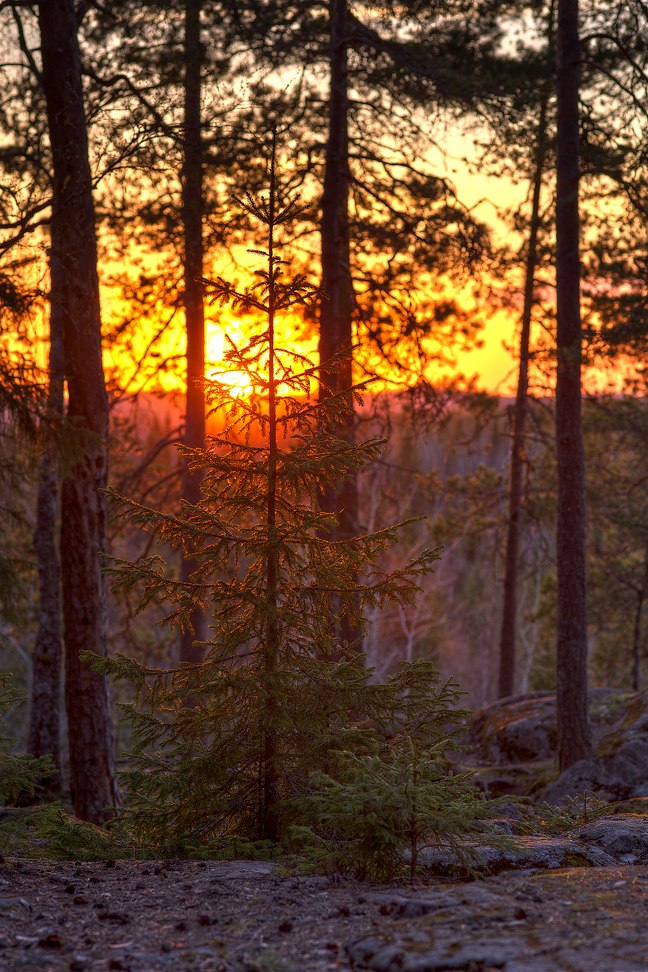
"Devil's castle 7" - Carl Zeiss Makro-Planar T* 2/100 @ f/4.5, HDR(1/25s, 1/100s, 1/400s), ISO 100 (larger)
|