AuntiPode wrote:
Interesting images. They break many "rules" but seem to work anyway. I'm of two minds about the color balance of the second. For your consideration:
thanks I really like that.
I was wondering how I could make the keys white.
did you just use the clone stamp?
I changed the color balance of the keys in multiple stages. I didn't use the clone stamp. I liked the red/gold Steinway logo, so I treated the keyboard separately from the logo. I created a duplicate layer and used the middle gray eyedropper tool in the curves (Image>Adjustments>Curves) and picked a place on the lower edge that might be almost gray. I tried various places until I found one that looked as good as I could make it. Then I used the eraser to erase the upper part of the layer leaving only the keyboard with the curves adjustment. I flattened the layers and made another duplicate layer. Using Images>Adjustments>Color Balance I varied the sliders for shadows and middle and highlights until the keys look as they do. Then I again erased the area above the keyboard to retain the red/gold logo.
AuntiPode wrote:
I changed the color balance of the keys in multiple stages. I didn't use the clone stamp. I liked the red/gold Steinway logo, so I treated the keyboard separately from the logo. I created a duplicate layer and used the middle gray eyedropper tool in the curves (Image>Adjustments>Curves) and picked a place on the lower edge that might be almost gray. I tried various places until I found one that looked as good as I could make it. Then I used the eraser to erase the upper part of the layer leaving only the keyboard with the curves adjustment. I flattened the layers and made another duplicate layer. Using Images>Adjustments>Color Balance I varied the sliders for shadows and middle and highlights until the keys look as they do. Then I again erased the area above the keyboard to retain the red/gold logo....Show more →
Wow.
Thanks AuntiPode.
Thats a little advanced for me as i am new to photoshop haha.
I'm glad you like the pictures.
I would like to know, which rules do they break?
Haven't gotten there - was looking at the BW - changing to W7x64 at the moment.
Bob
NO problem Bob,
I was thinking about changing it to black and white, i decided not to because i liked the goldish color. Im excited to see how your version comes out though!
I just tried making the keys black and white and keeping the gold letters, similar to what auntipode did.
Tell me what you Think!
1. Make a duplicate layer and apply the Unsharp Mask filter , selecting values that make the forward key edges appear more sharply focused. (When the look sharpened the rest of the shadowed keys will be over-sharpened.) Remove or erase the duplicate layer from the edge of the key shadow and above.
2. Because the highlights below the keys give away the game, try using the clone stamp to remove them. As a tip, if you haven't used the clone stamp this way, alt or option click on a black part of the edge. Move the cursor onto the beginning of the gray edge of a highlight. Then click with the mouse but don't release the click and slide the mouse along. This lets to change a streak at a time. If you make a mistake, the undo command reverses the entire streak.
KyleR. wrote:
I'm glad you like the pictures.
I would like to know, which rules do they break?
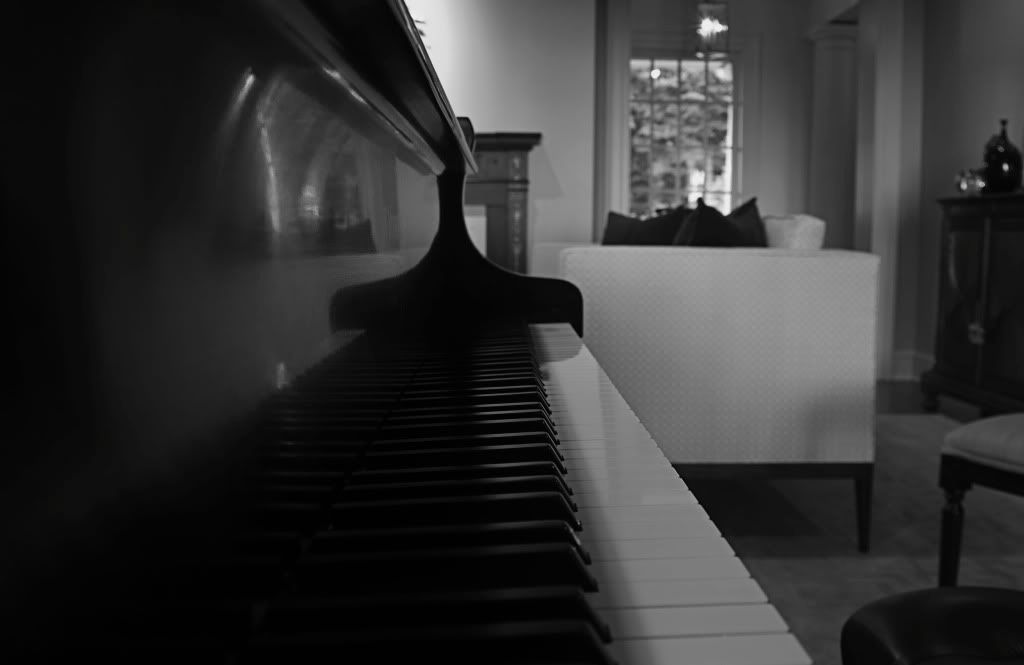
1. In the first the keyboard is centered and the converging lines of the keyboard lead to the center of the image. To the composition general guidelines, that is considered a static and less interesting composition. The rule of thirds suggest an image is more appealing if the center of interest is roughly one third of the distance from two edges of the image. However, many forget that the rule of thirds is only a guideline and not a rule written into the fabric of the universe like a law of gravity.
2. The DOF is deep enough that the furnishings of the room are sufficiently sharp to distract interest from the center of interest. However, for this image to me the furnishings add context that to me add to the image, making is an exception. Note that others who appraise the image may disagree.
Sometime an image works best when it breaks a rule or two. Nevertheless, it helps to understand the guidelines of composition and to understand you are using an unconventional composition because it works better for a given image.
I like the BW's best. Especially the direct look at the keys and Steinway & Sons.
I also like the haziness of the on angle shot, but find the room and furniture pulling my eye too far away, even though they define a setting.