Airshow season is on and glad to see some amazing images
I was covering our local basketball team HoneyBadgers the other day. I was wondering if anyone else has shot the games with f1.2 glass. I am researching and may pull the plug.
I was shooting with a colleague who bought the EF version 85mm and brought it to a basketball game to try it out. He let me use it but I found it a little to long for under the basket and I never saw him using it at a basketball game again.
I have the R version 50mm 1.2 I use for portraits, but I also used it in an old gym built in the 1950's with the original lighting and shot using f/1.2. The wide aperture was good for that gym. I found the 24-105 Z worked quite good for basketball under the basket.
cs3is wrote:
Airshow season is on and glad to see some amazing images
I was covering our local basketball team HoneyBadgers the other day. I was wondering if anyone else has shot the games with f1.2 glass. I am researching and may pull the plug.
I was shooting with a colleague who bought the EF version 85mm and brought it to a basketball game to try it out. He let me use it but I found it a little to long for under the basket and I never saw him using it at a basketball game again.
I have the R version 50mm 1.2 I use for portraits, but I also used it in an old gym built in the 1950's with the original lighting and shot using f/1.2. The wide aperture was good for that gym. I found the 24-105 Z worked quite good for basketball under the basket. ...Show more →
Thanks Ray. I have seen lot of folks using 85mm 1.4 and swear by it. I have not used it so cannot really comment. I personally find 24-105mm works best under the basket and maybe up to 3 point lane. Its just that i had f4 and it kept pushing the ISO to the roof but i am amazed by LR denoise engine.
How is the focus acquisition on 1.2 for fast moving action? I know the old EF was is/was a dog.
Douglas L wrote:
Thank you Dan! Yes, I will be in Ocean City on Saturday this weekend for the show. I bought the cheapest ticket for the paid seating area so I will be close to the show center and have access to the potty johns there, which is very important. I may go on Friday for the rehearsal too. The lineup is short but it will be my first time to see the French team. They flew over NYC today.
The weekend after that I will be in Columbus, Ohio for their show. It's kind of out of my usual travel range for airshows but Friday and Saturday will have a late afternoon/sunset show, I love the lighting for that kind of shows. The lineup is pretty good and the indication that the F-4D will fly at the show is getting stronger.
cs3is wrote:
Airshow season is on and glad to see some amazing images
I was covering our local basketball team HoneyBadgers the other day. I was wondering if anyone else has shot the games with f1.2 glass. I am researching and may pull the plug.
You are lucky that you were not crushed in the melee' of players here! Super sharp, excellent exposures!!! Well done!
Dan
cs3is wrote:
Thanks Dan. I had few close moments but i kept reaching out to protect the gear as suppose to myself
Agree about the gear having a priority here!
Again super photography!
Dan
cs3is wrote:
Thanks Ray. I have seen lot of folks using 85mm 1.4 and swear by it. I have not used it so cannot really comment. I personally find 24-105mm works best under the basket and maybe up to 3 point lane. Its just that i had f4 and it kept pushing the ISO to the roof but i am amazed by LR denoise engine.
How is the focus acquisition on 1.2 for fast moving action? I know the old EF was is/was a dog.
Cheers,
SB
I won't speak for the EF-85 I borrowed that day. But my RF 50mm f/1.2 is pretty good. I wouldn't hesitate using it for sports if I was shooting in a dark gym at a short range. The 24-105 Z is the sweet spot for me when I shoot basketball. I am shooting from the 3 point line in from under the basket, hoping to get shots like you posted. I have heard some say the RF 85 f/1.2 can be slightly slower acquiring focus than the RF 50. I have not used it, so you might search for those kinds of comments.
I totally agree with your comment about denoise, what great tool.


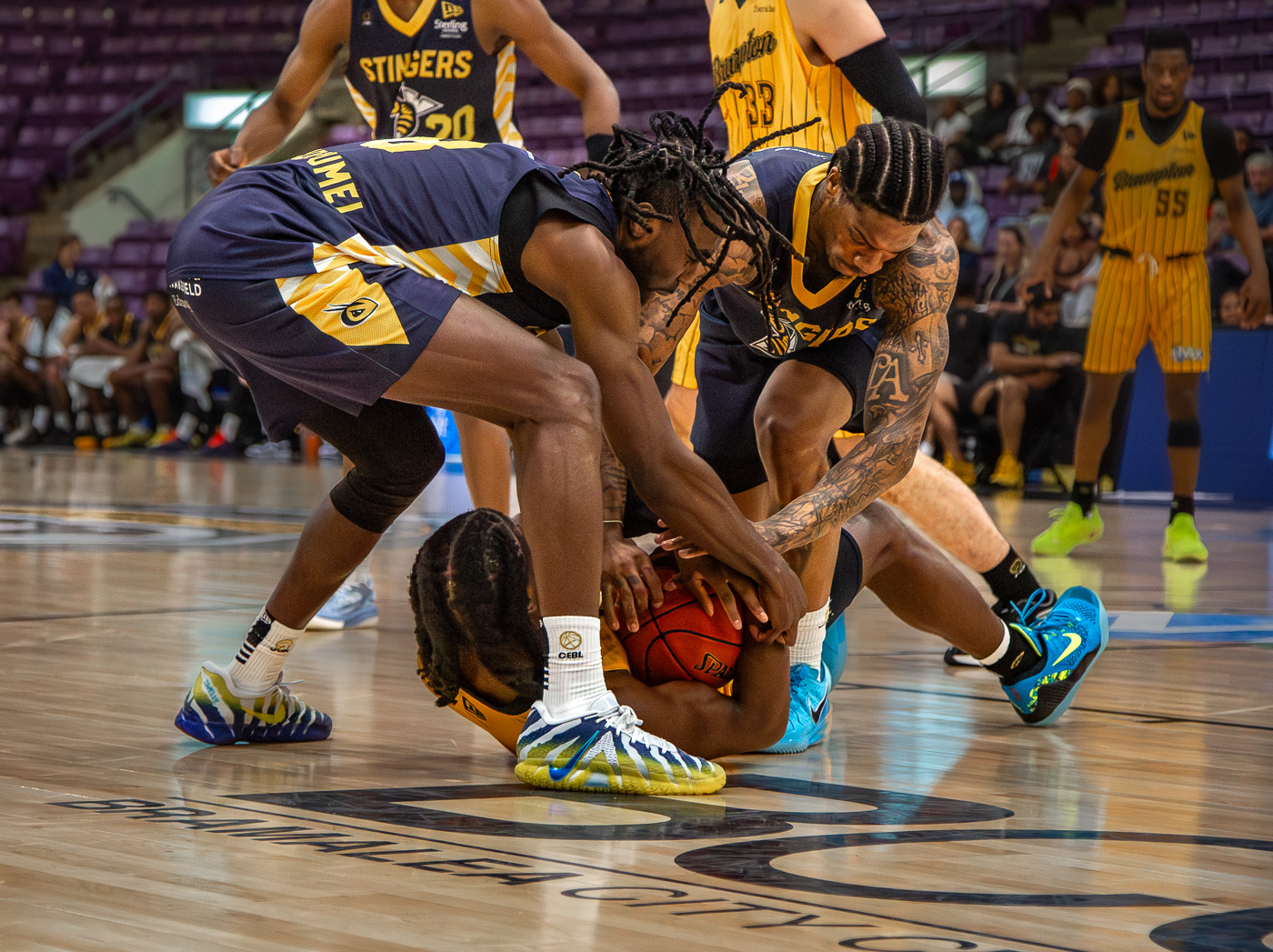
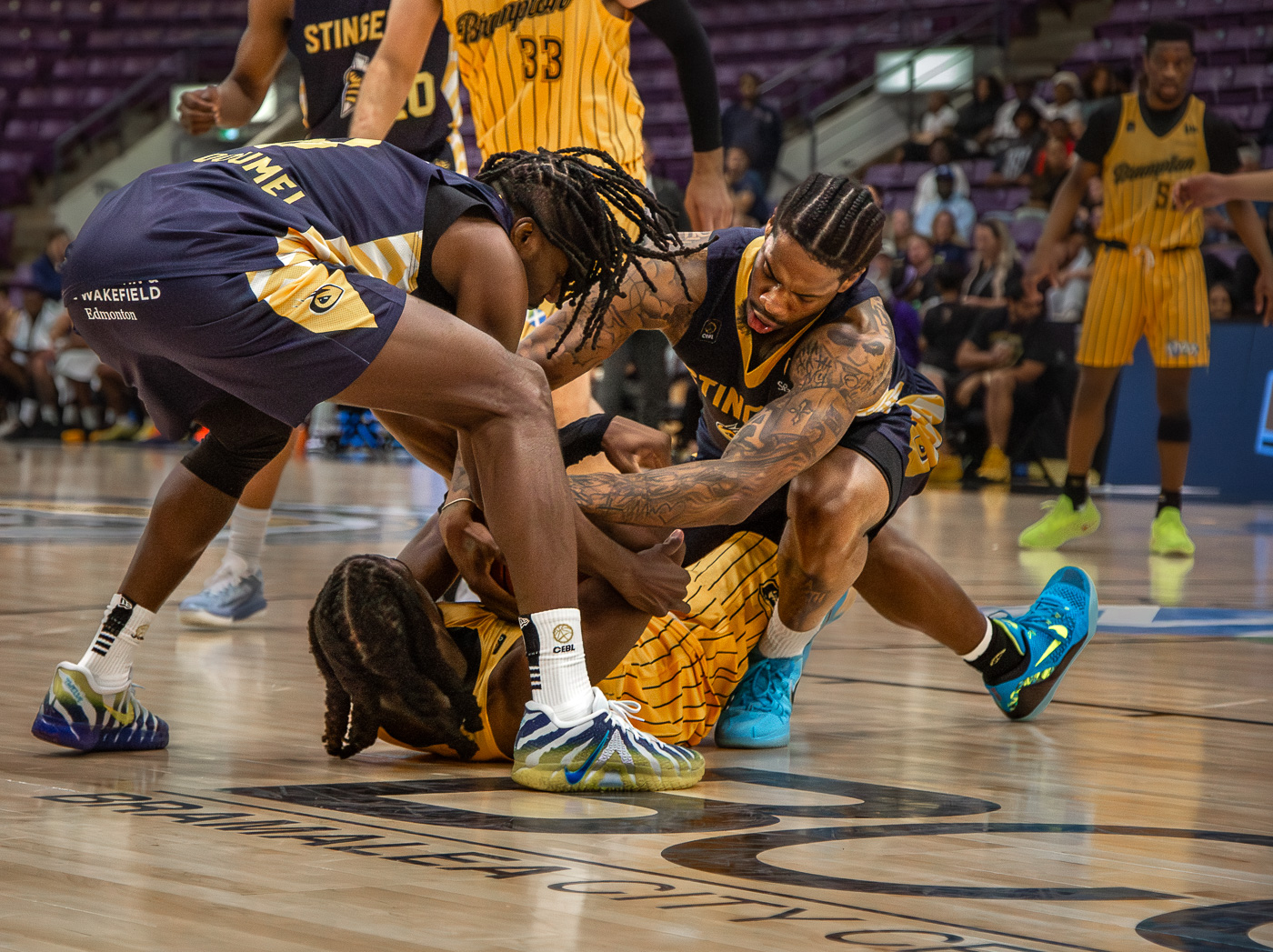
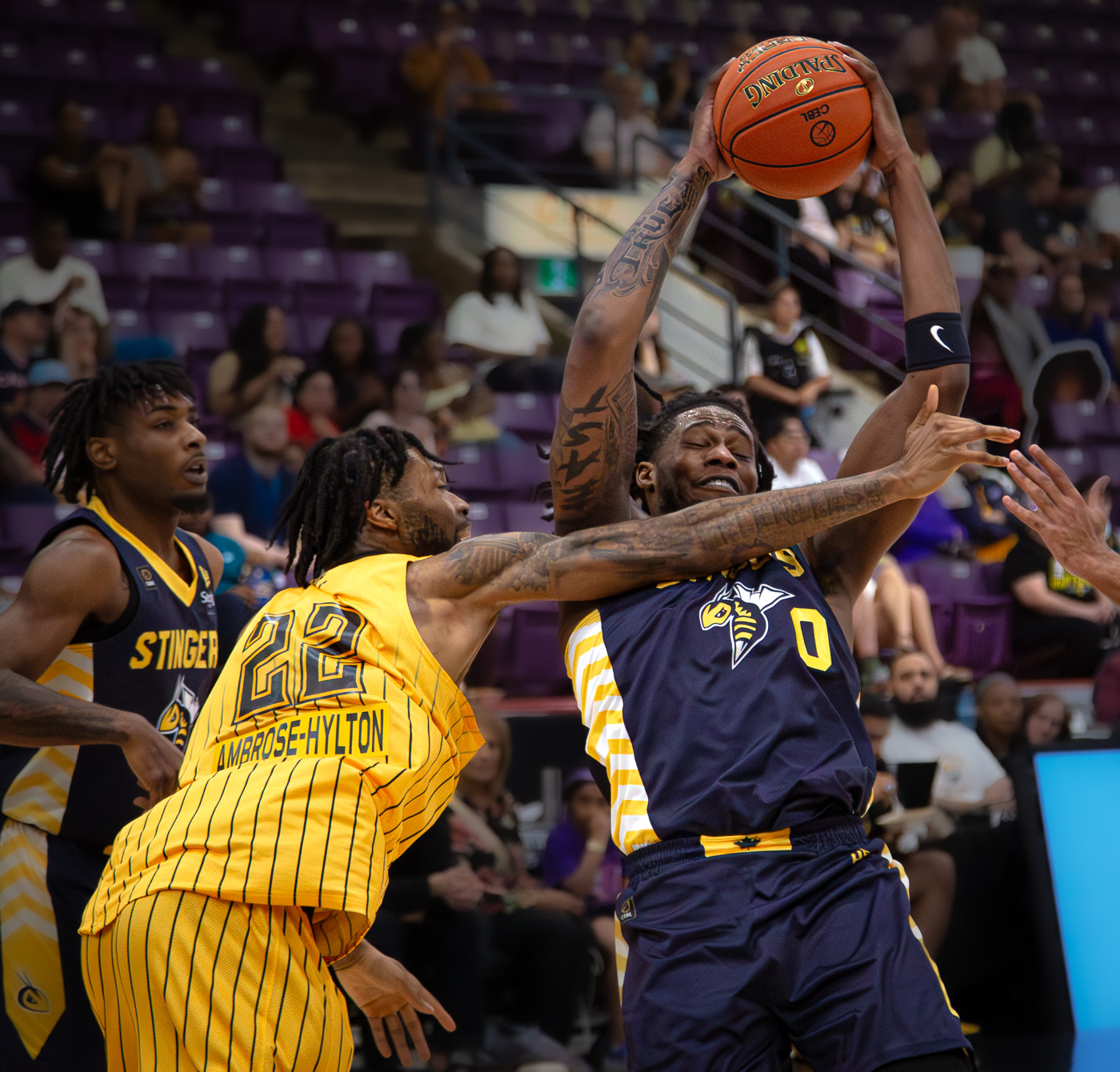
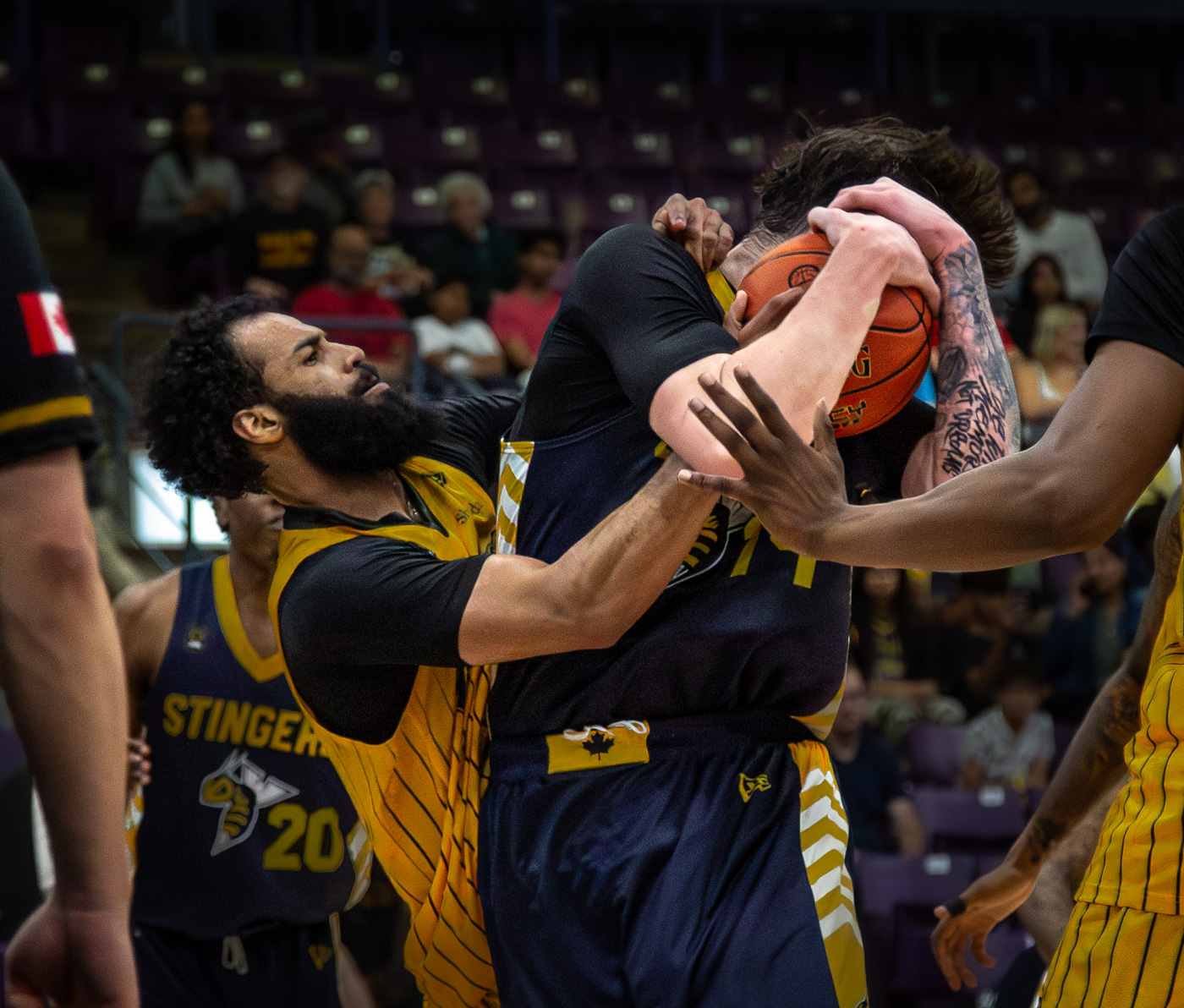
 and it kept pushing the ISO to the roof but i am amazed by LR denoise engine.