Richard-
Quoted text in a posted is no longer showing in a different color and type face/size. Is that intentional or a temporary bug? The difference in appearance of quoted text was essential for a clear reading of posts. I hope the differing appearance of quoted text can be brought back -- after your well deserved break, of course.
Lotusm50 wrote:
Richard-
Quoted text in a posted is no longer showing in a different color and type face/size. Is that intentional or a temporary bug? The difference in appearance of quoted text was essential for a clear reading of posts. I hope the differing appearance of quoted text can be brought back -- after your well deserved break, of course.
Lotusm50 wrote:
Quoted text in a posted is no longer showing in a different color and type face/size.
Seems to be working again. Thanks.
I neither broke it, nor fixed it. Either it was due to your cache of the stylesheet, or due to the migration of the web server to a new rig, or Fred is continuing the work of removing font tags and something got borked.
Not sure whether this has been reported but when dipping into long threads instead of reading a page, clicking to the next page etc., etc., I usually just click print post and read and scroll at the same time.
When I do this now I get "FYI, BoardID not specified". Hope this helps you fix it!
yeah - I just saw this. Not sure what we did to break this. Could've been me, could've been Fred. I'll have a look at it when I can, but am on a long drive to flooded Yorkshire where I'm working on another software project.
Hi fred/jeffrey
This AM (Aussie time) I posted a comment on lanscape forum to a pic called Comming Home
showed a kayacker with the water taking the color of the greenery surrounding. Sort of a Monet effect
went to show the "trouble and strife" and the pic and the thread have disapeared
great job your forum
Tim
I was reading the Post-processing & Printing forum, when I decided to log in, using the login at the bottom of the screen, and post in that forum. I just kept getting the error that I couldn’t log into the buy and sell forum without a subscription. That was weird. I clicked on the login link at the top of that page, and logged in fine, but that was a strange place to get to when trying to log in.
Hi Richard: Great work cleaning up and making navigation choices more logical. The breaks in the drop-down box (top right & bottom center) for navigating to a different board make it look cleaner, but I wonder if you could make the box just a little bit bigger? Like you, I am at home in the alt board, and now I have to scroll down in the box to get to that choice.
htbyron wrote:
> Great work cleaning up and making navigation choices more logical.
Thanks - positive feedback is appreciated just as much as negative!
> The breaks in the drop-down box (top right & bottom center) for navigating to a different board make it look cleaner, but I wonder if you could make the box just a little bit bigger?
This seems to be happening in some browsers, regardless of the screen size, and not in others. I have not yet been able to find a way to control drop-down menu size. As I said, I may have to resort to a floating div instead of a menu if there really is no way of controlling it.
Search is one of my next targets for improvement. There's lots to be done, but I was able in a few spare minutes just now to fix one of the most annoying things about search: it could only search for the exact phrase you enter. That meant that what you typed in was either too vague to narrow the search to a useful scope, or threads germaine to your search didn't show because they contained all of the search terms, but in the wrong order. The fix I just did is this: any post with all of the words in the string will now show even if the words are in the wrong order, or are non-contiguous in the post. Search just got way better, but expect more improvements soon, including access to archived threads.
Just noticed that the use of img brackets on hosted pics is causing them not to appear again. Just posting the direct URL does allow the pictures to appear but I would normally expect this just to show a hyperlink rather than the actual picture.
LordV wrote:
Just noticed that the use of img brackets on hosted pics is causing them not to appear again. Just posting the direct URL does allow the pictures to appear but I would normally expect this just to show a hyperlink rather than the actual picture.
brian V.
I am not sure there is a convention for this except HTML itself. I suspect there may be some difference of opinion amongst members. Should square brackets around an image URL embed it or link to it? And what to do when there are no brackets?
brainiac wrote:
I am not sure there is a convention for this except HTML itself. I suspect there may be some difference of opinion amongst members. Should square brackets around an image URL embed it or link to it? And what to do when there are no brackets?
Speak up, for I will probably obey the majority.
I'm only used to what used to happen here and on virtually all other forums I use. (the one exception is dpreview)
IE to embed a hosted image you used to have to use img brackets and to just give a URL hyperlink you just left off the brackets. Just poining out that something here changed again last night (UK time) and was the same this morning.
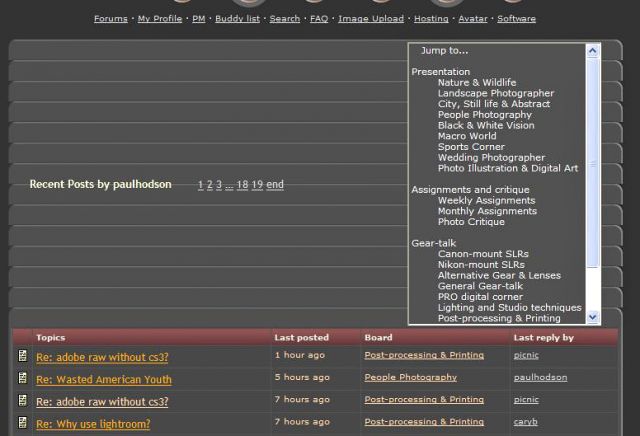
Yep. The "Jump to" drop-down menus are stuck open, both the the top and bottom of the page -- at least in Firefox 2.0.11 (without stair-step). They open to better length than before (longer), but it would be nice to get them unstuck.