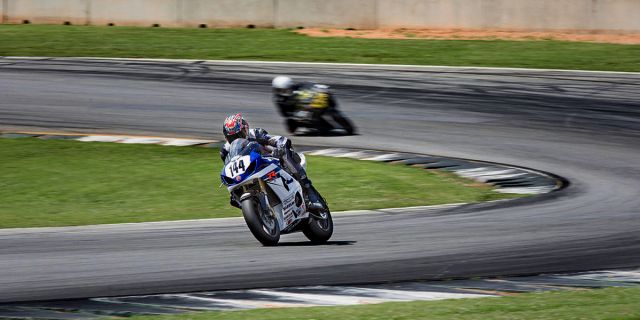
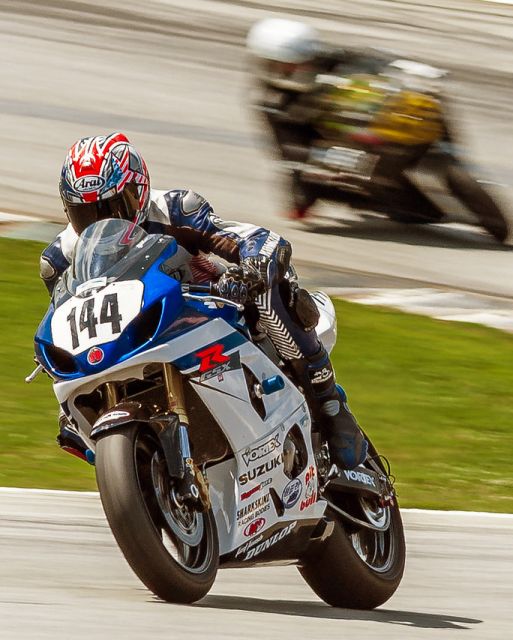
Yes a 500 f/4 would help...and shooting the bike from the side the sun is on would also help, but then the 500 would be needed to prevent having to do much more cropping...
Jefferson, as I said in the Auto thread, I think the noise in the shadows comes from a sequence of edits...lightening up the shadows with the shadows slider can cause an image to lose IQ, sharpening on top of that, by using a global sharpening method will accentuate that.
AunitPode showed the method of changing exposure by using Gamma adjustments, and it seems less destructive to the shadows...I used that, and brigtened the wheels a bit, but did it on a layer, so that I could mask off the parts of the image I did not want to apply that change to...masked off those areas. Then did a duplicate layer, blending mode multiply for the track, I think I set it at 25-30% opacity, then masked off the two bikes...then a slight vignette layer, 20% opacity and a different crop.
That looks good Travis... crop it tighter to what I was using... I don't have layers in LR and I think to get it right, I need to get it better in camera
I think once I get better at shooting manual exposure mode, this is my first shot at any other than Tv or Av mode, and I'm able to shoot in the changing light conditions on track and can compensate either with exposure compensation or getting my exposure off darker or lighter points on subject, etc... and with more practice, I should more or less instinctively know what settings to use to get what I want,
there will be less need for destructive post work...
Manual Exposure Mode can be tricky on bright sunny days with slow shutter speeds
I don't know how I could live without layers...my racing pics shot for large groups/clients at track days are about the only images I have that don't get layers used on them for one thing or another.
Getting it right in camera is of course best...learning to tell the camera what you want from it, rather than accepting what it gives you is a big hurdle...I remember getting past that point and the light bulb went on!
Maybe a little aggressive on the crop/comp for some ... but, you could consider setting your WB to the shadow side and letting the rest go warm @ late/early sun. Putting more of your subject in neutral, and having a bit of a warm cast to other areas instead of the cool cast on your subject.
One point @ it though. I use color balance layer in PS, rather than trying to do a "WB click" adjustment. That way, you can work on neutralizing your shadows, midtones, and highlights independently. You might get some "funky" things if you just try to click balance from one point ... but "funky" could be good too.
I typically choose at least 3 different "neutral" points and try to get them as close to neutral as I can. Sometimes they can be a bit opposing. In those cases, I try to decide where I want my neutrals, and whether or not I can live with the cast it might be causing elsewhere. Best 2 out of 3 usually wins ... if that makes any sense.