I'm posting this not to show something state of the art or even particularly well done. Instead, I'm hoping that many of you who haven't tried composting and other more complex PS tricks will be encouraged to take some chances.
I've been using PS from its beginning and can do pretty much whatever is necessary to "develop" a RAW image. For whatever reason I've struggled with more advanced and complex images. I got layers pretty quick, text, and over time how to select a part of one image to put into another. (The tools have improved dramatically.) Still I struggled with created or composited images until two things happened. First I got a Wacom Intuous5 medium table and then I carefully and repeatedly watched their tutorial on how to select and in particular what a "quick mask" could do. Major step forward. (While I can get team photos there is no way to stage individual photos. So all of these come from action shots.)
Then Chris of cmpdesign2010 had a "Sandy Relief Sale" on his templates. I bought 3 mostly to do something positive and also hoping to get a clue on how a master does the job. Finally had some parents wanting something like this so dug into Chris' templates and started mucking about. Studying how he put things together was a real eye opener and frankly I don't know if I'd have learned this without seeing how someone else did it. I recommend getting his (or there are undoubtedly other good template creators here) template and starting in.
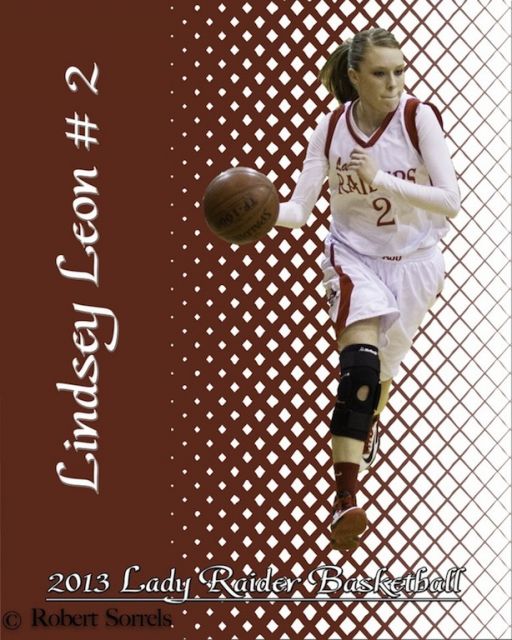
I'm open to critique and suggestion but here is how I saw the progression. The 4 posters are in the order they were created. In poster 1 the subject is a bit grainy and for some reason it was hard to pull the ball from the background. The gym is very dark. The diamond and gradation isn't all that good.
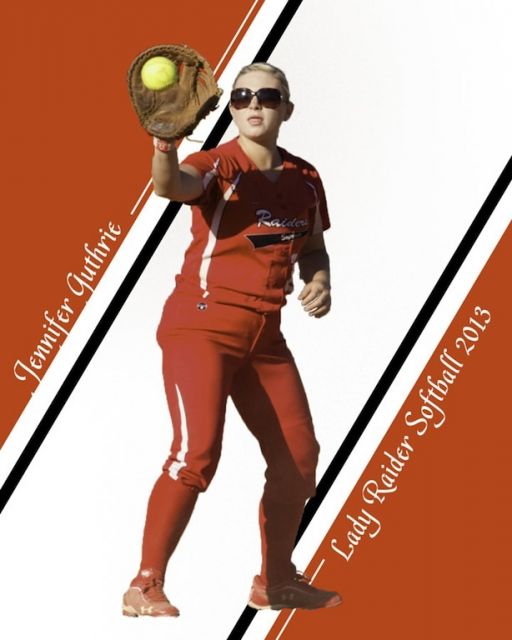
Poster 2 shows improvement - probably because I was shooting in natural light. The idiot that laid the softball field out set it so that 1st base looks directly into the setting sun so the shadows get intense. (Amazingly this young lady did not have an error all season.) Like the first poster and actually all of them the player has a bit of the "floating in space" feeling. Also, the team uses these utterly red uniforms and I can't seem to learn how in PS to get the color picker to pickup from the image (on another layer or different file) so that I can make the team colors match the backgrounds. The red varies a lot depending on the light. (I also forgot to put my watermark on it.
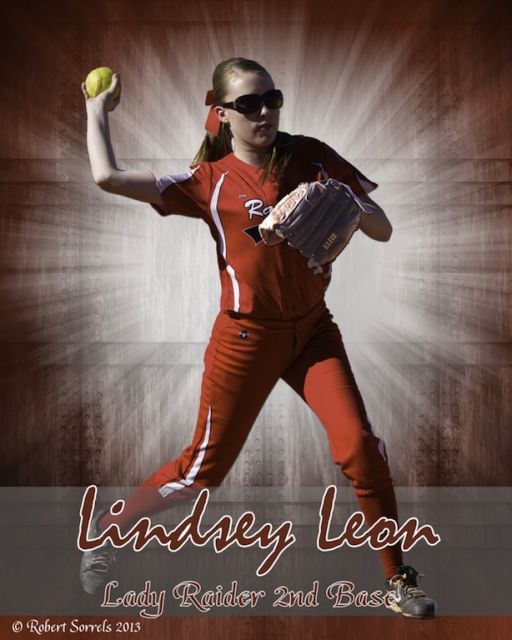
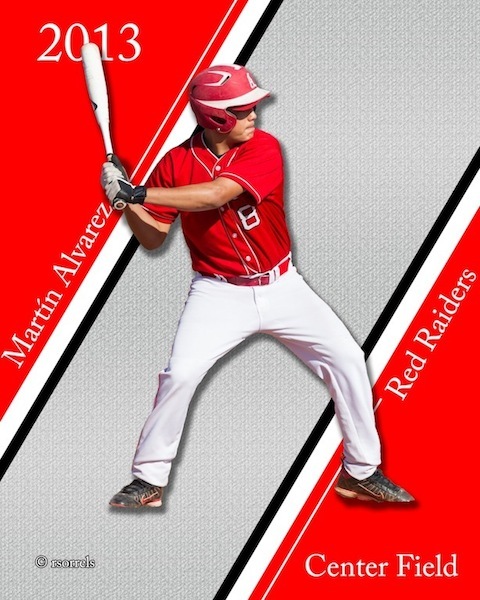
The third was from Chris' "grunge" template. Really struggled with the gradient tool. I'm slowly catching on but it can produce odd results. In this case I kept getting a pink background. Still the player seems to me to be part of the scene. The fourth poster (and believe me there were a lot of hours working and reworking these) is getting better. I discovered drop shadow as applied to the player. Yeah I know, I came in on the short bus I also created the pattern used in the background which was a step forward. It seems obvious to me that I'm going to have to get some of the field or floor under the players feet to help anchor them. Not quite sure what else will help stop the floating sense. Also still can't get the team color right even though I created two custom colors in the palate. This red really doesn't stay the same as light changes.
Anyway, open for advice, criticism, suggestion. I strongly urge others to take a whack at doing something way out of their skill level. Also if you can get good individual pix that would really help.
Robert
#1 1st attempt from a dark gym
#2 Daylight really helps but the girl is out in ether space!
#3 Grunge helps to anchor the player, but gradients are killing me.
#4 I'm liking this one more though seating the batter in the poster is hard.
Agree with the others on #3. Additionally on #2 and #4…the poster reds are a bit off from the uni reds. Also on #1, #2 and #4…the players are just floating….there isn't an anchor.
With regards to the last one…I actually think there is room to make the player a little bigger to fill the frame a bit more.