Hi PC forum. I have been so slammed lately...I don't get to participate here as mush as I would like...and have nto had much new work to process...
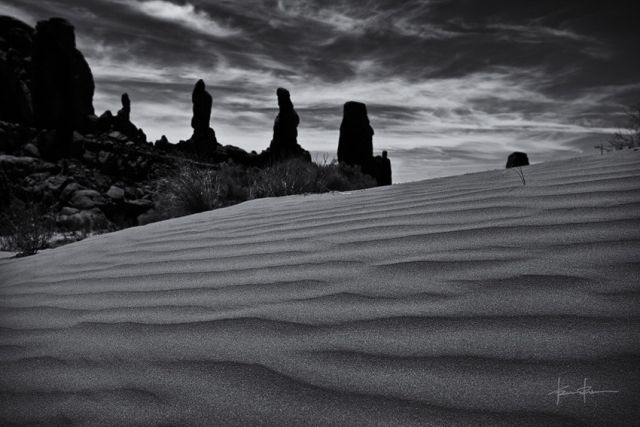
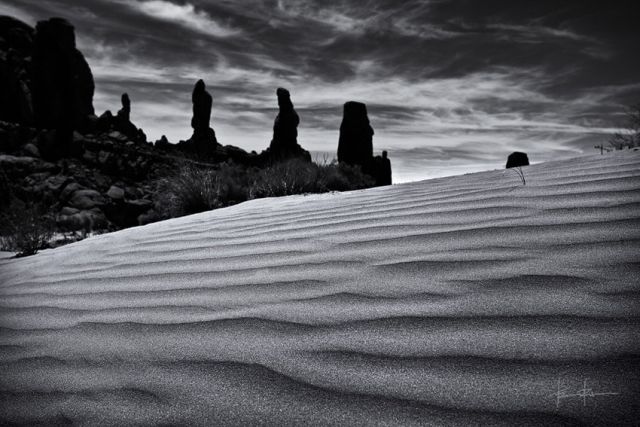
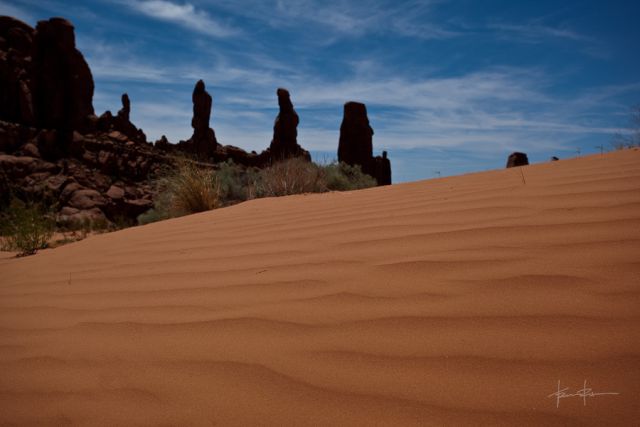
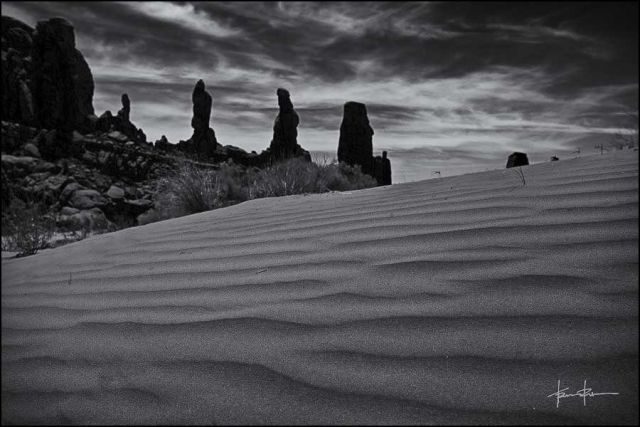
I returned from a week long trip to Arches National Park, and have been processing images for two weeks now...I worked on this image for a long time last night, mostly getting rid of little debris all over the place that I didn't like...it wasn't as visible in the color version...but when I went to B&W they were eyesores...I got it to where I liked it B&W and posted it in the B&W forum, got some pointers about bringing up the shadows and creating more contrast in the foreground. But in most other sections of the forum, you don't get the return visit if you re-edit a photo and re-post...so...I am posting here...I couldn't do much with the shadows, the sun was behind the features, and I shot it to have the Marching Men in silouhette...so...question is...is the second one any better...TIA.
I like the first version; however, it is a bit dark. I would adjust levels to increase the overall brightness a bit. I am not sure what you did with the second image (dodging or curves, I suppose) but the lighting seems harsh.
I do like the first version better too...the textures in the sand seem better in the original. The second was lightened only int he foreground by use of levels and curves, in layers masks, and it just seemed more artificial...just wanted to know if anyone else felt this way. Thanks for taking the time Jim.
It was about as mid day as it gets...just before noon...so the light was high, and just on the other side of the rock formations...the color image was not very interesting, but when I shot it, I saw it in B&W, not color...so...B&W it became...
Good to have you pop in. I'm jealous @ your trip. Logistics with others kept me from getting there last year. Horseshoe/Antelope was as close as I got.
Anyway ... you "saw it in B&W" ... what else did you see? What is the message/focal point that you want to drive/guide your viewers to? The "Oh man, you gotta see this." aspect.
hmmm...must have missed the thread updates on this...my apologies...
AuntiPode, I have a lot to learn about post processing, so I need to read up on reducing gamma.
Kent, it was a good trip, I think we did a little over 60 miles in the 6 days...tired feet for sure. I saw it in B&W, but what I saw was the cool patterns and textures in the sand, as the subject, but with the Marching Men silhouetted in the back for a sense of place, and contrast to the softer smooth lined sand. I guess there is not much "gotta see" in it...we were on the hike in and I noticed the dunes with the formations in the back...I kinda liked it...not something that will ever see a show really I guess, just something as a memory for the trip.
In PS, on the exposure layer there is a gamma slider. Pulled to the right increases gamma. Pulled to the left it decreases gamma. It works like the contrast slider but I find the difference gamma and contrast sliders makes the gamma change more useful. (Note I'm still using CS5.)