The camera manual is useless. Sure could use some voice hand holding to select the focus and how to get the FX to go ON. Camera defaults to DX for image area and won't accept the OK for Fx. FX lens on camera. Any volunteers for skype or phone?
"fx/dx -> menu -> shooting menu (camera icon) -> image area -> choose image area -> fx"
Thank You. As I said, I tried to change the image area from Dx to FX in the appropriate manner and it doesn't change. I do have a Nikon FX lens on the camera... 24/ 85. I make the change; check the image area and it shows =. I go back into the selection and FX is off.
Not sure about your first instruction. Can you restate?
Hold down the QUAL button on top left side and + - bracket button on top right side at the same time for more than two seconds. Both buttons are marked with a green dot - hard to miss.
This puts the camera back into factory default settings, and for a D600, FX is default.
rashley wrote:
"fx/dx -> menu -> shooting menu (camera icon) -> image area -> choose image area -> fx"
Thank You. As I said, I tried to change the image area from Dx to FX in the appropriate manner and it doesn't change. I do have a Nikon FX lens on the camera... 24/ 85. I make the change; check the image area and it shows =. I go back into the selection and FX is off.
Not sure about your first instruction. Can you restate?
when you said = do you mean -- (two dashes)? that's normal. it's nikon's icon to indicate there are multiple options underneath that menu setting.
best way to validate, press the info button. right above the right parenthesis around the focus points, should see the FX icon like this:
for the AF selection, in the front of the camera, towards the bottom of the lens mount (under the lens mount release button), there is a switch that lets you pick AF or M:
but on top of the switch, there's a button. hold down that button, then swing the rear command dial. it will pick between AF-S, AF-C, and AF-A. for each mode, you can swing the front command dial and pick between options:
AF-S
- auto
- single (manual select)
AF-C and AF-A
- auto
- single (manual select)
- d9 (9 focus points)
- d21 (21 focus points)
- d39 (all 39 focus points)
- 3d (auto 3d tracking)
i thin kthe way the d9/21/39 modes works is that the af picks amongst the 9/21/39 points. but i don't know what the difference is between d39 and full auto...
Thanks to all. The DX auto is the right choice. It means if I switch to a Dx lens, it changes automatically. Otherwise, it shoots FX. No reason to even have the other option.
Off to try to find the sweet spot for the 24/85 lens using the tripod and each fstop. More later.
PS: Are most of the amazing images on this thread heavy post and HDR?
as for the auto-DX being not needed - some people like to shoot DX fisheyes in FX mode and then do their own cropping
and 90% of what comes out of camera is only a fraction of the image quality you can get out of a RAW file. I don't think I have shot more than 10 JPEG files with the D600. You're throwing away most of the image information when you let the camera make all choices.
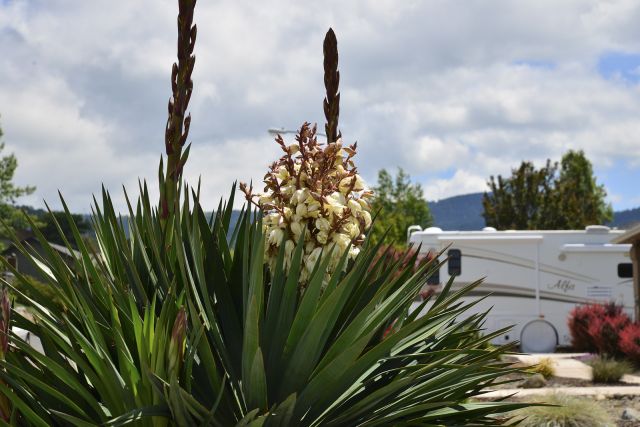
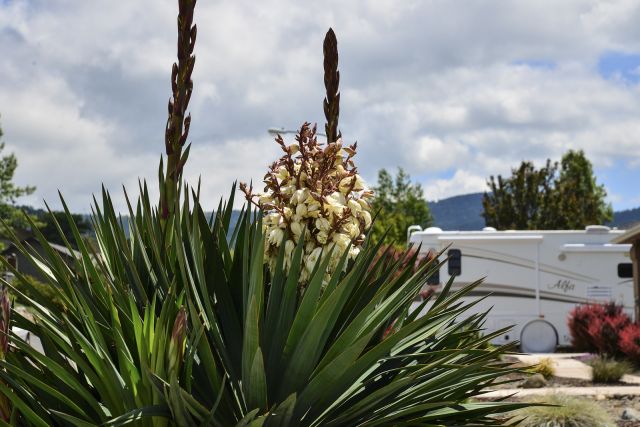
Yes, RAW is the way to go now that the adjustments/setup are complete. Working w/tripod and remote to discover sweet spot on Nikon 24/85, one shot at each fstop. Here's one.
Yes, you are right. F11 to F8 seem to be excellent. ISO changes are the real winner. Helps with camera wobble when I hand hold. Even up to 800 there is no graininess to speak of. Thanks. Making progress.


 ?
?