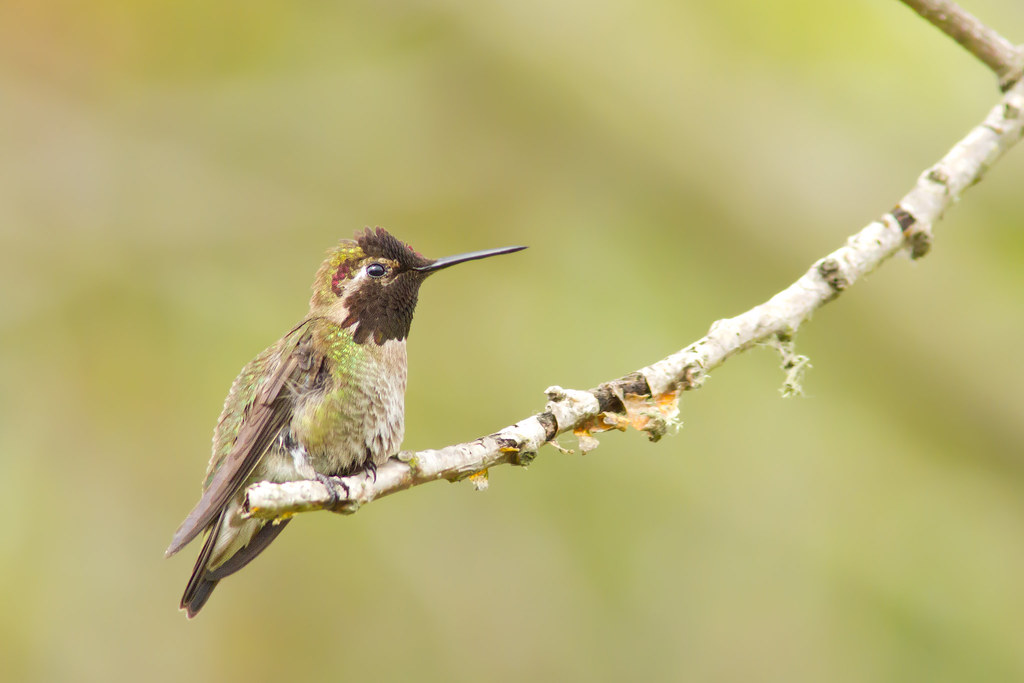
I have been reading many polarizing posts on the forums here about how well and equally how poorly the 7D emits noise - even at lower ISO's in the blue channel (i.e. sky). I experienced the latter myself when testing out a 7D a few months ago.
I am starting to believe the key to good quality images from the 7D comes down to some 'secret sauce' that some of you have managed to figure out. With this post, I hope to start a collective chain of noise processing tips.
Unless you have altered the noise reduction and/or sharpness during post processing, please do not respond to this thread. I am looking for those with experience in doing so.
Thank you so much! Glad to be here. I've read many posts over the years but never signed up to do so myself.
I presently have a 5DIII and while I realize the 7D is no contest in that comparison, I am hopeful to make one my companion and backup body. Just can't afford another 5DIII - saving for the 1DX !
I've found ACR very effective with color noise. Noiseware and Neat Image do better with luminance, so it's a two-part process for ISO 6400 and above. There are Photoshop tricks, but they're time-consuming and vary based on image content.
Shutterbug2006 wrote:
You picked a good day to sign up.. April 1
Hah! I didn't even notice that one. Couldn't have been better if I tried.
Before this thread goes too far, for everyone who does reply, would you be willing to share actual setting values for respective application post-processing techniques that would greatly help me to fairly evaluate the 7D when it gets here.
People online just whine about the stupidest non issues, noise from the 7d being one of those non issues. Expose to the right a bit, or at least avoid bumping up exposure much in post. Shoot at the native ISO's of 160, 320, 640, 1250... Apply some NR in post (I use LR4) and then sharpen after applying the NR then mask sharpening to taste. People who complain simply do not yet know how to work the files....period.
There are some amazing photographers on here displaying examples at 3200 ISO+ that look fantastic (insert hater about web res blah blah blah) There are also alot of people who have not bothered going through the learning curve getting noisy images at lower ISO's and those are the ones who you will find complaining. Sure, it's more noisy out of camera than some other options but it's really not the issue some people make it out to be.
There's a rather long and excellent thread here some where with gobs of tips and techniques to use with post after post after post of some stunning examples. Maybe some one knows where?
I don't use secret sauce but rather make sure the exposure is correct. When photography birds for example against a blue sky (overcast sky), I will use exposure compensation of at least 1.67EV (2EV). This ensures I get clean skies up to ISO 400 and won't require any NR outside of LR where I'll only use say 10 for luminance, in line with my other cameras (except 1D X which is insanely clean). Even at ISO 800 you'll only need a small amount of NR in Photoshop. Note to ensure I do not exacerbate any noise present in featurless areas like the sky, I use a larger mask value for sharpening. I hold down the alt key and increase mask until the sky is almost black. This limits sharpening to edges and I can use a higher amount of sharpening to get good detail on the real subject without fear of adding noise to the sky.
The sweet spot for the 7D is certainly smaller than for other cameras like the 1D series or FF cameras, but if you get it right, the noise is very good up to ISO 1600 and can be used to ISO 6400 if needed while still maintaining quite good detail. It won't compete with a 5D III for IQ at high ISO but it's very good nonetheless and the level of detail you can get when you make full use of the 18MP is fantastic.
There was a massive thread on the 7D and high ISO images late last year that should be easy to track down. I'll try and find the link or post some images tonight.
Update. Just found the link (27 pages and very informative)
After you get used to the quality of full frame files it can be hard to go back to the cropper, there simply *is* more noise at every ISO (even if in reality it won't show up in prints).
I have found the best way to get files looking noise-free is to process the RAW files in LR4 until they look good with a little noise reduction and then go into PS, create a duplicate layer and do complete noise removal on that layer (I use Neat Image), then gradually lower the opacity of that layer as much as you need, then create a layer mask and paint out the noise reduction on your subject.
Generally it's only the backgrounds and dark areas that look very noisy
This does take time so I only do it on important images, otherwise I find the local controls in LR4 do a very good job
I find that the worst co-conspirator with 7D noise is diffuse light, overcast skies, fog, haze, dust, etc. The cleaner the light and the sharper the shadows, the better off you are. While this is more or less true with any camera, I find it particularly true of the 7D and try not to have unrealistic expectations when the quality of the light is poor.
John_T wrote:
I find that the worst co-conspirator with 7D noise is diffuse light, overcast skies, fog, haze, dust, etc. The cleaner the light and the sharper the shadows, the better off you are. While this is more or less true with any camera, I find it particularly true of the 7D and try not to have unrealistic expectations when the quality of the light is poor.
I find 7D doesn't like back light too much.
Overcast skies can easily fool meter into gross underexposure, which is why I usually add +1Ev to +2EV depending on how much sky there is in the scene. You can easily make an ISO 400 scene into an ISO 1600 if your not careful. Always check histogram.
One thing I can say out of experience is that the quality of light in OZ is quite different from that in CH. For example, a DO lens in OZ performed much better there than here, I think primarily because of ozone hole vs. eternal grey and interaction with diffractive optics.
I also find that at higher ISOs, the 5D3 gives you cleaner sand and the 7D gives you dirtier sand and cleaning up the latter is much more difficult than the former.
1. Open files in lightroom. Add color to taste and export to folder of choice.
2. Now go to the luminance slider and slide it to 100% to remove all luminance noise. Save file to same folder as in step 1 but use unique names. Now you have one photo with original amount of noise and one completely removed of it saved under different names.
3. Open both files in photoshop cs5
4. Select original file and sharpen to taste using unsharp mask. I use radius 1.3 with amount 93%
5. Copy noiseless image, cut and paste over original
6. Erase the noiseless top layer to reveal the sharp detailed "noisy" subject underneath. Use opacity slider to bring out detail or noise to taste to the rest of the image.
This is the process I use to great success. I find I can shoot comfortably up to ISO 3200 using this PP technique. Works extremely well for birds.
1. Open files in lightroom. Add color to taste and export to folder of choice.
2. Now go to the luminance slider and slide it to 100% to remove all luminance noise. Save file to same folder as in step 1 but use unique names. Now you have one photo with original amount of noise and one completely removed of it saved under different names.
3. Open both files in photoshop cs5
4. Select original file and sharpen to taste using unsharp mask. I use radius 1.3 with amount 93%
5. Copy noiseless image, cut and paste over original
6. Erase the noiseless top layer to reveal the sharp detailed "noisy" subject underneath. Use opacity slider to bring out detail or noise to taste to the rest of the image.
That's a lot of effort. Why not just open the file in PS and use a noise layer with mask and erase the bits where you want detail. Effectively exactly the same thing, but you don't have to double process the RAW.
I do agree that basic strategy of 'expose to the right' is critical, since you really can't push fill light and sharpening without degrading the image. That's my experience within LR4, with occasional CS tune up. But, compared to what I can do with my new 6D, it seems to me that noise is the 7D's achilles heel. Otherwise it's a fantastic sport camera.
I'm a 7D shooter and the cameras is a bit noisy. Even at ISO 100 which I always shoot at. That said it's mostly a non issue. In 16X24 prints I can't see any noise. Downsized to web I can't see any noise. Once I realized that I stopped worrying so much about it, though as a part time pixel peeper I would still like cleaner files.
This is an ageless debate... some strongly believe there is nothing wrong with the 7D and others see the noise everywhere (me)... I solved it by switching to a 5D2 and the issue went away from the first shot with me changing nothing about what I do or my skill level :shrug: I used the 7D for a few years and NEVER got the noise under control..... call me a bad photg does not matter to me (tried all the ettr, 160 stuff I read e.t.c. and nothing fixed it).
I still use the 7D but for the fast responsive focus system when needed since the 5D2 is a hopeless focus system but despite that, I always reach for the 5D first.
robstein wrote:
This is an ageless debate... some strongly believe there is nothing wrong with the 7D and others see the noise everywhere (me)... I solved it by switching to a 5D2 and the issue went away from the first shot with me changing nothing about what I do or my skill level :shrug: I used the 7D for a few years and NEVER got the noise under control..... call me a bad photg does not matter to me (tried all the ettr, 160 stuff I read e.t.c. and nothing fixed it).
I still use the 7D but for the fast responsive focus system when needed since the 5D2 is a hopeless focus system but despite that, I always reach for the 5D first....Show more →
Similar story here, only I switched to a 1D4 and 5D3 combo. No matter what I tried, I just couldn't quite get the hang of processing the 7D files. I really wanted to love it, but it was just so much more work than any of the other bodies I've used. As quoted, maybe that just makes us bad photogs, but I never have similar problems with full frame or 1.3 crop bodies.