First off, I hope this is the correct place to post this, if not please let me know where it belongs.
I bought my D5200 here on the board, it is a gray market UK model sold in the US. It has approx. 600 clicks. The lens is a brand new Tamron 70-300 f4-5.6. I tried this model lens before buying, felt a new one might fix the issue.
On all my images the subject's hair looks like crap when viewed 100%. These are two 100% crops from the same image, one right, one left. The rest of the detail in the image I am happy with. What has me puling my hair out is the mudded up look of the hair. I looked on a couple other images, and all have the same issues.
Is this an operator problem ?? A camera body problem A lens problem A combination of all maybe
Please....any help will be greatly appreciated !!!
First, I see that the file is Adobe RGB color space rather than sRGB color space. This in itself isn't a problem, but if you are viewing on a monitor or browswer that is in the sRGB color space, the colors tend to look flatter/muddier when viewing in mismatched color spaces. Not sure if that is applicable to what you are seeing / referring.
As to the image itself, it appears to me that your WB is off with a blue cast that is stealing some of the show, and with the hair color @ not blue, it could be part of what is making it look as it does.
Here is a stab at some color balance adjusts and some additional sharpening.
Rusty... you nailed it my friend !!! Were you over here looking at my monitor I had thought of the Adobe RGB as a possible reason, and had my daughter reshoot some images, but the light was too dim by the time she got them.
But I went looking for the color space setting for my monitor, to see what it read. All I could find was "True Color 32 bit" but I found my sharpness level set to 50. I kicked it up to 100 and now these kids look like they have hair and not a mudded up mess !!!
I thank you for your help as I was ready to dust either the camera or lens if this was to be all I could have expected.
You might try adding some white our yellow highlights to the hair on a separate layer using the paint brush. Use a very thin line and try and paint over the natural highlights in their hair. Then use gaussian blur to soften the highlights, then try different blending modes and reduced opacity on the layer. See if that does add a little snap to their hair.


 A lens problem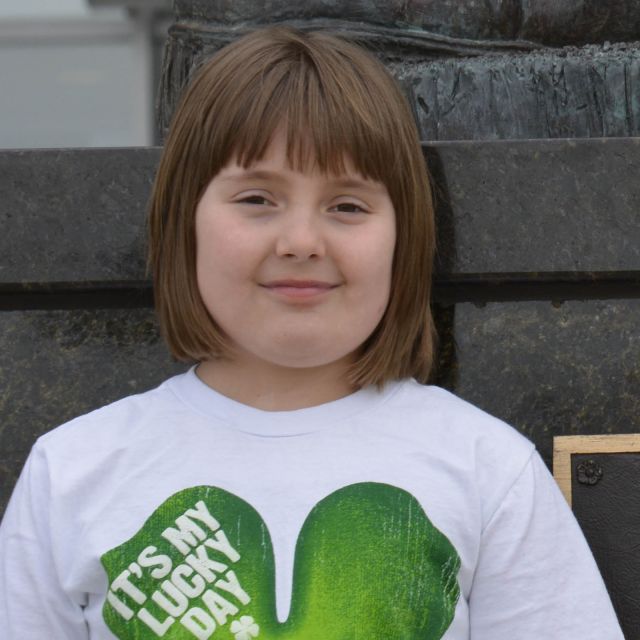
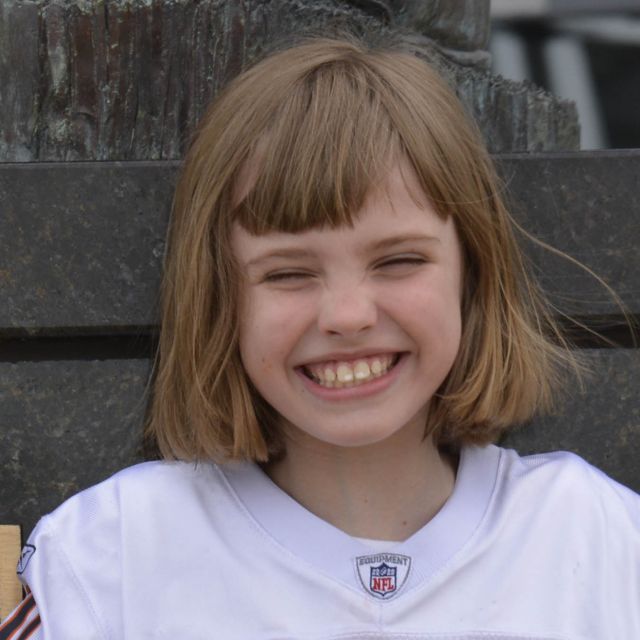


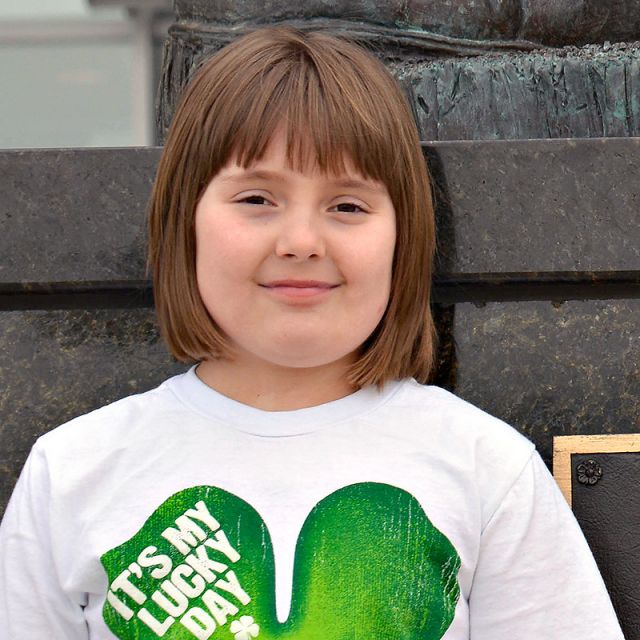

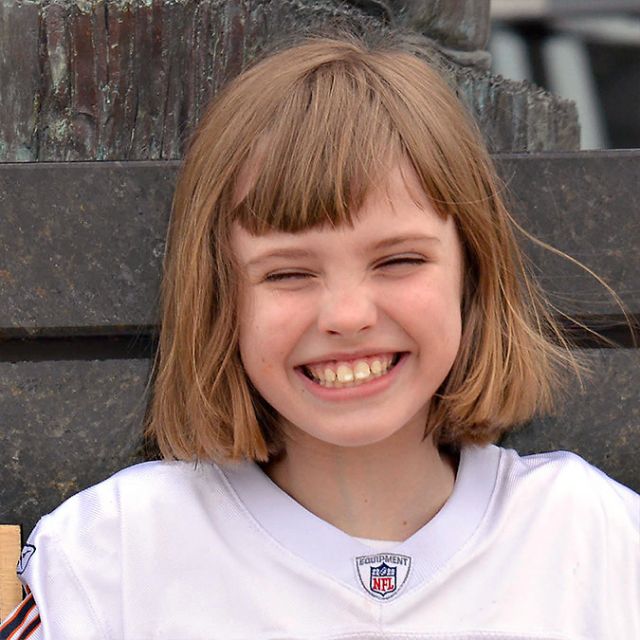
 I had thought of the Adobe RGB as a possible reason, and had my daughter reshoot some images, but the light was too dim by the time she got them.