Gene_C
Offline
• • • •
Upload & Sell: Off
|
wickerprints wrote:
After downloading this version of DPP and using it for a while, I've come up with a few suggestions and tips for working with the DLO feature.
1. Installation: I'm running Mac OS, so I don't have advice for Windows users. Version 3.11.26 requires OS 10.6 or higher--it will not appear available for download from Canon's website if you choose 10.5 or earlier. 10.6 is the last version of Mac OS that still has support for PowerPC code emulation via Rosetta, so keep this in mind.
2. As is the case with all versions of DPP on OS X, you must install the application from an account that has administrative privileges. Installation will fail if you run the installer from a non-admin user account, even if it prompts you for admin authentication. Those who have never installed DPP on their systems must first do so from a copy of the CD that came with an EOS camera, because the download is just an update, not the full version. Once you've installed DPP, you can run it as a non-admin user.
3. DLO lens profiles can only be downloaded by opening a raw file, then accessing the Lens menu in the Tool palette (command-T). Then click "Update." If a suitable correction profile exists, the lens used to take the currently open raw file will be pre-selected in the list of profiles to download, but you may select multiple lenses in the list. Do note that downloading may take some time and it may not appear as if any data is being transferred initially. Just be patient and wait. If you are running DPP as a non-admin user, you will be prompted for authentication to install the downloaded profiles.
4. To use DLO, first turn off all sharpening on the raw file. This is ALWAYS the first step. Sharpening settings are in the "RAW" tab in the Tool palette. If you try to use DLO while sharpening is not set to zero, you will get the mistaken impression that it's overcooking your file. It is also recommended (but not required) to turn Color blur off (if it's on) prior to starting DLO. While it is not necessary to set NR to zero before using DLO, if NR is set very high, you may not fully realize the benefit of applying the lens profile. It is not necessary to reset CA--it is automatically disabled if a lens profile is applied.
5. The default DLO setting is 50/100. Depending on the image and the lens used, the effect may be subtle or dramatic. I have noticed that DLO is extremely effective in correcting the following aberrations:
(a) Loss of contrast in the plane of sharpest focus when the lens is shot wide open
(b) Axial color immediately in front and behind the plane of sharpest focus
(c) Lateral color in the image periphery
(d) Overall sharpness improvement when the lens is shot wide open
(e) Diffraction effects.
DLO is not so good at correcting:
(f) high-ISO shots
(g) shots with any motion blur or missed focus
(h) bokeh. It doesn't do anything (as far as I can tell) for color fringing of blur disks.
Certain lenses that are already well-corrected optically will not reveal as noticeable a benefit as others. Among the lenses I own, I find many images I've shot with the EF 35/1.4L to improve quite noticeably when using DLO, to an extent that is completely impossible to correct using conventional raw processing adjustments. Purple fringing is significantly diminished, as is low contrast in areas with fine detail.
6. Don't be afraid to crank the slider up to 100, because the slider can "max out" before then. DPP applies increasing amounts of correction up to some point which may vary depending on the lens and the image, after which it simply says "MAX." So you can't really overcorrect unless you find the correction not to your taste. I also find any subsequent sharpening in DPP to be virtually unnecessary--perhaps at most one level. In the preview window, you can toggle the effect of DLO by simply checking/unchecking the box. Changes take some time to write into the raw file, and because the algorithm is computationally expensive, the result is written alongside the original raw data, which approximately doubles the file size. Once you do this, you can play with NR and other corrections as desired, or set NR to zero, export a 16-bit TIFF, and use a third-party NR method.
7. I fully expect Canon to support additional lenses in the future. This feature is much too good to leave to just a handful of lenses. For those who are willing to spend the time and aren't committed to using a third-party raw converter, and who really want to squeeze the best possible image quality out of their shots, this current version of DPP is the one to beat. Literally, my jaw dropped when I re-opened some of my shots taken with the 35L and 85L. I couldn't believe that kind of detail was hiding in those formerly soft images....Show more →
Thanks for your work, it is much appreciated.
gene
|


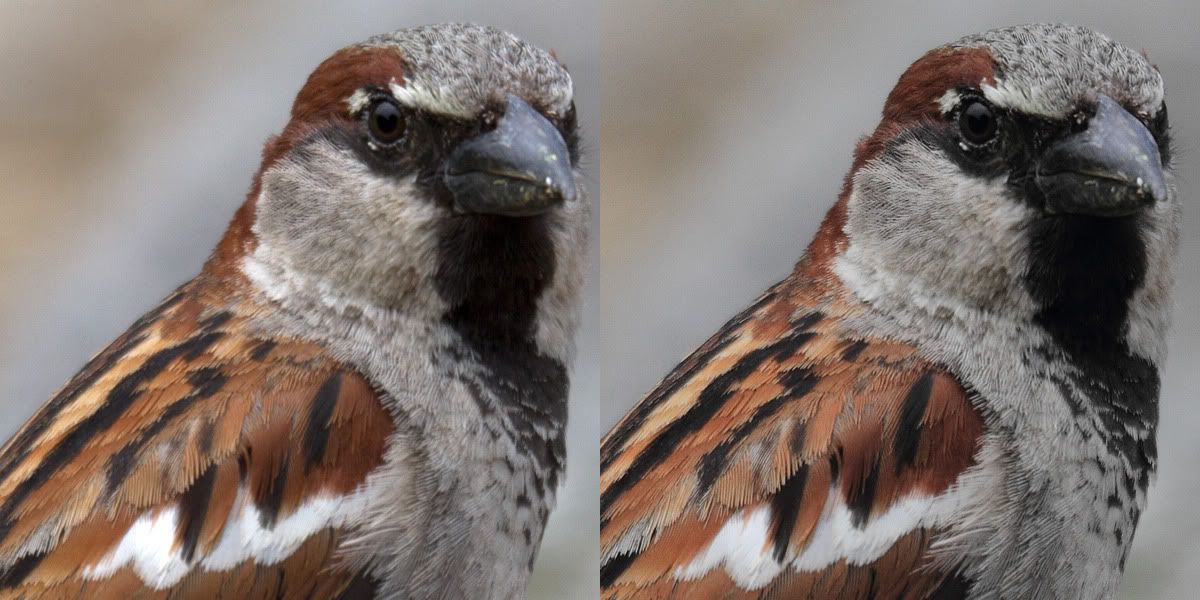
 just tried it can see a difference
  but then when is perfect as it is .........
