Manual Focus Nikon Glass

p.2128 #1Manual Focus Nikon Glass
GeorgeBo wrote:
Adding this shot back again. No matter how I save it, it just does not match the sharpness I have on my iPad. Processed in Lightroom iPad.
GFX/PC-Nikkor 28mm f/3.5
Beech tree in the foggy woods while out on the trails again. Happy weekend
George
Love how you framed it between the 2 big trees.
I have the same problem it seems from time-to-time with the image posted here not matching what I see on my monitor.
Jan 27, 2024 at 09:52 AM
p.2128 #2Manual Focus Nikon Glass
Sometimes you have to find light where you can. 55mm f1.2 SC.
 Barn Light by Tom Womack, on Flickr
Jan 27, 2024 at 10:43 AM
p.2128 #3Manual Focus Nikon Glass
fjablo wrote:
Did you process these on the new monitor? 2nd and 3rd image seem to have an overall magenta cast (esp visible in the clouds) and some of the blown highlights in the cloud also have a color shift going on. Nice compositions and subjects though! 👍
Lately I‘ve seen a couple of forest images in this thread with a very apparent magenta cast, not sure if they were from you or someone else. It often happens because the camera gets confused by all the green in the scene and overcorrects the white balance to magenta. The most telling sign is purple...Show more →
Thanks for your kind words, fjablo. No, I didn't process these photos on the new monitor. I just finished getting the new computer set up with all the right hardware, peripherals, wiring (it's in a room never before used by me for this purpose) and software, so I have yet to get started on using it for processing photos---that is my plan for this weekend. I won't be able to calibrate my monitors until the spectrophotometer arrives in the mail sometime within the coming week or so. However, Asus promises that my new monitor has been well calibrated at the factory (in fact---in a novel example of slick marketing---they included a "Color Calibration Testing Report" in the box with the monitor, with some impressive-looking charts and graphs on it ), so I am hoping that the results I achieve this weekend will be free of any colour cast, magenta or otherwise.
For today, I have my final set of previously processed images from the 2023 Hot August Nights classic car show. These were taken with my Fuji X-T4, Lens Turbo II, and the 24 f/2.8 NC (first two) and the 35 f/2 OC (third one).
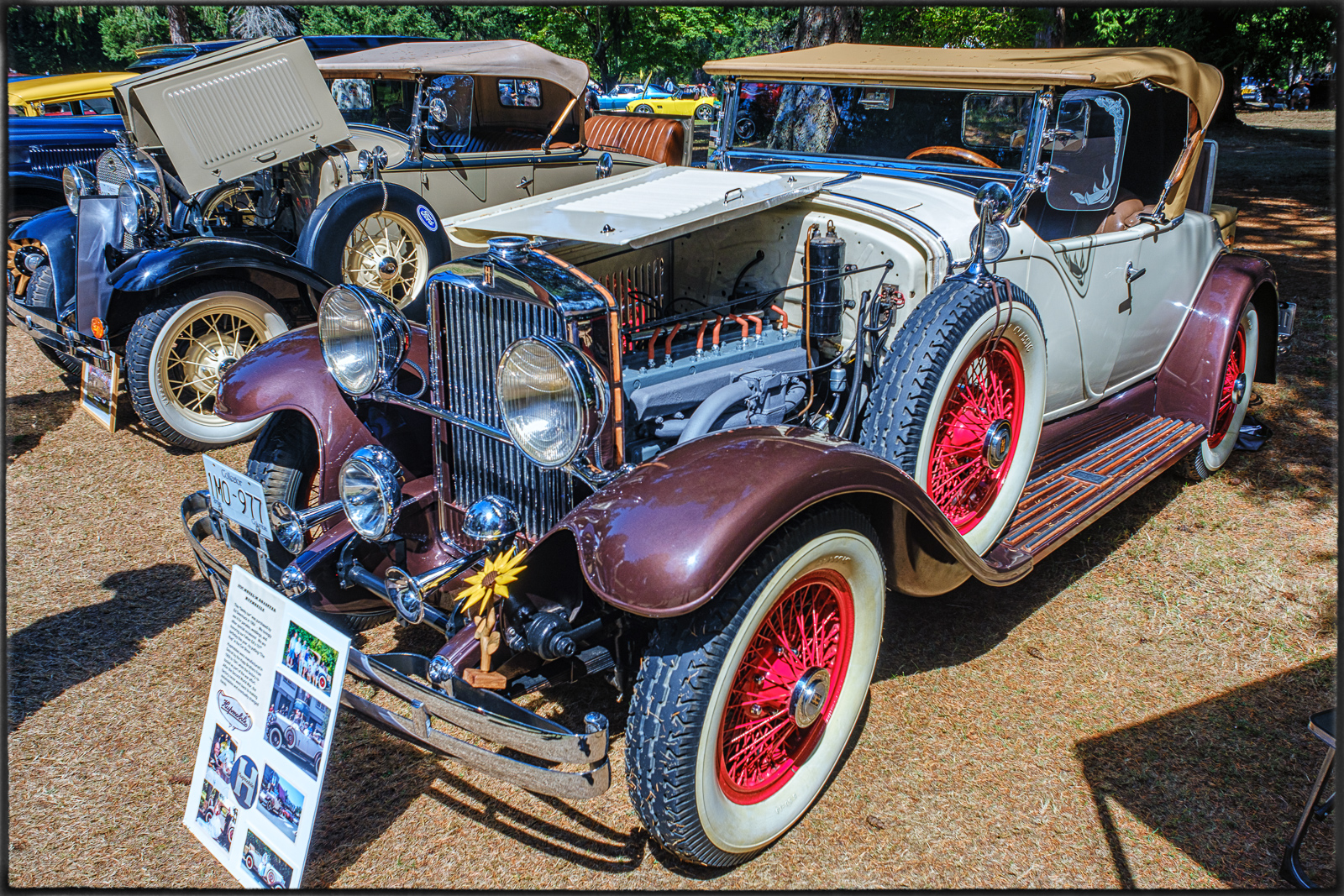
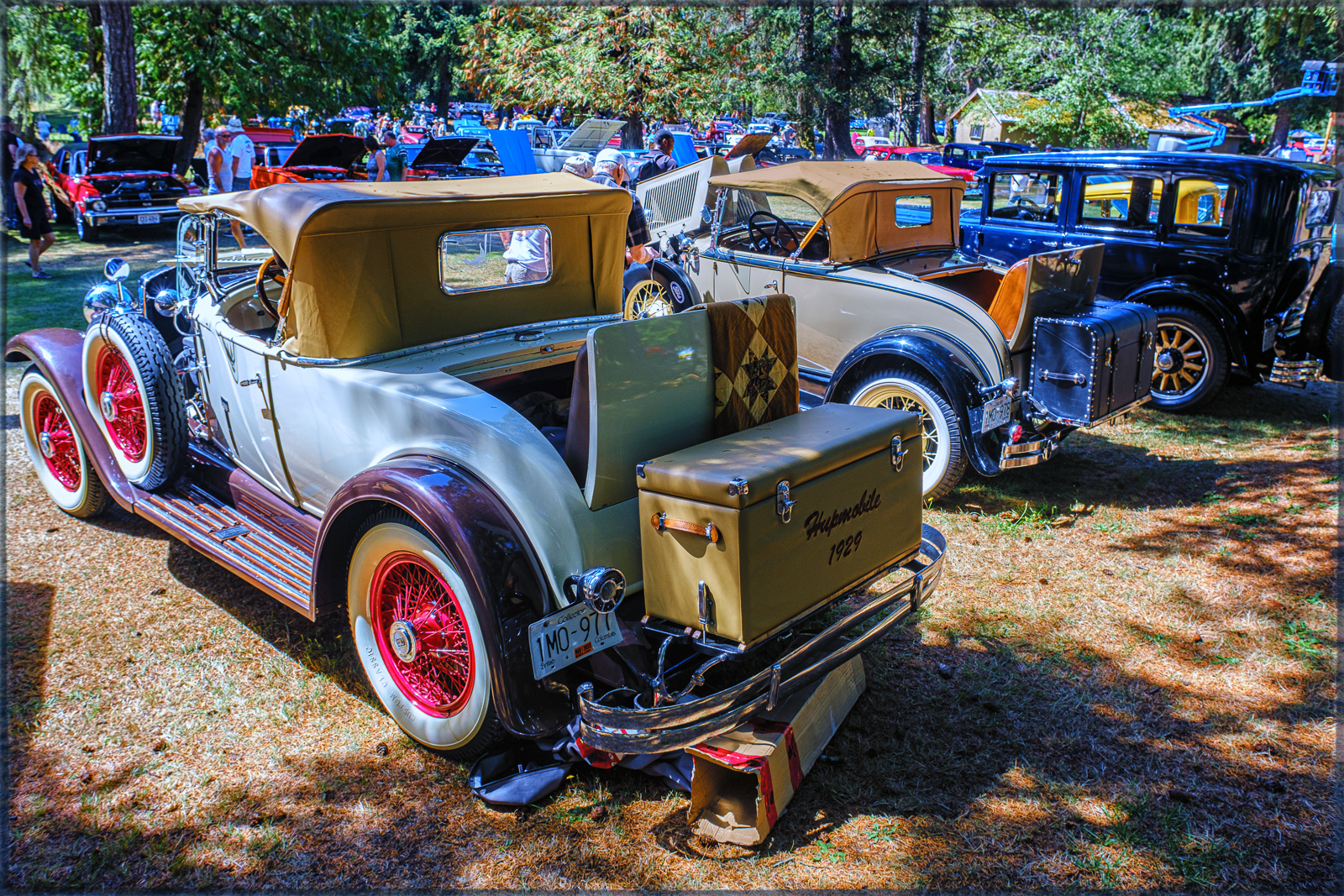
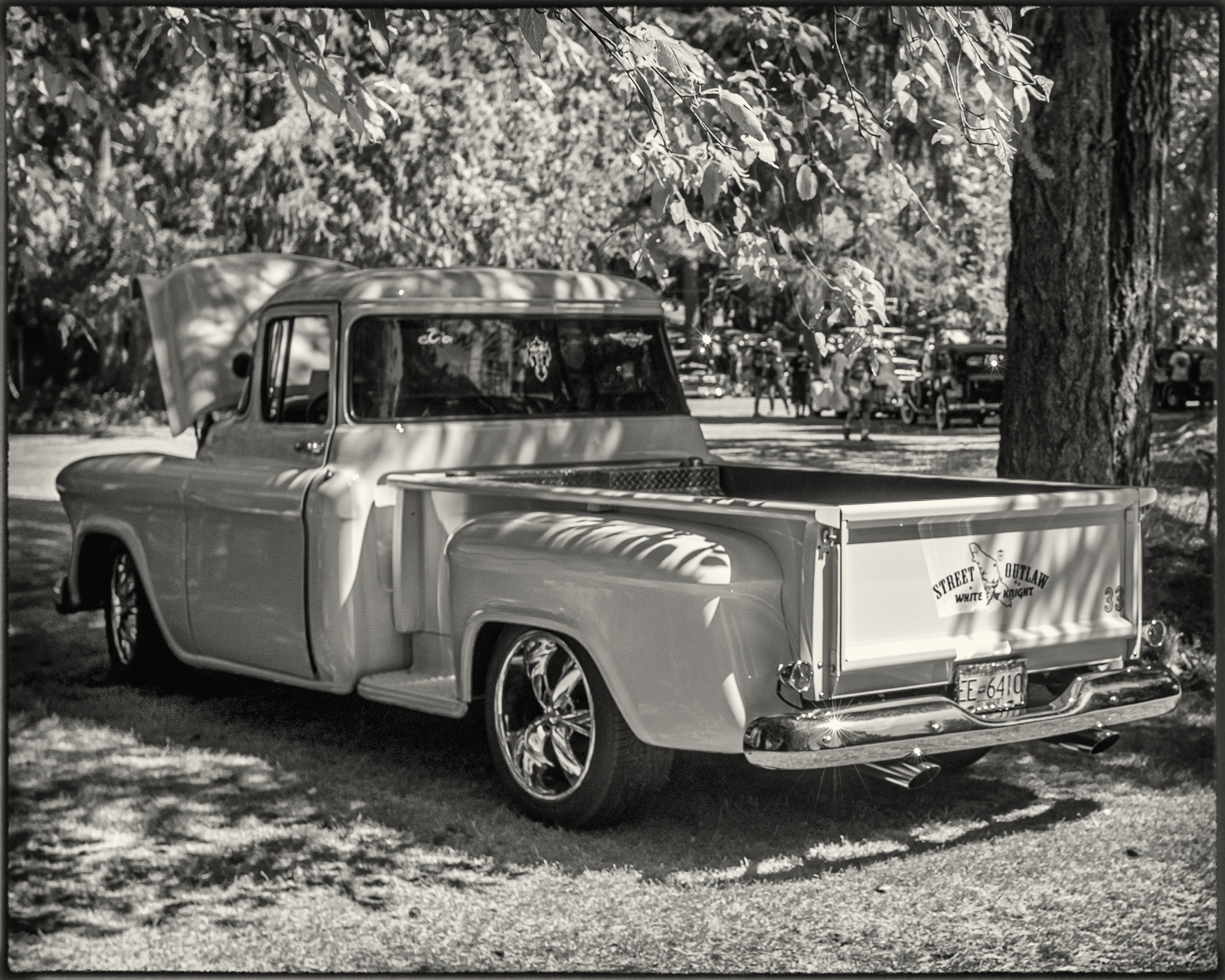
Did you process these on the new monitor? 2nd and 3rd image seem to have an overall magenta cast (esp visible in the clouds) and some of the blown highlights in the cloud also have a color shift going on. Nice compositions and subjects though! 👍
Lately I‘ve seen a couple of forest images in this thread with a very apparent magenta cast, not sure if they were from you or someone else. It often happens because the camera gets confused by all the green in the scene and overcorrects the white balance to magenta. The most telling sign is purple...Show more →
Thanks for your kind words, fjablo. No, I didn't process these photos on the new monitor. I just finished getting the new computer set up with all the right hardware, peripherals, wiring (it's in a room never before used by me for this purpose) and software, so I have yet to get started on using it for processing photos---that is my plan for this weekend. I won't be able to calibrate my monitors until the spectrophotometer arrives in the mail sometime within the coming week or so. However, Asus promises that my new monitor has been well calibrated at the factory (in fact---in a novel example of slick marketing---they included a "Color Calibration Testing Report" in the box with the monitor, with some impressive-looking charts and graphs on it
), so I am hoping that the results I achieve this weekend will be free of any colour cast, magenta or otherwise.For today, I have my final set of previously processed images from the 2023 Hot August Nights classic car show. These were taken with my Fuji X-T4, Lens Turbo II, and the 24 f/2.8 NC (first two) and the 35 f/2 OC (third one).
Jan 27, 2024 at 11:54 AM
p.2128 #4Manual Focus Nikon Glass
leighton w wrote:
https://live.staticflickr.com/65535/53490954210_14abfd575d_h.jpgZ62_8080-NR: St. Anton, Austria by Colin McIntosh, on Flickr
https://live.staticflickr.com/65535/53490841934_28802d98b2_h.jpgZ62_8081-NR: St. Anton, Austria by Colin McIntosh, on Flickr
https://live.staticflickr.com/65535/53490841714_afc75a4803_h.jpgZ62_8349-NR: St. Anton, Austria by Colin McIntosh, on Flickr
ColinI am enjoying your nighttime cityscapes.
Thanks Leighton. Alas, not much more to share on that subject matter.
Being self-conscious whilst yielding a camera I do feel most comfortable after dusk.
 Z62_8369-NR: St. Anton, Austria by Colin McIntosh, on Flickr
DeltaSigma wrote
Some more street scenes from St. Anton. 50/2 HC lens.https://live.staticflickr.com/65535/53490954210_14abfd575d_h.jpgZ62_8080-NR: St. Anton, Austria by Colin McIntosh, on Flickr
https://live.staticflickr.com/65535/53490841934_28802d98b2_h.jpgZ62_8081-NR: St. Anton, Austria by Colin McIntosh, on Flickr
https://live.staticflickr.com/65535/53490841714_afc75a4803_h.jpgZ62_8349-NR: St. Anton, Austria by Colin McIntosh, on Flickr
Colin
Thanks Leighton. Alas, not much more to share on that subject matter.
Being self-conscious whilst yielding a camera I do feel most comfortable after dusk.
Z62_8369-NR: St. Anton, Austria by Colin McIntosh, on FlickrJan 27, 2024 at 12:32 PM
p.2128 #5Manual Focus Nikon Glass
DeltaSigma wrote:
Some more street scenes from St. Anton. 50/2 HC lens.
https://live.staticflickr.com/65535/53490954210_14abfd575d_h.jpgZ62_8080-NR: St. Anton, Austria by Colin McIntosh, on Flickr
https://live.staticflickr.com/65535/53490841934_28802d98b2_h.jpgZ62_8081-NR: St. Anton, Austria by Colin McIntosh, on Flickr
https://live.staticflickr.com/65535/53490841714_afc75a4803_h.jpgZ62_8349-NR: St. Anton, Austria by Colin McIntosh, on Flickr
Colin
I’ve actually stayed in that hotel! Hotel Schwartzen Adler was a nice place. We were there for a week skiing back in the late 80’s.
Jan 27, 2024 at 12:32 PM
p.2128 #6Manual Focus Nikon Glass
kwoodard wrote:
https://live.staticflickr.com/65535/53490954210_14abfd575d_h.jpgZ62_8080-NR: St. Anton, Austria by Colin McIntosh, on Flickr
https://live.staticflickr.com/65535/53490841934_28802d98b2_h.jpgZ62_8081-NR: St. Anton, Austria by Colin McIntosh, on Flickr
https://live.staticflickr.com/65535/53490841714_afc75a4803_h.jpgZ62_8349-NR: St. Anton, Austria by Colin McIntosh, on Flickr
ColinI’ve actually stayed in that hotel! Hotel Schwartzen Adler was a nice place. We were there for a week skiing back in the late 80’s.
Kevin,
That's freaky!
We used to ski St. Anton back in the late 80's since we were living in Munich at the time.
Were you there in March '88 - the time the avalanche hit the town? We arrived the weekend after the dreadful event and couldn't believe the devistation that we witnessed. In December '88 we also drove through Lockerbie the day after PanAm 103 had been blown out of the air by a terrorist bomb. We had flown into London and hired a car in order to travel to Scotland to spend Christmas with my parents. That was the most surreal thing we have ever witnessed.
Colin
DeltaSigma wrote
Some more street scenes from St. Anton. 50/2 HC lens.https://live.staticflickr.com/65535/53490954210_14abfd575d_h.jpgZ62_8080-NR: St. Anton, Austria by Colin McIntosh, on Flickr
https://live.staticflickr.com/65535/53490841934_28802d98b2_h.jpgZ62_8081-NR: St. Anton, Austria by Colin McIntosh, on Flickr
https://live.staticflickr.com/65535/53490841714_afc75a4803_h.jpgZ62_8349-NR: St. Anton, Austria by Colin McIntosh, on Flickr
Colin
Kevin,
That's freaky!
We used to ski St. Anton back in the late 80's since we were living in Munich at the time.
Were you there in March '88 - the time the avalanche hit the town? We arrived the weekend after the dreadful event and couldn't believe the devistation that we witnessed. In December '88 we also drove through Lockerbie the day after PanAm 103 had been blown out of the air by a terrorist bomb. We had flown into London and hired a car in order to travel to Scotland to spend Christmas with my parents. That was the most surreal thing we have ever witnessed.
Colin
Jan 27, 2024 at 01:31 PM
p.2128 #7Manual Focus Nikon Glass
AdaptedLenses wrote:
60 degrees here means another misty morning. No complaints from me.
Beautiful fog work. The life preserver cover (I think) really does pop.
---------------------------------------------
milt wrote:
Quechee, Vermont (for those missing snow): Df
135mm Q f3.5
https://live.staticflickr.com/65535/53486688928_cfd6ffe7eb_b.jpg_DSC7730_787 by Regina, on Flickr
24mm f2.0
https://live.staticflickr.com/65535/53486545971_6f43c2ebed_b.jpg_DSC7706_783 by Regina, on Flickr
Red barn + white snow = winner
---------------------------------------------
DeltaSigma wrote:
Keeping with the snow theme
Ulmer Huette. We stopped for a refreshment at the outdoor bar.
Top right on the horizon is Schindlerspitze gondola lift at 2648m.
There is a nasty little traverse to take you away from the gondola station to get onto the wide piste, down past the other chairlift, to get to the mountain hut. From the Ulmer Hut the run takes you down into the valley. Amazing! The gondola that takes you to the Valuga (2800m) is visible. We didn't travel on the Valugabahn since it is for expert skiers only and you need to have a mountain...Show more →
That second picture is my kind of winter wonderland!
Jan 27, 2024 at 02:31 PM
p.2128 #8Manual Focus Nikon Glass
leighton w wrote:
Sometimes you have to find light where you can. 55mm f1.2 SC.
https://live.staticflickr.com/65535/53491159614_4074d0a78e_b.jpgBarn Light by Tom Womack, on Flickr
I'd say you found it alright. Excellent Leighton.
Sometimes you have to find light where you can. 55mm f1.2 SC.
https://live.staticflickr.com/65535/53491159614_4074d0a78e_b.jpgBarn Light by Tom Womack, on Flickr
I'd say you found it alright. Excellent Leighton.
Jan 27, 2024 at 02:35 PM

p.2128 #10Manual Focus Nikon Glass
pbraymond wrote:
Cold Color, 20mm f3.5 AI
https://www.pbraymond.com/img/s/v-10/p3570518044-6.jpg
Thanks Ray.
Man...that does look cold. Love the fog/vapor on top of the water.
Cold Color, 20mm f3.5 AI
https://www.pbraymond.com/img/s/v-10/p3570518044-6.jpg
Thanks Ray.
Man...that does look cold. Love the fog/vapor on top of the water.
Jan 27, 2024 at 03:36 PM
|
p.2128 #11Manual Focus Nikon Glass
 |
||
 |
||
|
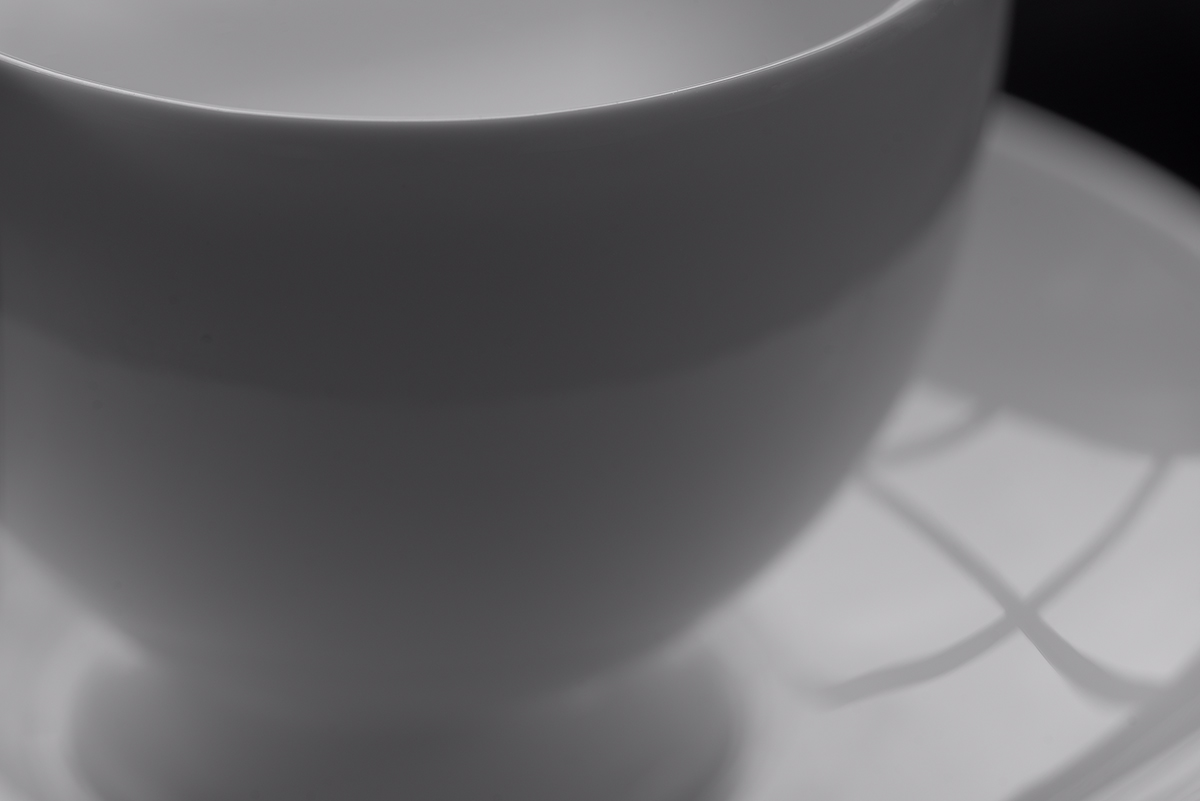
Teacup by the Window
135mm f/3.5 Nikkor AiS
Jan 27, 2024 at 06:31 PM
p.2128 #12Manual Focus Nikon Glass
DeltaSigma wrote:
kwoodard wrote
DeltaSigma wrote
Some more street scenes from St. Anton. 50/2 HC lens.https://live.staticflickr.com/65535/53490954210_14abfd575d_h.jpgZ62_8080-NR: St. Anton, Austria by Colin McIntosh, on Flickr
https://live.staticflickr.com/65535/53490841934_28802d98b2_h.jpgZ62_8081-NR: St. Anton, Austria by Colin McIntosh, on Flickr
https://live.staticflickr.com/65535/53490841714_afc75a4803_h.jpgZ62_8349-NR: St. Anton, Austria by Colin McIntosh, on Flickr
Colin
That's freaky!
We used to ski St. Anton back in the late 80's since we were living in Munich at the time.
Were you there in March '88 - the time the avalanche hit the town? We arrived the weekend after the dreadful event and couldn't believe the devistation that we witnessed. In December '88 we also drove through Lockerbie the day after PanAm 103 had been blown out of the air by a terrorist bomb. We had flown into London and hired a car in order to travel to Scotland to spend Christmas with my parents. That was the most surreal...Show more →
We were in St Anton the week before. We left several hours before the avalanche. It freaked my mom out for weeks.
My mom was born in Ginsburg outside of Ulm and the family had property in Munich. We were in Germany from 1983-1991.
Jan 27, 2024 at 07:44 PM
p.2128 #13Manual Focus Nikon Glass
Kenneth Lee wrote:
Teacup by the Window
135mm f/3.5 Nikkor AiS
If you put [ img] and [ /img] tags in front and behind the URL (minus the extra spaces inside the brackets, the image should show in the forum.
Jan 27, 2024 at 08:39 PM
p.2128 #14Manual Focus Nikon Glass
Haha, I know right ! I likened it to a Martian landscape and having never been skiing I can only imagine the difference.
GeorgeBo wrote:
Wow Andy, seeing that landscape intended for skiing but without snow looks painful with all the exposed rocks. What a difference the seasons make
Not being a ski person but having visited some ski fields here when there's no snow I have seen lots of "snow makers", they look like large blowers on poles. Do they have them there ?
There are at least 3 in this pic
https://live.staticflickr.com/65535/52489808220_9f2b3a7948_h.jpg_DSF1756 by Andy Macdougall, on Flickr
Ulmer Huette. We stopped for a refreshment at the outdoor bar.
Top right on the horizon is Schindlerspitze gondola lift at 2648m.
There is a nasty little traverse to take you away from the gondola station to get onto the wide piste, down past the other chairlift, to get to the mountain hut. From the Ulmer Hut the run takes you down into the valley. Amazing! The gondola that takes you to the Valuga (2800m) is visible. We didn't travel on the Valugabahn since it is for expert skiers only and you need to have a mountain guide with you (as well as all the avalanche gear)
Another 50/2 lens 4 frame pano.
https://live.staticflickr.com/65535/53489126353_7e1949611c_h.jpgZ62_8539-Pano: Valfagehrjoch / Ulmer Huette by Colin McIntosh, on Flickr
A pano view down to St. Christoph
https://live.staticflickr.com/65535/53488977331_bc3554610b_h.jpgZ62_8481-Pano: St. Christoph by Colin McIntosh, on Flickr
and a crop from the above pano
https://live.staticflickr.com/65535/53489279194_ecf4aa8d91_h.jpgZ62_8481-PanoCrop: St. Christoph by Colin McIntosh, on Flickr
Colin
GeorgeBo wrote:
Wow Andy, seeing that landscape intended for skiing but without snow looks painful with all the exposed rocks. What a difference the seasons make
cadman342001 wrote
Wow that's a lot of snow.Not being a ski person but having visited some ski fields here when there's no snow I have seen lots of "snow makers", they look like large blowers on poles. Do they have them there ?
There are at least 3 in this pic
https://live.staticflickr.com/65535/52489808220_9f2b3a7948_h.jpg_DSF1756 by Andy Macdougall, on Flickr
DeltaSigma wrote
Keeping with the snow themeUlmer Huette. We stopped for a refreshment at the outdoor bar.
Top right on the horizon is Schindlerspitze gondola lift at 2648m.
There is a nasty little traverse to take you away from the gondola station to get onto the wide piste, down past the other chairlift, to get to the mountain hut. From the Ulmer Hut the run takes you down into the valley. Amazing! The gondola that takes you to the Valuga (2800m) is visible. We didn't travel on the Valugabahn since it is for expert skiers only and you need to have a mountain guide with you (as well as all the avalanche gear)
Another 50/2 lens 4 frame pano.
https://live.staticflickr.com/65535/53489126353_7e1949611c_h.jpgZ62_8539-Pano: Valfagehrjoch / Ulmer Huette by Colin McIntosh, on Flickr
A pano view down to St. Christoph
https://live.staticflickr.com/65535/53488977331_bc3554610b_h.jpgZ62_8481-Pano: St. Christoph by Colin McIntosh, on Flickr
and a crop from the above pano
https://live.staticflickr.com/65535/53489279194_ecf4aa8d91_h.jpgZ62_8481-PanoCrop: St. Christoph by Colin McIntosh, on Flickr
Colin
Jan 27, 2024 at 10:44 PM
p.2128 #15Manual Focus Nikon Glass
Here's a couple of shots of a small nearby lake. I pass the sign all the time, it says "Lake Johnson 1km", someone at work mentioned it so I thought I'd pop in for a look/walk.
Looking towards the hills/away from Queenstown
 DSCF7599-Pano-Edit by Andy Macdougall, on Flickr
Looking back towards Queenstown (see The Remarkables in the distance)
 DSCF7606-Pano-Edit by Andy Macdougall, on Flickr
Andy
Looking towards the hills/away from Queenstown
DSCF7599-Pano-Edit by Andy Macdougall, on FlickrLooking back towards Queenstown (see The Remarkables in the distance)
DSCF7606-Pano-Edit by Andy Macdougall, on FlickrAndy
Jan 27, 2024 at 10:48 PM
p.2128 #16Manual Focus Nikon Glass
50/2
 Z62_8604 by Colin McIntosh, on Flickr
Jan 28, 2024 at 03:01 AM
p.2128 #17Manual Focus Nikon Glass
kwoodard wrote:
If you put [ img] and [ /img] tags in front and behind the URL (minus the extra spaces inside the brackets, the image should show in the forum.
This is the first time someone has told me an image doesn't appear.
I see it in the original post, using both Safari and Firefox browsers on MacOS. At least one other person saw it too, as it got a "like", as have some of my other posted photos.
As far as I can tell, the frame tag centers the image within a small frame, centered, while the img tag shows just the image, flush-left.
Jan 28, 2024 at 07:20 AM
p.2128 #18Manual Focus Nikon Glass
Hi, everyone:
James, excellent series of the feathered friends, sharp.
Regina, great snowy photos from Vermont.
Colin, terrific light and clarity in your St. Anton captures.
Glen great work with the classic cars and landscapes, nice vivid colors.
Andy, congratulation of the new and improved PC 28/3.5. Great shots of the Bungee jumping bridge, looks like fun.
Monument of Discoveries, Lisbon 1960:
The sculpture is dedicated the great Portuguese explores from The Age of Discovery. The figures are carved on both sides.
Friendly skies in front but there was a storm brewing behind me.

Fast walking to arrive before loosing the golden light.

X-E1 + 28/2.8 AIs
Serge
Edited on Jan 28, 2024 at 12:00 PM · View previous versions
James, excellent series of the feathered friends, sharp.
Regina, great snowy photos from Vermont.
Colin, terrific light and clarity in your St. Anton captures.
Glen great work with the classic cars and landscapes, nice vivid colors.
Andy, congratulation of the new and improved PC 28/3.5. Great shots of the Bungee jumping bridge, looks like fun.
Monument of Discoveries, Lisbon 1960:
The sculpture is dedicated the great Portuguese explores from The Age of Discovery. The figures are carved on both sides.
Friendly skies in front but there was a storm brewing behind me.
Fast walking to arrive before loosing the golden light.
X-E1 + 28/2.8 AIs
Serge
Edited on Jan 28, 2024 at 12:00 PM · View previous versions
Jan 28, 2024 at 10:02 AM
p.2128 #19Manual Focus Nikon Glass
Kenneth Lee wrote:
kwoodard wrote
If you put [ img] and [ /img] tags in front and behind the URL (minus the extra spaces inside the brackets, the image should show in the forum.I see it in the original post, using both Safari and Firefox browsers on MacOS. At least one other person saw it too, as it got a "like", as have some of my other posted photos.
As far as I can tell, the frame tag centers the image within a small frame, centered, while the img tag shows just the image, flush-left.
I’m a Mac person as well. Safari on iOS just shows the url. Chrome on my Mac also showed just the link. The img tag though, works everywhere.
Jan 28, 2024 at 11:02 AM
p.2128 #20Manual Focus Nikon Glass
Kenneth, I'm seeing your photo either way using Chrome on a Mac. Works with Safari, too.
Nikon Z6ii, 50/1.4 Ai

Z62_2460-print by Scott Poupard
Nikon Z6ii, 50/1.4 Ai
Z62_2460-print by Scott Poupard
Jan 28, 2024 at 12:12 PM